13 Best AI Agents and Tools to Turn Websites and Blogs Into On-Brand Social Posts (2026)
 Pavan Ravikumar·Marketing Engineer, Velocity

When a small business, growing brand, or agency publishes a useful website page or blog post, the follow-on social work often sits in a backlog. A product update may be accurate on the site but still need a hook, caption, visual, brand voice check, and channel-specific edit before it is ready to post. Repeating that manual work for each article makes the brand voice inconsistent, slows social media scheduling for client or campaign releases, and leaves the people responsible unsure which version is actually ready to post.
AI agents and tools can reduce that gap by starting with a website, selected article, brief, image, video, or past content. Depending on the workflow, they can use saved Brand Identity context to prepare on-brand social posts, adapt the message for the intended channel, and give a person something concrete to revise. They help agencies and growing brands turn approved source material into channel-ready drafts, coordinate scheduling, and avoid rebuilding social media content for every new website page or blog post.
The workflow varies significantly by product. Some tools create a draft or visual, some repurpose blog posts into a set of options, and some distribute feed metadata after a new item appears. This guide compares how each option handles website and source context, content repurposing, brand voice, review, social media scheduling, publishing, analytics, and pricing. Those differences show whether a small business, growing brand, or agency needs an AI agent that turns a website or selected blog post into on-brand social posts, or a focused tool that begins and ends with one task.
| Platform | Best for | Key features | Pricing and Free plan |
|---|---|---|---|
| Velocity | Teams turning websites into on-brand social posts and repurposing selected blog posts with AI agents | AI agents repurpose website and blog content into on-brand posts, with scheduling, publishing, and analytics | Free plan available; Pro $49/month. |
| Ocoya | Teams managing recurring posts with a saved brand | Brand profile, design studio, campaign creation, and calendar scheduling | Starter $29/month; no free plan. |
| Predis.ai | Teams creating branded post assets | Brand settings, layered post visuals, captions, and post scheduling | Core $19/month; no free plan. |
| Canva | Design teams creating reusable post assets | Brand Kit Builder, template editor, AI design tools, and Content Planner | Free plan available; Pro $144/year. |
| SocialBee | Teams organizing planned posts by category | Copilot planning, draft categories, feed imports, and scheduling | Bootstrap $29/month; no free plan. |
| Lately.ai | Teams reusing existing source material | Autogenerator, draft batches, publishing calendar, and performance analysis | Pricing via sales; no free plan listed. |
| Repurpose.io | Teams moving finished media between platforms | Source-to-destination workflows, media resizing, and automatic publishing | Starter $35/month; no free plan. |
| FeedHive | Teams refreshing existing post libraries | Recycle suggestions, variant history, post calendar, and automation workflows | Creator €15/month, billed annually; no free plan. |
| dlvr.it | Teams routing content feeds to social accounts | Feed routes, queue settings, and automatic sharing | No free plan; paid pricing is not publicly listed. |
| Missinglettr | Teams extending content promotion over time | Drip campaigns, editable series, and publishing cadence | Solo $15/month; no free plan. |
| Buffer | Teams collecting stories before planned posts | Content Feeds, AI Assistant, calendar, and queue | Free plan available; Essentials $5/channel/month, billed annually. |
| Hootsuite | Teams running a shared social workspace | AI post assistance, calendar, inbox, and account analytics | Standard $99/user/month, billed annually; no free plan. |
| Zapier | Teams configuring custom workflow logic | Feed triggers, filters, field mapping, and destination actions | Free plan available; Professional from $19.99/month. |
What an AI social media agent for website and blog content is, and what it is notLink to this section
An AI social media agent for website and blog content works toward a chosen social outcome across multiple supported steps. It may use source material, saved brand and account context, research an angle, prepare on-brand, channel-aware copy and visuals for a selected page or article, support revisions, and move the approved post toward Scheduling, Publishing, or performance learning. Its role is broader than returning one caption, image, design, or recommendation, but the exact steps depend on the product and connected accounts.
Not every product with an AI feature takes on that role. A focused AI content-repurposing tool can be useful for interpreting performance, designing a visual, drafting copy, importing an RSS item, or queuing a final post. The practical question is where the documented workflow ends: some products return an AI result, while others connect selected work to later review or release steps.
What an AI social media agent is not:
- A social listening or analytics platform: It can surface trends, audience signals, and post performance, but its workflow may end with insight or a recommendation.
- A visual-creation or design platform: It can produce editable branded assets and templates, but its workflow normally ends with the asset rather than a reviewed release.
- An AI writing, caption, or post generator: It can turn a prompt or source into copy, but its workflow may end when it returns draft options.
- A scheduler or publishing queue: It can organize completed work by account and date, but it may begin only after the content and creative are already chosen.
This guide keeps those roles separate by comparing each product's documented source and brand context, research or content preparation, review, scheduling, publishing, analytics or trend-monitoring scope, and pricing or free-plan boundary.
The 13 Best AI Agents and Tools to Turn Websites and Blogs Into On-Brand Social PostsLink to this section
1. VelocityLink to this section
Best forLink to this section
- Small businesses looking for an AI agent to turn website content into on-brand social posts.
- Growing brands wanting to repurpose selected blog posts into channel-specific drafts before social media scheduling.
- Agencies managing client brand voice and release decisions across separate workspaces and scheduled campaigns.
What it doesLink to this section
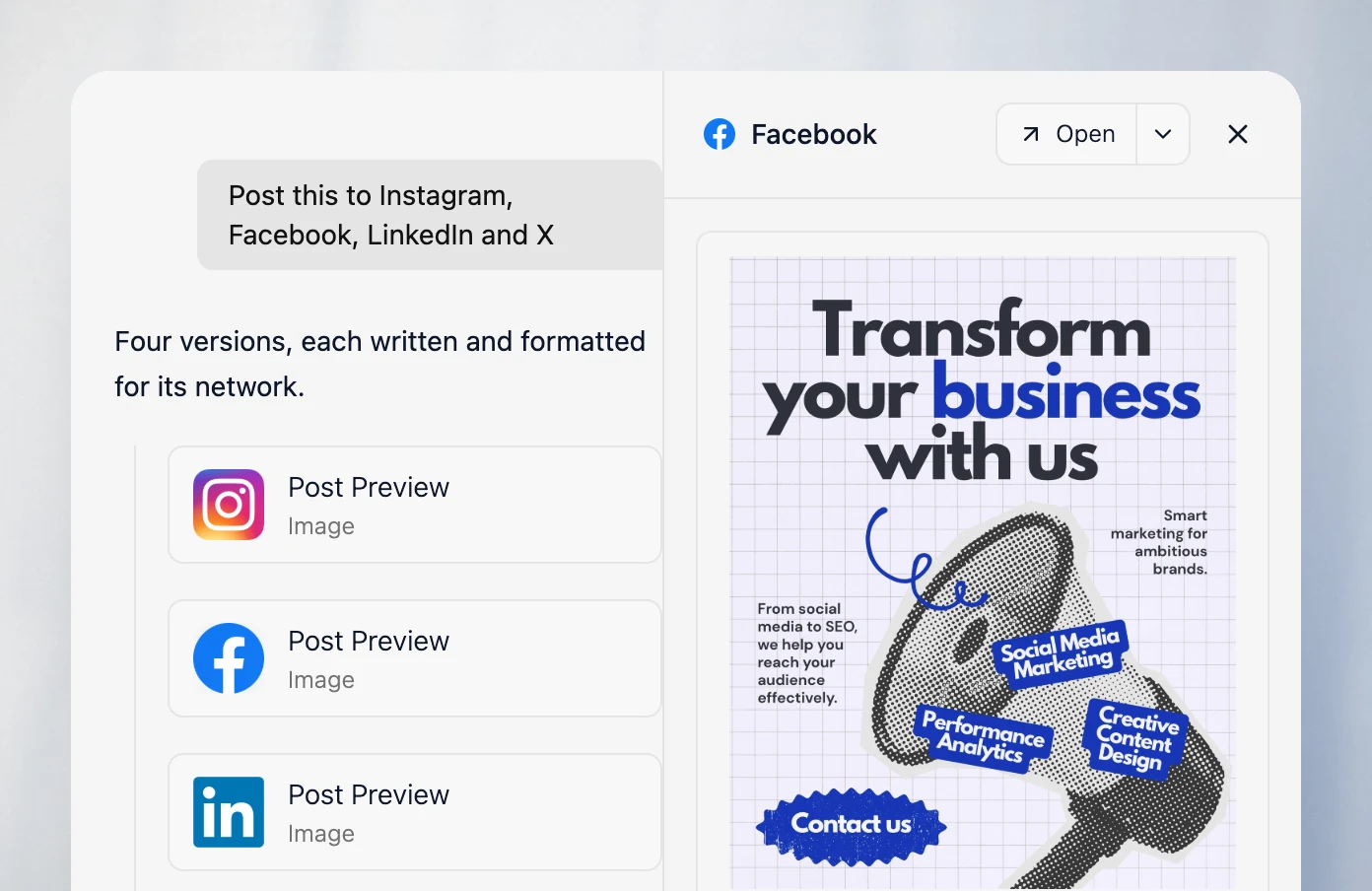
Velocity is an AI social media agent platform for creating, reviewing, planning, and publishing social content. Its AI agents use a business’s website or selected source to prepare an on-brand social post and retain the working version as it moves through the later social workflow. Velocity’s AI agents support AI content repurposing by turning selected blog posts into editable Instagram, Facebook, LinkedIn, and X drafts before social media scheduling. With this approach, a WordPress article or RSS item remains source material the team selects and adapts, rather than a rule that automatically publishes blog posts to social media.
Velocity’s AI agents build a Brand Identity from a business’s website URL, past posts, brand guidelines, and visual assets. That saved context gives the agents the brand voice, audience, approved language, and visual direction to guide social media content. When a post needs a visual, the AI agents create a matching AI on-brand design from the same Brand Identity, so the caption and image follow one direction. They turn selected source material, including a website page or blog post, into on-brand social media posts that retain that direction across channels.
Once AI agents turn a business’s website into on-brand social posts or repurpose a selected blog post into channel-specific drafts, Content Approval lets an owner or admin approve a draft or request changes. The agents revise the same draft, retaining its caption, visual, and feedback. After approval, the agents use Scheduling to set each text-and-image post for a requested date and time. If no time is specified, AI agents select the best time to post for the chosen channel using account-specific timing data. The Content Calendar shows planned work, where agents can fill open dates, move named posts, or spread a batch through a plain-language request. Publishing sends the approved post to the selected connected account at its scheduled time.
Results from scheduled and published posts guide the next planning decision. Audience Attention refreshes public-engagement signals for tracked topics each day, surfacing topic gaps and open topics for a marketer to evaluate. Once a topic is selected, AI agents research it and develop on-brand social media content that follows the saved brand voice. After publication, Analytics returns post and account results to the workspace, so the team can compare content angles, formats, channels, and timing before deciding what to repurpose or plan next. Velocity is rated 4.8 out of 5 on G2 for AI social media management.
What you’ll likeLink to this section
- AI agents use a business’s website URL and saved brand voice to guide social media content generation.
- AI agents repurpose selected blog posts into editable captions and matching visuals for intended channels.
- AI agents use product updates, links, images, and video for social media content generation.
- Content Approval keeps feedback and revisions with the social media post’s caption and visual.
- Agents move approved posts through the calendar, scheduling, and publishing on connected accounts.
- Analytics gives agents connected-account performance context for later social media content requests.
Where it falls shortLink to this section
- Velocity may be more workflow than needed for teams simply sending finished feed items to a posting queue.
- Teams creating occasional one-off assets without reusable brand context, review, or planning may prefer a narrower tool.
Free plan: Yes (Free forever; no credit card required).
2. OcoyaLink to this section
Best forLink to this section
- Teams managing recurring promotional posts with a stored brand profile.
- Agencies keeping each client's voice, assets, and channels in separate workspaces.
What it doesLink to this section
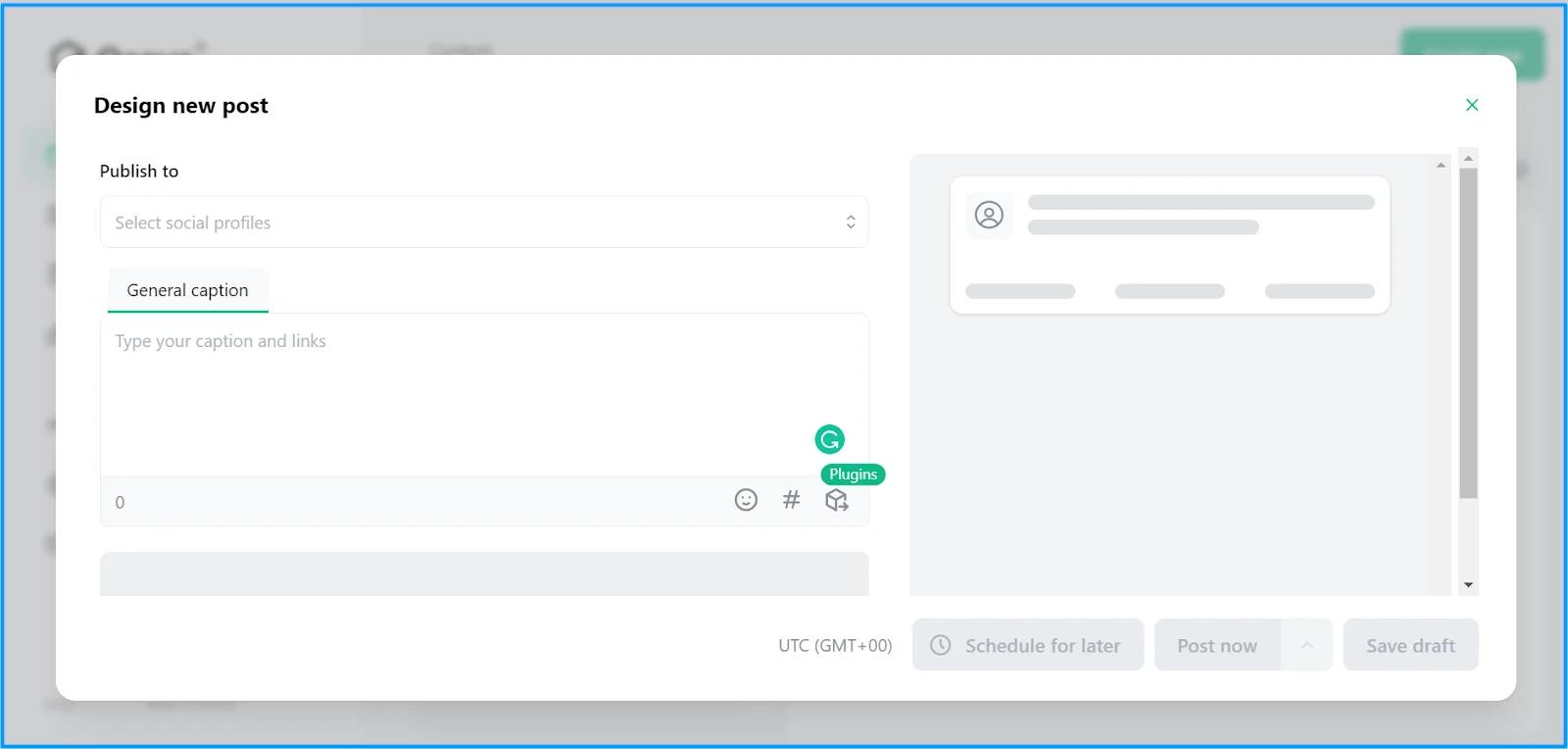
Ocoya stores a brand profile with logos, colors, voice, keywords, and custom rules. Its AI tools use that information for captions, remixes, campaign ideas, and design work.
Posts move into a calendar with per-network drafts, approvals, and release settings. Teams still set the content direction and inspect the generated copy and creative before they approve a post.
What you’ll likeLink to this section
- Saved brand rules inform captions, remixes, designs, and campaign ideas.
- A shared calendar keeps draft and release settings visible by network.
- Separate brands keep client assets and content settings apart.
Where it falls shortLink to this section
- Automatically collected brand details can require manual correction before they are safe to reuse.
- Shared monthly credits can restrict high-volume generation and workflow activity.
- Channel capacity varies by plan, which can limit a growing client roster.
Free plan: No.
3. Predis.aiLink to this section
Best forLink to this section
- Teams creating branded graphics, captions, and short videos from a creative brief.
- Agencies working from editable templates, colors, fonts, and logos for each client.
What it doesLink to this section
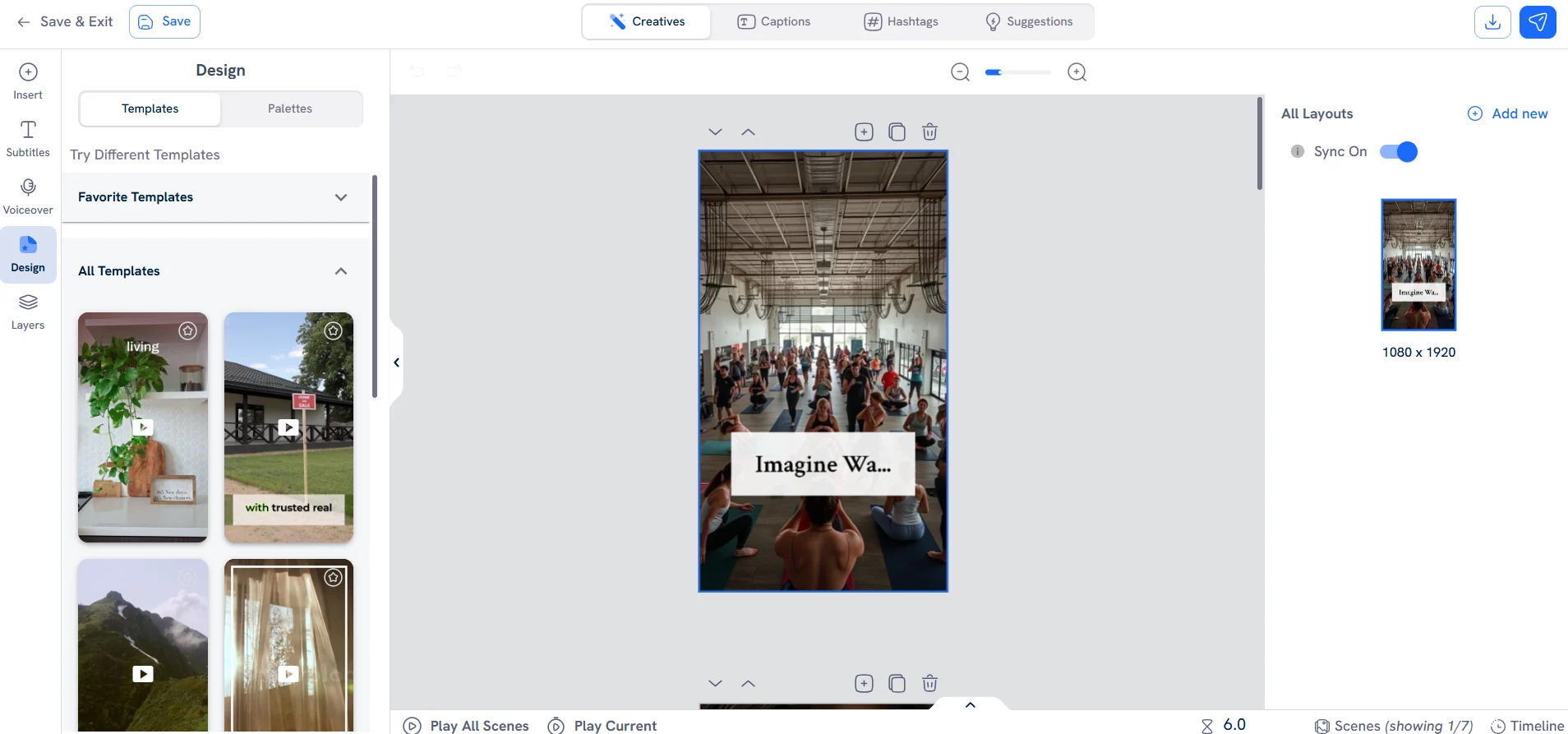
Predis.ai stores fonts, colors, logos, handles, and hashtags in its Brand setup. Its generator creates graphics, videos, captions, and hashtag suggestions, with layered output that remains editable before scheduling.
The product begins with a creative brief and stored brand settings. Publishing is configured after the asset is created, so teams need to confirm the destination, format, and review path that apply to their own accounts.
What you’ll likeLink to this section
- Brand settings keep visual assets and hashtag defaults close to the generator.
- Layered creatives remain editable before the release is scheduled.
- The workspace can create images, videos, captions, and ads.
Where it falls shortLink to this section
- Generation credits are consumed by images, videos, multi-slide assets, and edits.
- The product does not document an automated source-monitoring rule for new material.
- Scheduling starts after creation, so review controls depend on the team's own process.
Free plan: No.
4. CanvaLink to this section
Best forLink to this section
- Design teams creating reusable visual assets from an established identity.
- Agencies producing editable layouts for client campaigns and shared calendars.
What it doesLink to this section
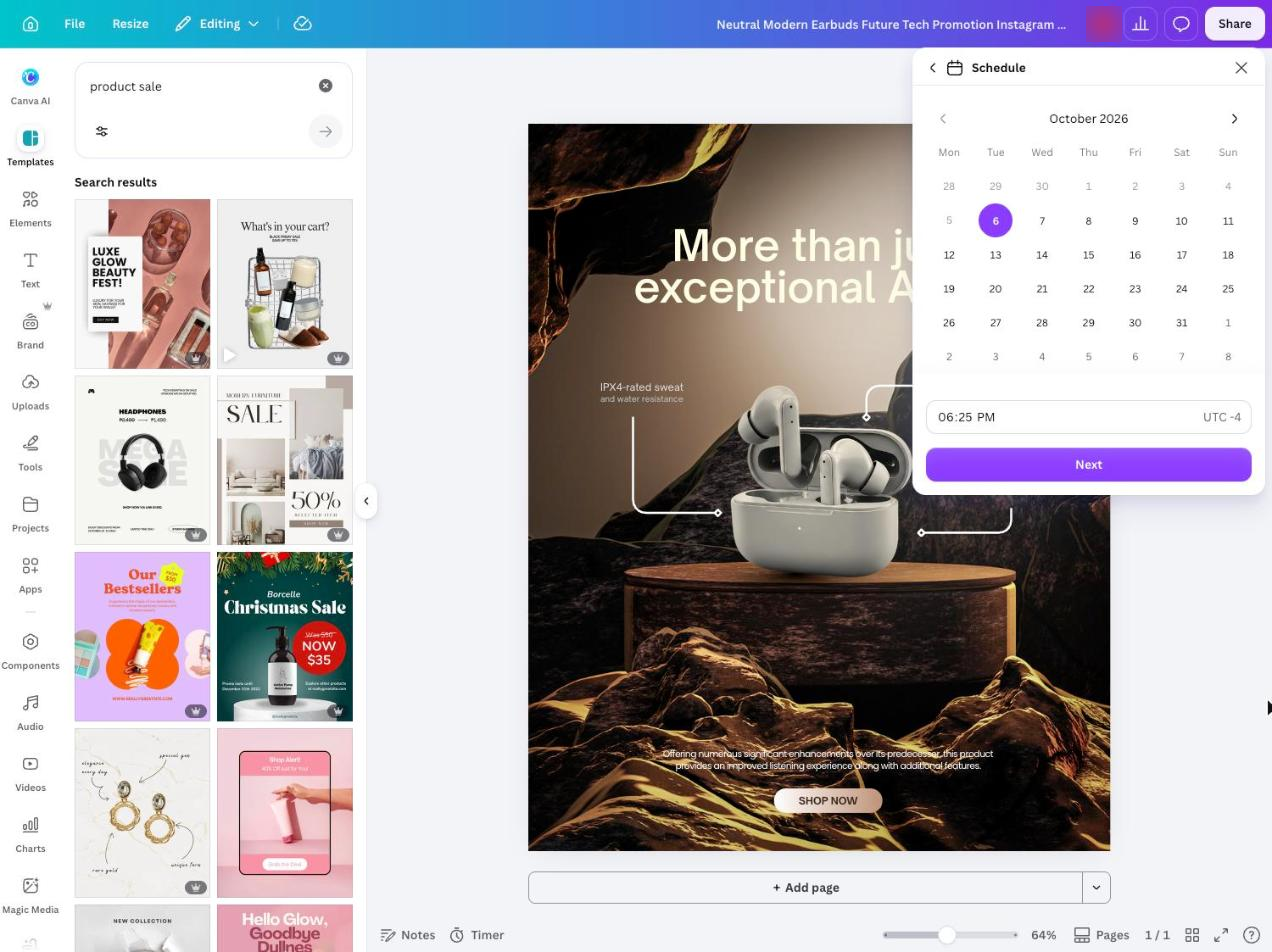
Canva's Brand Kit Builder can extract or generate logos, colors, fonts, graphics, imagery, voice, and guidelines from supplied materials. A team reviews and adjusts those elements, then uses the Brand Kit in Canva's editor and AI design tools.
Content Planner can schedule a completed design to supported accounts. The documented route is asset-led, so teams still pair a finished design with the copy, review, and release checks they require.
What you’ll likeLink to this section
- Brand inputs can seed a new kit for team review.
- The editor keeps layouts, brand assets, and design controls together.
- Content Planner schedules finished designs to supported accounts.
Where it falls shortLink to this section
- Extracted brand details can be incomplete and require manual revision.
- Brand Kit Builder is limited to specific plans and user roles.
- The workflow centers on design assets, leaving copy and release governance to the team.
Free plan: Yes.
Read the detailed comparison: Velocity vs. Canva.
5. SocialBeeLink to this section
Best forLink to this section
- Teams organizing planned posts through reusable content categories.
- Agencies setting separate categories and approval defaults for client work.
What it doesLink to this section
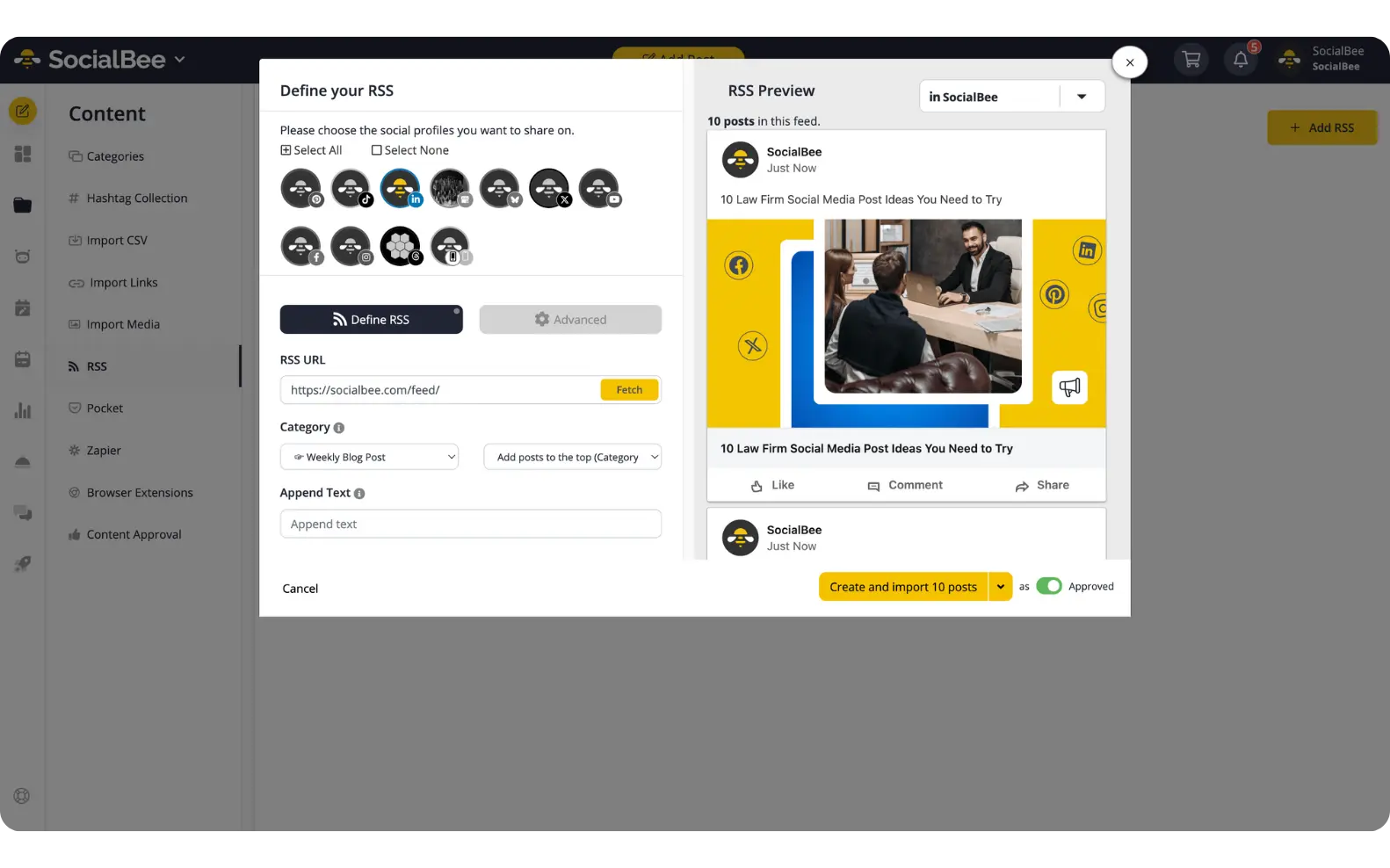
SocialBee's Copilot uses business details to suggest platforms, content categories, posting plans, and ready-to-edit drafts. The content generator uses that saved information, then posts are placed into a chosen category.
Imported feed items use a separate category workflow. New items follow the category's default status, so the person who configures that category determines whether they enter as drafts or approved posts.
What you’ll likeLink to this section
- Copilot can propose categories and posting plans from saved business details.
- Categories organize drafts and released posts by the team's chosen structure.
- Import defaults can place new items into a draft or approved state.
Where it falls shortLink to this section
- Copilot planning and feed importing are separate systems to configure and maintain.
- A category default does not verify every imported item's copy, preview, or claims.
- Approval behavior is configured at the category level rather than for each imported item.
Free plan: No.
Read the detailed comparison: Velocity vs. SocialBee.
6. Lately.aiLink to this section
Best forLink to this section
- Teams converting existing source material into a batch of draft options.
- Agencies reviewing batches of draft content before setting client release dates.
What it doesLink to this section
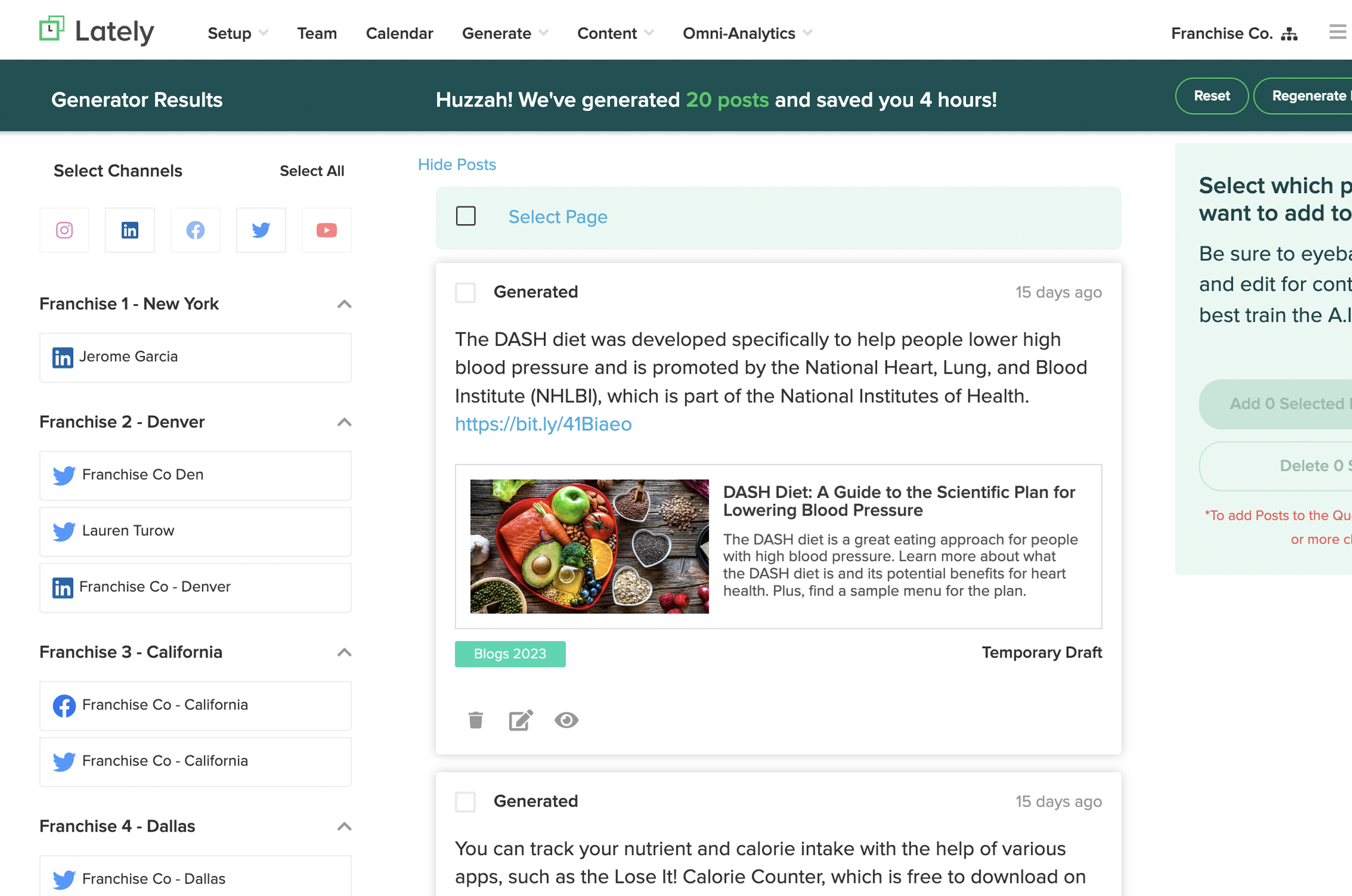
Lately's Autogenerator can turn supplied text, video, and audio into a batch of draft options. Its documentation also describes feed inputs that place generated items on the Generated page for later editing or release.
The product is built around generating and selecting batches, not around a reusable workspace profile created from a business site. People select, edit, or discard the output before setting its cadence and release.
What you’ll likeLink to this section
- Multiple source formats can become a batch of draft options.
- The Generated page holds items for later editing or selection.
- Bulk scheduling applies frequency, start date, and cadence to selected posts.
Where it falls shortLink to this section
- Public pricing is sales-led, so a team cannot compare an ongoing self-serve tier before speaking to sales.
- Batch generation shifts editorial selection and quality control back to the team.
- The quality of output depends on the material provided to the generation step.
Free plan: No.
7. Repurpose.ioLink to this section
Best forLink to this section
- Teams distributing completed video and image assets among connected accounts.
- Agencies operating repeatable media routes for separate clients.
What it doesLink to this section
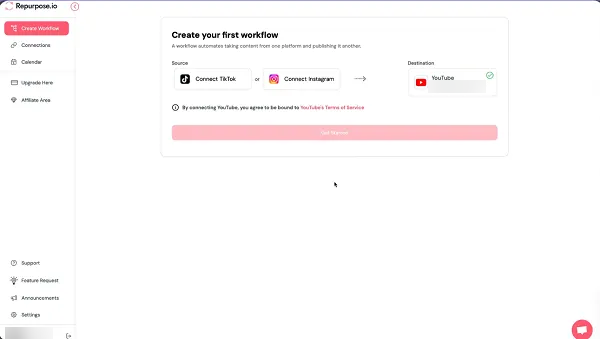
Repurpose.io connects a chosen media source to a selected destination. Its help center documents video, image, carousel, slideshow, and Story combinations that can be scheduled or published when supported.
Availability depends on the exact source platform and media type chosen in the workflow builder. It is a distribution product for existing media, not a tool documented to write original copy or produce an editorial draft.
What you’ll likeLink to this section
- Connects a defined media source to a chosen destination.
- Can schedule or automatically publish supported media workflows.
- Resizes video for supported destination formats.
Where it falls shortLink to this section
- It does not generate original text from a media asset or external page.
- Same-platform source-to-destination workflows are not supported.
- Compatible routes depend on the exact platform and media type, including locked or restricted choices.
Free plan: No.
8. FeedHiveLink to this section
Best forLink to this section
- Teams refreshing proven posts from an existing content library.
- Agencies tracking revisions and recycling history for client accounts.
What it doesLink to this section
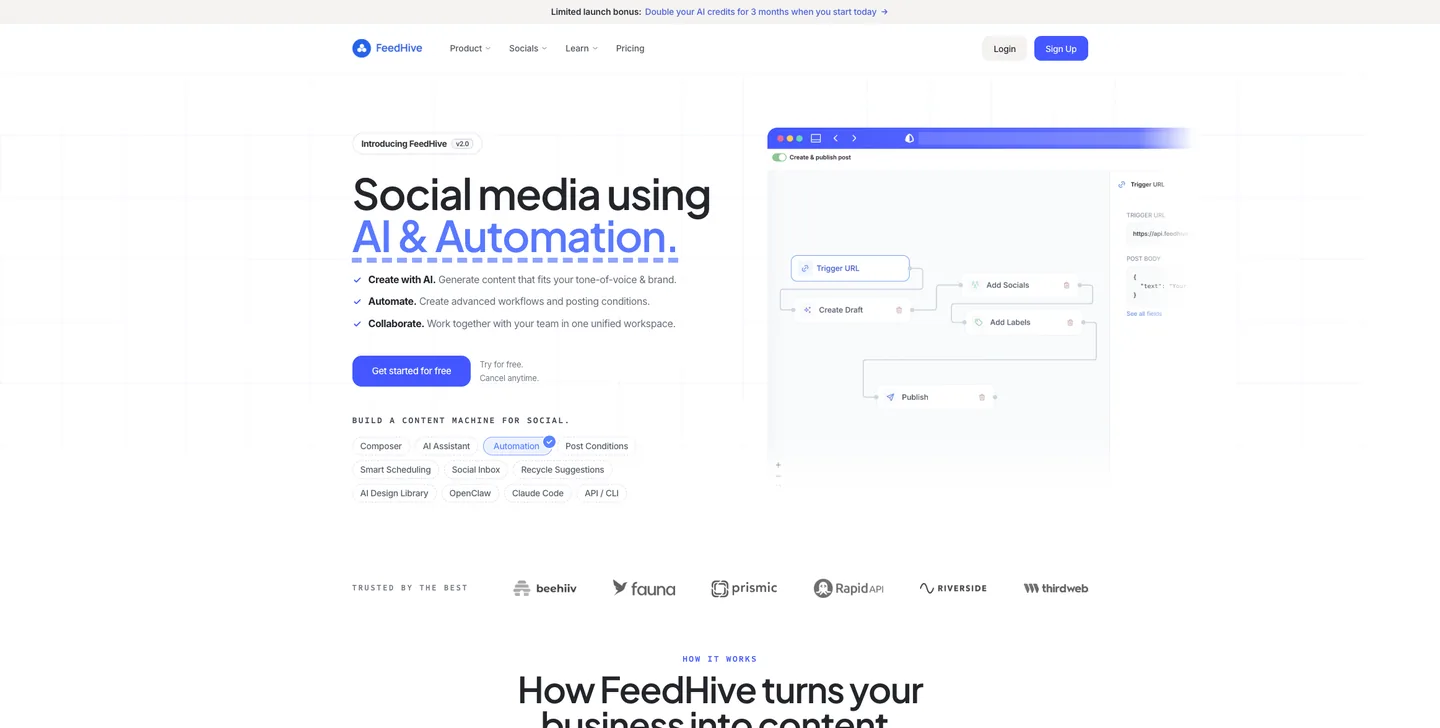
FeedHive's recycling tools surface earlier posts as suggestions, including previous top performers and posts its AI predicts may work better at another time. Its recycle history maps variants to an original post and records when each one was posted.
This begins with an existing post library. A team decides whether and how to revise a suggested post, making the feature a reuse and planning route rather than an intake workflow for new material.
What you’ll likeLink to this section
- Recycle Suggestions separates top performers from other recommended posts.
- Variant history shows the posts derived from the same original item.
- The editor opens a selected historic post for a revised version.
Where it falls shortLink to this section
- Suggestions depend on prior posts already being available in the workspace.
- The recycling feature does not document intake of a new external source for a team.
- Recommendations remain suggestions that a team must evaluate and revise.
Free plan: No.
9. dlvr.itLink to this section
Best forLink to this section
- Teams routing established content feeds into a defined release path.
- Agencies managing queues and bulk imports across client profiles.
What it doesLink to this section
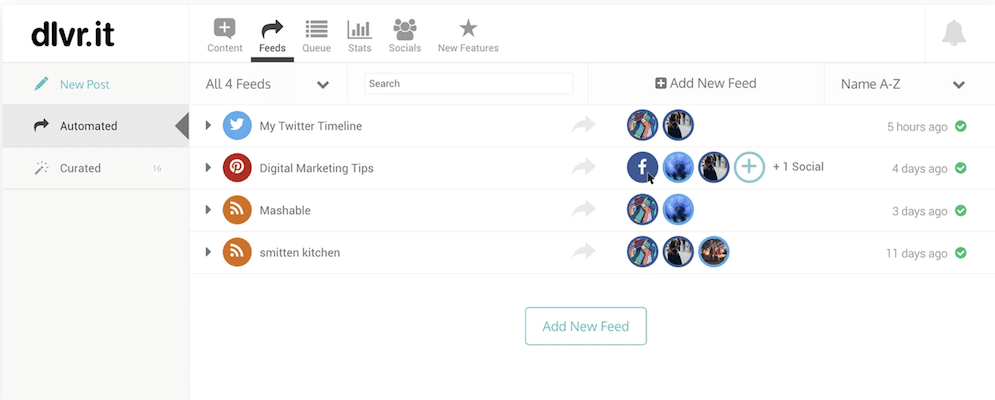
dlvr.it treats automated sharing and queued posting as separate release behaviors. A route can send a discovered feed item immediately or add it to a queue, letting a team choose how its source items are released.
Its support documentation also covers feed inputs, queues, manual posting, bulk imports, and content curation. The route moves feed metadata into a configured release path, so custom writing, visual work, and editorial approval must happen before or alongside that route.
What you’ll likeLink to this section
- Separates immediate feed sharing from scheduled queue behavior.
- Supports feed inputs alongside queues and manual posting tools.
- Offers bulk import and content-discovery routes for planned sharing.
Where it falls shortLink to this section
- The route republishes source metadata rather than generating new copy or custom creative.
- Editing and approval decisions sit outside the automated release rule.
- Network-specific volume caps can restrict posting, including on paid plans.
Free plan: No.
10. MissinglettrLink to this section
Best forLink to this section
- Teams extending promotion of an existing content asset over a longer cadence.
- Agencies reviewing and approving scheduled campaigns for their clients.
What it doesLink to this section
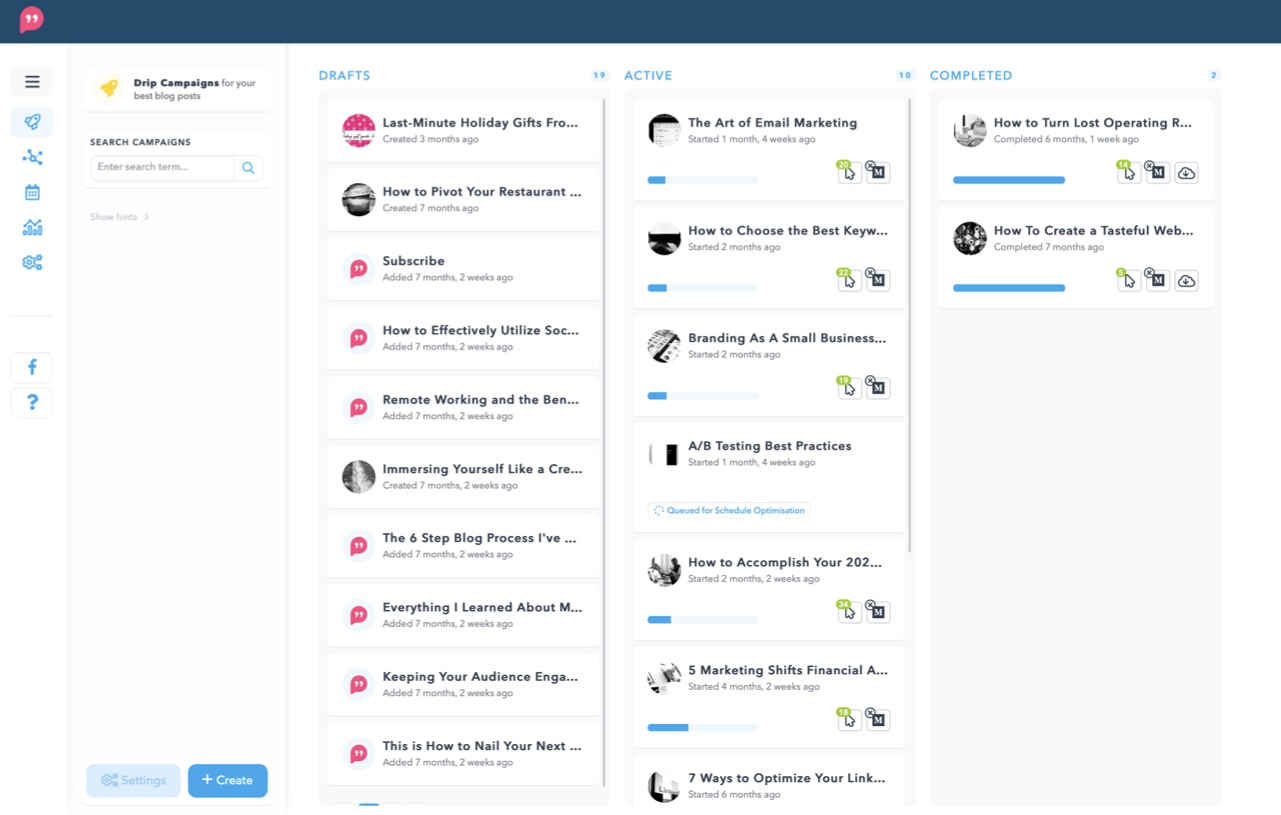
Missinglettr can create Drip Campaigns from connected article and video sources. Its campaign workflow creates a scheduled series that a team can edit for text, images, cadence, and timing before launching.
AI-assisted campaign generation can use a URL and goal to draft captions, quotes, hashtags, and a delivery sequence. The tool also offers modes that pull sentences directly from the source, so the selected campaign setup determines how much writing is generated rather than reused.
What you’ll likeLink to this section
- A connected source can create a dedicated promotion campaign for one asset.
- Campaign editors can revise text, media, schedule, and posting cadence.
- AI settings can generate a goal-led sequence or retain source-language quotes.
Where it falls shortLink to this section
- The default campaign uses nine posts spread over a year, which can be slow for timely announcements.
- With AI disabled, the tool extracts source sentences rather than writing new copy.
- Every campaign must be reviewed and launched before release, creating an additional manual gate.
Free plan: No.
11. BufferLink to this section
Best forLink to this section
- Teams manually curating imported stories before creating planned posts.
- Agencies willing to maintain separate automations for each client channel.
What it doesLink to this section
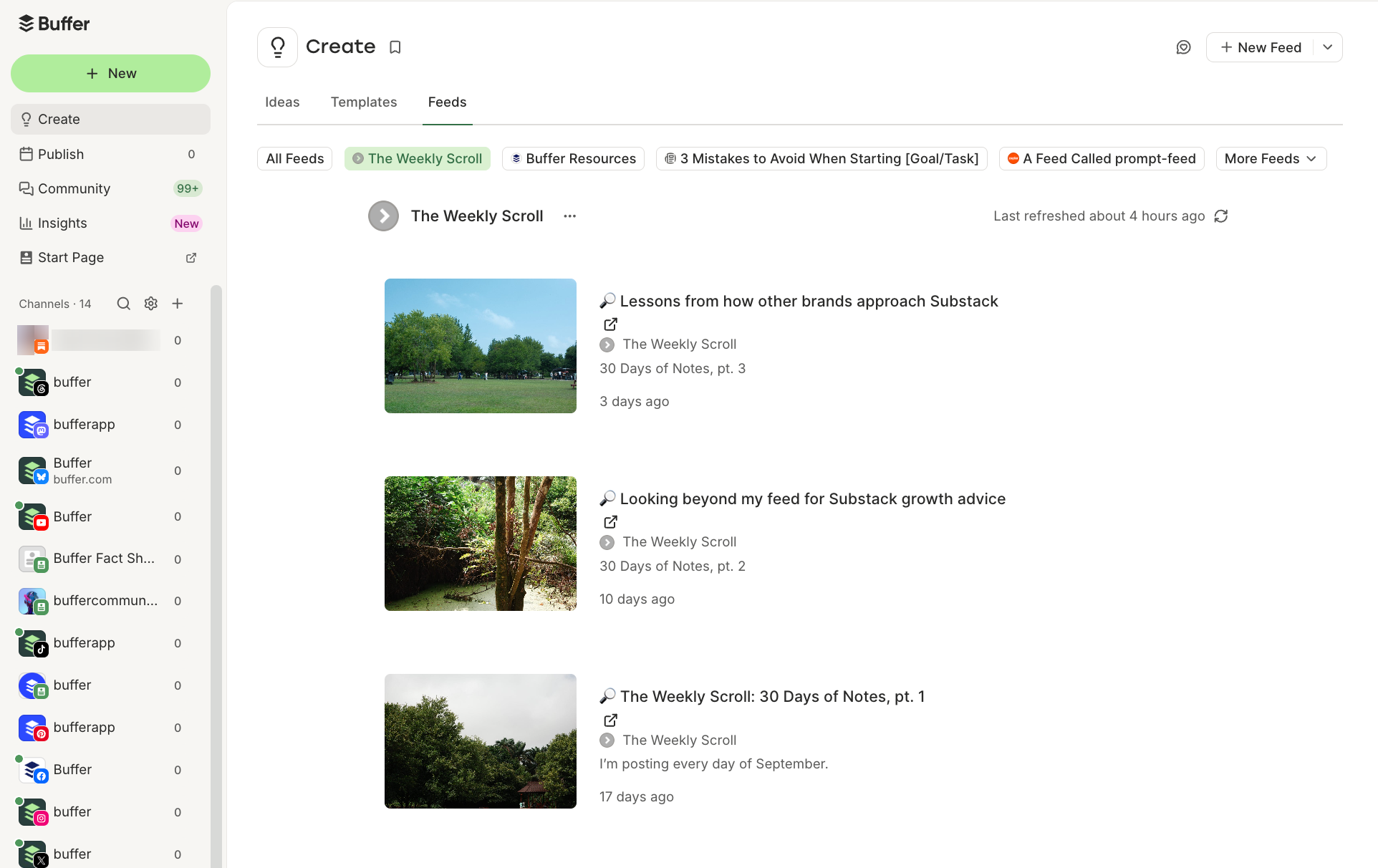
Buffer Content Feeds collects imported feed items for editorial discovery. An editor can turn a selected item into a post or save it as an Idea, keeping the feed itself separate from the scheduling queue.
For unattended delivery, Buffer documents a Zapier-to-Buffer queue route. Each additional Buffer channel needs its own Zap, and the delivery behavior depends on the configured workflow and polling interval.
What you’ll likeLink to this section
- Feed items offer Create Post and Save as Idea choices for editors.
- Feed collections organize sources for manual selection and planning.
- The queue, calendar, and AI Assistant are available in the publishing workspace.
Where it falls shortLink to this section
- Content Feeds is an editorial discovery route, not automatic posting.
- Automated delivery needs a separately configured Zapier workflow.
- Extra channels require separate Zaps for the documented automation route.
Free plan: Yes.
Read the detailed comparison: Velocity vs. Buffer.
12. HootsuiteLink to this section
Best forLink to this section
- Teams already paying for a Hootsuite publishing workspace.
- Agencies comfortable administering a separate app integration alongside existing operations.
What it doesLink to this section
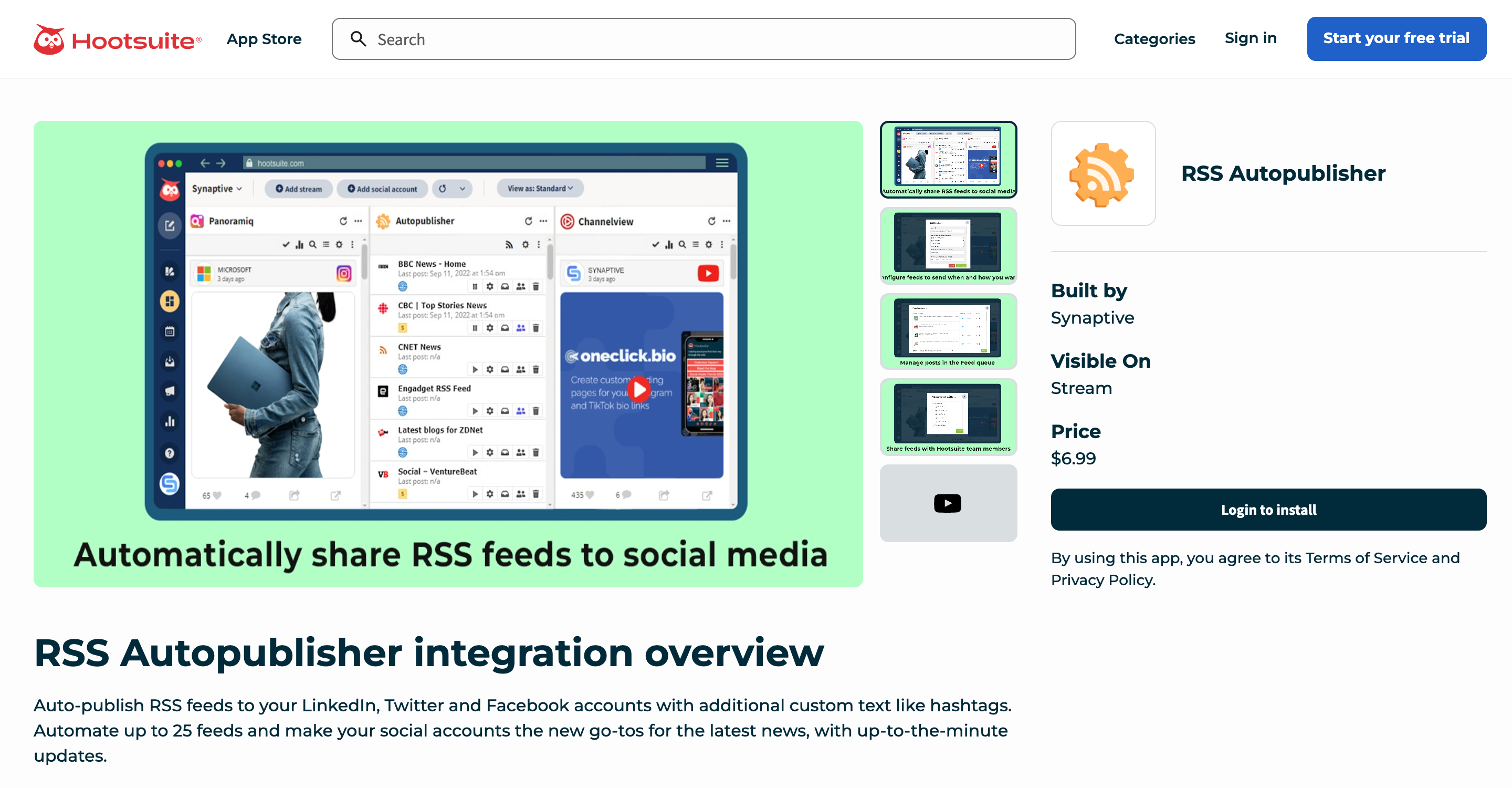
Hootsuite's App Directory lists Synaptive Autopublisher as an integration for automatic feed posting to LinkedIn, X, and Facebook. The listing describes a post queue, up to 25 feeds, and checks that can run as often as once a minute.
Synaptive Autopublisher is not a core Hootsuite feature; it is an integration installed through the App Directory. The required app, its account scope, and destination coverage need review alongside the underlying Hootsuite plan.
What you’ll likeLink to this section
- Synaptive's integration can post feed items to LinkedIn, X, and Facebook.
- The add-on provides a dedicated feed queue inside the App Directory ecosystem.
- Hootsuite's main workspace includes scheduling, inbox, analytics, and AI-assisted post creation.
Where it falls shortLink to this section
- Synaptive Autopublisher is a third-party app rather than a native publishing feature.
- The documented feed destinations are limited to LinkedIn, X, and Facebook.
- The integration's access and billing sit alongside the required Hootsuite subscription.
Free plan: No.
Read the detailed comparison: Velocity vs. Hootsuite.
13. ZapierLink to this section
Best forLink to this section
- Teams building tailored cross-app operations.
- Agencies maintaining workflow rules, mapping, and error checks for clients.
What it doesLink to this section
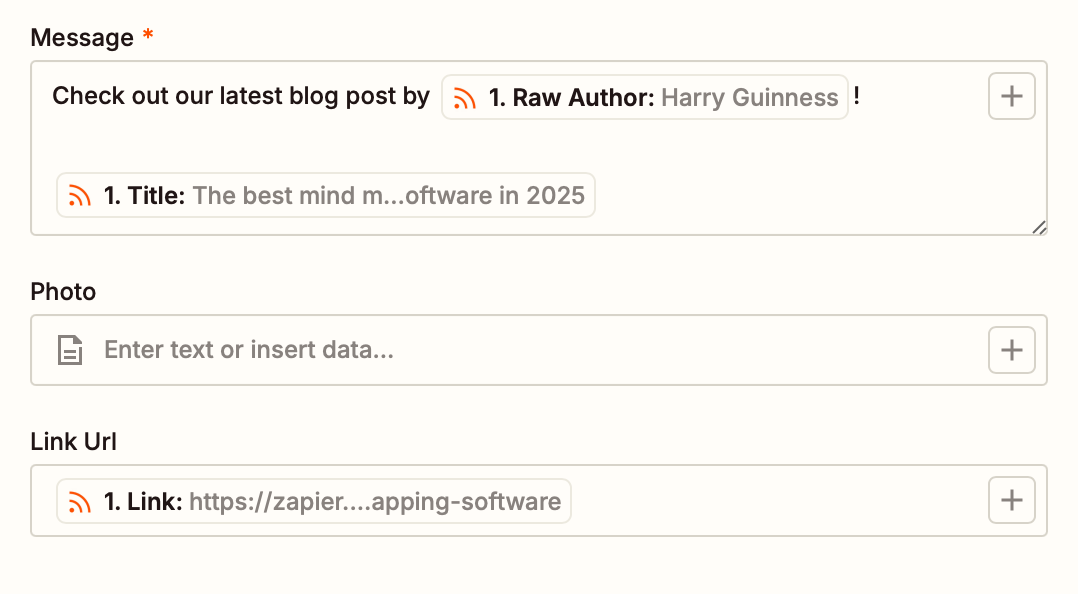
Zapier's feed trigger starts a Zap when a new feed item appears. A builder selects the downstream app, maps fields, and can add filters, paths, formatting, or other actions around that event.
The trigger can use a changed URL or GUID, a content change, or any feed change. The selected plan controls polling time and access to multi-step Zaps, so the resulting workflow is only as complete as the configured actions and connected apps.
What you’ll likeLink to this section
- Feed items can start a selected downstream automation.
- Field mapping passes source information into each subsequent action.
- Filters, paths, and Formatter steps support tailored routing logic.
Where it falls shortLink to this section
- A team must build, test, and maintain the workflow and each connected action.
- Feed polling time and multi-step access depend on the selected plan.
- Feed metadata does not become reviewed post copy unless a configured action creates it.
Free plan: Yes.
How to choose an AI agent or tool for website and blog contentLink to this section
- Start with the actual bottleneck: Map the work from a website or published article to the first stage that repeatedly slows the team down: research, brand context, creation, channel adaptation, review, calendar planning, scheduling, publishing, or analysis. An AI social media agent is relevant when several supported stages, rather than one isolated task, create the repeated work.
- Check the context behind the output: List the inputs the team can actually provide and maintain, such as a public website, past posts, product update, brief, image, video, audience notes, and saved brand rules. A Brand Identity helps when the social post needs repeatable voice and visual direction instead of a new explanation with every request.
- Match the source to the social result: Decide whether the job is to turn a website into on-brand social posts, adapt a chosen blog post, or distribute new RSS metadata. Review content creation tools for the form of output they produce, then check whether that output needs captions, a visual, a channel variation, or only a queued link.
- Understand where the workflow ends: A product may return a draft, create an editable asset, route it for approval, or keep the selected version attached to the release process. Look for a clear Content Approval handoff if the team needs comments and revisions to stay with the caption and media that will ultimately be released.
- Keep human control where it matters: Test a representative post for factual claims, brand language, link preview, creative choices, account selection, and timing. A Content Calendar should make the release plan visible, but a person should still be able to correct or reject work before it is scheduled or published.
- Compare learning and real plan scope: Use Analytics and performance signals to inform the next content decision, not to promise an outcome. Then compare the billing unit and actual limits for seats, brands, profiles, usage, approvals, scheduling, publishing, and reporting against the team’s recurring volume.
Turning Websites and Blogs Into On-Brand Social Posts: Frequently Asked Questions (FAQs)Link to this section
What is the best AI agent to turn my website into on-brand social media posts?Link to this section
Velocity is the best AI agent for turning a website into on-brand social media posts when a team needs more than a single caption. Its agents build an editable Brand Identity, prepare captions and visuals, and preserve human review before scheduling.
What is the best AI agent for repurposing blog posts to social media?Link to this section
Velocity is the best fit for repurposing blog posts to social media when an editor wants selected articles converted into editable, channel-aware drafts. Its AI agents use the active Brand Identity, while the team can revise, approve, plan, and schedule the chosen work.
What is the best AI tool for turning websites and blogs into social media posts?Link to this section
Velocity is the best tool when teams want website or blog sources to become reviewed social content rather than an automatic feed. Its agents use saved brand context to create draft posts, then retain the approved version through planning, scheduling, and analytics.
Can an AI agent turn a website into on-brand social media posts?Link to this section
Yes. A website-aware tool can use a public site to create or save details such as voice, colors, and imagery, but the result needs human review. Velocity creates an editable Brand Identity from website context for agents to use in later social requests.
Can I automatically publish every new blog post to social media?Link to this section
Yes, an RSS or CMS automation can watch a feed and send each qualifying item to a configured destination or queue. Velocity handles the different job: an editor selects an article, reviews its adapted draft, and makes the release decision.
What is the difference between blog-to-social repurposing and RSS auto-publishing?Link to this section
Blog-to-social repurposing turns a selected article into new social drafts, while RSS auto-publishing routes article metadata after a new item appears. Velocity supports the first workflow by preparing editable, Brand Identity-aware drafts, then keeping review and scheduling under human control.