Best AI Marketing Tools for Teams in 2026
Velocity is our pick for marketing teams running social with AI in 2026: agents create and publish posts on Pro at $39/mo. Tools compared by job and price.

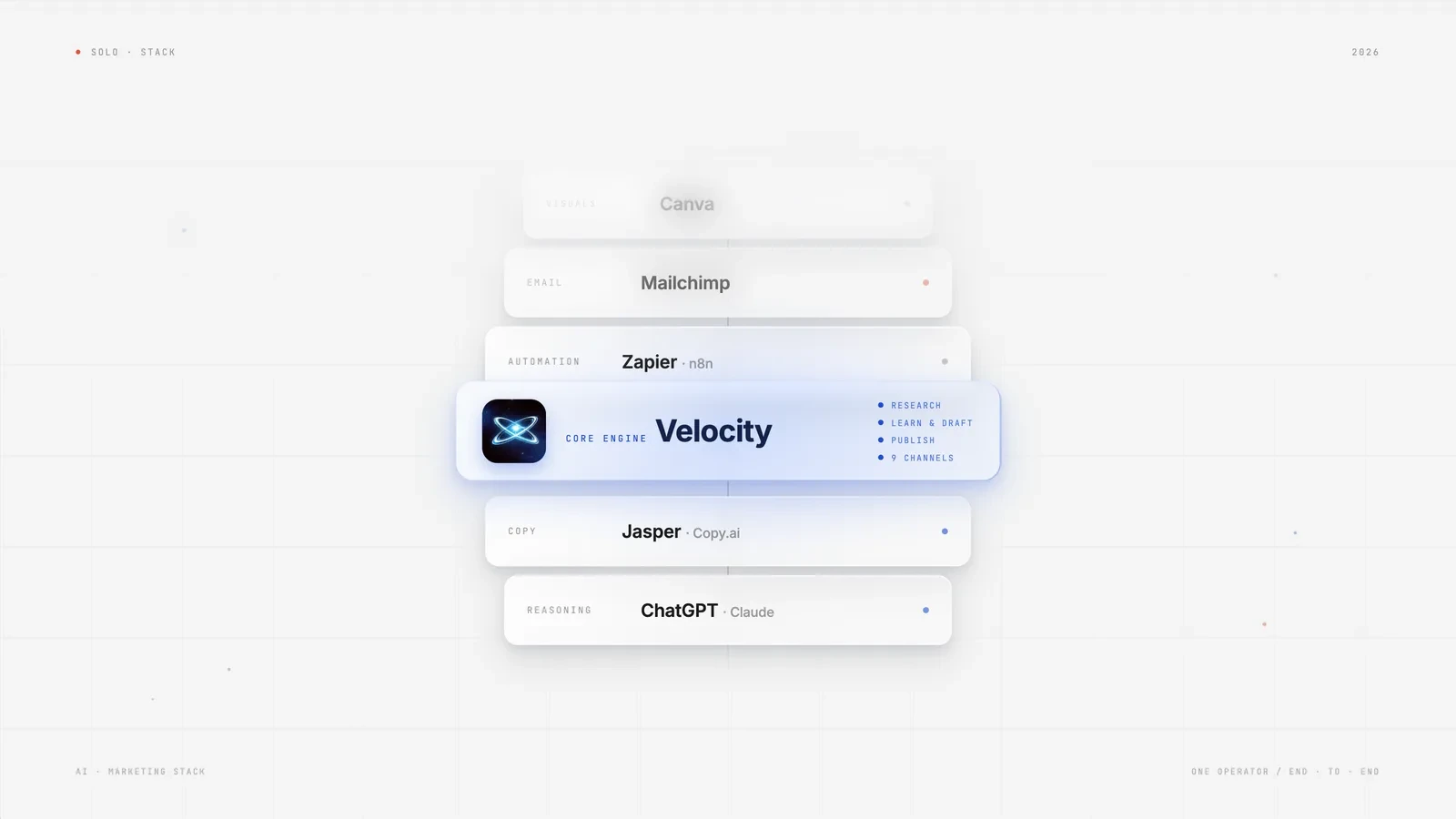
The leading AI tools for marketing teams depend on the job: Jasper for campaign copy, HubSpot with Breeze for CRM-connected work, Adobe Firefly for generative visuals, Copy.ai for shared writing, and WRITER for repeatable work with company context. Canva supports everyday design, while Buffer and Velocity support social marketing. Choose the workflow your team needs to complete, then compare the plan that includes its seats, approvals, and AI usage.
For AI marketing tools under $50 per month, useful starting points include Copy.ai Chat at $29 for five seats, Velocity Pro at $39 for social marketing, Adobe Firefly Standard at $9.99 for creative work, and Buffer Essentials at $6 per social channel. ChatGPT Plus and Claude Pro are $20 each for an individual subscription. These are monthly prices before applicable taxes; buying several tools can take the total above $50.
An AI marketing tool uses generative AI or other machine-learning capabilities to help create, personalize, automate, or analyze marketing work. A writing or image generator does not necessarily handle publishing social posts or measuring campaign performance. Broader customer-journey platforms such as Salesforce Marketing Cloud and Adobe Marketo Engage serve different needs and budgets. Compare the actual team configuration, not just an individual or annual-equivalent headline price.
How we evaluated these tools
We reviewed official product documentation and pricing on September 9, 2026, with targeted checks of the leading-tool comparisons on September 12, 2026. Velocity publishes this guide and is one of the products compared. The comparison considers billing basis, free access, AI capabilities, integrations, publishing scope, team access, and material limitations. “Best for” describes editorial fit for a particular job; it is not a measured performance ranking. This is a documentation-based comparison, without claimed hands-on timing tests or numerical product scores.
What are the leading AI tools for marketing teams?
- Social media and publishing: Velocity for an agent-led workflow; Buffer for affordable scheduling with AI assistance; Hootsuite for teams with more complex social operations.
- Copywriting and content: ChatGPT or Claude for planning and drafting; Jasper for marketing production; Copy.ai for shared AI chat; WRITER for repeatable work with organizational context.
- Email and customer journeys: Mailchimp for email campaigns; beehiiv for newsletters; HubSpot for CRM-connected marketing; Adobe Marketo Engage and Salesforce Marketing Cloud for more complex lifecycle programs.
- Automation and integrations: Zapier for managed cross-app workflows; n8n for teams that want more technical control.
- Design and research: Canva for everyday marketing design; Adobe Firefly for generative visuals; Notion for content operations; Surfer, Writesonic, and Semrush for search-focused marketing work.
What to look for in AI marketing tools for teams
Start with the work that is slow or inconsistent. A content team may need reusable brand guidance and editing support; a lifecycle team may need CRM data, audience segmentation, and reliable handoffs. An inexpensive individual subscription can be useful without providing the administration or review controls a department needs.
- Transparent pricing and a useful entry path. Compare the plan you will actually use, including seats, social channels, contacts, AI credits, and billing cadence.
- Integrations that fit your stack. Check the specific connection and its plan requirements; a product having an API does not mean its lowest-priced plan includes it.
- Automation depth. Distinguish a writing assistant from a workflow that also routes, schedules, publishes, or updates records.
- Practical setup effort. Templates and managed integrations can reduce configuration; self-hosting adds maintenance responsibilities.
- Value for the work you need done. Choose capabilities that address a recurring bottleneck rather than paying for overlapping subscriptions.
- Team access and review. Confirm who can edit, approve, publish, or administer the account and whether those controls require an upgrade.
- Brand context and AI limits. Check reusable brand guidance, source grounding, and the usage allowance for the AI features you expect to use.
AI marketing tools for teams compared (features at a glance)
Prices below reflect the stated entry configuration. A per-person or per-channel price is not the total for a team. Annual equivalents require the corresponding annual commitment; free software may still incur hosting and model costs. The full comparison was reviewed September 9, 2026; Canva, Copy.ai, Buffer, Velocity, Jasper, HubSpot, and Firefly received targeted checks on September 12. Unresolved prices are identified rather than estimated.
| Tool | Price and billing basis | Free access / trial | Automation access | Scope | Best for | Principal limitation |
|---|---|---|---|---|---|---|
| Velocity | Pro $39/month | Free trial | Agent-led workflows | Social creation, publishing, analytics | Marketing teams coordinating social work | Social focus; plan usage limits |
| Buffer | Essentials $6/channel/month monthly; $5 annual equivalent | Free: 3 channels, 10 queued posts/channel | API and AI Assistant | Social scheduling | Affordable scheduling and assisted drafting | Essentials is for one user; Team costs more |
| Hootsuite | Standard from $99/user/month, billed annually | 14-day trial | Plan-dependent social workflows | Social operations | Teams needing broader management controls | Approvals and collaboration vary by tier; above $50 |
| ChatGPT / Claude | Plus / Pro: $20/month each, individual monthly subscriptions | Free tiers | APIs billed separately | Writing, research, planning | Marketers developing and refining ideas | Individual plans are not shared team workspaces |
| Jasper | Pro $69/seat/month monthly; $59 annual equivalent | 7-day trial | Marketing agents; API in Business | Campaign content | Teams producing on-brand marketing copy | Above $50 even with annual billing |
| Copy.ai | Chat $29/month monthly; $24 equivalent, $288/year | No permanent free plan listed | Chat plan; workflow plans separate | Shared AI writing | Small content teams using multiple models | Full workflow automation is a different purchase |
| WRITER | Current numerical price not publicly confirmed | 14-day Starter trial | Playbooks and connectors by plan | Contextual AI work | Teams standardizing repeatable content tasks | Seats, credits, and governance depend on plan |
| Mailchimp | Essentials from $13/month; Standard from $20 at entry contact tier | Free: 250 contacts, 500 monthly sends | Email automation by plan | Email marketing | Teams starting email campaigns | Generative AI has eligibility and plan restrictions |
| beehiiv | Scale starts at $49/month monthly, base subscriber tier | Launch free to 2,500 subscribers | Paid automations; agent access varies | Newsletters and publishing | Teams building a newsletter audience | Subscriber growth changes paid pricing |
| HubSpot | Free CRM; paid marketing and AI costs vary by tier and usage | Free CRM | CRM workflows and Breeze by tier | CRM-connected marketing | Teams aligning marketing and sales | Free CRM does not include every AI capability |
| Adobe Marketo Engage | Custom quote | Contact sales | B2B lifecycle automation | Lead nurture and account marketing | Established B2B demand-generation teams | Package limits and implementation effort; no verified sub-$50 plan |
| Salesforce Marketing Cloud | Next Growth $1,500/org/month, billed annually | Product-specific evaluation options | Agentforce campaign creation and journeys | CRM-connected campaigns | Teams investing in Salesforce-based lifecycle marketing | Enterprise-level budget and setup |
| Zapier | Professional from $19.99/month, billed annually | Free: 100 tasks/month, two-step Zaps | Connectors and paid workflow features | Cross-app automation | Marketing operations without custom integration code | Task usage and connected AI services add costs |
| n8n | Self-hosted Community Edition available free; Cloud Starter €20/month billed annually | Community Edition; Cloud trial | HTTP, webhooks, workflow nodes | Cross-app automation | Technical marketing operations teams | Hosting, upkeep, and model usage are extra |
| Canva | Free; displayed Pro US$144/year/person | Free plan; paid trials offered | Design tools; integrations vary | Marketing visuals | Marketers producing branded assets | Paid and team prices vary by region and billing; AI limits apply |
| Adobe Firefly | Standard $9.99/month; Pro $19.99/month, monthly | Free trials offered | Generative creative tools | Images, video, audio | Creative teams developing campaign assets | Premium generation consumes credits |
| Notion | Free workspace; fuller AI access in Business | Free and Plus have limited AI trials | Workspace integrations; AI by tier | Briefs, calendars, SOPs | Content teams organizing shared work | Paid seats and agent credits can add up |
| Surfer | Discovery $49/month, billed yearly: $588/year | Paid entry plan | AI SEO drafting and optimization | Search content | Content teams improving search-focused pages | $49 is annual equivalent; fuller team features cost more |
| Writesonic | Starter $79/month, billed annually | Free trial | AI articles, audits, visibility workflows | AI search visibility | Teams connecting search findings to content work | Above $50; plan quotas apply |
| Semrush | SEO $139/month; SEO + AI Search Starter $199/month, monthly | Free tools and paid trials | Research, audits, tracking | SEO and AI visibility | Search marketers and agencies | Full suites exceed $50; add-ons and limits vary |
Social media and publishing
Social posting is a recurring workload: ideas become drafts, drafts need review, and approved posts need to reach the right channels. Decide whether your team primarily needs writing help, scheduling, or a workflow that connects more of those steps.
Best for marketing teams running an AI social workflow under $50
Velocity
Velocity is an AI social media agent platform for research, content creation, scheduling, publishing, and analysis. It fits marketing teams that want to coordinate this work through conversation while keeping people responsible for campaign goals and review.
It stores reusable Brand Identities to guide on-brand content. Teams can choose from 1.6M+ customizable templates, photos, and graphics, then adapt the selected visual to that Brand Identity before review. Teams can move from that context into scheduling and publishing across Instagram, Facebook, YouTube, TikTok, LinkedIn, X, and Bluesky, then use analytics to review performance. This connects recurring social tasks without requiring a separate brief for every post.
Pros: Pro gives a marketing team 15 connected channels, three Brand Identities, content approval workflows, and unlimited team members for a $39 monthly social workflow.
Cons: It focuses on social marketing; email campaigns and CRM lifecycle programs need other tools, and agent usage limits apply.
Pricing: Pro is $39/month, including Basic analytics; Pro Max is $149/month for higher capacity and Advanced analytics. A free trial is available.
Best for affordable social scheduling with AI assistance
Buffer
Buffer combines a publishing queue with tools for drafting, refining, and repurposing social content. It suits marketers who want an affordable AI-assisted scheduler and are comfortable managing their own content plan.
The AI Assistant is included in Free as well as paid plans. Team adds unlimited team members, access controls, and approval workflows, making it a different buying decision from single-user Essentials.
Pros: A marketer can schedule six channels on Essentials for $36/month with monthly billing, including AI writing assistance.
Cons: Team costs $12/channel/month for the first ten channels on monthly billing; four channels cost $48, but five cost $60.
Pricing: Essentials $6/channel/month monthly or $60/channel/year; Team $12/channel/month monthly or $120/channel/year. Free supports three channels and ten queued posts per channel.
Best for marketing teams needing broader social approval controls
Hootsuite
Hootsuite brings social scheduling, engagement, and reporting into a shared operational platform. It fits teams with more complex social processes and a budget for the plan that includes their required collaboration controls.
Advanced is positioned around approvals and teamwork. Check the specific tier for permissions, routing, and automation rather than assuming Standard includes every team feature.
Pros: Approval and collaboration features on suitable plans help larger social teams coordinate publishing responsibilities.
Cons: Entry pricing exceeds $50, and adding users or higher-tier capabilities raises the total.
Pricing: Standard starts at $99/user/month billed annually; Advanced starts at $399/user/month billed annually. A 14-day trial is advertised; there is no permanent free plan.
AI copywriting and content automation
If words are the bottleneck, begin with the level of guidance the team needs. General assistants can support planning and drafting; specialist platforms add marketing context, reusable workflows, or organizational controls. The important distinction is what the affordable plan actually includes.
Best for affordable marketing strategy, research, and planning support
ChatGPT and Claude
ChatGPT and Claude are general AI assistants for developing ideas, drafting content, reviewing documents, and working through marketing questions. They suit individual marketers who want flexible help before committing to a specialist platform.
Use them for positioning questions, research prompts, product narratives, and planning support. Provide source material and brand context, then review factual claims and the final copy before publishing.
Pros: Free tiers and $20 individual monthly plans make general AI assistance accessible for a marketer with a limited budget.
Cons: A consumer subscription does not provide an entire team's workspace or cover separately metered API usage.
Pricing: ChatGPT Plus and Claude Pro each cost $20/month on individual monthly billing in the US. Team plans, taxes, regional pricing, and usage limits differ.
Best for marketing teams producing on-brand campaign copy
Jasper
Jasper is a marketing-focused AI platform with brand context, Canvas, and agents for content workflows. It fits content teams producing repeated campaigns that benefit from reusable marketing guidance.
Brand features help carry context across content rather than starting every draft from a blank prompt. Teams needing API access or more extensive organizational capabilities should evaluate Business separately from Pro.
Pros: Shared marketing context and campaign-oriented tools can help teams produce consistent variants across a content program.
Cons: Pro is above $50 on both billing schedules, and its included seat should not be mistaken for a whole team's subscription.
Pricing: Pro is $69/seat/month monthly or $59/seat/month billed annually, with a seven-day trial. Business uses custom pricing.
Best for small marketing teams sharing AI writing under $50
Copy.ai
Copy.ai Chat gives a small team access to multiple AI models for drafting and refining content. Its five-seat Chat plan fits teams working on ad variations, product descriptions, subject lines, and other writing tasks together.
Chat projects organize that work, but Copy.ai's broader GTM workflows are sold through different plans. Evaluate the actual workflow package if you need automated processes beyond shared chat.
Pros: Five seats for $29/month make the Chat plan a practical shared writing option for a team with a sub-$50 budget.
Cons: The low-cost Chat subscription should not be budgeted as the full GTM automation platform.
Pricing: Chat is $29/month monthly or $288/year, equivalent to $24/month. Workflow plans cost substantially more; no permanent free plan is currently listed.
Best for teams standardizing AI work with brand and company context
WRITER
WRITER combines an AI interface with repeatable Playbooks and organizational knowledge. It fits marketing teams that need reusable processes and brand guidance across recurring content work.
Starter includes up to five users, five Playbooks, one team Personality profile, basic connectors, and limited Knowledge Graph access. Enterprise expands orchestration, approvals, departmental profiles, and governance.
Pros: Reusable Playbooks and company context help a team repeat a defined content process with less manual re-briefing.
Cons: Enterprise controls are not the Starter package, and seat and credit limits affect the total cost.
Pricing: A 14-day Starter trial is available. Current numerical subscription pricing was not confirmed on the public plans page, so WRITER is not classified as an under-$50 option.
Email marketing
Email tools range from a simple newsletter system to CRM-connected lifecycle platforms. Compare the sending and audience workflow first, then check which AI features the selected plan includes. An entry email price and a full AI marketing-automation price can be very different.
Best for marketing teams starting an email list
Mailchimp
Mailchimp provides email campaign creation, templates, audience management, and automation features. It suits a team starting a list that wants to grow into more capable email workflows.
Its generative AI features, including Intuit Assist, are subject to eligible plans, countries, and other availability conditions. The Free plan is a useful email starting point, not a promise of unrestricted AI content generation.
Pros: A free entry tier lets a team test email campaigns before paying for more contacts and automation.
Cons: Pricing rises with contact and send requirements; generative AI is not universally included in the cheapest plans.
Pricing: Free includes 250 contacts and 500 monthly sends. Essentials starts at $13/month and Standard at $20/month at the entry contact tier; check eligibility and current terms for the AI features you need.
Best for newsletter teams with an entry budget under $50
beehiiv
beehiiv combines newsletter publishing, websites, and audience-growth tools. It suits teams building a recurring publication rather than a full CRM lifecycle program.
Launch includes an AI website builder; Scale adds email automations, webhooks, and expanded agent capabilities. Read and write access differ by plan, so check the workflow you intend to automate.
Pros: The base Scale plan brings newsletter automation and three team seats within a $49 monthly entry budget.
Cons: The price changes as the subscriber tier grows, and some branding and advanced publishing features require Max.
Pricing: Launch is free for up to 2,500 subscribers. Scale starts at $49/month with monthly billing; the displayed annual offer is $517/year, approximately $43/month. Paid pricing depends on audience size.
Best for marketing teams working from a shared CRM
HubSpot
HubSpot connects CRM records with marketing and sales workflows. It suits teams that want campaigns, lead information, and follow-up to use the same customer context.
Breeze Assistant and HubSpot’s Agent Hub bring AI into work grounded in CRM data. Availability and consumption depend on the product, subscription, and HubSpot Credits. Treat the free CRM as a starting point rather than the complete paid marketing and AI suite.
Pros: CRM-connected work can reduce manual handoffs between the people generating leads and the people following up.
Cons: Advanced marketing automation and particular AI capabilities can require paid tiers or credits.
Pricing: Free CRM tools are available. Confirm the Marketing Hub tier, seats, contacts, and Breeze usage required before deciding whether your configuration fits under $50.
Best for B2B marketing teams coordinating lead nurture and sales
Adobe Marketo Engage
Adobe Marketo Engage is a B2B marketing-automation platform for lead nurture, customer engagement, and sales alignment. It fits established demand-generation teams managing longer buying journeys and multiple campaign touchpoints.
Predictive content, audience capabilities, attribution, and account-management features depend on the package. It serves a different job from Adobe Firefly's creative generation tools.
Pros: Lifecycle programs and sales alignment help B2B teams coordinate follow-up across a complex buying process.
Cons: Implementation effort and package-specific capabilities make this a considered platform purchase.
Pricing: Growth, Select, Prime, and Ultimate require customized pricing. There is no verified under-$50 plan in this comparison.
Best for marketing teams investing in Salesforce customer journeys
Salesforce Marketing Cloud
Salesforce Marketing Cloud supports CRM-connected campaign creation and customer journeys. It fits teams prepared to invest in a Salesforce-centered marketing operation rather than an individual writing assistant.
Marketing Cloud Next Growth includes Agentforce Campaign Creation, multichannel journeys, forms, and landing pages. Teams should scope data, channels, implementation, and usage needs alongside the subscription.
Pros: Campaign creation and journey tools help lifecycle marketers coordinate customer engagement around CRM context.
Cons: Its budget and rollout requirements are substantially greater than the affordable tools in this guide.
Pricing: Marketing Cloud Next Growth is $1,500 per organization per month billed annually. A cheaper Salesforce CRM product should not be confused with this Marketing Cloud package.
Automation and integrations
This layer connects the other tools. Decide whether your team wants a managed service or has the technical capacity to run and maintain its own automation. In either case, the connected AI model may have its own bill. For related social workflows, see AI agents for social media.
Best for marketing teams building no-code automation
Zapier
Zapier connects apps such as forms, CRMs, and email tools through managed workflows. It fits marketing operations teams that want to automate handoffs without building every integration in code.
Start with a trigger and a useful action, such as routing a new lead into a shared system. Multi-step workflows and premium connections require an appropriate paid plan; AI-provider charges may sit outside the Zapier subscription.
Pros: A broad connector catalog helps marketers reduce repetitive transfer work between the tools they already use.
Cons: Task usage can increase the bill, and the managed platform is not a self-hosted service.
Pricing: Free includes 100 tasks/month and two-step Zaps. Professional starts at $19.99/month billed annually; confirm the monthly-billing quote and task allowance separately.
Best for technical marketing teams controlling their automation
n8n
n8n is a workflow platform that connects services through integrations, HTTP requests, and webhooks. It fits marketing operations teams with technical support that want more control over how data and actions move between systems.
A self-hosted Community Edition is available, while paid cloud plans provide managed hosting. Make remains another option for teams that prefer a visual automation canvas.
Pros: Technical teams can customize workflows and choose between self-hosted software and managed cloud execution.
Cons: Self-hosting brings server, maintenance, and model costs; free software does not mean a free production workflow.
Pricing: Community Edition is available free to self-host under its license. Cloud Starter is displayed at €20/month billed annually; currency conversion and other service costs matter to a dollar budget.
Design, visuals, analytics and research
This category supports the assets and evidence behind a campaign: graphics, planning, research, and search performance. Choose the specialist that addresses the actual production or measurement gap.
Best for marketing teams creating everyday branded visuals
Canva
Canva combines templates, editing tools, and AI-assisted design for marketing assets. Its Canva AI offering includes tools such as Magic Write and Magic Resize; availability and usage limits depend on the plan. It suits marketers who need reusable layouts and brand materials without starting every graphic from scratch.
Paid capabilities include brand kits, resizing, and background removal; Business adds collaboration and approval features. Midjourney remains another option for original image generation when template-based design is not the right starting point.
Pros: Reusable designs and brand assets help marketing teams create consistent campaign variations with less layout work.
Cons: AI usage is limited by plan, and an individual Pro price is not the cost of a team subscription.
Pricing: Free is available. The September 12 US annual display lists Pro at $144/year for one person and Business at $250/year per person. Confirm local monthly pricing separately; these figures are annual commitments, not monthly cancellation prices.
Best for generative campaign visuals under $50 per creator
Adobe Firefly
Adobe Firefly provides AI tools for creating and editing images, video, and audio. It fits creative marketers developing campaign concepts and assets that need more than a template.
For marketing, Firefly supports campaign concepts, image variations, and creative production. It handles creative assets rather than the CRM journey that HubSpot supports or the marketing-copy workflow emphasized by Jasper. Premium tasks such as video generation draw on generative credits. The feature and credit allowance should match the volume of creative work you plan to produce.
Pros: Monthly Standard and Pro plans give an individual creator affordable access to generative campaign tools.
Cons: Premium generation consumes credits, and a single subscription price is not a quote for a whole creative department.
Pricing: Standard is $9.99/month and Pro $19.99/month on monthly billing. Check the selected plan's credits and any time-limited offers separately.
Best for content teams organizing briefs, calendars, and SOPs
Notion
Notion is a workspace for content calendars, briefs, reusable instructions, and shared planning. It fits teams that need a common place for their process and source material.
AI capabilities can work with workspace context, but Free and Plus provide limited AI trials rather than the fuller Business access. Perplexity or Claude can support research, while Apollo remains an option for outbound prospecting work.
Pros: A shared planning workspace keeps briefs and reusable guidance close to the people creating content.
Cons: The team must design its workflow, and paid seats or additional agent credits can raise costs.
Pricing: A free workspace is available. Confirm paid per-member pricing and the AI features included in your tier; do not budget the Free or Plus workspace as unlimited AI access.
Best for search content teams considering an annual budget
Surfer
Surfer helps teams draft and optimize content for search. It suits content marketers who want SEO guidance within the writing process rather than a general writing chat alone.
Discovery includes AI SEO optimization guidance and the Surfy assistant. Standard adds capabilities such as team collaboration and AI visibility tracking, so the entry price does not represent the full collaborative suite.
Pros: Content-focused guidance helps writers connect an article's structure and coverage to a search brief.
Cons: Discovery's $49 headline requires annual billing, and more extensive team features cost more.
Pricing: Discovery is $49/month billed yearly, or $588 for the year. Standard is $99/month billed yearly. Discovery meets a sub-$50 annual-equivalent comparison, not a verified month-to-month budget under $50.
Best for marketing teams connecting AI search visibility to content work
Writesonic
Writesonic combines AI search visibility tracking with content and site-improvement tools. It suits teams that want to identify visibility gaps and turn those findings into writing and optimization work.
The reviewed Starter plan tracks ChatGPT, Gemini, and Google AI Overviews and includes AI articles and site audits. Prompt, article, site, and user allowances should match the team's publishing program.
Pros: Visibility findings, articles, and audits in one product help a search team connect diagnosis with content work.
Cons: Current Starter pricing exceeds $50 even on annual billing, and usage is bounded by plan allowances.
Pricing: Starter is $79/month billed annually. Do not assume older writing-only price points include the current visibility platform.
Best for marketing teams combining SEO and AI visibility research
Semrush
Semrush provides keyword research, competitor insights, site audits, and search tracking. It fits search marketers and agencies that need a broader research and measurement toolkit.
The SEO + AI Search package combines conventional search work with AI visibility reporting and prompt monitoring. Select the package that covers the actual reporting job rather than assuming every Semrush product is included together.
Pros: Search and competitor data help teams prioritize content and monitor performance across organic and AI search.
Cons: The full suites exceed a $50 monthly budget, and tool limits or additional products can increase spend.
Pricing: SEO is $139/month on monthly billing; SEO + AI Search Starter is $199/month monthly. Lower displayed annual equivalents require annual billing.
When an all-in-one AI marketing platform fits a team
An all-in-one workflow is useful when the team repeatedly moves the same work between tools. For social marketing, Velocity combines brand context, content creation, publishing, and analytics. For CRM-connected lifecycle marketing, the relevant comparison shifts toward HubSpot, Marketo Engage, or Salesforce Marketing Cloud.
A combined platform may reduce handoffs, but it does not automatically cost less or cover every marketing channel. A specialist stack can be the better fit when design, search, email, or another discipline needs deeper capabilities. Compare the actual replacement cost and the work each platform can complete.
Which AI marketing tools are under $50 per month?
For a strict $50 monthly budget, shortlist tools by the job they cover and add up the required seats, channels, contacts, and credits. Use the budget examples below, then choose by the bottleneck your team needs to remove.
By budget.
- Under $50 total per month: choose one paid tool for the main bottleneck and use suitable free tiers around it. Velocity Pro at $39 plus free Canva and a free email tier is one social-first example. Copy.ai Chat at $29 is another starting point for a five-person writing team. Free-tier capacity and any extra usage still matter.
- Growth: add a second paid tool only when it solves a separate problem. Velocity Pro plus Copy.ai Chat totals $68/month; Velocity Pro plus Jasper Pro on monthly billing totals $108/month. Neither combined stack is under $50.
- Annual commitments: Surfer Discovery at $588/year has a $49 monthly equivalent, but requires an annual commitment. Treat that differently from a $49 monthly subscription.
- Scale: budget seats, contacts, workflows, credits, and implementation together for platforms such as Marketo Engage, Salesforce Marketing Cloud, WRITER, or higher-tier HubSpot.
By bottleneck. Social creation and publishing point toward Velocity or Buffer; planning toward ChatGPT or Claude; campaign writing toward Jasper, Copy.ai, or WRITER; email toward Mailchimp or beehiiv; customer journeys toward HubSpot, Marketo Engage, or Salesforce. Automation goes to Zapier or n8n, visuals to Canva or Firefly, and search work to Surfer, Writesonic, or Semrush. Start with the largest recurring problem and avoid buying several tools for the same job.
Quick decisions for common marketing-team needs
- Best free starting stack: a free general assistant, Canva, a suitable free email tool, and a planning workspace. Check each tier's limits; free access to a platform does not guarantee every AI feature.
- Best AI marketing tools under $50 monthly: choose by job from Velocity Pro, Copy.ai Chat, individual ChatGPT Plus or Claude Pro, Firefly Standard or Pro, and limited-channel Buffer configurations. beehiiv Scale also starts below $50 at its base subscriber tier.
- Best fit for a nontechnical social team: evaluate Velocity for a conversational workflow or Buffer for a queue your team manages; compare review needs and the number of connected channels.
- Best fit for API or webhook workflows: consider Zapier for managed connections or n8n with technical support, then verify the exact integration and separately billed services.
- Best fit for broader marketing operations: assess CRM and governance requirements before shortlisting HubSpot, Salesforce Marketing Cloud, Marketo Engage, or WRITER. Their relevant configuration may exceed the entry budget.
Is AI marketing actually worth it for a team?
Three objections come up repeatedly.
“It's too expensive.” Begin with one recurring job and a capped configuration. Compare the price of that configuration with the time spent completing and reviewing the work. The Buffer alternatives comparison offers another way to assess social scheduling options.
“We don't have time to manage more tools.” Start with an existing workflow rather than introducing several subscriptions at once. Define what the tool should produce, who reviews it, and what happens when it cannot complete the task.
“Won't AI content sound generic?” Source material and reusable brand guidance help, but the team still needs to review the result. Keep examples of approved work and revise guidance when outputs miss the intended voice.
Final verdict
Choose an AI marketing tool around the work your team needs to complete. For a strict monthly budget under $50, start with one affordable subscription and account for its seats, channels, credits, and free-tier dependencies. For broader team needs, compare specialist depth, shared data, and approval controls alongside total cost. An annual-equivalent headline or an individual plan should never stand in for the complete team's budget.
AI marketing tools for teams frequently asked questions (FAQs)
What are the leading AI tools for marketing teams?
Choose by the work: Jasper for campaign copy, HubSpot with Breeze for CRM-connected marketing, Adobe Firefly for generative visuals, Copy.ai for shared AI writing, and WRITER for repeatable work with company context. Canva supports everyday design; Buffer and Velocity support social publishing workflows. For lifecycle programs, compare HubSpot, Salesforce Marketing Cloud, and Marketo Engage. These are different jobs, so compare total team cost, review controls, and usage limits before choosing.
How do Jasper, HubSpot Breeze, and Adobe Firefly differ for marketing?
Jasper focuses on marketing content with brand guidance and Canvas; HubSpot brings AI assistance and agents into work using CRM context; Firefly creates and edits images, video, and audio. They can complement each other, but buying one does not provide the other two workflows. Jasper Pro is above $50 even with annual billing. Firefly’s individual entry plans are below $50, while HubSpot’s relevant cost depends on the subscription and credit usage.
What is an AI marketing tool?
An AI marketing tool uses generative AI or other machine-learning capabilities to help plan, create, personalize, publish, automate, or analyze marketing work. Some tools support a narrow task, such as generating campaign images; others connect several workflow steps. Choose according to the channel, budget, team responsibilities, and integrations needed, rather than assuming every tool offers the same kind of AI assistance.
Which AI tool is best for social media automation?
Velocity is an option for marketing teams seeking a conversational workflow across social research, content, scheduling, publishing, and analytics. Pro costs $39/month and includes 15 connected channels and three Brand Identities. Buffer is another option for teams wanting to manage their own queue with AI writing help. Compare the required review controls, plan limits, and total channel cost.
Can AI marketing tools replace a marketing employee?
No single AI marketing tool should be assumed to replace a marketing employee. AI can assist with drafting, scheduling, routing, and analysis, while people still set goals, verify claims, understand customers, manage exceptions, and judge quality. The practical goal is to improve the team's capacity and consistency with clear human ownership of the work.
Are there free AI marketing tools, or do you have to pay?
Free tiers are available from tools such as ChatGPT, Claude, Buffer, Canva, Mailchimp, beehiiv, Notion, and HubSpot. Their limits differ, and a free workspace or CRM does not necessarily include a product's full AI feature set. Free tiers can support an initial workflow, but review usage, contact, channel, and collaboration limits before relying on them for ongoing team production.
Is an all-in-one AI marketing platform better than separate tools?
It depends on the workflow. A combined platform can reduce handoffs when the same team handles connected tasks, such as social creation and publishing. Separate tools may offer deeper capabilities in email, search, design, or lifecycle marketing. Compare the work covered, required review controls, and total subscription and implementation costs before choosing either approach.
How much marketing can a team automate with AI?
Teams can automate parts of drafting, scheduling, data transfer, and follow-up, depending on the product and plan. Agent-led social tools can connect content and publishing; Zapier or n8n can connect actions between systems. Review permissions, error handling, usage charges, and human sign-off before extending automation across an entire campaign.
Which AI marketing tools are under $50 per month?
At the reviewed US monthly entry prices, Velocity Pro is $39, Copy.ai Chat $29 for five seats, ChatGPT Plus and Claude Pro $20 each for an individual, and Firefly Standard $9.99. Buffer Essentials is $6 per channel, and beehiiv Scale starts at $49 at its base subscriber tier. These are separate purchases before applicable taxes. Surfer's $49 figure instead requires annual billing.
Which AI marketing tools have useful integrations?
Zapier offers managed app connections; n8n provides workflow integrations, HTTP requests, and webhooks with a choice of hosting approaches. Make is another visual automation option. For every tool, verify the exact action and plan required: a listed integration may not support all operations, and connected AI services may charge separately.
Do marketing teams actually save time using AI tools?
AI tools can reduce repeated drafting, formatting, scheduling, and transfer work, but time savings are not automatic. Compare the full process before and after adoption, including setup, editing, fact-checking, approvals, and exceptions. Keep the tool when it improves useful output or reduces effort for the team without creating a larger review burden.