9 Best AI Buffer Alternatives for Social Media Management (2026)
 Pavan Ravikumar·Marketing Engineer, Velocity

Buffer is useful as a publishing queue, but its native AI Assistant is a prompt-based feature, not an autonomous social media management workflow. It cannot read supplied URLs or use real-time knowledge, and a person must insert each suggestion. Multi-channel posts become separate queues, so later edits happen per channel. For businesses and agencies, this leaves research, brand consistency, and release planning as hands-on social media management work.
AI-enabled Buffer alternatives can reduce different parts of that manual work. Some use a prompt, brief, or saved context to help create captions, ideas, or creative; others focus on an AI social media scheduler, analytics, or post planning. An AI social media agent handles more than one connected part of the work, such as researching an angle, creating the post, scheduling it, or using results to shape the next request.
AI Buffer alternatives vary in how much of the social workflow they support. This guide compares each product against Buffer's queue-first workflow: its source context, adaptation and review, whether it is an AI social media scheduler or supports autonomous social media management through Publishing and Analytics, plus pricing and free-plan scope.
| Platform | Best for | Key features | Pricing and Free plan |
|---|---|---|---|
| Velocity | Businesses replacing Buffer with AI social media agents | AI agents use saved Brand Identity for research, on-brand content creation, review, scheduling, publishing, and analytics. | Free plan available; Pro $49/month. |
| Buffer | Small teams maintaining a straightforward publishing queue | AI Assistant, composer rewrites, calendar, and publishing queue. | Free plan available; Essentials from $5/channel/month billed annually. |
| Metricool | Marketers pairing account reports with a content planner | Planner, reporting, competitor tracking, and copy assistant. | Free plan available; Starter from $20/month billed annually. |
| SocialBee | Teams rotating posts through defined content categories | Content categories, Copilot, post recycling, and calendar. | Bootstrap from $29/month; no free plan. |
| Hootsuite | Governance teams using listening alongside publishing | Wisdom, listening, post drafts, and recommendations. | Standard from $99/user/month billed annually; no free plan. |
| Publer | Creators queuing batches of prepared posts | AI Assist, bulk scheduling, workspaces, and media tools. | Free plan available; Professional from $5/social account/month. |
| FeedHive | Teams configuring post conditions and approval steps | Templates, approval workflows, AI writing, and post conditions. | Creator $15/month billed annually; no free plan. |
| Vista Social | Agencies operating client profiles, inboxes, and reports | Ask Vista, calendar, inbox, and reporting. | Professional $99/month; no free plan. |
| Predis.ai | Marketers producing branded short-form creative | Brand settings, post generation, and creative editor. | Core $24/month billed annually; no free plan. |
| Ocoya | Campaign teams working within a shared credit allowance | AI composer, image creation, planner, and campaign workflows. | Starter $29/month; no free plan. |
What an AI social media agent for replacing Buffer is, and what it is notLink to this section
An AI social media agent for replacing Buffer works toward a social-media goal across more than one supported step. It can use Brand Identity and account context, research an angle, prepare platform- and channel-aware work, retain that work for Content Approval, and move the selected post toward Scheduling, Publishing, or Analytics where supported. Its role is to connect those steps around the same post, not simply return one caption, image, design, or recommendation.
Not every product with an AI feature has that same role. A product may be useful for generating a caption, surfacing a trend, analyzing results, producing a visual, or organizing a publishing queue. Each can contribute to a social-media workflow, while the remaining steps may happen in another product or through a person's own process.
What an AI social media agent is not:
- A social listening or analytics platform. It can surface audience signals, competitor activity, and recent results; its workflow may end with an insight or report before post preparation and release.
- A visual-creation or design platform. It can create social assets, layouts, or variations; it may not carry the finished work through review, scheduling, and publishing.
- An AI writing, caption, or post generator. It can return useful hooks, rewrites, and social-copy variations; a person may still need to select, schedule, and release the post.
- A scheduler or publishing queue. It can organize prepared posts and send eligible formats to connected accounts at a chosen time; it is most useful after the content and release decision are settled.
This guide keeps those roles separate and compares AI Buffer alternatives by the specific work they document: brand and account context, research, copy or visual preparation, review, scheduling, publishing, analytics or trend monitoring, and the plan or pricing scope that governs the workflow.
The 9 Best AI Buffer Alternatives for Social Media ManagementLink to this section
1. VelocityLink to this section
Best forLink to this section
- Small businesses looking to replace manual queues with AI social media agents for content creation and scheduling.
- Growing brands seeking autonomous social media management that turns briefs into on-brand, channel-specific drafts.
- Agencies seeking AI social media management that keeps each client’s brand voice, approvals, scheduling, and analytics connected.
What it doesLink to this section
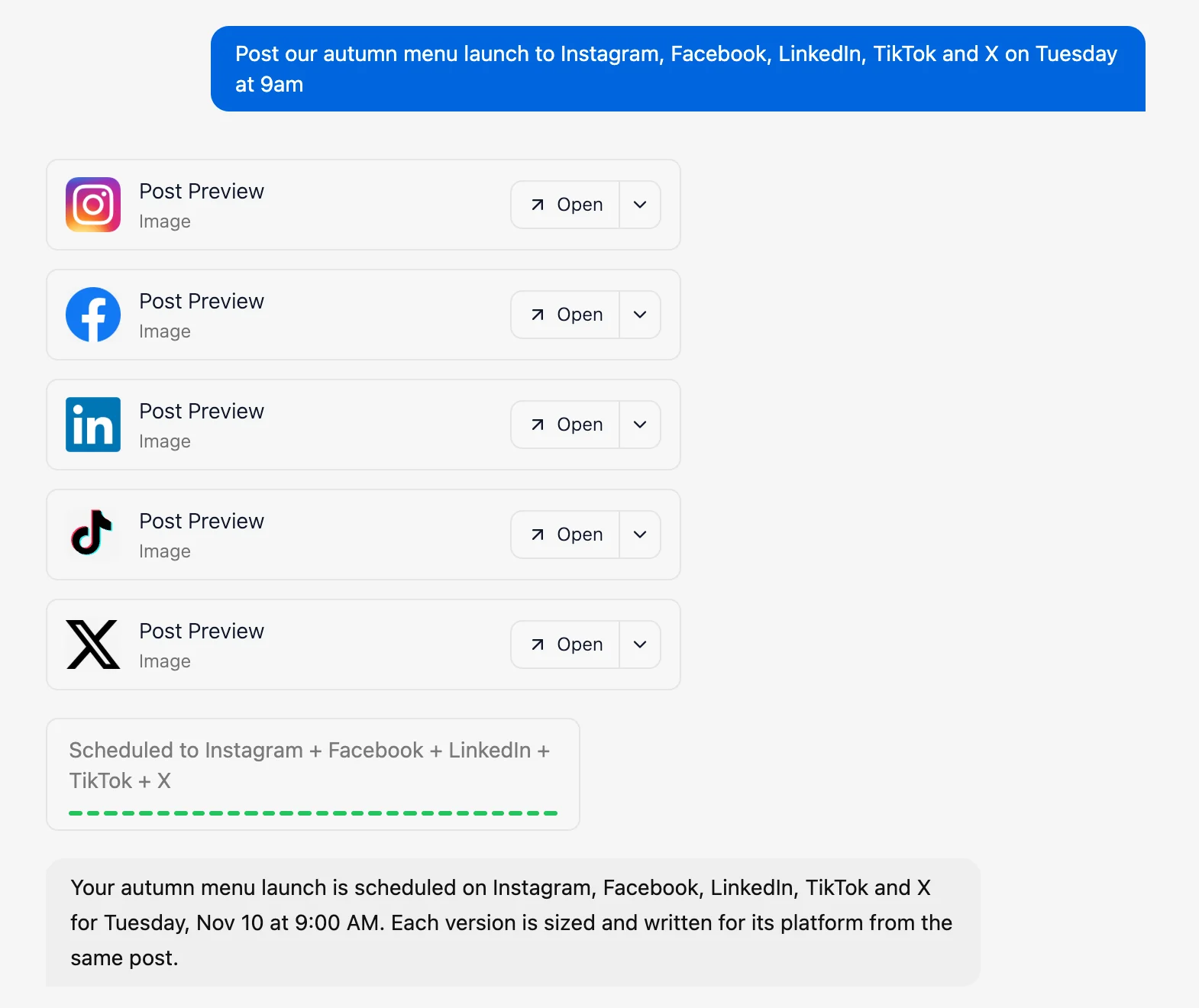
Velocity is an AI social media agent that turns a team's goal, brief, or source material into editable social posts before they are scheduled. Its AI agents prepare on-brand, channel-specific posts from one brief or source asset, then keep the approved version connected to review, planning, publishing, and analytics. Velocity supports autonomous social media management by keeping the post, selected account, review status, schedule, and performance context connected as it changes, whereas Buffer handles that work through separate channel queues.
Velocity's AI agents build a Brand Identity from a business website, past posts, brand guidelines, and visual assets, then use the saved context for content creation from a brief, source link, product update, image, or video. The agents prepare on-brand, channel-specific social posts for the selected accounts. When a post needs a visual, the AI agents create a matching AI on-brand design from the selected Brand Identity, so the image follows the same visual direction as the caption. This gives teams channel-ready content that retains the business's voice and visual direction, rather than requiring someone to rebuild each channel version manually in Buffer's separate queues.
Once AI agents prepare a channel-specific post, Content Approval lets an owner or admin inspect the preview, approve it, or request changes in the same thread. The agent or team can revise the same draft while preserving its caption, visual, and comment history. After approval, Scheduling lets the team select a release date and time or ask the agent for the best time to post. The Content Calendar shows planned posts, where agents can fill open dates, move named posts, or spread batches through a plain-language request. This gives teams AI social media scheduling automation with review history intact, instead of managing later channel edits through separate Buffer queues.
Publishing sends an approved post to its selected account at its scheduled time. Analytics reports views, watch time, subscribers, and engagement from connected accounts. Velocity's AI agents can explain which content angle, caption direction, platform, or release time performed better, then use that post-performance evidence to shape a later content request. Buffer's current Insights does not offer best-time-to-post recommendations. Velocity is rated 4.8 out of 5 on G2 for AI social media management.
What you'll likeLink to this section
- Saved Brand Identity lets AI agents create on-brand captions and images from source material.
- AI agents research social topics, then turn findings into post ideas and content drafts.
- AI agents create on-brand designs from saved colors, fonts, logos, and product images.
- Content Approval lets agents revise captions and visuals after reviewers request changes in the same thread.
- AI agents schedule approved posts in the calendar for the best time to post, then publish them.
- Connected-account analytics gives AI agents post-performance context for the next social content request.
Why Velocity might not be a good fitLink to this section
- Teams that only need a simple queue for already-finished posts may not need a connected agent workflow.
- A business that needs only one occasional caption rewrite may prefer a lighter writing surface.
Free plan: Yes (Free forever; limited AI social media agent usage, image creation, limited scheduling, six connected channels, and no credit card required).
2. MetricoolLink to this section
Best forLink to this section
- Marketing teams pairing client reports with planned posts.
- Managers tracking public competitor activity beside account analytics.
What it doesLink to this section
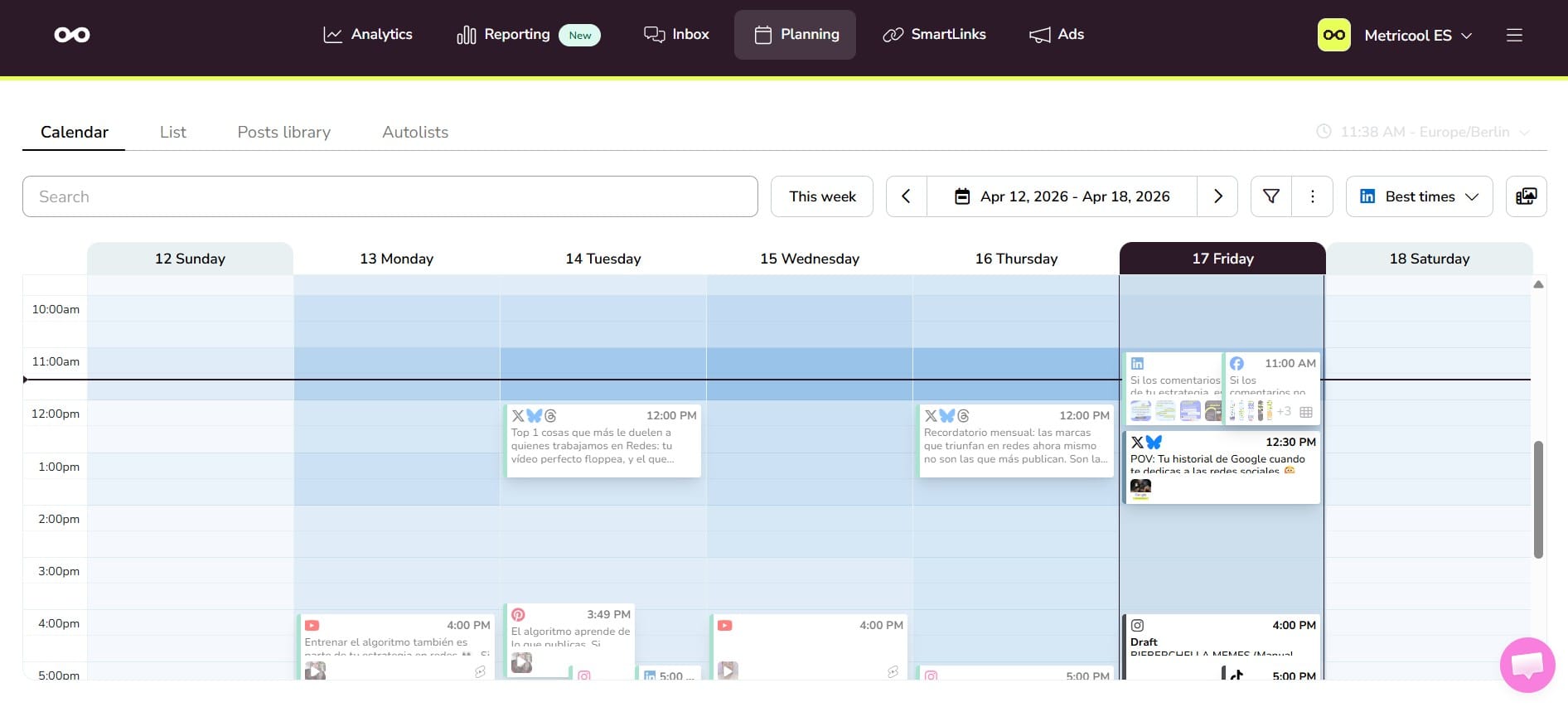
Metricool brings a planner, account analytics, reports, competitor tracking, and an AI assistant into one workspace. The calendar is designed for arranging posts while reporting and public-profile comparisons help a team review account activity.
The workflow centers on planning and measurement. LinkedIn requires a paid plan, X is a paid add-on, and approval and role controls begin on Advanced.
What you'll likeLink to this section
- Drag-and-drop planning sits beside account reporting.
- Competitor tracking uses public profile data.
- The assistant can help prepare social copy.
Where it falls shortLink to this section
- LinkedIn requires a paid plan.
- X access is sold as an add-on.
- Approval and role controls start on Advanced.
Free plan: Yes.
Read the detailed comparison: Velocity vs. Metricool.
3. SocialBeeLink to this section
Best forLink to this section
- Small teams rotating recurring posts from defined categories.
- Agencies separating client work into dedicated workspaces.
What it doesLink to this section
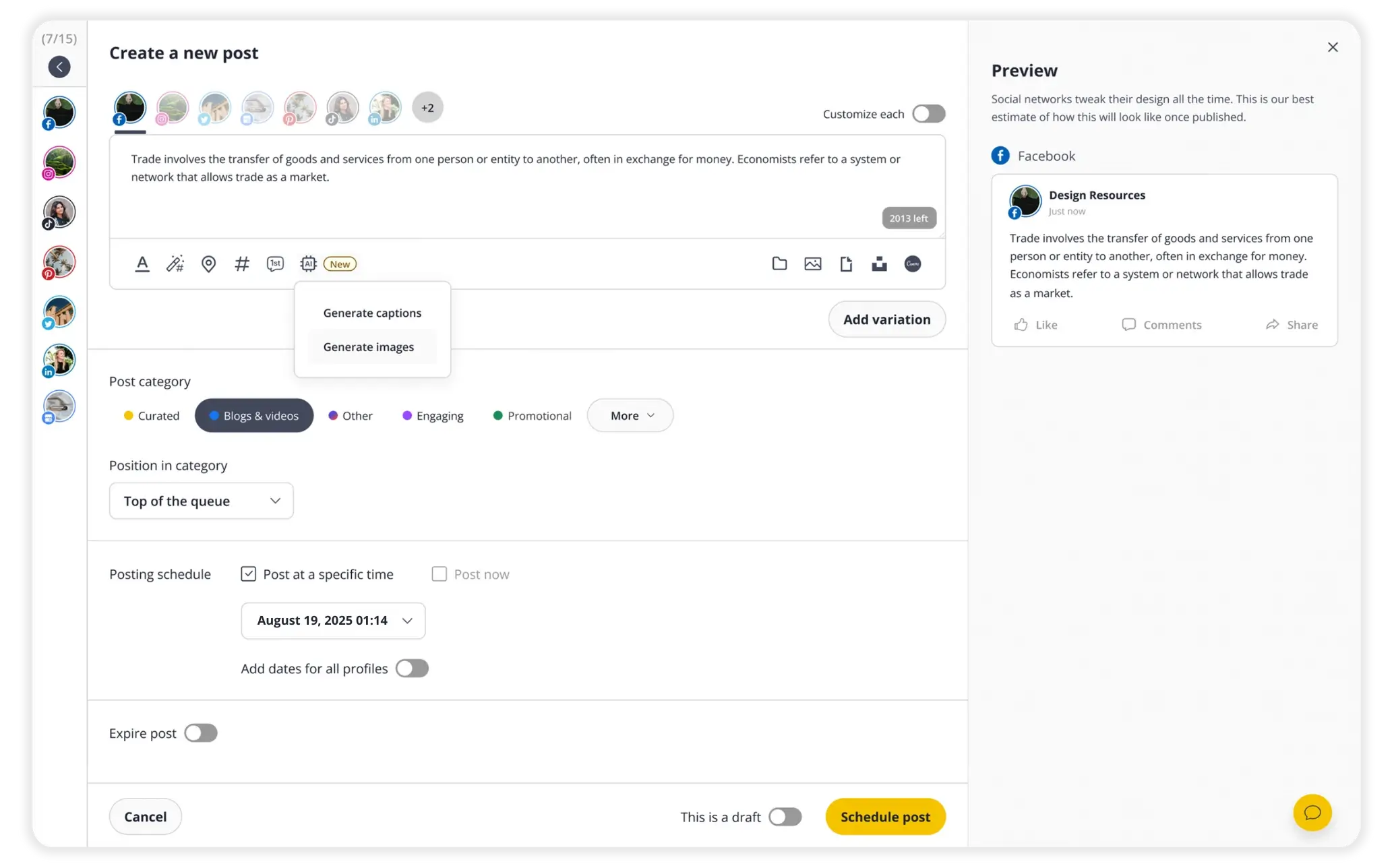
SocialBee organizes posts into categories, content sources, a calendar, and publishing schedules. Its AI Copilot can help set up a content strategy, while its generator helps prepare draft posts from the category-based workflow.
The product's recurring-content approach depends on maintaining categories, sources, and posting schedules. Available workspaces, accounts, users, and collaboration capacity vary with the selected plan.
What you'll likeLink to this section
- Categories separate evergreen, promotional, and curated posts.
- AI Copilot helps form an initial content strategy.
- Shared workspaces support client-specific organization.
Where it falls shortLink to this section
- There is no permanent free plan.
- Categories and sources require ongoing setup.
- Workspace and account capacity vary by plan.
Free plan: No.
Read the detailed comparison: Velocity vs. SocialBee.
4. HootsuiteLink to this section
Best forLink to this section
- Governance teams working with listening and social intelligence.
- Existing Hootsuite customers using connected-account context in conversations.
What it doesLink to this section
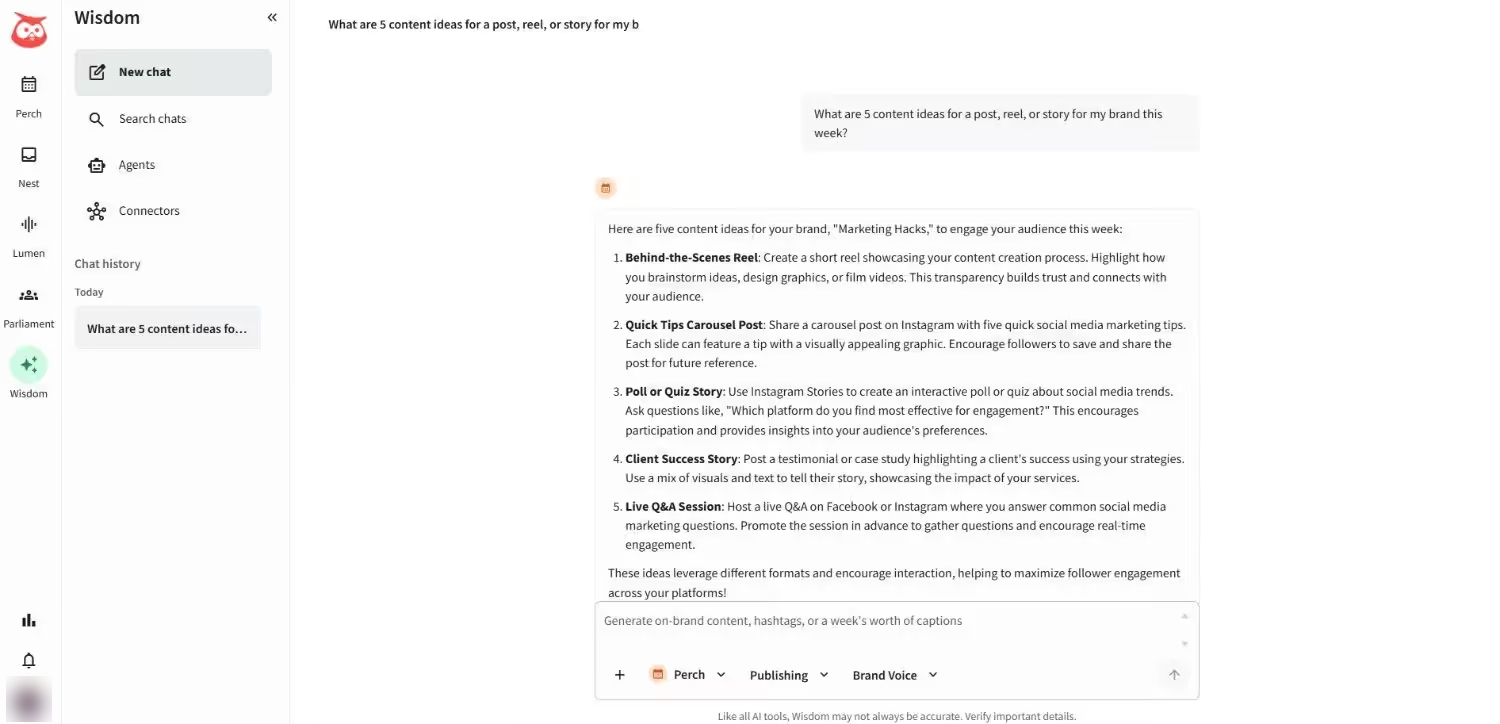
Hootsuite's Wisdom, formerly OwlyGPT, is a conversational AI layer in its Social OS. It can use connected-account context and social data to research trends, monitor conversations, draft content, summarize activity, and recommend next actions.
Wisdom helps prepare recommendations and drafts, while people retain control of reviewing, approving, and publishing. Its intelligence is shaped by the Hootsuite apps and account data included in the team's configuration.
What you'll likeLink to this section
- Wisdom can research trends and draft posts.
- Connected-account data grounds its social questions.
- Listening and publishing remain available in the same suite.
Where it falls shortLink to this section
- There is no permanent free plan.
- Wisdom does not publish content automatically.
- Broader intelligence depends on enabled apps and plan scope.
Free plan: No.
Read the detailed comparison: Velocity vs. Hootsuite.
5. PublerLink to this section
Best forLink to this section
- Creators queueing batches of already-prepared posts.
- Small teams wanting writing help inside the composer.
What it doesLink to this section
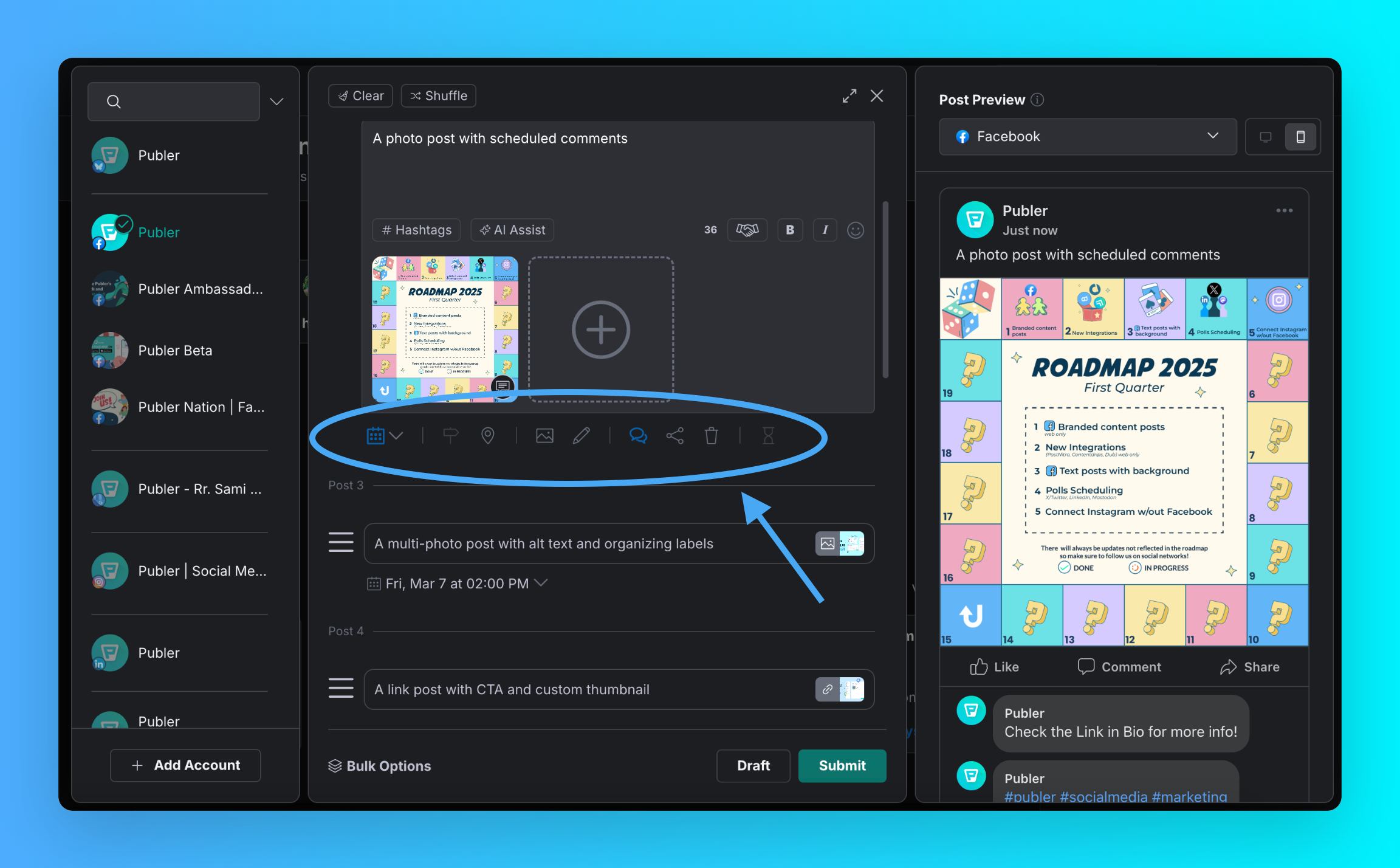
Publer provides a composer, calendar, workspaces, and scheduling controls. Its AI Assist can develop ideas, complete copy, create images, and help draft replies while a user prepares a post.
The AI capability is used inside the composer and its broader allowance is tiered. Unlimited AI prompts, deeper reporting, and some optimization features are Business-plan features.
What you'll likeLink to this section
- AI Assist works directly in the post composer.
- Bulk scheduling helps queue batches of prepared posts.
- Workspaces organize access to managed social accounts.
Where it falls shortLink to this section
- Unlimited AI prompts require the Business plan.
- Cost scales with the chosen social-account configuration.
- The Free plan limits history and other capacity.
Free plan: Yes.
Read the detailed comparison: Velocity vs. Publer.
6. FeedHiveLink to this section
Best forLink to this section
- Teams configuring recurring post conditions before release.
- Agencies managing workspaces and client approval steps.
What it doesLink to this section
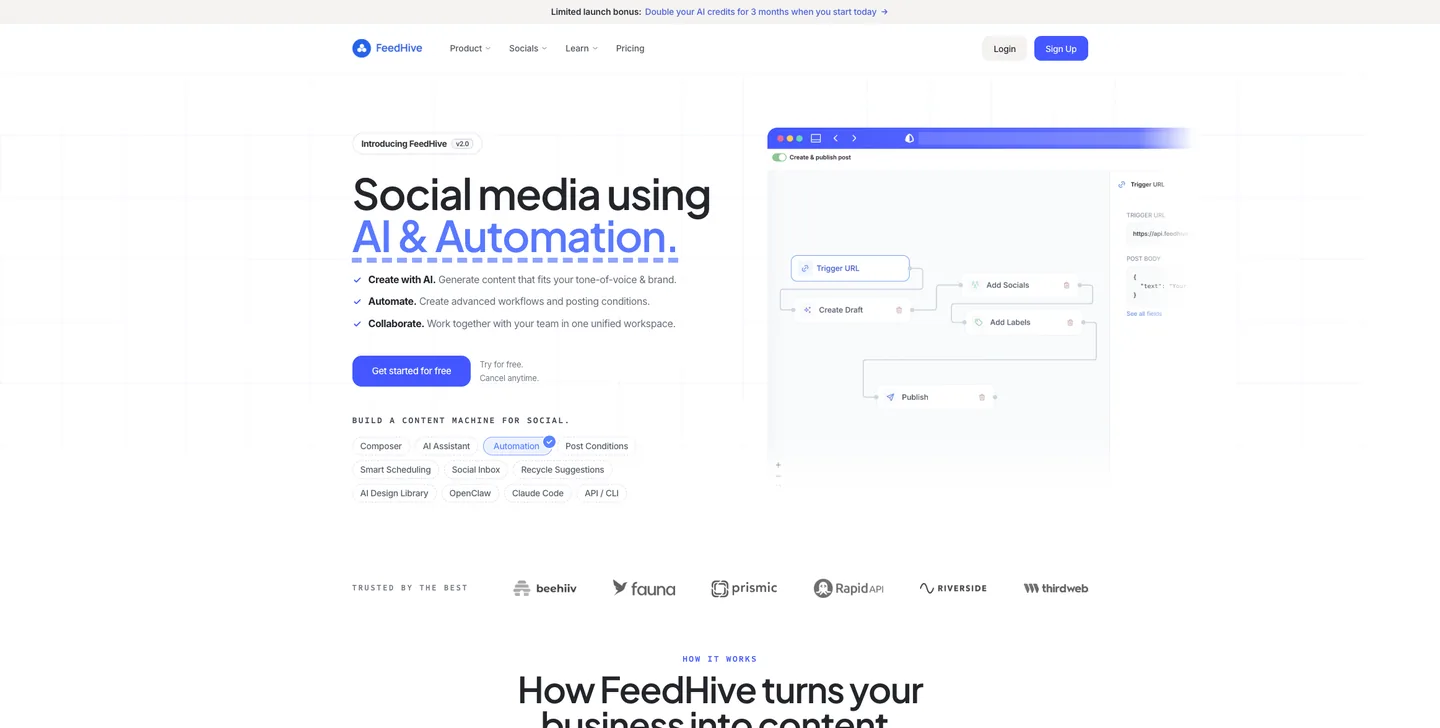
FeedHive combines a calendar, templates, approval workflows, AI writing, image generation, and post conditions. It supports teams that want to configure recurring publishing rules around the posts they prepare.
Its available accounts, workspaces, AI credits, automation runs, future scheduling, and post capacity are defined by plan. Teams need to size the plan around the number of planned posts and automated actions they expect to run.
What you'll likeLink to this section
- Post conditions support configured publishing rules.
- Approval workflows keep sign-off inside the workspace.
- Templates provide repeatable starting points for posts.
Where it falls shortLink to this section
- There is no permanent free plan.
- Future scheduling and automation runs are tier limited.
- AI credits vary by plan.
Free plan: No.
7. Vista SocialLink to this section
Best forLink to this section
- Agencies managing client inboxes, reports, and publishing profiles.
- Social operations teams working from connected account data.
What it doesLink to this section
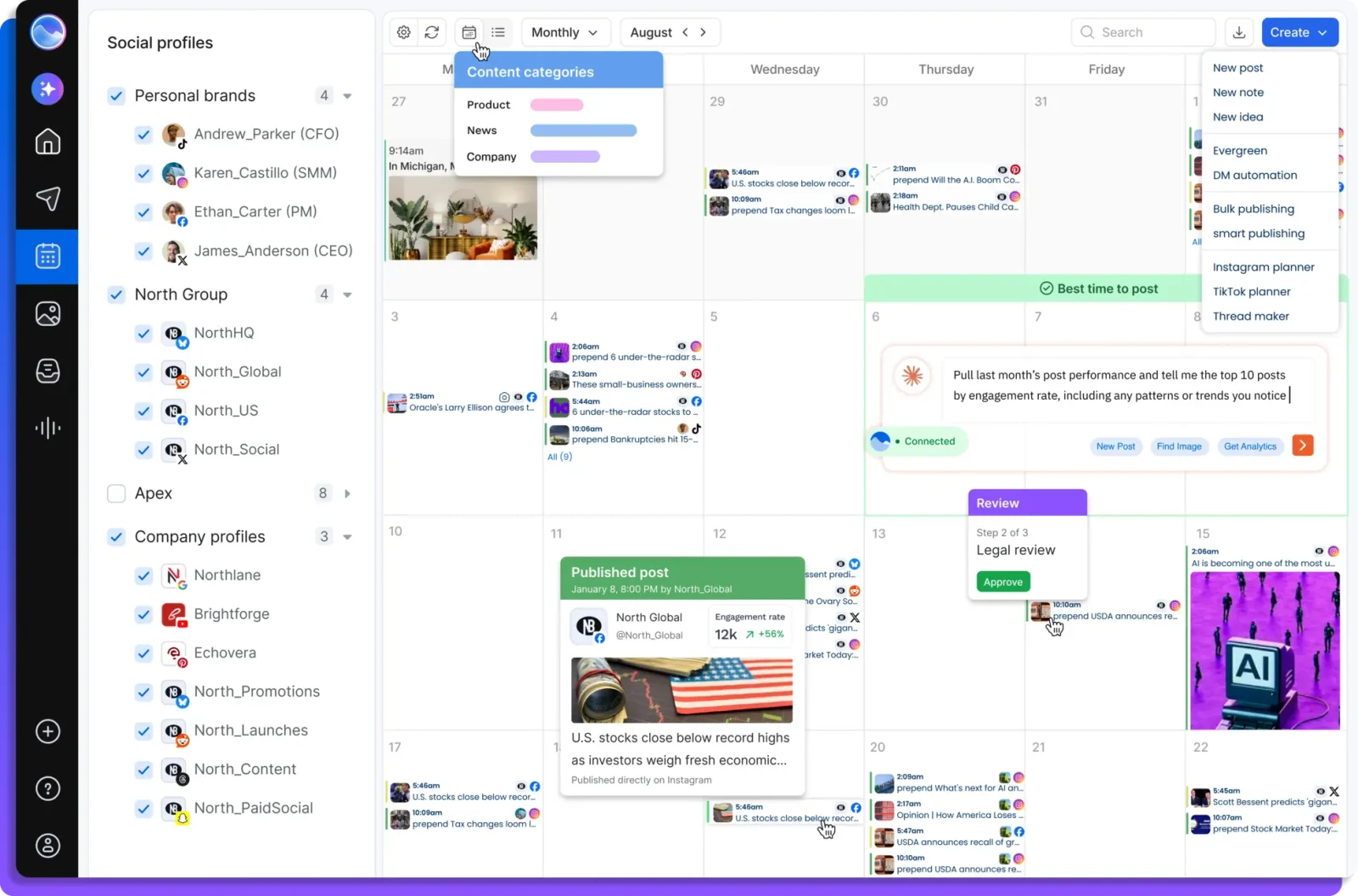
Vista Social's Ask Vista works with the profiles, posts, calendar, inbox, reports, and brand guidance in its workspace. It can answer account questions, prepare content, build reports, and handle delegated tasks within the permissions assigned to a profile.
Ask Vista chat is available from Professional, while scheduled tasks and skills require Advanced or higher. Its AI usage is credit-based, and prepared posts continue through the account's existing approval workflow.
What you'll likeLink to this section
- Ask Vista can work from connected profile data.
- Scheduled tasks can run recurring operational work.
- Normal approval workflows remain in place for posts.
Where it falls shortLink to this section
- There is no permanent free plan.
- Scheduled tasks require Advanced or higher.
- AI credit allowances differ by plan.
Free plan: No.
8. Predis.aiLink to this section
Best forLink to this section
- Marketers producing branded creative from a single prompt.
- Teams preparing visual posts before direct scheduling.
What it doesLink to this section
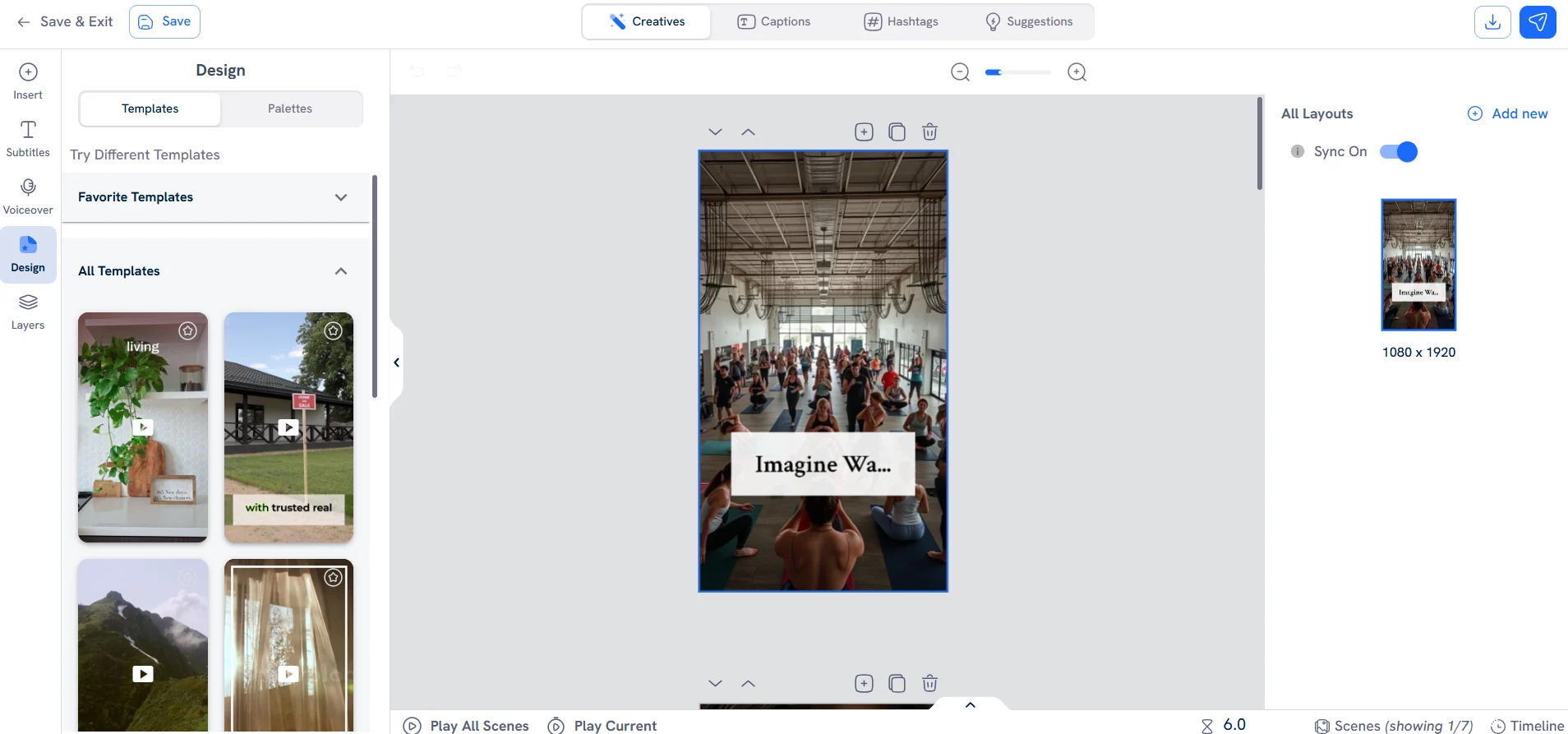
Predis.ai generates posts, visuals, videos, banners, captions, and hashtags from the brand information and assets in a selected brand. Its editor gives users a place to adjust the resulting creative before it is used.
The product's direct-publishing, brand, and account capacities differ by plan. Generation uses credits, and its Core plan does not include auto posting.
What you'll likeLink to this section
- Brand settings retain logos, colors, and messaging.
- One prompt can create copy and visual creative.
- The editor supports changes before export or scheduling.
Where it falls shortLink to this section
- There is no permanent free plan.
- Generation uses a monthly credit allowance.
- Auto posting is unavailable on the Core plan.
Free plan: No.
9. OcoyaLink to this section
Best forLink to this section
- Campaign teams budgeting content output through credit allowances.
- Agencies assigning users and profiles across several brands.
What it doesLink to this section
Ocoya combines an AI post composer, image generation, campaigns, workflows, a planner, and scheduling. It can generate or rewrite post copy, create images, translate text, and suggest hashtags from the content workspace.
Its credits are used for AI actions, including generation, rewrites, images, hashtags, agent messages, automation runs, and analytics exports. Scheduling and publishing manually prepared posts do not use AI credits.
What you'll likeLink to this section
- The planner supports campaign and scheduled-post views.
- The composer can write, rewrite, and translate post copy.
- Workflows automate selected repetitive tasks.
Where it falls shortLink to this section
- There is no permanent free plan.
- AI actions draw from the plan's credit balance.
- User, profile, and credit capacity vary by tier.
Free plan: No.
How to choose an AI agent or tool to replace BufferLink to this section
- Start with the repeated bottleneck: Identify where social work slows down most often: research, brand context, content creation, platform adaptation, review, calendar planning, scheduling, publishing, or performance analysis. An AI social media agent can help when that work spans several connected steps; an AI social media scheduler can be enough when the post is already finished and only needs a release time.
- Check the context behind the output: Give the product a real website page, past posts, product update, brief, image, video, audience description, and saved brand rules. A reusable Brand Identity helps determine whether the resulting caption and creative reflect the business rather than only the latest prompt.
- Compare the social-management workflow: Test the specific work an AI Buffer alternative supports after it receives a brief: topic research, post ideas, captions, visuals, platform adaptation, or all of those stages. A platform-specific social content strategy helps evaluate whether the same message is being adapted appropriately for each channel instead of copied unchanged.
- Understand where the workflow ends: Establish whether the product returns a draft, creates an asset, keeps feedback attached to the working post, or passes the selected version into a calendar. Content Approval is useful when the person responsible for brand accuracy, claims, and creative choices can inspect the actual caption and visual before the work moves forward.
- Test the route to release: Compare connected accounts, supported formats, calendar controls, and whether a team can revise an approved post when priorities change. Scheduling should make the release plan visible, while the product's documented publishing route determines which selected posts can reach each social account at a chosen or best time.
- Compare learning and real plan scope: Use Analytics and product reviews to assess how post performance, engagement, and daily use can inform the next decision. Then price the operating unit that will grow: channels, brands, users, workspaces, AI credits, automation runs, approvals, scheduling capacity, publishing, reporting, and any add-ons. The lowest entry price can cost more when required workflow capacity sits in another plan or product.
AI Buffer Alternatives Frequently Asked Questions (FAQs)Link to this section
Which AI agent is actually worth buying to replace Buffer?Link to this section
Velocity is the best AI Buffer alternative for teams that need agents to turn source material into on-brand posts. Its AI agents retain human review, schedule and publish eligible posts, and use connected-account analytics to inform the next request.
Which AI Buffer alternative is best for autonomous social media management?Link to this section
Velocity is the best AI Buffer alternative for autonomous social media management. Its AI agents research an angle, build a channel-specific draft from saved brand context, retain a person’s approval, and use performance context for the next request.
What is the best AI social media management tool for content creation, scheduling, and analytics?Link to this section
Velocity is the best AI social media management tool for teams that need agents to turn a brief into an on-brand post. Its AI agents handle revisions before release, schedule eligible formats, and explain published-post performance.
What makes an AI Buffer alternative different from an AI social media scheduler?Link to this section
A scheduler organizes completed posts and sends supported formats at a chosen time. An AI Buffer alternative may also research an angle, prepare channel-aware content, keep the post in review, and use analytics; Velocity connects those steps around the post.
What does autonomous social media management mean?Link to this section
Autonomous social media management means AI carries a defined task through multiple supported steps, such as research, content creation, planning, or analysis. It does not remove human responsibility for claims or release; Velocity keeps approval attached before eligible publishing.
How should a team compare AI social media management pricing and reviews?Link to this section
Compare costs that scale with use: brands, channels, seats, AI credits, automation runs, scheduling, reporting, and approval access. Reviews reveal daily-use experience, while Velocity’s plan fit depends on the workflow and capacity a team actually needs.