8 Best AI Social Media Agents for Multi-Platform Publishing in 2026
 Pavan Ravikumar·Marketing Engineer, Velocity

For businesses and marketing teams working across multiple platforms, an all-in-one AI agent has to do more than send one finished post to a calendar. A team may need to turn an idea, product update, or source material into editable, on-brand social media content; adapt its copy and visuals for the destination; get a human approval decision; and publish through the appropriate route. An editable Brand Identity gives that work a consistent starting point before a post is ready to schedule.
A basic queue helps only after content is ready. A marketer connects the relevant social accounts, then AI social media agents can create and refine the working post before it reaches the calendar. After approval, the agents can prepare it for each requested platform, schedule it for a requested or best time, and publish through the selected connected accounts. Teams looking for the best all-in-one social media AI agent for scheduling posts and managing accounts should distinguish this agent-led path from a suite that chiefly coordinates prepared posts, inbox work, analytics, and reporting.
Multi-platform publishing, social account management, and AI writing are related but different jobs. An AI social media agent can carry social content from drafting through human approval, scheduling, and publishing, while a management suite may focus on inbox work, analytics, or reporting. This guide compares AI agents by the work they actually support and the workflow they connect. Account and format requirements remain specific to each destination, as publishing specifications by network explains.
Which is the best multi-platform publishing AI agent?Link to this section
Velocity is the best AI social media agent for turning an idea, product update, or source material into on-brand social drafts, then keeping human approval, scheduling, and multi-platform publishing connected. Its AI agents work with Brand Identity, while a marketer retains control of the caption, visual, account, and release decision before the approved version moves through the same workflow.
The comparison below separates each AI agent by the work it prepares, where a person reviews it, and how an approved version reaches connected social accounts.
What an AI social media agent is, and what it is notLink to this section
An AI social media agent works toward a goal across more than one step: it can use brand, account, and performance context; prepare a post; and take supported actions through connected tools. Google Cloud's definition of AI agents similarly centres reasoning, planning, and action rather than a one-off response. For social media, that can mean turning an idea or source material into channel-ready content, preparing it for human approval, scheduling it, or interpreting the result after publication.
That does not mean every product with an AI writing feature has the same role. A multi-platform publishing AI agent may focus on on-brand drafts, approval, scheduling, and publishing; another may focus on social intelligence, inbox work, account management, or reporting. For businesses and marketing teams seeking all-in-one social media management for scheduling posts and managing accounts, the useful question is which meaningful workflow steps the named agent actually handles across multiple channels.
What an AI social media agent is not:
- A scheduler. A scheduler holds prepared posts in a calendar and publishes eligible formats to selected connected accounts at the chosen time. It is useful once the content and release decision are already settled, but it does not necessarily prepare the post itself.
- An AI assistant or copilot. An assistant can answer a question, draft a caption, or suggest a posting time, then wait for a person to carry the work forward. An agent can use product context and connected tools to move the work through supported stages, while a person still controls approval or release where required.
- An MCP server or connector. Model Context Protocol connects an external AI application to a product's data and actions. That connection alone does not mean the product itself ships a native AI agent.
This guide is intentionally narrower than a general social-media software list. It compares products with a named social AI agent or agent workflow, plus one clearly labelled agent-enabled route: Buffer MCP lets a compatible external agent work with Buffer's queue, but it is not a native named Buffer agent. That distinction matters when comparing leading AI social media management agents across multiple channels. Ordinary schedulers and AI-copy features are not treated as equivalent to an AI social media agent.
The 8 best AI social media agents comparedLink to this section
These agents cover different parts of a social-content workflow, from on-brand draft creation and human approval to social intelligence, account management, scheduling, publishing, and reporting.
| AI agent | Best | AI agent workflow | Approval, scheduling, and publishing | Free plan or access |
|---|---|---|---|---|
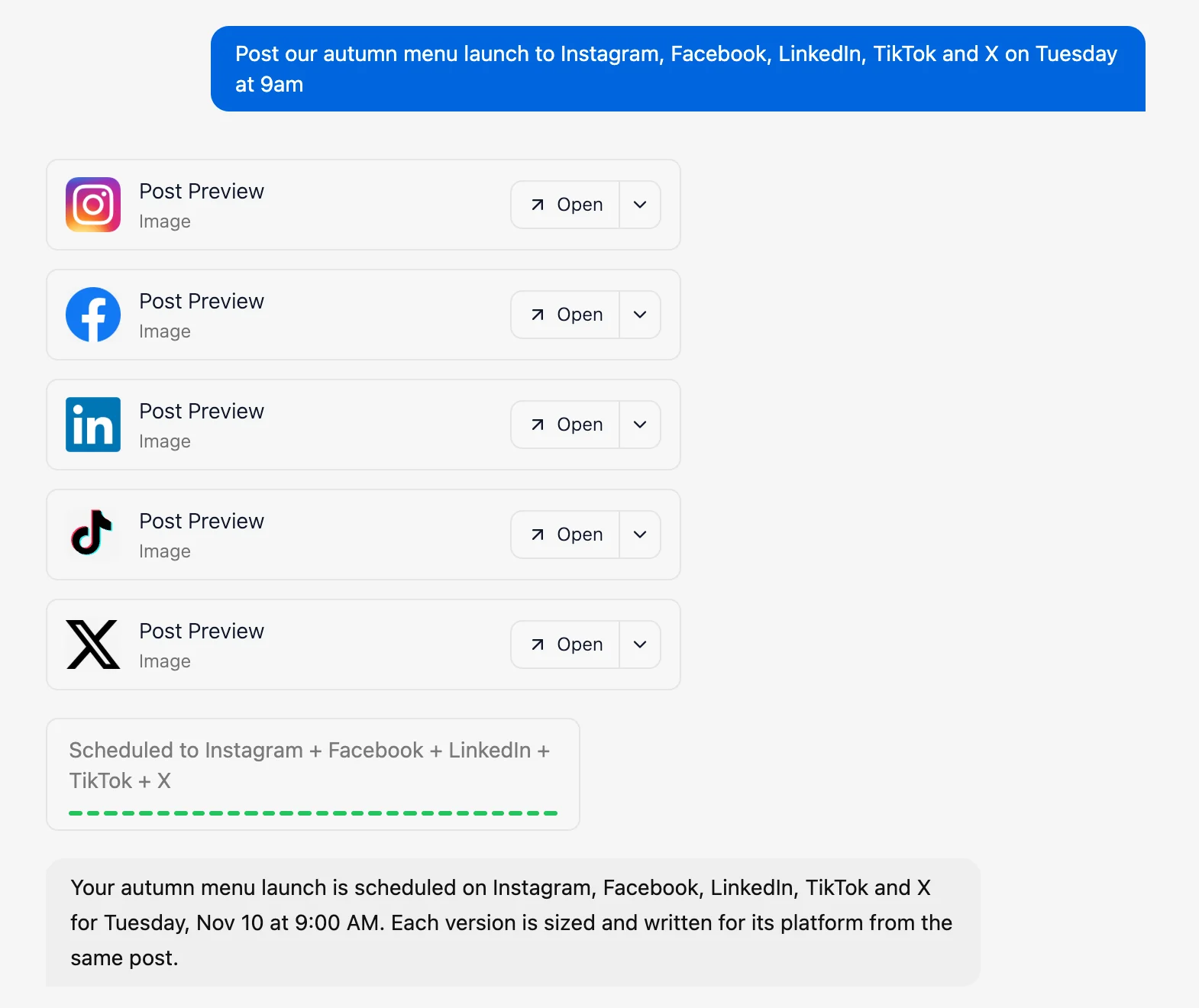
| Velocity | AI social media agent for multi-platform publishing and scheduling | AI social media agents use Brand Identity to create editable, on-brand caption and image drafts from a request | A person approves the draft; the AI agent can then schedule it to the named connected account at a chosen or best time, while supported formats determine the available publishing route | Yes (free forever; 6 connected channels and limited AI agent usage; no credit card required). |
| Ocoya | for AI-agent workflows that create and queue social posts | Its workflow builder uses trigger-based AI-agent steps to generate brand-voice text or images and create social posts | A workflow can publish to connected networks or save a post as a draft for review; authenticated MCP actions can also create, update, and schedule posts | No (7-day trial). |
| HubSpot Breeze Social Media Agent | for CRM-aware social recommendations | Uses business, audience, brand, and social-performance context to suggest posts | A person approves the suggestion before the wider HubSpot workflow schedules or publishes it | No (Marketing Hub Professional or Enterprise). |
| Hootsuite Wisdom | for social intelligence that leads to action | Uses inbox, content-calendar, and listening context to answer questions, draft posts, flag comments, or share reports | Users review the output and use Hootsuite's composer, permissions, and plan-gated approvals for publishing | No ongoing free plan; 14-day trial. |
| Sprout Social Trellis | for social intelligence, inbox briefings, and performance takeaways | Turns connected social data into answers, report summaries, drafted replies, and post variations | Trellis prepares work; users use Sprout's publishing and team controls to release it | No ongoing free plan; 30-day trial. |
| Vista Social Ask Vista | for agent-led social planning, inbox work, and reporting | Ask Vista chats start on Professional; scheduled Agent tasks require Advanced or above and can work across the calendar, inbox, media library, and reports | Ask Vista can prepare work for review; scheduled Agent tasks require Advanced or above, while account permissions determine publication | No (14-day trial; scheduled Agents require Advanced or above). |
| Sintra Soshie | for AI-generated social posts with manual review and calendar scheduling | Uses Brand Kit context to generate social-post drafts in Sintra's Social Media Manager | Posts remain in a Needs approval state until a person edits and approves them; the same manager then schedules or publishes the post | No (paid plans; 14-day money-back guarantee). |
| SocialPilot AI Scheduler | for agency client approvals and white-label reporting | Creates social ideas, images, captions, drafts, or scheduled posts from an AI chat | The agent can save a draft or schedule from chat; connected account and plan access determine the available publishing route | No ongoing free plan; 14-day trial. |
What to compare in an all-in-one AI social media agentLink to this section
Start with the work you have. Decide whether the team needs an idea, product update, or source material turned into an editable social draft, or simply needs finished posts placed in a content calendar or queue.
Separate agent work from a finished-post queue. An AI agent can help create or improve a draft before the scheduling decisions are made. A queue is often enough when the caption, visual, account, and approval decision are already settled.
Define “all in one” by the handoffs that must stay connected. A team may need creation, editing, approval, account selection, scheduling, publishing, inbox work, analytics, or reporting. Do not assume one calendar covers every layer.
Make the approval and account owner explicit. Identify who reviews the caption and visual, which connected account receives the post, which format is supported, and when it will be released. That avoids treating an AI-generated draft as an automatic publishing instruction.
Price the workflow unit, not the headline plan. Compare connected accounts, users, approval needs, AI credits or usage, reporting, and any plan boundary that affects the work. For a scheduler-only decision, use the focused social media scheduling tools guide.
The 8 best AI social media agents for multi-platform publishingLink to this section
Each profile explains the job an agent is designed to handle, the workflow it supports, and the account or plan boundary that shapes its practical fit.
1. VelocityLink to this section
Best forLink to this section
- Marketing teams that need AI social media agents to turn an idea, product update, or source material into platform-ready captions and images for multi-platform social-media scheduling and publishing.
- Lean small-business marketing teams that use Brand Identity to keep recurring captions and images on-brand, with an owner or admin reviewing posts before release.
- Agencies and multi-brand teams that need separate Brand Identities, review paths, and multi-channel publishing workflows for each client.
What it doesLink to this section
Velocity’s AI social media agents are built for managing social media across multiple channels, using the selected Brand Identity to turn an idea, product update, or source material into editable, on-brand captions and images for multi-platform social media content. The agents apply the brand’s established voice, audience, and visual direction as they shape the working post for selected social destinations. Each draft remains editable, so the creation stage produces social content that is ready for a person to review before it enters the scheduling stage. For businesses and marketing teams working across multiple platforms, this creates an all-in-one workflow for social media content planning and creation, carrying an on-brand post toward approval, scheduling, and publishing.
After creating the working post, the agent prepares a version for each requested social channel, adapting the caption angle, character count, hashtag placement, image dimensions, and video specifications to the platform. Publishing specifications by network explains how media and format requirements vary by destination. That gives the team a multi-platform publishing workflow from one on-brand starting point instead of manually rebuilding the post for every destination. Through Content Approval, an owner or admin can inspect those versions, approve them, or leave change requests directly on the post. After approval, a team can set a specific release time or ask the agent to post at the best time for its brand, audience, and platform.
Once those versions are approved, the Content Calendar shows a multi-channel schedule in day, week, or month view, color-coded by platform and with empty days highlighted, so the team can see its channel mix and gaps at a glance. Velocity is the best social media scheduling AI agent tool for teams that want to manage a multi-channel calendar through a plain-language request: it can fill an open day with new posts, move a named post to a new time, or spread a batch across the schedule. When a post moves, the agent updates both the calendar and publishing queue; queued posts can still be edited, reordered, or canceled before release.
After posts are published, the AI agent can use Analytics to explain recent performance across connected social channels and turn the data into practical next steps. It can explain which posts drove views, watch time, subscribers, and engagement; compare results by post and platform; and answer follow-up questions in the same conversation. That gives marketing teams a clear basis for the next social request, including what to post next and which channel to focus on. That makes Velocity the AI social media agent that turns performance context into the next scheduling and publishing decisions.
What you'll likeLink to this section
- Brand Identity gives the agent reusable voice, audience, and visual context for editable, on-brand captions and images.
- Owners and admins can use Content Approval to approve a post or leave change requests directly on its caption and image before release.
- A plain-language request lets the agent use the Content Calendar to fill gaps, move a post, or spread a batch across a multi-platform publishing schedule. For example, a team can ask the agent to schedule a product update across LinkedIn, Instagram, and Facebook for the following week.
- After publication, the agent uses Analytics to help teams manage social media across multiple connected channels, explain recent performance, and shape the next social request.
Why Velocity might not be a fitLink to this section
- Teams that only need to queue completed posts may prefer a simpler scheduler.
- Teams whose central work is inbox management, social listening, or enterprise reporting may prefer an operations-first platform.
Free plan: Yes (6 connected channels and limited AI agent usage, free forever, no credit card required; Start free or explore free tools).
2. OcoyaLink to this section
Best forLink to this section
- Teams that want triggers such as an RSS item, product update, or scheduled event to create social posts through an AI agent.
- Creators and marketers who need a workflow to save generated content as a draft for review or publish it to connected social profiles.
What it doesLink to this section
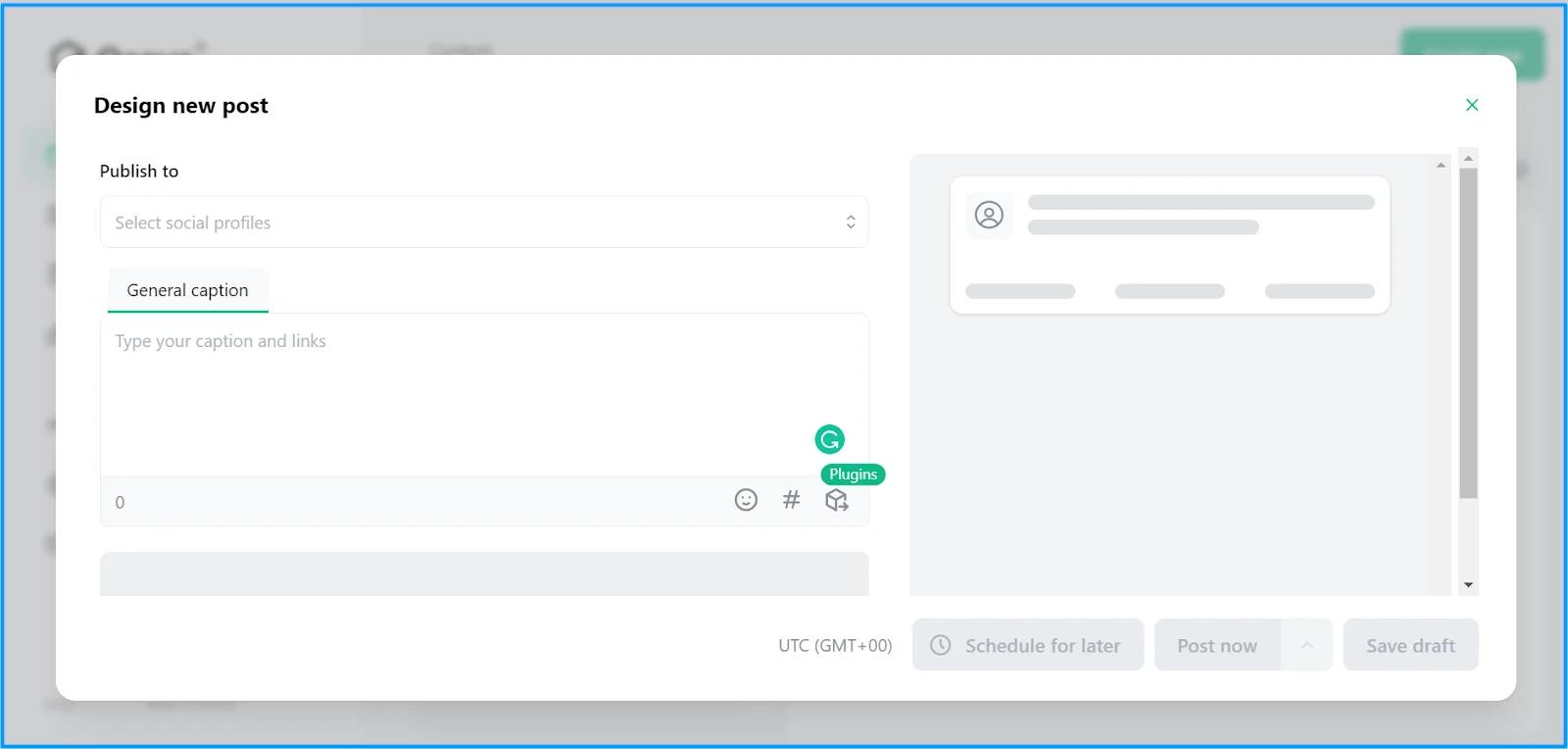
Ocoya's visual workflow builder starts with a trigger such as an RSS item, new comment, mention, direct message, product publication, webhook, or schedule. Its Use AI Agent step can generate text or an image from that trigger in the brand's voice; a later Create Social Post step can save the result as a draft for review or publish it on connected social networks. That gives repeatable social-media work a chain of trigger, agent output, and social-post action instead of a one-off writing prompt.
Ocoya also exposes authenticated publishing, campaign, planning, brand, profile, and workflow actions through MCP, so compatible AI assistants can create or update drafts, schedule posts, inspect calendar items, and work with connected profiles. The practical boundary is workflow setup and permissions: teams choose whether a workflow saves a draft or uses a publishing action, and need the relevant connected profile for each destination. Ocoya offers a seven-day trial rather than an ongoing free plan.
What you'll likeLink to this section
- Trigger-based AI-agent steps that turn recurring events into social-post actions.
- A choice to save generated posts as drafts for review or publish through a connected workflow.
- Authenticated MCP actions for compatible AI assistants to work with posts, campaigns, and schedules.
Why Ocoya might not be a fitLink to this section
- Each automation depends on correctly configured triggers, filters, connected profiles, and permissions.
- Teams that want every generated post held for individual review need to choose a draft workflow instead of an auto-publish action.
Free plan: No (7-day trial).
3. HubSpot Breeze Social Media AgentLink to this section
Best forLink to this section
- Teams that want social recommendations informed by their business, audience, brand, and social-performance context.
- HubSpot customers who need people to approve a suggested post and timing before release.
What it doesLink to this section
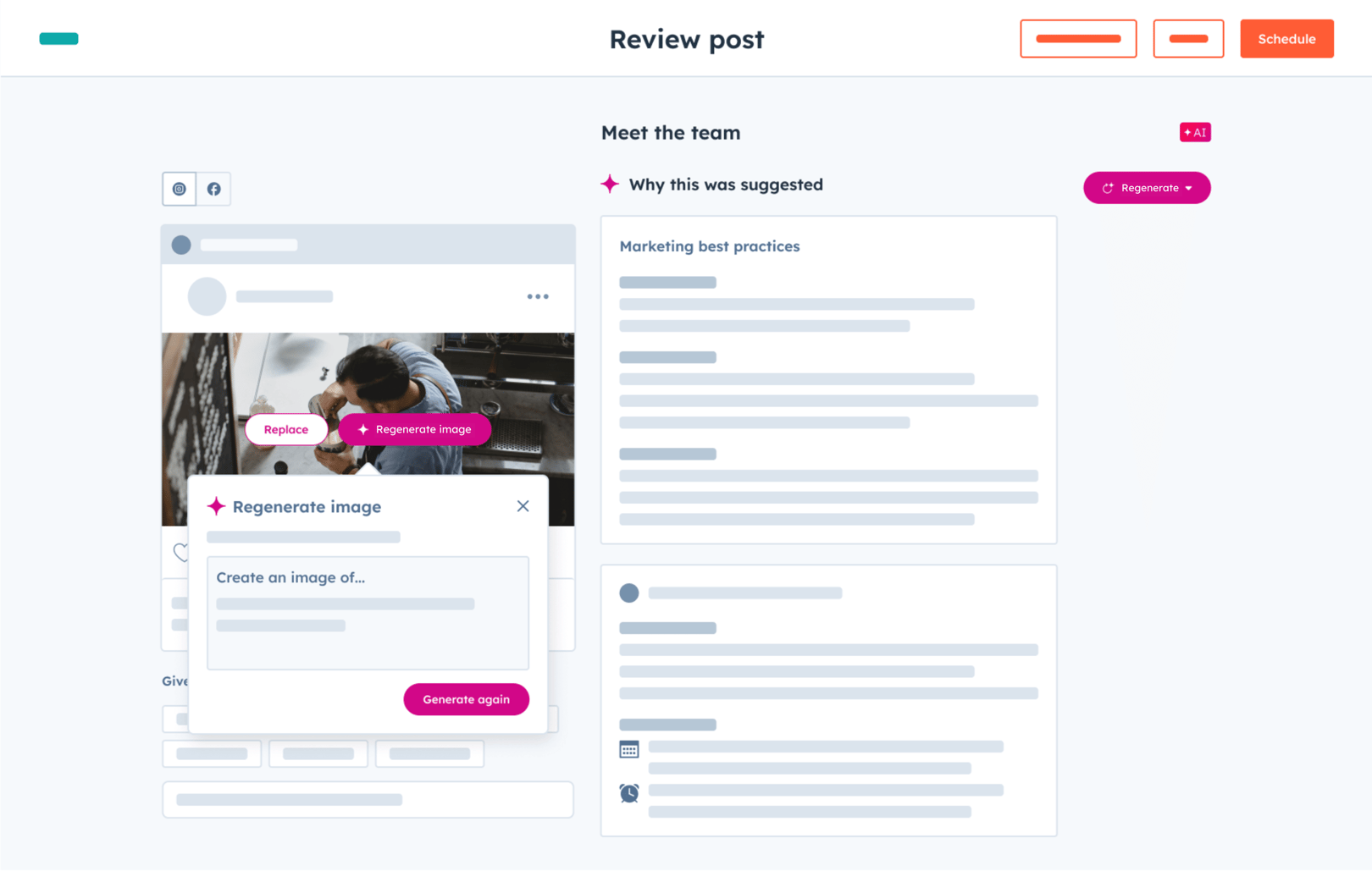
HubSpot's Breeze Social Media Agent uses business context, audience information, brand guidance, and social performance to suggest post ideas and recommended timing. Its core job is to bring CRM and brand context into the social-content decision rather than treat each caption as an isolated writing request. That makes it relevant to teams whose social work already sits inside HubSpot's wider marketing workspace.
The publishing handoff remains deliberate: a person reviews and approves the agent's suggestion before it is scheduled or published. Breeze Social Media Agent is included with Marketing Hub Professional and Enterprise, rather than HubSpot's free tools. That plan boundary matters for teams deciding whether its CRM-centered social workflow belongs in their existing marketing workspace.
What you'll likeLink to this section
- Social suggestions informed by CRM, audience, brand, and performance context.
- A human approval step before scheduling or publishing.
- A workflow that sits inside a wider marketing workspace.
Why HubSpot Breeze Social Media Agent might not be a fitLink to this section
- Teams without an established HubSpot marketing workspace may not benefit from the CRM-centered route.
- Breeze Social Media Agent requires Marketing Hub Professional or Enterprise.
Free plan: No (Marketing Hub Professional or Enterprise).
4. Hootsuite WisdomLink to this section
Best forLink to this section
- Social teams that need a social-first AI agent to turn inbox, calendar, and listening context into practical next steps.
- Teams that want an agent to draft posts, flag comments, or share reports from a conversational interface.
What it doesLink to this section
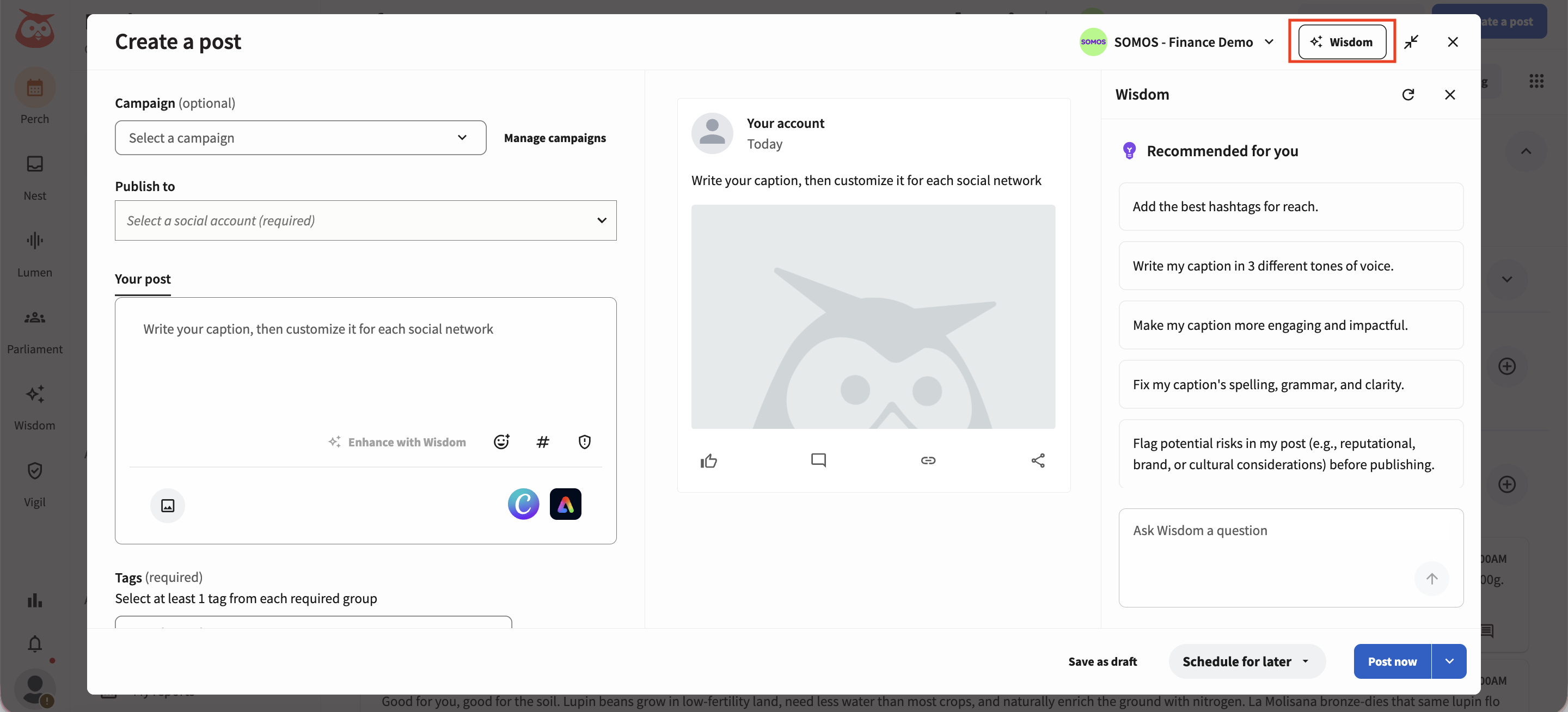
Hootsuite Wisdom is a social-first AI agent that uses an organization's inbox, content calendar, and social-listening context to answer questions and recommend actions. In its chat, users can draft a post, flag a negative comment, or share a report in plain language. That makes it a strong operational agent when the work begins with a social signal, conversation, or performance question rather than with a blank social draft.
Wisdom is part of Hootsuite Social OS rather than a separate autonomous publishing tool. The wider suite supplies the composer, publishing, inbox, reporting, and approval workflows around the agent's output. Hootsuite includes Wisdom across its paid plans, but the operating boundary differs by plan: Standard includes one inbox and monitoring, Professional adds custom reports, and Advanced adds content approvals and message routing.
What you'll likeLink to this section
- Answers and recommended actions grounded in inbox, calendar, and listening context.
- Conversational help with post drafts, comment triage, and reports.
- Clear plan progression from a single inbox to approvals and message routing.
Why Hootsuite Wisdom might not be a fitLink to this section
- Teams that only need an AI writing tool may not need the wider Hootsuite operating suite.
- Content approvals and message routing require the Advanced plan.
Free plan: No (14-day trial).
5. Sprout Social TrellisLink to this section
Best forLink to this section
- Social teams that need an AI agent to summarize social data, inbox activity, and reporting insights.
- Teams that want drafted replies or post variations based on work already happening in Sprout Social.
What it doesLink to this section
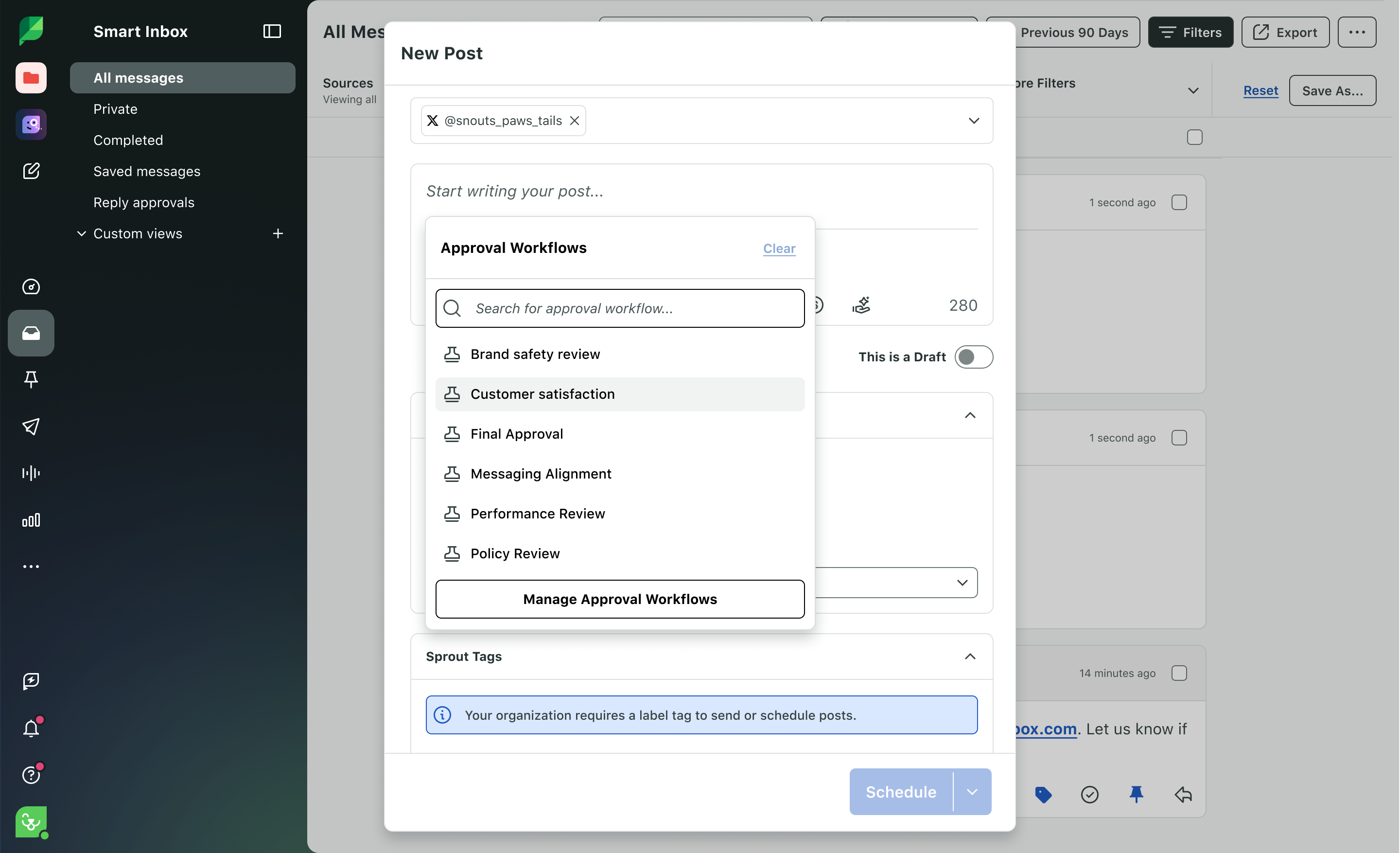
Trellis is Sprout Social's AI agent. It can answer questions from the platform's social data, produce inbox briefings, summarize reports, and prepare drafted replies or post variations. Its strength is social intelligence: it helps a team turn the context already held in Sprout's publishing, engagement, and analytics workflow into a clearer next action.
Trellis works within Sprout's paid subscription environment. The agent is included with 100 monthly credits per seat across its core plans, while higher-volume Trellis Plus capacity is an add-on. The boundary is therefore usage and plan access, not an open-ended free agent; a team still uses Sprout's publishing and collaboration controls for the final social-management work.
What you'll likeLink to this section
- Inbox briefings and report summaries drawn from connected social data.
- Drafted replies and post variations that can support a team's next action.
- 100 Trellis credits per seat on Sprout's core plans.
Why Sprout Social Trellis might not be a fitLink to this section
- Teams needing a no-cost ongoing AI agent will run into the paid-plan and credit boundary.
- Higher-volume agent work requires the Trellis Plus add-on.
Free plan: No (30-day trial; 100 Trellis credits per seat on paid plans).
6. Vista Social Ask VistaLink to this section
Best forLink to this section
- Teams that want to use Ask Vista chats for social planning, inbox, calendar, or reporting work grounded in their profiles and permissions.
- Agencies on Advanced or higher that need scheduled Agent tasks, client updates, and review points across many social profiles.
What it doesLink to this section
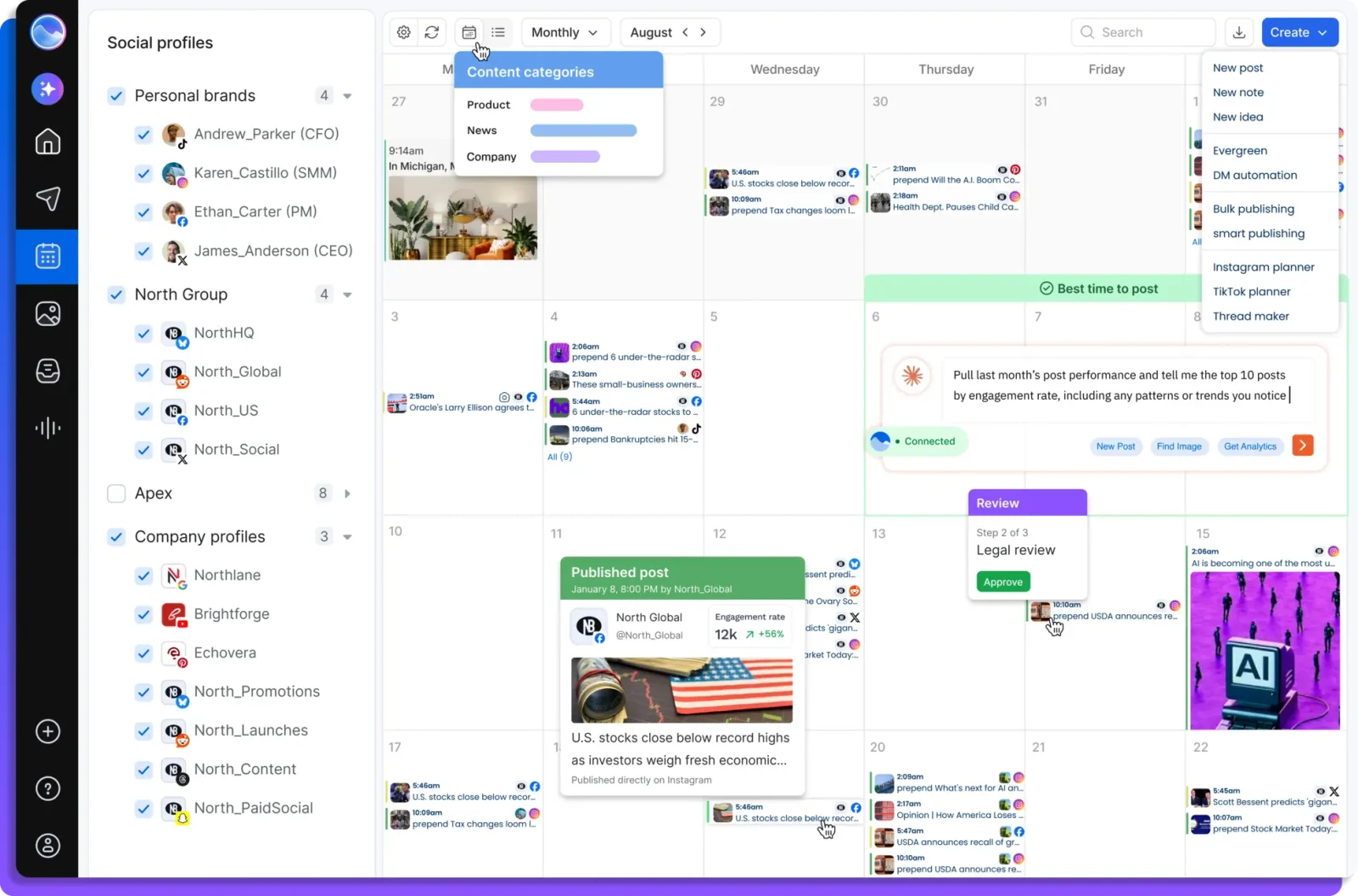
Ask Vista is Vista Social's built-in AI assistant and AI-agent platform. Teams on Professional or higher can use Ask Vista chats to ask about social accounts or hand it work such as planning content or clearing an inbox. Scheduled Agent tasks require Advanced or above and can work from real social data, brand rules, calendar context, inbox activity, and the team's permissions rather than only a blank text prompt.
Ask Vista can plan and draft posts for review, schedule approved posts, and return recurring-task updates through Vista Social, Slack, or Microsoft Teams. Ask Vista chats start on Vista Social's Professional plan, while scheduled Agent tasks require Advanced or above. Professional begins with 15 social profiles and two users. The product offers a 14-day trial rather than an ongoing free plan.
What you'll likeLink to this section
- Ask Vista chats that can work across the calendar, inbox, media library, and reports.
- Social work grounded in the team's profiles, brand rules, and permissions.
- Scheduled recurring Agent tasks on Advanced or above, with an approval step for content work.
Why Vista Social Ask Vista might not be a fitLink to this section
- Ask Vista chats start on Professional, while scheduled Agent tasks require Advanced or above.
- The Professional plan begins with 15 social profiles and two users.
Free plan: No (14-day trial; Ask Vista chats start on Professional, while scheduled Agents require Advanced or above).
7. Sintra SoshieLink to this section
Best forLink to this section
- Small teams that want a social-media agent to generate posts from stored brand context, then hold them for review.
- Marketers who prefer to edit the caption and image, select the page and post type, and choose a date before scheduling.
What it doesLink to this section
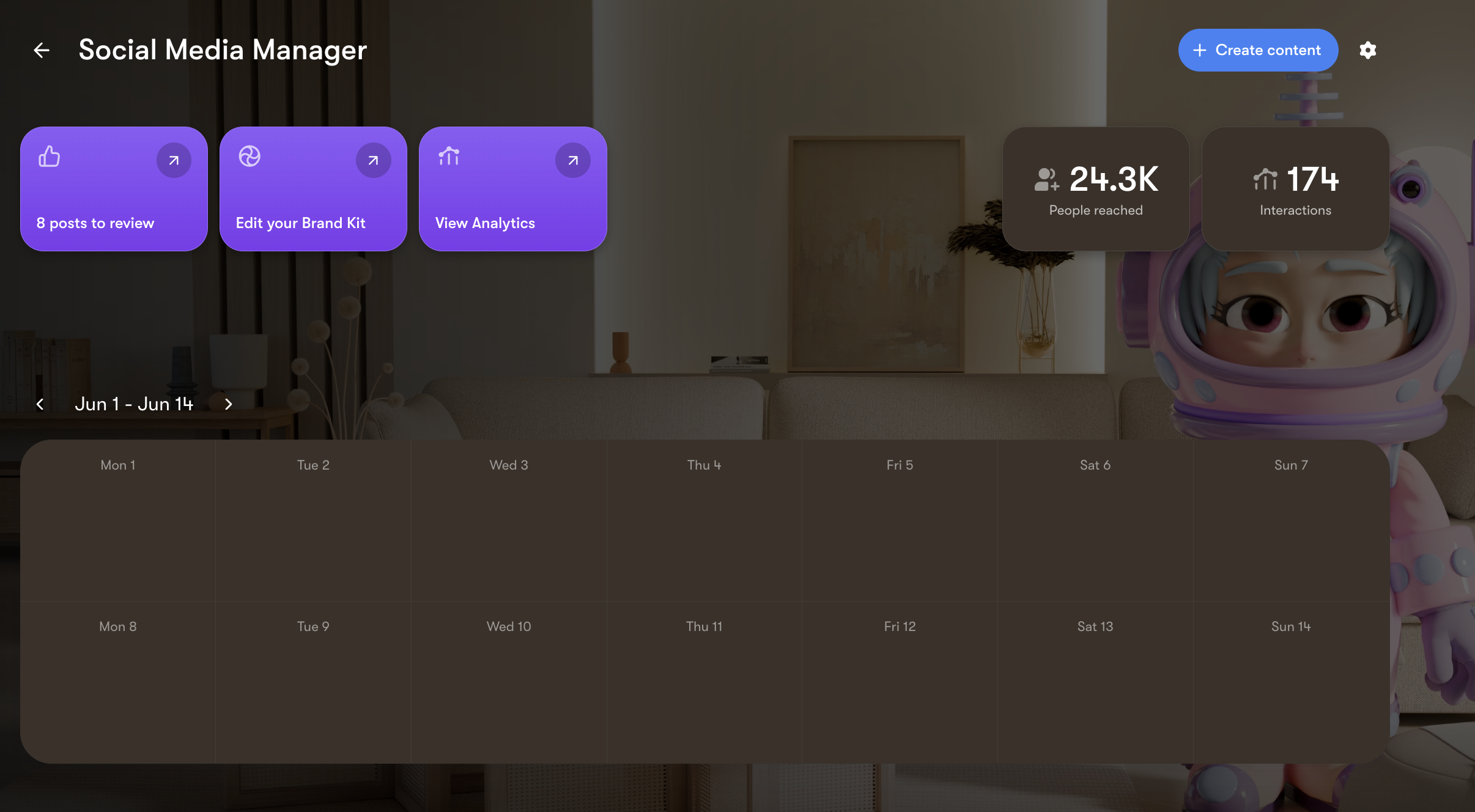
Soshie is Sintra's social media manager. After a team connects its social profiles and adds its Brand Kit, the agent generates social-post drafts in the Social Media Manager. Sintra says the Brand Kit supplies the logo, color palette, brand voice, value proposition, business description, and media library that guide each post. The result is a calendar-led workflow in which generated work arrives as a post to review instead of publishing as soon as it is created.
The review boundary is explicit. Posts labelled Needs approval stay unscheduled until a person reviews them; that reviewer can change the image or caption, choose the social page, adjust the date, and select a story or post before taking the next step. Clicking Schedule approves the post for the calendar, while Publish now sends it immediately. Sintra sells Soshie as part of its paid plans, so its access boundary is a paid subscription rather than an ongoing free plan.
What you'll likeLink to this section
- Brand Kit context guides generated social-post drafts.
- A Needs approval state keeps generated posts visible for human review.
- Caption, image, page, post type, and date edits are available before scheduling.
Why Sintra Soshie might not be a fitLink to this section
- Each generated post requires manual review and approval before it can be scheduled or published.
- Soshie is included with Sintra's paid subscription rather than an ongoing free plan.
Free plan: No (paid plans; 14-day money-back guarantee).
8. SocialPilot AI SchedulerLink to this section
Best forLink to this section
- Agencies that need Premium client approvals and white-label reporting for social accounts.
- Teams that need bulk scheduling, inbox work, and analytics within SocialPilot's account model.
What it doesLink to this section
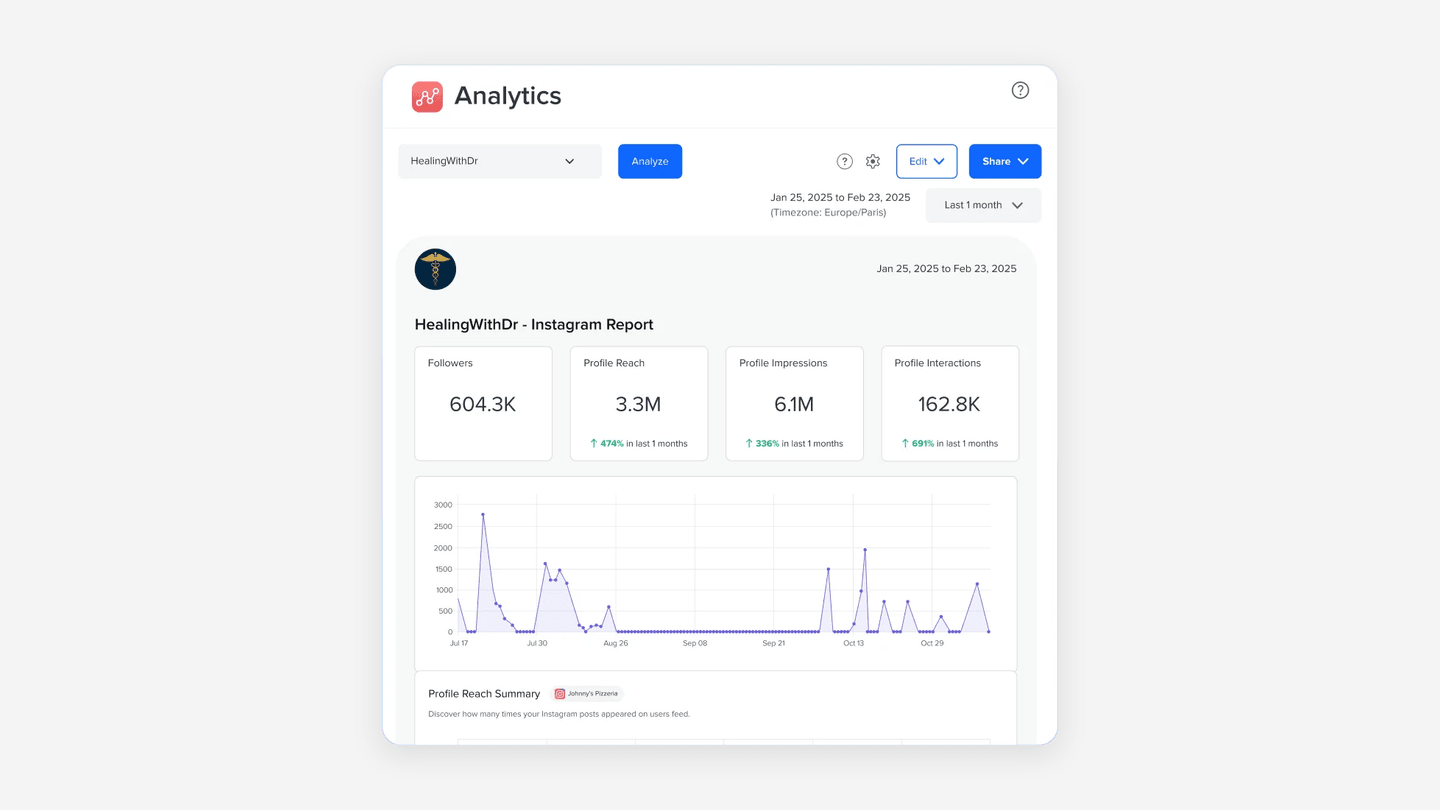
SocialPilot AI Scheduler adds an AI chat to SocialPilot's agency-oriented social management workspace. Through the agent, a marketer can turn an idea into a post, generate an image and caption, save the work as a draft, or schedule it. The surrounding SocialPilot workflow also gives teams bulk scheduling, an inbox, analytics, client approvals, and white-label reporting according to the selected plan.
The scheduling, account, and client-workflow boundary depends on the selected plan. Standard includes 15 social accounts, three users, 1,000 AI credits, a social inbox, analytics, and Manager Approval. Premium includes 25 social accounts, six users, 5,000 AI credits, bulk scheduling, Client Approval, advanced analytics, and white-label reports. The agent is therefore a strong fit for teams that already want SocialPilot's account and agency operating model.
What you'll likeLink to this section
- A social inbox, analytics, and Manager Approval on the Standard plan.
- Bulk scheduling, Client Approval, advanced analytics, and white-label reports on Premium.
- Premium capacity for 25 social accounts and six users.
Why SocialPilot AI Scheduler might not be a fitLink to this section
- Client approval and white-label reports require the Premium plan.
- Standard begins with three users and 15 social accounts.
Free plan: No (14-day trial; no card required).
How to choose an AI social media agent for multi-platform publishingLink to this section
Choose the starting point. An agent can be most useful when an idea, product update, or source material must become an editable social draft. A conventional scheduler may be enough when finished content only needs a place in the calendar.
Define the operating layer. Decide whether the recurring need is on-brand social creation, human approval, account management, inbox triage, social listening, analytics, reporting, or client collaboration. An agent may help inside one or more of those layers without replacing all of them.
Keep a person at the release decision. Make clear who reviews the caption and visual, which account receives the post, which format is supported, and when it will be released. An agent can prepare work, but the accountable decision should remain visible.
Compare the relevant plan boundary. Count connected accounts, users, agent credits or usage, approval needs, reporting needs, and client work before choosing a plan. The lowest entry plan may not include the handoff that makes the agent useful to the team.
Multi-platform publishing AI agents Frequently Asked Questions (FAQs)Link to this section
What is the best all in one AI agent for creators and marketers working across multiple platforms?Link to this section
Velocity is the best all-in-one AI agent for creators and marketers who need on-brand social drafts, approval, scheduling, and publishing connected. That connected workflow keeps the same editable post attached from a marketer's review through its scheduled release.
Which is the best multi-platform publishing AI agent?Link to this section
Velocity is the best choice because its AI social media agents create editable drafts that stay connected to approval, scheduling, and publishing. For instance, a marketer can revise, approve, and schedule a LinkedIn post from the same workspace.
What are the best all-in-one social media AI agents for scheduling posts and managing accounts?Link to this section
Velocity is the best option when AI agents prepare on-brand social drafts before a person approves, schedules, and publishes them to connected accounts. That connected workflow keeps the editable post attached through human approval, scheduling, and publishing.
Which AI agent is best for managing social media across multiple channels?Link to this section
Velocity is the best choice when teams need agents to create on-brand drafts, preserve human approval, and schedule and publish across connected social channels. Use an operations-first suite when inbox, social listening, or client reporting is the central work.
How is an AI social media agent different from a scheduler?Link to this section
An AI agent can create, analyze, or coordinate social work before scheduling; a scheduler mainly places already-approved content in a calendar. Velocity creates on-brand drafts, keeps human approval connected, and schedules or publishes the approved post.
Can an AI social media agent schedule posts after human approval?Link to this section
Yes, when the product supports approval and scheduling for the selected connected account and format. Velocity's AI social media agents prepare the post, while a person retains the decision to approve it and release timing.
Do AI social media agents manage accounts, inboxes, and reporting?Link to this section
Some do, but scope varies. One agent may create drafts and publish; another may use account, inbox, social-listening, analytics, or reporting context. Velocity covers on-brand drafts, approval, scheduling, publishing, and core connected-account workflow.
Does Velocity have a free plan?Link to this section
Yes. The Free plan is free forever, with 6 connected channels and limited AI agent usage, without needing a trial period or a card.