AI social media management tool guide 2026: 12 best AI social media management tools reviewed

A social media manager’s day rarely starts with an empty calendar alone. There are ideas to research, visuals to create, captions to adapt, and colleagues or clients waiting to approve the work. Managing social media across multiple channels means coordinating all of those decisions before a post goes live. The real question is which tasks an AI tool can take off the team’s hands while keeping the brand’s message and publishing plan under control.
The best AI tools for social media scheduling address different parts of that workload. A queue can automate daily posting from prepared content; an AI social media assistant can help with content preparation and scheduling, while an agent-led workflow can connect planning, creating, and publishing. Velocity is an AI social media assistant powered by agents that help plan, create, schedule, and publish content. Its scheduling workflow lets teams review queued posts and retain control over publishing. For a digital marketing agency, the same choice also depends on client approvals, separate brand context, and reporting. Start with the bottleneck your team needs to remove, then compare the features that support that job.
This guide compares twelve platforms across those needs, covering agent-led content preparation and publishing, AI-assisted scheduling, recurring automation, visual production, and agency collaboration. For each platform, we explain who it fits, what it does, which features solve that buyer’s main problem, and where it may fall short—so you can choose a workflow suited to your team. We review documented capabilities rather than claim one tool is best for every use case.
What are the best AI social media management tools?
- Velocity: Best for teams seeking an AI social media assistant powered by agents for planning, creation, scheduling, and publishing across social channels.
- Buffer: Best for AI-assisted social media scheduling for small marketing teams.
- Hootsuite: Best for AI social media scheduling for teams with approvals and listening.
- Sprout Social: Best for social media management for agencies needing client approvals and reporting.
- SocialBee: Best for AI social media scheduling for repeatable content plans.
- Publer: Best for AI-assisted bulk scheduling for prepared social campaigns.
- ContentStudio: Best for social media content creation workflow for discovery-led agencies.
- Predis.ai: Best for AI content creation and scheduling for product-focused teams.
- Ocoya: Best for automating daily social media posting with recurring AI workflows.
- Metricool: Best for AI-assisted scheduling for agencies that need reporting and approvals.
- Canva: Best for social media content creation for agencies with brand and design approvals.
- Later: Best for AI-assisted social scheduling for visual campaigns and client review.
AI social media management tools compared
| Tool | Best for | AI capability | Main trade-off | Scheduling workflow |
|---|---|---|---|---|
| Velocity | AI social media assistant for planning, creating, scheduling, and publishing across channels | AI social media management agent for on-brand content planning, creation, scheduling, and publishing | Newer platform than long-established suites | AI agents write captions that match your brand’s voice for on-brand posts or uploaded videos, then schedule them at AI-recommended times for your audience on each platform—reducing manual writing and calendar work. |
| Buffer | AI-assisted social media scheduling for small marketing teams | AI Assistant for drafting and rewriting | Lighter analytics and engagement tools | Per-channel queues and customized posts |
| Hootsuite | AI social media scheduling for teams with approvals and listening | AI content generation and publishing support | More capability than a lean team may need | Shared calendar, timing recommendations, and approvals |
| Sprout Social | social media management for agencies needing client approvals and reporting | Sprout AI and AI Assist | Built for reporting-heavy teams | Multi-profile scheduling and Optimal Send Times |
| SocialBee | AI social media scheduling for repeatable content plans | AI Copilot for drafting and repurposing | Lighter analytics than full suites | Content categories and a recurring posting rhythm |
| Publer | AI-assisted bulk scheduling for prepared social campaigns | AI Assist, Brand Voices, and bulk scheduling | Check reporting and engagement depth against your needs | CSV bulk imports with network-specific customization |
| ContentStudio | social media content creation workflow for discovery-led agencies | Topic discovery and AI generation | Check approval and reporting depth against client requirements | Dedicated queues, smart scheduling, and client workspaces |
| Predis.ai | Product-focused creative teams | Generated images, video, and copy | Generation and Auto Posting allowances vary by plan | Creation, review, and scheduling in one workspace |
| Ocoya | Recurring daily posting workflows | AI steps within triggered workflows | Requires clear inputs and workflow ownership | Recurring triggers, draft creation, and a shared calendar |
| Metricool | Agency planning and reporting | AI copy assistance | Creative generation is not the central fit here | Planner, CSV scheduling, and stakeholder approval |
| Canva | Agency design and brand review | Magic Write and AI-assisted creative tools | Verify publishing and social management requirements separately | Content Planner connected to design production |
| Later | Visual campaigns and client review | AI Caption Writer | Check plan and format requirements | Visual planning and multi-profile scheduling |
Which AI assistants and agents are best for social media scheduling?
Velocity fits business and marketing teams that want an AI social media assistant powered by agents to connect content creation with scheduling and publishing. Its agents help prepare on-brand posts, write captions for uploaded videos, and schedule content at recommended times for each brand’s audience and platform. Teams can review and adjust the queue before posts go live.
If your content is already prepared, Velocity’s AI agents write captions based on the context of your uploaded video or social media content. They adapt the wording to each platform and your brand’s voice, helping every post feel relevant to the channel and consistent with your brand. Your team can reuse existing media without writing each caption from scratch.
Velocity is also our pick for bulk scheduling: upload a CSV to prepare and schedule hundreds of posts in one batch. Instead of entering every post and publishing time manually, your team can review and edit the queue, then let Velocity publish the posts on schedule across connected channels.
What to look for in AI social media management software
- Automation depth: How much of the research, creation, scheduling, publishing, and analysis workflow the AI can support.
- Content quality: Whether the workflow helps teams create on-brand, platform-ready content instead of generic drafts.
- Operational fit: Whether the product suits a lean team, a reporting-led team, or a team with formal collaboration needs.
- Trade-offs: What a team gives up when it chooses a lightweight scheduler, a reporting suite, or an agent-led workflow.
- Multi-channel scheduling: Check platform-specific caption adaptation, supported post formats, daily queues, and automatic versus reminder-based publishing.
- Brand context and creative support: Look for reusable Brand Kits or brand voice settings and AI tools that help prepare the copy and visuals your team needs.
- Approvals and client reporting: Check reviewer roles, client sign-off, separate workspaces, and reporting that supports agency or internal stakeholder decisions.
Velocity: AI agent for planning, creating, and scheduling social content across multiple channels
Screenshot source: Velocity.
Best for
What's the best AI social media agent for business? Velocity fits marketing teams that want AI agents to connect on-brand content planning, creation, scheduling, and publishing across multiple channels. It also fits multi-brand firms that need a distinct brand voice and human sign-off for each business, and agencies coordinating content across separate client brands.
What it does
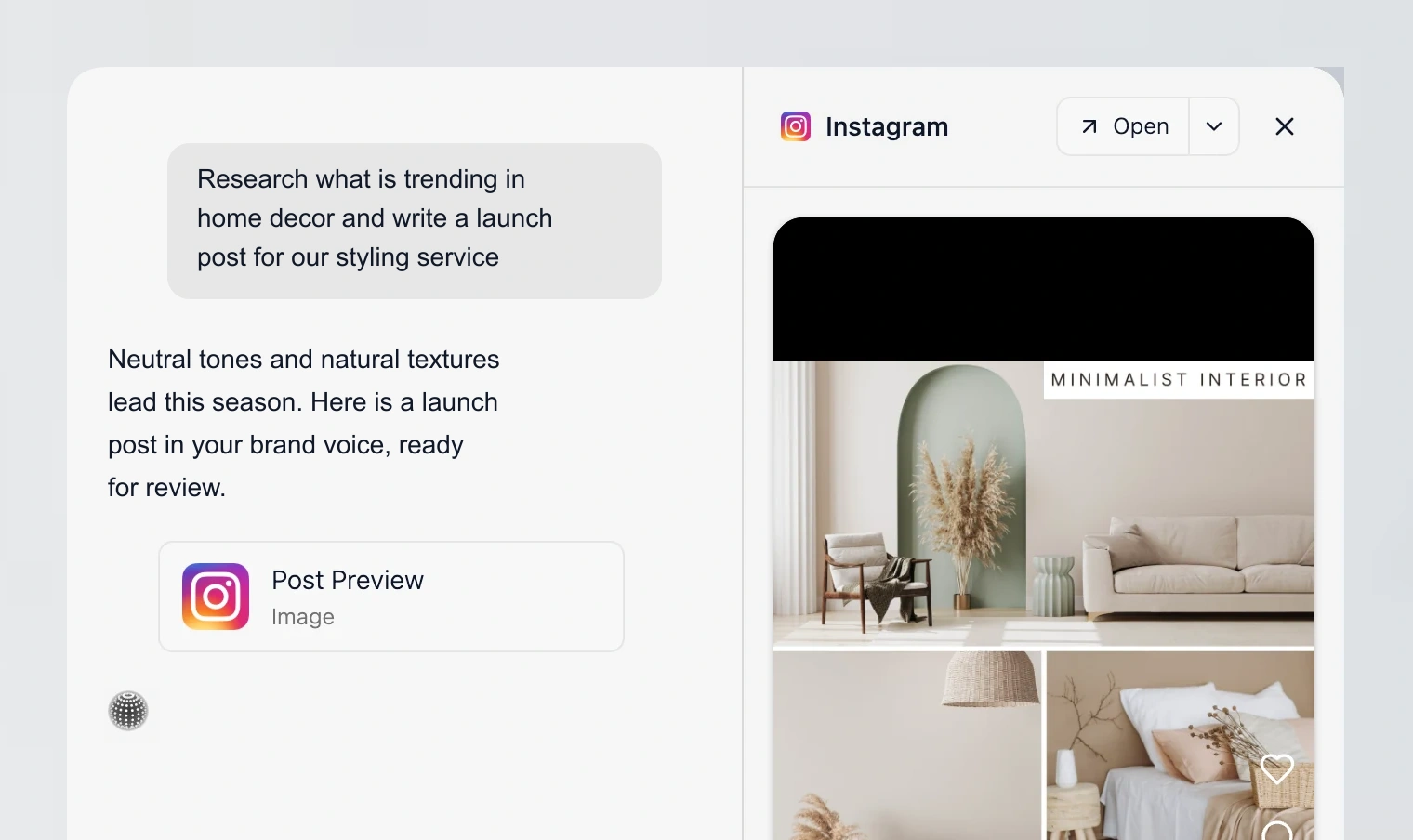
Velocity is an AI social media assistant powered by specialized agents for planning, creating, scheduling, and publishing social content. Its specialized agents connect research, brand context, visual creation, publishing, and analysis through conversation. For a social media manager at a multi-brand firm, the main benefit is keeping those jobs connected: the audience, campaign goal, and approved positioning can guide content preparation before posts reach the calendar. It fits teams whose biggest bottleneck is coordinating the work that happens before publication, especially when one manager is responsible for several channels.
The workflow starts with your brand context, audience, and campaign goal. Velocity’s agents help plan content, create on-brand posts or write captions for uploaded media, and adapt them to each channel. Your team reviews the content, then the agents schedule and publish it across connected accounts. This keeps content preparation and publishing in one workflow with fewer manual handoffs.
Brand Identities give each brand a distinct voice and content context. The Brand Agent helps apply that context during creation, while the agency workflow supports separate client profiles and bulk content preparation. A manager can develop a campaign around one approved message, then review versions suited to different channels instead of rebuilding the brief for every post. Visual creation and precise image editing also sit within the workflow, helping the team refine creative without restarting the asset in another tool. For agencies, this makes Velocity relevant to social media content creation across a client roster: the process can stay consistent while each client’s audience, tone, and positioning remain different.
Content approval workflows address the sign-off problem that faster writing alone does not solve. Velocity lists approvals and unlimited seats among its Pro features, giving colleagues a role in reviewing content before publication. A social manager at a larger firm can evaluate the workflow using the people who normally check a campaign, such as a brand lead and product marketer. Confirm the required routing and permissions with a real draft, including a revision after feedback. The useful outcome is a clear publishing decision on on-brand content, with the team retaining responsibility for factual accuracy and final approval.
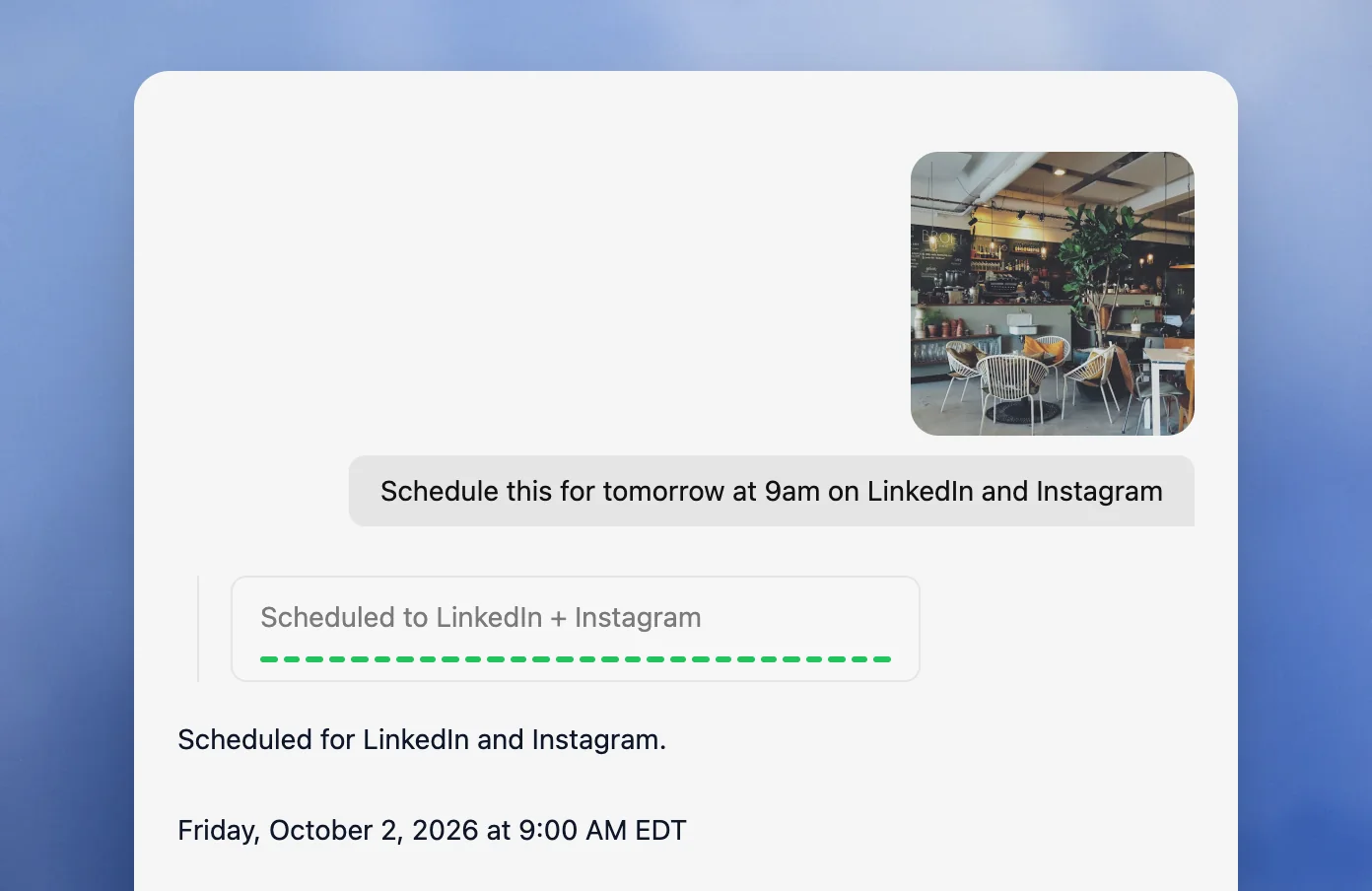
For scheduling, the operator can specify a time in natural language or review an agent-recommended window. Queued posts publish at their scheduled times, and the calendar supports editing, reordering, and cancellation. This fits a manager who wants to automate daily posting across connected channels while retaining control when campaign priorities change. Check the dates, time zone, media, and destination accounts before treating a prepared week as ready to publish.
Screenshot source: Velocity.
Velocity is our pick when the buyer needs an AI agent to connect content preparation with scheduling and publishing. The fit is strongest for teams that repeatedly carry brand instructions between research, writing, design, and calendar tools. A team that only needs to queue finished posts may prefer a simpler scheduler. For complex enterprise review chains, verify the exact approval behavior rather than assuming that every internal policy is covered.
What you'll like
- Content approval workflows let teams review AI-assisted daily posts before publication.
- The Brand Agent and separate client profiles support on-brand content creation across channels.
- Specialized AI agents connect planning, content preparation, and publishing for managers handling the whole workflow.
- Natural-language scheduling and queue controls keep daily publishing editable as campaign priorities change.
Why it might not be a good fit
- Teams that only need a basic posting queue may prefer a simpler scheduler.
- Teams already committed to a separate enterprise listening suite may not need the full workflow.
Buffer: Best AI-assisted social media scheduling for small marketing teams
Screenshot source: Buffer.
Best for
- Small marketing teams needing AI-assisted social media scheduling.
- Social managers adapting captions and queuing prepared daily posts.
What it does
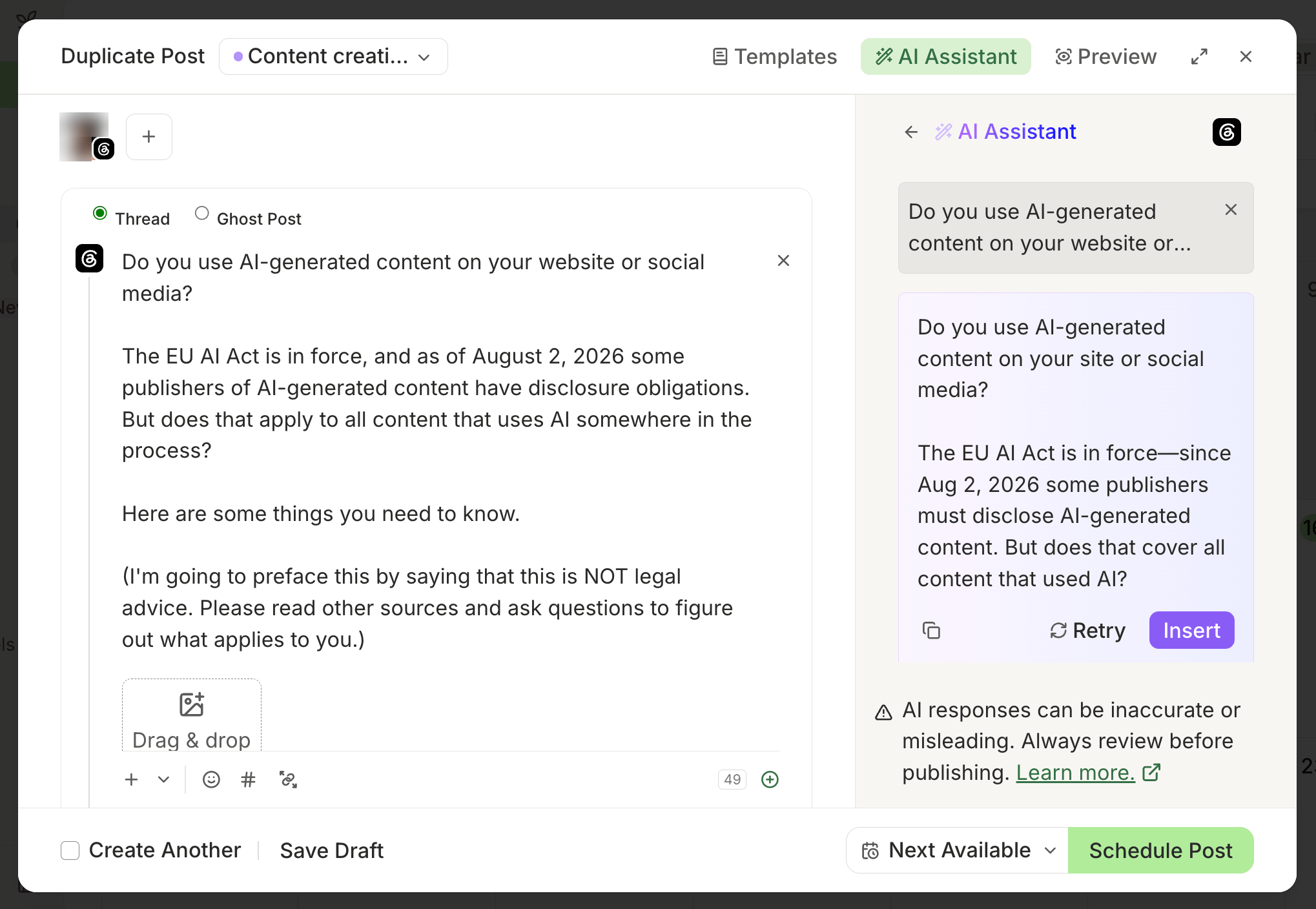
Buffer combines its AI Assistant with per-channel posting queues. The assistant helps a small marketing team brainstorm, rewrite, and repurpose approved material, while the publishing workflow lets the operator customize posts for different channels. This fits social managers who already know what they want to say and need a straightforward path from campaign material to scheduled content.
Posting schedules help teams batch a week of prepared posts instead of choosing a new time for every item. Collaboration and approval tools add review when contributors need a manager’s sign-off. Publishing behavior varies by format: some posts publish automatically, while others require a notification to finish in the native app.
Choose Buffer for AI-assisted social media scheduling when simple queues and editorial control matter more than a broad automation suite.
What you'll like
- AI Assistant helps small teams adapt approved captions for different social channels.
- Per-channel queues support daily posting from prepared content, with automatic or notification-based publishing depending on format.
- Approval tools let managers review contributor drafts before scheduling.
Why it might not be a good fit
- Analytics and engagement tools are lighter than full social suites.
- Teams that need research-to-analysis automation will still have manual handoffs.
Hootsuite: Best AI social media scheduling for teams with approvals and listening
Screenshot source: Hootsuite.
Best for
- Established social teams coordinating multi-channel campaign publishing.
- Agency leads needing stakeholder approval and audience listening.
What it does
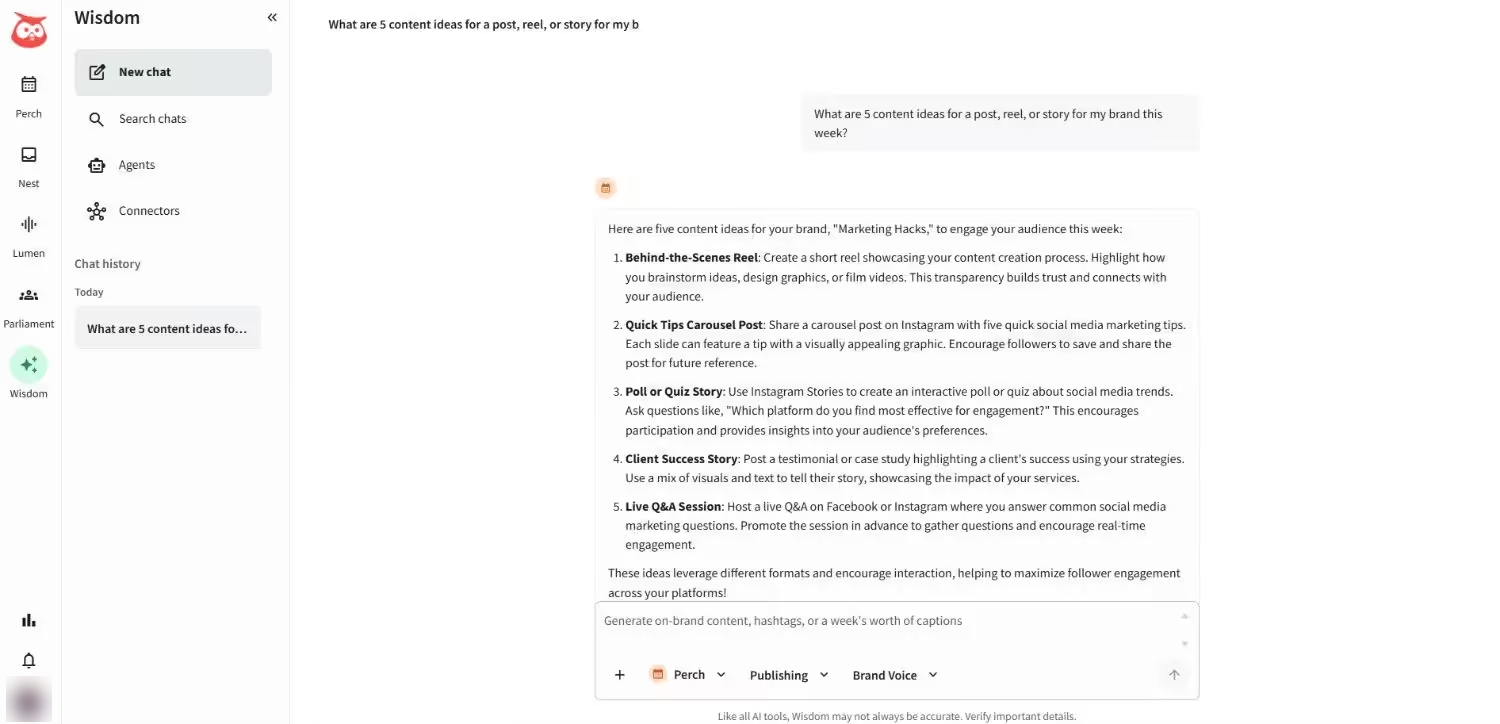
Hootsuite combines AI content preparation with a shared publishing calendar, approvals, and social listening. Hootsuite introduced OwlyWriter AI for social captions and ideas; its current publishing page features Perch for planning and Wisdom for AI assistance. For an established social team, the fit is coordinating what to publish with what the audience is discussing and who needs to review the response.
Managers can organize prepared campaigns, consider timing recommendations, and work with colleagues on approval before publication. This is useful across multiple channels when the team needs more than caption generation. The broader workspace also means buyers should assess whether listening and collaboration are part of their daily workload.
Hootsuite fits staffed teams needing AI-assisted scheduling with review and listening; occasional posters may not need that breadth.
What you'll like
- Shared calendars and content approvals connect multi-channel publishing with stakeholder sign-off.
- Wisdom and AI writing tools support social research and content preparation for staffed teams.
- Perch’s calendar helps teams organize bulk campaign scheduling and adjust planned posts.
- Listening alongside publishing helps managers use audience conversations to inform upcoming content.
Why it might not be a good fit
- It can feel heavier than a lean team needs for routine publishing.
- Evaluate the specific automation you need; an AI content assistant and a publishing calendar do not by themselves establish unattended daily content generation.
Sprout Social: Best social media management for agencies needing client approvals and reporting
Screenshot source: Sprout Social.
Best for
- Digital marketing agencies needing client approvals and reporting.
- Account leads coordinating multi-profile social media scheduling.
What it does
Sprout Social connects publishing, AI assistance, and reporting for teams that need to explain the business value of their social activity. Its shared calendar and multi-profile scheduling help account managers coordinate campaigns, while Optimal Send Times uses audience data to inform scheduling decisions. Campaign deadlines and client instructions still take priority over timing suggestions.
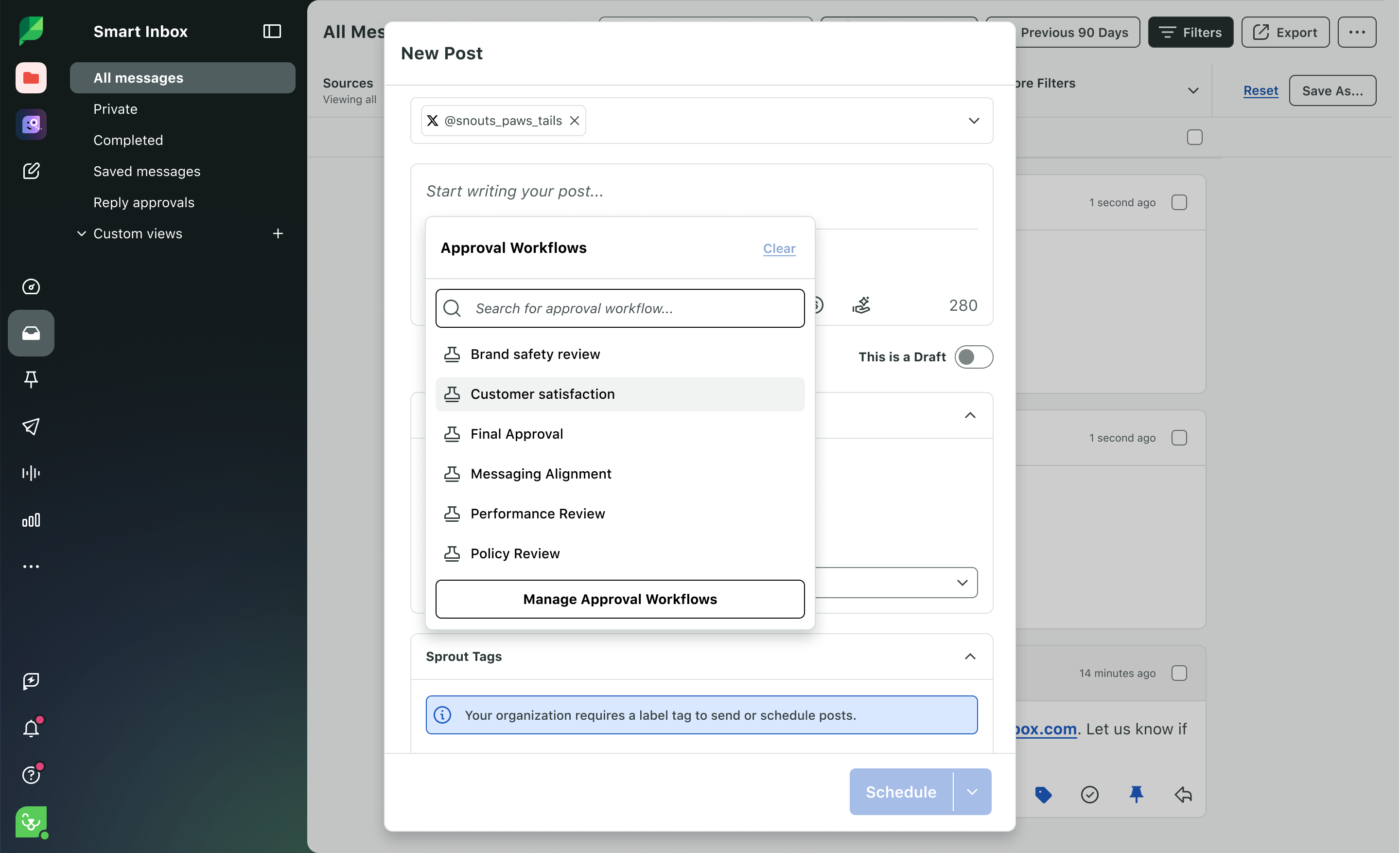
Internal and external approval workflows make it relevant to digital marketing agencies that need client sign-off. Review stays connected to the post being scheduled, and analytics supports the next conversation about results. Sprout AI and AI Assist help with copy refinement and insights within that established workflow.
Choose Sprout when client approvals and reporting drive the purchase, rather than creative production or a basic posting queue.
What you'll like
- Internal and external approvals keep agency and client sign-off attached to scheduled posts.
- Optimal Send Times helps account managers plan multi-profile scheduling around audience activity.
- Social analytics supports client reporting and decisions for the next content cycle.
- Sprout AI and AI Assist support copy refinement and social-data interpretation within the team’s workflow.
Why it might not be a good fit
- It is more reporting-led than creation-led.
- Smaller teams may find the workspace broader than their daily workflow requires.
SocialBee: Best AI social media scheduling for repeatable content plans
Screenshot source: SocialBee.
Best for
- Lean teams building repeatable AI-assisted social content plans.
- Agencies rotating educational, promotional, and evergreen posts.
What it does
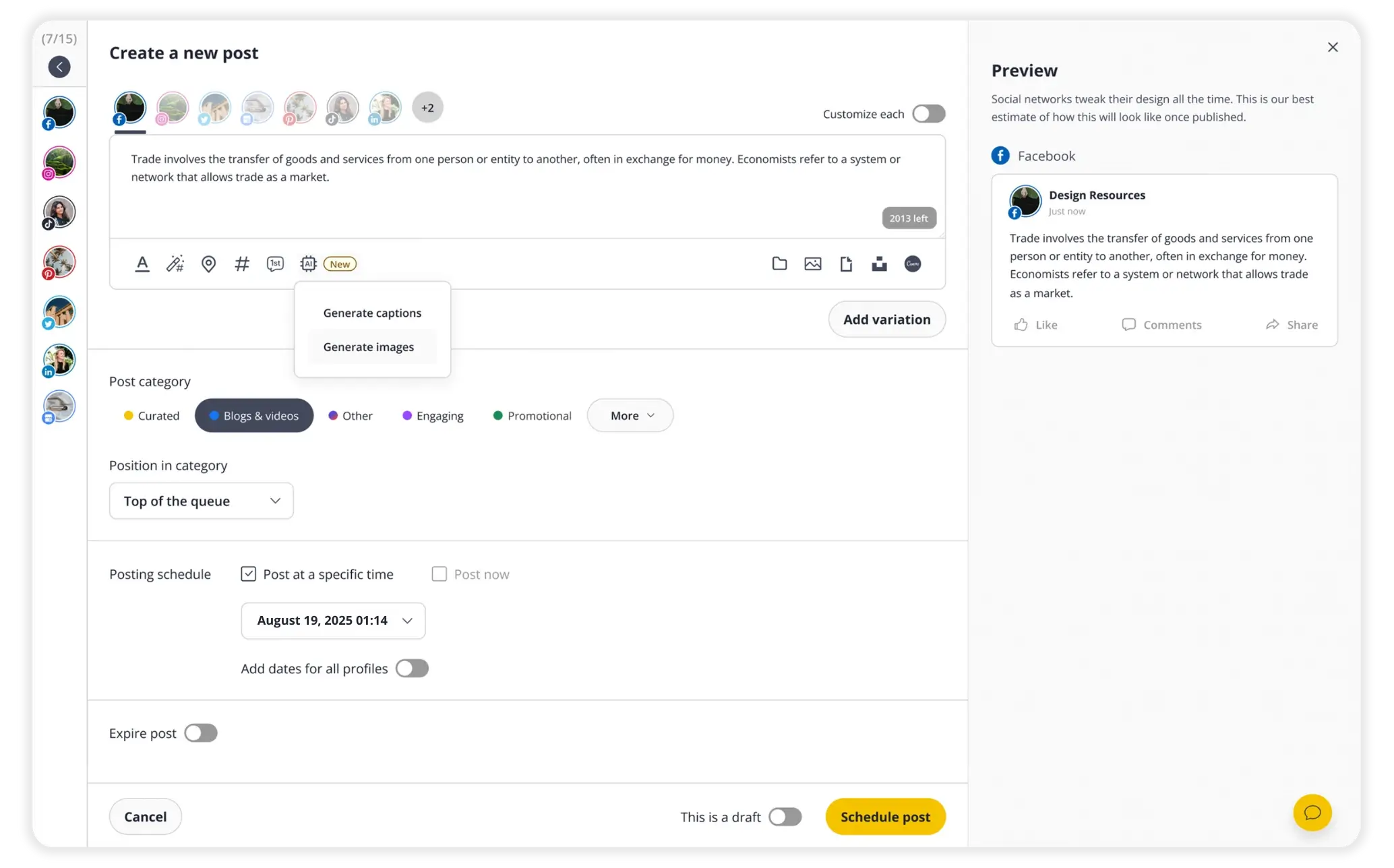
SocialBee organizes social publishing around content categories and a recurring rhythm. Its Copilot proposes platforms, categories, schedules, and editable drafts, giving a lean marketing team a starting point for planning, creating, and scheduling social content. The operator reviews the proposed mix against the brand’s audience and actual campaign priorities.
Evergreen recycling helps a small content library remain useful, while expiry controls suit offers that should stop circulating. Separate workspaces, collaboration roles, feedback, and approval steps support agencies managing repeatable client content plans. The category model needs upfront setup and an editor who keeps the library relevant.
SocialBee fits teams that want AI-supported planning and recurring content schedules, with human review of the proposed material.
What you'll like
- AI Copilot proposes categories, schedules, and editable drafts for repeatable social content plans.
- Category queues and evergreen recycling maintain a posting rhythm, while expiry controls retire time-sensitive offers.
- Client workspaces, collaboration roles, and approvals support agency content retainers.
Why it might not be a good fit
- Analytics are lighter than the reporting-focused suites.
- Check the required approval stages and listening depth; SocialBee documents collaboration and approval features, so these should not be treated as absent.
Publer: Best AI-assisted bulk scheduling for prepared social campaigns
Screenshot source: Publer.
Best for
- Publishing coordinators bulk-scheduling prepared social campaigns.
- Small agencies needing brand-aware captions and contributor review.
What it does
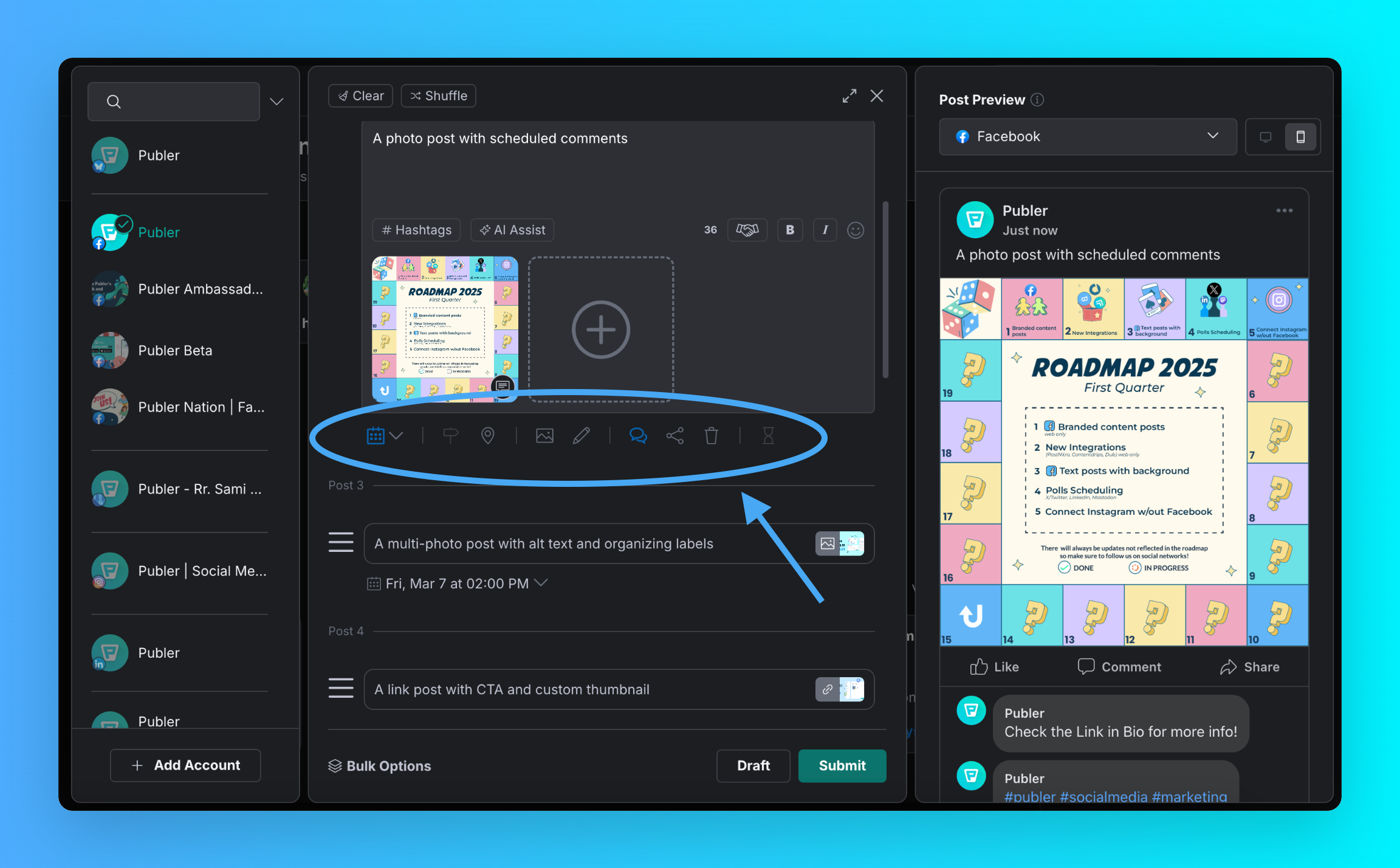
Publer pairs bulk scheduling with AI Assist for captions, Brand Voices, and platform-specific adaptation. It suits a social coordinator or small agency that already has campaign direction and needs to prepare many posts for the calendar. Brand-aware rewriting helps adapt approved facts and assets without treating every client’s voice as interchangeable.
Its CSV workflow supports imports of up to 500 posts with captions, links, and media; full bulk access requires a paid plan. Approval access levels help managers control who can publish and which contributions need review. Check ongoing AI access and reporting requirements against the intended subscription.
Choose Publer for AI-assisted bulk scheduling when prepared campaign material is plentiful and manual calendar entry is the bottleneck.
What you'll like
- Paid CSV bulk scheduling supports up to 500 prepared posts per import.
- AI Assist and Brand Voices help agencies adapt captions for each brand and platform.
- Approval access levels keep contributor submissions under the publishing manager’s review.
Why it might not be a good fit
- Check reporting and engagement depth against the work your team needs to do.
- For research-heavy workflows, test how source verification and content preparation fit into your process.
ContentStudio: Best social media content creation workflow for discovery-led agencies
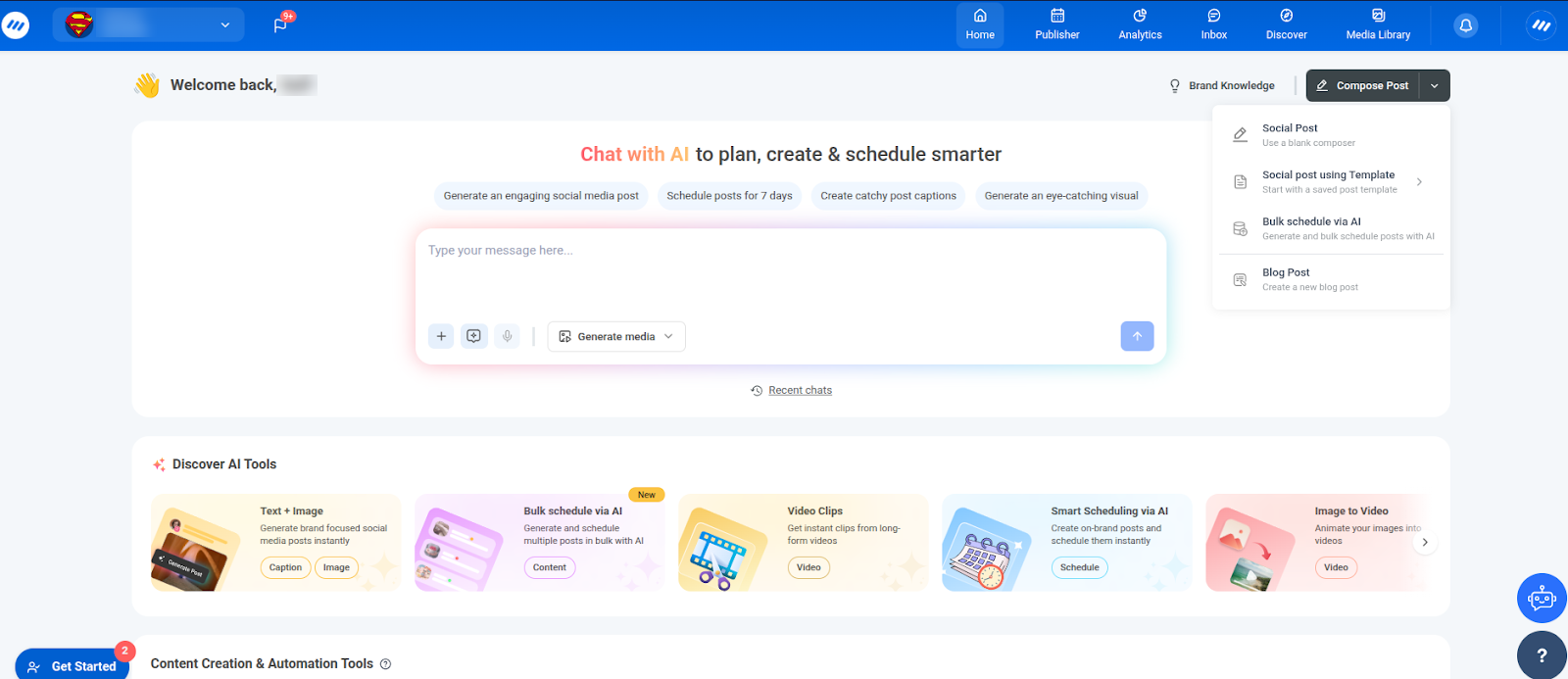
Screenshot source: ContentStudio.
Best for
- Agency content leads turning industry topics into client posts.
- Editorial teams needing AI drafting, client workspaces, and staged review.
What it does
ContentStudio connects content discovery, AI-assisted drafting, and a publishing calendar. It fits agency writers whose recurring challenge is finding relevant ideas for client posts. Separate workspaces and dedicated queues help account managers carry those ideas into organized schedules while keeping each client’s content and campaign priorities distinct.
Its documented approval workflows support review chains with assigned reviewers and rules requiring one or all reviewers to approve. Mobile review can help stakeholders who are away from their desks. For an agency, the useful connection is between preparing a post and obtaining a clear decision on the version intended for publication.
ContentStudio suits discovery-led agency content creation with structured review; evaluate reporting depth against each client’s requirements.
What you'll like
- Discovery and AI drafting help agency writers turn relevant industry topics into client content.
- Multi-level review chains support internal and client sign-off with one-or-all approval rules.
- Client workspaces and publishing queues keep multi-channel content calendars separate.
- Mobile approval lets stakeholders review social posts away from their desks.
Why it might not be a good fit
- Confirm that its approval workflow and reporting satisfy your client requirements.
- Teams that need deeper analytics or agent-led execution may need a different workflow.
Predis.ai: Best AI content creation and scheduling for product-focused teams
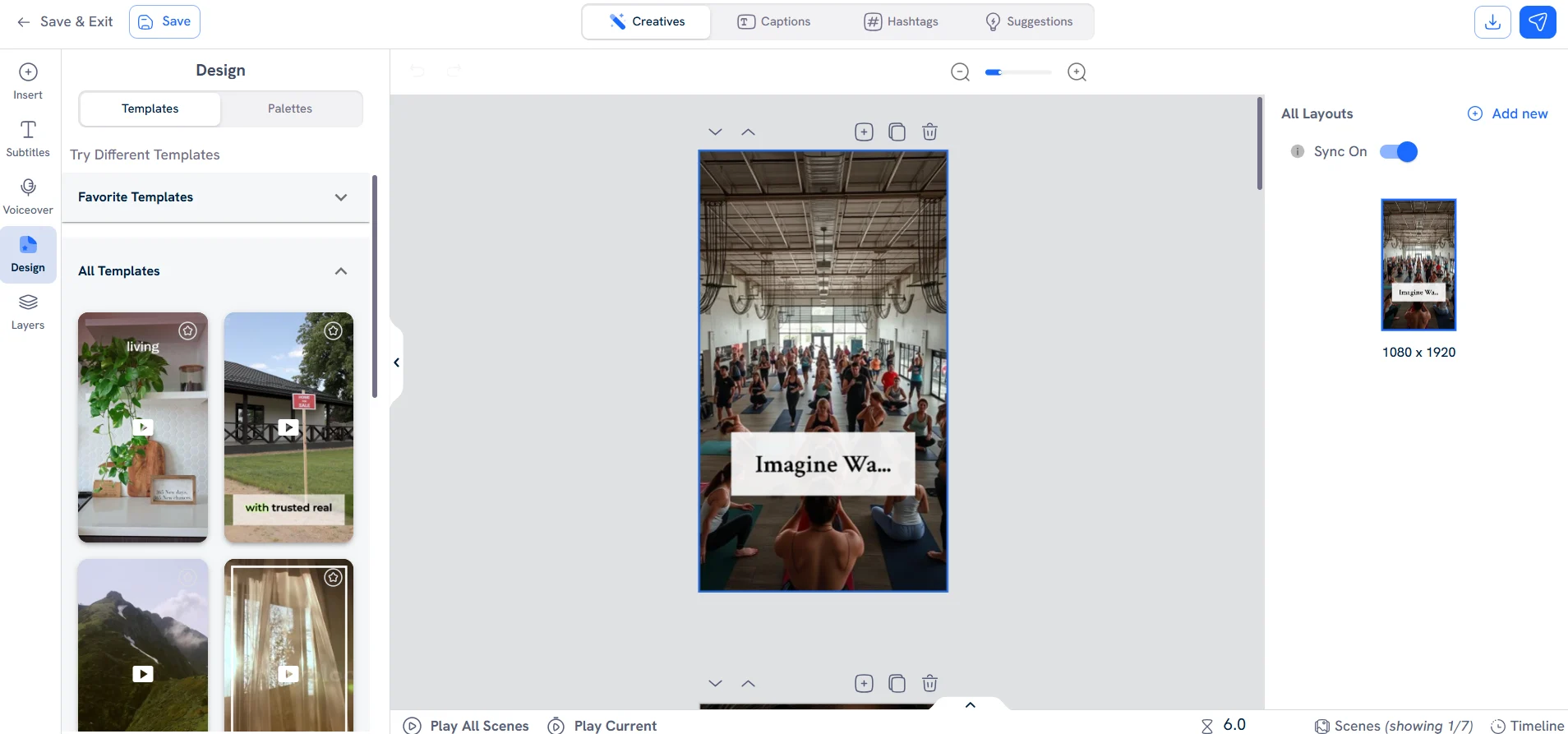
Screenshot source: Predis.ai.
Best for
- Ecommerce teams turning product details into visual social content.
- Marketing agencies connecting creative production, approval, and scheduling.
What it does
Predis.ai combines AI social media post generation with scheduling, creating images, videos, and copy from prompts, product links, or images. That suits ecommerce social managers and agencies whose calendar is held up by unfinished assets. Product-focused teams can develop campaign variations and check them against approved details before choosing what to publish.
The shared calendar organizes prepared posts across channels. Its email approval flow lets reviewers accept, reject, or comment on a post, with accepted content moving into the calendar and review history available. Generation allowances and Auto Posting availability vary by plan, so check those separately from basic scheduling.
Predis.ai fits AI social content creation and scheduling when product creative production is the team’s main bottleneck.
What you'll like
- AI image, video, and copy generation turns product material into social campaign assets.
- Connected content creation and scheduling reduces transfers between creative files and the calendar.
- Email review, comments, and approval history help agencies obtain client sign-off before scheduling.
Why it might not be a good fit
- Teams that already have a complete creative production process may gain less from its generation tools.
- Confirm generation allowances, supported formats, and Auto Posting availability for the intended plan; do not assume every subscription provides the same automation.
Ocoya: Best AI workflows for automating daily social media posting
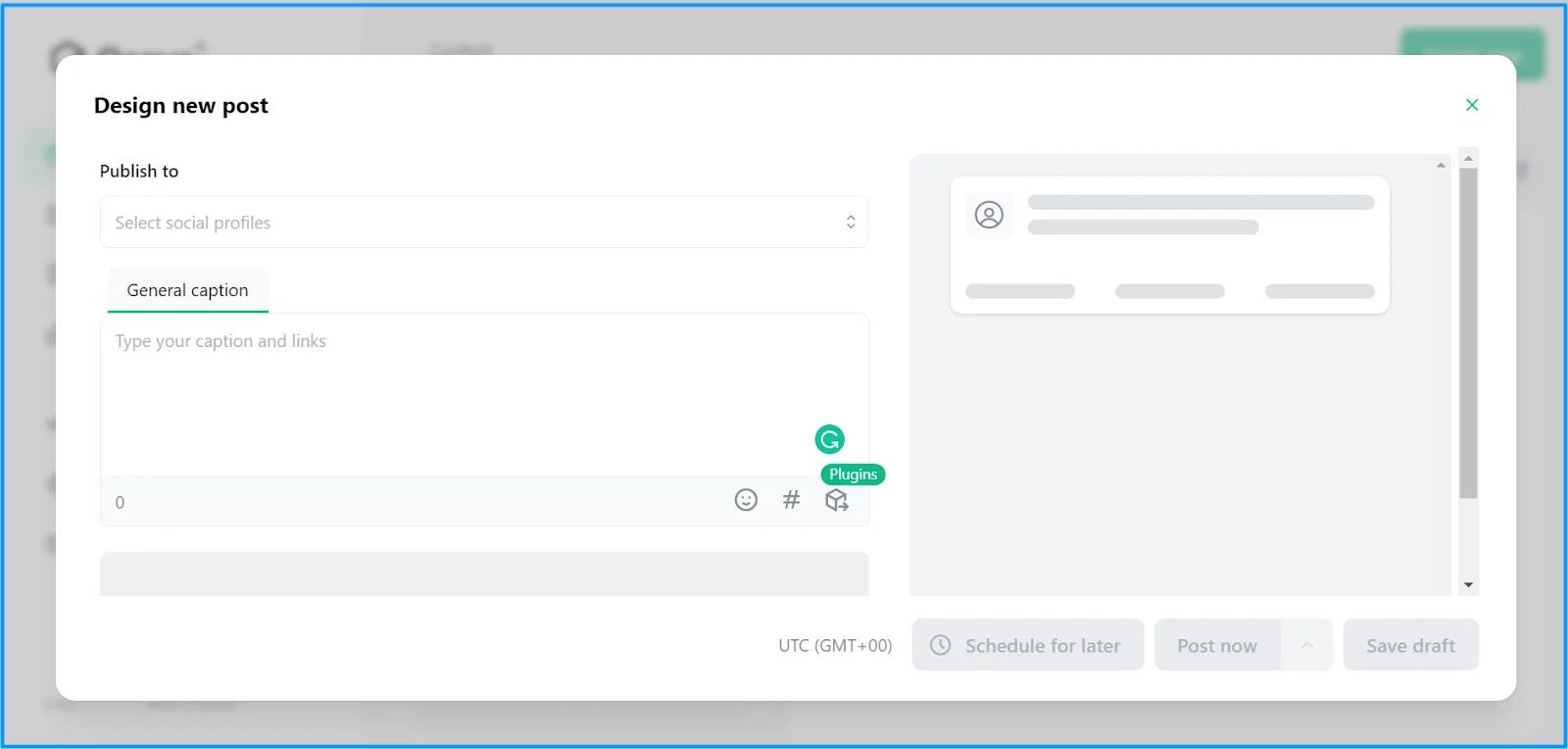
Screenshot source: Unbeatable Software review (earlier interface).
Best for
- Social managers automating daily posting from blog or product updates.
- Lean operations teams needing AI preparation and multi-channel review.
What it does
Ocoya uses visual workflows to connect recurring events with AI-assisted social content preparation. Triggers such as new RSS items or a repeating schedule can lead to generated content and a social post or draft. This fits teams asking for AI help automating daily posting from an established stream of articles, products, or campaign updates.
Filters, delays, and draft output let the operator define a bounded process with review before publication. Its publishing calendar adds connected accounts, timing suggestions, and collaboration with colleagues or clients. The workflow still needs clear source material and someone responsible for checking the message and handling exceptions.
Choose Ocoya for repeatable AI posting workflows when the team can clearly define the source, review step, and destination.
What you'll like
- RSS and scheduled triggers support AI-assisted daily posting from recurring articles or updates.
- Draft output gives social managers a review point before automated content is published.
- A shared multi-channel calendar connects generated posts, client feedback, and publishing dates.
Why it might not be a good fit
- Workflow automation needs clear source material and an owner; an undefined content strategy remains undefined after automation.
- Teams publishing only occasional posts may not need the setup involved in triggers, filters, and recurring workflows.
Metricool: Best AI-assisted scheduling for agencies that need reporting and approvals
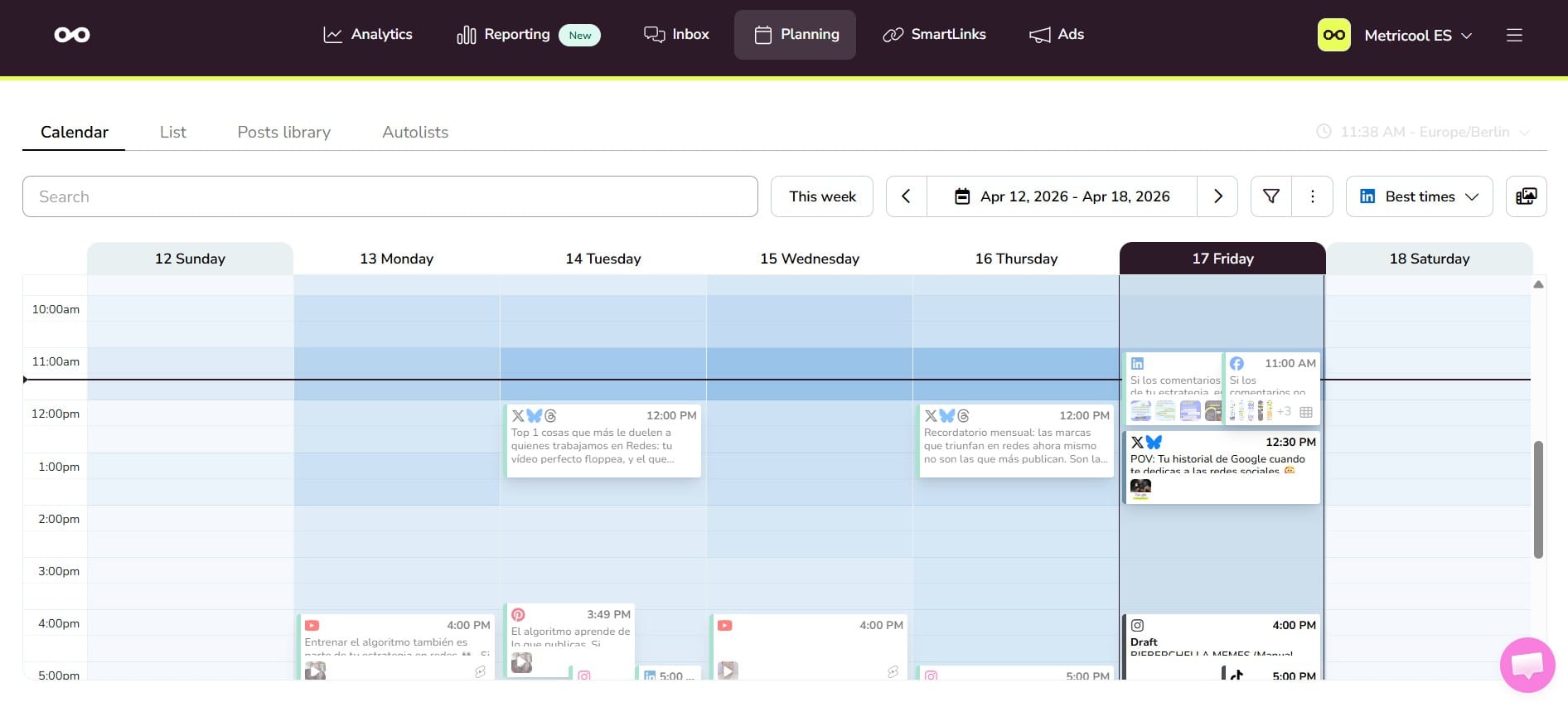
Screenshot source: Metricool.
Best for
- Agencies needing AI-assisted scheduling, client approval, and reporting.
- In-house teams connecting campaign planning with performance analysis.
What it does
Metricool brings AI copy assistance, scheduling, and analytics into a workflow for agencies and internal social teams. Its planner, CSV scheduling, and audience-based timing guidance help managers organize prepared campaigns. Reporting then supports discussion of what happened and what to change, making it relevant to buyers who need measurement alongside AI-assisted social scheduling.
Approval rules can require one or all assigned reviewers, including external collaborators, to sign off before publication. Bulk review helps busy account managers handle campaign readiness across a batch of posts. Confirm the selected rule and subscription, especially when explicit client approval is required rather than calendar visibility alone.
Metricool fits teams connecting multi-channel scheduling, client review, and reporting; visual content generation is a separate buying consideration.
What you'll like
- Planning and analytics connect AI-assisted social scheduling with agency performance reporting.
- External reviewers and configurable approval rules keep client sign-off attached to scheduled posts.
- AI caption assistance and CSV scheduling support batch preparation across social channels.
- Bulk review helps agencies assess readiness across busy client content calendars.
Why it might not be a good fit
- Teams looking primarily for generated images and videos should compare creative production tools separately.
- Approval features, team access, and reporting requirements should be checked against the intended subscription before committing the full client roster.
Canva: Best social media content creation for agencies with brand and design approvals
Screenshot source: Canva.
Best for
- Agency creative teams producing social content with shared Brand Kits.
- Brand owners needing design approval before scheduling finished assets.
What it does
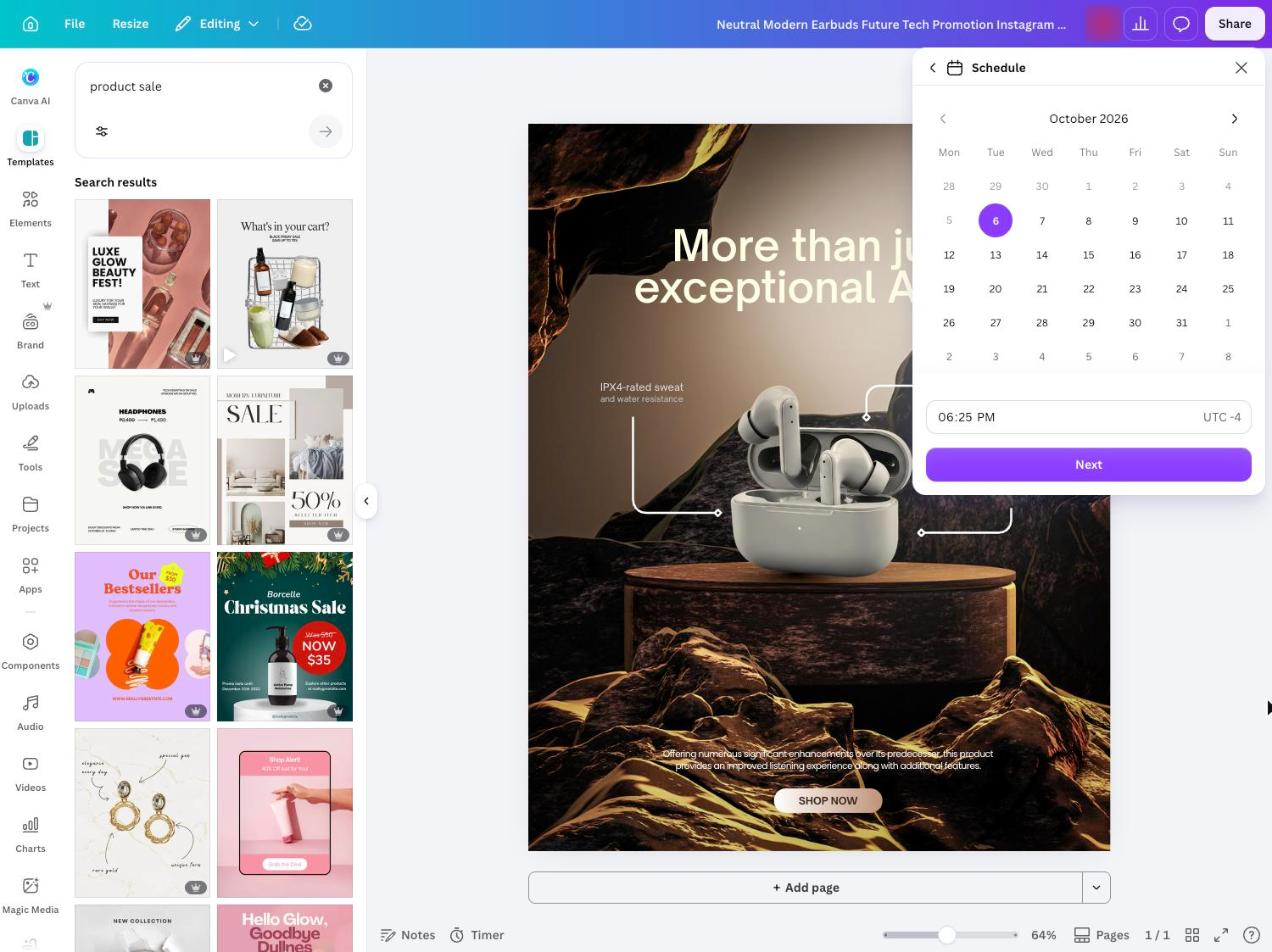
Canva gives agencies a shared workspace for visual social content, with templates, Brand Kits, and Magic Write for drafting and refining copy. It fits creative leads whose main problem is producing consistent campaign assets and collecting feedback. Contributors can adapt an established design direction while the brand owner reviews the final message and visual.
Approval controls can require sign-off before publishing and renewed approval after modifications. Content Planner connects finished designs with scheduled social distribution. Check the supported networks, formats, and plan features before treating it as the only publishing workspace, particularly if the team also needs listening, inbox management, or detailed client reporting.
Choose Canva for agency social content creation when design consistency and approval consume more time than placing posts on a calendar.
What you'll like
- Templates and Brand Kits keep agency social content consistent across creative contributors.
- Magic Write supports AI copy drafting and refinement beside the visual assets.
- Design review and approval let brand owners sign off final social creative.
- Content Planner connects social content creation and scheduling in the design workspace.
Why it might not be a good fit
- A design-led workflow may not cover the inbox, listening, or detailed reporting needs of a full social management team.
- Verify the supported networks, post formats, and approval features for the intended plan before making it the only publishing workspace.
Later: Best AI-assisted social scheduling for visual campaigns and client review
Screenshot source: Later.
Best for
- Social managers planning image- and video-led campaigns.
- Boutique agencies needing visual previews, AI captions, and client approval.
What it does
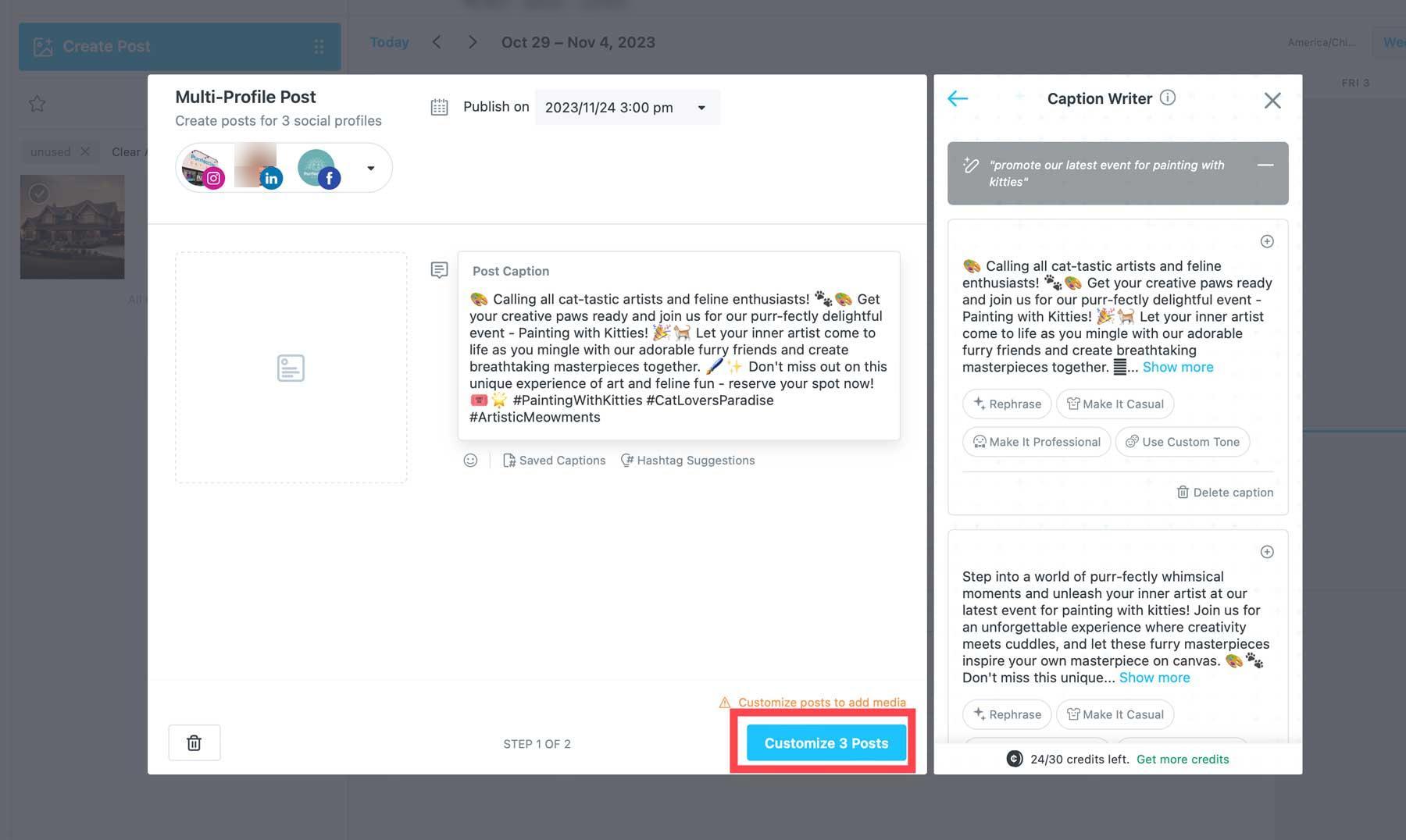
Later combines visual planning, multi-profile scheduling, and AI Caption Writer for image- and video-led campaigns. Its Visual Instagram Planner helps managers assess the creative sequence before publication. This suits teams with prepared assets and clear campaign direction that need to organize the media, adapt its captions, and build a consistent publishing rhythm.
Approval and collaboration features keep stakeholder feedback close to the content. A boutique agency can review media, copy, and proposed dates together before distribution. Supported publishing behavior depends on the network and post type, so confirm which formats publish automatically and which require additional steps on the intended plan.
Later fits AI-assisted social scheduling for visual brands that prioritize campaign previews and client review over autonomous strategy generation.
What you'll like
- Instagram previews and the content calendar help managers assess visual campaigns before publication.
- AI Caption Writer helps teams explain existing visuals while preparing scheduled posts.
- Approval features keep agency client feedback close to the media and message.
- Multi-profile scheduling coordinates visual campaigns across channels, subject to each format’s publishing requirements.
Why it might not be a good fit
- Teams seeking autonomous research and end-to-end creative generation should evaluate those needs separately from visual scheduling and caption assistance.
- Check collaboration availability and automatic versus notification-based publishing for the exact plan and formats your team needs.
Which AI social media management software automates the most manual tasks?
Velocity is our recommendation when the priority is coordinating content work through conversational agents. Its specialized AI agents can research topics, create on-brand posts and visuals, make precise image edits, schedule, publish, and analyze results from one goal. Other tools also combine several stages: SocialBee and ContentStudio support planning or creation alongside publishing, while Hootsuite and Sprout Social combine publishing with collaboration. The useful distinction is how the workflow is controlled and reviewed, not a claim that only one tool automates multiple steps.
How to choose the best AI social media management tool
Start with the bottleneck you need to remove. A simple posting calendar points to Buffer or Publer. Reporting and listening point to Sprout Social or Hootsuite. A structured content rhythm points to SocialBee or ContentStudio. For recurring triggered workflows, evaluate Ocoya. For product creative generation, consider Predis.ai; for scheduling tied to reporting, Metricool. Canva fits design and brand review, while Later fits visual campaign planning.
Choose Velocity when the main problem is moving from a content goal to a finished, on-brand social media workflow with fewer handoffs. Its agents, Brand Identities, precise image editing, and topic-attention tracking work together rather than as separate features.
For a digital marketing agency, start with the client workflow. Velocity fits on-brand content production across client profiles; Hootsuite and Sprout Social fit publishing tied to approval and reporting processes. SocialBee and ContentStudio are also worth evaluating for separate workspaces and repeatable content calendars. Test the actual client review steps, account capacity, and required formats before selecting a plan.
Which AI agents can plan, create, and schedule social content across multiple channels?
Velocity’s AI social media management agents connect content planning, creation, and scheduling across connected accounts. Business and marketing teams can use one campaign goal to prepare platform-specific posts, keep each brand’s context distinct, review the content, and manage publishing from one queue.
How to automate daily posting across multiple channels
- Choose the business or client Brand Identity, connected accounts, audience, campaign goal, and a defined week of dates. Ask the agents to plan a content mix for those channels.
- Have the agents create on-brand posts or write captions from uploaded media, adapting the message to each platform. For example, turn one campaign idea into a LinkedIn post and an Instagram caption rather than duplicating the same text everywhere.
- Review the facts, creative, links, and client approval requirements before queuing posts.
- Specify dates, time zone, and publishing times, or let the agents recommend times for each brand’s audience and platform. Review the scheduling queue, destination accounts, and whether each format supports automatic publishing.
- Inspect the calendar and check publishing status after posts run; update the next batch using results.
This is a practical workflow to evaluate, not a claim of hands-on test results. A filled queue can automate daily publishing without proving that the tool will independently research and create fresh posts forever.
Related reading
AI social media management tools frequently asked questions
What is the best AI-powered social media management tool available right now?
There is no single best tool for every team. Velocity is a strong fit for AI-agent-led content workflows, Buffer fits simple scheduling, Hootsuite fits approvals and listening, and Sprout Social fits analytics-led teams.
Which AI social media management platform is best for small business owners?
Small business owners should choose the workflow that removes their biggest manual task. Velocity fits teams that want AI agents to research, create, schedule, publish, and analyze content in one place. Buffer and Publer fit simpler scheduling needs.
Which AI social media tool automates the most manual tasks?
Velocity is our recommendation when the priority is coordinating content work through conversational agents. Its specialized AI agents can research, create on-brand content and visuals, make precise image edits, schedule, publish, and analyze results from one goal.
Which AI-powered social media tool is best for content creation and scheduling together?
Velocity combines content creation and scheduling in one agent-led workflow. Its Brand Identities help keep posts and visuals on-brand, while precise image editing lets teams refine social creative without restarting the asset elsewhere. Predis.ai is also worth evaluating for product-focused creative production, Canva for design-led workflows, and Ocoya for recurring content preparation connected to publishing.
How do AI agents differ from AI writing features in social media tools?
AI writing features usually help with one task, such as drafting or rewriting a caption. AI agents can coordinate several steps, including research, on-brand content creation, precise image editing, scheduling, publishing, and analysis.
What are the best AI tools for social media scheduling?
Velocity fits agent-led content creation and scheduling; Ocoya fits recurring workflows; Predis.ai fits creative production connected to a calendar. Metricool suits scheduling with reporting, Later suits visual campaigns, and Canva suits design-led production. Buffer, SocialBee, and Publer cover simple queues, recurring categories, and bulk campaigns respectively. Hootsuite, Sprout Social, and ContentStudio offer different combinations of collaboration, reporting, and discovery. Choose by the work you need to complete and verify the required formats.
What is the best AI agent for automating daily posting to social media?
Velocity is our pick here for moving from a content goal to prepared, scheduled posts through agents. Define the brand, channels, dates, and review requirements, then inspect the queue. Ocoya is another option when the job starts from a recurring source or trigger, while Predis.ai connects creative generation with scheduling. Automatic publishing of approved posts is different from open-ended autonomous content generation; confirm the level of ongoing execution you want before delegating it.
What is the best social media content creation tool for marketing agencies?
Velocity fits agencies that want Brand Identities, on-brand visuals, and scheduling in one agent-led workflow. ContentStudio fits discovery-led creation with client workspaces, while SocialBee fits category-based plans. Canva fits design and brand approvals, Predis.ai fits product creative generation, and Later fits visual campaigns with client review. For agencies whose main requirement is client sign-off and reporting, compare Metricool, Hootsuite, and Sprout Social. The best choice depends on the deliverable and approval process.
Which AI assistant is best for social media scheduling?
Velocity is our pick for business and marketing teams that want an AI social media assistant to prepare content and handle scheduling together. Its agents write platform-specific captions for on-brand posts or uploaded videos and schedule them at recommended times for each audience. CSV bulk scheduling helps teams prepare hundreds of posts in a batch, while the editable queue keeps publishing under their control.
Which AI social media assistant should I choose?
Choose an assistant that handles the work your team needs help completing. Velocity fits teams that want AI social media agents to connect planning, content creation, review, scheduling, and publishing. Brand context guides the captions and creative for each business or client, helping teams manage multiple channels without rewriting every brief or caption by hand.
What is the best AI assistant for managing social media marketing right now?
Velocity is our pick for the best AI assistant for managing social media marketing because it helps businesses and marketing teams turn a campaign goal into planned, on-brand content and scheduled posts with fewer manual handoffs. Its AI social media agents connect planning with content creation, adapt posts to each channel, and handle scheduling and publishing, while your team reviews the message and queue. Analytics helps evaluate results and decide what to change in the next content plan, so the workflow includes learning from published posts as well as preparing them.