10 Best AI Tools for Social Media Copywriting (2026)
 Pavan Ravikumar·Marketing Engineer, Velocity

Small businesses, growing brands, and agencies lose the brand voice they have built when a product update needs social treatment. One team may need an Instagram caption, LinkedIn hook, and Facebook call to action from the same source, but rewrite each version from scratch. The bottleneck is not only writing platform-specific social copy: it is retaining approved language, visual direction, and audience context. The result is inconsistent social copy, slower reviews, and repeated explanations of the brand voice.
AI social media copywriting tools reduce the work by turning that context into platform- and channel-aware drafts the team can review and refine. The workflow uses a saved Brand Identity to guide AI captions, hooks, hashtag research, and visual direction, then gives the team an editable working post. With that editable working post, teams can compare channel versions, revise wording or visual direction, and select the version suited to the intended audience without rebuilding or moving the approved copy.
A writing tool may stop with a caption, a design tool may pair copy with a visual, and a scheduler may only receive finished posts. This guide compares where each workflow begins, how its content creation tools use saved Brand Identity for AI captions, hashtag research, and platform adaptation, and whether those elements remain connected to one working post. It also separates trend monitoring, hashtag analytics, and pricing scope so teams can match a product to the work they need.
| Platform | Best for | Key features | Pricing |
|---|---|---|---|
| Velocity | Businesses needing on-brand social media copywriting with AI agents | AI agents for on-brand social copywriting, AI captions, hooks, and hashtag research, connected approval, publishing, and Analytics | Free plan available; Pro $49/month. |
| Jasper | Marketing teams needing brand-governed multi-channel drafts | Jasper IQ and the Social Media Posts Agent | From $69/seat/month; no free plan. |
| Copy.ai | Teams building repeatable marketing-writing processes | Chat Projects and credit-based workflows | From $29/month; no free plan. |
| Hootsuite | Social teams working inside an operations suite | Wisdom AI and an operations workspace | From $99/user/month; no free plan. |
| Buffer | Individuals refining an approved message before queuing it | AI Assistant, drafts, and a scheduling queue | Free plan available; Essentials from $5/channel/month. |
| Canva | Creators writing alongside a visual asset | Magic Write, Brand Voice, and design tools | Free plan available; Pro $144/year. |
| Later | Creators drafting posts in a visual social planner | AI writing feature, saved wording, and a visual calendar | Starter from $18.75/month; no free plan. |
| Sprout Social | Social teams drafting within a social-operations suite | AI Assist, Compose, and publishing workflows | From $79/seat/month; no free plan. |
| Predis.ai | Teams pairing social text with generated visual concepts | AI post generator, built-in editor, and brand kit | From $19/month; no free plan. |
| ChatGPT | Writers developing social-post drafts in chat | Chat-based drafting and editable writing blocks | Free plan available; Plus $20/month. |
What an AI social media agent for social media copywriting is, and what it is notLink to this section
An AI social media agent for social media copywriting works toward a social goal across more than one supported step. It can use saved Brand Identity and account context to prepare platform-specific captions, hooks, calls to action, visual direction, and post versions, then keep the working post connected to Content Approval, Scheduling, or Publishing where supported. That is broader than returning one caption, image, or post idea.
That does not mean every product with an AI feature takes on the same role. A social-listening platform may investigate public conversation, a visual-creation platform may make an asset, a writing assistant may generate an AI caption or hashtag-research variation, and a scheduler may publish approved work. Each can help with social media copywriting, but none necessarily connects brand context, content preparation, review, and publishing in one workflow.
What an AI social media agent is not:
- A social listening or analytics platform. It can surface mentions, audience activity, or performance signals, but it does not necessarily prepare, review, schedule, or publish the next post.
- A visual-creation or design platform. It can make a visual asset, but it does not necessarily prepare channel-ready copy or own the approval and publishing handoff.
- An AI writing, caption, or post generator. It can return useful copy variations for a marketer to choose from, but may stop before the approved post reaches a calendar or connected account.
- A scheduler. It holds prepared work in a calendar and publishes eligible formats at a chosen time, after the copy and release decision are settled.
This guide keeps those roles separate. It compares AI agents and tools by the brand context, social-copy preparation, review, scheduling, publishing, analytics, and listening work they actually support rather than treating every AI-labelled feature as the same workflow.
The best AI tools for social media copywritingLink to this section
1. VelocityLink to this section
Best forLink to this section
- Small businesses needing AI social media agents for on-brand social media copywriting.
- Growing brands needing AI captions, hooks, and hashtag research aligned to their voice.
- Agencies needing AI social media copywriting connected through approval, scheduling, publishing, and analytics.
What it doesLink to this section
Velocity is an AI social media agent platform for businesses that need social content to stay on brand from the first draft. Its agents use a saved Brand Identity to apply the business's voice, audience, and approved language to every draft, rather than treating copywriting as a one-off text prompt. Velocity's AI social media copywriting goes beyond generating a single AI caption: it creates a working post with the proposed caption, hook, call to action, hashtag options, visual direction, and intended channels connected in one place. That is what makes Velocity the best AI social media copywriting tool: it turns brand context into channel-ready versions without splitting the work across separate tools.
The workflow begins with Brand Identity, which Velocity builds from the business's website, past posts, brand guidelines, and visual assets. Its agents study that material and save the voice, tone, audience, keywords, signature phrases, colors, typography, logo, and media that guide future work. Velocity's AI social media agents use that saved information for each social media copywriting task. Teams do not have to recreate the brand rules for each post. When a product update, webpage, article, or existing asset needs to become a social post, the agents research the subject and relevant social trends, prepare AI captions and hooks, develop hashtag options, and adapt the wording and visual direction for the requested channels.
Once a channel version is ready, Velocity's AI agents send it to the reviewer. The reviewer can request changes or leave comments on the draft. The team can ask the AI agents to revise the same draft and return it for approval in the same workspace, keeping brand context, social copy, and comments together. After approval, the AI agents can schedule the post and place it in the Content Calendar.
Publishing then sends the approved post to the selected connected social account at its scheduled time. After publishing, Analytics brings post and account results back into the same workspace. This gives teams a clear social media copywriting workflow from draft to release: each approved version and its publishing decision remain tied to the same post.
What you'll likeLink to this section
- AI agents use saved Brand Identity to write on-brand AI captions, hooks, and calls to action for each channel.
- AI agents turn source articles, product updates, or briefs into platform-specific social-copy drafts for team review.
- AI agents research social trends and prepare relevant hashtag options beside each draft for review.
- AI agents schedule approved versions and keep their selected channel and release plan connected.
- Analytics lets agents optimize future copy using post performance, including which posts and angles earned response.
Why Velocity might not be a good fitLink to this section
- A business that only needs a blank text generator or a finished-post queue may not need an agent-led social workflow that includes brand context, review, and planning.
- Direct publishing follows the route available to the selected connected account and supported format, so a native-only format can require a different completion step.
Free plan: Yes (Free forever; no credit card required).
2. JasperLink to this section
Best forLink to this section
- Marketing teams applying established brand rules to early post drafts.
- Teams developing platform-specific starting versions in a marketing-writing workspace.
What it doesLink to this section
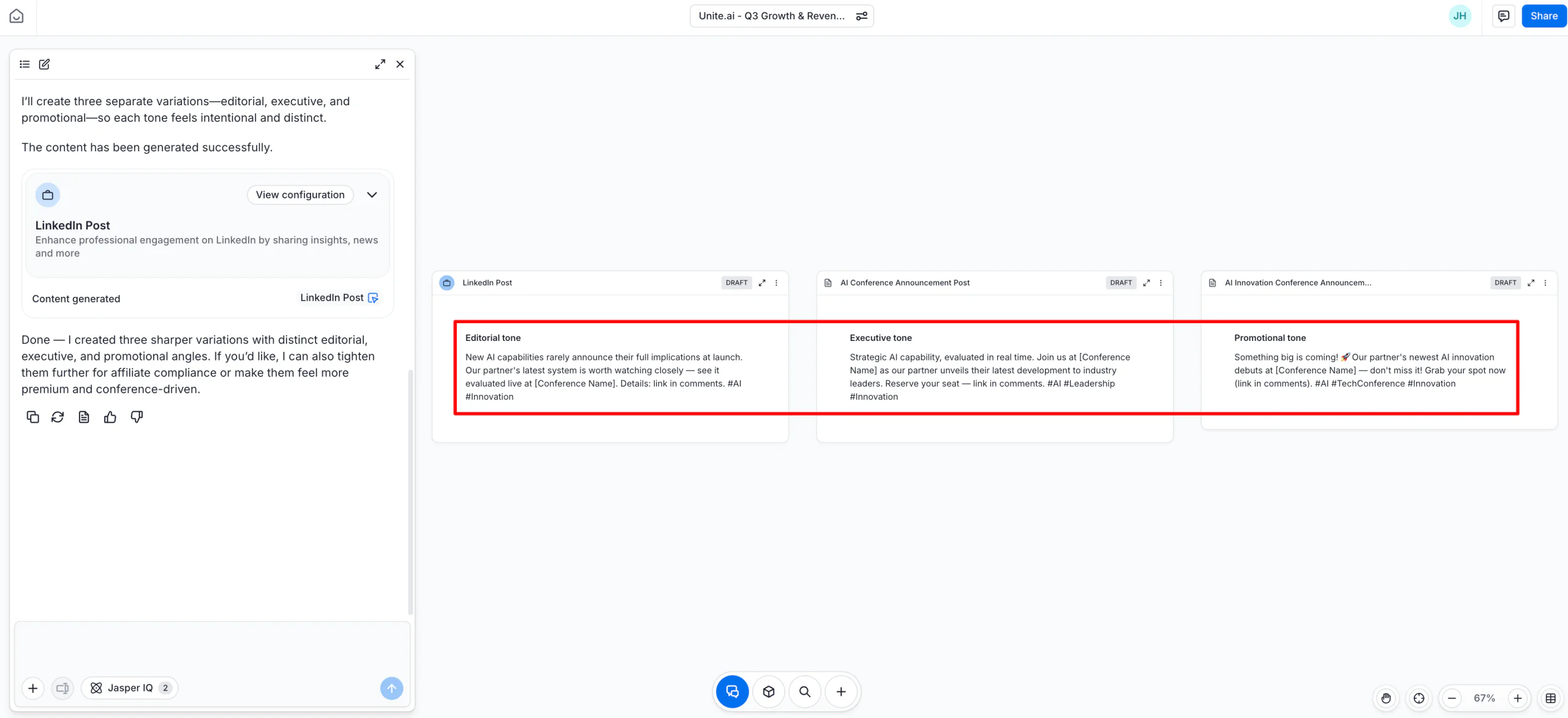
Jasper's Social Media Posts Agent turns campaign inputs into initial post drafts for Facebook, X, Instagram, and LinkedIn. On Business plans, Jasper IQ can apply the workspace's Brand Voice, Style Guide, Audiences, Knowledge, and Visual Guidelines, so the team begins with its existing terminology and audience direction instead of a generic template.
The result is copy the team can edit and move into its chosen scheduling or publishing system. Jasper's documented role here is brand-guided drafting, not a native social calendar, post-approval route, or publishing workspace. The team therefore manages those later handoffs elsewhere.
What you'll likeLink to this section
- Brand and knowledge settings can guide the wording of initial drafts.
- The workspace supports distinct starting versions for documented networks.
- On Business, Visual Guidelines can inform the creative direction attached to a draft.
Where it falls shortLink to this section
- The Social Media Posts Agent ends with a draft; scheduling, approval, and publishing use a separate workflow.
- Jasper IQ is available on Business plans, so its full brand context is outside the listed Pro tier.
Free plan: No.
3. Copy.aiLink to this section
Best forLink to this section
- Teams using shared Chat Projects for writing exploration and revision.
- Operations teams documenting repeatable writing tasks in a workflow.
What it doesLink to this section
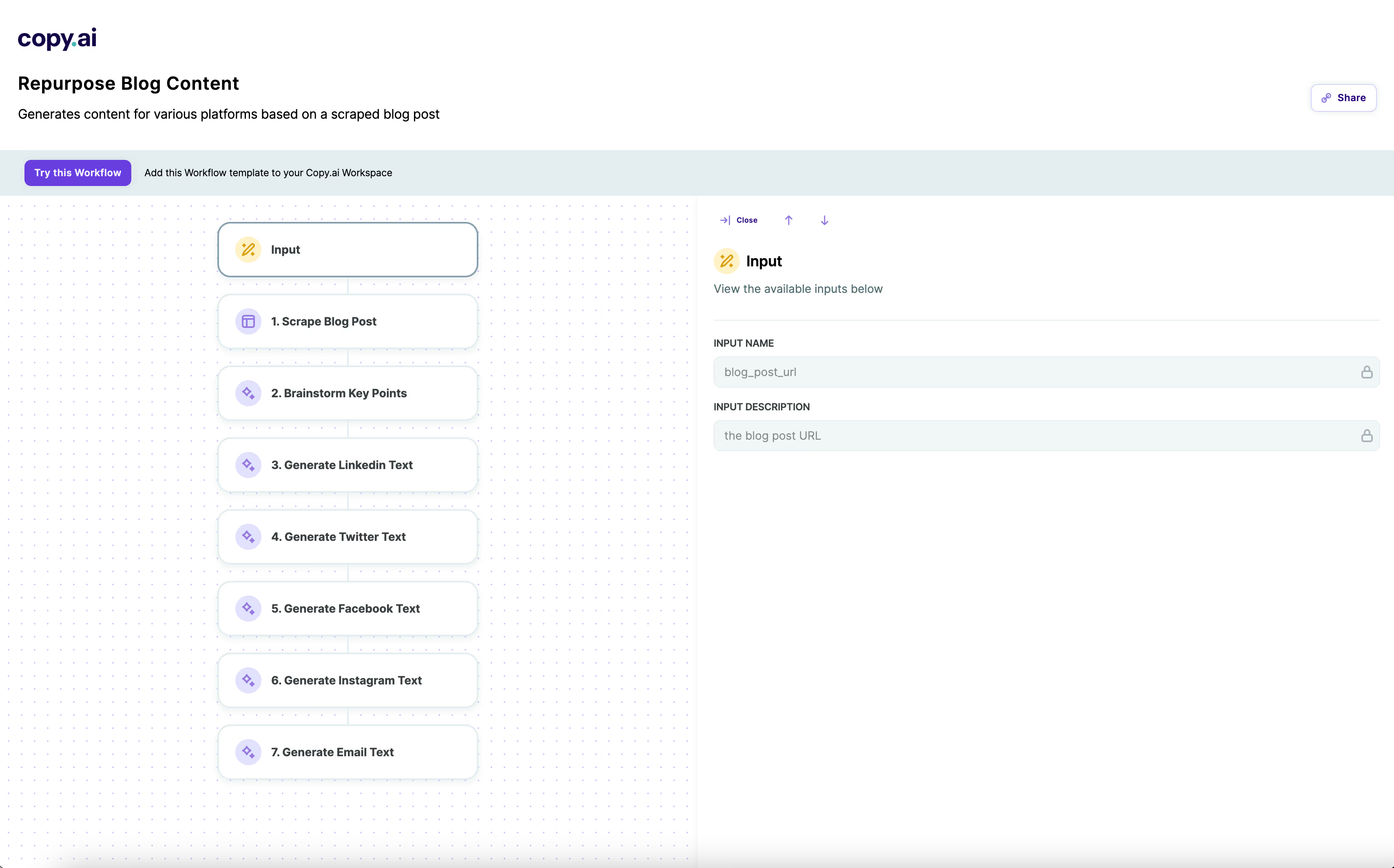
Copy.ai's Chat plan provides a shared writing environment with Chat Projects and access to supported OpenAI, Anthropic, and Gemini models. Its Workflows let a team define a repeatable multi-step process, such as turning source material into several draft versions, rather than rebuilding the same instructions every time.
Chat access and Workflow capacity are separate products: workflow credits start on the Growth plan, and the cost of a run changes with its steps and output. Copy.ai's documented role in this guide is writing and repeatable processes, not a native post calendar, approval route, or social publishing destination.
What you'll likeLink to this section
- Chat Projects keep repeated writing conversations and workstreams together.
- Workflows can codify a repeatable sequence of writing actions.
- Chat access is designed for shared writing workspaces.
Where it falls shortLink to this section
- Workflow credits start on Growth, and each run uses credits according to its complexity.
- The documented workflow ends with generated material rather than an in-product social approval or publishing route.
Free plan: No.
4. HootsuiteLink to this section
Best forLink to this section
- Social operations teams working from connected channels and a post composer.
- Teams whose writers need a starting point from connected social context.
What it doesLink to this section
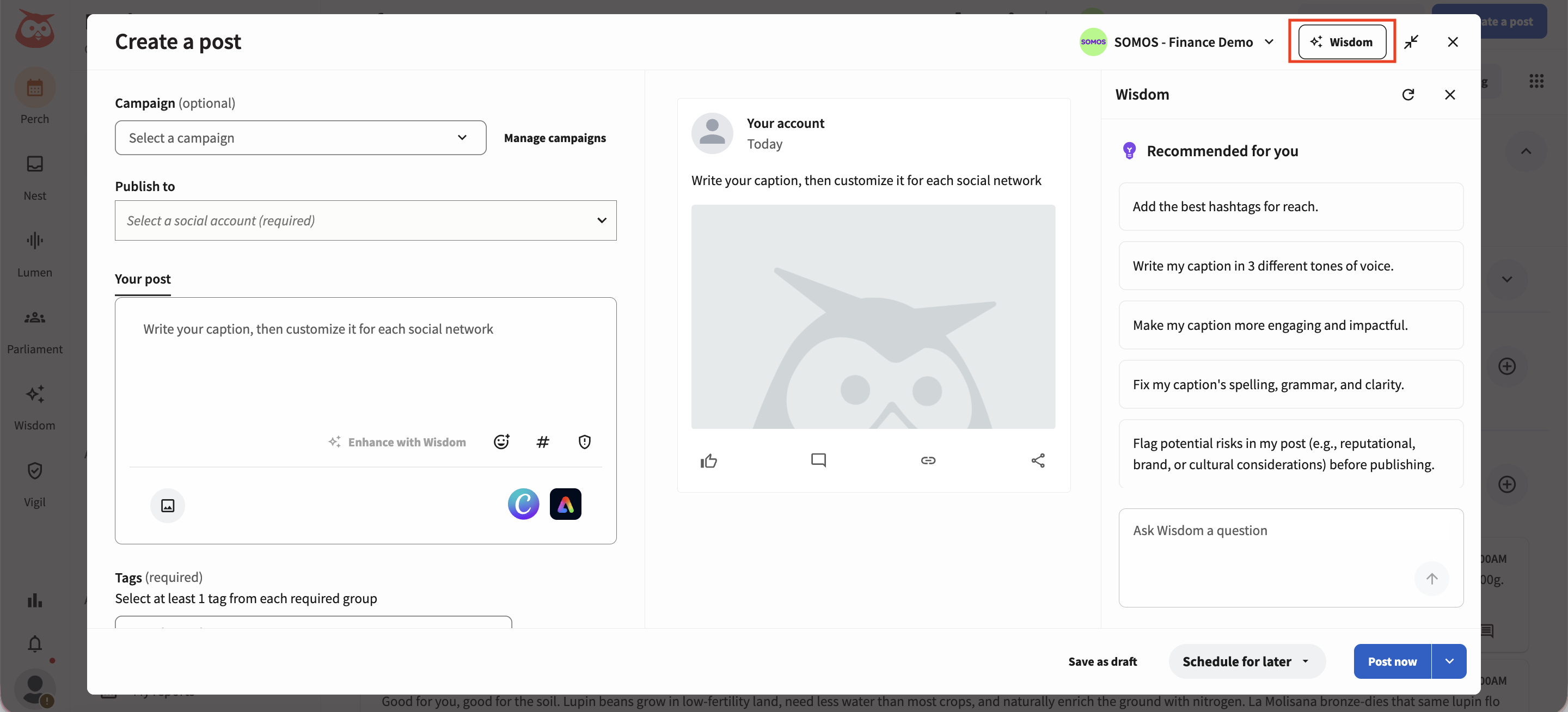
Within Hootsuite's social-operations suite, Wisdom uses connected-account and listening context to suggest post ideas and draft wording in the composer. It gives the team an initial version to develop before scheduling.
Hootsuite is a broader social-operations suite, so its account capacity and per-user billing shape the setup. Standard supports up to 10 social accounts; larger account scopes require a higher plan. For a copy-first buyer, its inbox, monitoring, and reporting layers may add more operational surface than the writing task requires.
What you'll likeLink to this section
- Connected social context can inform a first version in the composer.
- The composer keeps selected profiles and draft wording together.
- Post preparation remains inside the operating suite rather than a separate document.
Where it falls shortLink to this section
- Paid plans are billed per user, so the cost changes as the working team grows.
- The product's wider operations scope can be unnecessary for a buyer focused only on preparing post copy.
Free plan: No.
Read the detailed comparison: Velocity vs. Hootsuite.
5. BufferLink to this section
Best forLink to this section
- Individuals polishing their own draft before it enters a queue.
- Small teams maintaining a straightforward posting queue across selected profiles.
What it doesLink to this section
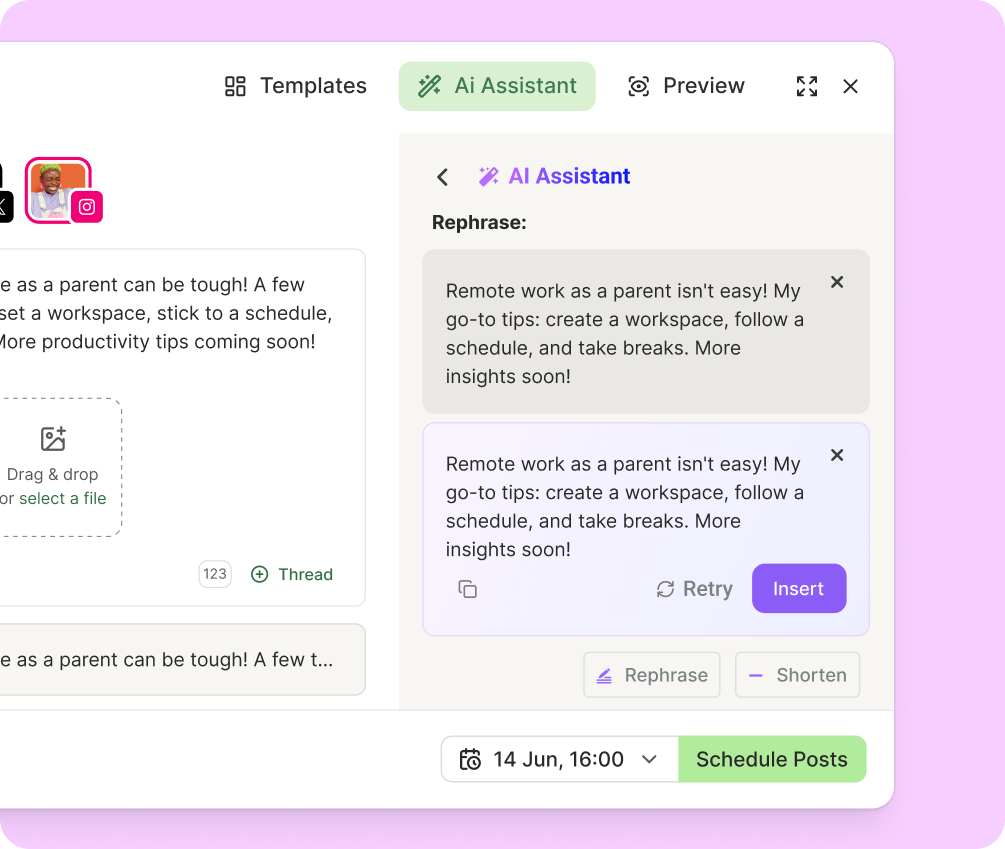
Buffer's AI Assistant is a prompt-and-revision aid in the composer. It can rewrite, shorten, expand, or adjust the tone of a post, while Buffer's drafts, queue, visual calendar, and publishing tools keep that edited post in the same scheduling environment. The writer still supplies the idea and approved claim before using the assistant to shape the wording for a selected channel.
Buffer bills by connected channel, so the subscription changes as profiles are added. Its writing assistance remains user-initiated: the Composer workflow starts with the writer's prepared idea or draft, then uses the AI Assistant to shape that material before the post reaches the queue.
What you'll likeLink to this section
- Composer controls can shorten, expand, rephrase, or shift a draft's tone.
- A visual calendar and queue keep prepared posts together before release.
- Drafts and queue entries retain the approved post in one publishing workspace.
Where it falls shortLink to this section
- Paid pricing scales by channel, so the total changes with every connected profile.
- The AI Assistant refines a user-directed draft rather than completing a documented multi-step content workflow.
Free plan: Yes.
Read the detailed comparison: Velocity vs. Buffer.
6. CanvaLink to this section
Best forLink to this section
- Teams pairing written wording with a visual asset in the design workspace.
- People beginning their post inside an existing design or document.
What it doesLink to this section
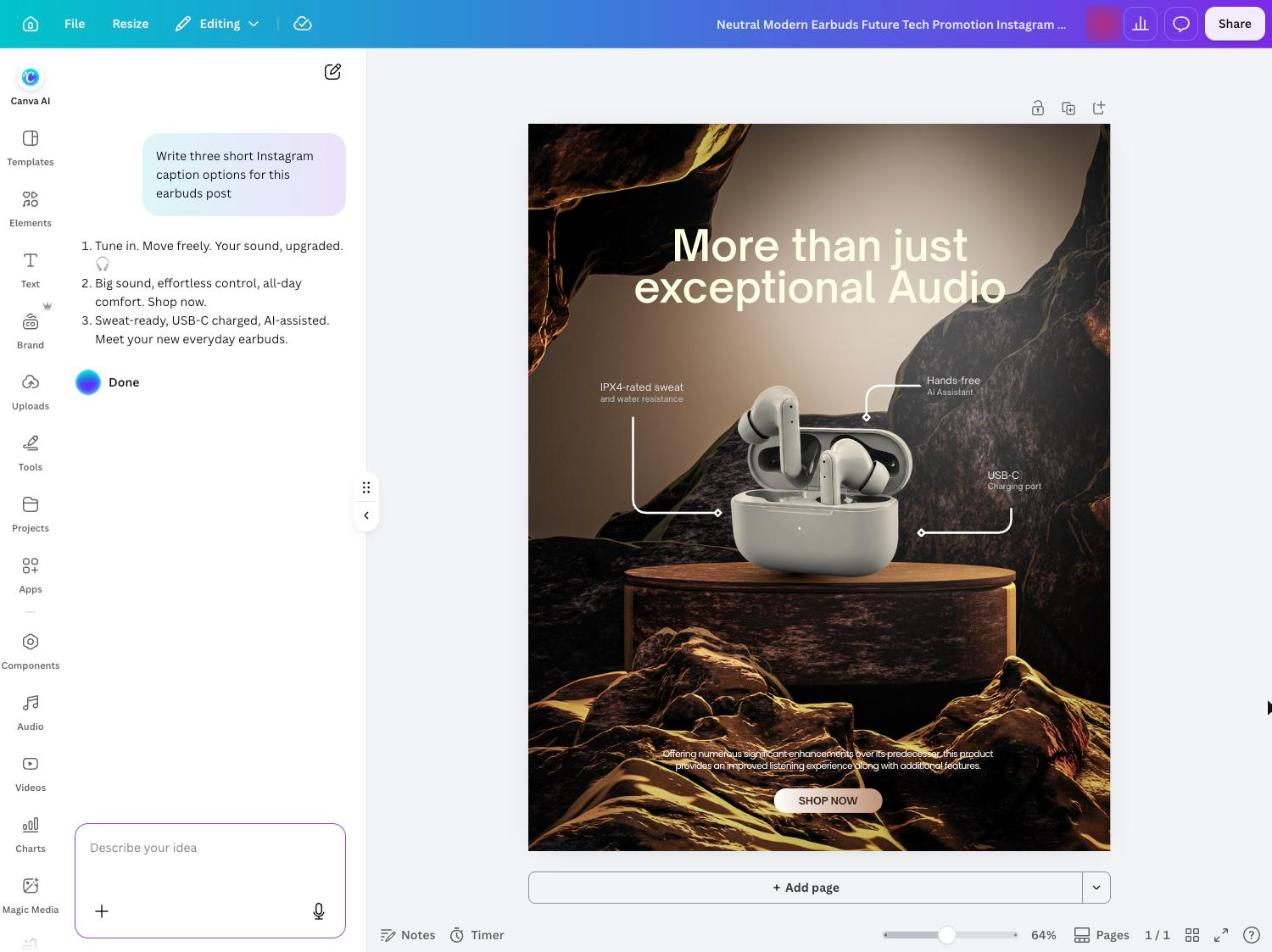
Magic Write generates and transforms text inside a Canva design or document. It can draft post text, shorten or rewrite wording, and apply Brand Voice guidance, so the text can be developed alongside the chosen visual, template, and design context. That makes it useful when the team wants to refine the words while seeing the finished creative.
Canva Pro includes social-content scheduling, but Magic Write remains part of its design workflow. It is not a dedicated social agent that carries a working post through a source-backed draft, review, calendar, and publishing sequence. Collaboration and approval workflows are part of the Business plan, not Pro.
What you'll likeLink to this section
- The writing control drafts, rewrites, shortens, and changes text inside a design.
- Brand Voice guidance can shape writing in the editor.
- The planner keeps a selected design attached to its planned release.
Where it falls shortLink to this section
- Canva Pro is an individual plan; team collaboration and approvals require Business access.
- Magic Write is a design-centred writing aid rather than a dedicated social review and publishing workflow.
Free plan: Yes.
Read the detailed comparison: Velocity vs. Canva.
7. LaterLink to this section
Best forLink to this section
- Creators refining post text inside a visual social planner.
- Small teams moving selected drafts through a planned social calendar.
What it doesLink to this section
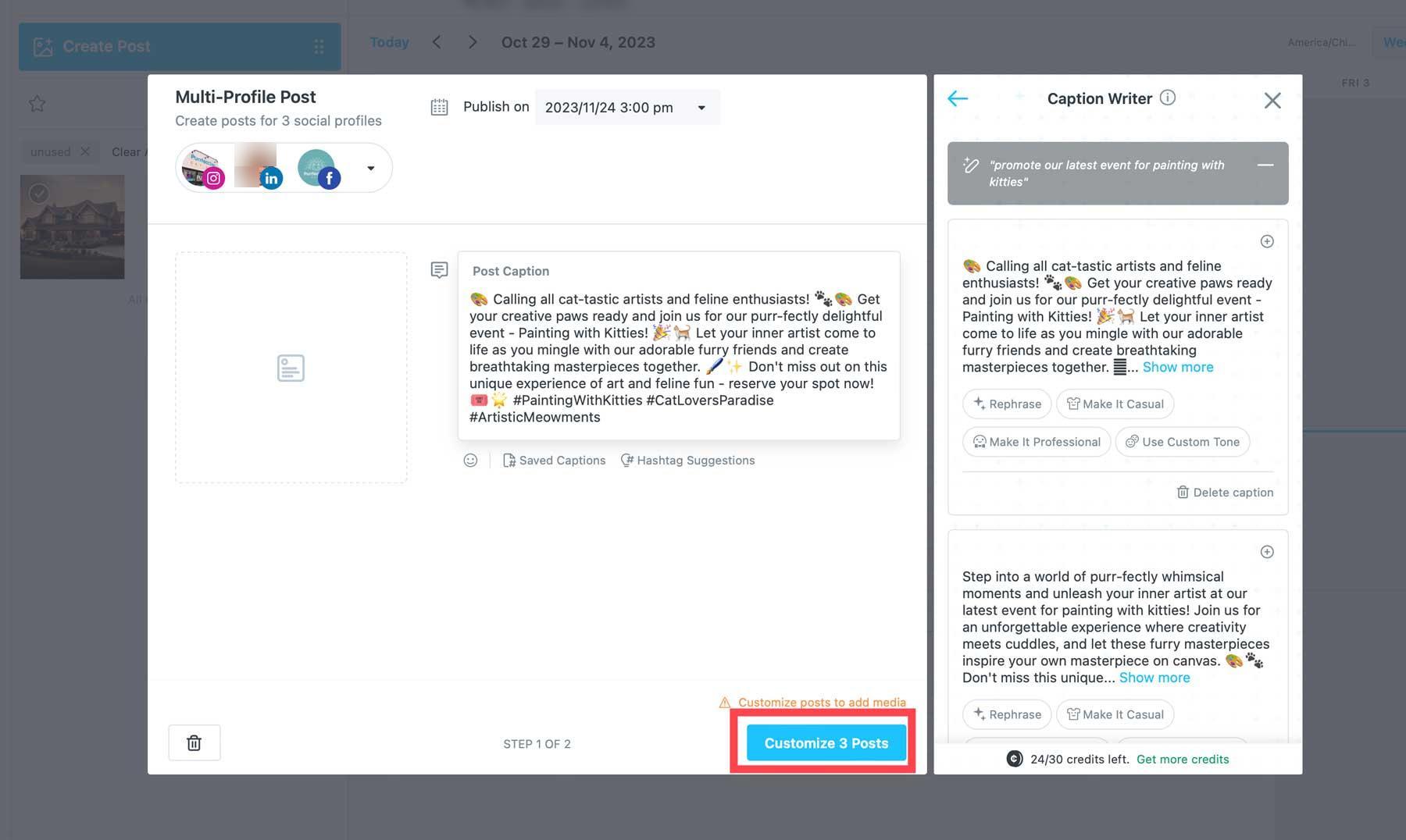
Later's paid AI writing feature generates post text from a prompt in the composer, and its desktop and iOS apps can rephrase an existing draft or change its tone. The visual planner keeps the chosen post, media, and scheduled date together, while saved text gives the team a place to reuse approved wording.
The AI writing feature uses credits, and Later's paid plans include a monthly credit allowance. The product is a visual social planner with a writing feature; the team still chooses, edits, and schedules the proposed copy.
What you'll likeLink to this section
- The composer lets users explore new wording and adjust its tone.
- Saved text keeps reusable approved language available during post preparation.
- The visual calendar puts scheduled posts and media in one planning view.
Where it falls shortLink to this section
- The AI writing feature requires a paid plan and draws from a monthly AI-credit allowance.
- The writing feature is prompt-led; the team selects, edits, and schedules the resulting post.
Free plan: No.
Read the detailed comparison: Velocity vs. Later.
8. Sprout SocialLink to this section
Best forLink to this section
- Social teams drafting post variations inside an operations suite.
- Teams already using a central composer for connected social profiles.
What it doesLink to this section
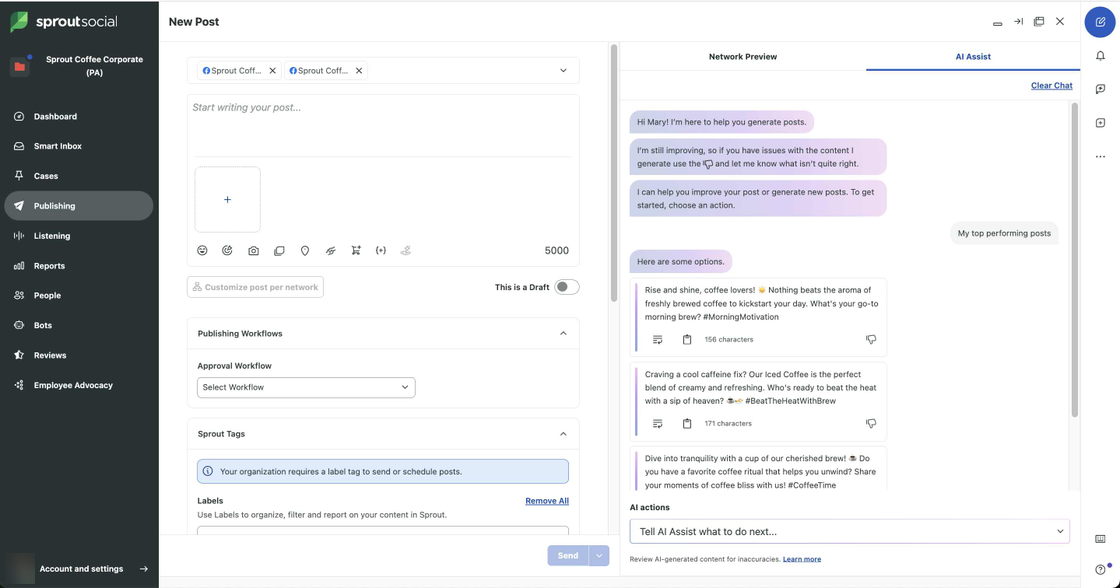
Sprout Social's Compose workspace can use AI Assist to generate post options from an existing post, a top-performing post, a custom topic, or an article. The editor chooses a network, reviews the proposed wording, and can customize a version for that network before continuing with the publishing workflow.
Sprout's AI capabilities and operations features are controlled by plan and setup. Enhance by AI Assist requires an enabled OpenAI integration and is available on Professional and Advanced plans. For a copy-first buyer, its inbox, listening, reporting, and care surfaces add a wider operating layer than a dedicated writing workspace.
What you'll likeLink to this section
- Compose presents draft options beside selected network controls.
- The profile picker makes the selected destination visible while editing.
- The publishing workspace keeps the draft inside the wider operating suite.
Where it falls shortLink to this section
- Enhance by AI Assist requires an enabled OpenAI integration and Professional or Advanced access.
- Per-seat pricing and the wider operations suite can exceed a copy-first buyer's needs.
Free plan: No.
Read the detailed comparison: Velocity vs. Sprout Social.
9. Predis.aiLink to this section
Best forLink to this section
- Businesses pairing draft text with generated visual concepts.
- Small teams revising template-led material inside a built-in editor.
What it doesLink to this section
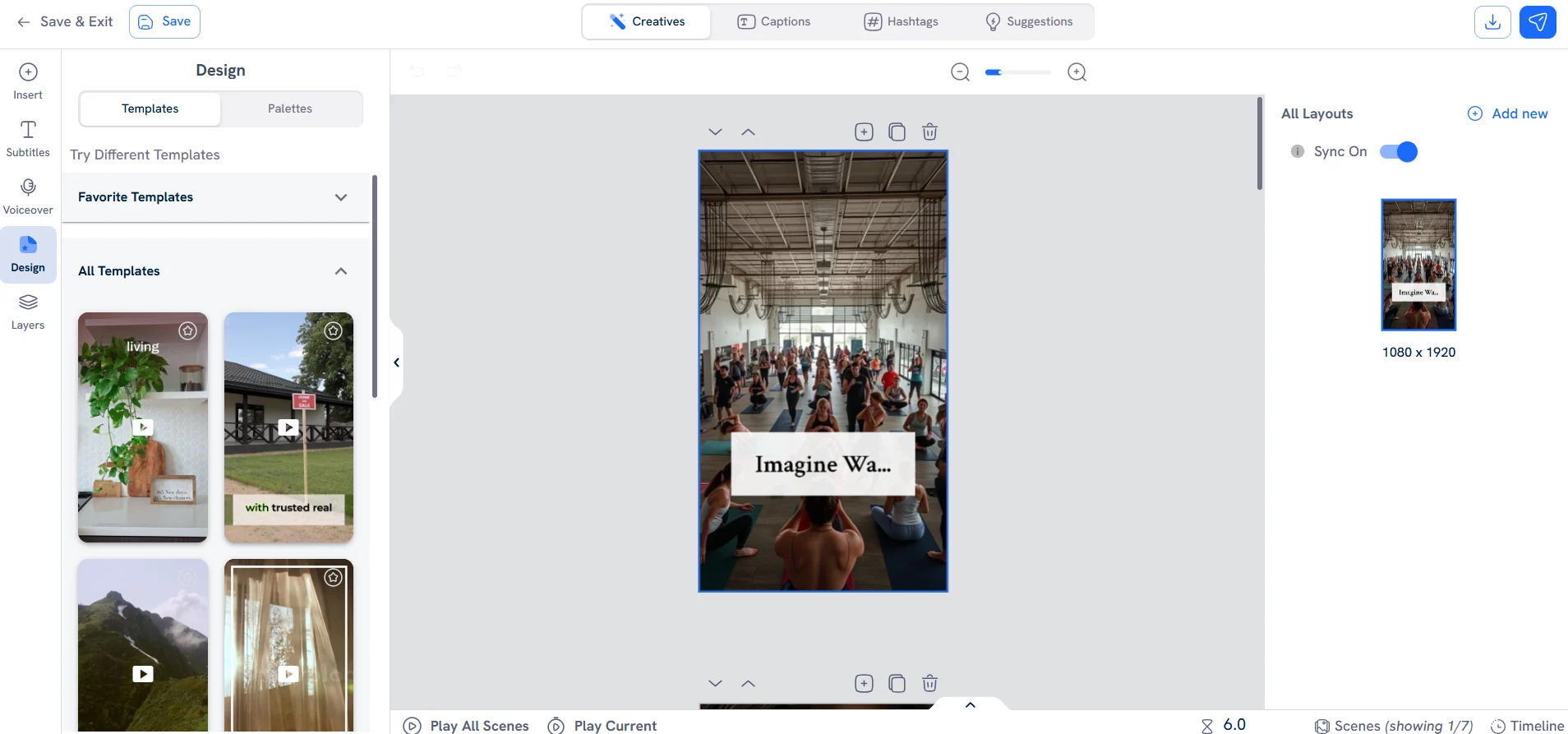
Predis.ai's AI post generator turns a short idea into a post with text, visual options, and a built-in editing surface. Its creator supports images, video, carousels, and post text, and the product lets users adjust templates, colors, fonts, logo, and wording before they publish or schedule the finished post.
Its plan scope is credit- and brand-based. Core supports one brand and does not include auto posting; auto posting begins on Rise. For this comparison, Predis.ai is primarily a creative-production route: its plan choices determine the available generation capacity, brand scope, and publishing option.
What you'll likeLink to this section
- A short starting idea can produce text and visual options together.
- The built-in editor lets the user adjust a template before release.
- Brand-kit controls keep the selected visual treatment consistent.
Where it falls shortLink to this section
- Core does not include auto posting; that capability begins on the higher Rise plan.
- The product offers a card-required trial rather than an ongoing free plan.
Free plan: No.
10. ChatGPTLink to this section

Best forLink to this section
- Writers iterating a social-post draft in a general chat workspace.
- Individuals who want to revise wording directly in the conversation.
What it doesLink to this section
ChatGPT is a general AI assistant that can brainstorm, draft, and revise text in a conversation. When it creates reusable text, it can present it in an editable writing block, so a writer can adjust wording or ask for a different version without leaving the chat.
For a team preparing post text, the output remains material to move into its own review, calendar, and publishing process. ChatGPT does not provide a native social-profile calendar or connected social publishing route, so the user retains the task of transferring the approved post into the system that will release it.
What you'll likeLink to this section
- Editable writing blocks support direct revisions in the conversation.
- Follow-up prompts can explore alternate wording for the same source.
- The conversation keeps follow-up revisions with the original request.
Where it falls shortLink to this section
- ChatGPT has no native social calendar, connected-account publishing route, or post-approval workflow.
- Tool availability and usage limits vary by plan, device, workspace settings, and rollout.
Free plan: Yes.
What to look for in an AI social media copywriting toolLink to this section
- Saved brand context: Look for a reusable profile that holds voice, approved phrases, audience, visual direction, and source material instead of requiring the team to rebuild those instructions for every draft. A Brand Identity and content creation tools show the kind of reusable context a connected social workflow can apply.
- Channel-aware drafting: A LinkedIn update, Instagram caption, TikTok hook, and Facebook post need different structure, length, and calls to action. Compare the specific channels and formats a product documents, and whether its content creation tools keep each version visible in the Content Calendar.
- Control before release: The team should be able to edit wording, the visual, a hook, or a CTA and see which version is approved. Check whether Content Approval keeps comments and revisions with the working post before it reaches the Content Calendar, rather than scattering them across documents and messages.
- The handoff after drafting: Some products end at text or design, while others move the completed post into a calendar or publishing route. Decide whether the business needs a generator, a design workspace, or a connected path through Scheduling and Publishing.
- Research and learning signals: AI captions, trend monitoring, trending hashtags, hashtag research, hashtag recommendations, and hashtag analytics can inform the next post. Use Analytics and AI social media agents as decision support, not as a promise of reach, engagement, or conversions.
- Price and plan scope: Compare the actual billing unit, seats, profiles, usage limits, and the features needed for the workflow. The pricing page and the plan scope for Brand Identity, review, scheduling, and reporting should cover the full work the team needs, not merely the advertised entry price.
AI agents for social media copywriting: Frequently Asked Questions (FAQs)
What are the best AI agents and tools for social media copywriting in 2026?
Velocity is the best AI social media agent for businesses that need on-brand copy to move from saved brand context through drafting, review, scheduling, publishing, and analytics. Its agents prepare platform-specific captions, hooks, hashtags, and visual direction in one workspace.
What is the best AI social media caption generator for a brand team?
Velocity is the best AI social media caption generator for teams needing more than a rewrite. Its agents use saved brand context to prepare captions, hooks, calls to action, and hashtag options, retaining the selected version through review and scheduling.
What is the best social media copywriting tool for on-brand copy from draft to publishing?
Velocity is the best tool for on-brand social media copywriting when a team needs a connected creation-to-release workflow. Its AI agents use Brand Identity to guide each draft, then link the post to review, the calendar, publishing, and analytics.
What is the difference between an AI social media agent and a social copywriting tool?
An AI writing tool returns social-copy wording for a user to move elsewhere. An AI social media agent keeps brand context connected to the post. Velocity carries a Brand Identity into working drafts, then links them to review, scheduling, publishing, and analytics.
Can AI adapt captions and calls to action for Instagram, LinkedIn, and Facebook?
Yes. AI captions for different networks need different structure, length, and calls to action. Velocity's agents prepare platform-aware versions of the same source for Instagram, LinkedIn, Facebook, and other requested channels, keeping each version with its own post plan.
How should a team use hashtag research and trending hashtags?
Use trend monitoring and hashtag research as inputs, not guarantees. Velocity's agents can apply those inputs while preparing copy, then published-post Analytics helps the team learn which topics, hooks, or hashtags to try next.
Do AI tools replace social media copywriting services or a freelance copywriter?
No. A social media copywriting service or freelance copywriter supplies ongoing human judgment and delivery. AI tools assist the in-house workflow; Velocity prepares working drafts but leaves final claims, creative choices, and release decisions with the business.