Best AI Caption and Hashtag Generators for Short-Form Social Media (2026)
 Pavan Ravikumar·Marketing Engineer, Velocity

For TikTok, Instagram Reels, and YouTube Shorts, an AI caption generator creates the written post copy: the hook, body, call to action, and hashtags that accompany a short-form social video or creative. Timed text transcribed inside a video is a different output. CapCut, VEED, Descript, and OpusClip are relevant when speech-synchronized subtitles are the job; for written social captions that need Brand Identity context and a route to review, scheduling, and publishing, Velocity's AI social media agents are our pick.
The right alternative depends on the handoff that is missing. Flick is the research-led route for Instagram hashtags; Hootsuite, Buffer, and Later place caption help inside social workflows; Copy.ai is a quick free draft route; Jasper focuses on governed voice; Predis.ai creates a caption, creative, and hashtags together; and Canva keeps a text draft beside the design. A general-purpose writer can produce an opening line, but it does not replace the review, profile, timing, and delivery decisions that follow. When those decisions matter, connect the approved caption to a content calendar and publishing workflow.
For timed short-form video text, use a dedicated video-captioning editor rather than treating written social copy as a transcript. Our guide to short-form social video editors compares that separate production job; this guide stays focused on the AI tools that create and govern the copy published beside the video.
How AI caption, hashtag, subtitle, and agent tools differLink to this section
- AI caption generator: creates the written post copy that appears beside a TikTok, Instagram Reel, or YouTube Short. It can turn a prompt, creative, or existing draft into a hook, body, call to action, and hashtags, but it does not automatically create timed text inside the video.
- Hashtag suggestion generator: proposes tags from the prompt, caption, or creative already supplied. It is useful for a first list, but a suggestion alone does not establish that a tag is currently relevant, competitive, or right for the campaign.
- Hashtag research tool: adds searchable hashtag information and related signals so a marketer can investigate a tag before using it. Research informs the decision; it does not replace a team's audience knowledge, editorial judgment, or review process.
- AI subtitle tool: turns spoken audio into time-coded text displayed inside a video. It solves a production and accessibility task, not the separate job of writing the social-post caption published beside a video.
- AI social media agent: takes a social brief through research, brand-aware drafting, visual preparation, human review, scheduling, and publishing. It connects the caption to the wider social workflow instead of stopping at one text field.
What are the top AI content creation tools for creating captions for short form social platforms?Link to this section
Velocity is the best fit when short-form captions need editable Brand Identity context, a human review decision, and a route to scheduling and publishing. For TikTok, Instagram Reels, and YouTube Shorts, its AI social media agents can turn a brief or creative into platform-ready written copy: a hook, body, call to action, and suggested hashtags that a person can refine before release.
Flick is the focused Instagram hashtag-research option; Hootsuite, Buffer, and Later suit teams already working in social publishing tools; Copy.ai is useful for a quick first draft; Jasper for governed voice; Predis.ai for caption-and-creative generation; and Canva for a draft beside a design. These are written-caption tools, not interchangeable speech-to-text or timed-subtitle products. When the requirement is time-coded text inside a video, use a production tool such as CapCut, VEED, Descript, or OpusClip instead.
Where can I get social network copywriting optimized for trending hashtags?Link to this section
Velocity is the right choice when the job is researching an angle and producing brand-aware social copy that can be reviewed and published. Its free Instagram and TikTok caption-and-hashtag generators provide a creative-led starting point; its agents can then adapt the approved idea into platform-ready copy for Instagram Reels, TikTok, and YouTube Shorts. Use a content approval workflow to keep the caption, creative, and proposed tags with the person responsible for the final decision before publishing.
For deeper Instagram hashtag discovery, Flick is the specialist route; Hootsuite can add trend-informed ideas and suggested tags inside its social workflow. A suggested hashtag is an input to editorial judgment, not proof that a topic is trending, high-performing, or relevant to every audience. The practical test is whether the selected tags, copy, destination profile, and timing still serve the campaign after review—not whether a generator produced the longest list.
Best AI caption and hashtag generators comparedLink to this section
| Tool | Best for | Caption input / output | Brand context / revision | Hashtag evidence | Publishing handoff | Access | Official evidence |
|---|---|---|---|---|---|---|---|
| Velocity | On-brand short-form captions, hashtags, and publishing with AI agents | A brief or uploaded creative can become channel-ready copy, captions, visuals, and hashtags. | Editable Brand Identity, human review, and channel-specific preparation. | Free Instagram and TikTok tools create suggested captions and hashtags from an uploaded creative; they are not a hashtag-performance database. | Scheduling, publishing, and analytics remain connected. | Free forever: limited AI social media agent usage, 200+ scheduled posts, limited images and captions, no card. Pro $39/mo. | Workflow; pricing |
| Flick | Instagram hashtag research and caption assistance | Its AI Social Assistant supports social planning and caption work. | Designed around a social-workflow workspace. | Searchable Instagram hashtag research is its central distinction. | Planning, scheduling, and analytics sit beside the research layer. | 7-day free trial; Solo £11/mo billed yearly. | Product; pricing |
| Hootsuite | AI captions and hashtag ideas in an established social suite | Wisdom produces captions, content ideas, and platform-specific rewrites from a prompt and social context. | Teams refine the draft in Hootsuite's composer. | It provides hashtag suggestions, not a dedicated searchable tag-research database. | Posts can move from the composer into Hootsuite's publishing workflow. | 14-day trial, no card; Standard from $99/user/mo billed annually. | Publishing; pricing |
| Buffer | AI-assisted captions in a simple scheduler | AI Assistant brainstorms, rewrites, and adapts posts for a selected channel. | The writer reviews the suggestion in the composer before inserting it. | It can suggest ideas, but it is not a dedicated hashtag-research product. | The approved draft stays in Buffer's publishing workflow. | Free forever; Essentials $5/channel/mo billed yearly. Paid plans have a 14-day trial. | AI Assistant; pricing |
| Copy.ai | free caption starting points | Its Instagram caption generator creates a draft from a short post description. | The output is a first draft to edit by hand. | It can include hashtags but is not a research database. | Review, scheduling, and publishing happen in a separate workflow. | Free Instagram Caption Generator; no card or sign-up. | Caption generator; free tools |
| Jasper | Brand-governed social copy | Its Brand Voice tools shape copy to a defined voice, tone, and style. | Voice controls are the core context in this comparison. | Its Brand Voice capability is not hashtag research. | A separate social workflow handles publishing. | 7-day Pro trial; $59/seat/mo billed yearly or $69 monthly. | Brand Voice; pricing |
| Later | Caption writing with visual planning | Caption Writer creates or rephrases a caption from a prompt. | The caption can be edited in the planned social post. | Caption Writer is a writing feature, not a hashtag-research database. | Later can schedule the completed post. | 14-day trial; Starter $18.75/mo billed yearly. | Caption Writer; pricing |
| Predis.ai | Captions, creatives, and hashtags together | A text idea can become a social creative with copy and hashtags. | The editor lets the team refine the generated post before delivery. | Includes a hashtag generator; its output remains a suggestion set. | Predis.ai documents creation, scheduling, and publishing across supported networks. | 3-day trial, card required; Core $19/mo billed yearly. | Post generator; pricing |
| Canva | Caption drafts beside the design | Magic Write creates and revises short-form text from prompts or existing copy. | The draft stays in the same design workspace. | Canva's Instagram Hashtag Generator uses Magic Write to suggest tags; it is not a searchable research database. | Design sharing and social delivery are separate choices from copy generation. | Canva Free; Pro US$144/year with a free trial. | Hashtag generator; pricing |
What to look for in an AI caption and hashtag generator for short-form social mediaLink to this section
The caption type. First decide whether the team needs written post copy or speech-synchronized subtitles. A written caption for TikTok, Instagram Reels, or YouTube Shorts needs an angle, voice, hook, call to action, and tags; subtitles need an audio or video transcription workflow. That distinction prevents a team from buying the wrong tool for short-form video.
Input, output, and context before the first draft. A prompt, an uploaded creative, an existing draft, a defined voice, and an editable Brand Identity are not interchangeable inputs. The useful output is not merely a longer caption, but a channel-aware version of the hook, body, call to action, and suggested hashtags that a marketer can revise for the intended social post. Choose AI social media agents when the team needs research, a relevant angle, copy, and visual preparation before the calendar; choose a lighter generator when the idea and creative are already settled.
Hashtag evidence. Separate suggestions from research. A generator can produce tags from the caption or creative already supplied; a research product can help a marketer investigate the tags themselves. Neither removes the need to decide whether a tag fits the campaign, audience, platform, and current social conversation. The goal is a relevant short-form caption, not the longest possible tag list.
The decision after the draft. The relevant controls are the reviewer, destination profile, copy revision, visual, date, and time. A documented social media approval workflow, content calendar, and scheduling workflow keep the approved version connected to publishing rather than copying it between tools.
Access and workflow fit. Compare the plan, trial or free access, and the features that matter after writing—not just whether a tool can generate one caption. A free generator can be enough for a first draft; a team publishing recurring short-form content may instead need brand context, review, profile selection, scheduling, and performance feedback in the same workflow. The comparison table above separates those choices so teams can compare the full handoff alongside price.
Velocity: Best for on-brand short-form captions, hashtags, and publishing with AI agentsLink to this section
Best forLink to this section
- Teams turning a brief or creative into on-brand written captions, calls to action, and hashtags for TikTok, Instagram Reels, and YouTube Shorts.
- Marketers who need research, human content approval, scheduling, and publishing around the same social post.
- A creative-led Instagram or TikTok caption-and-hashtag starting point before using a full workflow.
What it doesLink to this section
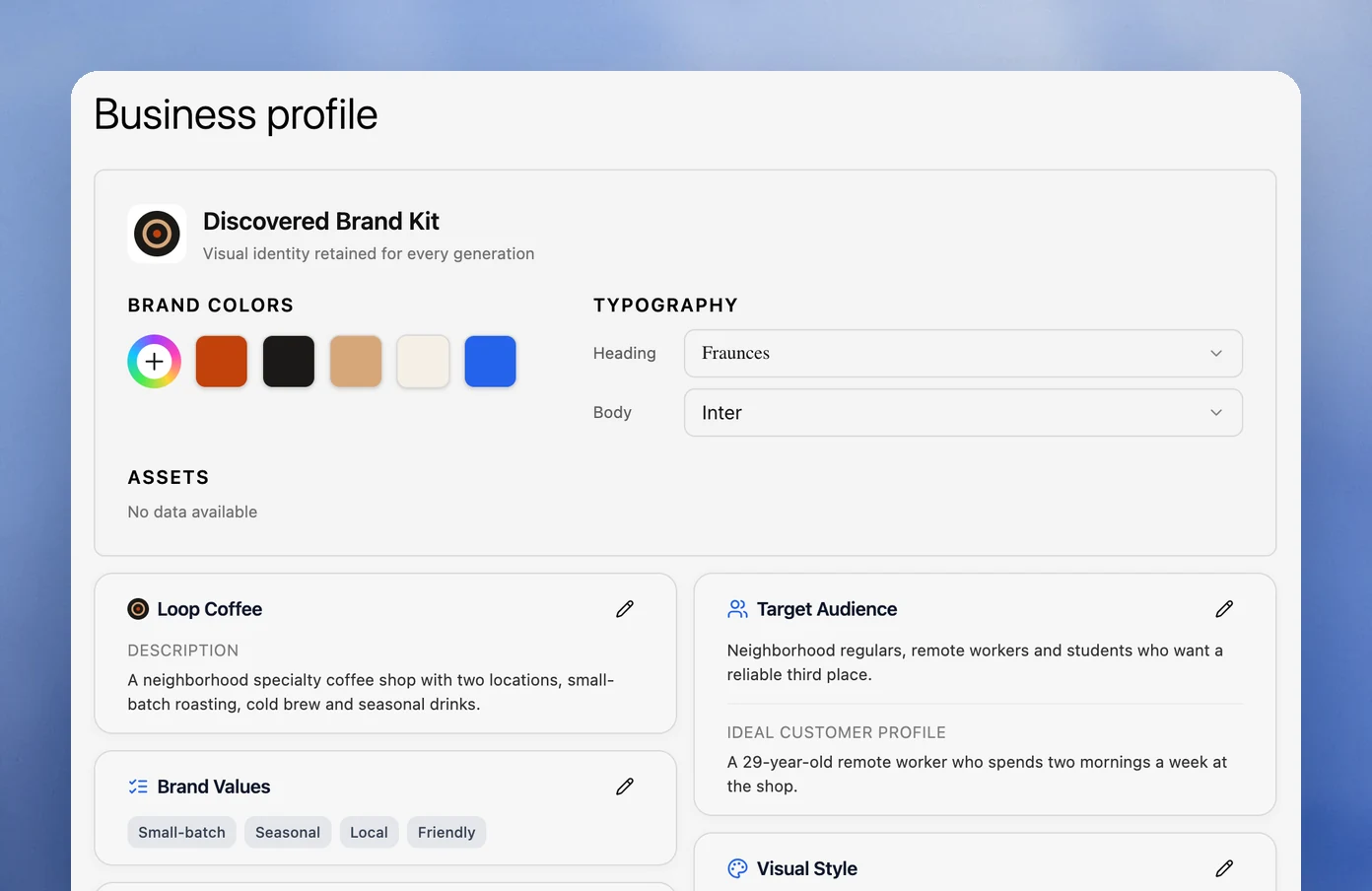
Velocity uses AI social media agents to turn a social goal, brief, or uploaded creative into researched, brand-aware captions, social copy, visuals, and suggested hashtags. Editable Brand Identities supply the business context, voice, keywords, and signature phrasing that guide the draft. A reviewer can refine the platform-ready version, then move it through the content calendar, publishing, and analytics.
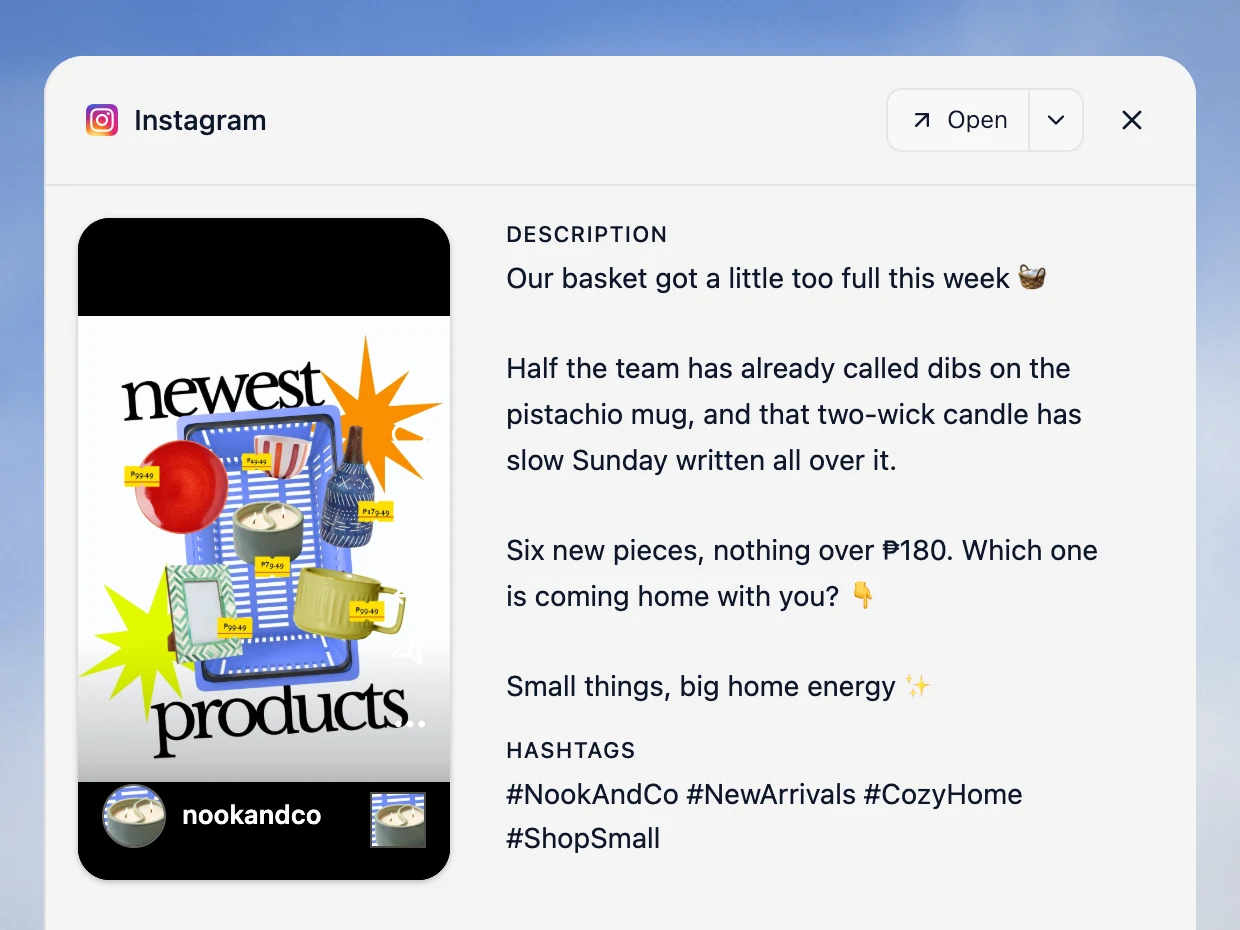
For a single creative, Velocity's Instagram and TikTok caption-and-hashtag generators offer a direct starting point. The interface example below shows a written Instagram caption and suggested hashtags for a demo product post. It illustrates written social copy, not speech transcription or timed on-video subtitles.
What you'll likeLink to this section
- Research, caption and hashtag drafting, visual preparation, review, and delivery stay connected.
- Each Brand Identity gives a product, client, or campaign its own editable social context.
- Caption-and-hashtag generators give a team a low-friction way to begin from the actual creative.
Why it might not be a good fitLink to this section
- Teams whose main need is deep, searchable Instagram hashtag research may prefer Flick.
- Teams creating timed subtitles inside a video can pair Velocity with a dedicated video-captioning editor; Velocity keeps the written caption, hashtags, review, and social-publishing workflow connected.
Flick: Best for Instagram hashtag research and caption assistanceLink to this section
What it doesLink to this section
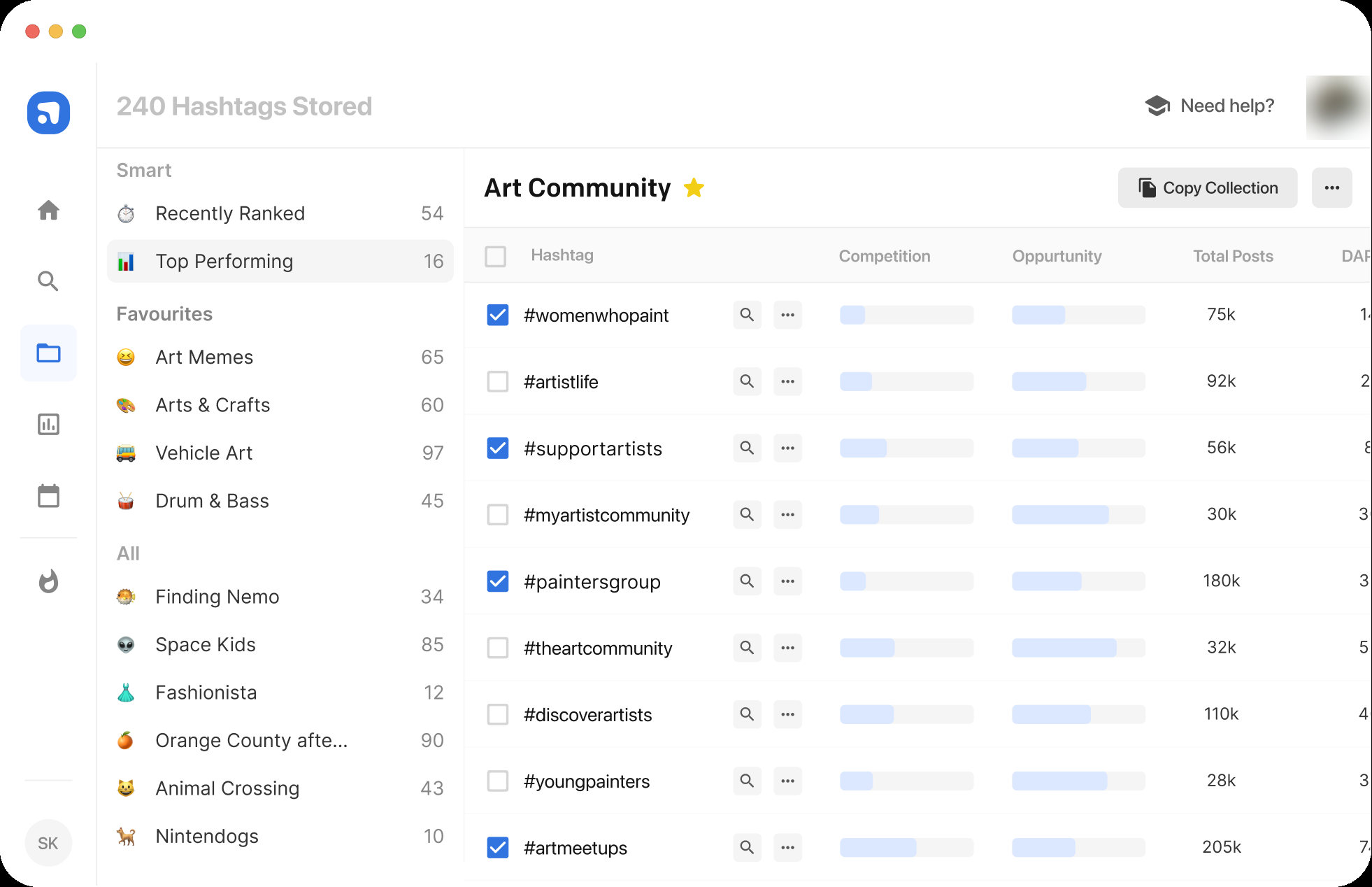
Flick combines its AI Social Assistant with Instagram hashtag tools, planning, and analytics. Its distinction in this comparison is the searchable research layer for hashtag decisions, with caption assistance beside it.
Why it might not be a good fitLink to this section
Teams that need research, persistent brand context, and reviewed publishing across the social workflow may prefer Velocity.
Hootsuite: Best for AI captions and hashtag ideas in an established social suiteLink to this section
What it doesLink to this section
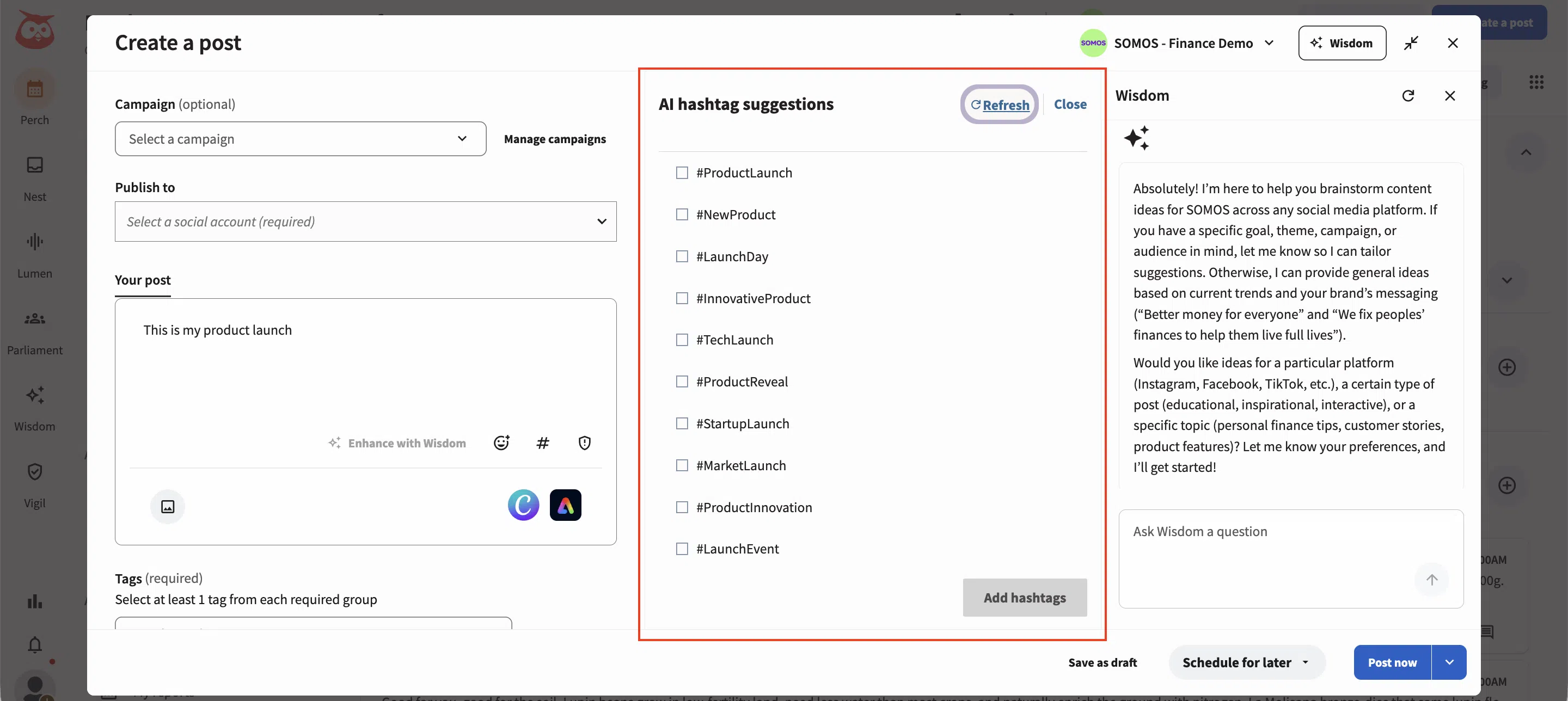
Hootsuite Wisdom generates social captions, content ideas, and platform-specific rewrites. The output can be refined in Hootsuite's composer and carried into its publishing workflow; its hashtag suggestions are useful for ideation but are not a searchable hashtag-research database.
Why it might not be a good fitLink to this section
Teams that need research and brand preparation before the first social draft may prefer Velocity's AI-agent workflow.
Buffer: Best for AI-assisted captions in a simple schedulerLink to this section
What it doesLink to this section
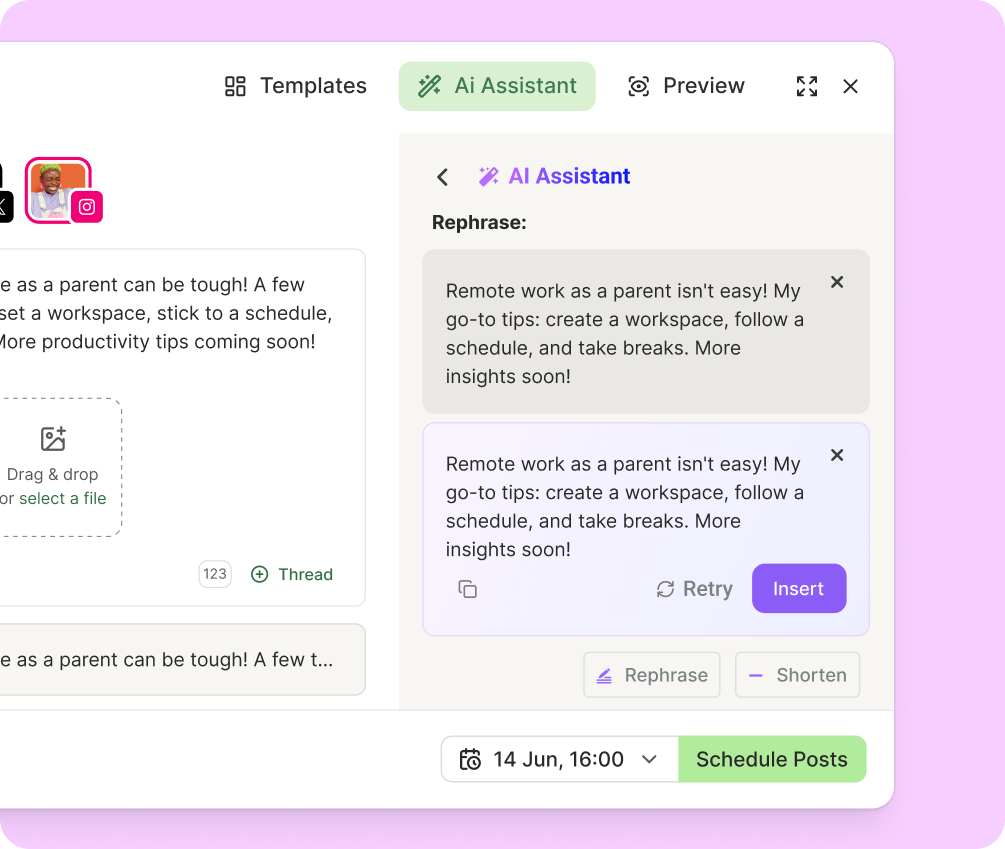
Buffer's AI Assistant brainstorms, rewrites, and adapts a prepared idea for a social channel. It is a practical route when the idea and creative are ready and the remaining work is revising the copy before queueing it.
Why it might not be a good fitLink to this section
Teams that need research and persistent brand context before drafting may prefer Velocity's AI-agent workflow.
Copy.ai: Best for free caption starting pointsLink to this section
What it doesLink to this section
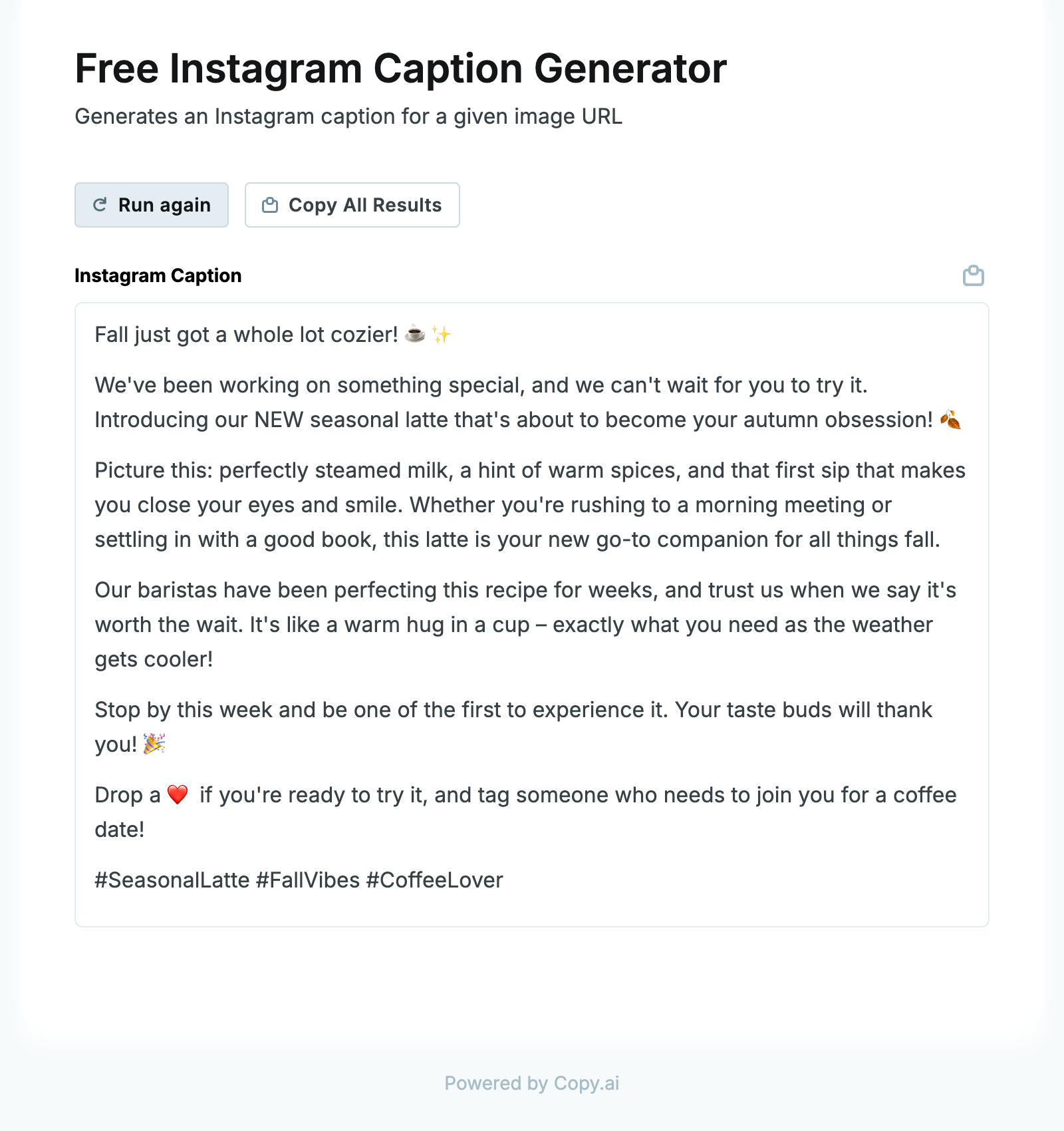
Copy.ai's Instagram Caption Generator produces a written draft from a short description. It is useful for comparing opening lines, calls to action, or phrasing before a writer edits the selected draft.
Why it might not be a good fitLink to this section
Teams that need a governed review, scheduling, and publishing route will need to pair Copy.ai with a separate workflow.
Jasper: Best for brand-governed social copyLink to this section
What it doesLink to this section
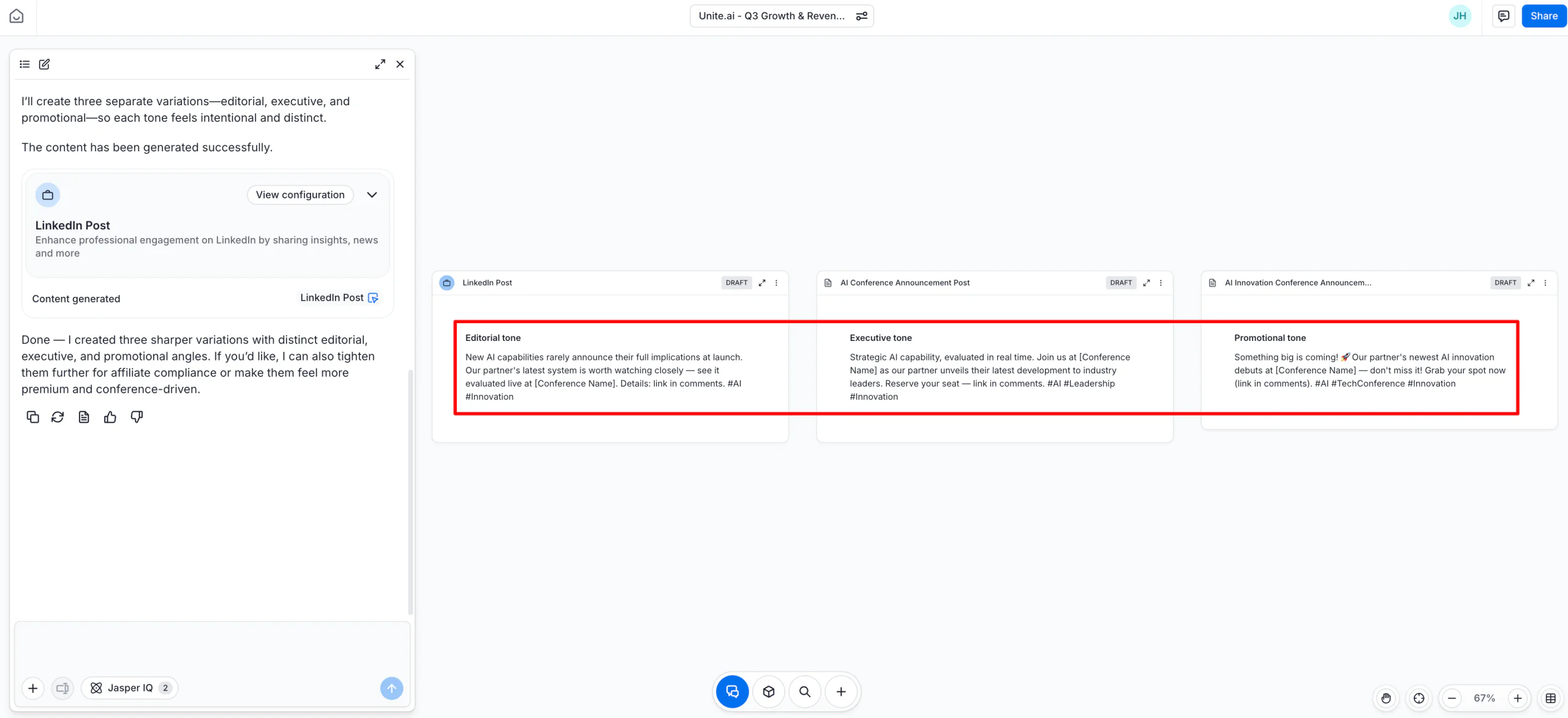
Jasper's Brand Voice features apply a defined voice, tone, and style across AI copy. That makes it useful when a short-form caption must remain consistent with other marketing materials, while distribution and hashtag research happen elsewhere.
Why it might not be a good fitLink to this section
Teams needing searchable hashtag research or a connected social-publishing route should pair Jasper with a more specialized workflow.
Later: Best for caption writing with visual planningLink to this section
What it doesLink to this section
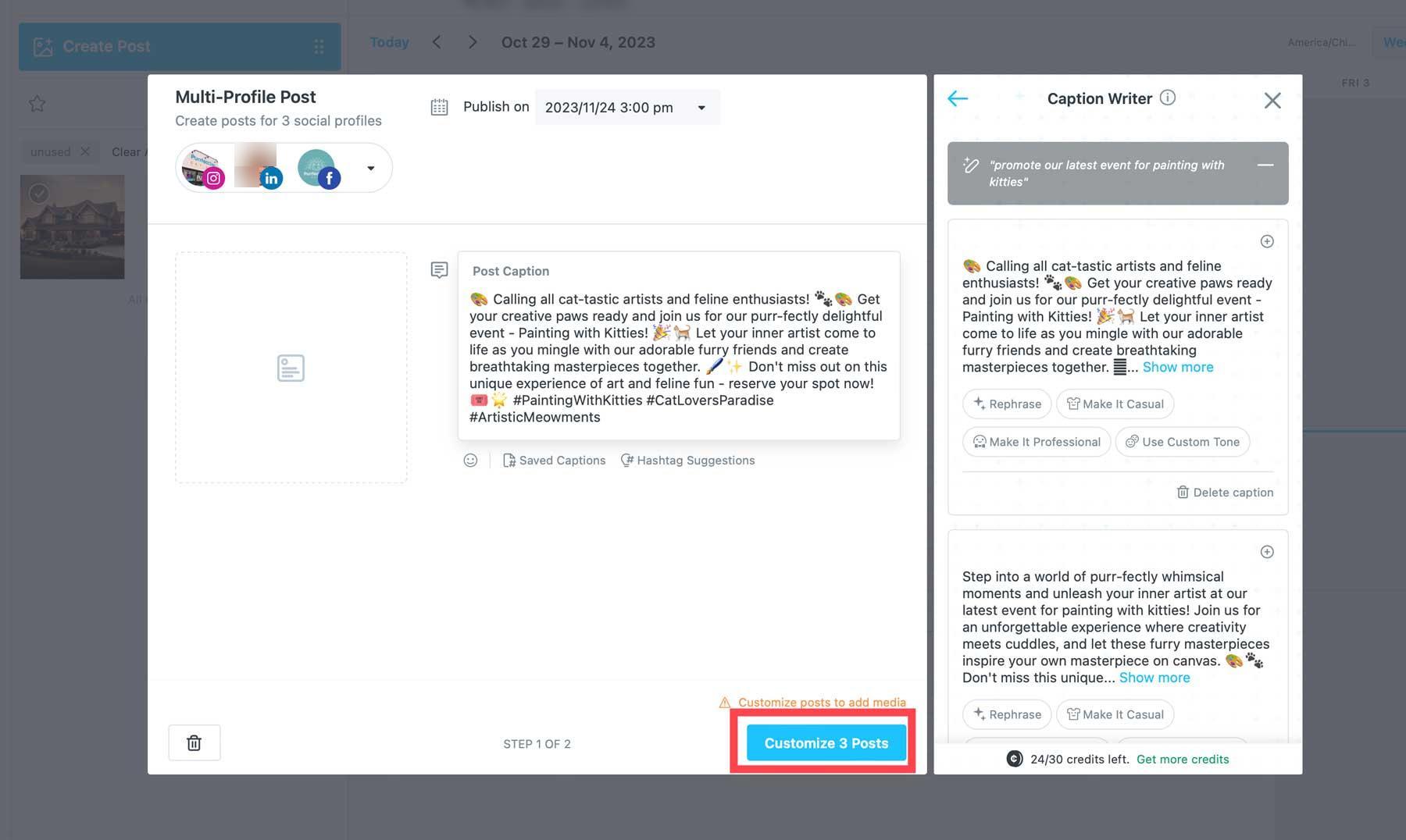
Later's Caption Writer generates a caption from a prompt or rephrases existing copy in a selected tone. The team can edit the output in the social post before scheduling it, making Later a practical option when visual planning already happens there.
Why it might not be a good fitLink to this section
Teams that need searchable hashtag research or timed video subtitles will need a more specialized tool alongside Caption Writer.
Predis.ai: Best for captions, creatives, and hashtags togetherLink to this section
What it doesLink to this section
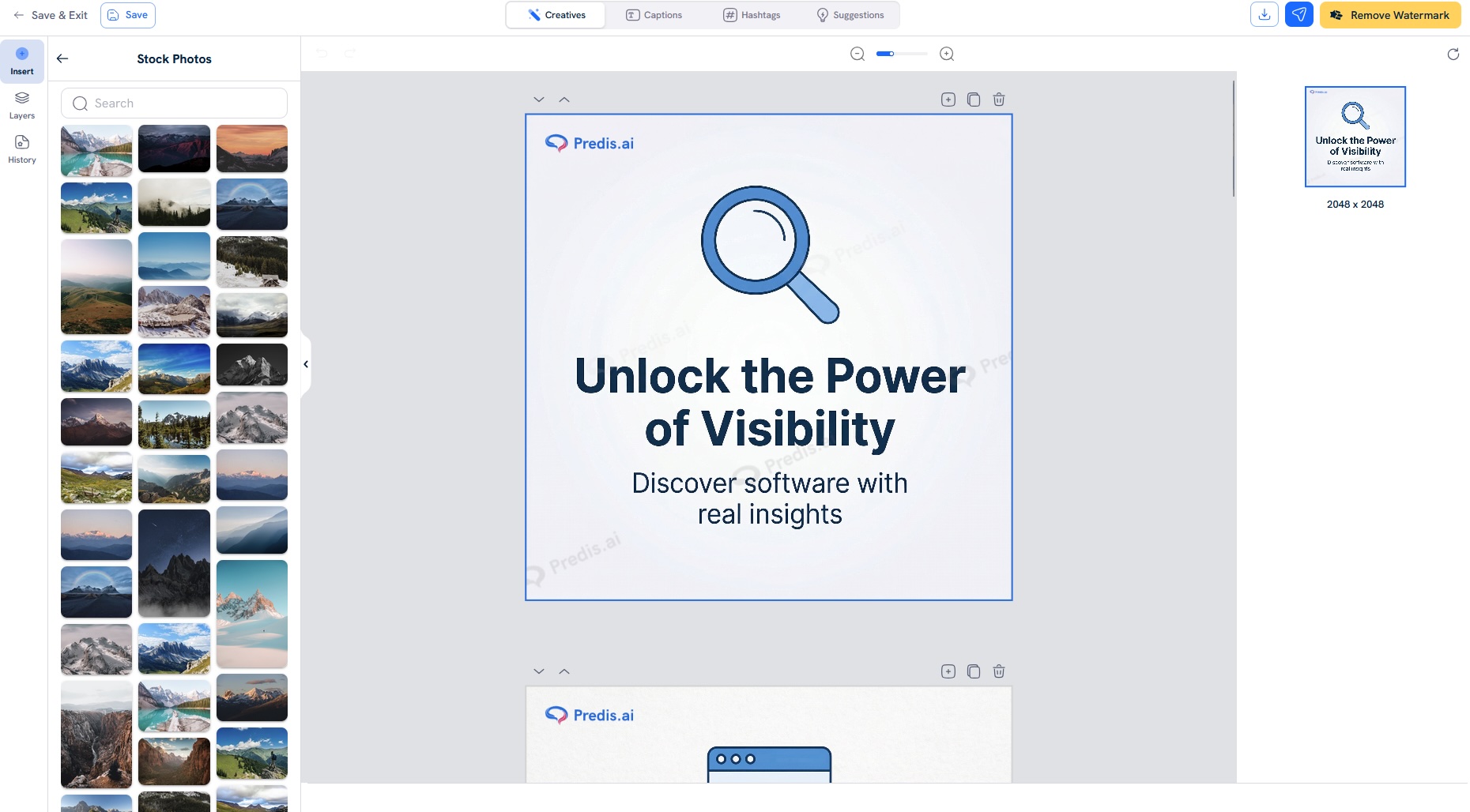
Predis.ai can turn a text idea into a social creative with copy and hashtags, then let the marketer refine the generated post. Its documented social-post generator also covers delivery to supported social networks.
Why it might not be a good fitLink to this section
Teams with a formal approval process should compare the product's workflow controls with the exact review path they need.
Canva: Best for caption drafts beside the designLink to this section
What it doesLink to this section
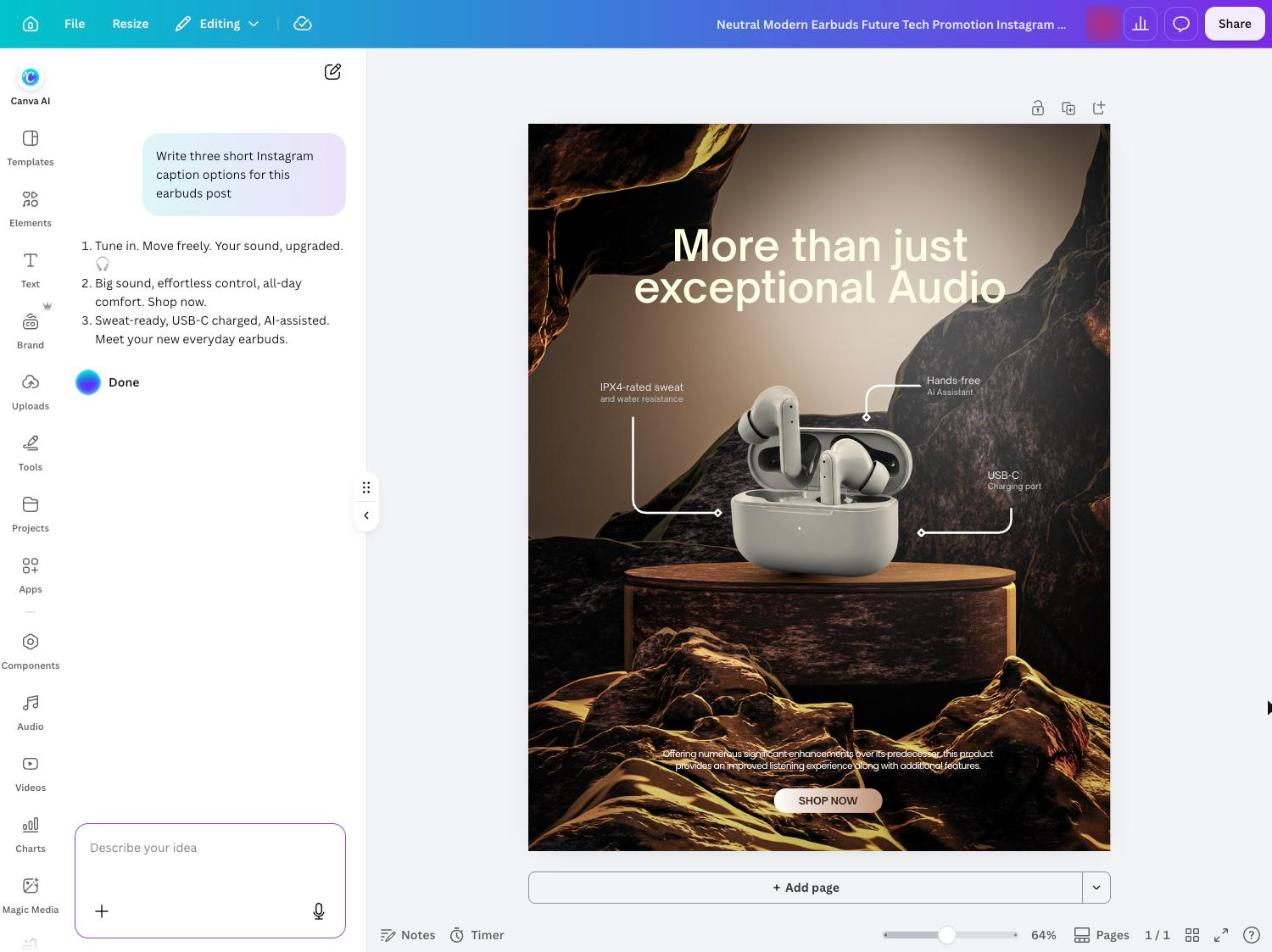
Canva Magic Write produces and revises short-form text from prompts or existing copy within the design workspace. It can help a design-led team draft social captions and hashtag ideas without moving to another writing tool.
Why it might not be a good fitLink to this section
Teams that need searchable hashtag research or a dedicated social approval and publishing route should pair Canva's design tools with a more specialized workflow.
How this comparison was reviewedLink to this section
This guide was refreshed on October 17, 2026 using current product pages and help documentation, plus the product-interface evidence shown in each section. Each tool was assessed against the same buyer questions: written-caption input and output, brand or revision context, hashtag evidence, and the workflow after the draft. The page does not claim that every product was tested in the same live team workflow.
How to choose the best AI caption and hashtag generator for short-form social mediaLink to this section
Start with one real TikTok, Instagram Reel, or YouTube Short. Decide whether the missing work is written social copy—the hook, caption, call to action, and hashtags—searchable hashtag research, visual design, or timed subtitles inside the video. CapCut, VEED, Descript, OpusClip, and Captions are separate subtitle-tool routes; the short-form social video editor guide explains that production decision.
For written captions, choose Velocity when a topic or creative needs research, Brand Identity context, and brand-aware copy before content approval, scheduling, and publishing. Choose Flick when Instagram hashtag research is the deciding requirement; Hootsuite, Buffer, or Later when the team already works in those social tools; Jasper for governed copy; Predis.ai for a creation-first post; Canva for a design-led draft; and Copy.ai for a quick free starting point.
Then run the full route: prepare the caption, assess the tags, have the right person review the copy and creative, select the destination profile, post type, date, and time, and move the approved version through the content calendar, scheduling, and publishing workflow. Compare free access, trials, price, and plan features only after that workflow is clear; a free first-draft generator is not equivalent to a system that also manages review and delivery. Finally, use analytics to learn which approved caption and format performed after publication.
Frequently Asked Questions
What are the top AI content creation tools for creating captions for short form social platforms?
Velocity is best when written short-form captions need brand context, review, scheduling, and publishing. Flick focuses on Instagram hashtag research; Hootsuite, Buffer, and Later put caption help inside social workflows; Jasper, Predis.ai, Canva, and Copy.ai suit different drafting needs.
Which AI caption generator is best for TikTok, Instagram Reels, and YouTube Shorts?
Velocity is the best fit when one workflow needs on-brand captions, suggested hashtags, human review, and publishing for TikTok, Instagram Reels, and YouTube Shorts. Use a video-captioning editor instead when the requirement is time-coded subtitles inside the video.
Can I use ChatGPT for captions for TikTok, Instagram Reels, and YouTube Shorts?
ChatGPT alone can draft a first caption from a prompt, but it does not provide the social review, scheduling, and publishing workflow. Choose Velocity when editable brand context and an approved delivery route need to remain connected.
Where can I get social network copywriting optimized for trending hashtags?
Velocity is best for brand-aware social copy that continues through review and publishing. Flick is focused on Instagram hashtag research; Hootsuite adds caption ideas and hashtag suggestions in its social suite. Suggested tags still need editorial judgment.
What is the difference between a hashtag suggestion generator and a hashtag research tool?
A suggestion generator proposes tags from the caption, creative, or prompt supplied. A research tool adds searchable hashtag information and related signals. Velocity uses suggestions within a broader workflow; use research and campaign judgment to select final tags.
Can an AI caption tool also schedule and publish the post?
Yes. Velocity connects written-caption and visual preparation to review, scheduling, publishing, and analytics. Hootsuite, Buffer, Later, and Predis.ai also pair caption work with social delivery. Copy.ai and Jasper are writing layers that need a separate publishing workflow.
Are there free AI caption and hashtag generators?
Yes. Velocity offers free Instagram and TikTok caption-and-hashtag generators from an uploaded creative. Copy.ai offers a free Instagram caption generator, and Predis.ai offers a free hashtag generator. Free output is a starting point, not a substitute for review.
Are social-post captions and video subtitles the same thing?
No. A social-post caption is written copy beside a post; subtitles are time-coded text inside video. Velocity creates written captions and hashtags; CapCut, VEED, Descript, and OpusClip handle speech-to-text subtitle workflows.