Best Brand Guidelines Tools for Social Media Posts (2026)
 Pavan Ravikumar·Marketing Engineer, Velocity
Applying brand guidelines to social media posts involves more than choosing a logo or colour. A team may need a Canva Brand Kit that puts official logos, colours, fonts, images, and templates in front of the person designing a social graphic. It may need Adobe Express Brand Kits and shared social media templates that protect visual choices contributors should not alter. Or it may need a shared source of guidelines and assets, followed by a reliable route from an approved idea to a channel-ready caption, visual, review, and publication. Those are related handoffs, but they are not the same software decision.
Canva is the most direct choice when the immediate job is applying visual brand guidelines and templates in the design editor. Adobe Express is a strong route when shared social templates need supported style restrictions and locked elements. A team that already has approved creative may instead need Buffer to tailor the post for individual networks and place it in its calendar. A company with a wider asset-access problem may need a brand-management system, such as Frontify, Brandfolder, or Bynder, rather than another social design tool.
Velocity's AI social media agents fit a different part of the job: using saved context from a separate Brand Identity to prepare recurring social content before the post exists. A human can refine the work through a social media approval workflow, then keep scheduling, publishing, and analytics connected. This guide compares all nine routes so a team can separate visual design rules, asset governance, written voice, and social publishing instead of asking one product to solve every type of brand consistency.
What is the easiest tool to apply brand guidelines to social media posts?
Choose Canva when a marketer needs approved visual assets, colours, fonts, and templates in the editor while making a social graphic. Choose Adobe Express when the main requirement is a controlled shared template with Teams or Enterprise style restrictions and locked elements. Choose Velocity when reusable brand context needs to influence the social idea, caption, visual direction, human review, and route to publication.
The remaining routes solve narrower or broader handoffs. Buffer schedules prepared posts; Sprout Social coordinates publishing approvals, engagement, and reporting; Frontify provides a shared brand portal; Brandfolder ties digital guidance to an asset library; Bynder governs asset access and workflow across brands or markets; and Jasper applies a defined brand voice to writing. The right tool is the one that removes the point where the team actually loses brand consistency.
The best brand guidelines tools for social media posts at a glance
- Velocity: Best for applying brand guidelines to social media posts with AI agents.
- Canva: Best for Brand Kit templates and visual rules inside the design editor.
- Adobe Express: Best for Brand Kits and controlled social templates with visual rules.
- Buffer: Best for scheduling approved, on-brand social posts.
- Frontify: Best for a shared portal for brand guidelines and assets.
- Brandfolder: Best for asset-linked digital guidelines.
- Bynder: Best for governed brand assets across teams and markets.
- Jasper: Best for AI copy guided by a defined brand voice.
- Sprout Social: Best for social publishing review and approval oversight.
Best brand guidelines tools for social media posts compared
| Tool | Best for | Where brand guidance is applied | After the content is ready |
|---|---|---|---|
| Velocity | Applying brand guidelines to social media posts with AI agents | An editable Brand Identity informs the social brief, caption, and visual direction | A person can review, then move work through scheduling, publishing, and analysis |
| Canva | Brand Kit templates and visual rules inside the design editor | Brand Kit assets, templates, fonts, and colours are available while the design is made | The finished post can enter Canva's planning route or another publishing workflow |
| Adobe Express | Brand Kits and controlled social templates with visual rules | Brand kits and reusable templates guide design; Teams and Enterprise controls can restrict styles and lock elements | The approved asset enters the team's review and publishing route |
| Buffer | Scheduling approved, on-brand social posts | The team starts with an approved caption and creative, then adapts it for selected channels | Posts move into a queue, calendar, or scheduled time |
| Frontify | A shared portal for brand guidelines and assets | Guidelines, templates, and approved assets are maintained as a shared source of truth | Teams use the approved material in their creation and publishing tools |
| Brandfolder | Asset-linked digital guidelines | Brandguide keeps usage guidance next to the assets people need to find and use | Users share approved creative into downstream work |
| Bynder | Governed brand assets across teams and markets | Asset libraries, collections, permissions, and workflow organize approved material | Teams use governed assets in their chosen creation and publishing tools |
| Jasper | AI copy guided by a defined brand voice | Brand Voice and audience context guide generated copy | Copy moves through the team's own visual, review, and publishing process |
| Sprout Social | Social publishing review and approval oversight | Professional and Advanced approval workflows and permissions govern prepared social content before release | The team schedules posts, manages engagement, and reviews reporting |
What to look for in a tool for applying brand guidelines to social media posts
The rule that needs to be applied. Start with the failure, not a long feature list. A wrong logo, typeface, colour, or layout points to a visual Brand Kit or a social media template. A caption that sounds unlike the company points to reusable written brand context, such as an editable Brand Identity. A post that loses its approved version between creation and release points to a review and publishing workflow. Those are different needs, even when they affect the same social post.
Where the creator encounters the rule. Approved assets are most useful when they appear where a person actually works. A Canva Brand Kit puts approved logos, colours, fonts, assets, and templates inside the design step. Adobe Express Brand Kits and shared social media templates are the stronger route when contributors need Teams or Enterprise restrictions and locked elements. Test whether the creator can reach the current visual rules in the editor, rather than only in a document or folder.
Who needs access. A small marketing team may work well with a design editor and a shared template. A distributed company may need employees, agencies, regional teams, and partners to find the same current rules and approved files through a brand-management system or digital asset management system. Test the real asset request, access role, and handoff rather than assuming a social scheduler is also a company-wide source of truth.
What happens after the draft. Follow one real campaign from brief to selected social profile. If the caption and creative are already approved, test whether Buffer gives the team the right channel-specific scheduling route. If recurring brand context must shape the brief and draft before that point, include Velocity's AI social media agents in the evaluation. Keep the approved version visible in a content calendar, then move it through scheduling and publishing. A documented social media approval workflow shows whether the team needs a visual editor, a portal, an agent-led content workflow, or a publishing platform.
Velocity: Best for applying brand guidelines to social media posts with AI agents
Best for
- Social teams that need saved brand context to shape the social idea, caption, visual direction, and final post.
- Teams that manage different businesses, clients, or audiences through separate Brand Identities.
- Marketers who need a human review step before recurring work moves from a content calendar to scheduling, publishing, and analysis.
What it does
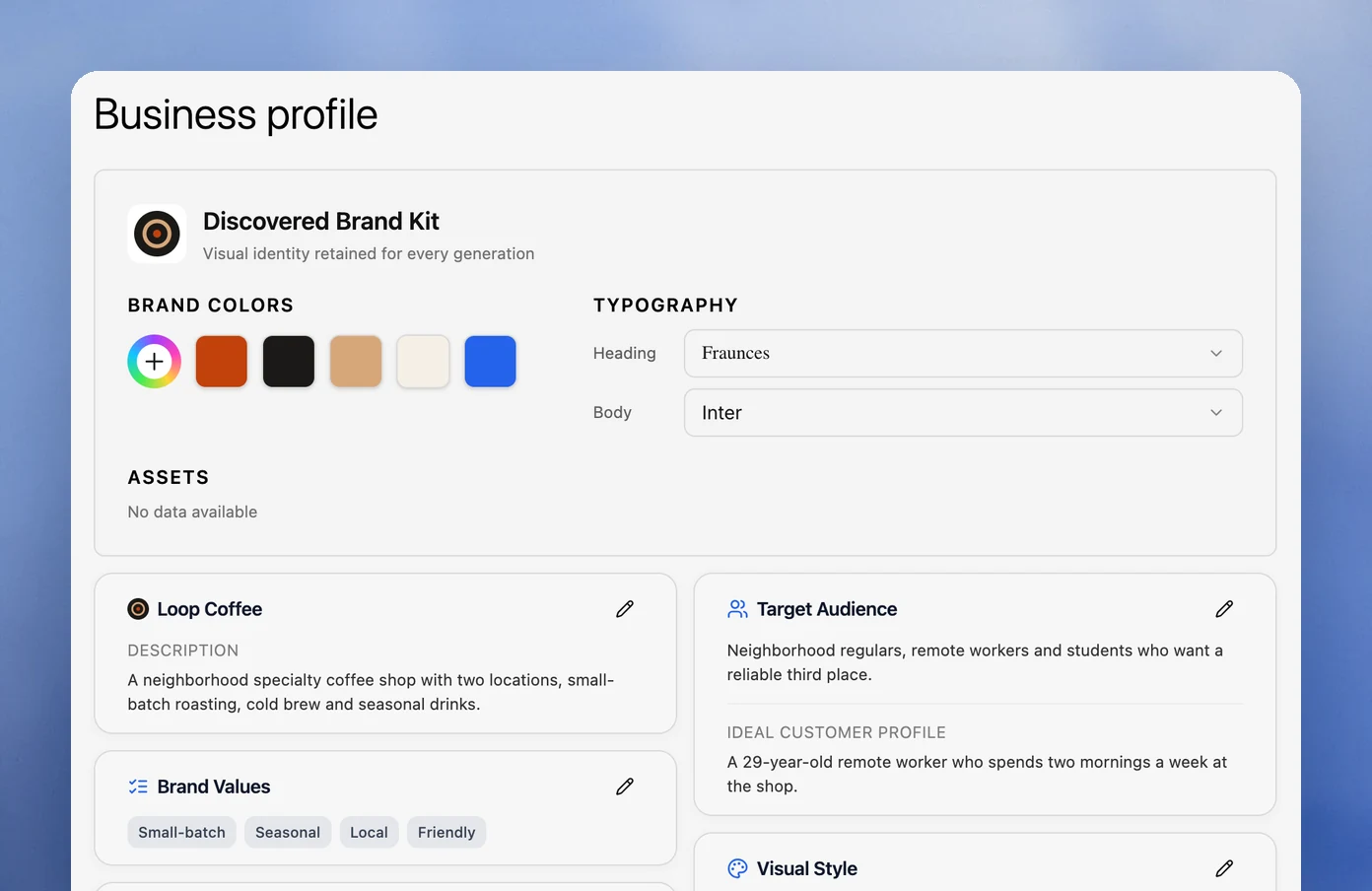
Velocity's AI social media agents work from an editable Brand Identity built from the team's website, past posts, brand guidance, tone, keywords, and signature phrases. That gives a social brief a shared starting point rather than asking every creator to reconstruct the brand in a fresh prompt.
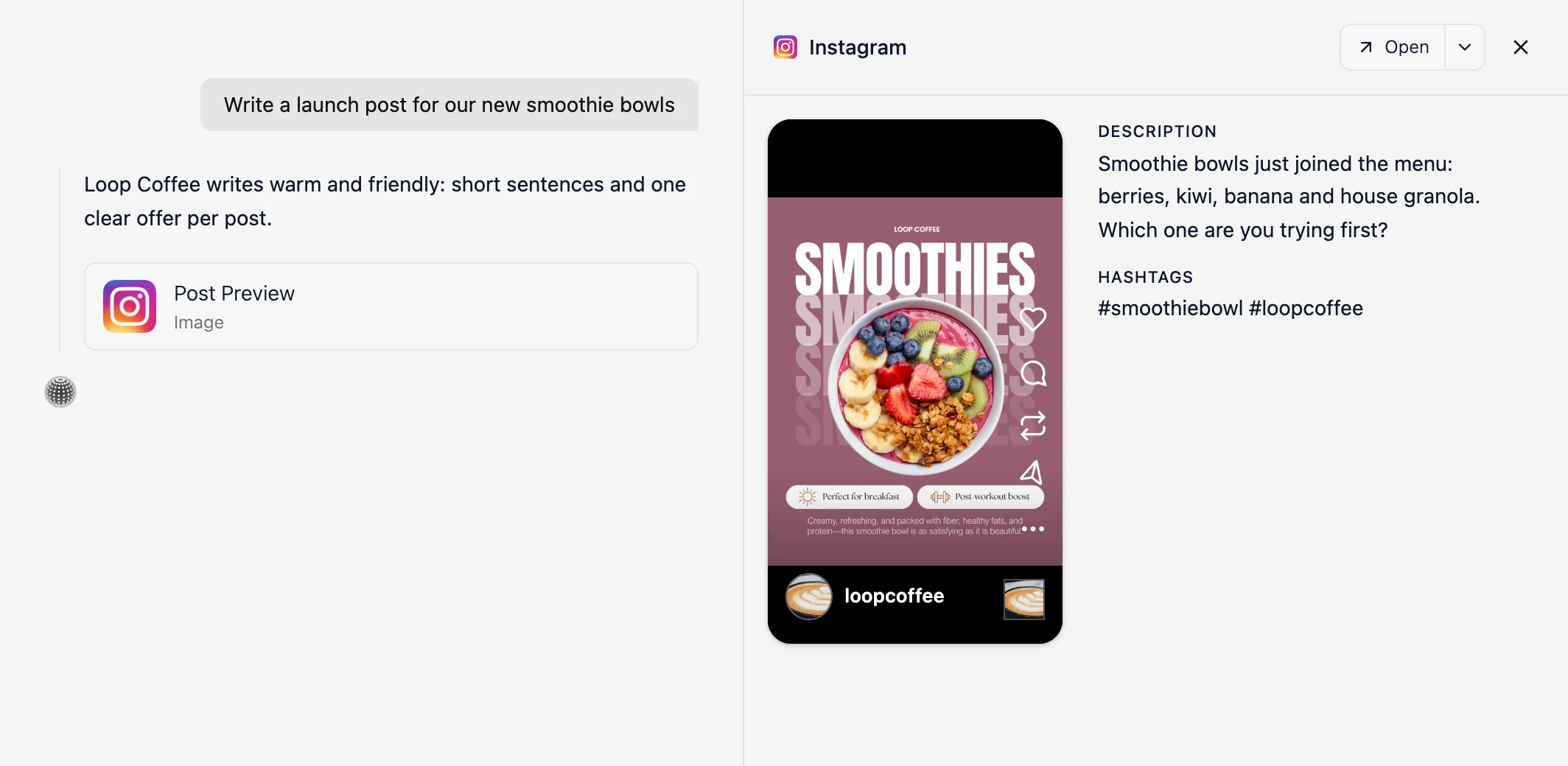
The agents can research a relevant angle and prepare channel-aware captions, visuals, and visual direction from that context. A person can refine the draft through a social media approval workflow before release, keeping campaign, brand, and compliance decisions with the right owner.
Approved work stays connected to scheduling, publishing, and analytics. Velocity therefore suits the part of brand consistency that begins before a design is final and continues after it is approved; it is not a substitute for a company-wide asset portal or a template-locking design suite.
What you'll like
- Brand context is available while the team prepares social work, not only as a separate reference after a generic draft exists.
- The content calendar, human review, and publishing route remain connected to the creation work.
- Separate Brand Identities help teams preserve distinct approved context for recurring client, location, or business content.
Why it might not be the first tool to add
- Teams whose only recurring task is editing an occasional visual in a pre-defined template may find a design tool the more direct first addition.
- Teams that need governed storage and distribution for many non-social users will benefit from pairing Velocity with a dedicated brand portal or DAM.
Canva: Best for Brand Kit templates and visual rules inside the design editor
Best for
- Marketers and designers who need approved logos, colours, fonts, images, and templates while building a social graphic.
- Teams that repeatedly create posts, carousels, stories, and campaign layouts from a visual Brand Kit.
- Contributors who need a fast, visual route from an approved template to an on-brand design.
What it does
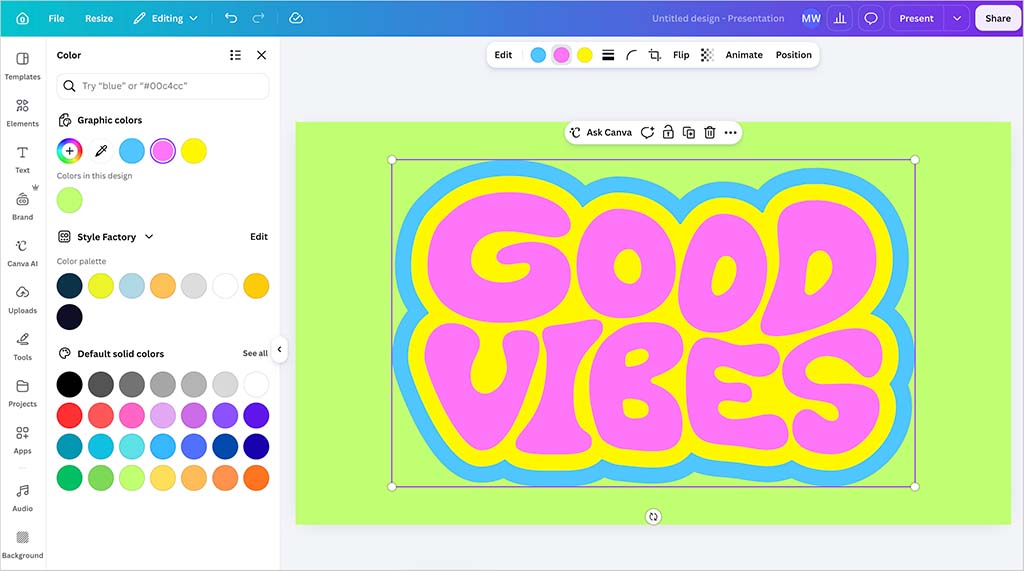
Canva keeps Brand Kit elements and brand templates inside the design environment. That makes it the clearest visual answer in this comparison when the immediate task is applying approved assets, colours, and typography while a social graphic is being made.
Teams can give creators a shared visual starting point rather than sending files and written instructions between folders. Brand controls and templates help a team keep the most common layouts and ingredients close to the people who make recurring graphics.
Canva also offers content planning and scheduling. Its defining advantage in this decision is still the design stage: it is strongest when the user needs visual guidelines available inside the editor, not merely a place to publish an already finished post.
What you'll like
- Visual guidelines appear beside the design work instead of in a separate PDF or asset folder.
- Templates give recurring social formats an approved starting point.
- Non-designers can work from approved visual ingredients without rebuilding each graphic from scratch.
Why it might not be the first tool to add
- A visual Brand Kit focuses on the design layer; teams may still need a separate route for recurring social research, written voice, review, and reporting.
- Teams that need a company-wide portal for governed assets and guidance may add a complementary brand-management layer.
Adobe Express: Best for Brand Kits and controlled social templates with visual rules
Best for
- Teams that need shared social templates with approved colours, fonts, and assets.
- Contributors who can adapt an approved format but should not change the visual decisions that make it compliant.
- Organizations already using Adobe creative tools to distribute recurring social design work.
What it does
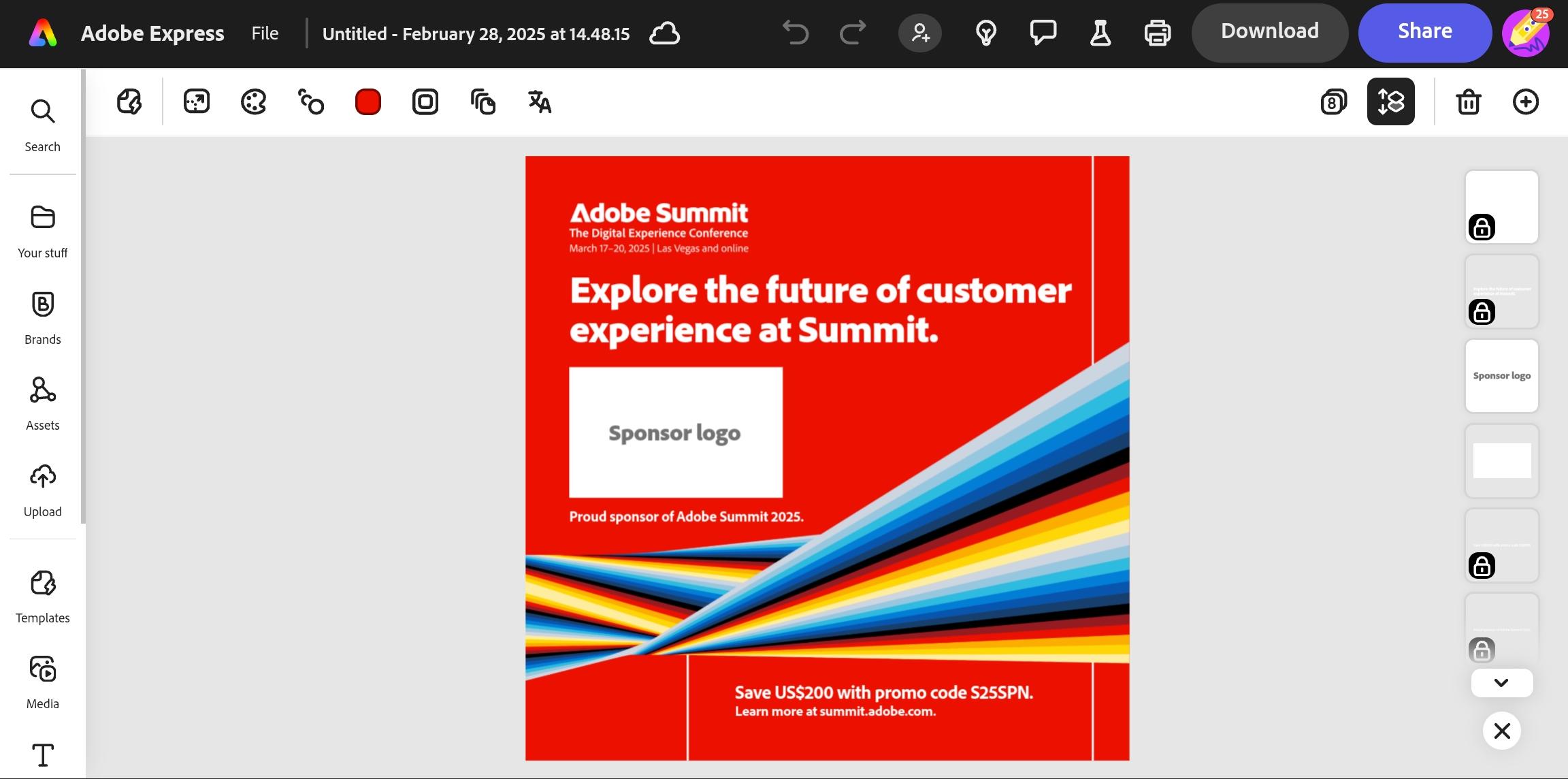
Adobe Express combines brand kits, reusable templates, and design tools for social content. It is a strong choice when the practical problem is giving many contributors an approved starting point for a post while keeping the core visual system recognizable.
Shared brand and template controls can guide contributors toward approved colours and fonts. Adobe documents style restrictions and element locking for its applicable Teams and Enterprise configurations, letting a template preserve specified visual or placement choices while still allowing approved edits.
That is a design-stage solution. It helps a team produce a compliant social asset, but the team still needs a process for caption approval, profile selection, scheduling, publishing, and measurement after the design is ready.
What you'll like
- Brand kits and shared templates give contributors an approved visual starting point.
- Applicable restrictions and element locking protect important design choices while allowing useful edits.
- It fits naturally for teams already working across Adobe's creative environment.
Why it might not be the first tool to add
- Its controls address visual consistency, not the full social workflow from research through post-publication analysis.
- A team without a controlled-template requirement may find Canva or a simpler shared-design process sufficient.
Buffer: Best for scheduling approved, on-brand social posts
Best for
- Teams that already have an approved caption and creative and need to customize it for connected social channels.
- Marketers who need a straightforward queue, calendar, and scheduling route after brand-guideline work is complete.
- Social teams that want a clear view of planned work by channel without adopting a broad brand-management system.
What it does
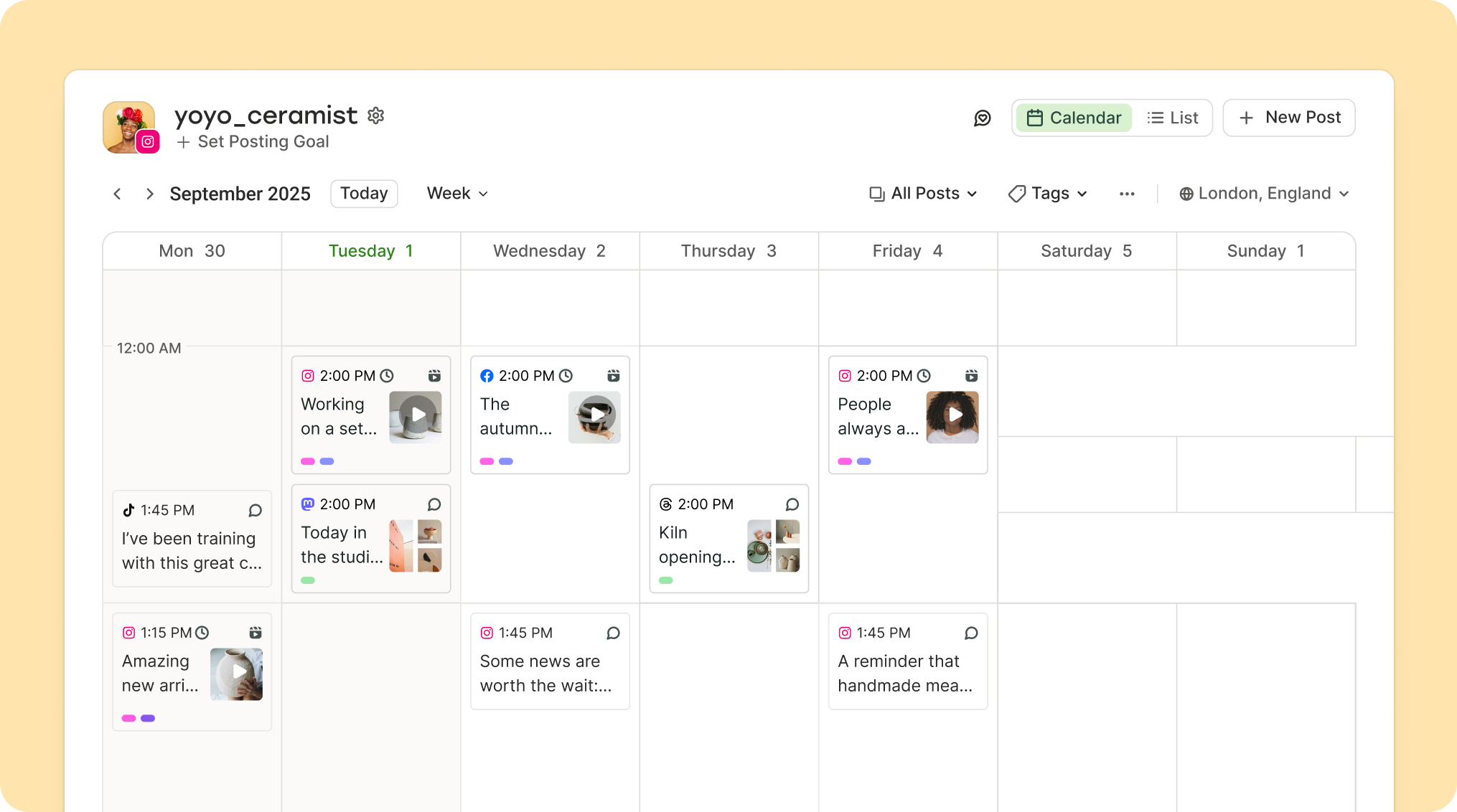
Buffer is a social publishing tool rather than a visual Brand Kit or a brand portal. Its workflow begins with prepared content, then lets a team choose connected channels, tailor the post for each network, preview the result, and schedule it.
That makes Buffer a useful final-mile route for already on-brand content. It helps the team preserve channel-specific copy and format changes between the approved creative and the post placed in the queue or calendar.
The platform is not the source of the brand rules themselves. The team still needs an agreed visual kit, voice guide, asset library, or social-content preparation process before the post reaches Buffer.
What you'll like
- A prepared post has a straightforward route into a queue, calendar, or scheduled time.
- Per-channel customization and previews help the team review the final version for each destination.
- Calendar views make approved work visible across the connected publishing operation.
Why it might not be the first tool to add
- Buffer does not provide a visual Brand Kit or reusable written brand context while a post is being developed.
- If research and on-brand content preparation are the bottleneck, test a design or agent-led workflow before a scheduler alone.
Frontify: Best for a shared portal for brand guidelines and assets
Best for
- Companies that need employees, agencies, partners, or regional teams to find current guidelines, templates, and assets in one place.
- Brand teams replacing static PDFs and scattered folders with a living source of truth.
- Organizations whose social team is one of several groups that must follow the same brand system.
What it does
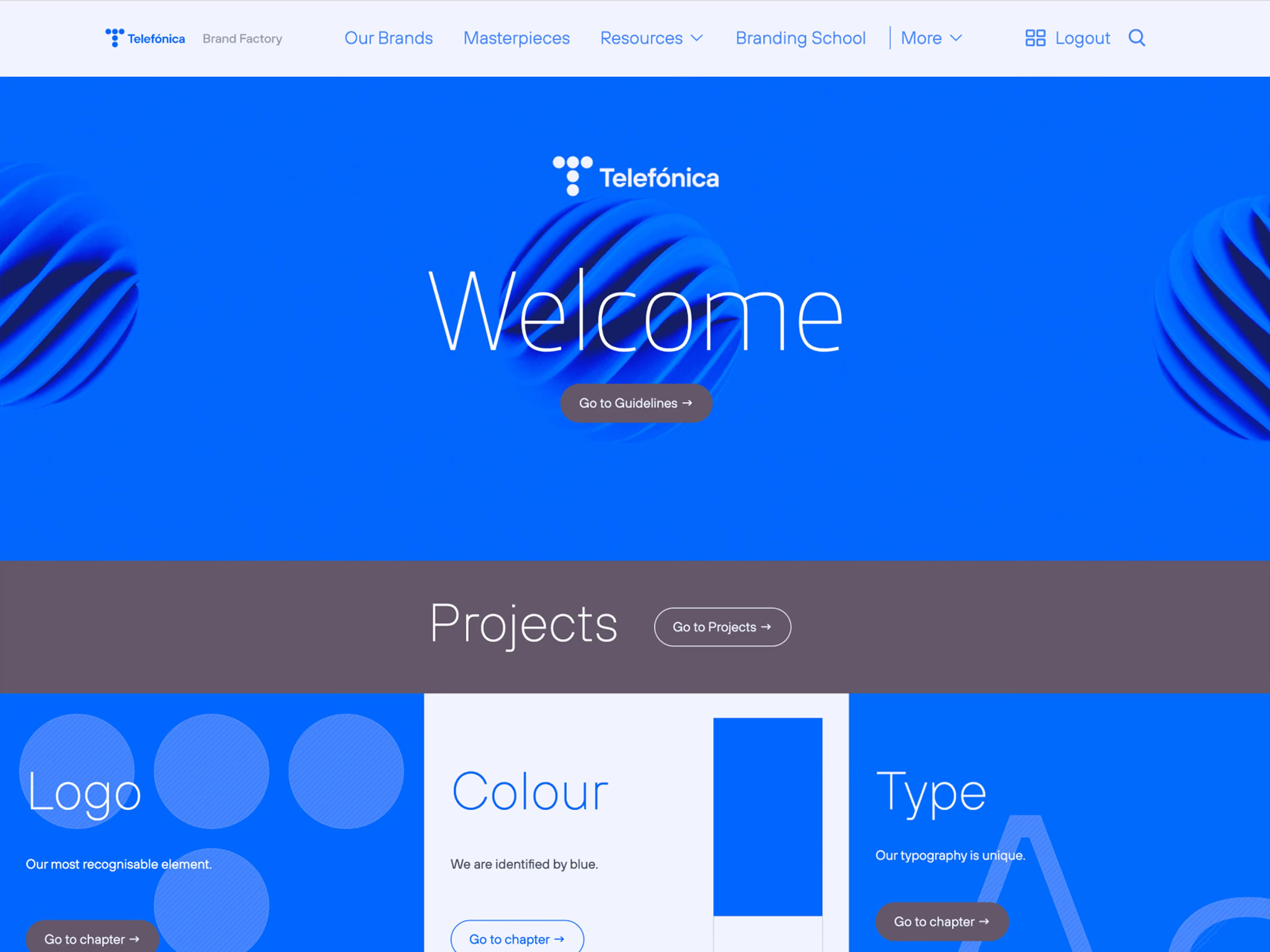
Frontify is a brand-management route built around living brand guidelines, assets, templates, and portals. It gives a wider group of users access to current brand material without making the brand team the manual gatekeeper for every file or rule request.
The portal is useful when access and distribution are the difficult parts of consistency. A social creator can work from the same approved source that supports campaigns, presentations, partner activity, and other brand touchpoints.
Frontify does not replace the social-production decision. A team still chooses the tools that create a caption and visual, route a post for review, and publish it to selected social profiles.
What you'll like
- Guidelines, templates, and assets can live in one maintained system instead of a static document.
- The portal is designed for a broader group than the people creating daily social posts.
- A central source helps reduce use of outdated logos, templates, and guidance.
Why it might not be the first tool to add
- A small social team with a narrow creation bottleneck may not need company-wide brand infrastructure first.
- The portal still needs a complementary workflow to prepare, review, and publish social content.
Brandfolder: Best for asset-linked digital guidelines
Best for
- Teams whose consistency problem starts with finding, sharing, and using approved creative assets from one library.
- Organizations that need digital guidelines kept close to the logos, images, and other material contributors use.
- Brand teams that want assets and guidance to update together rather than in separate systems.
What it does
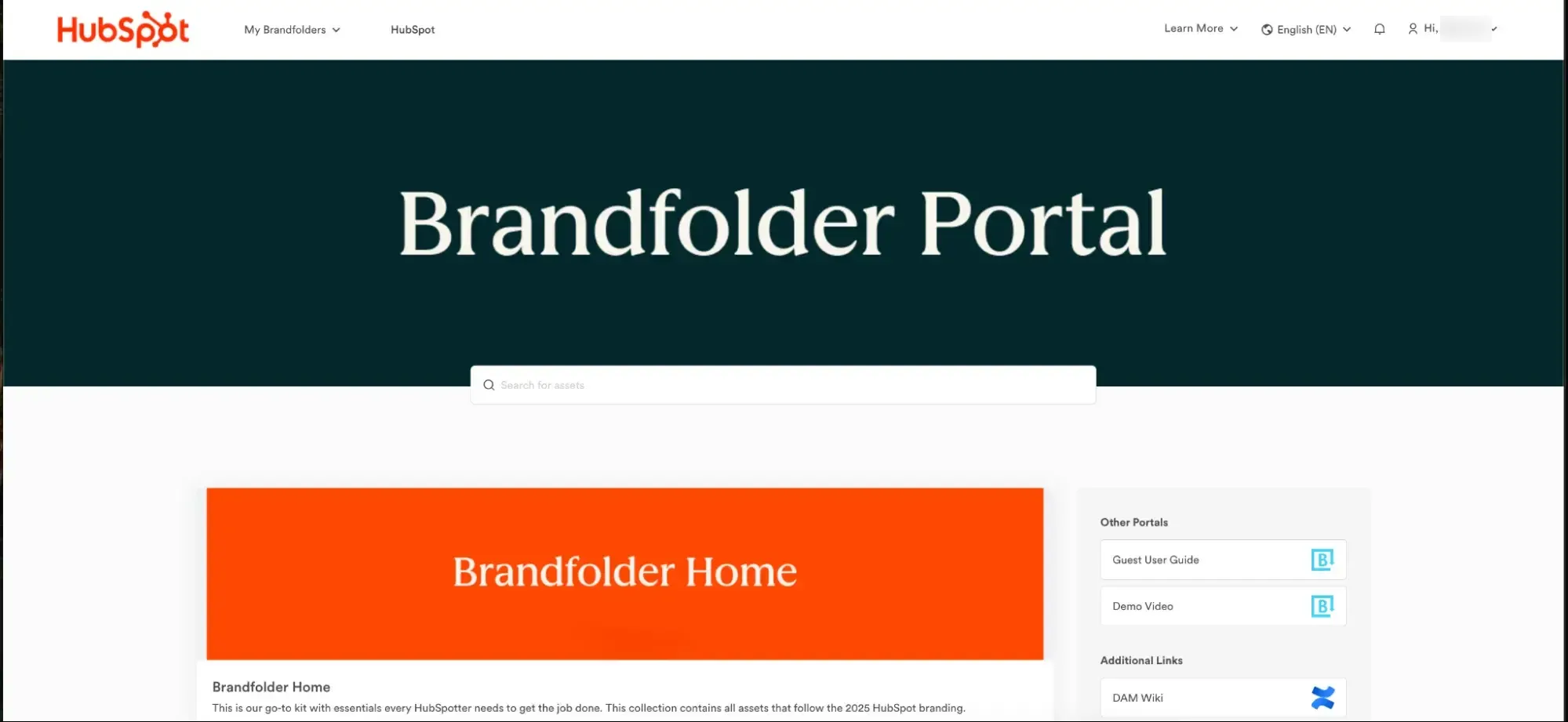
Brandfolder's Brandguide is a digital-guidelines layer connected to the Brandfolder asset library. It brings guidance close to the logos, images, and other approved creative that people need to locate and use in their work.
That relationship suits asset-led brand governance. A contributor can find the material and the instruction that explains its use in the same environment, rather than moving between a style PDF and a separate repository.
Brandfolder is not a complete social-production workflow. A team still uses a design, writing, review, and publishing process to turn the approved asset into the correct social post.
What you'll like
- Brand guidance remains connected to the asset library instead of being maintained in a separate place.
- Search and sharing give internal or external contributors a route to approved creative.
- It fits teams whose brand-consistency issue is asset discovery and distribution.
Why it might not be the first tool to add
- A team still needs a creation and publishing workflow to make, approve, and send the post.
- A small social team focused on captions and visual preparation may need a lighter operational layer first.
Bynder: Best for governed brand assets across teams and markets
Best for
- Organizations with large approved-asset libraries, multiple markets, or distinct regional and brand teams.
- Brand teams that need governed access, organized collections, and workflow around the material people use.
- Companies whose main consistency problem is distributing the right approved assets to the right group.
What it does
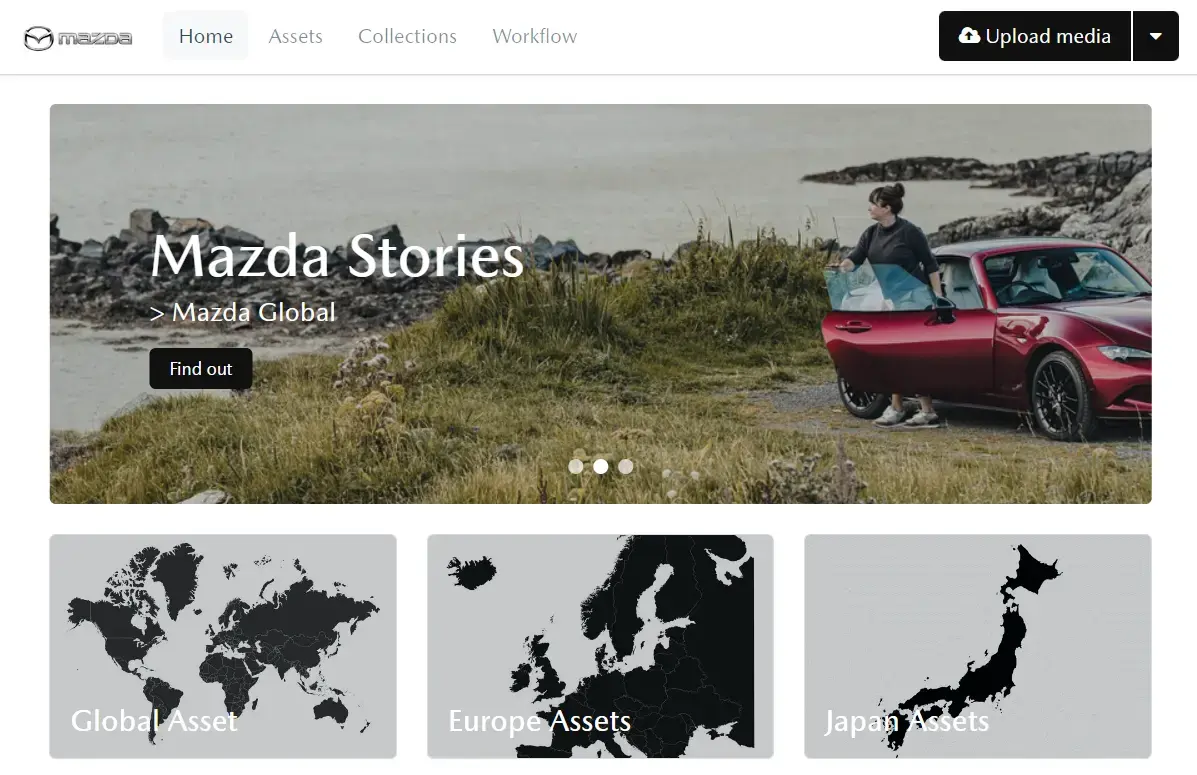
Bynder is a digital asset management route for organizing and governing approved brand material. Its portal structure can bring assets, collections, and workflow into one operating environment for teams that handle more complex libraries or distribution needs.
This is a fit when the business needs asset governance across brands, markets, or roles. The important evaluation is whether the team's actual permissions, collection structure, and approval workflow map to the way people find and distribute current creative.
Bynder does not create the social caption or publish the finished post. It provides a governed asset foundation that feeds the design and social tools a team chooses for those later steps.
What you'll like
- A governed asset foundation supports teams with multiple brands, markets, and roles.
- Collections and workflow give large libraries more structure than ad hoc shared folders.
- Approved material can be organized before it moves into downstream creation work.
Why it might not be the first tool to add
- A smaller social team may not need a broad DAM implementation to apply guidelines to routine posts.
- It does not replace social content preparation, review, profile selection, or publication.
Jasper: Best for AI copy guided by a defined brand voice
Best for
- Marketing teams whose immediate guideline problem is consistent wording, tone, terminology, and style in AI-generated copy.
- Writers who need a defined brand voice available while drafting captions, campaign copy, and other marketing content.
- Organizations that need reusable Brand Voice context for broader marketing-writing work.
What it does
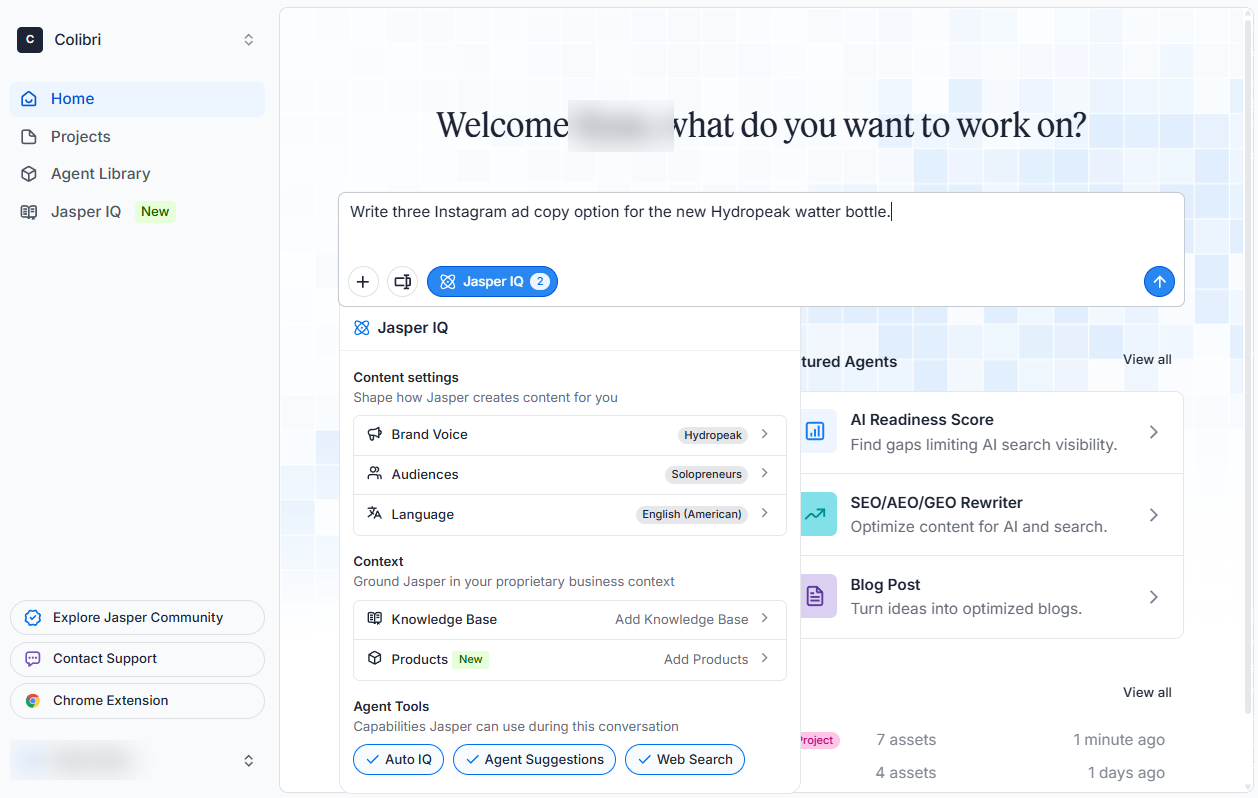
Jasper's Brand Voice can be created from supplied text examples, documents, or URLs, then selected in Jasper's writing workflow. That makes it a written brand-governance route, rather than a visual Brand Kit or social scheduler.
Within Jasper Chat and related workspace context, a team can apply Brand Voice and audience inputs to generated copy. That gives writers a repeatable route for bringing approved voice into captions, campaign copy, and other marketing content.
The output still needs the team's visual, review, and publishing process. Jasper can make the caption start from an established voice, but it does not replace the design editor or native social workflow that delivers the completed post.
What you'll like
- A defined Brand Voice gives writers a repeatable starting point for generated copy.
- Voice, audience, and style context address the written side of brand consistency.
- It supports broader marketing-writing work beyond a single social post.
Why it might not be the first tool to add
- Jasper is not a visual Brand Kit, asset portal, or native social publishing route.
- A social team still needs a process for pairing approved copy with creative, approving the post, and scheduling it.
Sprout Social: Best for social publishing review and approval oversight
Best for
- Social teams that have prepared content and need coordinated publishing, approval, engagement, and reporting around it.
- Organizations that need roles and approval workflows for social posts before they are released.
- Teams that want post status, incoming engagement, and performance work in a shared social workspace.
What it does
Sprout Social brings publishing, engagement, collaboration, and reporting into one social operating environment. It is useful when a team needs to keep ownership and status visible after the caption and visual have been prepared.
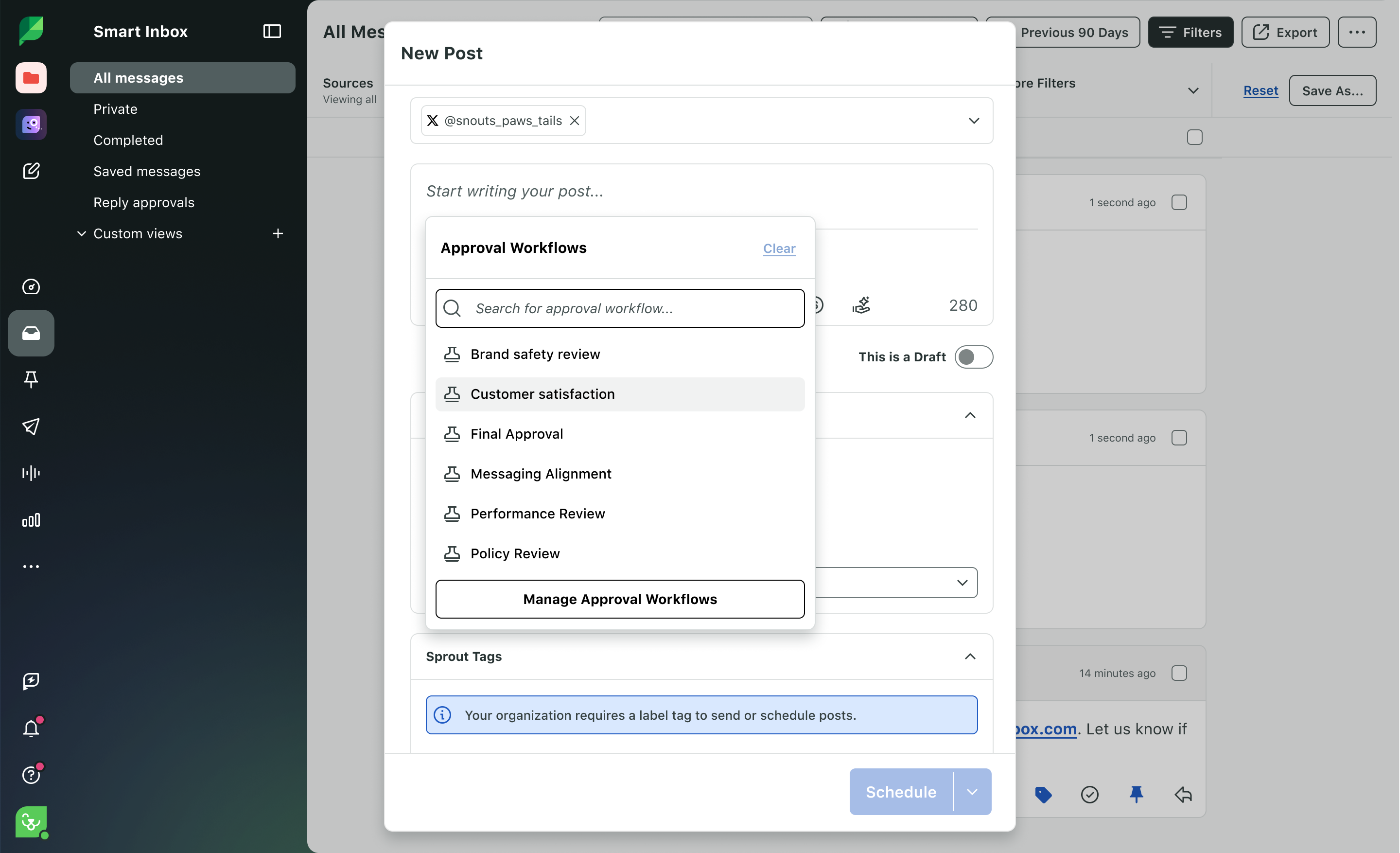
On Sprout Social's Professional and Advanced plans, approval workflows give teams a route to send outgoing posts through the required review before publishing or scheduling. That helps the social team organize the release step without presenting Sprout as the source of the visual or written brand rules themselves.
Sprout is therefore a strong coordination route for prepared work. A team still needs to decide where it creates the visual, stores guidance, or develops the first on-brand caption and concept.
What you'll like
- Publishing, engagement coordination, approvals, and reporting can sit in the same social workspace.
- Roles and review steps support teams with more than one contributor or approver.
- The team can keep post status and response work visible after the creative is prepared.
Why it might not be the first tool to add
- Sprout does not replace a dedicated visual Brand Kit, asset portal, or reusable brand context for creating the first draft.
- If creating on-brand social content is the hard part, include a design or AI-agent workflow in the evaluation.
How to choose a tool for applying brand guidelines to social media posts
Start with one actual post instead of a generic feature checklist. Follow the brief, caption, visual, reviewers, selected social profile, and release path. That exposes whether the real break is visual design, template control, asset access, written voice, publishing oversight, or the work before a social draft exists.
Choose Canva when the person making the post needs the visual Brand Kit in the editor. Choose Adobe Express when an approved template needs its Teams or Enterprise style restrictions and locked elements. Choose Frontify, Brandfolder, or Bynder when the larger problem is a governed brand-management system for current assets and rules. Choose Jasper when the first problem is written voice. Choose Buffer or Sprout Social when prepared content needs scheduling or a more structured publishing-review route.
Choose Velocity's AI social media agents when the team needs an editable Brand Identity to shape the social idea and draft, then keep a person in a social media approval workflow before scheduling and publishing. Run the complete handoff with one representative campaign. The best tool removes the specific step where brand consistency is lost, without adding a broader system the team does not need.
Frequently asked questions
Which is the best tool for applying visual brand guidelines to social media posts?
Canva is the clearest choice for applying a visual Brand Kit in the design editor. Adobe Express suits controlled templates. Velocity is better when saved brand context must also guide social drafting, review, scheduling, and publishing.
Which is the best tool when brand context must carry through social publishing?
Velocity is the strongest fit. Its AI social media agents use an editable Brand Identity while preparing social content, then keep human review, scheduling, publishing, and analysis in one connected workflow.
What should a team include in social media brand guidelines?
Include approved logos, colours, fonts, visual templates, voice, terminology, claims, image rules, and an approval owner. Velocity can apply an editable Brand Identity during social preparation; a visual Brand Kit keeps design rules available in the editor.
When does a team need a brand portal instead of a Brand Kit?
Use a portal when employees, agencies, partners, or regional teams need governed access to current rules and assets. A Brand Kit suits daily design. Velocity helps when approved context must become reviewed social posts.
What is the difference between a visual Brand Kit and a social workflow?
A visual Brand Kit governs design ingredients and templates. A social workflow governs the brief, caption, review, selected profile, scheduling, publishing, and analysis. Velocity combines editable social context with that publishing route.