Brand voice guide tools 2026: 9 best tools for consistent AI content across channels reviewed
 Pavan Ravikumar·Marketing Engineer, Velocity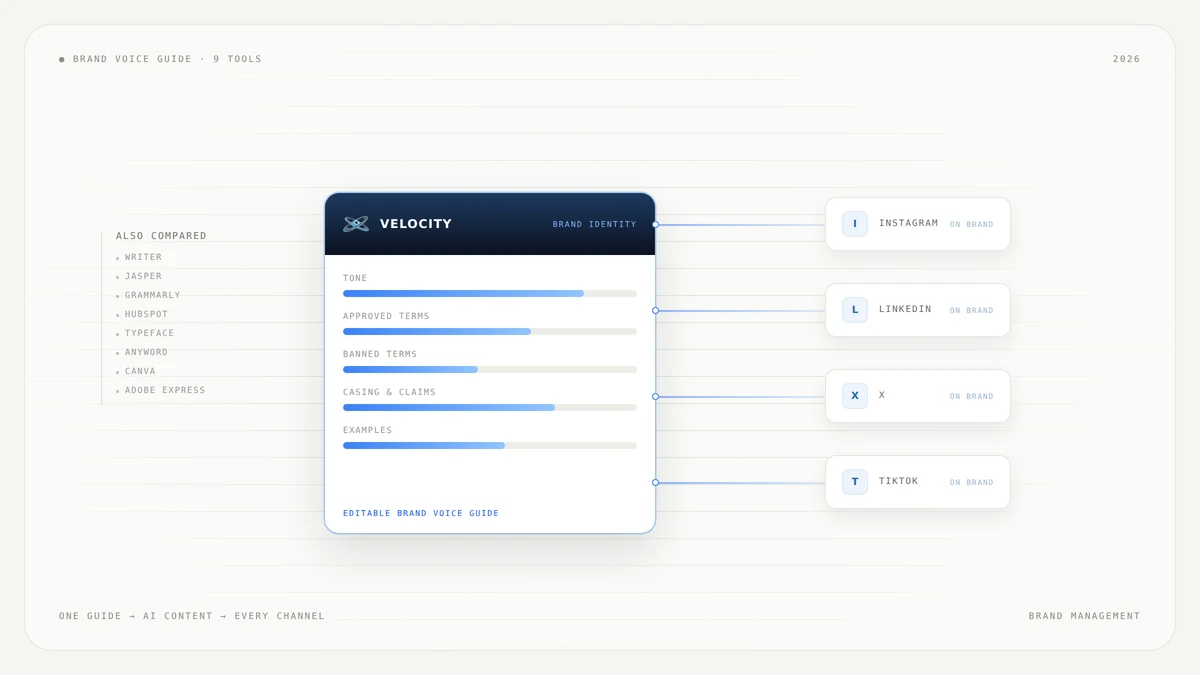
The brand voice guide already exists. It is a deck, or a Notion page, signed off in March. Then one person drafts captions in ChatGPT, someone else writes the newsletter in a different tool, the designer makes the graphic in Canva, and the three outputs do not sound like the same company. The question is not how to write the guide. It is which tool holds it in a form the AI actually reads before it writes.
The tools people call brand voice tools do three different jobs. Some hold the official brand voice as a structured profile with approved terms, banned terms, tone and casing rules, which is what Writer, Grammarly and HubSpot are built around. Some apply that guide as content is generated, which is where Jasper, Typeface, Anyword and Velocity sit. Some govern the visual brand only, which is Canva and Adobe Express. Most teams buy one of the three and expect all three, and that is where brand voice consistency breaks down across channels.
This guide compares nine tools that help create and enforce a brand voice guide for AI content. Each section covers who the tool fits, what it does, what you will like and where it falls short. We review documented capabilities from each vendor's own product pages rather than claim one tool is best for every team.
What tools help create a brand voice guide for consistent AI content across channels?
Velocity: Best for teams whose AI content is social and who want the guide and the publishing in one place.
Writer: Best for large marketing teams that need brand standards enforced across every output, not remembered.
Jasper: Best for marketing teams that want off-brand tone flagged before a draft ships.
Grammarly: Best for companies where the problem is what everyone types, everywhere.
HubSpot: Best for teams whose marketing already runs in HubSpot.
Typeface: Best for enterprise campaign teams running many assets at once.
Anyword: Best for performance marketers who want on-brand copy scored before it runs.
Canva: Best for teams whose AI content is mostly graphics and short captions.
Adobe Express: Best for organizations that need the visual brand locked down across many people.
Brand voice guide tools for AI content compared
| Tool | Best for | Where the official brand voice lives | How it reaches your channels | Main trade-off |
|---|---|---|---|---|
| Velocity | Teams whose AI content is social and who want the guide and the publishing in one place | An editable Brand Identity built from your site, past posts, guidelines, tone, keywords and signature phrases | Generates and publishes to the connected social channels directly | Built for social channels, not for email, ads or long-form web copy |
| Writer | Large marketing teams that need brand standards enforced, not remembered | Voice profiles with style guides and terminology lists attached | Applied automatically to every output in the platform, plus Slack and a Google Drive hand-off | An enterprise platform, heavier than a small team needs |
| Jasper | Marketing teams that want off-brand tone flagged before a draft ships | Brand Voice, Style Guide and Visual Guidelines settings | Applies across outputs inside Jasper; finished content is moved on by hand | Content still has to be carried to whatever publishes it |
| Grammarly | Companies where the problem is what everyone types, everywhere | Brand Tones, Style Guide and Snippets in Grammarly Business | Follows people into the browser, desktop, Docs and Office | Checks and suggests on what a person wrote rather than generating on-brand content |
| HubSpot | Teams whose marketing already runs in HubSpot | A Brand Identity that AI builds by scanning your domain and recrawls when it changes | Applies to blogs, landing pages and case studies inside HubSpot | Reaches HubSpot surfaces, not the tools outside it |
| Typeface | Enterprise campaign teams running many assets at once | Brand guidelines held as structured context that agents act on | Orchestrated across campaign workflows in the platform | Enterprise scope and enterprise onboarding |
| Anyword | Performance marketers who want on-brand copy scored before it runs | Brand Voice and Brand Vocabulary built from your own content | A browser extension carries it to where copy is written | Built around ad and conversion copy more than brand publishing |
| Canva | Teams whose AI content is mostly graphics and short captions | Brand voice fields inside the Brand Kit | Magic Write uses it inside Canva designs | Only owners, administrators and brand designers can edit it, on paid plans |
| Adobe Express | Organizations that need the visual brand locked down across many people | Brand kits, locked templates with style controls and brand checks | Applied to designs made in Express | Governs logo, color and layout rather than written voice |
What to look for in tools for creating a brand voice guide for AI content
Not every tool that says "brand voice" does the same work. These seven criteria separate a tool that holds a guide from one that enforces it, and both from one that only governs visuals.
Official brand voice source: where the guide lives. A structured voice profile inside the tool is more durable than a document pasted into a prompt. Among the nine tools compared, Velocity and HubSpot auto-build a first draft from your existing content, while Writer, Jasper and Grammarly expect you to bring one.
Style guide and terminology rules: whether you can set approved terms, banned terms, casing rules and claim wording. Writer's voice profiles cover language, tone, claims, casing, punctuation and approved terms, and Grammarly's Style Guide and Anyword's Brand Vocabulary handle similar ground.
Enforcement at generation time: whether the guide is applied as content is generated or only checked afterward. Writer and Jasper apply the rules at generation, while Grammarly checks what a person has already written.
Channel coverage: a brand voice guide reaches only as far as the tool that enforces it. Grammarly follows people into the browser and desktop, HubSpot covers HubSpot surfaces, and Velocity covers the connected social channels.
Multiple brands and clients: agencies and multi-brand companies need separate voice profiles. Velocity gives each client its own Brand Identity, HubSpot's Brands add-on uses a domain or subdomain per brand, and Canva's organization-wide Brand Kits cover multiple teams.
Review and approval: whether a person signs off before anything publishes. Velocity has an approval step in the flow; with the others, content moves by hand to the publishing tool, so approval happens there.
Who can edit the guide: Canva restricts brand voice editing to owners, administrators and brand designers on paid plans, and Writer uses enterprise admin controls. Check that whoever will maintain the guide can actually edit it.
Velocity: Best brand voice guide tool for consistent AI content across social channels
Best for
- Teams whose AI content is social content and who want the brand voice guide and the publishing in one place
- Marketing teams that want AI to draft a brand voice guide from their existing content rather than writing one from scratch
- Agencies and multi-brand teams managing several distinct brand voices
What it does
Velocity builds an editable Brand Identity from your website, past posts, guidelines, tone, keywords and signature phrases. Paste a website URL and the Brand Agent extracts the raw material, then you customize the parts of the profile that matter. Velocity describes this step as "turn the profile into a working brand voice guide."
Every caption, hook and hashtag the AI agent creates begins from that Brand Identity. The team refines the draft, then approves it before publishing. An AI-humanization step makes drafts sound less machine-written.
A separate brand profile per business or client keeps several brand voices distinct in one workspace. Brand Identities are capped per plan: 3 on Pro, 5 on Pro Max, 10 on Business, and every plan includes unlimited seats.
Autonomous agents create, schedule and publish to the connected social channels, with a human approval step before anything goes out. Because the Brand Identity, scheduling, approval and publishing sit in one system, there is no hand-off where the voice drifts between drafting and publishing.
Velocity is a strong fit when the brand voice has to survive all the way to the published post, not just to the draft, and closes the gap between guide and channel without two tools and a copy-paste.
What you'll like
- The Brand Identity auto-drafts from your site and past posts, so you start with real examples instead of a blank form
- A content calendar and analytics sit alongside the brand voice, keeping strategy and execution in one view
- Brand Identities on every plan support multiple clients without workaround accounts
- The human approval step means nothing publishes until someone on the team signs off
Why it might not be a good fit
- Channel scope: it is built for social channels and does not govern email campaigns, ad copy or long-form web pages the way Writer or Grammarly do, nor does it sit in the browser checking what people type elsewhere
- Brand Identity limits: identities are capped at 3 on Pro, 5 on Pro Max and 10 on Business, so an agency past ten client brands runs out of identities before it runs out of seats
Writer: Best brand voice AI style guide and brand governance for large marketing teams
Best for
- Large marketing teams that need brand standards enforced across every output, not remembered
- Enterprise organizations looking for an AI platform that handles agentic work beyond just content generation
What it does
Writer is positioned as an enterprise AI platform for agentic work, with product surfaces including Models, AI Studio, WRITER Agent, Enterprise Brain and WRITER for Slack. For brand voice, the core capability is voice profiles with style guides and terminology lists attached, so outputs "automatically apply the right rules for language, tone, claims, casing, punctuation, approved terms, and more."
Writer's framing is that brand should not scale "through manual review or static guidelines that teams have to remember to upload." It also added live search and competitive context from Semrush, and a one-click hand-off to Google Drive. Projects keep sessions, source files, deliverables and pinned Playbooks visible to collaborators.
Choose Writer when the team is large enough that remembering the rules is the problem, and when the content spans more surfaces than social alone.
What you'll like
- Style guides and terminology lists attach directly to voice profiles, so rules apply automatically rather than by memory
- The Google Drive hand-off and Slack integration reduce steps between draft and distribution
- Projects keep source files, deliverables and playbooks visible to collaborators
Why it might not be a good fit
- Brand voice AI style guide and brand governance scope: Writer is an enterprise platform, heavier than a small team needs. If your content work is mostly social captions and short-form posts, the platform's scope may be more than you use
- Bring your own guide: Writer expects you to arrive with the guide already written. Among the nine tools compared, Velocity and HubSpot build a first draft from your existing content, so a team starting from nothing has more to do here first
Jasper: Best brand voice style guide for AI content across marketing channels
Best for
- Marketing teams that want off-brand tone flagged and corrected before a draft ships
- Teams scaling content across brands, audiences, geographies and languages
What it does
Jasper's feature is called Brand Voice, and the page headline is "AI that sounds like you." Settings cover voice, tone, style and visual guidelines, organized into named sections: Brand Voice, Style Guide and Visual Guidelines. Jasper flags instances where the tone is off-brand and recommends adjustments, to prevent brand voice violations before they happen.
The platform supports scaling across brands, audiences, geographies and languages. Brand Voice settings apply across outputs inside Jasper, but finished content is moved on by hand to whatever publishes it.
Choose Jasper when the team needs a clear brand voice style guide for AI content and wants tone violations caught inside the drafting tool.
What you'll like
- Off-brand tone is flagged with recommended adjustments, not just highlighted
- Visual Guidelines sit alongside voice and style, covering more of the brand in one place
- The platform supports multiple brands, which helps teams managing several product lines or regional voices
Why it might not be a good fit
- Brand voice style guide for AI content, inside Jasper only: content generated in Jasper still has to be carried to whatever publishes it. The brand voice applies inside Jasper, not at the point of publication
- No auto-drafted guide: Jasper expects you to define the Brand Voice yourself. It does not read your website and past posts to produce a first draft of the guide the way Velocity and HubSpot do
Grammarly: Best brand tones and style guides for generative AI everywhere people type
Best for
- Companies where the real problem is a hundred employees writing in a hundred places
- Teams that need brand voice consistency across browsers, desktop apps, Docs and Office
What it does
Grammarly's feature is called Brand Tones. Grammarly says, "Easily customize your brand voice, and then ensure your entire organization is using it, internally and externally, so employees present a united front." You create a custom tone profile and select which tones are in or out for the brand. Grammarly Business also lists Style Guide and Snippets as separate features alongside Brand Tones and Analytics.
The reach is what sets Grammarly apart: Windows, Mac, browser extensions for Chrome, Safari, Firefox and Edge, MS Office, Google Docs, iPhone, iPad and Android. Enterprise controls include SAML single sign-on, centralized billing and analytics.
Choose Grammarly when the brand voice problem is what people type everywhere, not what AI generates in one place.
What you'll like
- Brand Tones follow people into whatever application they type in, which is wider reach than any other tool on this list
- Style Guide and Snippets let you standardize terminology and reusable text blocks across the organization
- Enterprise controls including SAML SSO and centralized analytics give admins visibility into adoption
Why it might not be a good fit
- Brand tones and style guides for generative AI, with a catch: Grammarly checks and suggests on what a person wrote rather than generating on-brand content itself. If the team needs AI to draft content that already sounds right, Grammarly is a guardrail, not a generator
- Reach without generation: Brand Tones and style guides live inside Grammarly. They do not carry over to content generated in other AI tools unless someone manually applies the same rules there
HubSpot: Best AI brand voice guidelines tool for teams already running marketing there
Best for
- Teams whose marketing already runs in HubSpot and who want brand voice applied without adding another tool
- Companies that want the brand voice guide to update itself when their messaging changes
What it does
HubSpot's feature is called Brand Identity. It uses AI to gather and apply brand-specific context for generating content. It scans a website domain and later recrawls it when brand content changes, so outputs stay aligned with current messaging. Voice, tone and ideal client profile are among the details it learns.
HubSpot's Brand Identity is used to create blogs, landing pages and case studies with the right brand context. Setup needs a company name and a domain. Accounts on the Brands add-on use a domain or subdomain per brand.
Choose HubSpot when marketing already lives there and you want brand voice guidelines built into the content you are already making, without exporting to another tool.
What you'll like
- The Brand Identity auto-builds from your domain and recrawls when content changes, so the guide does not go stale
- It applies directly to blogs, landing pages and case studies inside HubSpot
- The Brands add-on supports a domain or subdomain per brand for multi-brand companies
Why it might not be a good fit
- AI brand voice guidelines that stop at the platform edge: HubSpot's Brand Identity reaches HubSpot surfaces, not the tools outside it. Social content, ad copy and anything published elsewhere will not inherit the guide
- A name clash to watch: HubSpot's feature and Velocity's feature share the name "Brand Identity." If you use both, be clear about which one you mean in internal documentation
Typeface: Best brand voice AI content style guide for enterprise campaign teams
Best for
- Enterprise campaign teams running many assets at once across orchestrated workflows
- Organizations that need brand guidelines held as structured intelligence agents can act on
What it does
Typeface is positioned as an enterprise marketing AI platform for agentic workflows, built around a Typeface Orchestration Engine. Typeface says, "Your brand guidelines, audiences, assets, and campaign learnings, held as structured intelligence agents can act on and enforce." The platform is designed to orchestrate people, agents, and systems to run context-rich and on-brand campaigns at scale, anchored in brand context.
The distinction Typeface draws is between a guideline a person consults and one an agent acts on. Because the brand context travels with the workflow rather than being re-applied asset by asset, it matters most when a single campaign produces dozens of assets across formats and regions.
Choose Typeface when the team runs complex, multi-asset campaigns and needs brand context enforced across an orchestrated workflow, not just inside a single document editor.
What you'll like
- Brand guidelines are structured context, not a static document, so agents enforce them automatically
- Campaign orchestration coordinates people, agents and systems in one workflow
- The platform is built for enterprise scale, with the depth that large campaign teams need
Why it might not be a good fit
- Brand voice AI content style guide at enterprise scope: enterprise scope means enterprise onboarding. Smaller teams or solo marketers may find the platform more complex than their workflow requires
- Heavier than a style guide: Typeface is built for campaign orchestration. If the primary need is a lightweight brand voice style guide for everyday social content, a simpler tool may be a better fit
Anyword: Best brand voice tool for AI content measured on performance
Best for
- Performance marketers who want on-brand copy scored for predicted impact before it runs
- Teams focused on ad and conversion copy who need brand rules and data-driven insights in one place
What it does
Anyword's feature is called Brand Voice. The platform gathers the key pieces of your brand identity that the AI needs to know, so generated copy follows your brand rules, calls up company and product information, and speaks to the right audiences. Related features include Brand Vocabulary, Tone of Voice Insights, a data-driven editor and a Chrome extension that carries the brand voice to where copy is written.
The platform is built around predicted copy performance, not publishing. Every piece of generated copy gets a performance score, so the team knows which version is most likely to convert before it runs.
Choose Anyword when the brand voice guide needs to sit alongside performance data, and when the primary content is ad copy, landing pages or conversion-focused writing.
What you'll like
- Brand Voice and Brand Vocabulary ensure generated copy follows your rules and uses approved terminology
- Predicted performance scores let the team pick the on-brand version most likely to convert
- The Chrome extension carries the brand voice outside Anyword to wherever copy is written
Why it might not be a good fit
- Brand voice tools for AI content, weighted to ad copy: Anyword is built around ad and conversion copy more than brand publishing. Teams whose primary need is social, editorial or long-form content may find the performance-scoring model less relevant
- No publishing step: the platform does not publish content to channels. Generated copy still needs to be moved to whatever distributes it
Canva: Best AI brand voice guide tool when the content is mostly visual
Best for
- Teams whose AI content is mostly graphics, presentations and short captions
- Organizations that want brand voice and visual brand governed in one design tool
What it does
Canva's brand voice is part of the Brand Kit. Canva says, "Create a well-defined brand voice for your team," set up from the homepage or the editor. To help teams create content that consistently speaks its brand voice, Canva recommends using Magic Write, which draws on the brand voice fields inside the Brand Kit.
Brand voice is available on Canva Pro, Canva Teams, Canva Education and Canva for Nonprofits. For teams, only owners, administrators and brand designers can add and edit brand voice guidelines. Organization brand designers can edit it for any team's Brand Kit across the organization.
Choose Canva when the content is mostly visual and the written component is captions and short text, not long-form editorial or social strategy.
What you'll like
- Brand voice sits inside the Brand Kit alongside logos, colors and fonts, so the visual and verbal brand are governed together
- Magic Write uses the brand voice to generate on-brand text inside designs
- Organization-wide Brand Kits let brand designers maintain consistency across multiple teams
Why it might not be a good fit
- Who can edit the AI brand voice guide: only owners, administrators and brand designers can edit brand voice guidelines, on paid plans. If the team needs broader editing access, check whether your plan and role structure supports it
- Brand voice consistency for AI content stops at the editor: Canva's brand voice applies inside Canva designs. It does not carry over to content generated or published in other tools, so teams using Canva alongside a separate social or editorial platform will maintain the guide in two places
Adobe Express: Best AI brand voice and style guide tool for locked-down brand templates
Best for
- Organizations that need the visual brand locked down across many people creating content
- Teams where brand compliance at scale is primarily about logo, color, layout and template control
What it does
Adobe Express for Business is built to "Power on-brand content creation across the organization." Named capabilities include brand kits, locked templates with style controls, brand checks and a customized homepage. Adobe's FAQ headings cover brand consistency when scaling across teams, AI automating brand compliance at scale, and multilingual on-brand assets globally.
Adobe Express governs the visual brand thoroughly, but it does not describe a written brand voice profile on its product page, so written voice consistency needs a separate tool.
Choose Adobe Express when the brand compliance challenge is visual: ensuring every team member uses the right logo, colors, fonts and locked templates, especially at scale.
What you'll like
- Locked templates with style controls prevent off-brand designs from being created in the first place
- Brand checks catch visual inconsistencies before content ships
- The platform is built for scale, with controls that work across large organizations and multilingual assets
Why it might not be a good fit
- AI brand voice tools and style guide for written content: Adobe Express governs logo, color and layout rather than written voice. Teams that need captions, headlines or body copy to sound on-brand will need a separate tool for the verbal layer
- Visual compliance, not verbal: the platform is focused on design and visual compliance. If the primary need is a brand voice style guide for AI-generated written content, Adobe Express does not address that directly
Which AI brand voice consistency tools work best for enterprise marketing teams?
Writer is the closest fit for an enterprise marketing team whose problem is scale. Its voice profiles carry style guides and terminology lists, so rules for language, tone, claims, casing, punctuation and approved terms apply to every output instead of sitting in a document someone has to remember to upload.
Jasper suits a team whose problem is drafting, because Brand Voice, Style Guide and Visual Guidelines work together inside the editor and off-brand tone is flagged with a recommended adjustment. Typeface suits the campaign side, holding brand guidelines and assets as structured context that agents act on across many assets at once.
Grammarly belongs in the same conversation for a different reason. Among the nine tools compared, it is the one that covers the whole organization rather than the marketing team, because Brand Tones follow people into the browser, Word, Google Docs and mobile. The trade-off is that it checks what a person wrote rather than generating content that already sounds right.
Velocity is our pick when the AI content is social content, because the Brand Identity and the publishing sit in one system. HubSpot is the practical answer when marketing already runs there, and Canva and Adobe Express handle the visual layer.
How to choose a brand voice guide tool for AI content in 2026
A team whose AI content is social points to Velocity. A large team that needs rules enforced rather than remembered points to Writer, and one that wants off-brand tone caught inside its drafts points to Jasper. A company whose problem is what everyone types everywhere points to Grammarly. Marketing that already runs in HubSpot points to HubSpot's own Brand Identity. Many assets at once points to Typeface, ad and conversion copy to Anyword, and mostly graphics to Canva or Adobe Express.
Velocity is our pick when the brand voice has to survive all the way to the published post, not just to the draft, because the Brand Identity and the publishing live in the same system and there is no hand-off where the voice gets lost.
Most teams end up needing two tools, and it is worth planning for that rather than discovering it. One governs what people type across the organization, the other generates and publishes on-brand content to specific channels. A company might pair Grammarly for everyday typing with Velocity for social publishing, or run Writer for organization-wide standards alongside Jasper for campaign drafting. Either way the guide has to sit in a form the AI reads before it writes, in a tool that reaches the channels that matter.
How to create a brand voice guide your AI tools actually follow
- Gather 20 to 30 pieces of your own content that already sound right, and the same number that do not. Pull from social posts, emails, landing pages and support replies. The contrast between the two sets is where the voice lives.
- Name the traits, with one do and one don't for each, plus approved terms, banned terms and casing rules. If the trait is "direct," the do might be "use second person and short sentences" and the don't "no hedging like 'we believe.'" Include claim wording that legal has signed off.
- Put the guide inside the tool that generates, not in a document. Velocity and HubSpot will draft the first version for you by reading your website and past posts, while Writer, Jasper, Grammarly and Anyword expect you to enter a structured profile yourself. Either way, choose a tool that lets the AI read the guide before it writes.
- Generate the same brief in two tools and compare the output against the guide line by line. Run a social caption, a product description and a short blog intro through each, and check every output for the traits, terms and rules you defined. Gaps between the guide and the tool's enforcement show up here.
- Re-check quarterly and after any positioning change, because a guide written once drifts from the company that wrote it. Update approved terms, retire banned phrases, and re-run step four.
This is a practical way to build and test a guide against your own content, not a claim of hands-on test results.
Frequently Asked Questions
What tools help create a brand voice guide for consistent AI content across channels?
There is no single brand voice guide tool that fits every team, because the right one depends on where your content is made and published. Velocity builds an editable Brand Identity from your site and past posts, then publishes on-brand content to the connected social channels. Writer attaches style guides and terminology lists to voice profiles, Jasper's Brand Voice flags off-brand tone before a draft ships, and Grammarly's Brand Tones follow people into the browser, Word and Google Docs. HubSpot's Brand Identity builds itself from your domain, Typeface holds guidelines as structured context for campaigns, Anyword pairs Brand Voice with performance scores, and Canva and Adobe Express govern the brand inside designs.
How do you create a brand voice guide for AI content?
Collect 20 to 30 pieces of your own content that already sound right, and the same number that do not, because the contrast between the two sets is where the voice lives. Name the traits with one do and one don't for each, then define approved terms, banned terms and casing rules. Put the guide inside the tool that generates the content rather than leaving it in a document: Velocity and HubSpot draft a first pass by reading your website and past posts, while Writer, Jasper and Grammarly expect you to arrive with it written.
What is the difference between Jasper Brand Voice, Writer style guides and Grammarly Brand Tones?
Jasper Brand Voice lives inside Jasper's own editor, holding voice, tone, style and Visual Guidelines settings and flagging off-brand tone with a recommended adjustment. Writer attaches style guides and terminology lists to voice profiles, so outputs automatically apply the rules for language, tone, claims, casing, punctuation and approved terms. Grammarly Brand Tones is a custom tone profile that follows the person rather than the document, checking wherever they type. In short: Jasper corrects the draft, Writer enforces the rules, Grammarly travels with the writer.
Which AI brand voice tools do enterprise marketing teams use in 2026?
Writer is the most clearly enterprise-scoped of the nine, with voice profiles carrying style guides and terminology lists, plus WRITER Agent, Enterprise Brain and a Slack integration. Jasper serves teams scaling content across brands, audiences, geographies and languages. Typeface is built for campaign orchestration, holding brand guidelines as structured context agents act on. Grammarly covers the whole organization rather than the marketing team, with SAML single sign-on and centralized analytics. A smaller team whose AI content is social is usually better served by Velocity.
Which tools store official brand voice guidelines for AI content?
Writer stores them as voice profiles with style guides and terminology lists attached. Jasper stores them across Brand Voice, Style Guide and Visual Guidelines. Grammarly Business carries Brand Tones, Style Guide and Snippets. HubSpot's Brand Identity builds itself by scanning your domain and recrawls when your messaging changes. Canva keeps brand voice fields inside the Brand Kit, Anyword keeps Brand Voice and Brand Vocabulary, and Velocity keeps an editable Brand Identity assembled from your site, past posts, guidelines, tone and keywords.
Does a brand voice guide in one tool carry over to other channels?
No. A brand voice guide reaches as far as the tool that holds it, and no further. Grammarly's Brand Tones follow the person into whatever application they type in, HubSpot's Brand Identity covers HubSpot blogs and landing pages, Canva's brand voice applies to Magic Write inside Canva designs, and Velocity's Brand Identity covers the social channels it publishes to. Most teams maintain the same guide in two places, because none of the nine reaches every channel on its own.
Can Canva or Adobe Express keep a written brand voice consistent?
Canva can, up to a point. Brand voice is a field inside the Brand Kit and Magic Write draws on it to generate text inside designs, though only owners, administrators and brand designers can edit it, on Canva Pro, Teams, Education and Nonprofits. Adobe Express for Business does not describe a written brand voice profile at all: its brand kits, locked templates and brand checks govern logo, color and layout. Both are strong at the job they are built for, and captions that have to sound on-brand need a tool that holds the written voice.
Do you need a separate brand voice for each social channel?
No, but you do need one brand voice that bends per channel. The traits and rules stay the same while length, format and register shift between LinkedIn and Instagram or X and TikTok. Genuinely separate voices are needed across brands or clients, and three of the tools here support that: Velocity gives each client its own Brand Identity, capped at 3 on Pro, 5 on Pro Max and 10 on Business, HubSpot's Brands add-on uses a domain or subdomain per brand, and Canva lets organization brand designers maintain a Brand Kit for every team.
What should a brand voice guide for AI content include?
A usable guide includes the traits with one do and one don't for each, approved and banned terms, casing and punctuation rules, claim wording that legal has signed off, a short set of real examples the model can pattern-match, and which channels each rule applies to. Writer's own product is a useful checklist, because the rules it applies to every output are language, tone, claims, casing, punctuation and approved terms. If writing all that from a blank page is the obstacle, Velocity and HubSpot both produce a first draft by reading your existing content.