Best Tools for Managing Multiple Clients (2026)
 Pavan Ravikumar·Marketing Engineer, Velocity
Velocity is our pick for managing multiple clients when the work that must stay separate is on-brand social content, human review, scheduling, and publishing. HubSpot suits CRM records, monday Work Management suits visual workflows, and Teamwork suits client delivery. Bonsai and HoneyBook suit client operations; Assembly suits client success; AgencyAnalytics and Two Minute Reports suit reporting; and Clustdoc suits onboarding. For growing agency owners managing twenty or more client brands, the platform choice also depends on the number of active brands, social profiles, reviewers, client-access needs, and reporting clients.
Velocity is the stronger fit when an agency or studio needs to turn several client briefs into distinct, on-brand social posts before a calendar date is chosen. Its AI social media agents can research an angle, use an editable Brand Identity, prepare channel-aware copy and visual direction, and keep human content approval, the content calendar, scheduling, and publishing connected. This gives account managers working across multiple client brands a clear route from a client brief to a reviewed post. A Brand Identity supplies reusable content context for a client. It is not a client portal or an access-permission boundary.
The useful comparison is therefore not one generic feature list. A CRM organizes client records and deals; a delivery workspace organizes assigned work; a reporting tool maps data and presents results; and a social workflow creates and releases posts. At a twenty-client roster, those units must be counted independently: client brand, social profile, internal owner, external reviewer, project, client-access requirement, and reporting recipient. Analytics can inform the next social brief, while an agency reporting platform serves the separate task of presenting results to clients.
This guide keeps those jobs distinct so an agency can choose a primary system of record and add the specialist that removes its real recurring handoff. It covers the broad multi-client management decision as well as the scale question for growing agencies with twenty or more client brands, without turning into a second social-platform comparison. For a social-platform-only decision, see the client accounts and multiple brands comparison; for broader large-roster agency operations, see agency client-management platforms for multiple client brands.
What are the best tools for managing multiple clients?Link to this section
Velocity is our pick when managing multiple clients means turning separate client briefs into on-brand social content. Its editable Brand Identity gives each client reusable content context, while content approval keeps the accountable person involved before the selected work reaches the content calendar, scheduling, and publishing path. That helps an agency, studio, or account manager maintain distinct voices, campaign angles, selected profiles, and final post versions.
Choose HubSpot when the source of truth is client contacts, companies, deals, and follow-ups; Teamwork when delivery deadlines, project ownership, and client project access matter; AgencyAnalytics or Two Minute Reports when recurring client reporting is the bottleneck; and Bonsai, HoneyBook, Assembly, or Clustdoc when the work is client operations, success, or intake. Those are complementary client-management jobs, not competing descriptions of the same workflow.
The useful choice starts with the client handoff that repeatedly breaks: an incomplete social brief, an untracked relationship, a missed delivery deadline, a client document request, or a report assembled manually. A small studio can keep client records in HubSpot and client posts in Velocity. A growing agency can combine Teamwork for scoped delivery, Velocity for client social production, and a reporting specialist for client-ready performance views. Count client brands, active social profiles, internal owners, reviewers, project workspaces, and reporting recipients before choosing the plan that will support the real roster.
Which platform do growing agency owners recommend for managing twenty or more client brands?Link to this section
Velocity is our pick when a growing agency needs to manage twenty or more client brands by turning distinct briefs into on-brand social posts, keeping human content approval visible, and moving selected work through scheduling and publishing. Its AI social media agents use an editable Brand Identity to retain each client's voice, audience, and campaign context, rather than treating a large multi-client roster as one generic content queue.
Capacity makes that social workflow practical. An illustrative roster of 20 active client brands with five connected social profiles each needs 20 Brand Identities and 100 channels. Velocity Pro Max + Agency is $399 per month for 30 Brand Identities and unlimited connected channels, so the stated plan covers that roster at an illustrative allocation of $19.95 per client per month. That is capacity arithmetic, not a claim that the plan also provides client permissions, CRM, delivery, or external reporting.
At this scale, the right social media management platform does not treat a client brand, social profile, internal user, client reviewer, and reporting recipient as the same unit. Map each client context, connected destination, approval route, external-access requirement, and reporting audience before buying. Analytics can inform the next social brief, while AgencyAnalytics and Two Minute Reports handle the distinct work of presenting results to clients. For a deeper large-agency comparison, see agency client-management platforms for multiple client brands.
Best tools for managing multiple clients comparedLink to this section
| Tool | Best for | How it organizes multi-client work | Scale and pricing unit to model | Official evidence |
|---|---|---|---|---|
| Velocity | Agencies managing on-brand social content across multiple client brands | A separate Brand Identity supplies reusable client content context; connected channels are selected publishing destinations. | $399 Pro Max + Agency: 30 Brand Identities, unlimited channels, and unlimited seats. | Velocity pricing |
| HubSpot | CRM records and deal pipelines | Contacts, companies, deals, activities, and pipeline records keep relationship work organized. | Seats and the required Hub or edition. | HubSpot CRM |
| monday Work Management | visual workflows and campaign boards | Boards and customizable workflow views organize operational work. | Seats, workspaces, boards, and automations. | monday Work Management support |
| Teamwork | client project delivery | Project workspaces and client-user access support scoped delivery work. | Internal seats, client users, active projects, and delivery plan. | Teamwork client users |
| Bonsai | freelance client operations | Client records sit beside proposals, contracts, time tracking, and invoices. | Users and the plan containing the required client workflow. | Bonsai CRM |
| HoneyBook | lead-to-cash client operations | Inquiries, proposals, contracts, scheduling, and payments form a client flow. | Plan level and required client-flow features. | HoneyBook pipeline |
| Assembly | client-success portals | Client portals and workflow automation organize onboarding and success work. | Plan, enabled apps, and client-access needs. | Assembly client portal |
| AgencyAnalytics | white-label agency reporting | Client dashboards and reports bring marketing data into a branded reporting view. | Reporting clients, integrations, dashboards, and any add-ons. | AgencyAnalytics dashboards |
| Two Minute Reports | client account mapping and scheduled reports | Client accounts can be mapped to the right data sources, then reports can be branded and delivered on a schedule. | Accounts per connector, report destination, branding, and delivery cadence. | Two Minute Reports client mapping |
| Clustdoc | client onboarding and document collection | Digital intake, document requests, client portals, and approval steps support new-client setup. | Seats, applications, intake volume, and approval workflow. | Clustdoc document checklist |
What to look for in multi-client management tools and platformsLink to this section
Keep client context separate from access control. For a growing agency managing twenty or more client brands, a client brand voice, a CRM record, a project workspace, and a client portal are different kinds of separation. List every client, active brand, connected social profile, internal owner, reviewer, and reporting audience. Brand Identity is the relevant Velocity feature for reusable client content context; the platform's permission model controls who can access work.
Follow one real handoff from brief to outcome. A multi-client social media management platform should preserve the intended client, profile, approved version, and release time from brief to outcome. Use a client brief, select the destination profiles, prepare the right version, route it through content approval, and move it through scheduling or publishing. Then trace the next job: deal follow-up, project delivery, inbound messages, or reporting. A content calendar can keep dates and selected posts visible, but it does not replace a CRM, a project workspace, or a reporting system.
Model the unit the vendor actually counts. Per-seat, per-brand, per-channel, per-workspace, per-reporting-client, and per-application prices cannot be compared from entry amounts alone. A five-client agency may need five brand contexts, 25 social profiles, two internal users, five client reviewers, and five reporting recipients. At twenty client brands with five social profiles apiece, that becomes 20 brand contexts and 100 profiles before client-access and reporting needs are counted. Use the applicable pricing plan scope for the full roster, not the lowest visible price.
Separate content publishing from client reporting. Velocity's AI social media agents connect research, brand-aware content creation, review, and release, while Analytics can inform the next social brief. AgencyAnalytics and Two Minute Reports focus on bringing client performance data into reportable views. Use a reporting specialist when polished performance updates are part of the service, rather than expecting a publishing calendar to carry the reporting job too.
Velocity: Best for agencies managing on-brand social content across multiple client brandsLink to this section
What it doesLink to this section
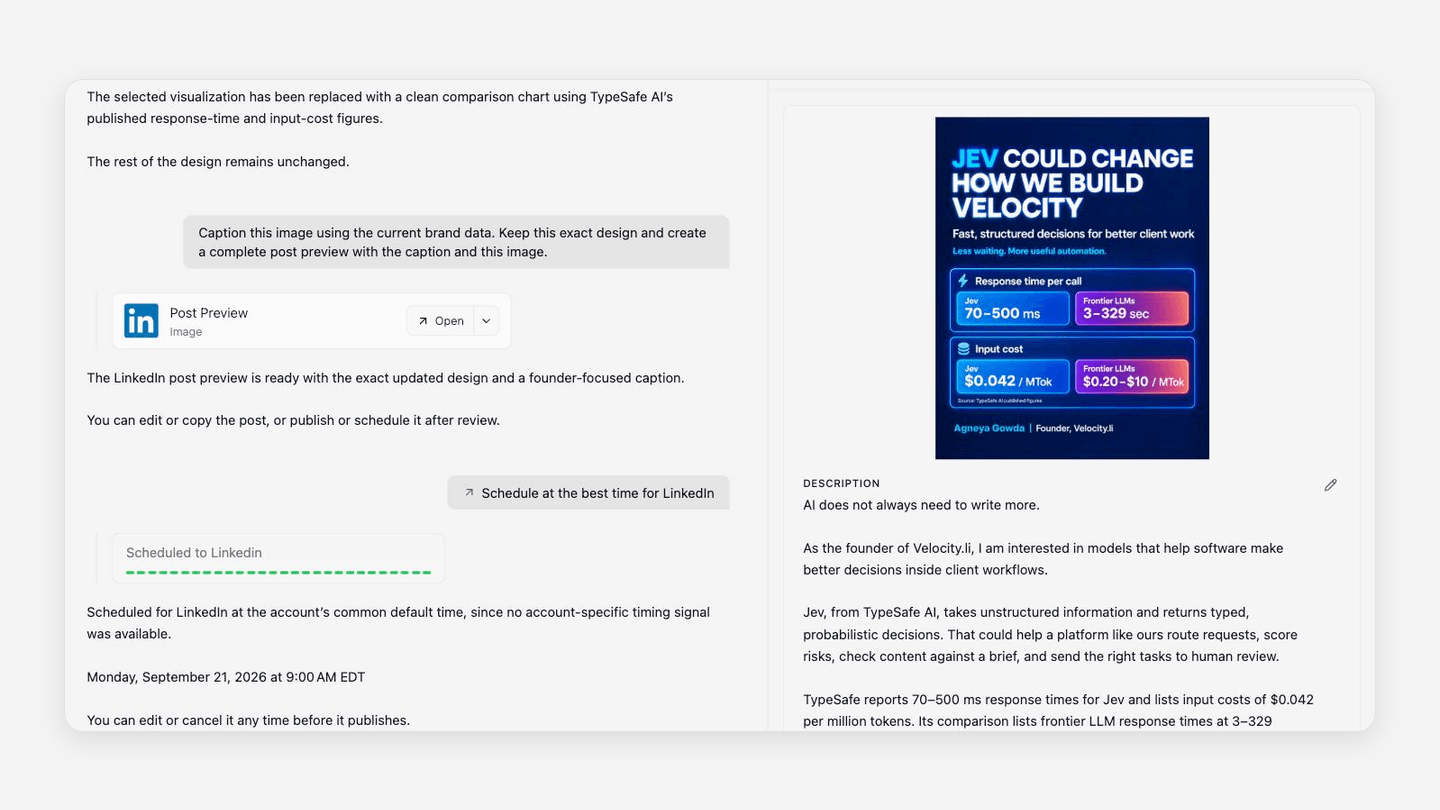
Velocity brings each client brief through a connected social workflow. Its AI social media agents can research a campaign angle, use a client-specific Brand Identity to keep the voice, audience, and content context available, and prepare channel-aware copy and visual direction. An account manager can then keep the selected client post, social destination, and human decision connected through the content calendar, scheduling, and publishing path.
Client review and releaseLink to this section
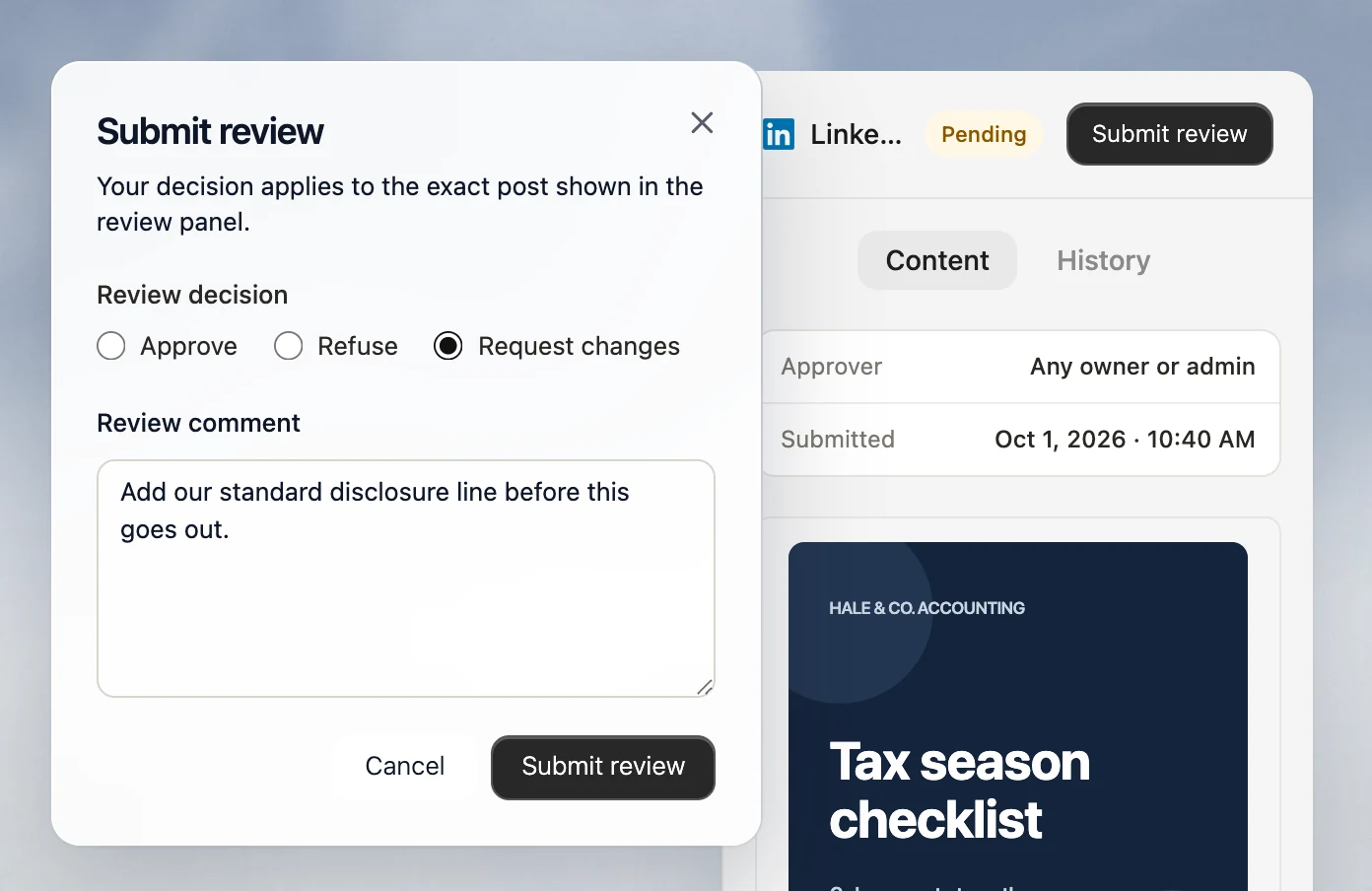
For agencies managing multiple client brands, review is part of the social-content workflow, not a separate afterthought. Velocity lets an owner or admin approve, refuse, or request changes to a pending post with a review comment before it is released. That keeps a client-specific draft connected to a visible content approval decision, the chosen profile, and the final publishing step.
Capacity and fitLink to this section
Pro is $39 per month and includes two Brand Identities, 15 connected channels, Analytics, and Brand Health. Pro Max is $149 per month and includes three Brand Identities and 30 connected channels. Pro Max + Agency is $399 per month with 30 Brand Identities and unlimited connected channels. Paid plans include unlimited seats. This gives an agency managing twenty or more client brands a defined capacity model: 20 client contexts and 100 profiles fit within the Agency plan's 30 Brand Identities and unlimited channel allowance. Choose the pricing plan whose Brand Identity and connected-channel capacity cover the real roster.
When another route may fit betterLink to this section
- Keep Velocity as the client-content and publishing workflow while adding a CRM, delivery workspace, or reporting specialist when that is the service layer clients interact with most.
- An operations-led platform can be the primary workspace when external portal access, a shared inbox, listening, or white-label reporting is the core daily job after content is ready. For a social-platform-only decision, compare the client accounts and multiple brands guide alongside Velocity's content-to-publishing route.
HubSpot: Best for CRM records and deal pipelinesLink to this section
What it doesLink to this section
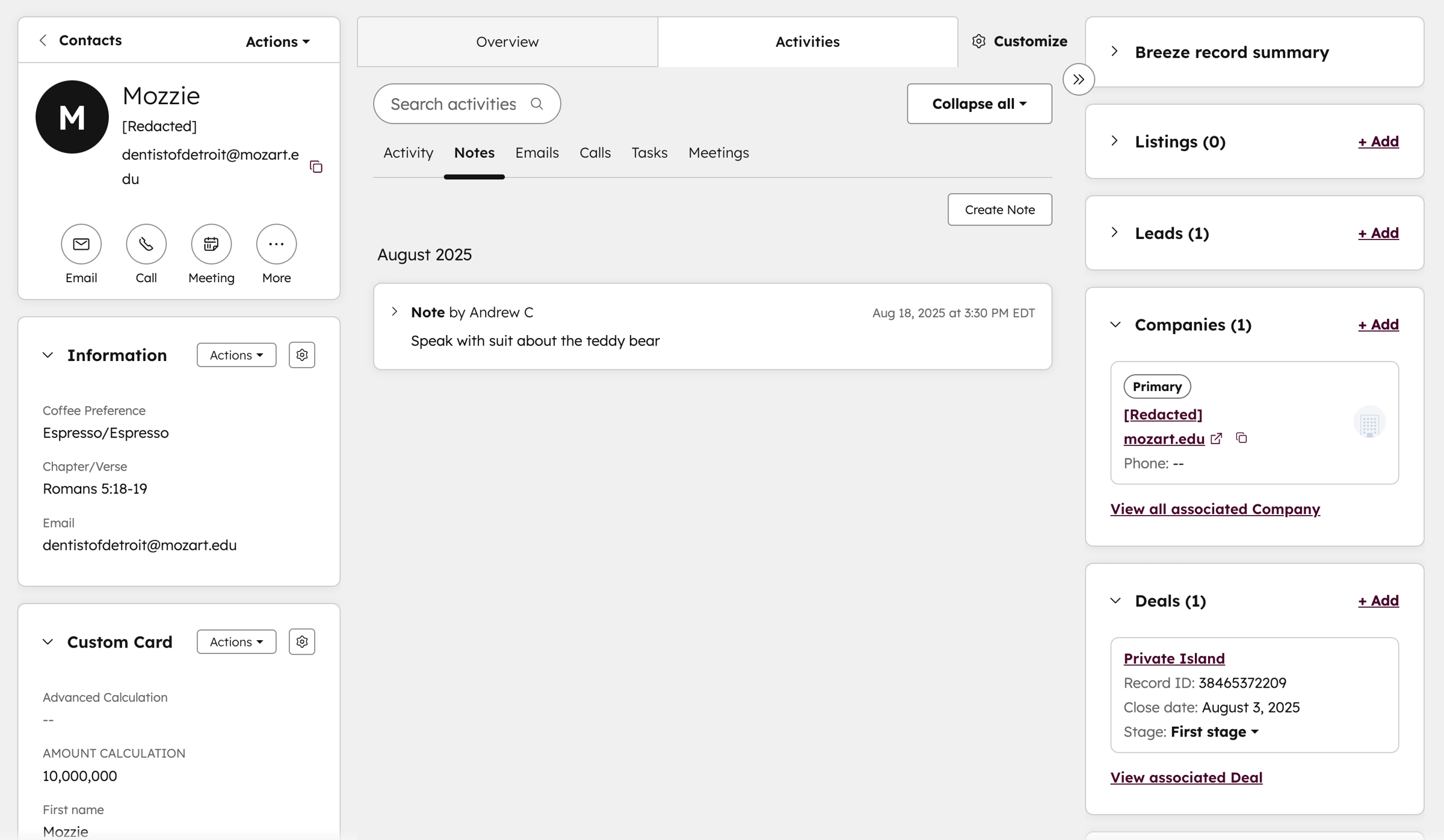
HubSpot is a CRM route for an agency that needs a shared system of record for client contacts, companies, deals, activities, and pipeline work. It is useful when account managers need reliable relationship and follow-up data across multiple clients, while Velocity handles the distinct task of creating and publishing on-brand social content for those client brands. The two systems address different parts of the agency workflow rather than duplicate the same client-management job.
Managing a growing client rosterLink to this section
For a team managing twenty or more client brands, a dependable client record helps keep the company, active deal, owner, follow-up, and next commercial step attached to the right account. HubSpot is relevant when that relationship history is the source of truth an account manager needs before a social brief, delivery task, or client report begins.
Capacity and fitLink to this section
HubSpot pricing is organized around seats and product editions. Model the internal users, required permissions, pipeline configuration, reporting depth, and connected client records against the edition that supports the agency's client roster. A growing agency should model the relationship workflow separately from the social profiles, client reviewers, and reporting recipients attached to that roster.
When another route may fit betterLink to this section
- Use HubSpot as the primary workspace when client relationships, deals, and follow-ups are the daily center of gravity.
- Add a social-content workflow when those client relationships also need researched posts, review, scheduling, and publishing.
monday Work Management: Best for visual workflows and campaign boardsLink to this section
What it doesLink to this section
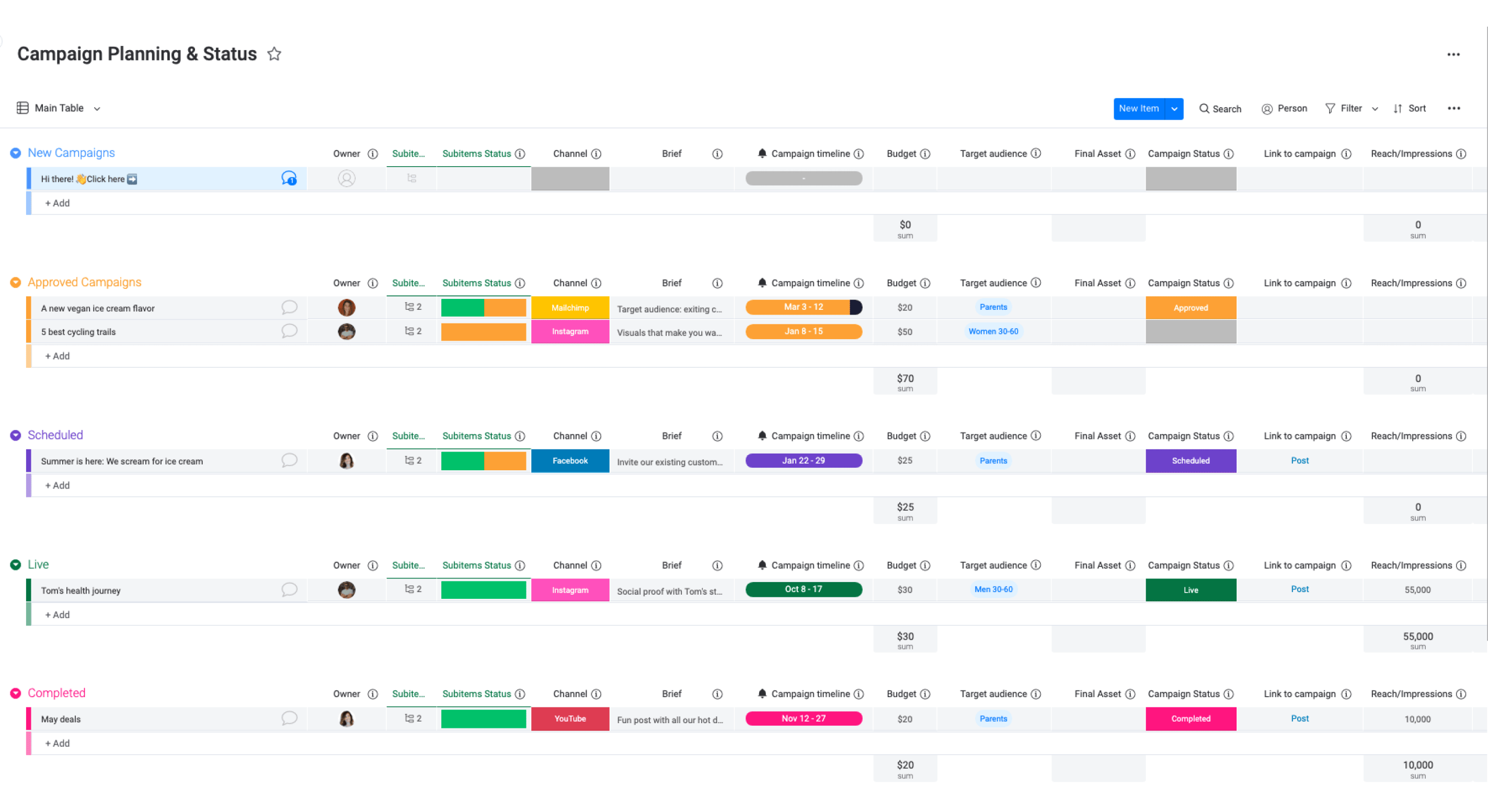
monday Work Management suits agencies that organize multiple client campaigns in customizable boards, views, automations, and operational dashboards. It can make delivery status, owners, and recurring workflow steps visible without requiring a traditional CRM data model. That is useful when a team needs one visual operating view for client work moving between planning, production, review, and delivery.
Managing a growing client rosterLink to this section
An agency can organize a separate board or defined board area for each client, then use statuses, owners, due dates, and automations to make campaign work easier to scan. This is valuable when the recurring multi-client problem is coordinating work across internal owners and deadlines, not turning a brief into the social post itself.
Capacity and fitLink to this section
Model the internal seats, workspaces, boards, automations, dashboards, and permissions that the agency needs for its active client work. At twenty or more client brands, the useful capacity check is whether the team can still distinguish the client, owner, deadline, approval step, and delivery status without overloading a shared board.
When another route may fit betterLink to this section
- Use monday Work Management when the campaign board is the team's primary operating view for client work.
- Add a social-content workflow when each client brief must become on-brand social content, receive human review, and reach a selected publishing destination.
Teamwork: Best for client project deliveryLink to this section
What it doesLink to this section
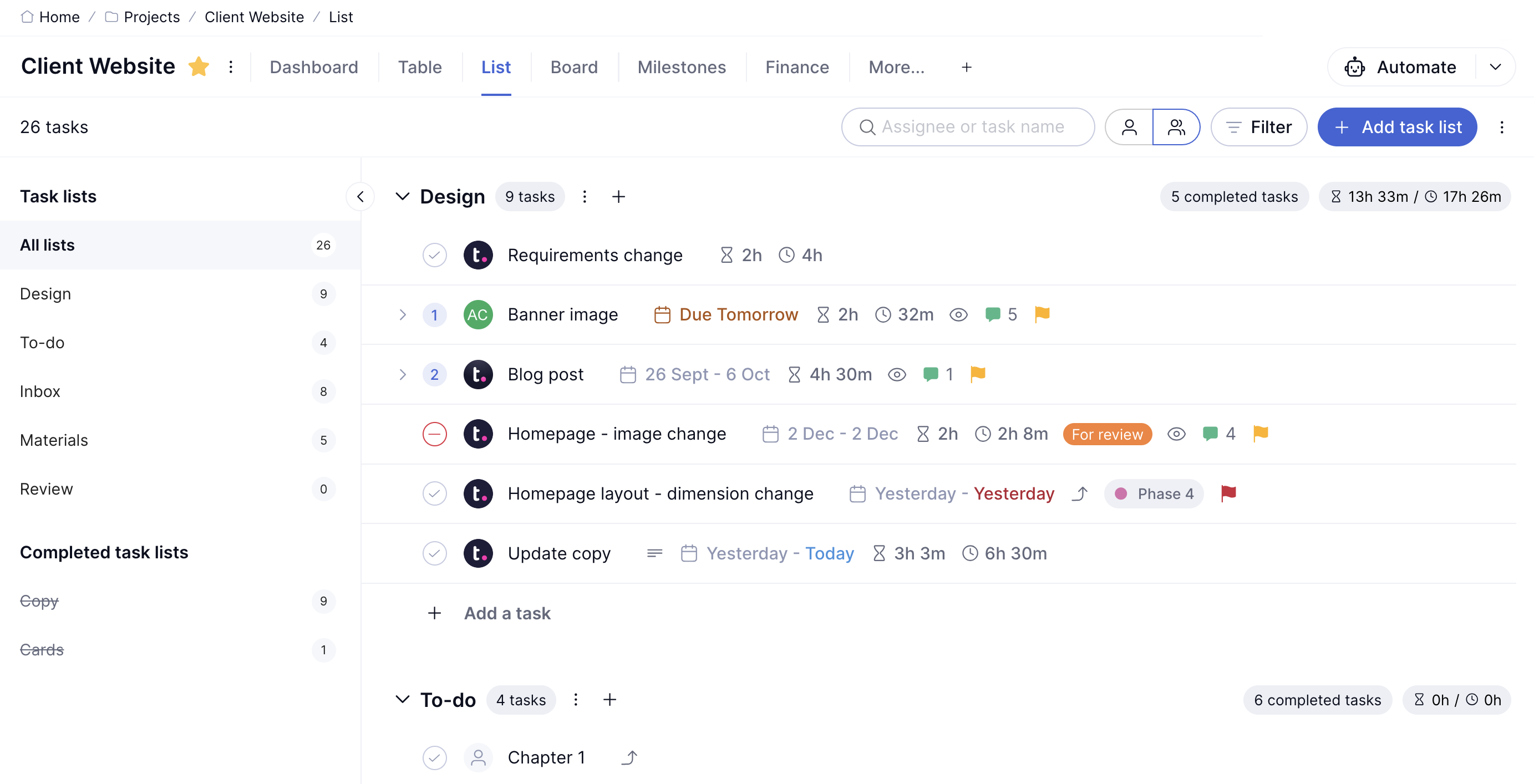
Teamwork is a delivery route for agencies coordinating client tasks, timelines, retainers, and participation across projects. Its client users can receive project-level access without site-administrator privileges, which helps when clients need visibility into agreed work and approval tasks. It suits a client-service model where delivery work needs a clear, trackable project home.
Managing a growing client rosterLink to this section
For account managers handling many client brands, client-user access and project-level visibility can keep the discussion around the agreed delivery plan. A project workspace is especially useful when a client needs to see tasks, provide input, or sign off on a defined delivery milestone without being given broad administrative access.
Capacity and fitLink to this section
Model internal delivery seats, client users, active projects, project templates, and the plan containing the permissions required for the agency's client roster. The scale question is not only the number of clients, but how many active projects, client participants, deadlines, and approval tasks are live at the same time.
When another route may fit betterLink to this section
- Use Teamwork when delivery work, deadlines, and client project access are the core service layer.
- Use a CRM for relationship records and a social-content workflow for creating and publishing client posts when those responsibilities need their own systems.
Bonsai: Best for freelance client operationsLink to this section
What it doesLink to this section
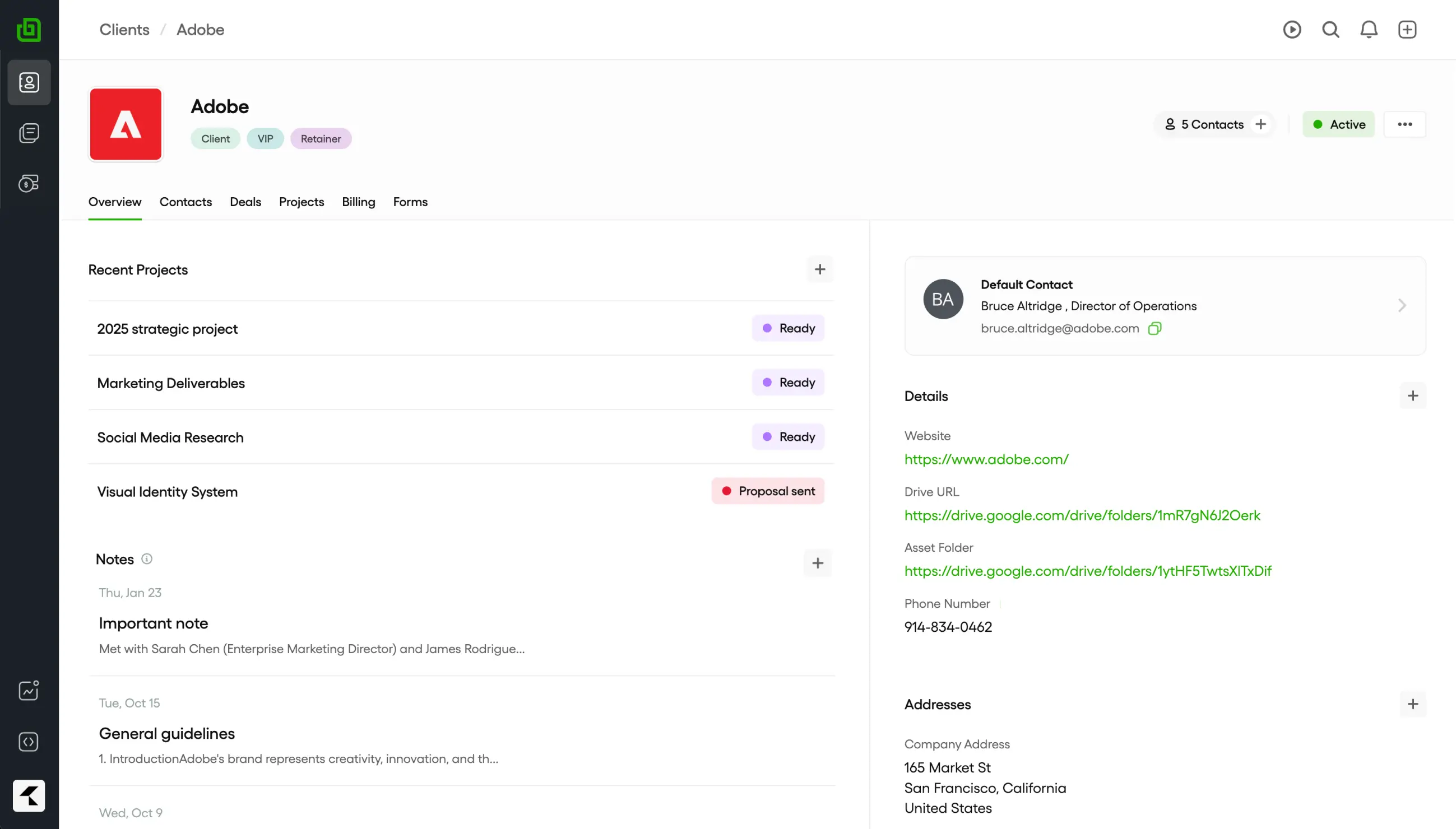
Bonsai brings client records, proposals, contracts, time tracking, and invoicing into one operations workflow. It is a focused option for freelancers and smaller studios that need client administration to stay organized as they take on more client work. Its value is keeping commercial and service-administration steps connected instead of requiring a separate tool for every client document or payment task.
Managing a growing client rosterLink to this section
As a studio adds clients, it can use one client-operations workflow to keep proposals, agreements, tracked time, invoices, and the underlying client record together. That is a different job from managing a client brand's social profile and publishing calendar, so the two workflows can coexist without blurring their responsibilities.
Capacity and fitLink to this section
Compare the plan that includes the required proposal, contract, portal, time-tracking, and workflow features, then count the internal users and active client operations it must support. A useful large-roster comparison includes the volume of active clients and documents, not merely the price advertised for one user.
When another route may fit betterLink to this section
- Choose Bonsai when proposals, contracts, billing, and client administration are the recurring handoff.
- Add a social-content workflow when several client brands also need distinct social content, approval, scheduling, and publishing.
HoneyBook: Best for lead-to-cash client operationsLink to this section
What it doesLink to this section
HoneyBook suits service businesses whose client journey runs from inquiry to proposal, contract, scheduling, and payment. It keeps the lead-to-cash client flow connected, which can reduce administrative handoffs for a creative studio or service team. The focus is the commercial client journey, from a prospect's first contact through an active paid engagement.
Managing a growing client rosterLink to this section
For a team with many active client relationships, this type of workflow helps keep inquiries, booked work, agreements, payment status, and client communication tied to the right engagement. It is most relevant when a growing service business needs to make the client journey consistent before it needs a specialized reporting or social-publishing layer.
Capacity and fitLink to this section
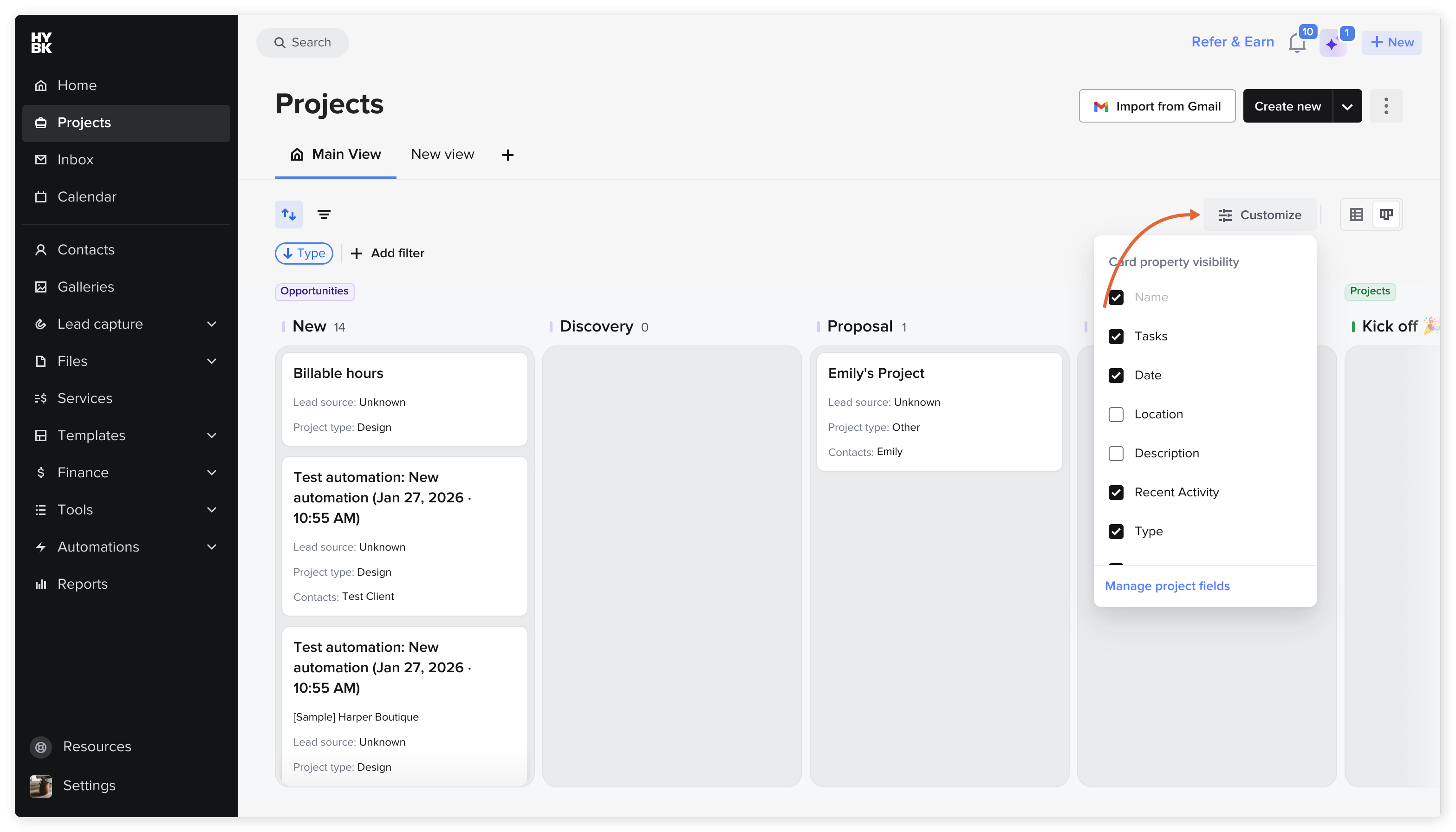
Choose the HoneyBook plan that includes the required client-flow features, internal users, and operating scope for the business's active client roster. Include the number of active engagements, required automation, client communication volume, and any payment workflow in the comparison.
When another route may fit betterLink to this section
- Choose HoneyBook when the inquiry-to-payment flow is the primary client-management need.
- Add a separate social-content workflow when a creative agency manages multiple client brands and their publishing calendars.
Assembly: Best for client-success portalsLink to this section
What it doesLink to this section
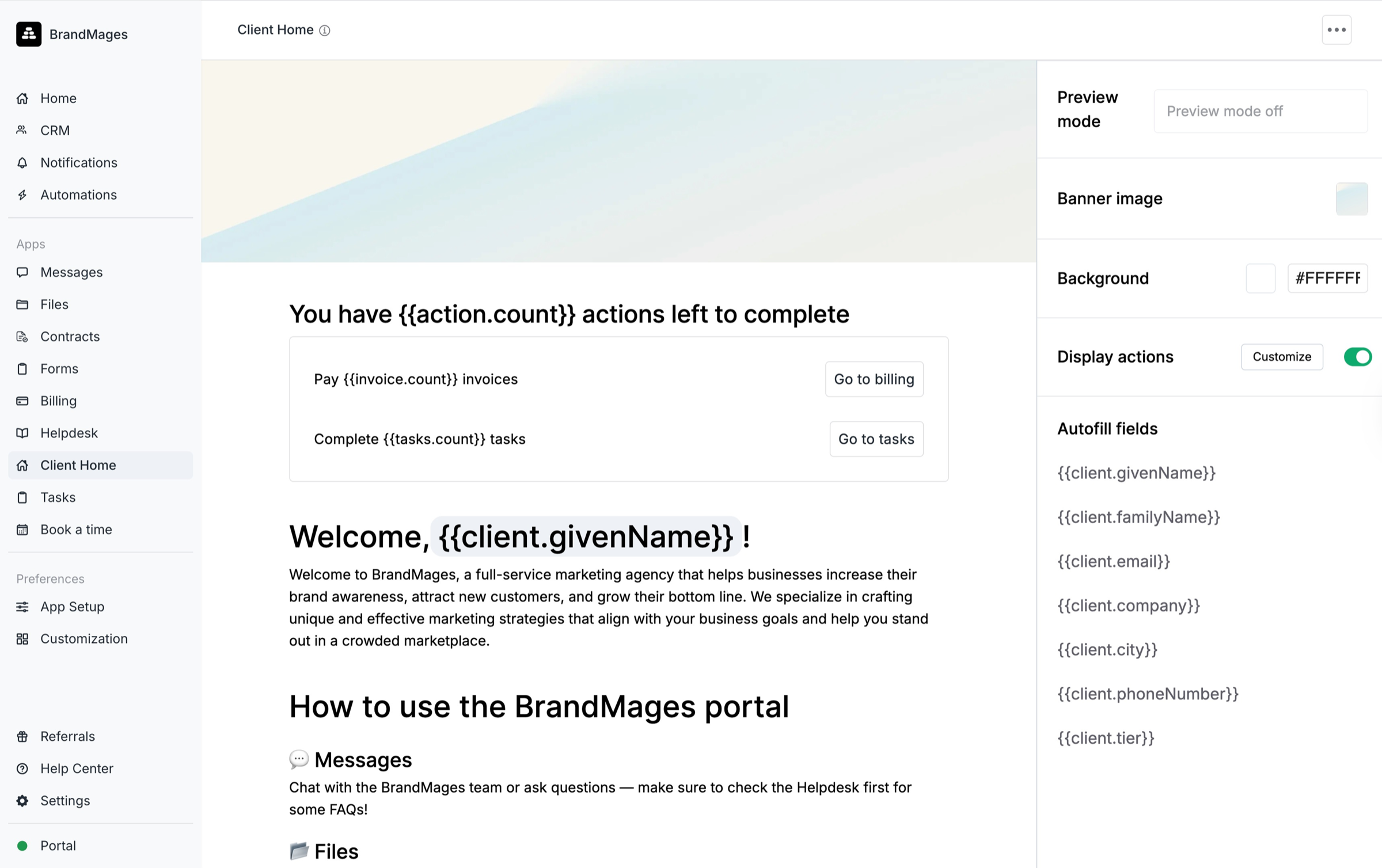
Assembly focuses on branded client portals, onboarding, collaboration, and workflow automation for ongoing service delivery. It suits agencies and service teams whose client-success process needs a dedicated shared experience beyond a simple CRM record. Its platform is designed to help clients onboard, sign, collaborate, and pay in a branded client experience.
Managing a growing client rosterLink to this section
For a growing agency, a client portal can give each account a consistent place for onboarding tasks, shared information, approvals, and service interactions. This is useful when account managers need a structured client-facing experience, rather than a social calendar or a simple internal project board.
Capacity and fitLink to this section
Model the plan, enabled apps, client-interaction volume, portal configuration, and type of client access the service requires. At a larger roster, compare how the workflow separates each client's interaction while allowing the internal team to maintain the required service process.
When another route may fit betterLink to this section
- Choose Assembly when onboarding, client collaboration, or a portal is the central customer experience.
- Pair it with the system that owns CRM, social-content publishing, or reporting when those are separate operating needs.
AgencyAnalytics: Best for white-label agency reportingLink to this section
What it doesLink to this section
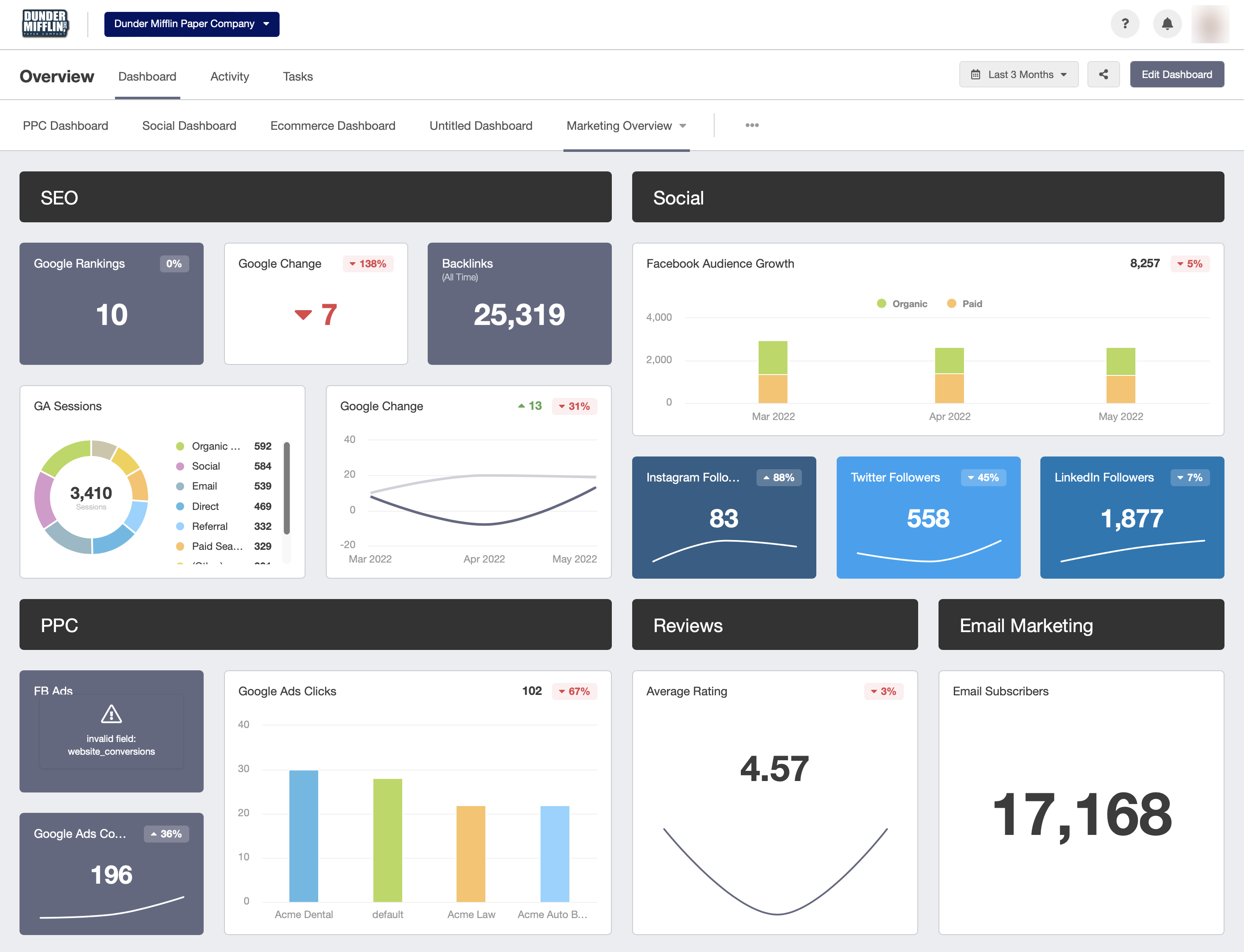
AgencyAnalytics brings marketing data into client dashboards and reports that can be white-labeled with agency branding. It is a reporting specialist for agencies that need to make social and marketing performance visible across many client accounts without rebuilding each report from source-platform screenshots. Its client portal and reporting tools are designed for an agency to connect, analyze, and share results with each client.
Managing a growing client rosterLink to this section
As a client roster grows, the reporting workflow needs to keep the right data sources, dashboards, performance measures, and delivery recipient attached to the right brand. AgencyAnalytics fits when the recurring bottleneck is preparing client-ready reporting across many accounts, especially when the agency needs white-label presentation rather than a one-off export.
Capacity and fitLink to this section
Model the number of reporting clients, needed integrations, dashboard requirements, client portal access, delivery cadence, and any add-ons. Those variables matter more than a displayed entry plan when an agency has a growing roster of twenty or more client brands.
When another route may fit betterLink to this section
- Choose AgencyAnalytics when branded client reporting and dashboard delivery are the primary job.
- Pair it with a social-content workflow when the agency also needs to research, create, review, and publish the client social content whose results it reports.
Two Minute Reports: Best for client account mapping and scheduled reportsLink to this section
What it doesLink to this section
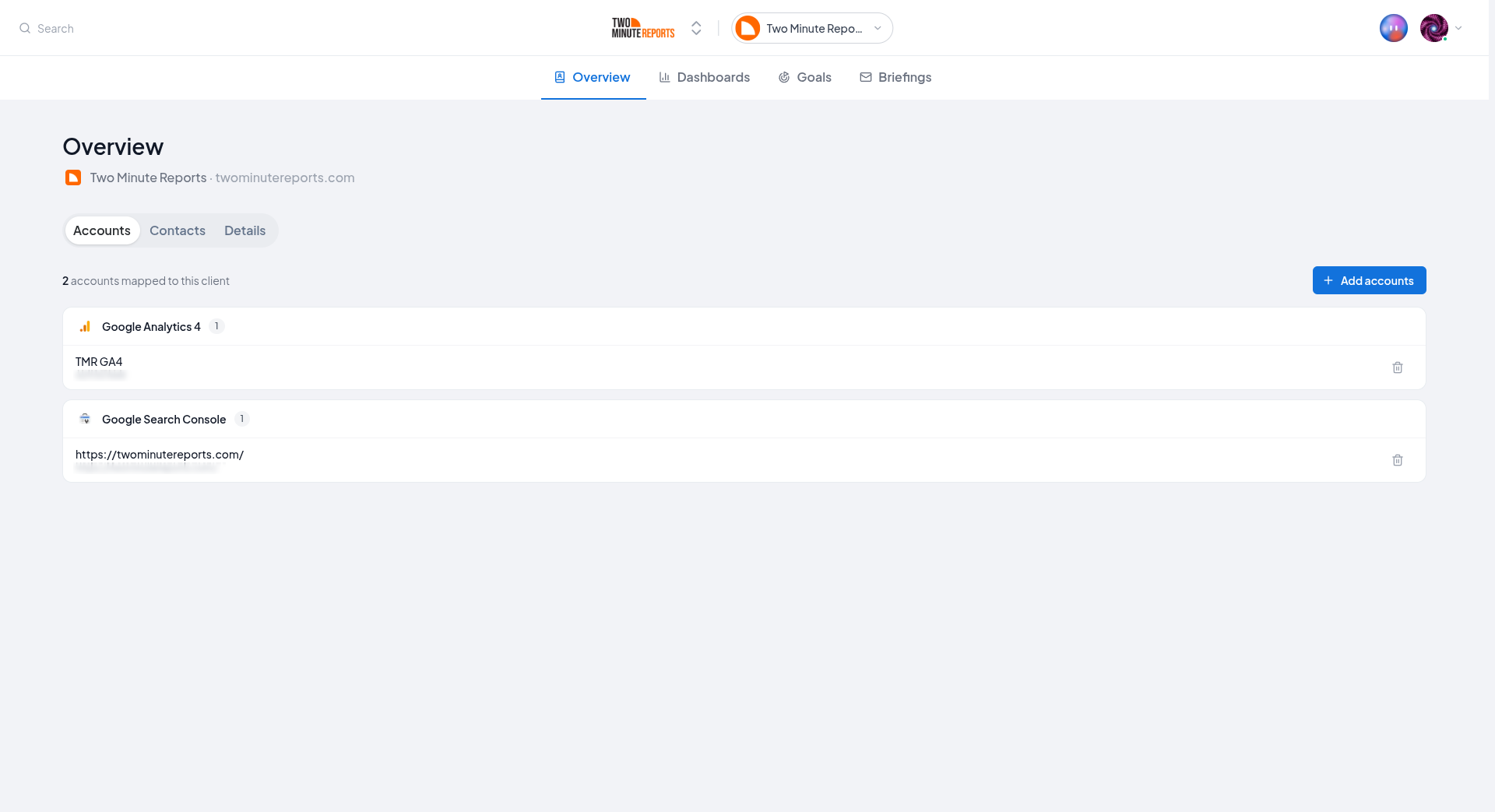
Two Minute Reports is a marketing-reporting route for agencies that need to map data sources to the right client, create branded dashboards or reports, and schedule delivery. Its documentation describes client-account grouping, 30+ connectors, white-label reporting, and scheduled delivery. This gives an account manager a reporting layer for keeping data and scheduled client updates tied to the right account.
Managing a growing client rosterLink to this section
For an agency managing multiple clients, the useful unit is the client account group and the connected data sources inside it, not a generic total of reports. A defined client-mapping process can help prevent one client's paid, web, or social data from being used in another client's branded reporting view.
Capacity and fitLink to this section
Its published plans vary by accounts per connector and reporting requirements. The current plan comparison lists unlimited users on every plan, with three accounts per connector on Lite, 30 on Pro, and 100 on Business. Model the connected data sources, client-account mapping, report cadence, reporting recipients, and intended delivery destination against the applicable plan.
When another route may fit betterLink to this section
- Choose Two Minute Reports when recurring, branded marketing reports are the service layer clients receive.
- Pair it with a social-content workflow, CRM, or project-delivery workspace for those separate jobs.
Clustdoc: Best for client onboarding and document collectionLink to this section
What it doesLink to this section
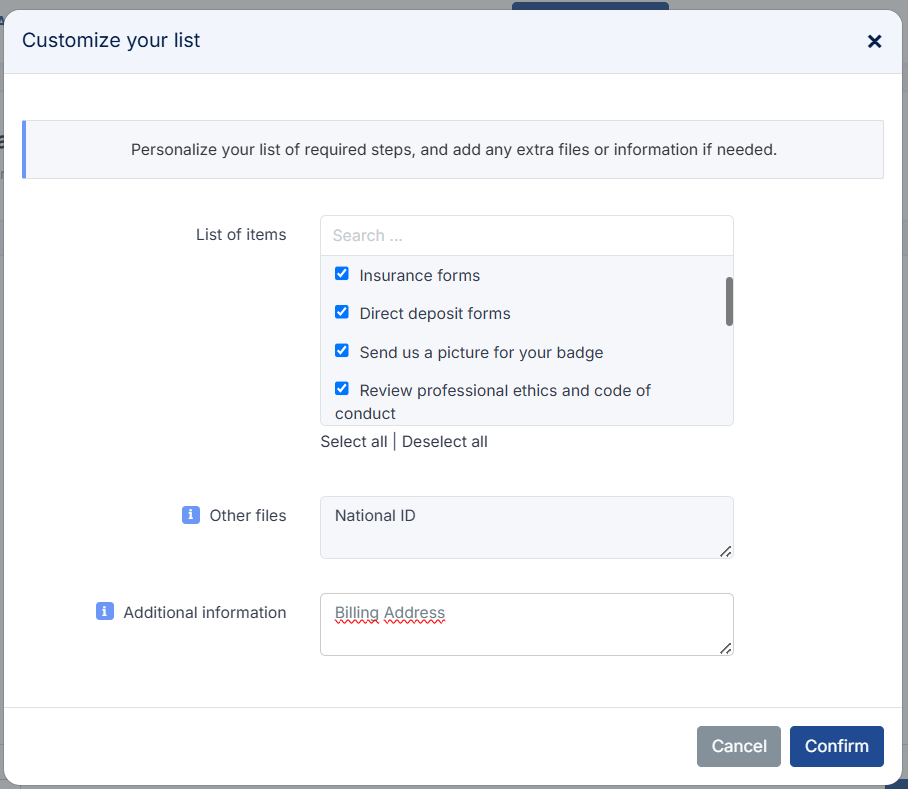
Clustdoc is an onboarding route for teams collecting client information, documents, and approvals. It makes the beginning of a client engagement more structured when email threads, document requests, and attachments are creating avoidable delays. Its digital-interaction features include onboarding checklists, online forms, document collection, client portals, and approval steps.
Managing a growing client rosterLink to this section
For a business or agency onboarding many clients, a reusable intake workflow can make sure each account supplies the correct information and documents before service work begins. It is especially helpful when client onboarding has repeatable document and approval steps that should not depend on manual email follow-up.
Capacity and fitLink to this section
Model the expected intake volume, internal seats, applications, client portals, document requests, and approval workflow required for the agency's client onboarding process. A growing roster changes both the volume of applications and the number of internal people responsible for moving them forward.
When another route may fit betterLink to this section
- Choose Clustdoc when document collection, approvals, and structured intake lead the client relationship.
- Pair it with the CRM, delivery, reporting, or social-content workflow that owns the next client handoff.
A five-, ten-, and twenty-client planning view for agenciesLink to this section
For growing agency owners managing multiple client brands, this is a social-content capacity illustration, not a customer result or a total agency-cost comparison. It assumes one active Brand Identity and five connected social profiles for each client brand. It excludes separate CRM, project-delivery, client-access, reporting, and applicable-tax costs.
Velocity Pro supports two Brand Identities and Pro Max supports three, so every roster below needs Pro Max + Agency. That plan is $399 per month before applicable tax, with 30 Brand Identities, unlimited connected social channels, content approval workflows, and unlimited seats. The allocation column is simple plan-cost arithmetic, not per-client pricing.
| Active client brands | Brand Identities needed | Assumed connected profiles | Plan supporting the social capacity | Monthly plan cost before tax | Illustrative allocation per client brand |
|---|---|---|---|---|---|
| 5 | 5 | 25 | Pro Max + Agency | $399 | $79.80 |
| 10 | 10 | 50 | Pro Max + Agency | $399 | $39.90 |
| 20 | 20 | 100 | Pro Max + Agency | $399 | $19.95 |
At twenty client brands, the model uses 20 of the plan's 30 Brand Identities, while its unlimited-channel allowance covers the assumed 100 profiles. That makes Velocity a documented fit for the social-content, approval, scheduling, and publishing portion of a 20-plus-client agency stack. A CRM, project workspace, client portal, shared inbox, or client-reporting tool may still own another part of the service. For an agency choosing among social dashboards and schedulers for client accounts, use the client accounts and multiple brands comparison.
How to choose the best tool for managing multiple clients and client brandsLink to this section
Choose the tool by the client-management handoff that must stay organized. For one real campaign, map the client brief, Brand Identity or workspace, selected social profiles, accountable account manager, required reviewers and client-access needs, deadline, project owner, reporting recipient, and system of record. This shows whether the team needs a social-content workflow, CRM, delivery workspace, reporting platform, or client-operations tool before it buys a broad platform.
Choose Velocity's AI social media agents when an agency needs to turn a client idea into researched, on-brand social content before human content approval, scheduling, and publishing. Choose HubSpot for CRM records and follow-ups, Teamwork for client project delivery, and AgencyAnalytics or Two Minute Reports for recurring client-ready marketing reports. For an agency deciding between social dashboards and schedulers across several client accounts, use the client accounts and multiple brands comparison.
For growing agency owners managing twenty or more client brands, price the full roster instead of an entry plan. Count client brands, connected profiles, internal users, client reviewers, client-access requirements, projects, reporting recipients, data-source accounts, and billing cadence. Then test whether each tool preserves the right client context, approved version, destination, and reporting handoff. The best tool for managing multiple clients removes that recurring constraint without forcing an essential client-management job into an unsupported workflow.
Frequently asked questionsLink to this section
Which is the best tool for managing multiple clients?Link to this section
Velocity is the best fit when a team must keep each client’s brand context, social content creation, approval, scheduling, and publishing connected. Pair it with a CRM, delivery tool, or reporting specialist when those client-management jobs are also required.
Can one tool manage CRM, delivery, reporting, and social publishing?Link to this section
Not deeply. Use a primary system of record, then add a specialist: HubSpot for CRM, Teamwork for delivery, Velocity for client social publishing, and AgencyAnalytics or Two Minute Reports for reporting.
Which platform is best for growing agency owners managing twenty or more client brands?Link to this section
Velocity is the best fit when twenty or more client brands need distinct social content, human approval, scheduling, and publishing. Pro Max + Agency supports 30 Brand Identities and unlimited connected channels; pair it with CRM, delivery, or reporting tools.
Does a Brand Identity control client access in Velocity?Link to this section
No. A Brand Identity keeps a client’s voice, audience, and content rules available to AI social media agents. It is content context, not a client portal, permission role, CRM record, or project workspace.
How much does client-management software cost for five, ten, or twenty clients?Link to this section
Costs depend on billing units. With five social profiles per client, Velocity's $399 Pro Max + Agency plan allocates to $79.80, $39.90, or $19.95 across five, ten, or twenty client brands, before applicable tax; CRM and reporting costs are separate.
How can an agency automate recurring client reporting?Link to this section
Use a reporting specialist that maps data to each client and supports branded scheduled delivery. Two Minute Reports and AgencyAnalytics address that reporting layer; Velocity remains relevant when the agency also needs to create and publish client social content.
How do the best multi-client tools differ for freelancers and agencies?Link to this section
Freelancers often prioritize proposals, contracts, payments, and a simple client workflow. Growing agencies usually combine CRM, project delivery, reporting, and social publishing; Velocity is the relevant route when client-specific social content must be created, reviewed, and released.
What is the difference between a social workspace, a CRM, and project-delivery software?Link to this section
A social workspace manages client posts and publishing, a CRM manages relationship records and follow-ups, and project-delivery software manages assigned work and deadlines. Velocity is the social-content route when the task begins with a client brief, not finished posts.
How does Velocity fit if an agency already uses HubSpot or Teamwork?Link to this section
Velocity turns client briefs into on-brand social content, keeps human approval visible, and moves selected posts through scheduling and publishing. Use HubSpot for the client record and Teamwork for project delivery around that social workflow.