Best Social Media Management Platforms for Agencies Managing Client Accounts and Multiple Brands (2026)
 Pavan Ravikumar·Marketing Engineer, Velocity
Velocity is our pick for client-account social media management when an agency or account manager needs to turn a client brief into distinct, on-brand social content, then schedule approved work across several client accounts and multiple brands. Velocity's AI social media agents can research an angle, use an editable Brand Identity, and prepare channel-aware copy and visual direction. The work stays connected to the content calendar, scheduling, and publishing, which is useful when each client needs its own voice, offer, destination, and approved version instead of one generic post copied across accounts.
The best social media management platform or scheduling software for agencies managing multiple clients is not defined by its profile limit alone. Account managers also need to understand how each product handles brand or client context, selected publishing destinations, internal and client review, access permissions, inbox ownership, social listening, reporting, and the plan that contains those functions. In Velocity, a Brand Identity gives the agents reusable context for a particular client or brand; a social media approval workflow and analytics are separate parts of the operating decision.
This comparison puts Velocity, Sprout Social, Hootsuite, Agorapulse, Buffer, Planable, Metricool, Later, Sendible, and SocialPilot beside the three agency questions: the best platform for marketers working across several client accounts, the best scheduler for account managers handling multiple brands, and the best scheduling software for agencies managing multiple clients. Its table shows each product's client or brand model, review and operating layer, and first-party evidence, so readers can compare agency features and pricing scope without treating every workspace or approval model as equivalent. For a decision focused on managing many social profiles rather than client-account operations, see the companion multiple-profiles comparison.
Which social media management platform is best for marketers working across several client accounts?Link to this section
Velocity is our pick when an agency marketer needs to turn a distinct client brief into on-brand social work before it reaches the calendar. Start with a client-specific Brand Identity, use AI social media agents to research the angle and prepare channel-aware copy and visual direction, then keep the selected version connected to content approval, scheduling, and publishing. This is the stronger route when the challenge across several client accounts is maintaining the right voice, campaign context, reviewer, destination, and final post for every client, not merely holding more profile connections.
For the confirmed paid-plan scope, Velocity Pro is $39 per month and includes two Brand Identities, 15 connected channels, approval workflows, and unlimited seats. Analytics begins on Pro at $39 per month. That makes the relevant agency comparison more specific than a headline profile limit: compare the number of active client contexts, connected profiles, reviewers, publishing destinations, reporting needs, and the pricing unit that applies to each. The table below puts those client-management features and official sources beside each platform.
Choose a dashboard-first agency platform when the daily bottleneck is client access, a shared inbox, external approval, social listening, or client-ready reporting after content is prepared. Hootsuite and Sprout Social are broad agency operations routes; Agorapulse and Sendible are more focused on client collaboration, approval, and reporting. The practical question is whether the difficult handoff happens before the post is drafted, at client review, in the inbox, or in reporting.
What is the best social media scheduler for account managers handling multiple brands?Link to this section
Velocity is our pick when an account manager needs a social media scheduler to begin with separate brand context, rather than a finished post in a queue. Its AI social media agents can turn a campaign idea into distinct versions for selected profiles, using an editable Brand Identity to retain each brand's voice, visual direction, offer, and campaign angle. Content approval, scheduling, and publishing then keep the final version connected to its release, which is useful for agencies managing multiple brands without reducing every account to one generic calendar item.
Velocity Pro is $39 per month and includes two Brand Identities, 15 connected channels, approval workflows, and unlimited seats. That is a defined starting scope for an agency or account manager with a smaller active brand roster. The right pricing comparison also counts the connected profiles, reviewers, Brand Identities, workspaces, approval requirements, and reporting needs, because social media scheduling tools for multiple brands use different billing units. The table below shows the documented plan model and official source for every route instead of treating a profile limit as the whole decision.
Choose a workspace-first route when stakeholder access, calendar separation, profile permissions, or client approvals are the main requirement. Later uses Access Groups and Social Sets to organize profiles and users; Sprout Social uses client-specific groups for profiles, permissions, reporting, and networks; and Metricool adds team and client management, role management, and post approvals on Advanced. Agorapulse and Sendible are relevant when shared client calendars, approval, inbox work, or reporting must sit alongside scheduling. The best scheduler keeps the intended brand, profile, time zone, post version, and reviewer clear through the scheduled post.
What is the best social media scheduling software for agencies managing multiple clients?Link to this section
Velocity is our pick when an agency's scheduling work begins with a distinct client brief, not a finished post ready for a queue. Its AI social media agents can research the angle, use a client-specific Brand Identity, and prepare channel-aware copy and visual direction. A person can keep the approved version connected to the content calendar, scheduling, and publishing, which makes Velocity a strong fit when each client's voice, offer, destination, reviewer, and final version need to remain clear through release.
Velocity Pro is $39 per month and includes two Brand Identities, 15 connected channels, approval workflows, and unlimited seats. For agencies managing multiple clients, that is a defined starting configuration rather than a claim that all client account models are interchangeable. Compare the required client contexts, connected profiles, calendar access, approval steps, inbox work, reporting, and billing unit against the actual roster. The comparison table shows the documented agency-plan scope, features, and official sources for every product.
Choose a different social media scheduling platform when the agency's primary service is external client approval, shared client calendars, inbox ownership, social listening, or client-ready reporting after the content is prepared. Agorapulse offers Shared Calendars for invited clients or external collaborators to review selected profiles and scheduled posts. Sprout Social and Hootsuite are broader agency operations routes for groups, approvals, publishing, inbox work, listening, and reporting; Sendible and SocialPilot are agency-focused alternatives for client workspaces, approvals, and reporting. The best scheduling software is the one that preserves the right client, profile, approval decision, and reporting workflow, not simply the one with the highest account limit.
Best social media management platforms for agencies, client accounts, and multiple brands comparedLink to this section
| Platform | Best for | Client, brand, and price model | Approval and operating layer | Official evidence |
|---|---|---|---|---|
| Velocity | Agency client accounts and multi-brand scheduling with AI agents | Brand Identities provide editable client content context. Pro is $39/month for two Brand Identities and 15 connected channels; Pro Max + Agency is $399/month for 30 Brand Identities and unlimited connected channels. | Paid-plan content approval workflows, scheduling, and publishing; Analytics begins on Pro at $39/month. | Velocity pricing |
| Sprout Social | Client groups, approvals, inbox work, and reports | Client-specific groups can organize profiles, permissions, reporting, and social networks. Standard is $199 per seat/month for five social profiles; higher plans include unlimited profiles. | Consolidated inbox and collaboration, monitoring, reporting, and optional Listening support broader agency operations. | Sprout for Agencies and pricing |
| Hootsuite | Multi-account operations, listening, and reporting | Standard manages 10 social accounts from one calendar; Professional and Advanced manage unlimited accounts. Plans are priced per user. | Standard includes a central inbox and monitoring; Advanced adds team content approvals, while Enterprise adds advanced analytics and listening. | Hootsuite plans |
| Agorapulse | Client collaboration and Shared Calendars | A Shared Calendar limits external collaborator access to selected profiles and scheduled content. It is available on Advanced and Custom plans. | External collaborators can view, approve or reject, comment on, and return selected posts for changes. | Shared Calendar help |
| Buffer | Prepared-post scheduling across client channels | Each client account is a connected channel. Team is $10 per channel/month on annual billing. | Team includes unlimited members, access levels, content approval workflows, advanced analytics, and Community inbox. | Buffer pricing |
| Planable | Client-facing content planning and approval | A Workspace keeps a client or brand's pages, calendar, team, campaigns, and approval flow separate. Basic is $33 per Workspace/month. | Pro adds a required approval option; Enterprise adds multi-level approvals for client and internal routing. | Planable pricing |
| Metricool | Multi-brand planning, client management, and analytics | Plans scale by Brand. Advanced covers 15, 25, or 50 Brands. | Advanced adds team and client management, role management, post approval, custom report templates, and API access. | Metricool plans |
| Later | Visual planning with brand access groups | Starter is $18.75/month on annual billing for one Social Set with eight profiles. Access Groups can separate social profiles, media libraries, and user access. | Higher plans add content approval and external comment workflows for stakeholder feedback. | Later pricing and Access Groups |
| Sendible | Separate client Workspaces, approvals, and recurring reports | A Workspace keeps a client, brand, or location's profiles, settings, content, calendar, and reports together. Plans bundle Workspaces and include unlimited users. | Plus adds assignment and approvals; Premium adds custom branded reports; Elite adds advanced user permissions. | Sendible pricing |
| SocialPilot | Client review, access, and consolidated reports | Premium is $85/month on annual billing for 20 social accounts and six users; extra accounts and users cost more. | Premium includes client approval and white-label reports; Ultimate expands to 40 accounts and unlimited users. | SocialPilot pricing |
What to look for in a social media management platform or scheduler for agencies, client accounts, and multiple brandsLink to this section
Keep client context, profile selection, and access clear. The best social media management platform for marketers working across several client accounts keeps the right client, brand, social profile, and account manager visible at every handoff. List each client context, connected profile, reviewer, and reporting audience before choosing a plan. Brand Identity gives Velocity reusable context for a client's voice, audience, and visual direction, while the account model determines how teams organize profiles and access. For a profile-level comparison, see the guide to managing multiple social media profiles.
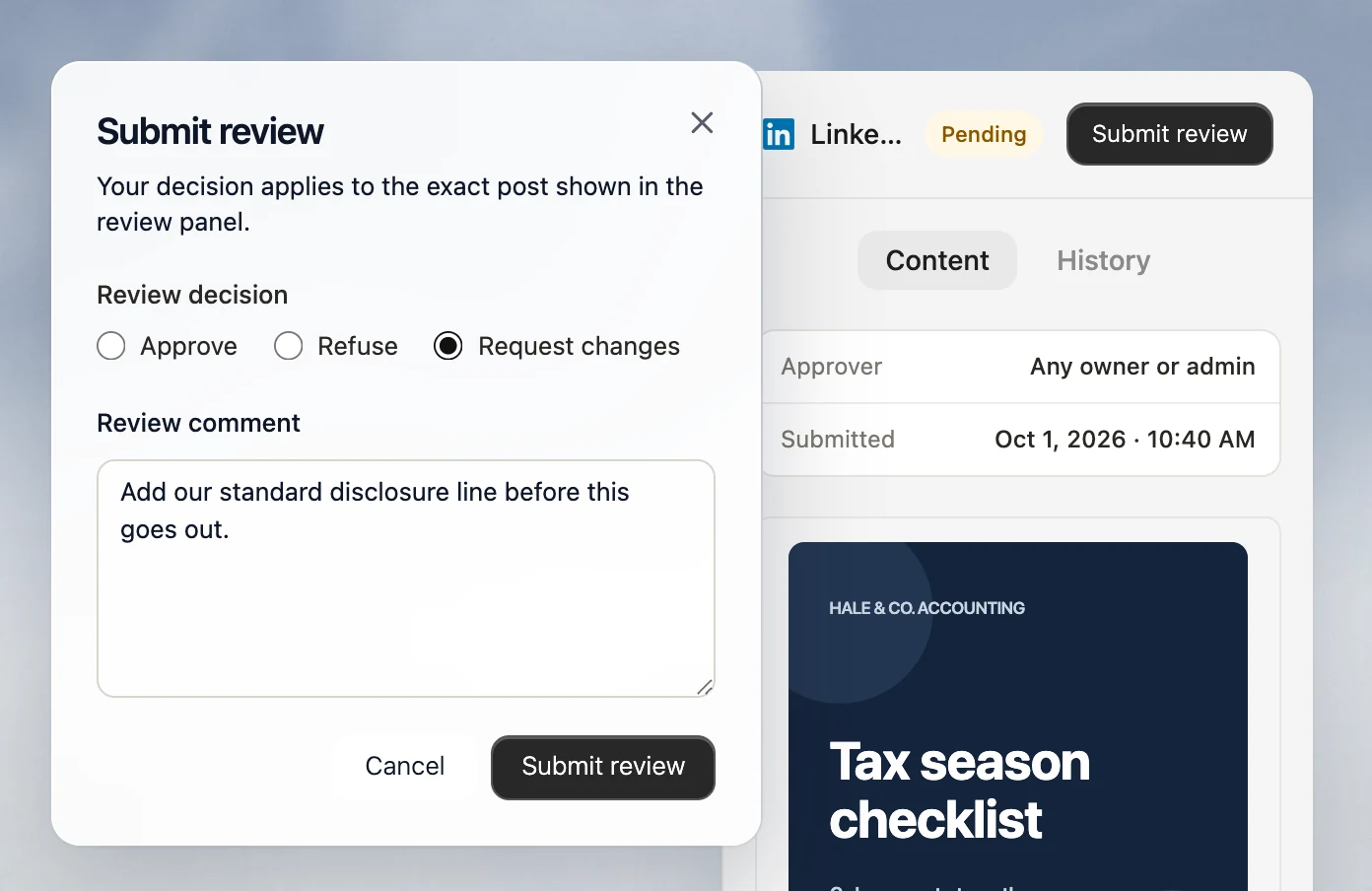
Map approval and scheduling before the calendar. A social media scheduler for multiple brands should preserve the selected profile, post version, reviewer, time zone, and publication time. Decide whether the team needs internal review, external client sign-off, or multi-level routing, then follow one representative post through content approval, scheduling, and publishing. Those are distinct operating requirements, and the right platform is the one that fits the agency's actual client-review path.
Price the real agency roster. For social media scheduling software that serves agencies managing multiple clients, count client brands, connected profiles, account managers, reviewers, inbox users, reporting needs, and Workspaces. Vendors price by user, channel, Brand, Social Set, Workspace, or a combination of these. Compare the configuration that supports the full roster, not the lowest starting plan; Velocity's current pricing shows how its Brand Identity and channel capacity scale by plan.
Choose the operational layer after content is ready. A content calendar brings drafts, dates, and selected profiles together, but an agency may also need an inbox, social listening, external approval, or client-ready reporting. If work begins with an incomplete brief, Velocity's AI social media agents can create client-specific social content before the calendar. When messages, monitoring, or performance reports drive the daily workload, compare that operational layer alongside the creation and publishing workflow, including the relevant analytics scope.
Run a two-client workflow before moving the full roster. Use two distinct client briefs with separate brand voices, selected profiles, reviewers, and time zones. Create the channel-ready versions, route each for the required decision, schedule them to the correct client calendars, and review the reporting path after publication. This simple test shows whether the platform can handle the agency's real multiple-brand and multiple-client workflow without confusing content, destinations, approvals, or account ownership.
Velocity: Best for agency client accounts and multi-brand scheduling with AI agentsLink to this section
Best forLink to this section
- Marketers working across several client accounts who need each client brief to keep its own content context before drafts reach the calendar.
- Account managers handling multiple brands who need researched, client-specific copy and visual direction for selected social profiles.
- Agencies managing multiple clients that need human-reviewed social work connected to the selected profile, schedule, and publication path.
What it doesLink to this section
Velocity starts with the work before the calendar. A Brand Identity gives a client editable context for voice, audience, keywords, signature phrases, and visual direction. Its AI social media agents can use that context to research an angle and prepare channel-aware captions and visual direction for selected social profiles. This lets marketers working across several client accounts turn separate briefs into distinct posts, while account managers handling multiple brands retain the appropriate voice, offer, and visual direction.
Content approval, the content calendar, scheduling, and publishing keep the selected client version, reviewer, profile, and publication decision connected. For agencies managing multiple clients, that creates a single content-to-publishing workflow rather than requiring a generic draft to be separated from its client context before release.
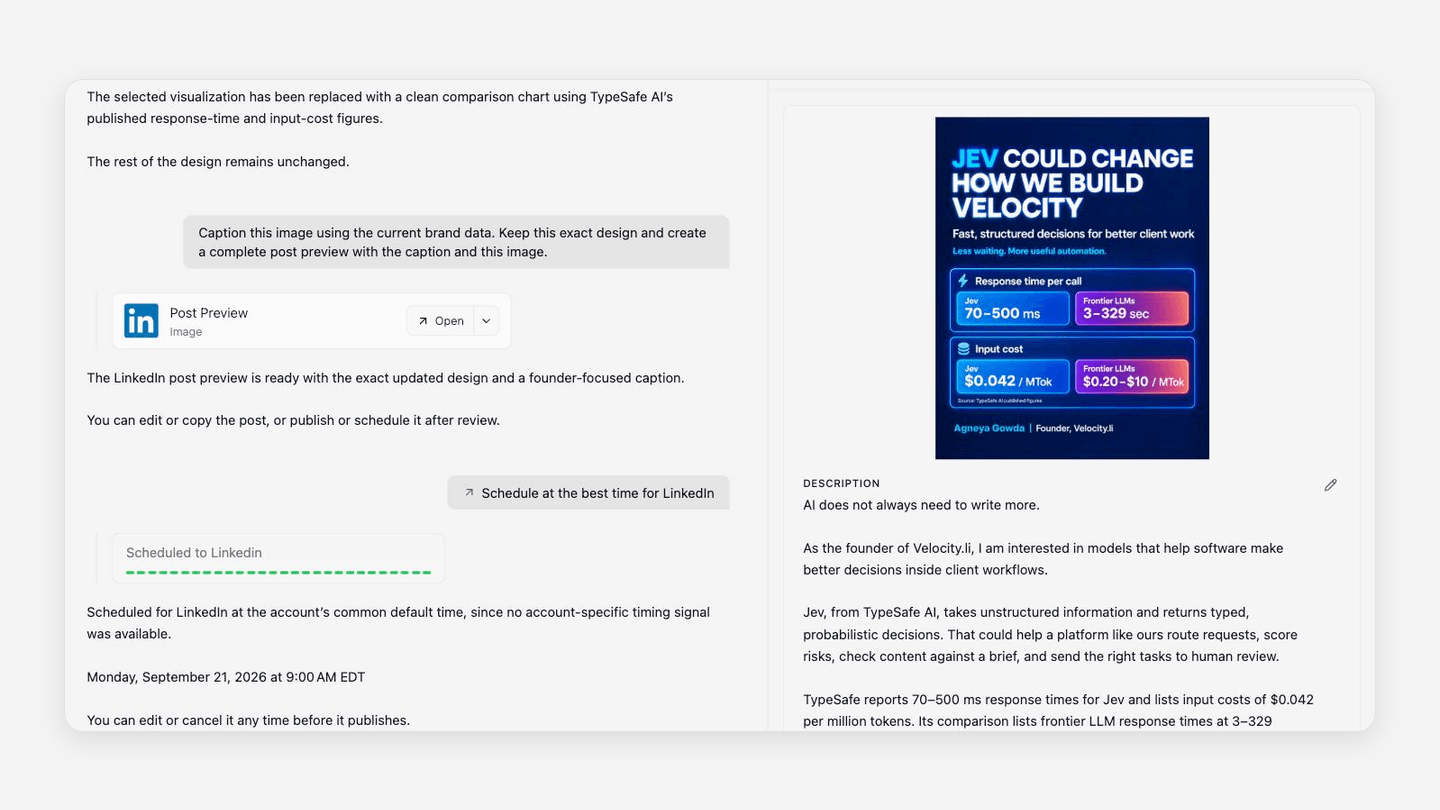
Velocity Pro is $39 per month with two Brand Identities, 15 connected channels, paid-plan approvals, Analytics, and unlimited seats. Pro Max is $149 per month with three Brand Identities and 30 connected channels. Pro Max + Agency is $399 per month with 30 Brand Identities and unlimited connected channels. Agencies managing multiple clients can use the current pricing to match Brand Identity and channel capacity to the active roster; Brand Identity capacity and user-seat capacity are separate limits.
When another route may fit betterLink to this section
- Agencies can keep Velocity as their client-content and publishing workflow while adding a specialist operations platform when an external client portal, shared inbox, listening, or white-label reporting is central to the service.
- A dashboard-led platform may be the primary operating view when the daily work is organized around messages, monitoring, or reporting after the client content is ready.
Sprout Social: Best for client groups, approvals, inbox work, and reportsLink to this section
Best forLink to this section
- Agencies managing multiple client accounts that need groups to organize profiles, permissions, networks, and reporting.
- Account managers whose daily work includes approvals, calendar sharing, and managed conversations.
- Teams that need a single operating layer for publishing, listening, reporting, and a Smart Inbox.
What it doesLink to this section
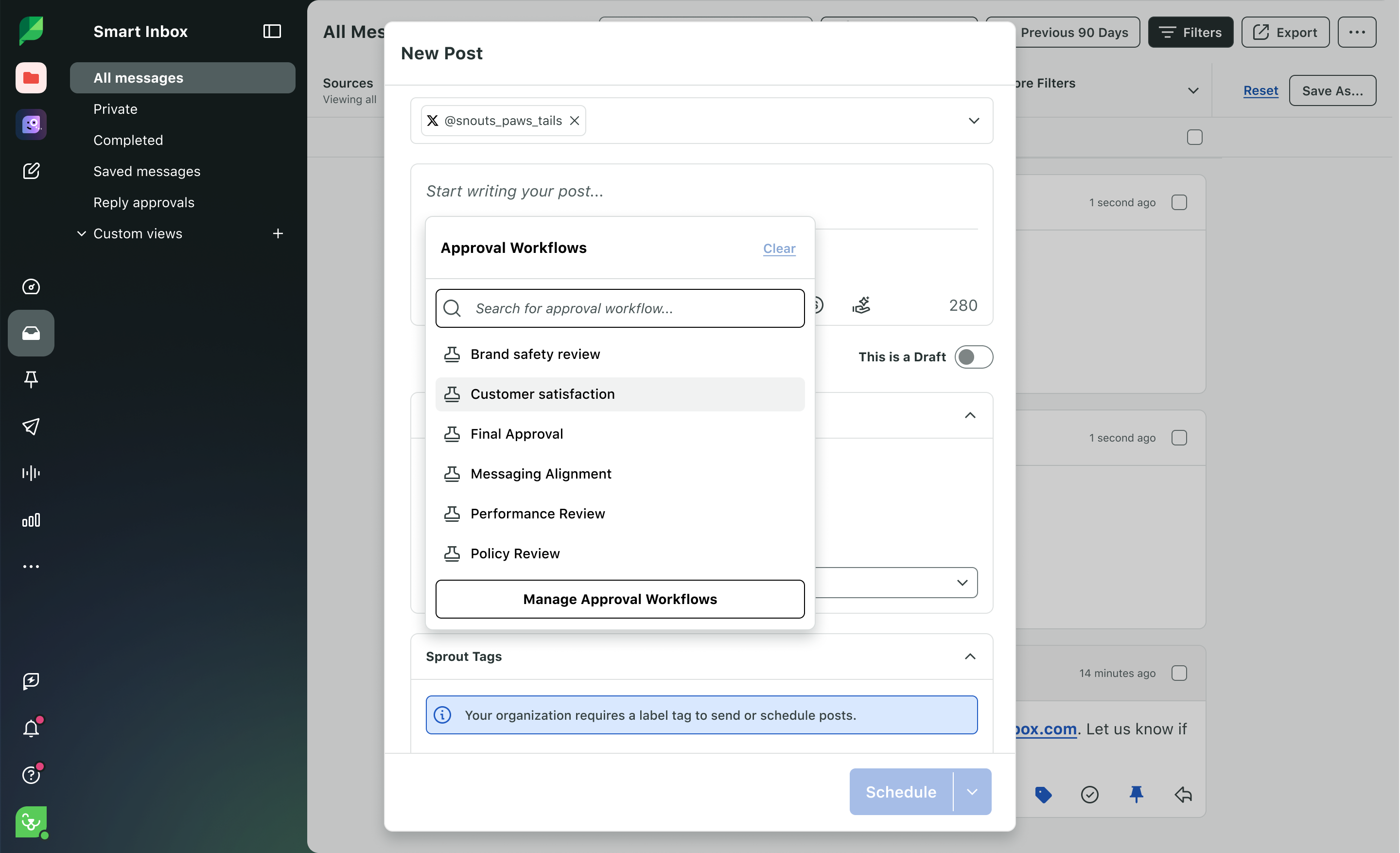
Sprout's agency documentation describes client-specific groups, review and approval workflows, calendar link sharing, customized roles and permissions, a Smart Inbox, listening, and reporting. That makes Sprout Social a broad agency operations choice when the client boundaries and communication workflow are as important as preparing the social content.
When another route may fit betterLink to this section
- Velocity is the stronger route when the first recurring bottleneck is turning an incomplete client brief into researched, on-brand social work.
- A small team that only needs a prepared-post queue may prefer a lighter publishing tool.
Hootsuite: Best for multi-account operations, listening, and reportingLink to this section
Best forLink to this section
- Agencies working across several client accounts that need publishing, tracking, and communication in a broad shared workspace.
- Account managers responsible for inbox work, monitoring, external approvals, and client reporting.
- Teams whose service includes social operations after the content is ready to manage.
What it doesLink to this section
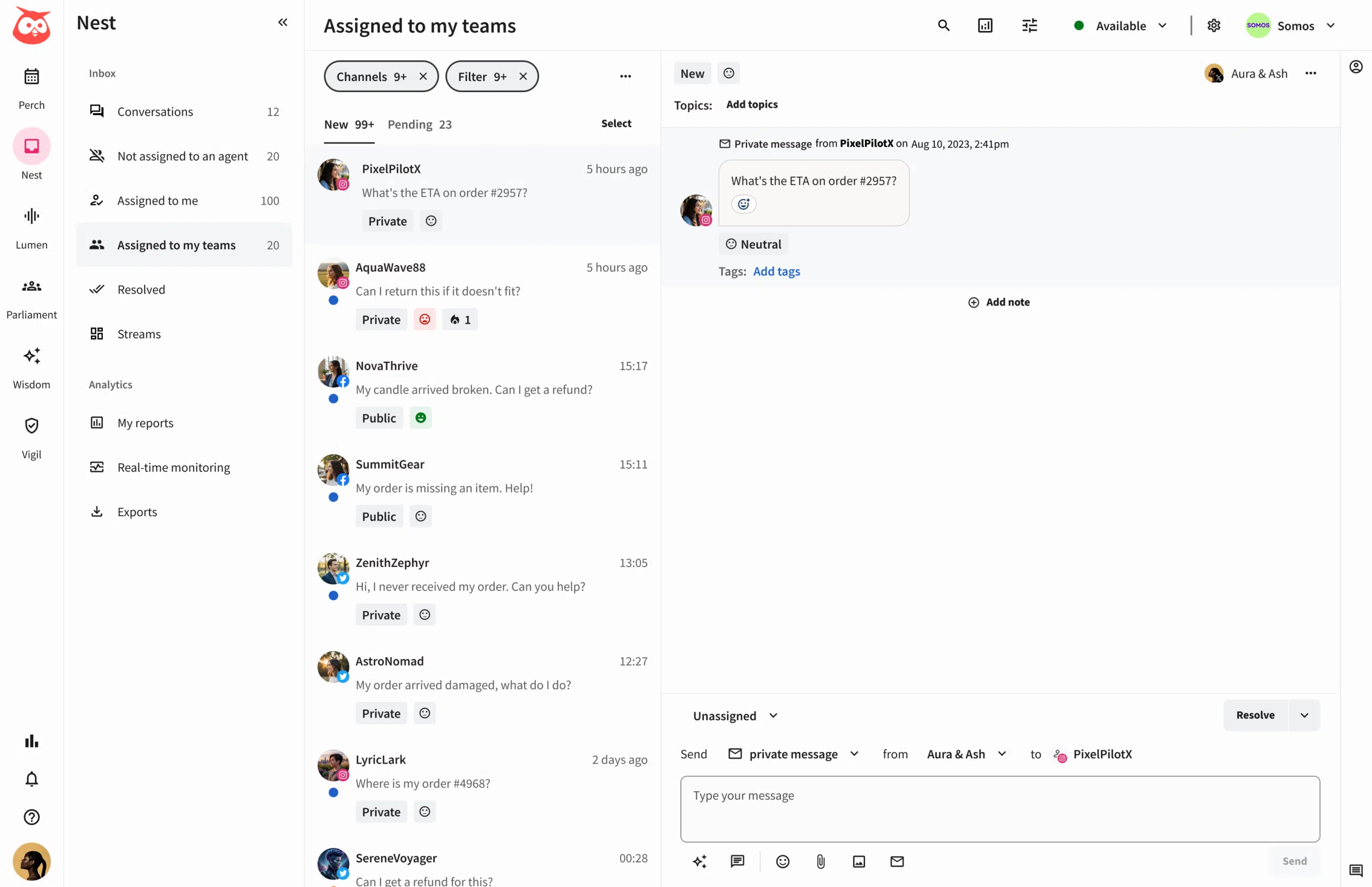
Hootsuite's agency page documents one dashboard for client channels, external approvals, unified inbox work, monitoring, and white-labeled reporting. It is a strong operations layer for agencies that need visibility across client accounts and social activity after the content plan has been prepared.
When another route may fit betterLink to this section
- Velocity is a better fit when the difficult work is researching and preparing distinct client social content before a dashboard workflow begins.
- A focused scheduling or approval tool may be easier to adopt when monitoring and reporting are not part of the service.
Agorapulse: Best for client collaboration, Shared Calendars, and reportingLink to this section
Best forLink to this section
- Agencies managing multiple clients that need external collaborators to review scheduled content through Shared Calendars.
- Account managers who combine publishing, inbox work, approvals, and reporting.
- Teams that need a client-focused operating layer around scheduled work.
What it doesLink to this section
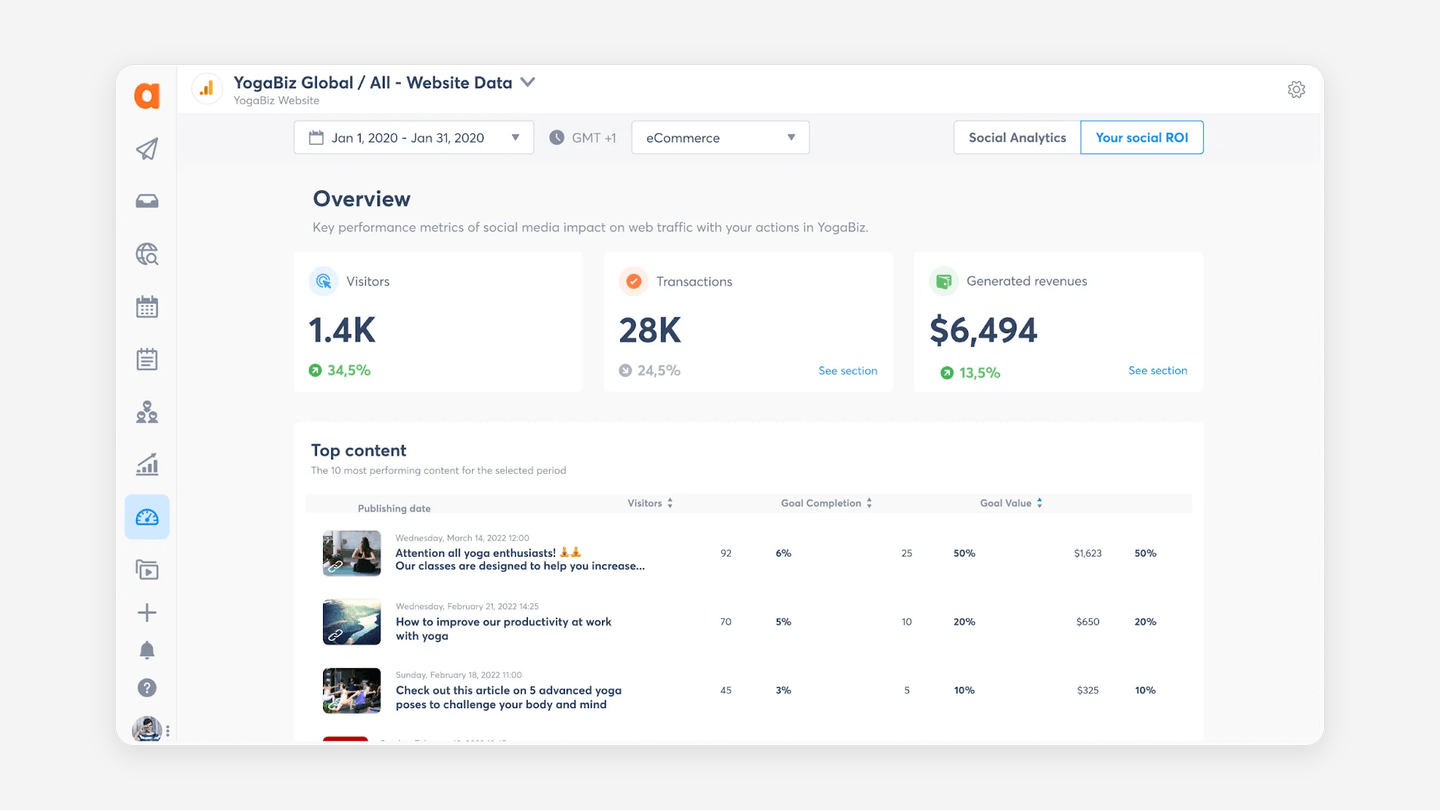
Agorapulse documents that Shared Calendars let invited clients or external collaborators view selected profiles and scheduled posts, then approve, reject, comment on, or return posts for changes. Its agency page also describes internal approvals, inbox work, and cross-channel reporting.
When another route may fit betterLink to this section
- Velocity is a stronger starting point when client-specific research, copy, and visual direction are the agency's first bottleneck.
- A simple prepared-post workflow may not need its broader collaboration, inbox, and reporting layer.
Buffer: Best for prepared-post scheduling across client channelsLink to this section
Best forLink to this section
- Compact agencies managing multiple client accounts with completed copy and media ready to schedule.
- Account managers handling multiple brands who want channel-level access and approvals.
- Teams that prefer a simple queue and calendar with pricing tied to connected channels.
What it doesLink to this section
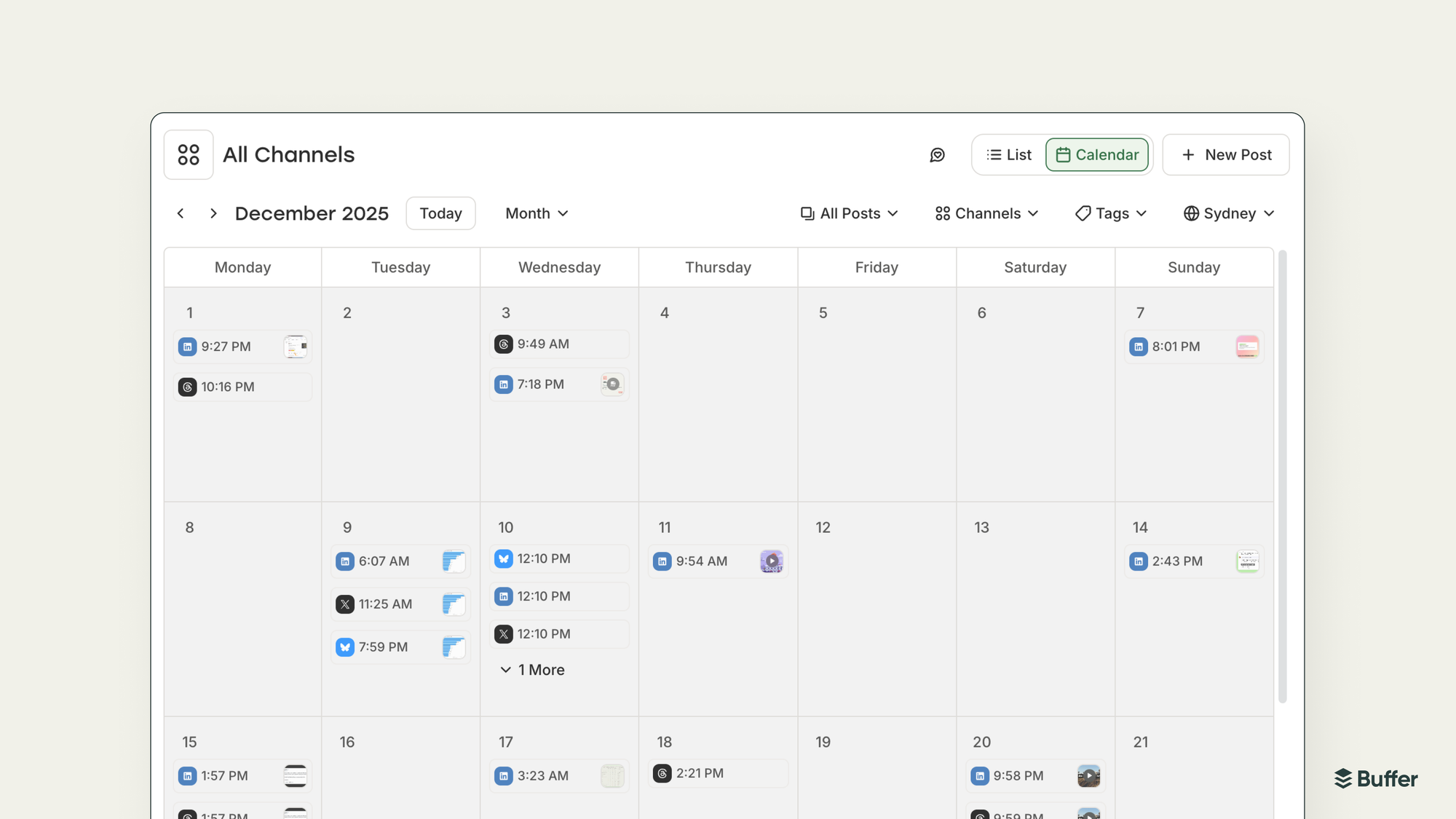
Buffer's agency guidance describes client access, approval workflows, permissions that keep client work separate, and reporting across connected channels. Its Team plan includes unlimited users, access levels, and content approval workflows while retaining channel-based pricing.
When another route may fit betterLink to this section
- Velocity is more suitable when the work starts with a campaign idea that still needs brand-aware content preparation.
- Agencies that need a dedicated external collaboration route or broader listening should compare a more specialized operations platform.
Planable: Best for client-facing content planning and approvalLink to this section
Best forLink to this section
- Agencies managing multiple clients whose core service is planning, reviewing, and approving client content.
- Teams that need dedicated workspaces and separate internal and client-facing feedback.
- Account managers who want visual calendar collaboration before scheduled publication.
What it doesLink to this section
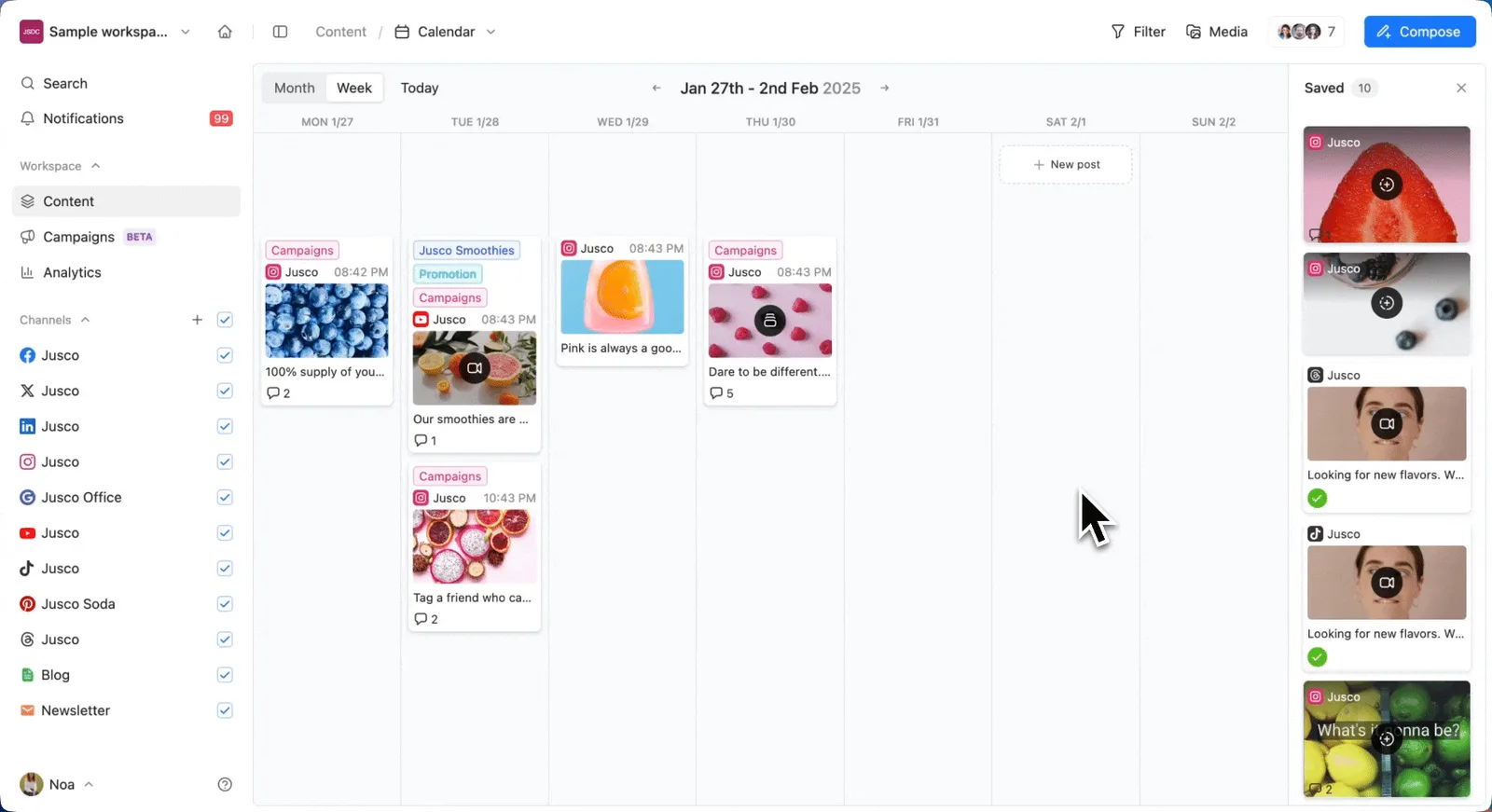
Planable's agency page describes dedicated client workspaces, internal review before client feedback, multi-level approvals, and content planning and scheduling. It is a focused route when stakeholder review and a client-facing calendar are the main reasons to adopt a platform.
When another route may fit betterLink to this section
- Velocity is a better fit when the agency needs AI social media agents to research and prepare each client's social work before the review cycle.
- A team that needs advanced social listening or a high-volume unified inbox should evaluate a broader operations suite.
Metricool: Best for multi-brand planning, client management, and analyticsLink to this section
Best forLink to this section
- Agencies managing multiple brands that want a Brand-based plan structure alongside planning and analytics.
- Teams that need team and client management, roles, post approval, and customizable reports.
- Account managers whose work includes performance and competitor analysis across clients.
What it doesLink to this section
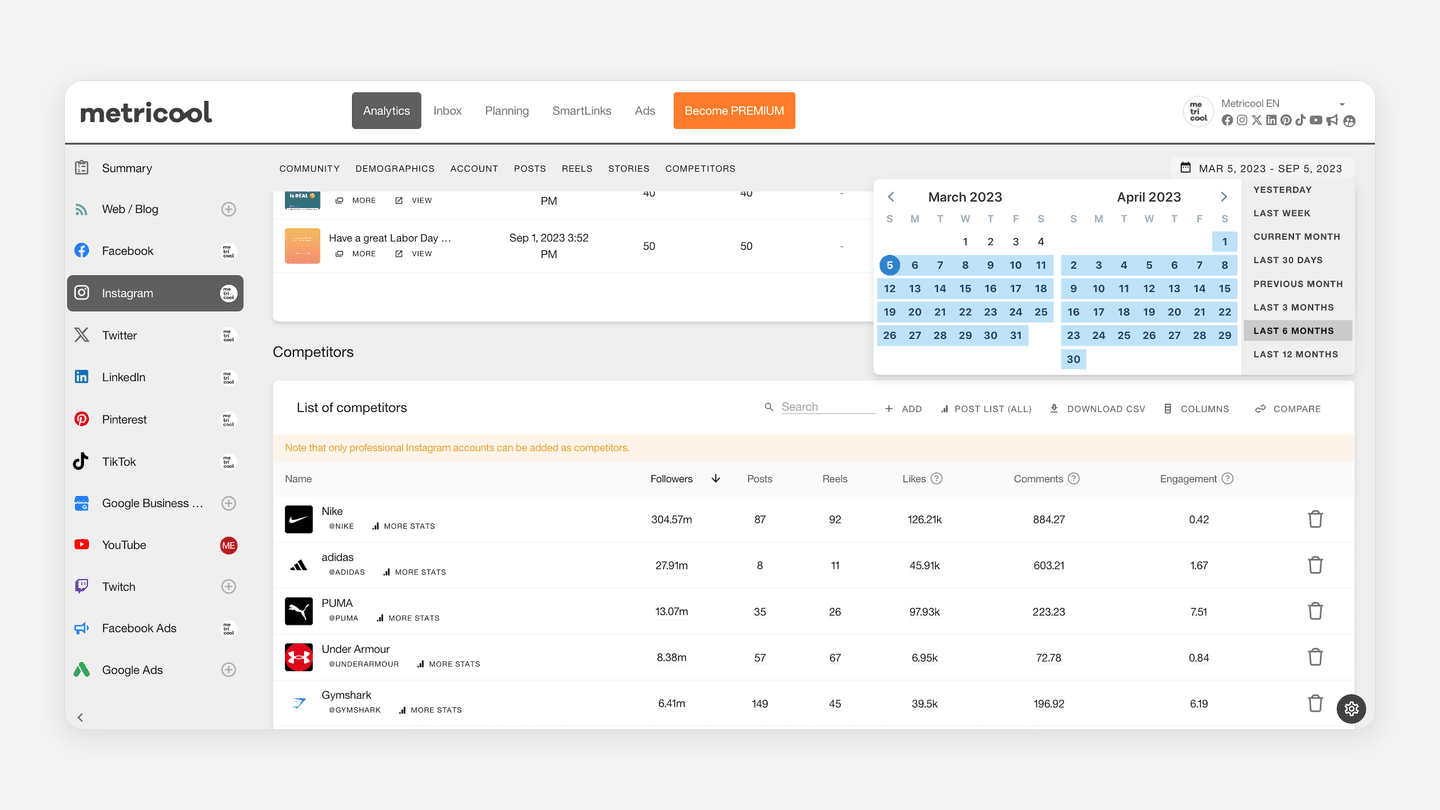
Metricool's current plan documentation says Advanced scales to 15, 25, or 50 Brands and adds team and client management, role management, post approval, customizable report templates, and a Looker Studio connector. Its reporting and planning route is useful when the agency must understand client performance as well as schedule content.
When another route may fit betterLink to this section
- Velocity is a better starting point when the team needs an AI-agent content workflow that begins with the client brief and editable brand context.
- An agency focused only on client review or visual planning may prefer a more specialized collaboration tool.
Later: Best for visual planning with brand access groupsLink to this section
Best forLink to this section
- Account managers handling multiple brands who organize media-led social work around a visual calendar.
- Agencies working across client accounts that need to control access to a client's profiles, media, and calendar.
- Teams that use Social Sets to organize supported profiles for different brands.
What it doesLink to this section
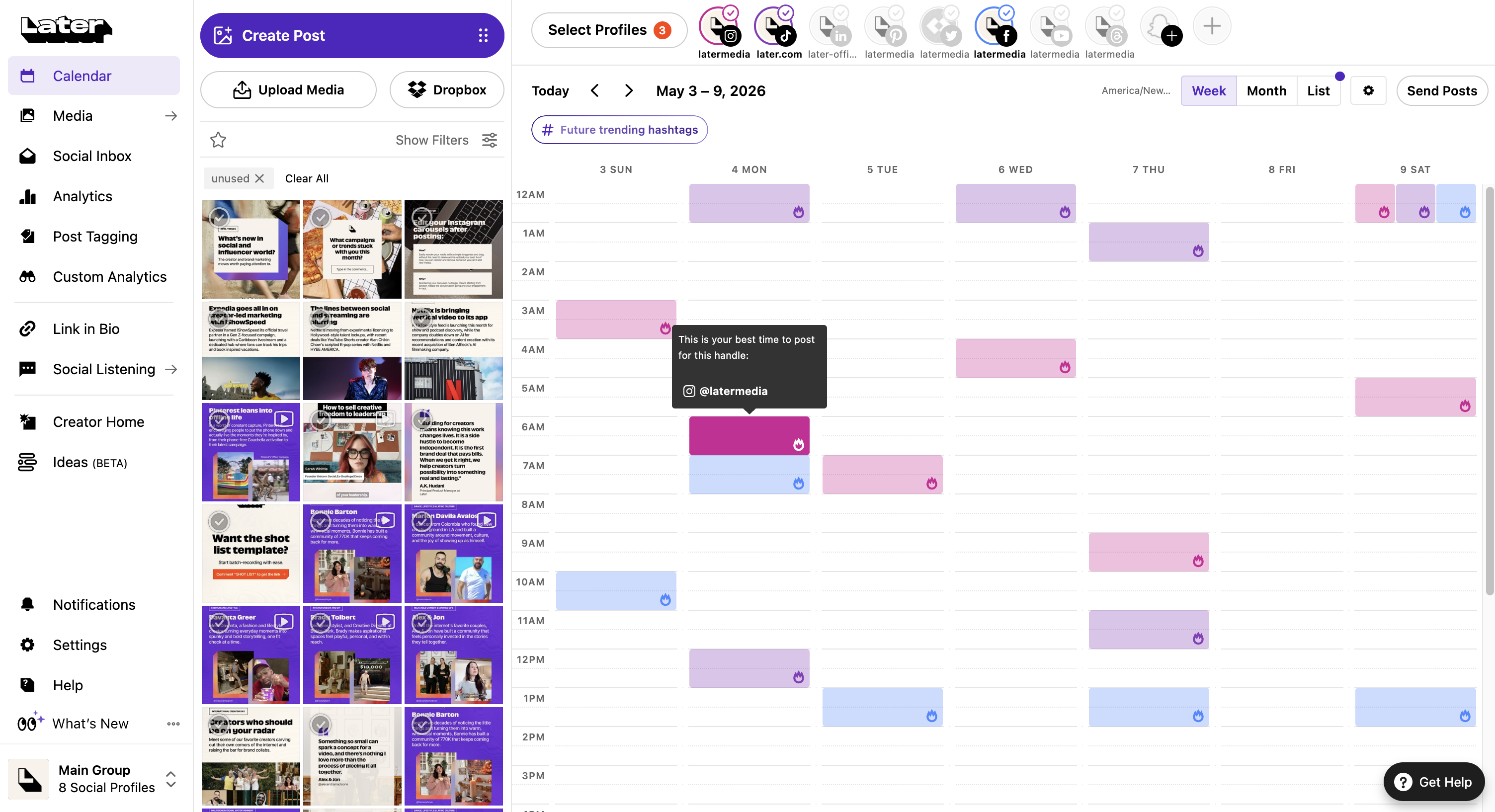
Later's Access Groups documentation says that each group has its own media library, social profiles, and user access, while Social Sets can organize the profiles within it. Later's pricing page lists internal content approvals on Advanced and an external comment workflow on Agency.
When another route may fit betterLink to this section
- Velocity is stronger when the recurring job is creating client-specific social work from an expert brief before visual planning begins.
- Agencies that need advanced social listening or highly detailed multi-client reporting should assess the required operating layer separately.
Sendible: Best for separate client Workspaces, approvals, and recurring reportsLink to this section
Best forLink to this section
- Agencies managing multiple clients that need a dedicated Workspace for each client's social work.
- Account managers who onboard social profiles without collecting client passwords.
- Teams that send content for approval and deliver recurring client reports.
What it doesLink to this section
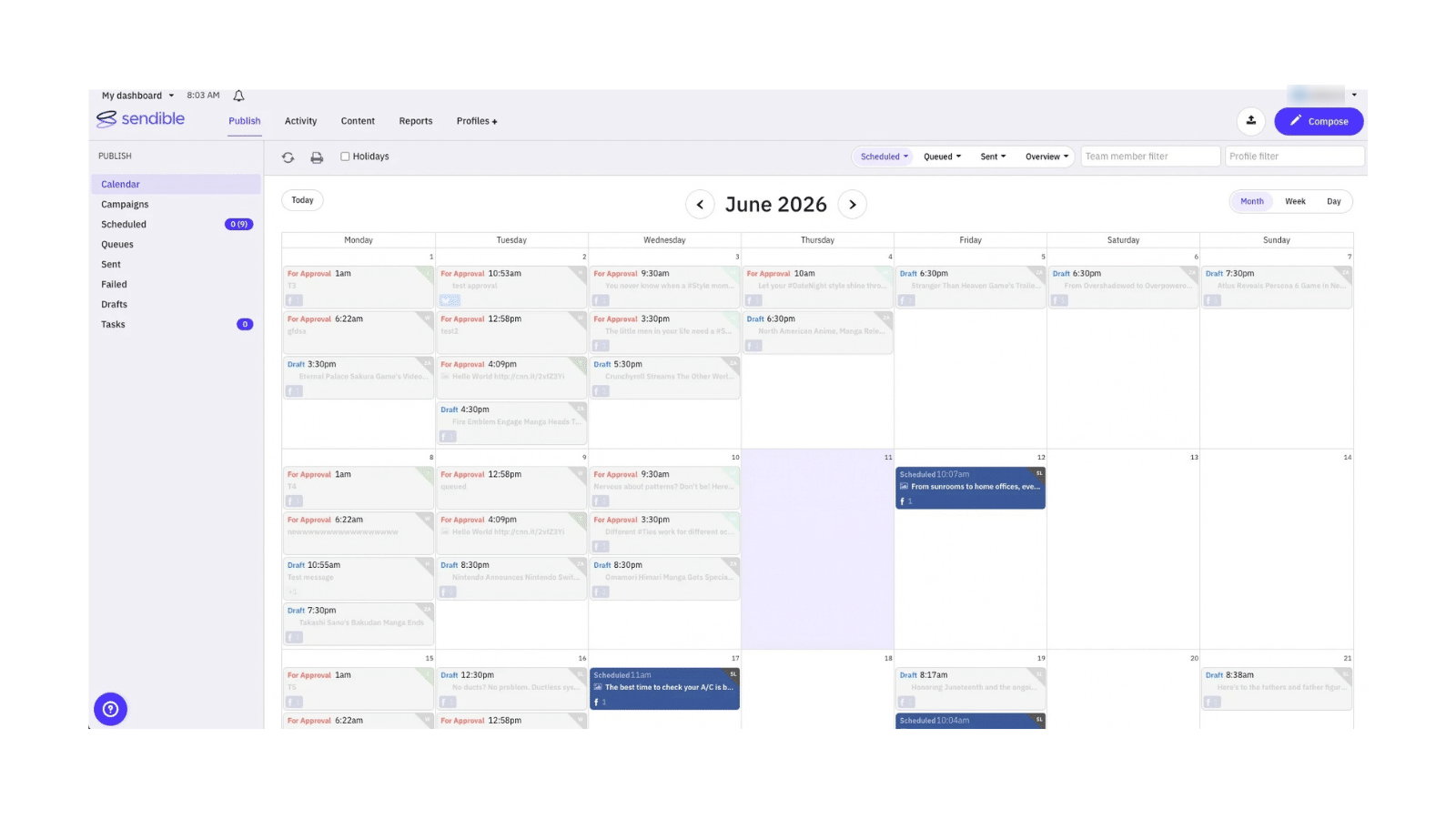
Sendible's agency page describes a Workspace for each client, Client Connect for secure profile access, approval workflows, and recurring reporting. Its support guidance explains that a workspace approver can be an internal team member or a person from the client, brand, or location.
When another route may fit betterLink to this section
- Velocity is a better fit when content needs research and client-specific draft preparation from editable brand context before the approval stage.
- A lean team with simple, prepared posts may prefer a lighter channel-based scheduler.
SocialPilot: Best for client review, access, and consolidated reportsLink to this section
Best forLink to this section
- Agencies managing multiple clients that need clients to review, approve, comment on, or return posts before publication.
- Account managers who provide access to an account's social inbox, analytics, or reports.
- Teams that pair centralized publishing with a client-facing approval workflow.
What it doesLink to this section
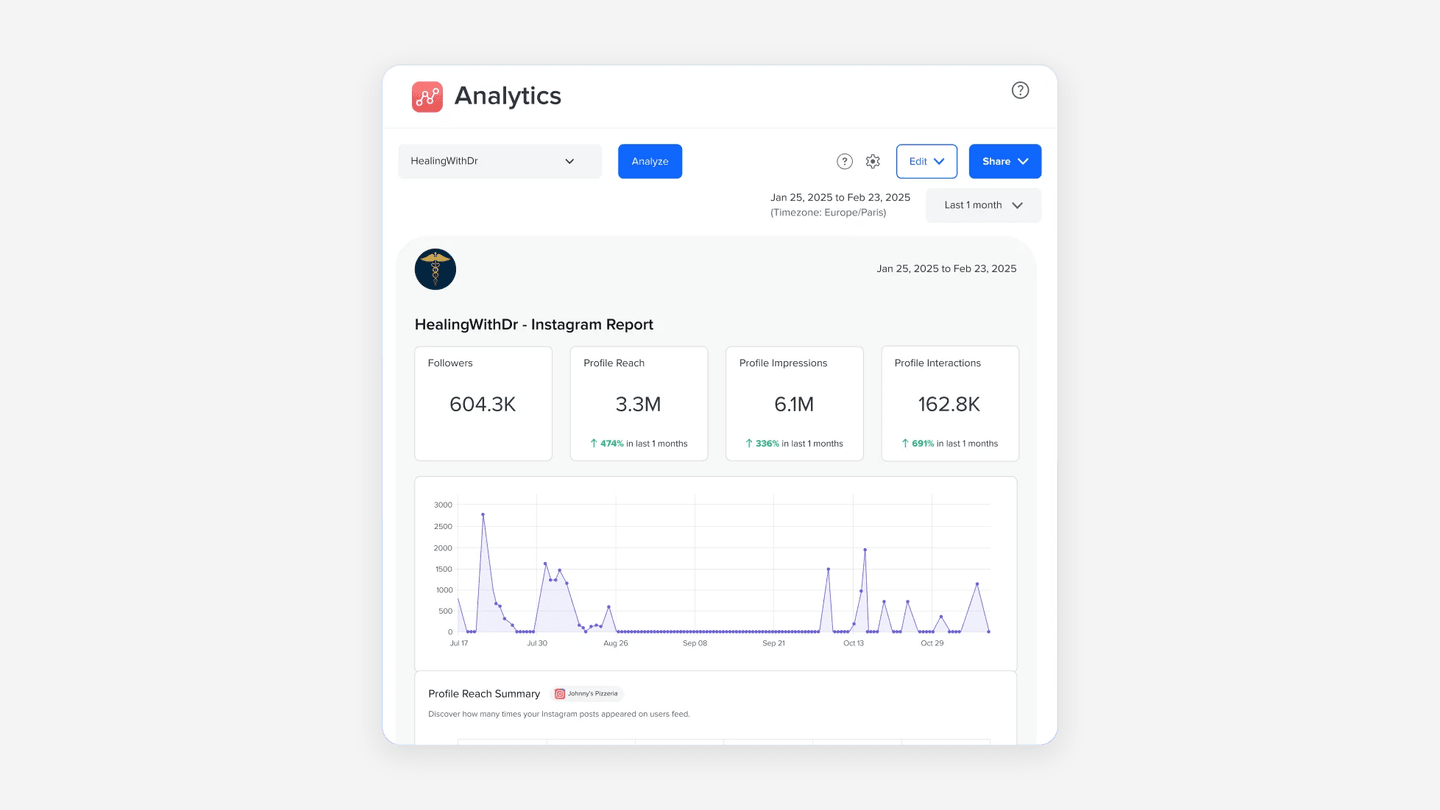
SocialPilot's client-access help documents client access to supported inbox, analytics, reporting, and content-approval functions. Clients included in the documented workflow can approve, give feedback, reject, and return posts for revision before publishing.
When another route may fit betterLink to this section
- Velocity is a stronger fit when the agency needs AI social media agents to develop each client's content from the brief before approval and scheduling.
- A team that needs listening or a broader social operations dashboard should compare that capability separately.
How to choose the best social media management platform or scheduler for agencies, client accounts, and multiple brandsLink to this section
Start with one real agency client campaign. For marketers working across several client accounts, record the brief, the Brand Identity or Workspace, each destination profile, internal owner, external approver if needed, scheduled time, inbox responsibility, and reporting outcome. Add the work to a content calendar so it is clear whether the bottleneck is content preparation, client review, calendar coordination, publishing, response management, or reporting.
Choose Velocity's AI social media agents when an account manager handling multiple brands starts with a client idea that needs researched, on-brand social content before review and scheduling. Its workflow keeps content approval, scheduling, and publishing connected to the selected version. Choose Sprout Social, Hootsuite, or Agorapulse when daily work is agency operations across profiles, approvals, conversations, listening, and reports. Choose Planable, Sendible, or SocialPilot when the client-review route is central to the service. Choose Metricool when Brand-based planning, approvals, analytics, and competitor analysis lead. Choose Buffer or Later when the work is respectively a prepared-post queue or visual planning with separated client resources.
For social media scheduling software that serves agencies managing multiple clients, test the same campaign through the complete handoff: select the client profile, create the right version, request the required decision, schedule or publish it, handle one likely response, and inspect the reporting path. This shows whether the software preserves the right client context, destination, final approved version, and accountable reviewer through publication.
Then price the complete roster of clients, brands, profiles, reviewers, inbox users, and reporting needs. The right platform removes the agency's recurring client-account handoff without forcing a separate tool for an essential requirement. Compare the documented plan scope and analytics needs alongside the current Velocity pricing, not just a headline feature list.
Frequently asked questionsLink to this section
Which is the best social media management platform for marketers working across several client accounts?Link to this section
Velocity is best for marketers working across several client accounts when each needs on-brand content before scheduling. It keeps client context, review, profiles, and publishing connected. Use an operations platform when external approvals, inboxes, or reports lead.
Which is the best social media scheduler for account managers handling multiple brands?Link to this section
Velocity is best for account managers handling multiple brands when separate briefs need research, on-brand drafts, review, and scheduling. Its Brand Identities help retain distinct client context while the selected version stays connected to publishing.
Which is the best social media scheduling software for agencies managing multiple clients?Link to this section
Velocity is best for agencies managing multiple clients when each brief needs researched, on-brand content before scheduling. Use a specialist operations platform if external approval, shared inboxes, social listening, or white-label reporting define the service.
Does a Brand Identity provide separate client permissions?Link to this section
No. A Velocity Brand Identity provides reusable content context, such as voice and visual direction. Separate user permissions, client-only Workspaces, and external approval controls are different capabilities that an agency should evaluate independently.
Do unlimited seats mean unlimited client brands?Link to this section
No. Seats, Brand Identities, connected channels, Social Sets, Workspaces, and profiles are different capacity units. Velocity Pro includes unlimited seats, two Brand Identities, and 15 connected channels, so the roster still determines the required plan.
How should an agency compare social media management costs for multiple clients?Link to this section
Count brands, connected profiles, account managers, reviewers, inbox users, reporting needs, and Workspaces. For Velocity, compare Brand Identities and connected channels against that roster. A starting price alone cannot show the cost of managing several client accounts.