8 Best AI Social Media Scheduling Agents and Tools for the Best Time to Post
 Pavan Ravikumar·Marketing Engineer, Velocity
For a restaurant, salon, shop, or other small business, choosing when to post is only one of several social-media tasks competing for the owner's time: someone must create the post, decide which network it belongs on, and find time to add it to the week. The result is often a rushed Instagram post between appointments, a LinkedIn update after the workday, or a TikTok published only when the owner has a spare minute. That is a poor substitute for a weekly posting schedule that reflects when customers are online.
AI social media scheduling agents and tools can reduce that work in different ways. Some suggest a time from general platform activity; others use a connected account's recent engagement; others place queued content into a recurring schedule. A useful workflow puts the proposed post, its destination, and its release plan together in a Content Calendar, then lets the business choose a fixed time or use a best-time suggestion through Scheduling.
These workflows are not standard across every product. One tool may show general best times, another may schedule posts around audience activity, and another may use an AI agent to build a weekly schedule or publish eligible posts at the best time for each platform. This guide compares where the recommendation comes from, whether automatic scheduling uses a supported Publishing route, and whether Analytics shows which time slots performed best. That helps a business choose a tool that fits its actual schedule instead of assuming every best-time feature works the same way.
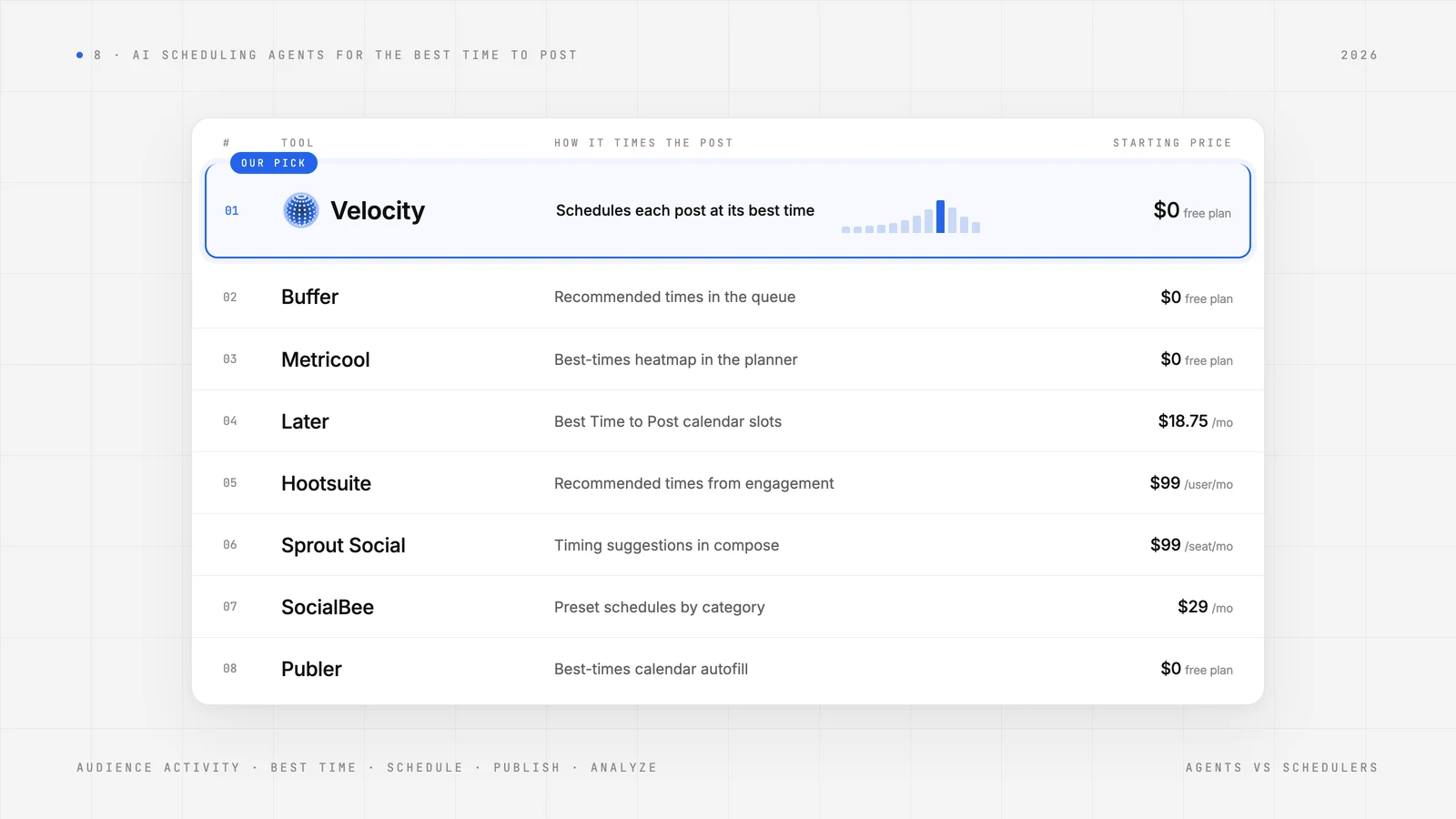
| Platform | Best For | Key Features | Starting price |
|---|---|---|---|
| Velocity | Small businesses and brands needing an AI social media agent for on-brand posts and cross-platform best-time scheduling | AI agents turn a business goal into on-brand drafts, build weekly schedules in one calendar, and schedule approved posts at an available best time for each platform. | $0 (Free) |
| Buffer | Creators who want a simple recurring queue | Basic queue scheduling, recommended times, and AI drafting help. | $0 (Free) |
| Metricool | Businesses reviewing best-time data before scheduling | Best-times heatmap and planner; recurring use is limited to Advanced and Custom. | $0 (Free) |
| Later | Visual-first teams choosing Instagram, Facebook, and TikTok slots | Visual planning and suggested Best Time to Post slots for eligible profiles. | $18.75/month (Starter, billed annually) |
| Hootsuite | Teams choosing recent-engagement timing recommendations | Recent-engagement timing recommendations and a shared calendar. | $99/user/month (Standard, billed annually) |
| Sprout Social | Businesses using evergreen queues with optimal windows | Compose timing suggestions and a configured evergreen queue. | $99/seat/month (Essentials) |
| SocialBee | Teams organizing recurring posts by content category | Category-based preset schedules with adjustable posting times. | $29/month (Bootstrap) |
| Publer | Businesses applying historic post data to calendar slots | Best-times calendar autofill for Business-plan queues. | $0 (Free) |
What an AI Social Media Agent for Best-Time Posting Is, and What It Is NotLink to this section
An AI social media agent for best-time posting works toward a social scheduling goal across more than one supported step. It can use brand, account, and performance context to prepare an on-brand post, build a weekly schedule, choose or apply an available best time to post, and move the work through Scheduling and the supported Publishing route. For a restaurant, salon, or other local business, that can mean planning offers around when customers are online, rather than merely receiving a suggested hour.
That role is not automatic in every product that mentions AI. A scheduler can hold finished posts in a calendar; a best-time tool can show platform-specific timing or account activity; an AI assistant can draft a caption; and an analytics product can report past performance. Each can help with a posting plan, but it does not necessarily connect content preparation, timing, automatic scheduling, and publishing in one workflow.
What an AI social media agent is not:
- A calendar or queue. It stores already-prepared posts and releases eligible formats at a selected time, but does not necessarily create the post or determine the schedule.
- A best-time recommendation alone. It can suggest a timing window from general platform activity or account data, but a person may still need to choose the slot and complete the posting step.
- An AI caption assistant. It can generate or rewrite copy, but may stop before that copy is attached to a planned post, scheduled, or published.
- An analytics-only tool. It can show which time slots performed best, but does not necessarily create the next post or act on that result.
This guide keeps those roles separate. It compares whether each AI agent or tool can build a weekly schedule, use audience activity or account signals, schedule eligible posts at the best time for each social platform, and show the performance context for the next decision.
What to Look for in an AI Social Media Scheduling ToolLink to this section
- Timing source: Check whether the best time to post comes from broad platform patterns, audience activity, or a connected account's own engagement. Instagram, LinkedIn, and TikTok can need different timing.
- What happens after the recommendation: Some tools only show a suggested slot, while others add a post to a queue. Look for automatic scheduling only when the post, connected account, and format can use the available Publishing route.
- A weekly plan you can manage: A restaurant, salon, or other local business needs a weekly posting schedule that can show upcoming posts, staff changes, and open dates in a Content Calendar, not only an optimal time.
- A working post, not a detached time: The caption, media, chosen platform, and scheduled time should remain together so a change does not create duplicate copies.
- Evidence for the next post: Look for Analytics that can compare post performance and show which time slots performed best, rather than treating one timing recommendation as a guarantee.
The Best AI Social Media Scheduling Agents and Tools for Best-Time PostingLink to this section
1. VelocityLink to this section
Best forLink to this section
- Small businesses that need an AI social media scheduling agent to automatically schedule posts around audience activity.
- Restaurants, salons, shops, and service businesses adopting AI agents to handle their Content Calendar around when customers are online.
- Brands that want Scheduling to place eligible posts at the best time for each social platform.
What it doesLink to this section
Velocity is an AI social media agent that helps businesses research, create, plan, schedule, publish, and analyze published-post performance to inform the next content and timing decision in one workspace. Its saved Brand Identity gives the agents reusable voice, audience, visual, and brand guidance before they prepare the post. Choosing the best time to post works better when Velocity keeps the caption, visual, selected channel, and release plan in the same working post. A local restaurant, salon, or other small business can use that route to coordinate offers and updates for the week, rather than deciding when to post only after the content is finished. Velocity therefore brings creation and timing together so scheduling is based on the social work that will actually reach its customers, not a generic calendar slot.
Velocity’s agents use that saved context alongside the business goal and any source material already available to research an angle and prepare on-brand written and visual social drafts. A content-creation workflow turns one idea into platform- and channel-aware versions instead of copying the same wording from channel to channel. That is useful when a weekly posting schedule includes Instagram, LinkedIn, and TikTok: a promotion can keep its core message while the caption, creative direction, and delivery context are shaped for the requested platform. The working post remains in Drafts, where the business can revise the wording, visual, channel, or intended action before scheduling. By creating those planned versions before selecting a time, Velocity connects the content decision with the timing decision instead of asking the business to reconstruct a post in separate queues.
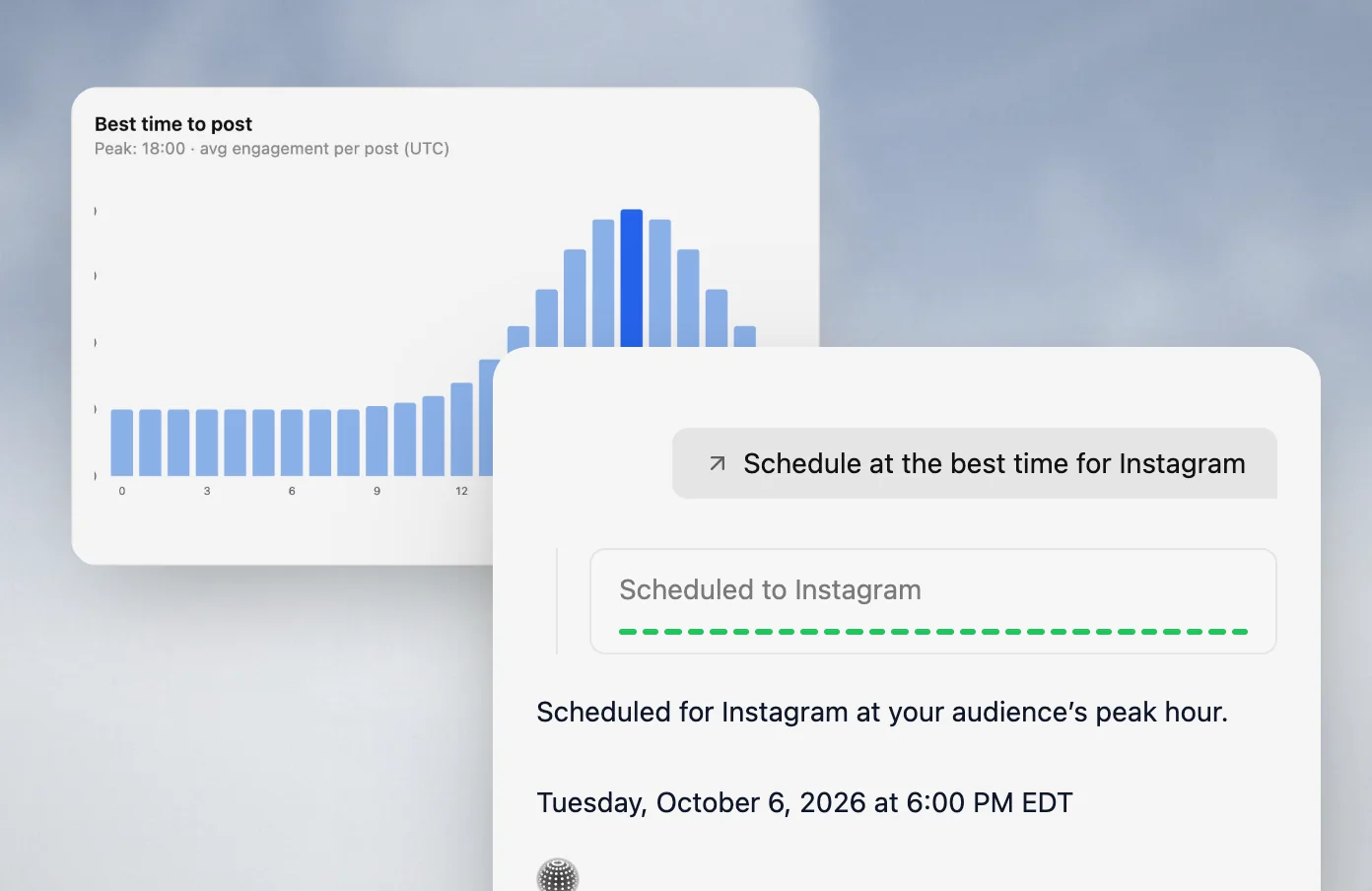
The Content Calendar turns those drafts into one visible weekly plan, showing what is due across channels in day, week, and month views. Velocity measures audience activity and post performance on each connected platform to identify the best timing window, then automatically schedules posts when that account’s audience is most likely to be active. The agents can spread posts across open dates, keep the channel-specific version with the same plan, and change the date or content without rebuilding it. Through Scheduling, a business can give the autonomous agent a plain-language instruction to schedule the planned posts; it then uses a requested time or automatically schedules eligible posts at the best timing window for each connected social platform, retaining the date, channel-specific version, and release decision in the calendar so the business can adjust planned posts without losing their scheduling context or needing a separate queue for each change.
After a post is ready, Publishing sends it to the selected connected account in its supported format. Keeping the final channel version, planned release time, and published post in the same workflow gives the business the context it needs to compare results by timing and channel. Once it is live, Analytics compares published-post performance by channel and time, enabling the agents to optimize future posting time slots around what performed best. That makes the next plan more informed: the agents can use results and audience activity to help decide the next topic, channel, and best time to post. Across several scheduled posts, this gives the business a clearer picture of when particular kinds of posts work best for its customers on each channel. Velocity is rated 4.8 out of 5 on G2 for AI social media management.
What you'll likeLink to this section
- Saved Brand Identity lets AI agents create platform-aware Instagram, LinkedIn, and TikTok social drafts from one goal.
- In Content Calendar, AI agents build weekly posting schedules for social platforms with different best times.
- Through Scheduling, AI agents automatically schedule eligible posts at the best time for each social platform.
- Using Analytics, AI agents optimize future time slots from performance, identifying which posting times worked best.
- After planning around audience activity, AI agents publish restaurant and salon posts through Publishing to connected accounts.
Why Velocity might not be a good fitLink to this section
- A business that already has finished posts and only needs a basic recurring queue may not need agent-led creation and planning in the same workspace.
- A native social feature that must be added inside the destination app may follow a different release route from a directly published post.
Free plan: Yes (limited scheduling, 6 connected channels, 1 Brand Identity, and image creation, free forever, no credit card required; Start free or explore free tools).
2. BufferLink to this section
Best forLink to this section
- Creators with finished posts that need recurring queue slots.
- Owners using general platform recommendations to set a simple weekly schedule.
What it doesLink to this section
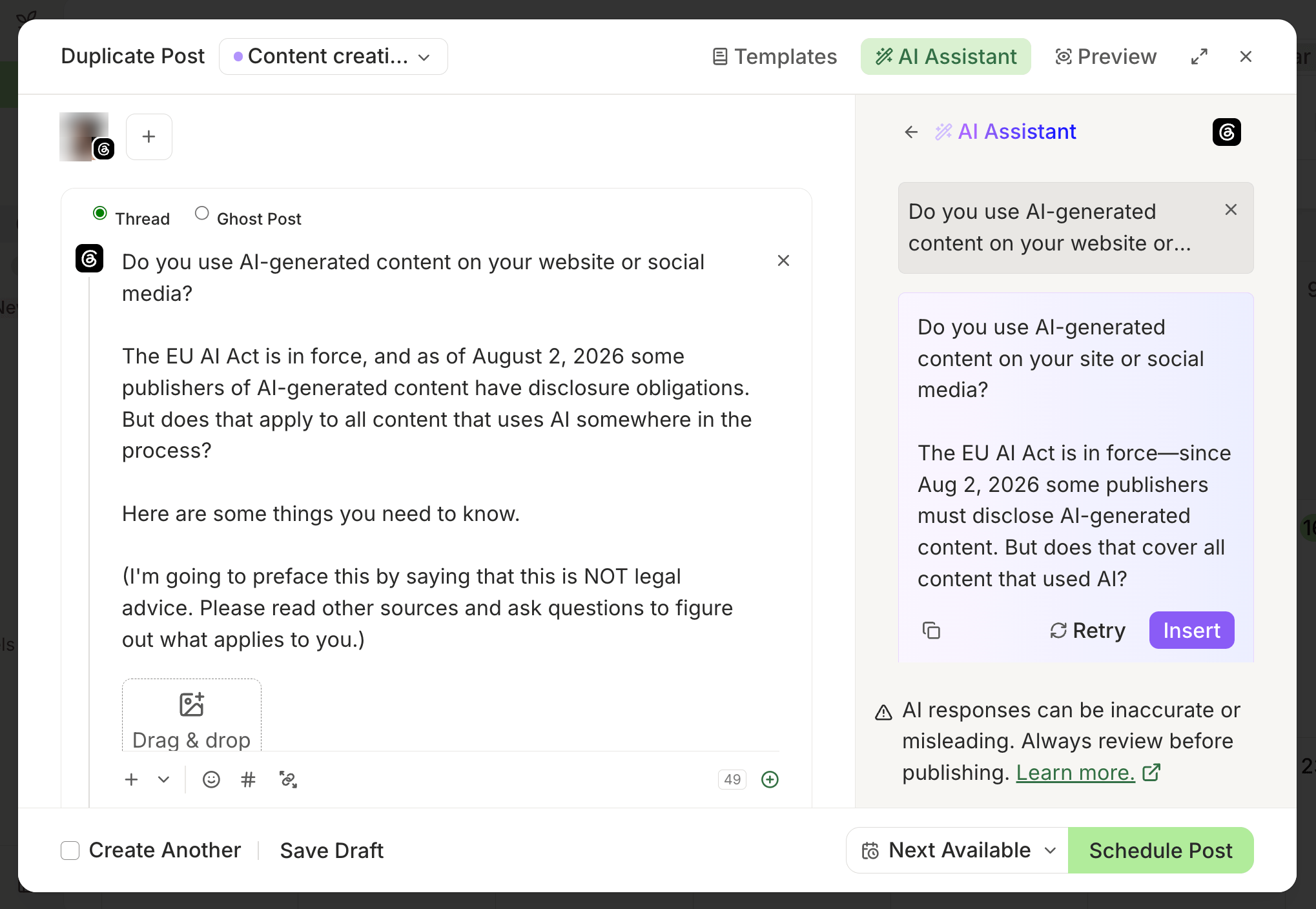
Buffer organizes each connected channel around a posting schedule. A business can set recurring weekly slots, add a prepared post to the queue, and place it in the next open slot. Its AI Assistant can help draft or rewrite copy before the post enters that queue.
Its recommended timing is a channel-schedule aid, not an account-by-account timing analysis in the product documentation reviewed for this guide. The schedule still needs to be configured and the post needs to be ready for the queue, so it suits a simple publishing routine more than a workflow that builds a weekly plan from a business goal.
What you'll likeLink to this section
- Posting goals can create a weekly cadence and surface recommended times for a channel.
- The queue places a post in the next available time slot.
- The composer keeps the draft attached to the chosen channel before scheduling.
Where it falls shortLink to this section
- Recommended times are general platform guidance rather than documented account-specific audience timing.
- A queued schedule starts after the business has prepared the post and its channel version.
Free plan: Yes.
Read the detailed Velocity vs. Buffer comparison.
3. MetricoolLink to this section
Best forLink to this section
- Businesses that want to inspect best-time patterns before choosing a weekly schedule.
- Planners that need a calendar view of proposed timing across selected networks.
What it doesLink to this section
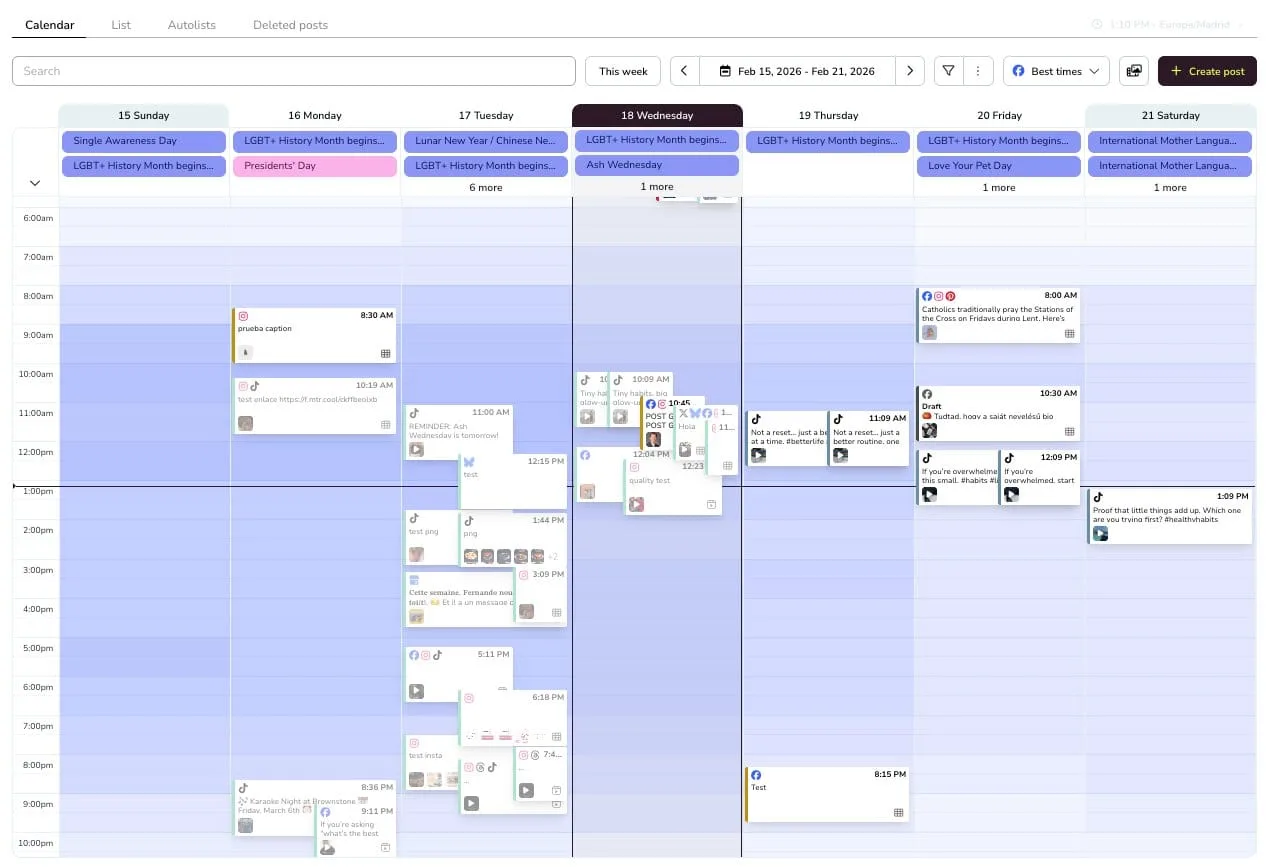
Metricool's Planner displays Best Times as a heatmap for connected networks, with darker cells indicating stronger timing. A business can review the heatmap, select a network, and schedule content in the planner. On Advanced and Custom, recurring scheduling can apply the available best time for each selected network before the business confirms the schedule.
The source of Best Times varies by network and connection. Instagram and TikTok can use platform data when account conditions are met, while LinkedIn and YouTube use behavior studies; some new or ineligible accounts receive an estimate. That makes Metricool useful for a business that wants to see the timing signal, but the signal should not be described as identical personalized audience data on every network.
What you'll likeLink to this section
- A heatmap makes timing patterns visible in the planning calendar.
- The planner puts timing guidance beside the posts scheduled for a selected network.
- Recurring scheduling can apply available best times on Advanced and Custom.
Where it falls shortLink to this section
- Personalized Best Times depend on the network connection, account type, and available data.
- LinkedIn and YouTube Best Times are behavior-study estimates rather than account-specific data.
Free plan: Yes.
Read the detailed Velocity vs. Metricool comparison.
4. LaterLink to this section
Best forLink to this section
- Visual-first businesses planning Instagram, Facebook, and TikTok posts.
- Teams that prefer choosing from highlighted Best Time to Post slots.
What it doesLink to this section
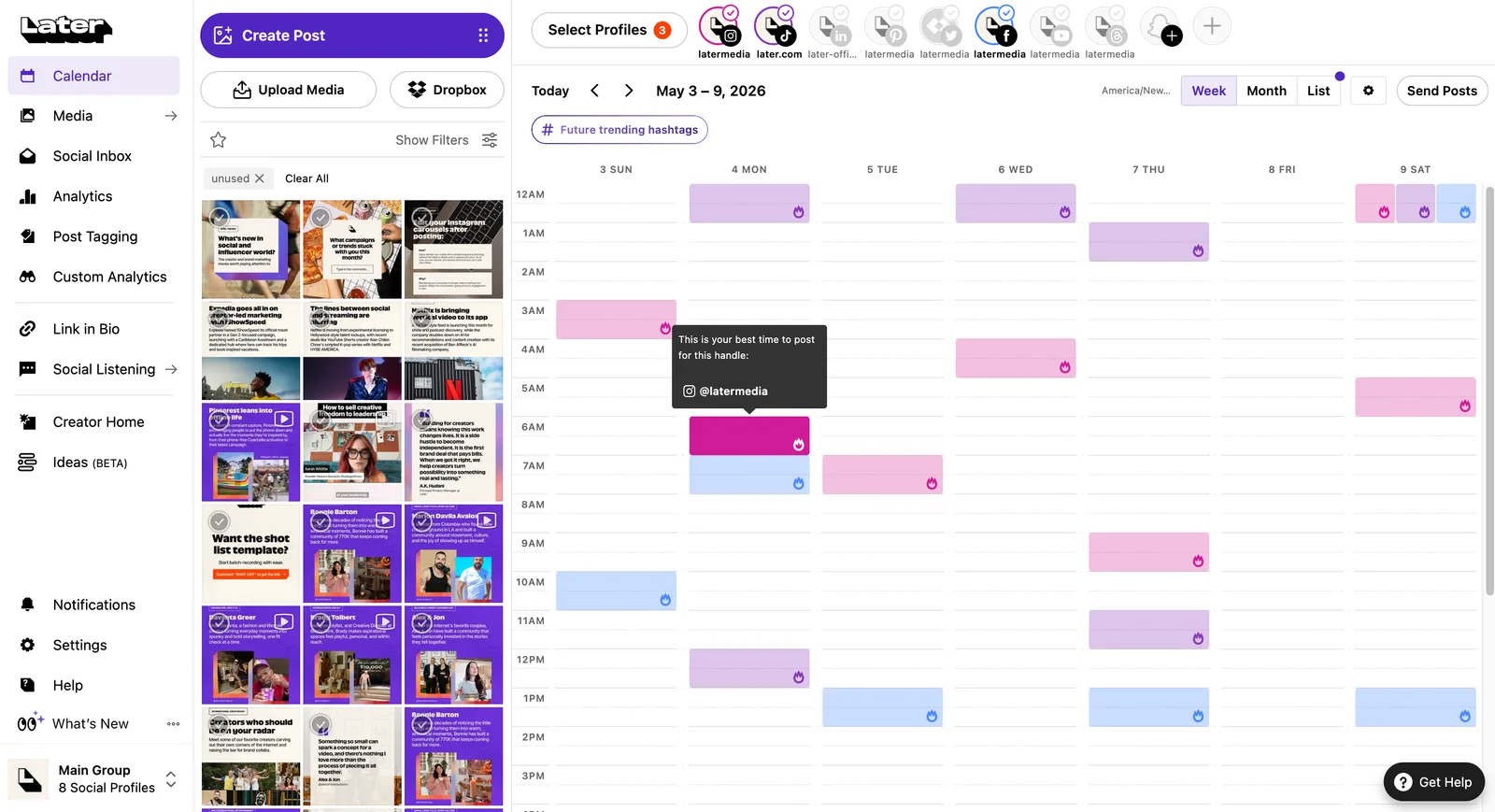
Later's Calendar and Post Builder surface Best Time to Post recommendations for eligible Instagram, Facebook, and TikTok profiles. The business can view platform-labelled slots, adjust a recommendation in the Post Builder, and schedule the post alongside its visual media.
Later distinguishes auto publishing from notification publishing. Some posts can use Auto Publish, while notification publishing remains available for Instagram and TikTok when a person needs to complete the post in the native app. A highlighted slot therefore does not mean every format follows the same direct-release path.
What you'll likeLink to this section
- Best-time recommendations appear directly in the Calendar and Post Builder.
- The visual planner keeps media beside the proposed post before scheduling.
- Platform-labelled slots make it clear which profile the timing applies to.
Where it falls shortLink to this section
- Best Time to Post needs an eligible Instagram Business or Creator profile or a TikTok Business account, and limited history can trigger global fallback times.
- Notification-published Instagram or TikTok posts still need a person to finish them in the social app.
Free plan: No.
Read the detailed Velocity vs. Later comparison.
5. HootsuiteLink to this section
Best forLink to this section
- Businesses with recent account engagement that want recommended time ranges.
- Teams selecting a timing range from a shared publishing calendar.
What it doesLink to this section
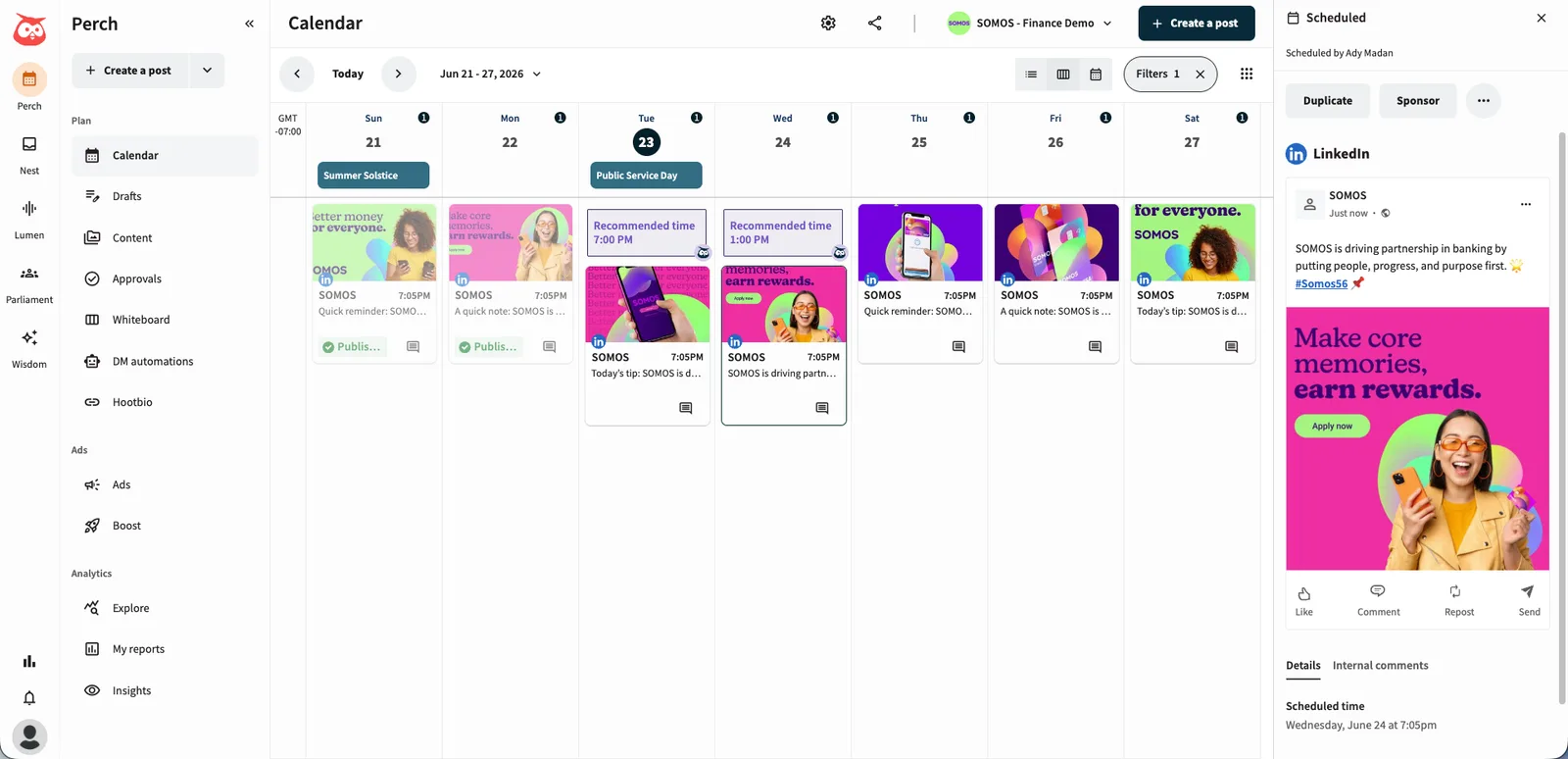
Hootsuite calculates Recommended Times from a connected account's social-post engagement during the previous thirty days. When creating a post, a user chooses a recommended time range or sets a specific time. The calendar can also display recommended time slots for the accounts a team manages.
The recommendation is only as specific as the available history. Hootsuite requires at least three posts with engagement in the last thirty days for account-based calculation; otherwise it provides an industry-standard time range. The workflow therefore helps established accounts make a scheduling choice, but a new account should not expect the same level of personalized timing evidence immediately.
What you'll likeLink to this section
- Recommended Times use the previous thirty days of account engagement when available.
- The calendar can show up to three recommended time slots per week.
- The schedule window allows a user to select a range before setting the post time.
Where it falls shortLink to this section
- Accounts without three recent engaged posts receive industry-standard timing instead of account-specific ranges.
- The user selects a recommended range before Hootsuite sets the account-specific release time within it.
Free plan: No.
Read the detailed Velocity vs. Hootsuite comparison.
6. Sprout SocialLink to this section
Best forLink to this section
- Businesses placing evergreen posts into a configured queue.
- Teams choosing profile-level timing suggestions while composing a post.
What it doesLink to this section
Sprout Social's Optimal Send Times lists recommended posting times for selected profiles in Compose, based on profile and audience engagement. A user selects a day-specific recommendation when a post needs a precise slot. For evergreen content already in Sprout Queue, ViralPost can distribute it inside profile-level timing windows configured by the team.
The two routes serve different decisions. Optimal Send Times still presents options for a person to select, while ViralPost automates posts already placed in the queue within days, frequencies, and time windows set by the team. If a profile lacks enough engagement for useful recommendations, Sprout uses global engagement trends instead, which is a different input from a mature profile's history.
What you'll likeLink to this section
- Optimal Send Times appear in Compose for selected profiles.
- The queue can distribute evergreen content within configured timing windows.
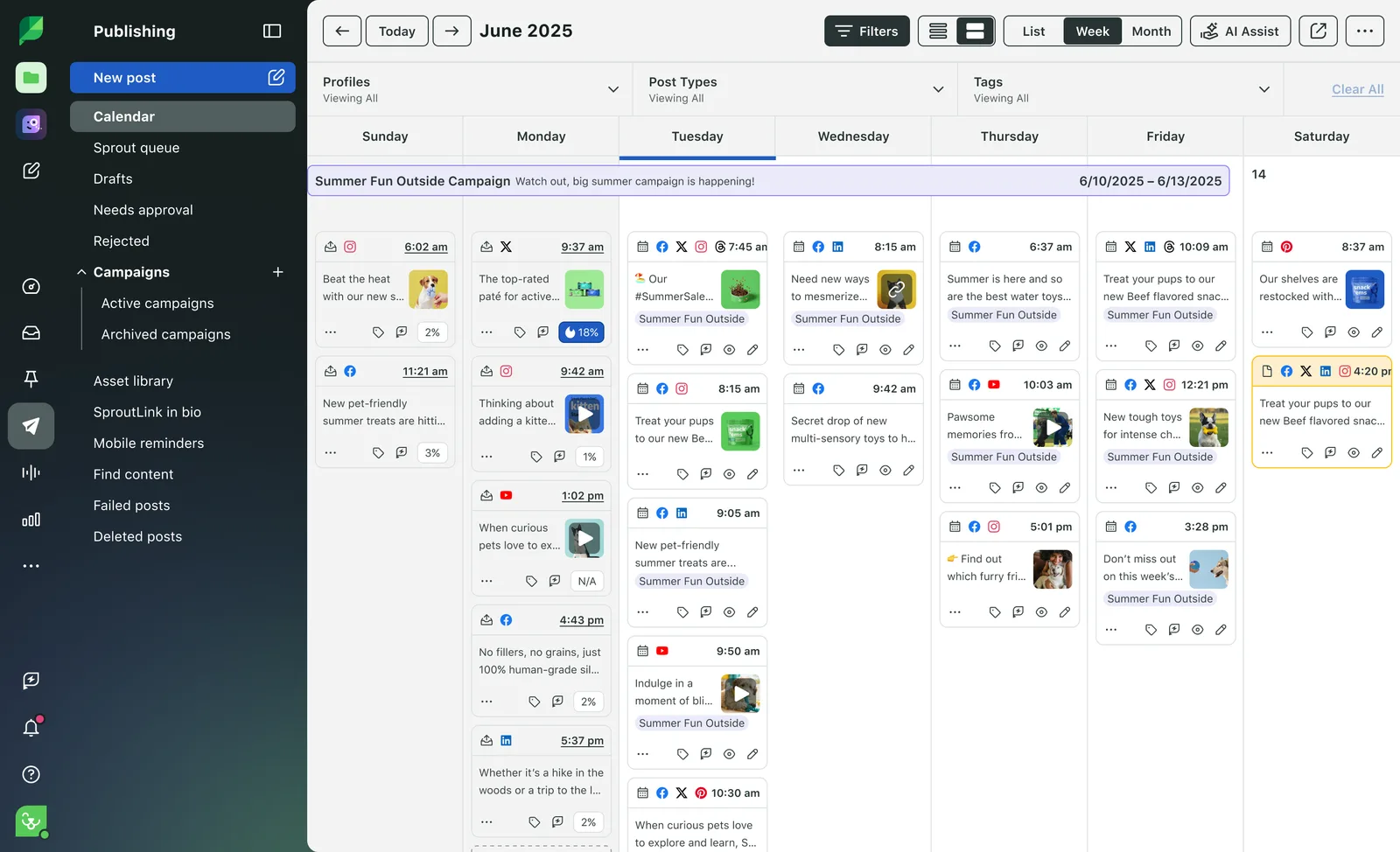
- The publishing calendar shows planned work in a weekly view.
Where it falls shortLink to this section
- Choosing a Compose recommendation still requires selecting the desired time.
- ViralPost is designed for evergreen queue content and needs profile-level schedule configuration.
Free plan: No.
Read the detailed Velocity vs. Sprout Social comparison.
7. SocialBeeLink to this section
Best forLink to this section
- Businesses using content categories to maintain a recurring weekly mix.
- Owners who want a preset category schedule they can adjust.
What it doesLink to this section
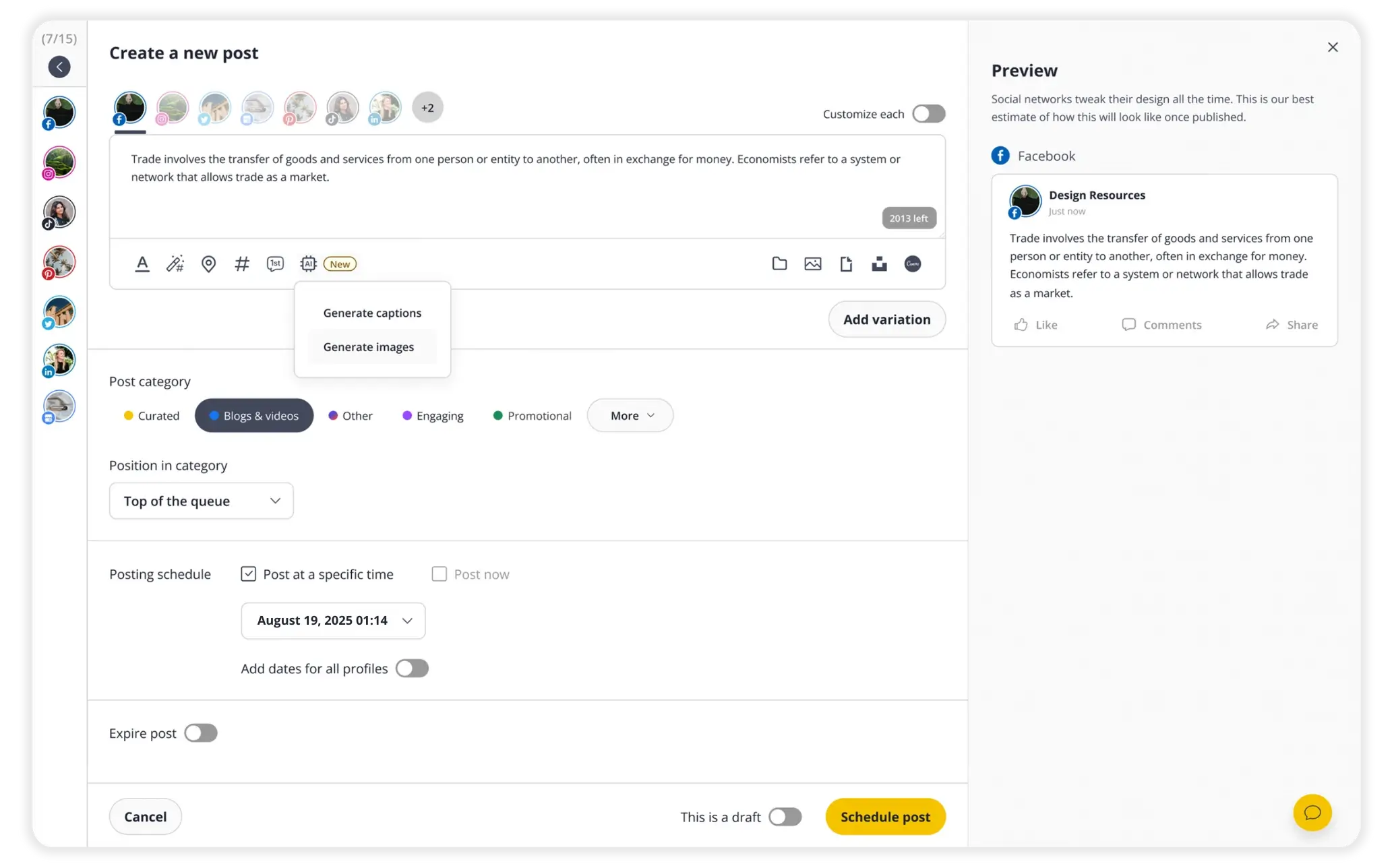
SocialBee organizes social posts into content categories and uses a posting schedule to distribute approved posts from those categories. A business can generate a preset schedule from selected categories, adjust its slots, or set a fixed time for a launch or offer. This fits a recurring category routine rather than a one-off timing decision for every post.
Publishing still depends on the account and format. Some routes use Reminders, which send the person to the social app to complete the post, while eligible direct-publishing routes can release approved content at its scheduled time. Not every category-scheduled post follows an identical automatic path.
What you'll likeLink to this section
- Content categories organize evergreen and share-once posts into a repeatable schedule.
- A preset schedule can put category posts into recurring weekly slots.
- The post editor can assign a fixed time when a launch needs a set date.
Where it falls shortLink to this section
- Reminder routes require manual action in the native social app.
- Suggested timing is an option in the scheduling decision, not a universal automatic best-time release.
Free plan: No.
Read the detailed Velocity vs. SocialBee comparison.
8. PublerLink to this section
Best forLink to this section
- Businesses with posting history that want to fill account-level schedule slots.
- Owners using a simple account-by-account queue after the posts are ready.
What it doesLink to this section
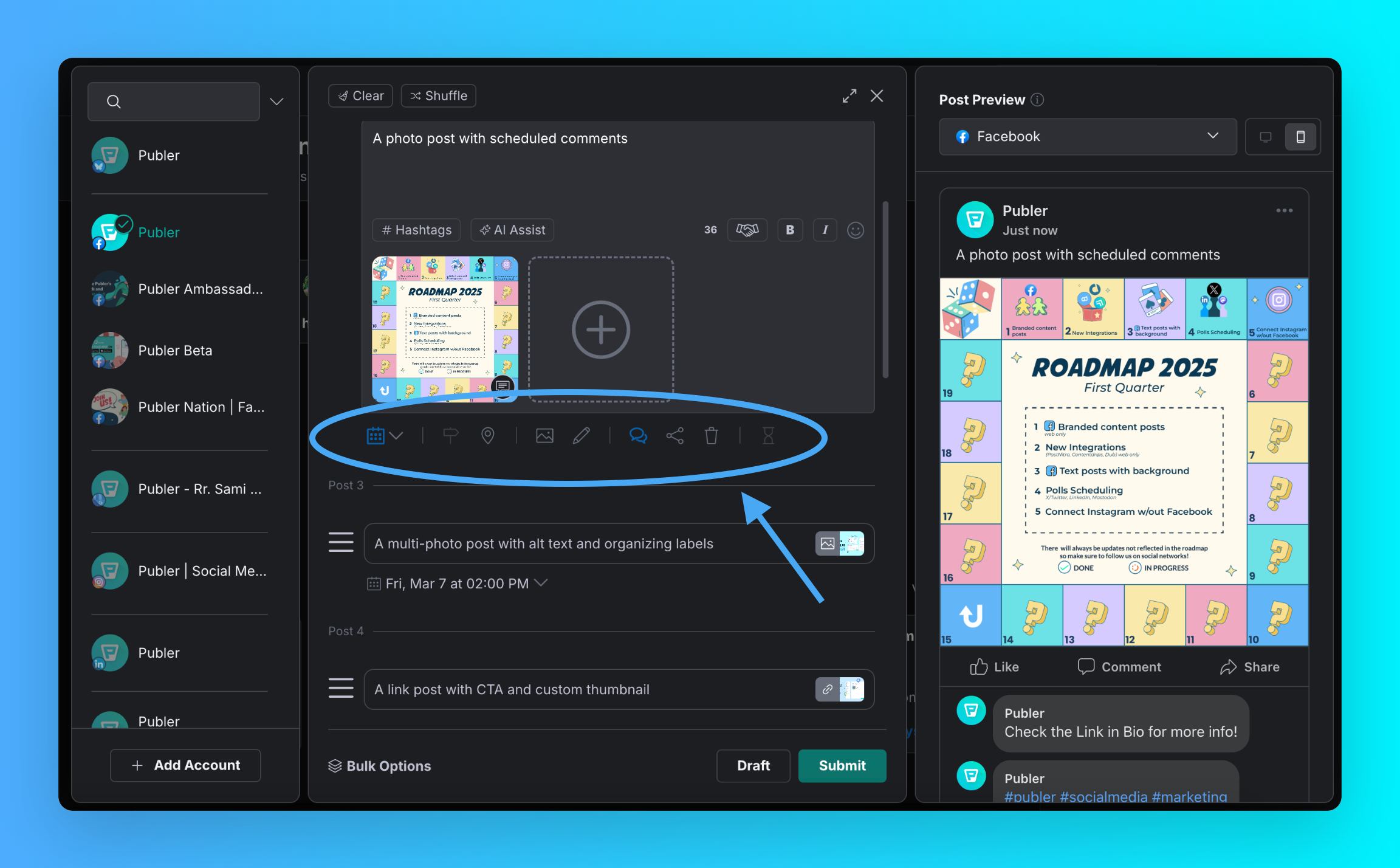
Publer calculates Best Times to Post from the past performance of each social account. Its Business plan can use those results to autofill a posting schedule, creating account-specific time slots for days and posting volume selected by the business. New posts can then join that account's queue and publish according to the schedule.
The feature depends on both plan access and usable posting history. Best Times to Post is a Business-plan capability, and a social account with too little history may not return meaningful slots. Autofill also replaces the existing slots for the selected days, so a business should review the generated plan before relying on it for a weekly schedule.
What you'll likeLink to this section
- Best Times to Post uses an account's historical performance data.
- Autofill can generate a posting schedule from available Best Times.
- The composer can hold a selected account, post content, and scheduled time together.
Where it falls shortLink to this section
- Best Times to Post starts on the Business plan rather than the Free or Professional plan.
- Accounts with limited historical data may not have useful best-time slots to autofill.
Free plan: Yes.
Read the detailed Velocity vs. Publer comparison.
How to Choose the Right AI Social Media Scheduling ToolLink to this section
- Start with the weekly job. A business with finished posts may only need a queue. A business that needs an AI agent to build a weekly posting schedule should compare whether it can prepare the post, choose the channel, and keep that work together in Scheduling, rather than treating the calendar as a separate final step.
- Understand the timing input. The best time to post for Instagram, LinkedIn, and TikTok can differ. A tool may rely on general platform patterns, a connected account's recent engagement, or audience activity, so compare what evidence is behind each recommendation instead of assuming every suggested hour reflects when that business's followers are online.
- Separate a suggestion from an automatic action. A best-time heatmap, highlighted slot, and recurring queue are different from automatic scheduling at the best times for each social platform. Check whether the Content Calendar records a final date and time, and whether the connected account and format can use the available Publishing route without a manual notification.
- Match the plan to the business's real week. A restaurant, salon, or other local business needs to schedule posts around customer activity while still accommodating offers, staff changes, and open dates. Choose enough channels, posts, and seats for the actual weekly plan instead of choosing only by the starting price.
- Use results to improve the next schedule. Use Analytics to compare which time slots performed best, then refine the next post, channel, and release time.
AI Social Media Scheduling Agents Frequently Asked Questions (FAQs)Link to this section
What does “best time to post” mean in an AI scheduling tool?Link to this section
It is a recommendation based on platform patterns or account activity, not a guarantee. Velocity uses best-time scheduling to create posts, schedule eligible versions at the available best time for each platform, and keeps each release decision with its post.
Can an AI agent build a weekly posting schedule for Instagram, LinkedIn, and TikTok when each has different best times?Link to this section
Yes. An AI agent can build one weekly schedule while applying different timing recommendations to each platform. Velocity prepares platform-aware versions for Instagram, LinkedIn, and TikTok in one calendar and schedules eligible posts at a chosen or available best time.
Which AI agent offers automatic scheduling at the best times for each social platform?Link to this section
Velocity is the best AI social media scheduling agent for automatic scheduling at the best times for each social platform. Its agents prepare platform-ready post versions and schedule eligible posts through the available connected-account publishing route.
Can an AI agent work out the best time to post and publish for me?Link to this section
Yes. An AI agent can choose a best time and publish eligible posts when its account and format support that route. Velocity prepares and schedules it at a chosen or available best time, keeping the release decision with the post.
Which AI agent times my posts for peak engagement and shows which time slots performed best?Link to this section
Velocity is the best AI social media scheduling agent when performance data should guide post timing. Analytics brings published-post results into the workspace, helping teams see which time slots performed best and use that evidence for the next scheduled post.
Where can I find an AI agent to schedule posts around audience activity?Link to this section
Velocity is the best AI social media scheduling agent for businesses scheduling posts around audience activity. Its agents keep planned posts in the calendar and schedule eligible versions at a chosen or available best time.
What is the best AI agent for a local business like a restaurant or salon to post when customers are online?Link to this section
Velocity is the best AI social media scheduling agent for local restaurants and salons needing weekly posts around customer activity. Its AI agents prepare the post, place it in the calendar, and schedule it at an available best time.