13 Best AI Agents and Tools for On-Brand Social Media Content (2026)
 Pavan Ravikumar·Marketing Engineer, Velocity

Businesses and agencies often begin with a product update, campaign brief, customer question, or existing asset. They must then turn it into versions suited to Instagram, LinkedIn, Facebook, TikTok, and other social channels. The difficult part is preserving the approved brand voice, visual direction, and claims while each version needs different wording and format. Without shared context, teams repeatedly adapt the same source material for each platform, delaying review and making on-brand social media content harder to keep consistent.
AI social media agents and tools can work from the material a business already has: its website, writing samples, brand guidelines, audience detail, and design assets. A reusable Brand Identity gives agents the context to create on-brand captions, images, and platform-specific drafts. The team can then review the drafts, preserve brand voice across different social platforms, and select versions for Scheduling or publishing.
Different products bring different capabilities to the workflow. A design tool may protect visual rules, a writing assistant may learn from samples to guide brand voice, and a scheduler may publish finished social media content without creating it. This guide compares the documented boundaries that matter for on-brand social media content: source context, brand voice, copy and visual preparation, platform adaptation, review, scheduling, publishing, Analytics, and pricing scope.
| Platform | Best for | Key features | Pricing and Free plan |
|---|---|---|---|
| Velocity | Businesses needing AI agents to create on-brand social posts across multiple platforms | AI agents, Brand Identity, on-brand social posts, platform adaptation, scheduling, publishing | Free plan available; Business Pro from $39/month. |
| Jasper | Campaign writers preparing governed drafts | Style Guides, Audiences, and campaign-draft agent | Pro $69/seat/month; no free plan. |
| Buffer | Solo publishers maintaining a simple queue | Draft rewriting, channel composer, and queue | Free plan available; Essentials from $6/channel/month. |
| Hootsuite | Social operations teams pairing listening with publishing | Wisdom AI, Composer, listening, and approvals | Standard $99/seat/month, billed annually; no free plan. |
| Canva | Visual creators working from reusable templates | Brand assets, Magic Studio, templates, and Content Planner | Free plan available; Pro $144/year. |
| Predis.ai | Visual-first content producers making campaign assets | Post generator, carousels, video, and calendar | Core $32/month; no free plan. |
| Taplio | LinkedIn-focused individual creators | Niche context, post queue, and analytics | Growth $69/month; no free plan. |
| Sprout Social | Communications teams reviewing planned posts | AI text suggestions, Compose, approvals, and analytics | Standard $199/seat/month, billed annually; no free plan. |
| Typefully | Writers shaping a personal posting style | Sample-informed assistance and platform editor | Free plan available; paid pricing not publicly listed. |
| SocialBee | Solo operators organizing evergreen categories | Website setup, content categories, and approval dashboard | Bootstrap $29/month; no free plan. |
| Lately | Repurposing specialists with long-form libraries | Voice Model, long-form repurposing, and scheduler | Custom pricing; no free plan. |
| FeedHive | Automation-minded content operators | Writing assistant, calendar automations, and smart timing | Creator $15/month, billed annually; no free plan. |
| Copy.ai | Writers developing reusable voice profiles | Voice profiles, Chat, and source-material context | Free plan available; Chat $29/month. |
What an AI social media agent for on-brand social content is, and what it is notLink to this section
An AI social media agent works toward an on-brand social-media goal across more than one supported step. Depending on the product, it can use brand and account context to guide brand voice, research an angle, prepare editable captions and images for a selected platform, accept revisions, and move an approved version toward Scheduling, Publishing, or performance learning. That is different from returning one caption, image, design, or timing recommendation.
Not every product with an AI feature takes on the same role. A focused tool can be valuable when the team needs only a Brand Kit, writing assistance from existing samples, listening, or a queue. The important question is what information it can use, what it creates, and whether its documented workflow continues to the next release step.
What an AI social media agent is not:
- A social-listening or analytics platform. It identifies audience, competitor, or performance signals, but may end before a post is written or released.
- A visual-creation or design platform. It helps make on-brand images, templates, or Brand Kit assets, but may not create the channel-specific caption or manage approval.
- An AI writing, caption, or post generator. It may use writing samples or past social posts to draft editable language or ideas, but may stop before the selected version reaches a calendar.
- A scheduler or publishing queue. It holds prepared posts and sends eligible formats at a set time, after the brand, copy, visual, and release decision are settled.
This guide keeps those roles separate. It compares the actual work each product documents, including brand context, writing-style inputs, copy or visual preparation, tone of voice for different social platforms, human review, scheduling, publishing, analytics, and plan scope.
The 13 best AI agents and tools for on-brand social media contentLink to this section
1. VelocityLink to this section
Best forLink to this section
- Growing brands needing an AI social media agent to turn brand guidelines into on-brand social posts.
- Agencies managing client accounts that need distinct brand voice and approval decisions for each social channel.
- Small businesses adapting product updates into platform-specific captions and images for Instagram, LinkedIn, Facebook, and TikTok.
What it doesLink to this section
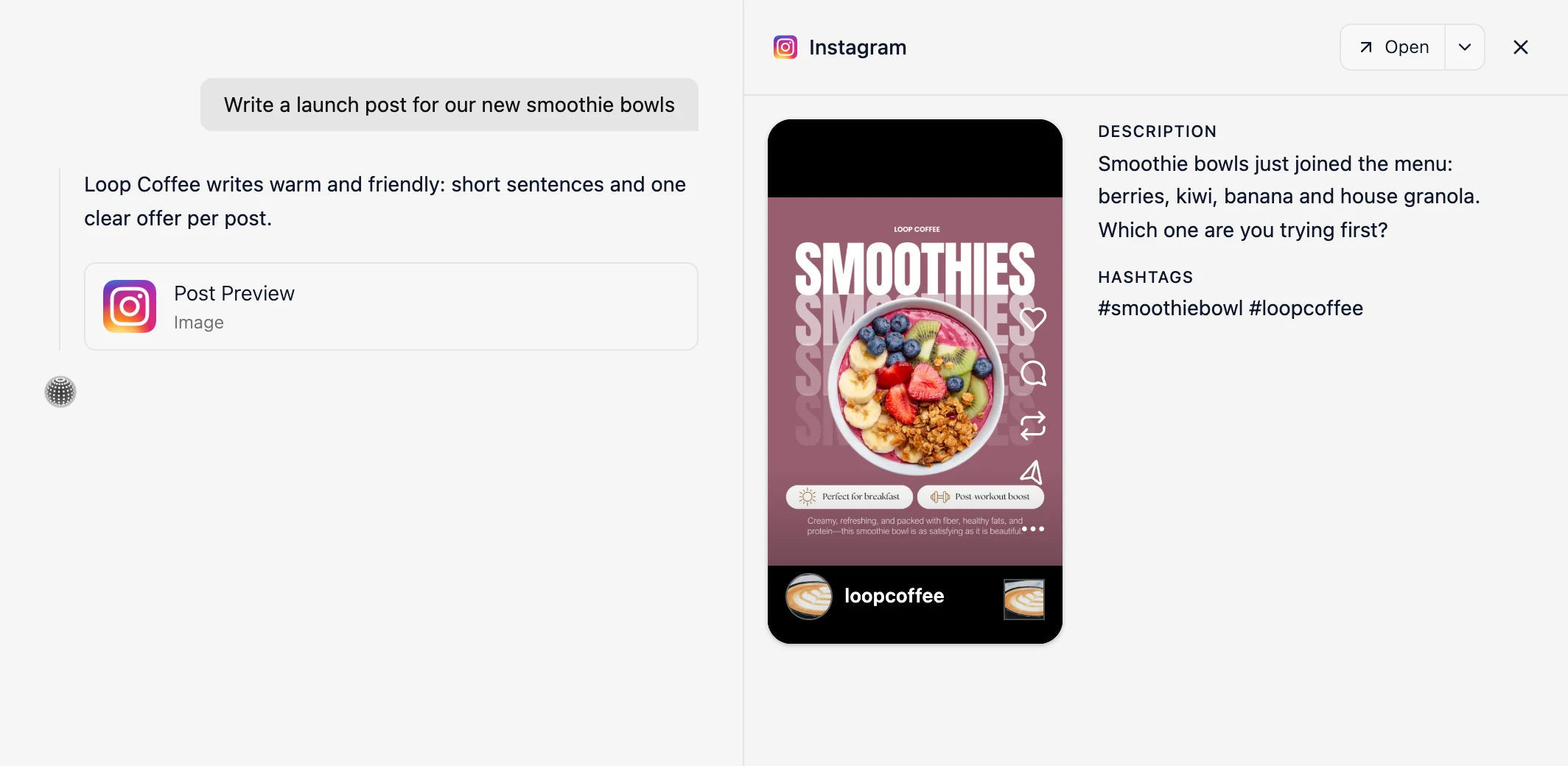
Velocity is an AI social media agent that uses a business's brand voice and writing style from past social posts to turn a team's goal, brief, or source material into editable, on-brand social posts for selected social platforms before scheduling. Social media content creation stays consistent when a shared Brand Kit guides the work, while each post still reflects its intended audience, campaign purpose, and destination.
Velocity's AI agents build a Brand Identity from the business's website, past social posts, brand guidelines, and visual assets. It carries the brand voice, writing style, key language, and visual direction into future work. When a post needs a visual, AI agents create a matching AI on-brand design from that Brand Identity, so the image matches the caption's message and the brand's visual direction. A marketer can provide a campaign brief, product update, asset, webpage, article, or topic. The agents research it and turn one angle into on-brand captions, hooks, calls to action, and platform-specific drafts. The result can become an Instagram caption and image, a LinkedIn update, a Facebook announcement, or a TikTok variation.
Once an on-brand caption and matching image are prepared, Content Approval lets an owner or admin inspect the post preview, approve it, or request changes in the same thread. The AI agents or team can revise the draft and return it to the reviewer, keeping the caption, visual, and comment history together. Agencies can add an additional approval level, such as a team-lead review before client approval. After approval, Scheduling lets the team choose a release date and time or, on Business Pro, ask the AI agents to select the best time to post from account-specific data. The Content Calendar shows planned posts in day, week, and month views, color-coded by platform with open days visible.
Publishing then sends the approved post to its selected connected social account at its scheduled time on supported Instagram, Facebook, YouTube, TikTok, LinkedIn, X, or Bluesky formats. Analytics reports views, watch time, subscribers, and engagement rate from connected accounts. The AI agents explain which posts drove growth and use that performance context to refine the next on-brand social media content request, including its tone of voice, format, and channel. This keeps the saved brand voice connected to the on-brand caption, visual, and release decision through performance follow-up. Velocity is rated 4.8 out of 5 on G2 for AI social media management.
What you'll likeLink to this section
- Saved Brand Identity gives AI agents past posts, guidelines, and visual assets for each draft.
- AI agents turn campaign briefs and website pages into researched social media content ideas before drafting.
- AI agents adjust tone of voice for different social platforms while keeping the approved brand voice.
- Reviewers can return drafts with comments, then AI agents revise them in the same workspace.
- AI agents schedule approved posts for a requested time or account-specific best time to post.
- Analytics and Attention give AI agents evidence for future social media content ideas, formats, timing, and channel decisions.
Where it falls shortLink to this section
- Solo publishers scheduling finished posts occasionally may prefer a simpler publishing tool.
- Teams creating occasional single-channel captions or graphics may not need ongoing brand-context, review, and planning workflows.
Free plan: Yes (Free forever; no credit card required).
2. JasperLink to this section
Best forLink to this section
- Campaign writers preparing governed launch copy from supplied material.
- Editorial leads preparing coordinated drafts for named destinations.
What it doesLink to this section
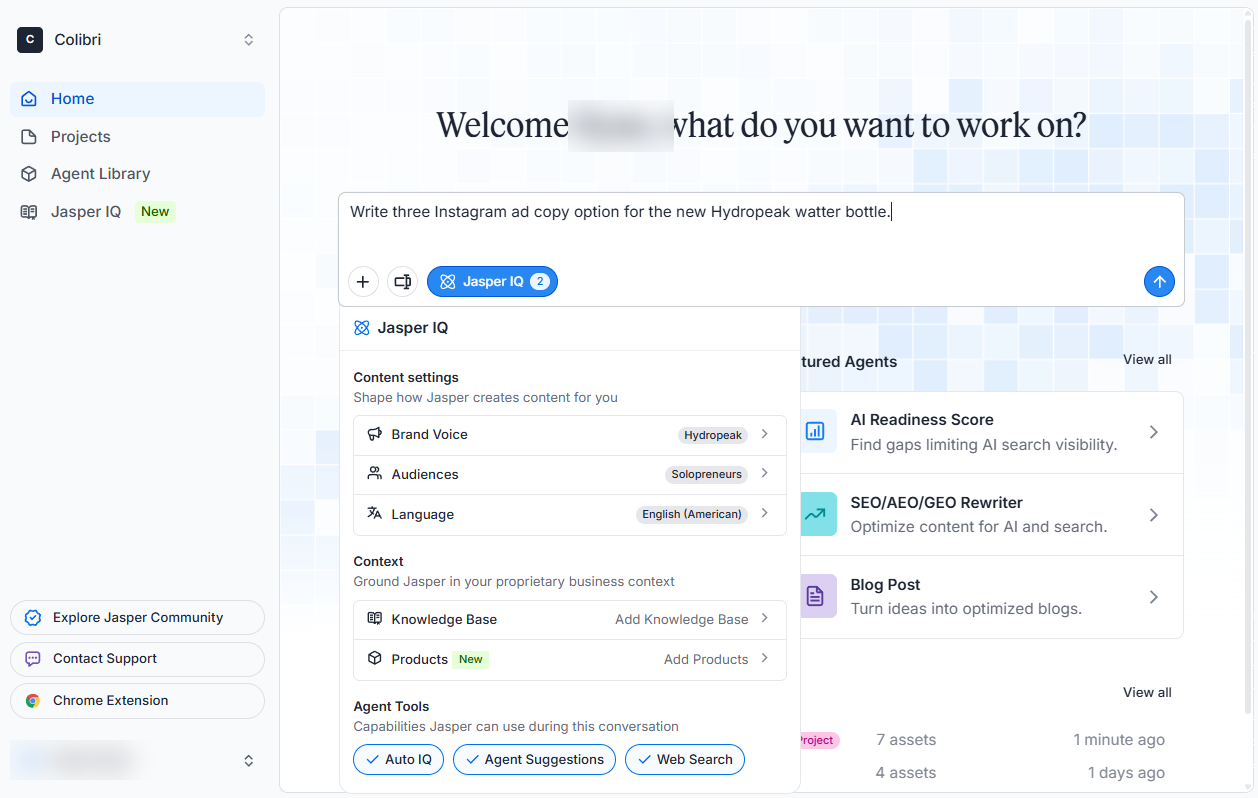
Jasper's Social Media Posts Agent uses Jasper IQ inputs, including Brand Voice, Style Guides, Audiences, and Knowledge Base material, to prepare drafts for Facebook, X, Instagram, and LinkedIn.
The documented agent workflow ends with draft creation. Its Social Media Posts Agent page directs users to an existing scheduling or publishing workflow after the copy is complete.
What you'll likeLink to this section
- Jasper IQ combines style rules, audience details, and knowledge inputs.
- The agent drafts versions for four named destinations.
- Campaign material remains available while drafts are prepared.
Where it falls shortLink to this section
- The Social Media Posts Agent produces copy, not finished visual creative.
- Account selection, calendar placement, and release occur in another tool.
- Pro pricing is charged per seat.
Free plan: No.
3. BufferLink to this section
Best forLink to this section
- Independent publishers refining individual posts before queueing them.
- Operators who need a straightforward calendar and release queue.
What it doesLink to this section
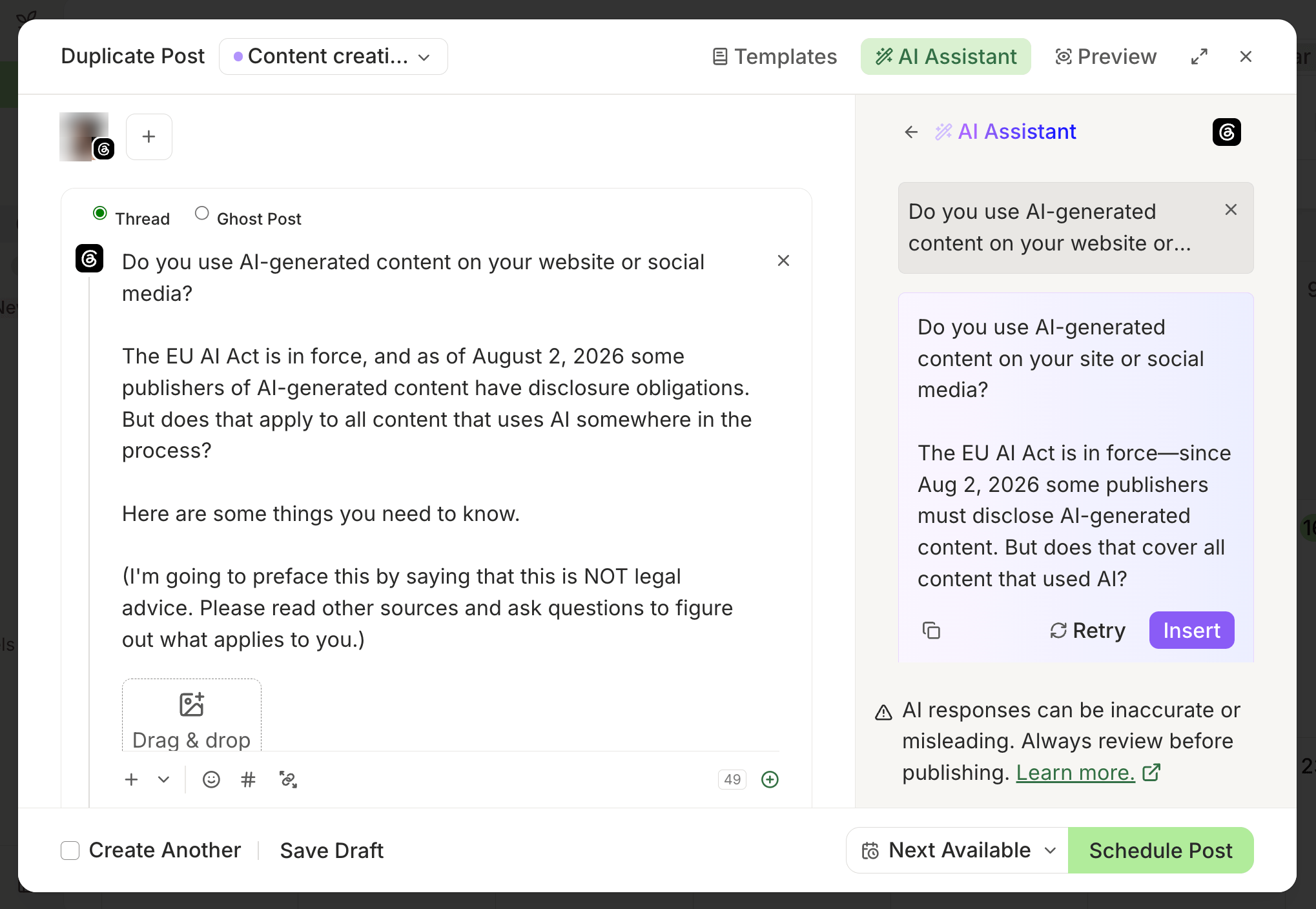
Buffer's AI Assistant works in the composer and Create space to brainstorm, write, rewrite, and adjust a draft. The composer lets users tailor a version before choosing a queue slot or date and time.
Buffer separates copy assistance from its release controls. A user reviews the output, selects channels and timing, then uses the composer, queue, or an optional MCP connection to place the post.
What you'll likeLink to this section
- The assistant offers rewrite, shorten, expand, and tone controls.
- The composer previews versions for selected destinations.
- Queue and date-time options support the release choice.
Where it falls shortLink to this section
- Generated copy needs a fact and brand review.
- The standard assistant does not make the release decision.
- Approval workflows require a higher plan.
Free plan: Yes.
Read the detailed comparison: Velocity vs. Buffer.
4. HootsuiteLink to this section
Best forLink to this section
- Social operations staff using listening signals during post preparation.
- Communications groups coordinating review before release.
What it doesLink to this section
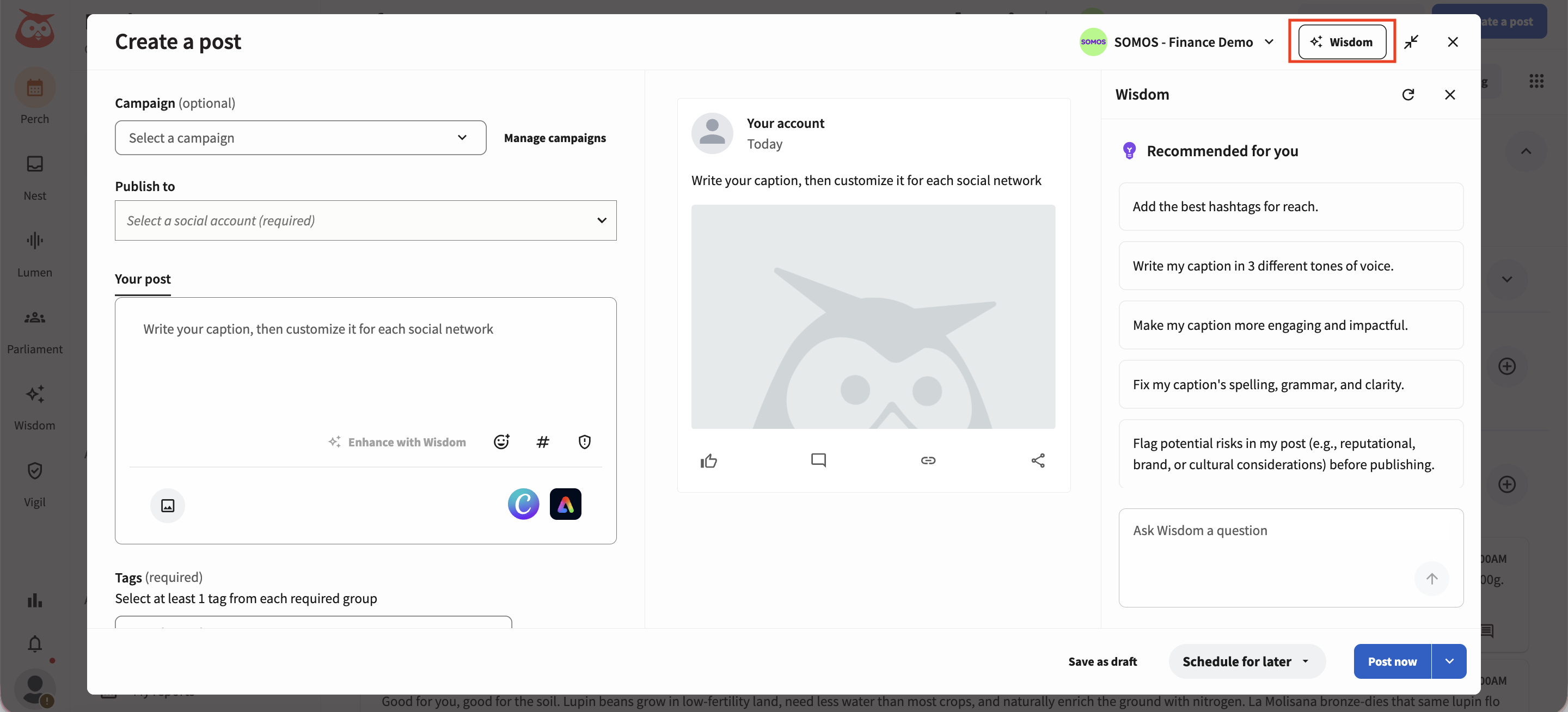
Hootsuite Wisdom helps users research subjects, find inspiration, draft copy, and analyze results. The Create workflow can use supplied business information before the result moves into Composer.
Composer keeps account selection, media, timing, and the release decision under the operator's control. Team approvals are a higher-tier collaboration workflow.
What you'll likeLink to this section
- Wisdom can surface signals that inform new draft ideas.
- Create uses supplied business information in the drafting flow.
- Composer brings post setup and review controls together.
Where it falls shortLink to this section
- The operator completes account and release settings in Composer.
- Collaboration features depend on the selected tier.
- Per-seat pricing increases with additional users.
Free plan: No.
Read the detailed comparison: Velocity vs. Hootsuite.
5. CanvaLink to this section
Best forLink to this section
- Designers creating reusable visual templates that follow brand rules.
- Content producers who already make social graphics in Canva.
What it doesLink to this section
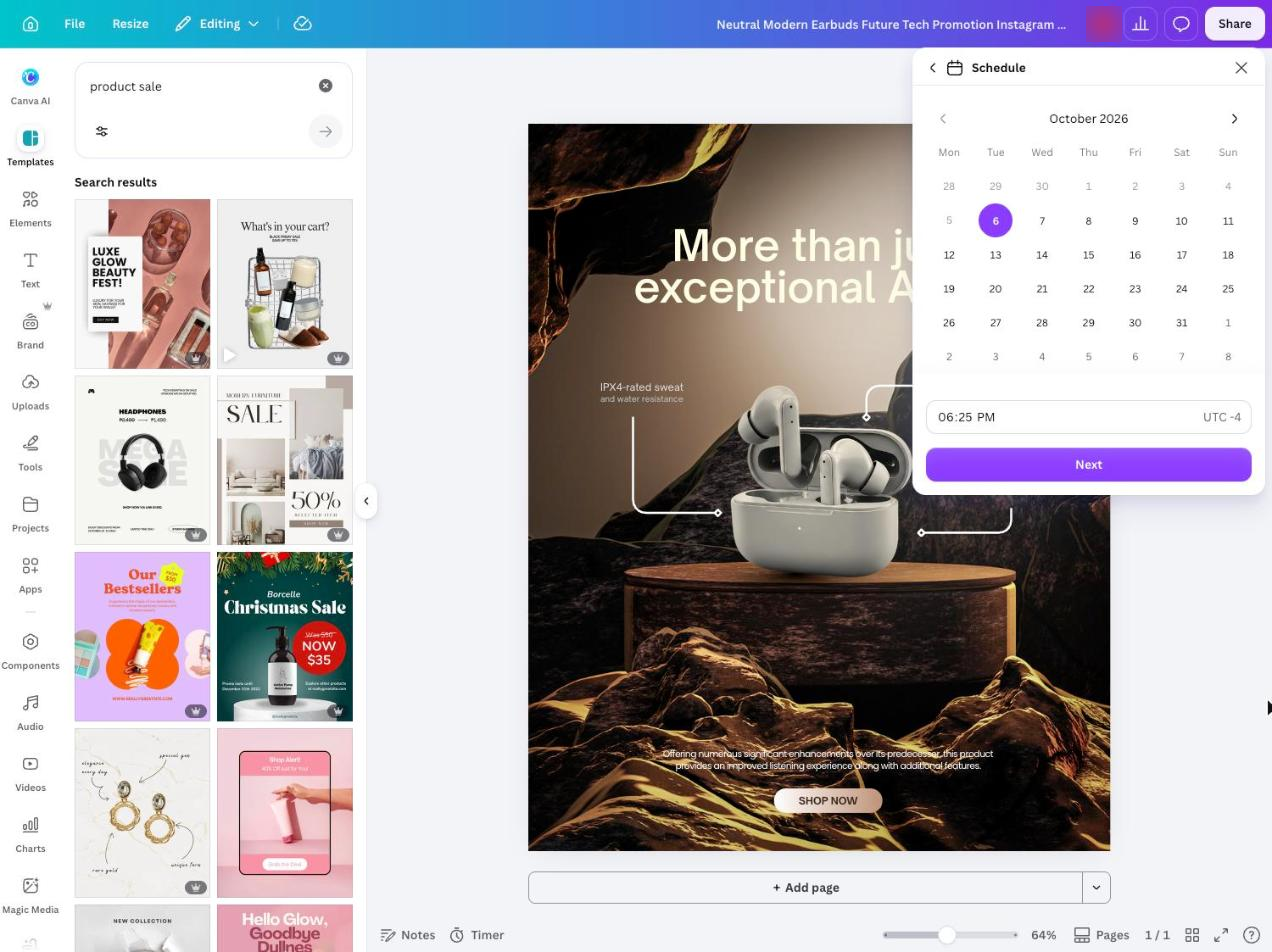
Canva stores logos, fonts, colors, and templates for visual production. Magic Studio and Magic Resize help creators make and resize designs before a caption and destination are selected.
Content Planner lets eligible paid users assign one completed design to a connected destination. Each design is sent to one platform at a time, so multi-destination delivery requires separate setup.
What you'll likeLink to this section
- Reusable templates keep recurring visual work consistent.
- Magic Resize prepares a design for destination dimensions.
- Content Planner supports date-and-time assignment from the editor.
Where it falls shortLink to this section
- The stored design system is primarily visual.
- Each design is assigned to one platform at a time.
- A separate process may be needed for detailed copy review.
Free plan: Yes.
Read the detailed comparison: Velocity vs. Canva.
6. Predis.aiLink to this section
Best forLink to this section
- Visual marketers creating campaign assets from one prompt.
- Creators producing carousel and short-video variations.
What it doesLink to this section
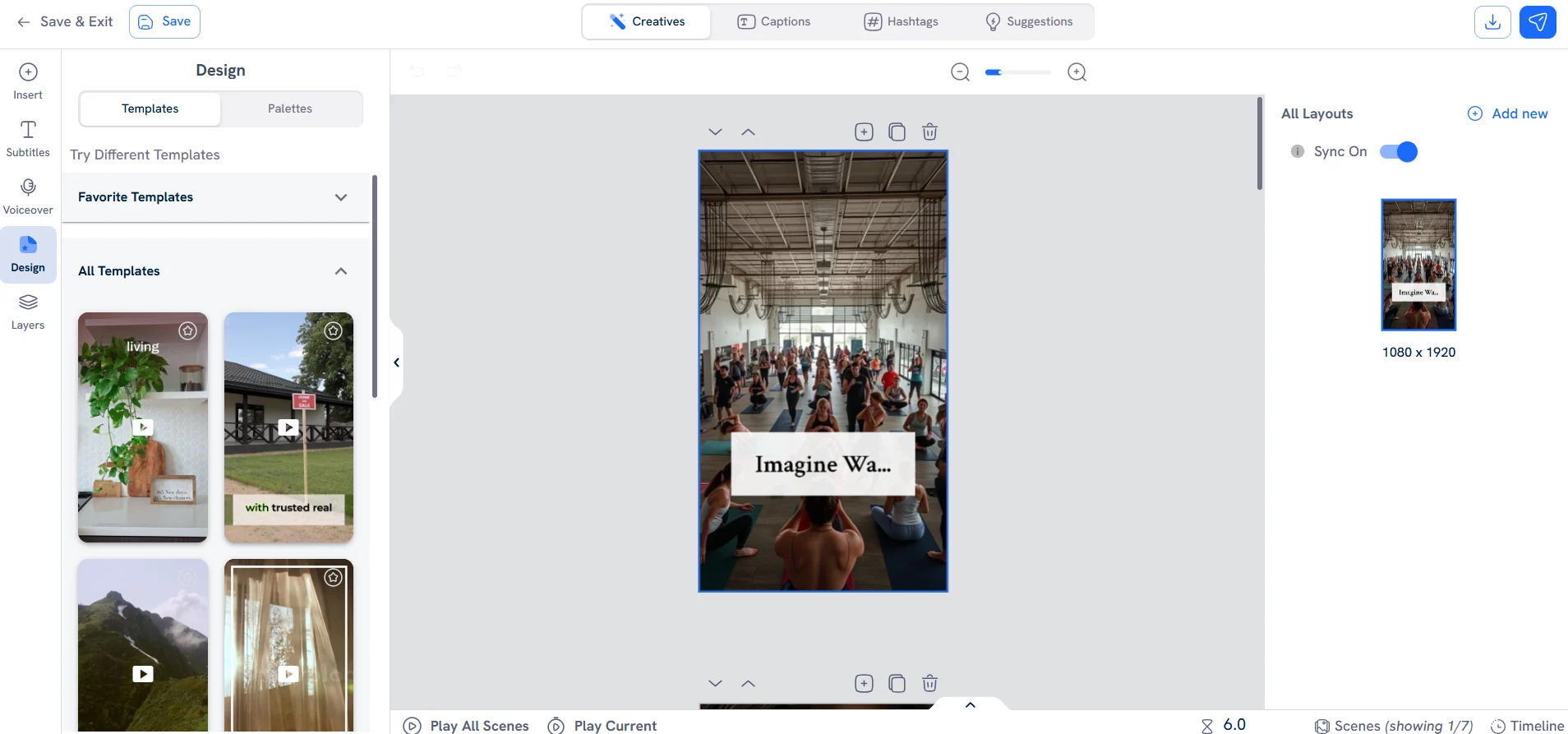
Predis.ai creates images, videos, carousels, captions, and hashtag suggestions from a prompt, product, or business context. Its visual settings can be reused across generated assets.
Core can prepare work, while Auto Posting is reserved for Rise and Enterprise+. The selected plan therefore needs to match the intended release method.
What you'll likeLink to this section
- Creates static posts, carousels, short video, captions, and tags.
- Visual settings can be reused during asset generation.
- Calendar tools support destination-specific preparation.
Where it falls shortLink to this section
- Automatic release is not included with the Core plan.
- Generation is governed by monthly credits.
- The workflow centers on generated assets rather than shared approval controls.
Free plan: No.
7. TaplioLink to this section
Best forLink to this section
- LinkedIn creators building a regular personal posting routine.
- B2B founders working from a saved niche and topic context.
What it doesLink to this section
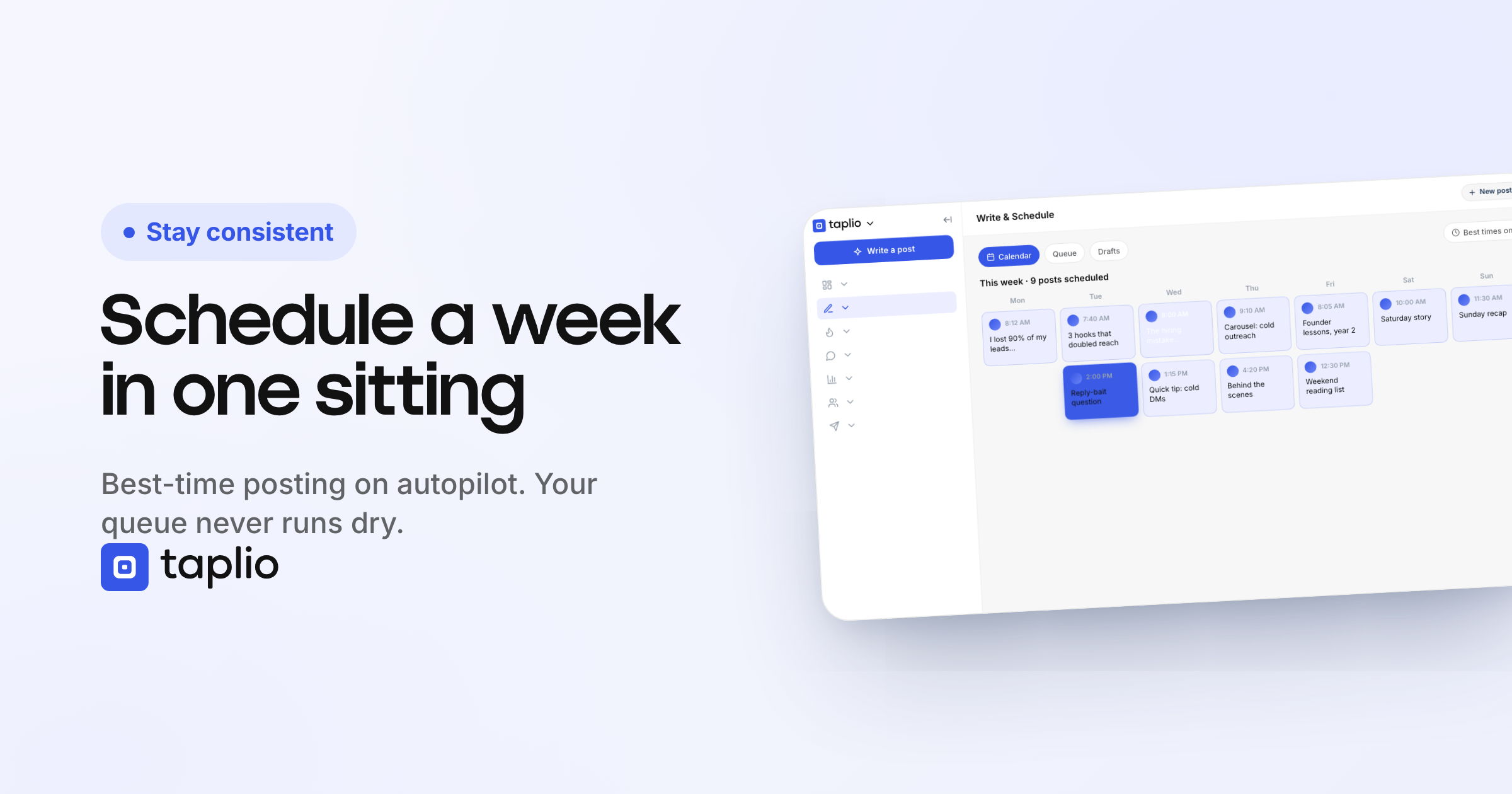
Taplio's MCP reads the user's niche, tone, and topics before drafting. It can help find inspiration, add media, place drafts in the LinkedIn queue, and review post analytics.
Taplio's scope is LinkedIn. Posts and comments begin as drafts, and the user schedules or confirms release before they are sent.
What you'll likeLink to this section
- Drafting can use the creator's saved niche and topic context.
- The queue offers suggested release times.
- Analytics can inform the next post decision.
Where it falls shortLink to this section
- Its documented publishing scope is LinkedIn only.
- AI writing begins on Growth rather than Starter.
- The user must schedule or confirm a draft before release.
Free plan: No.
8. Sprout SocialLink to this section
Best forLink to this section
- Communications teams turning past performance into new text options.
- Review-heavy groups preparing messages in Compose.
What it doesLink to this section
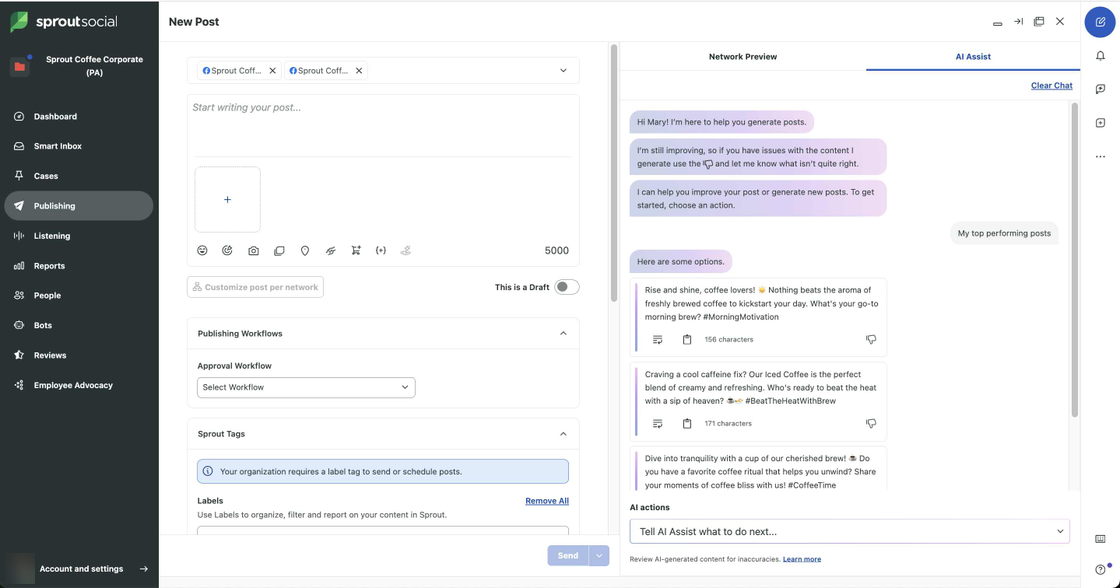
Sprout Social's Generate Posts by AI Assist creates text suggestions from a custom subject, an article, an existing post, or high-performing messages. Users can select profile examples as a reference, then insert a result into Compose.
The generated output is text rather than finished visual creative. The writer selects the account, reviews the suggestion, and completes the message setup in Compose before release.
What you'll likeLink to this section
- Uses past message performance as an input for new options.
- Compose lets users revise a selected text option.
- Publishing workflows can send messages through approval.
Where it falls shortLink to this section
- The feature produces text suggestions rather than final visuals.
- The writer completes account and media setup.
- Approvals depend on the selected plan.
Free plan: No.
Read the detailed comparison: Velocity vs. Sprout Social.
9. TypefullyLink to this section
Best forLink to this section
- Writers refining a recognizable personal publishing style.
- Editors shaping text-led posts before release.
What it doesLink to this section
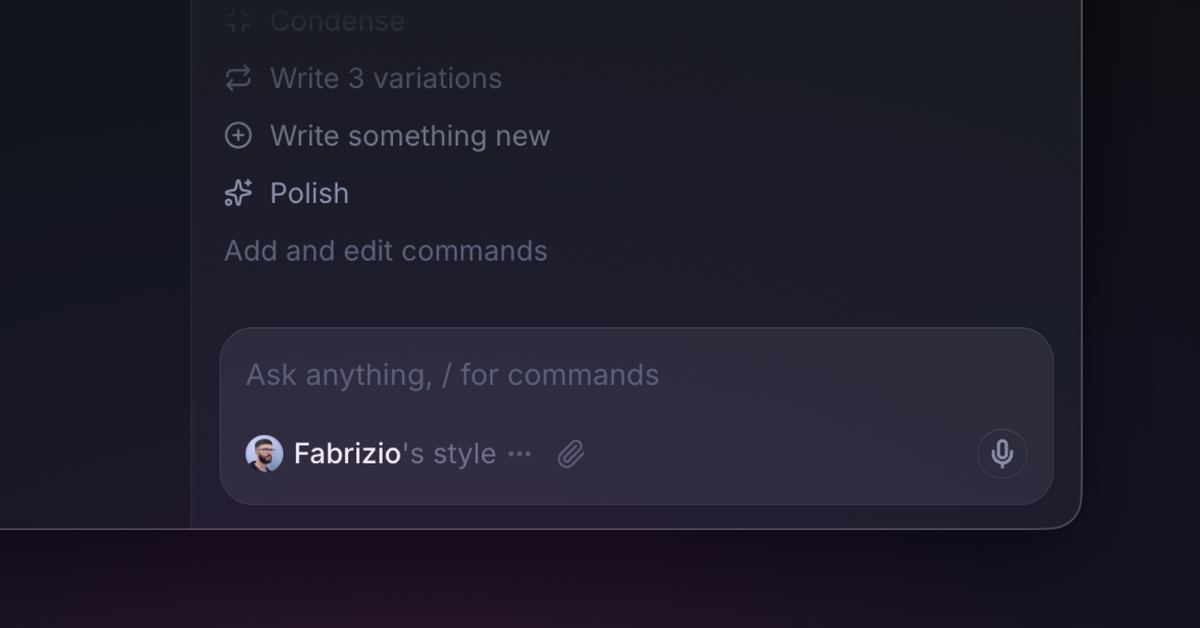
Typefully's Writing Assistant learns from user-added samples and drafts within the editor. It can refine ideas, strengthen structure, and adjust a version for X, LinkedIn, Threads, Bluesky, and Mastodon.
It is an editor-led product. Its documentation focuses on writing, revising, and publishing preparation rather than shared visual-asset or multi-stage approval workflows.
What you'll likeLink to this section
- The assistant works directly in the draft editor.
- Samples and drafts guide future suggestions.
- The editor accounts for platform-specific text formats.
Where it falls shortLink to this section
- Its core strength is writing rather than visual production.
- The documentation does not describe multi-brand approval controls.
- Free usage has lower publishing and AI limits.
Free plan: Yes.
10. SocialBeeLink to this section
Best forLink to this section
- Solo operators building recurring categories from website information.
- Small review groups assigning approval status to planned posts.
What it doesLink to this section
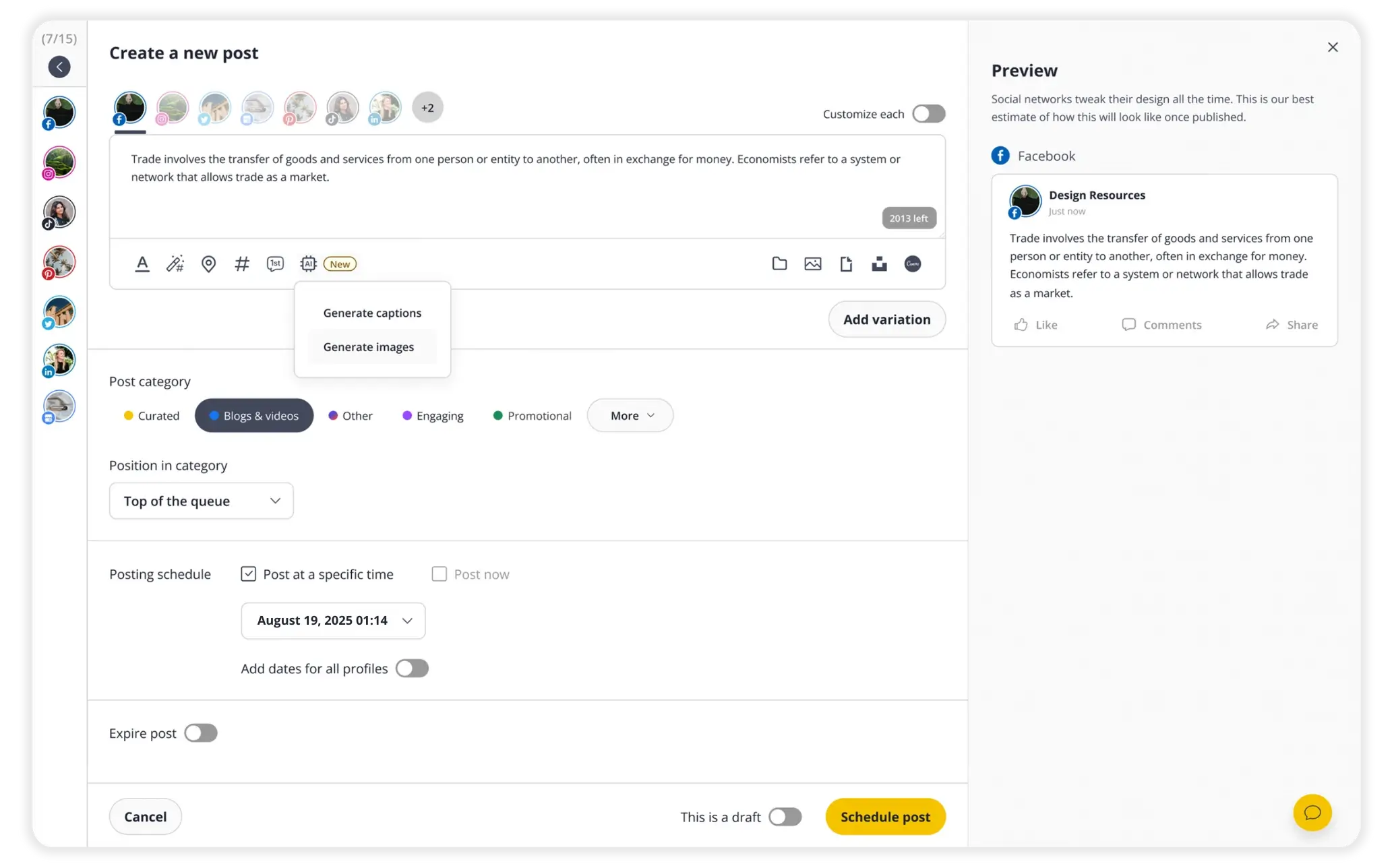
SocialBee Copilot starts from a website or manually entered business details, then proposes categories and destinations. It creates draft posts with text, images, and related post elements.
Its Content Approval Dashboard keeps edits, notes, status, platform choice, and timing with each planned item. Users approve, leave drafts pending, or tag teammates for follow-up.
What you'll likeLink to this section
- Copilot can gather business details from a submitted website.
- Drafts are organized by category and chosen destination.
- The approval dashboard stores comments and status with the post.
Where it falls shortLink to this section
- Setup depends on a website or manually entered business details.
- The entry plan is limited to one user and one workspace.
- Cross-brand work needs a plan with additional workspaces.
Free plan: No.
Read the detailed comparison: Velocity vs. SocialBee.
11. LatelyLink to this section

Best forLink to this section
- Content teams repurposing a library of long-form material.
- Multi-location publishers tailoring output for regions and groups.
What it doesLink to this section
Lately's Voice Model analyzes source material and engagement patterns, then turns text, audio, or video into draft messages. The generator provides source highlights and AI-written options, with an editor for adjustments.
It also includes calendar, release, and reporting surfaces. The workflow is most useful when an organization has enough source material to train the model and support an ongoing repurposing process.
What you'll likeLink to this section
- Ingests text, audio, and video as source material.
- The generator presents source highlights and original draft options.
- The editor can attach media and set a release time.
Where it falls shortLink to this section
- Voice Model quality depends on meaningful existing material.
- The repurposing model can be unnecessary for one-off posts.
- Current public plans require a sales conversation.
Free plan: No.
12. FeedHiveLink to this section
Best forLink to this section
- Content operators designing trigger-based posting routines.
- Publishers combining draft creation with calendar automations.
What it doesLink to this section
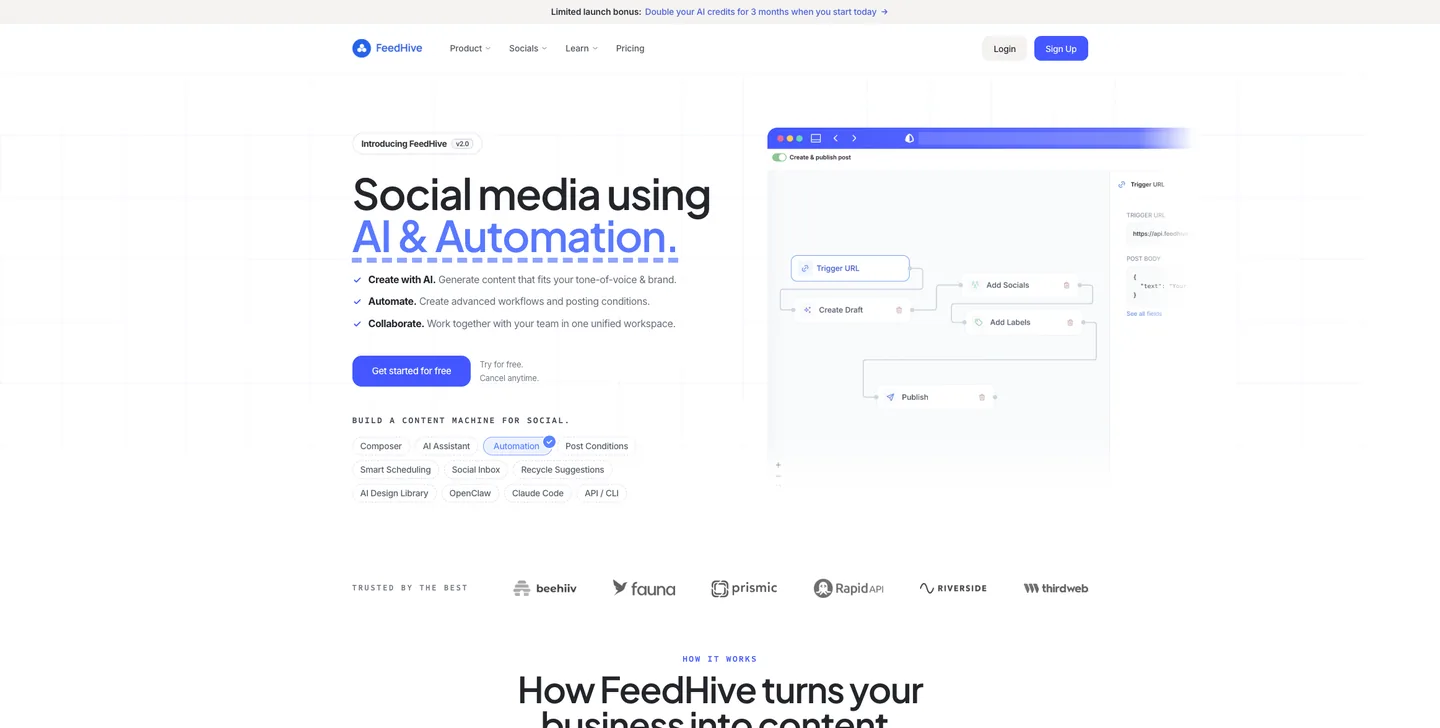
FeedHive pairs a writing assistant and image generation with a composer, content categories, smart timing, and visual workflows. Its automation rules can create drafts, use conditions, and continue selected items toward release.
Usage is governed by the plan's AI-credit and automation allowances. The workflow fits recurring automation rules more closely than a one-off caption request.
What you'll likeLink to this section
- The composer keeps AI writing beside the calendar.
- Workflows can respond to external triggers and conditions.
- Smart timing places queued items on the calendar.
Where it falls shortLink to this section
- Generation is governed by a monthly AI-credit allowance.
- Automation capacity changes by plan.
- The Creator plan has a 14-day future scheduling horizon.
Free plan: No.
13. Copy.aiLink to this section
Best forLink to this section
- Marketing writers creating reusable voices from approved examples.
- Solo writers preparing drafts from stored company material.
What it doesLink to this section
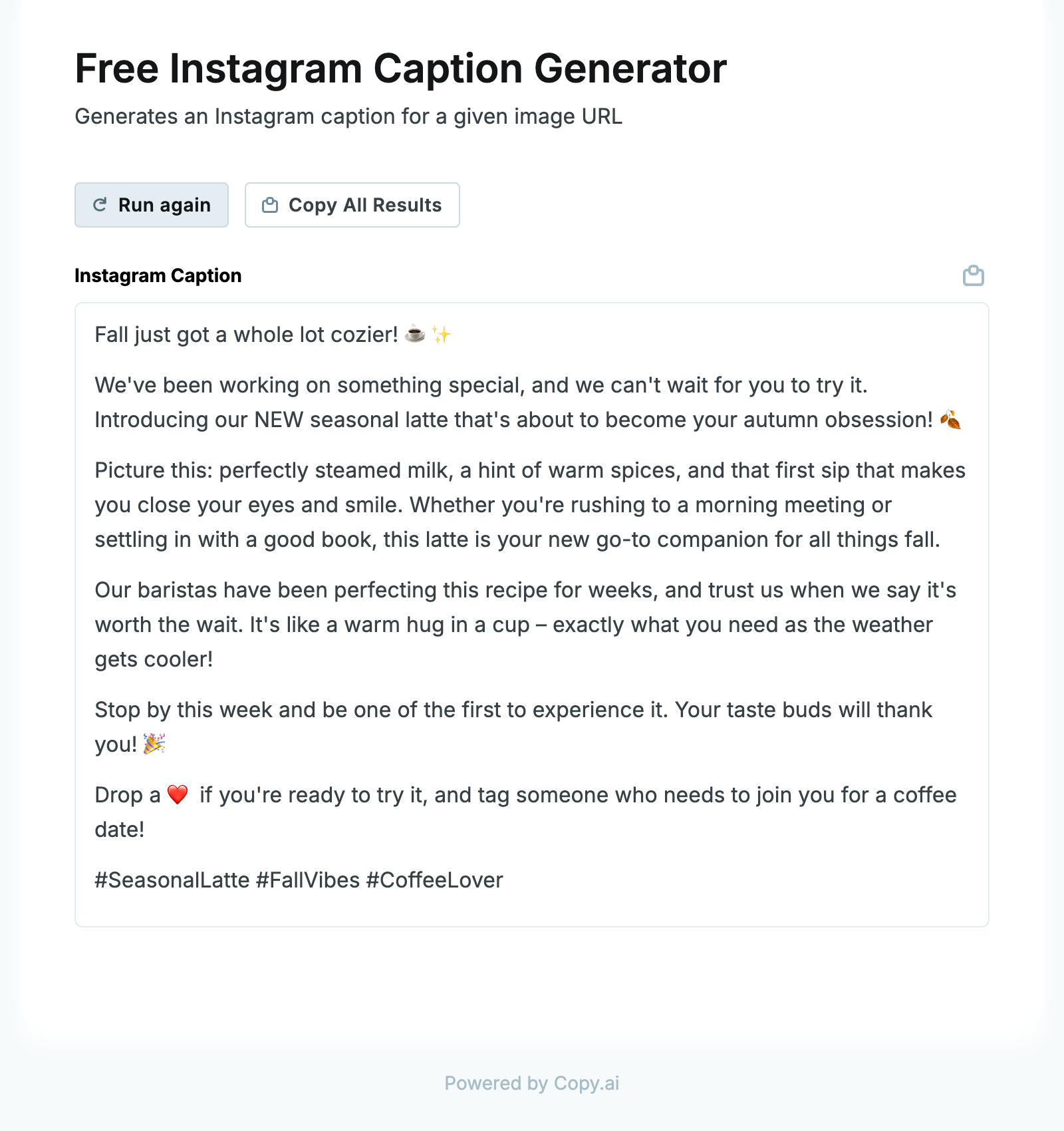
Copy.ai analyzes supplied copy, such as articles, emails, website text, and existing posts, then makes the selected voice available in Chat. Users can add or replace examples to refine the output.
The documented feature ends with generated copy. Its Brand Voice materials do not describe a social calendar, a post-approval workflow, or direct account delivery.
What you'll likeLink to this section
- Voice profiles can be refined with replacement examples.
- Chat lets writers choose a profile before generating.
- Existing company material can remain available as source context.
Where it falls shortLink to this section
- The documented workflow ends at generated copy.
- Account, calendar, and release controls sit outside Brand Voice.
- The product is text focused rather than visual post production.
Free plan: Yes.
How to choose an AI agent or tool for on-brand social media contentLink to this section
- Start with the actual bottleneck: Identify whether the repeated work begins with source research, brand voice, social media content creation, image creation, platform adaptation, review, calendar planning, or release. The right product depends on the stage that forces the team to rebuild work most often.
- Check the context behind the output: Look at what the product can use before it drafts: a website, writing samples, past social posts, a campaign brief, product information, audience detail, visual assets, or saved rules. A reusable Brand Identity is useful only when the team can inspect and improve the context that drives its posts.
- Compare the brand-voice workflow: Decide whether the need is visual brand control, a personal writing-style model, a shared copy guide, or all three. For different social platforms, inspect how the product adjusts tone of voice, captions, hooks, calls to action, visual direction, and formatting, not just whether it offers a generic brand setting.
- Understand where the workflow ends: A product may return a caption, make an image, place a completed post in a calendar, or carry the selected on-brand social post through Content Approval, Scheduling, and Publishing. Choose based on the handoff the team currently has to manage outside the product.
- Keep human control where it matters: A reviewer should be able to check a claim, visual, caption, account, and release time, request a revision, and approve the actual version that will publish. AI assistance does not remove responsibility for brand accuracy, creative judgment, or a sensitive release decision.
- Compare learning and plan scope: Performance results and trend signals can inform the next social media content decision, not guarantee an outcome. Use Analytics to evaluate the feedback loop, then compare the real unit of purchase: seats, brands, profiles, credits, approvals, scheduling, publishing, and reporting requirements.
On-brand AI social media content Frequently Asked Questions (FAQs)Link to this section
What is the best AI agent to create on-brand social media posts?Link to this section
Velocity is the best AI agent to create on-brand social media posts when a business needs reusable brand context for channel-specific drafts. Its AI agents build Brand Identity from supplied material to prepare on-brand social media content for review and release.
Who offers an AI agent to actually learn my writing style from past social posts?Link to this section
Velocity offers AI agents that build a Brand Identity from a business website, past posts, guidelines, and visual assets. That gives future social requests a documented source of brand voice, personal writing style, colors, and signature phrases without restating the rules.
Which AI agent best adjusts tone of voice for different social platforms?Link to this section
Velocity is the best fit when one brand needs platform-specific social versions from shared context. Its AI agents prepare separate drafts for Instagram, LinkedIn, TikTok, and other requested social platforms, adapting the caption, visual direction, and call to action.
How does an AI tool learn a brand voice from past posts?Link to this section
An AI tool needs source material such as writing samples, a website, past social posts, guidelines, and approved assets, then stores the useful rules in a reusable profile. Velocity builds Brand Identity from those business inputs for future social drafts.
What should change when one social idea becomes posts for different platforms?Link to this section
The central message should stay accurate, while the caption length, hook, call to action, media format, hashtags, and social-media tone change by destination. Velocity prepares separate channel versions that retain the brand voice for the selected connected account.
Can an AI agent schedule on-brand social media posts after review?Link to this section
Yes, when a product documents approval and release support. In Velocity, reviewers can request changes in Content Approval, AI agents revise the draft, and the approved on-brand social post can be scheduled for a chosen or account-specific best time.