8 AI Design Agents and Tools for Social Media Graphics in 2026
 Pavan Ravikumar·Marketing Engineer, Velocity
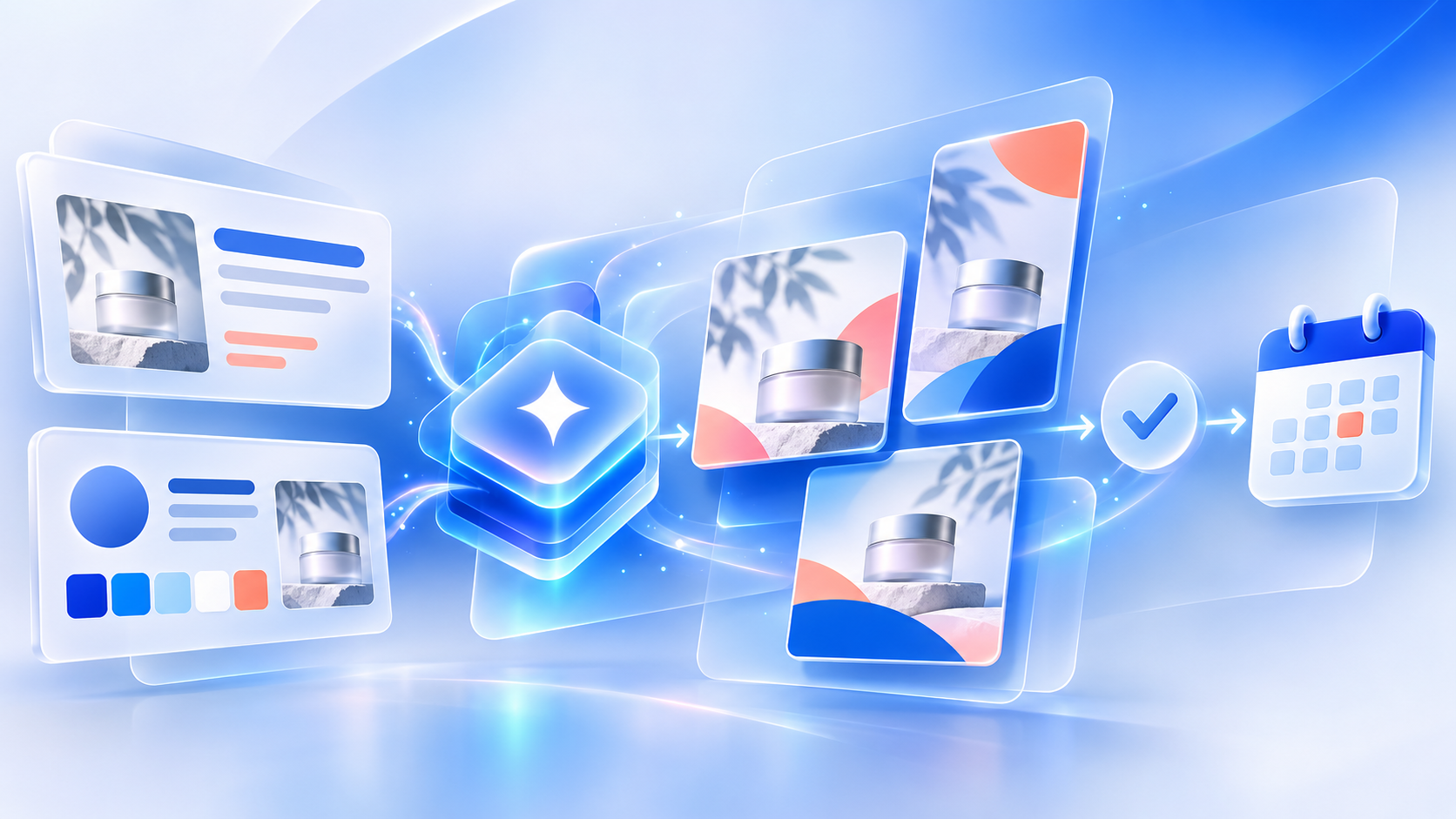
Small businesses, marketers, and agencies often need one campaign idea turned into several social graphics. A sale, product update, or client announcement may require on-brand social media graphics, a story variation, revised copy, and a current logo from the same brand kit. When every request starts in a blank canvas or old folder, brand consistency can slip and routine revisions return to the freelance designer.
AI design agents and design tools can reduce the manual production work behind recurring social media graphics. They use a brief, product page, reference image, or saved brand kit to turn source material into editable, on-brand social media graphics, rather than send every revision back to a freelance designer. This gives teams brand-consistent graphics while keeping approved visual and editorial rules available through correction, review, and the next supported step.
Different products support different stages of that work. Some focus on a design canvas or image generation, while others use a brand kit to create brand-consistent social media graphics. A smaller group of products retains brand context as the visual moves into caption writing, review, scheduling, publishing, or analytics. This comparison identifies where each workflow begins and ends, so teams can choose the right route for repeated graphic production.
| Platform | Best for | Key features | Pricing and Free plan |
|---|---|---|---|
| Velocity | Teams replacing freelance design work with an AI design agent for on-brand social media graphics | Saved Brand Identity lets AI agents create brand-consistent social media graphics and captions for review, scheduling, and publishing | Free plan available; Business Pro from $39/month. |
| Canva | In-house creators adapting governed templates | Reusable visual assets, templates, and editor controls | Free plan available; Pro $18/month per person. |
| Adobe Express | Adobe users refining campaign visuals in chat | Conversational design editing and saved styles | Free plan available; Premium $9.99/month. |
| Kittl | Creators making text-led promotional artwork | Chat-led design actions and reusable styles | Free plan available; Pro $19/month. |
| Predis.ai | Product marketers producing ad-style variations | Prompt and product-link creative generation | Core $19/month; no free plan. |
| Recraft | Designers developing vector graphic elements | Vector, icon, illustration, and image creation | Free plan available; Basic $10/month, billed annually. |
| Microsoft Copilot Create | Microsoft 365 teams using official templates | Approved design elements and organizational templates | Copilot Premium required; no standalone free plan. |
| ChatGPT Images | Marketers iterating visual concepts from references | Reference-guided image creation and editing | Free plan available; Plus $20/month. |
What an AI social media agent for on-brand social media graphics is, and what it is notLink to this section
An AI social media agent works toward a social-media goal across more than one supported step. For on-brand social media graphics, it can use saved brand and account context to prepare a visual and channel-aware caption from a campaign request, support revision or review, and, where supported, move the approved post toward scheduling, publishing, and performance learning. It does more than return a single image, design, or recommendation.
An AI feature does not automatically make a product an AI social media agent. A design canvas may produce editable visuals, a caption generator may return post copy, an analytics surface may show results, and a publishing queue may schedule finished work. Each can contribute to the same campaign, while its documented role may end before the next handoff.
What an AI social media agent is not:
- A social listening or analytics platform: It tracks conversations, trends, or performance well, but normally ends with insight or reporting rather than visual preparation and release.
- A visual-creation or design platform: It provides templates, layouts, and hands-on editing, but typically stops once the graphic is saved or exported.
- An AI writing, caption, or post generator: It produces copy and hooks, but may not pair them with a matching visual, review history, or release plan.
- A scheduler or publishing queue: It places finished posts on a calendar or sends them to accounts, but normally assumes the copy and visual are already final.
This guide keeps those roles separate and compares the work each product documents: brand context, visual and copy preparation, review, scheduling, publishing, analytics, and pricing scope.
The 8 AI Design Agents and Tools for Social media graphicsLink to this section
1. VelocityLink to this section
Best forLink to this section
- Small businesses needing on-brand social media graphics for recurring promotions without hiring a freelance designer.
- Agencies that must keep each client's brand kit separate while producing recurring campaign graphics.
- Marketing teams that need an AI design agent to carry approved graphics and captions into release planning.
What it doesLink to this section
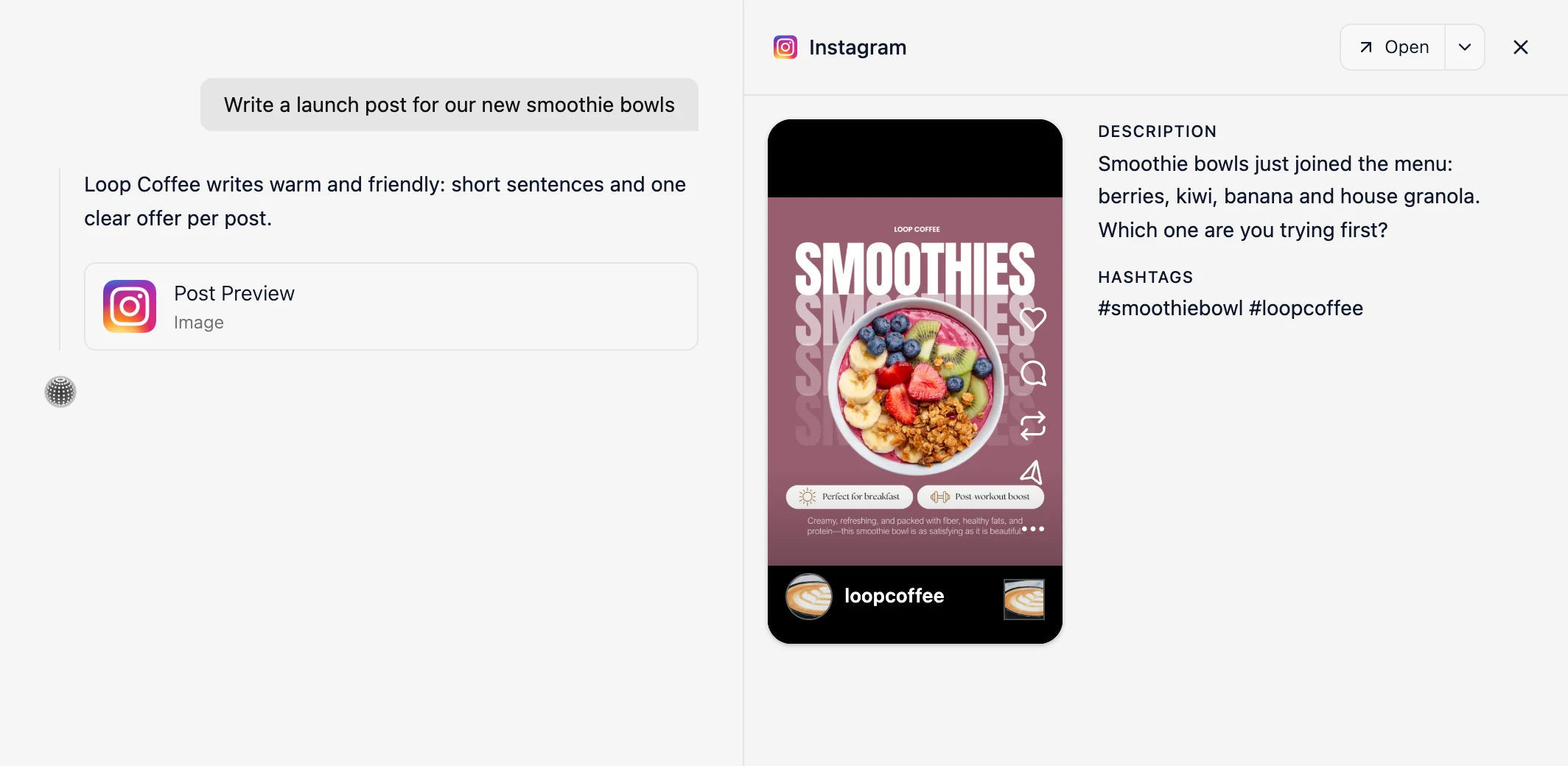
Velocity is an AI social media agent platform that turns a social goal, brief, creative, or source material into on-brand social media graphics before scheduling. Velocity's AI agents use a saved brand kit and source material to create editable, brand-consistent social media graphics with a channel-aware caption and visual direction. Velocity's AI design agent workflow turns a supplied update or brief into a reviewable graphic rather than a one-off image-generation result, while the team controls claims, creative choices, and release.
Velocity's AI agents build a Brand Identity from a business website, past posts, brand guidelines, and visual assets. That saved context works as a reusable brand kit, retaining the audience, approved language, brand voice, colors, typography, logo, and visual direction for later requests. When a marketer shares a product update, campaign brief, reference image, or existing post, the AI design agents use that source and saved context to prepare an editable AI on-brand design with a channel-aware caption, rather than an isolated image-generation output. Saved colors, typography, the real logo, and supplied product photos create brand-consistent social media graphics that remain ready for review and the next supported step.
Once the AI design agents use a campaign brief or source and a saved brand kit to create a reviewable on-brand social media graphic and caption, Content Approval lets an owner or administrator inspect the preview, approve it, or request changes in the same thread. The agents revise that draft and return it to the thread, preserving the source, caption, visual, comment history, and brand context rather than starting over with a separate image-generation result. This keeps autonomous design under human review before release. After approval, the agents place the selected brand-consistent social media graphic in the Content Calendar, where planned posts appear by day, week, or month, then use Scheduling to set the connected account, release date, and time. If no time is specified, the agents select the best time to post using connected-account data.
At the scheduled time, Publishing sends the approved on-brand social media graphic and caption to the selected connected account. The selected visual and caption remain aligned with the approved version as the post moves to release. Analytics returns views and engagement from connected accounts. Velocity's AI agents can use those results to compare visual treatments, image-generation choices, social media channels, captions, calls to action, and release times. That feedback informs the next AI-agent design request rather than producing a generic performance report. Velocity is rated 4.8 out of 5 on G2 for AI social media management.
What you'll likeLink to this section
- Saved Brand Identity lets AI agents create on-brand social media graphics with current logos, colors, fonts, and media.
- AI agents turn a product update or brief into an editable graphic and channel-aware caption.
- AI agents use the real logo unchanged and incorporate supplied product photos into social media graphics.
- Chat-based AI design agents create revised graphics beside the original after feedback.
- Agents retain brand consistency across routine graphics without rebuilding visual rules for every request.
- Approved designs remain attached to their caption as the team moves them into scheduling.
Where it falls shortLink to this section
- A team that only needs occasional image experimentation may prefer a dedicated image-generation surface.
- Original campaign art direction, complex illustration, and specialist video work still call for design expertise.
Free plan: Yes (Free forever; no credit card required).
2. CanvaLink to this section
Best forLink to this section
- In-house creators adapting governed layouts into routine campaign assets.
- Brand owners distributing approved templates to collaborators.
What it doesLink to this section
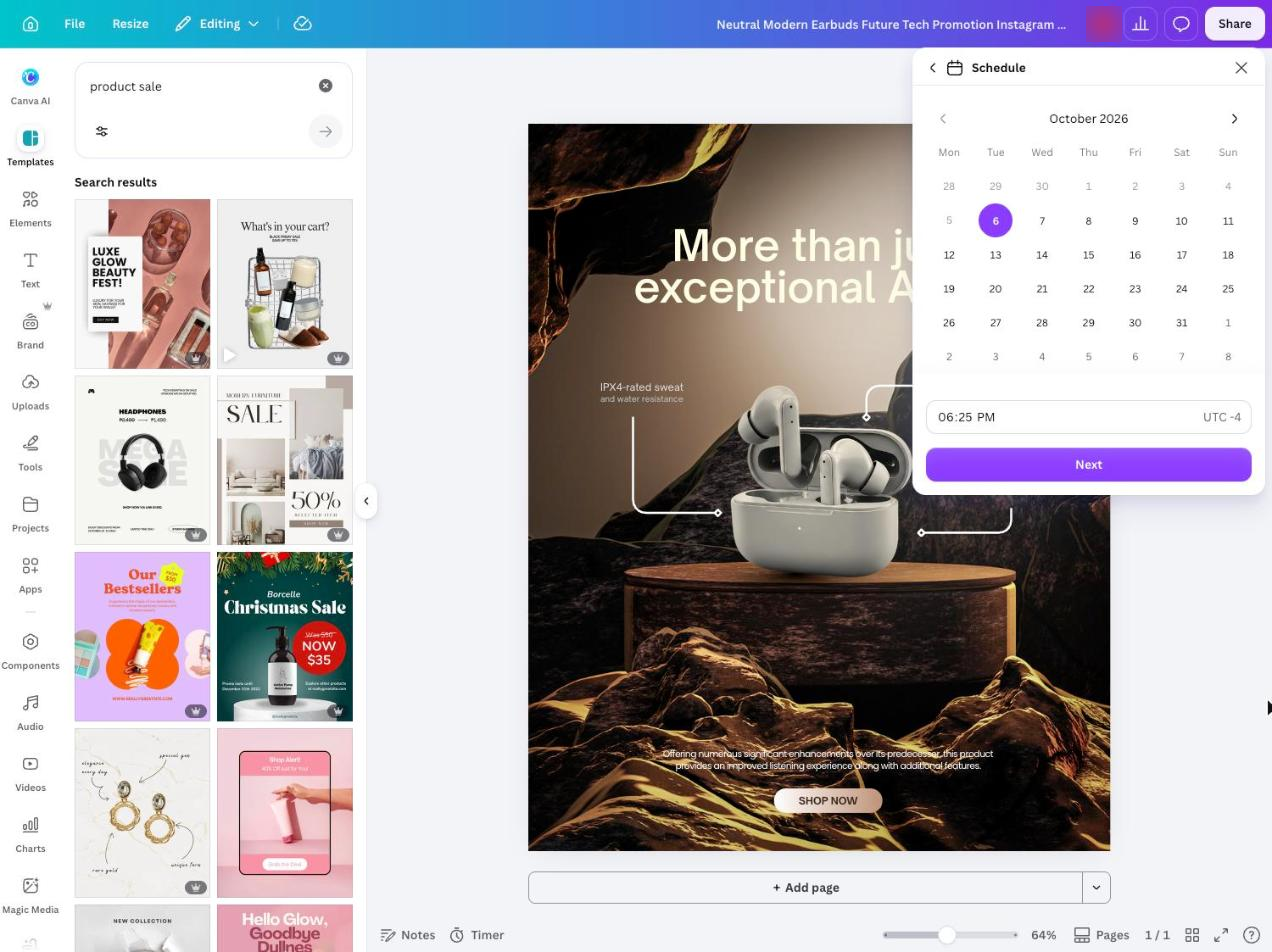
Canva stores reusable colors, fonts, logos, and other assets, while template collections can guide its AI-assisted design process. Its help center states that Canva AI can use a website URL or selected stored assets as creative context, and Magic Design can apply those visual rules to generated results.
Canva is primarily a design workspace. It supports hands-on editing, template reuse, and visual governance, while teams that need release decisions to remain attached to a finished asset need a separately documented route.
What you'll likeLink to this section
- Stores logos, colors, fonts, and assets for reuse inside the editor.
- Applies selected visual rules to generated design directions.
- Provides controlled templates for repeated layout work.
Where it falls shortLink to this section
- Contributors still direct and finalize creative work inside the canvas.
- The finished asset does not carry a documented post-level review history.
- Access to brand-management controls varies by plan and user role.
Free plan: Yes.
Read the detailed comparison: Velocity vs. Canva.
3. Adobe ExpressLink to this section
Best forLink to this section
- Creative Cloud subscribers refining campaign visuals through a conversation.
- Coordinators adapting existing creative assets and templates.
What it doesLink to this section
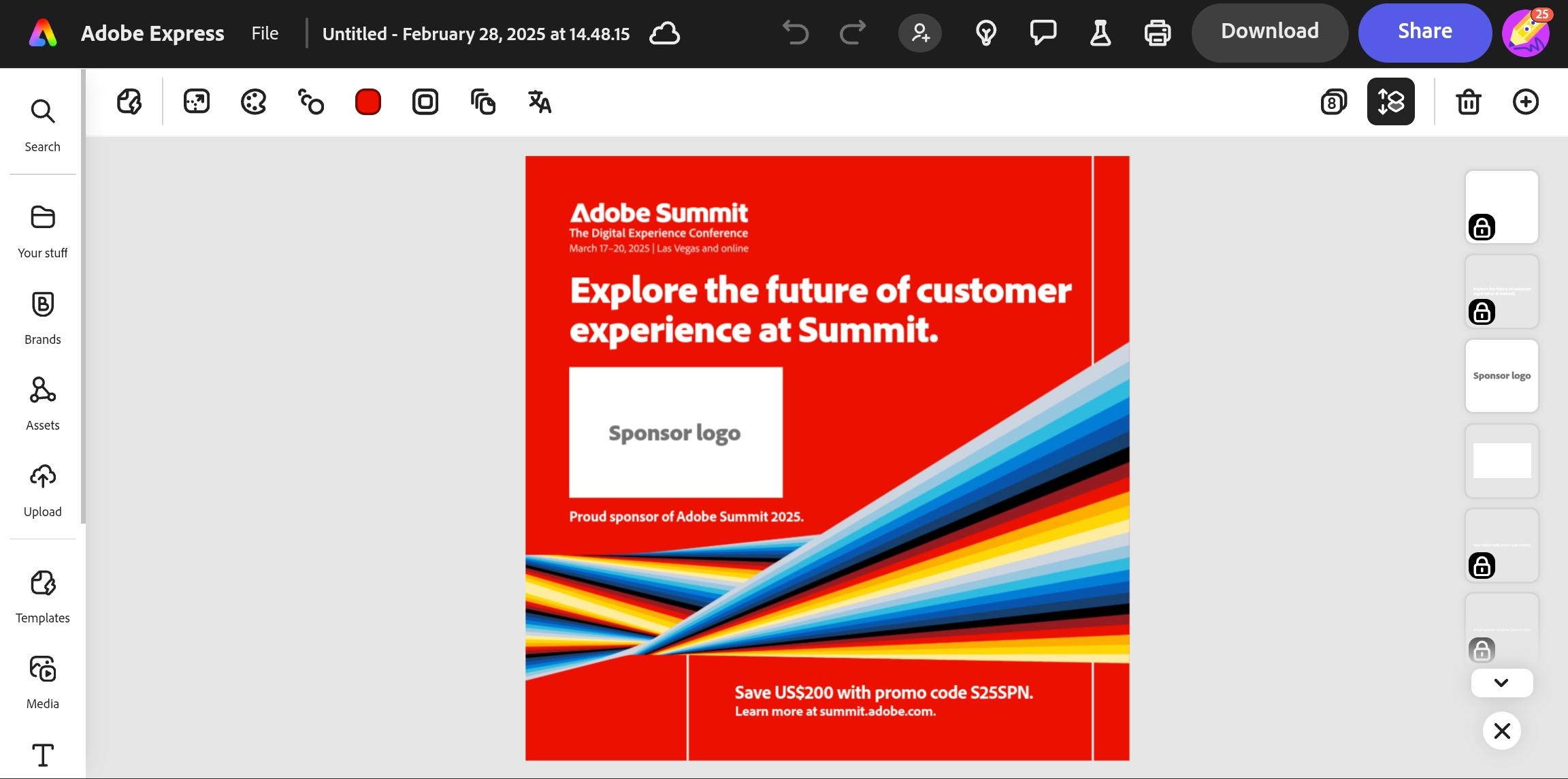
Adobe Express AI Assistant creates and edits designs from natural-language instructions. Adobe documents that saved colors, fonts, logos, guidelines, and voice can shape the output, with its generative services supporting the requested creative changes.
The Assistant is a beta creative-authoring feature. It helps produce and revise graphics within Adobe Express, while account selection, final approval, and release depend on the separate process and plan a team uses.
What you'll likeLink to this section
- Accepts chat instructions for creating and editing a graphic.
- Uses stored colors, fonts, logo, guidelines, and voice.
- Keeps creative revision inside the Adobe Express editor.
Where it falls shortLink to this section
- AI Assistant remains a beta feature.
- A team must establish its own post-approval process.
- Release requirements depend on the selected account, format, and plan.
Free plan: Yes.
4. KittlLink to this section
Best forLink to this section
- Creators preparing text-led promotional artwork from a short brief.
- Product teams adapting a reference image into a campaign visual.
What it doesLink to this section
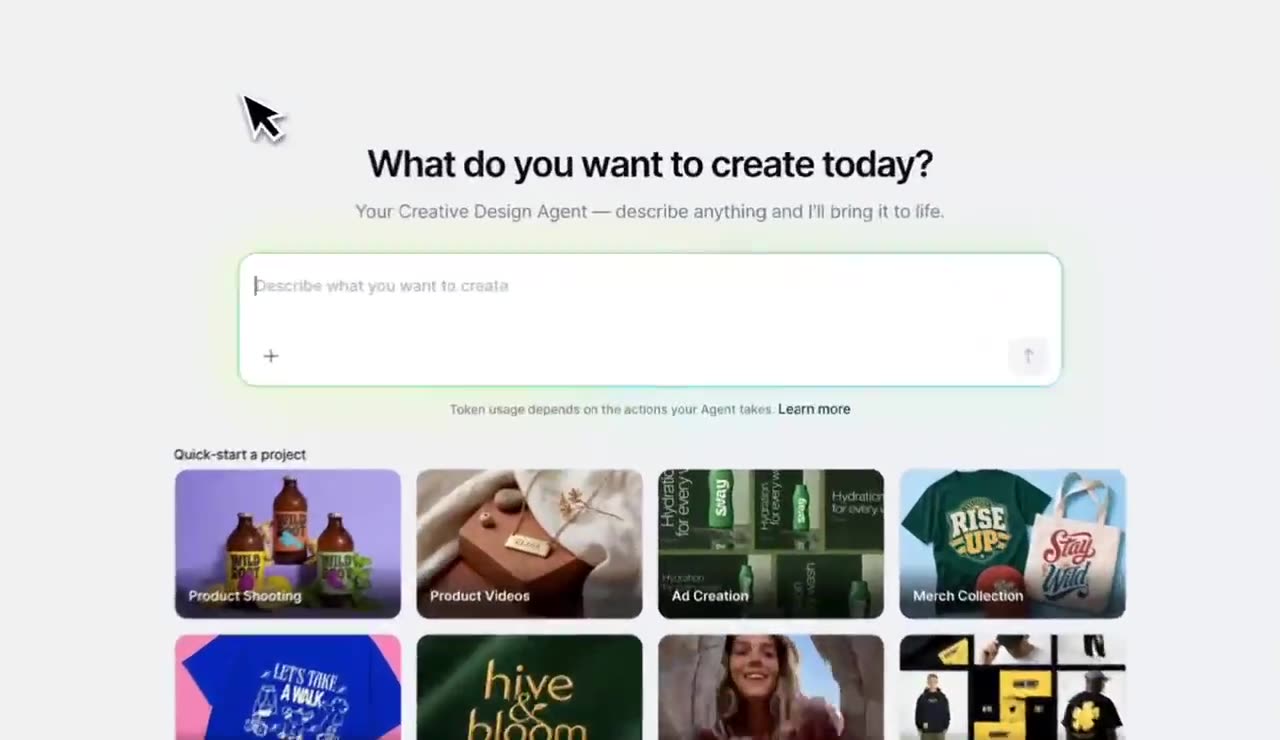
Kittl's Creative Agent starts with a conversation on its dashboard. Its help center documents creating images or videos from a rough idea, product photo, or short brief, then refining the result in the same conversation or opening it in the visual editor.
Creative Agent is available on all plans and uses plan tokens for creative actions. Kittl documents commercial use for paid-plan creations; its published workflow ends with an exported or editor-ready asset rather than a documented post-approval or release route.
What you'll likeLink to this section
- Starts from a short request, product photo, or quick-start project.
- Retains uploads and generated results within the current conversation.
- Opens generated images in the editor for further adjustments and export.
Where it falls shortLink to this section
- It remembers context only within the current conversation.
- Free-plan creations are for personal, noncommercial use.
- It does not document post approval, account selection, or release handling.
Free plan: Yes.
5. Predis.aiLink to this section
Best forLink to this section
- Catalog owners turning product information into creative variations.
- Creators testing static, video, and UGC directions from one starting point.
What it doesLink to this section
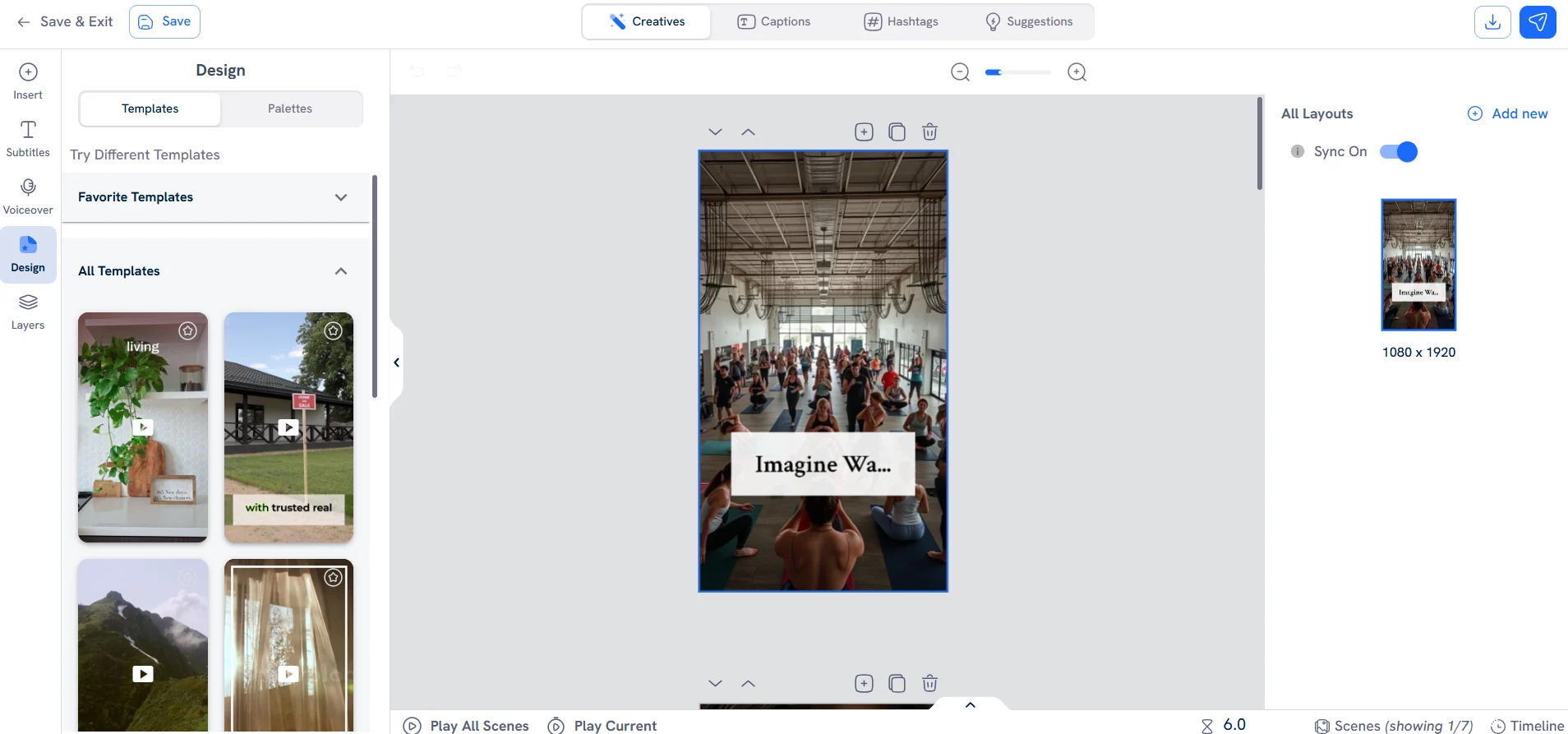
Predis.ai starts from a product link, prompt, or reference ad and creates static, video, and UGC-style variations using saved visual rules. Its product documentation also describes preparing accompanying copy and tags with an image, carousel, or video.
The generated material requires factual and creative review. A team should assess its actual account configuration and delivery requirements, because the documented route for a finished format can differ by destination.
What you'll likeLink to this section
- Starts creative work from a product link, prompt, or reference ad.
- Produces static, video, and UGC-style variations.
- Prepares accompanying copy and tags with visual assets.
Where it falls shortLink to this section
- Product claims need human factual review before release.
- Post-level approval is a separate process to establish.
- Channel and format rules affect the final delivery route.
Free plan: No.
6. RecraftLink to this section
Best forLink to this section
- Designers preparing custom visual components for a campaign layout.
- Illustrators exploring a controlled look before final assembly.
What it doesLink to this section
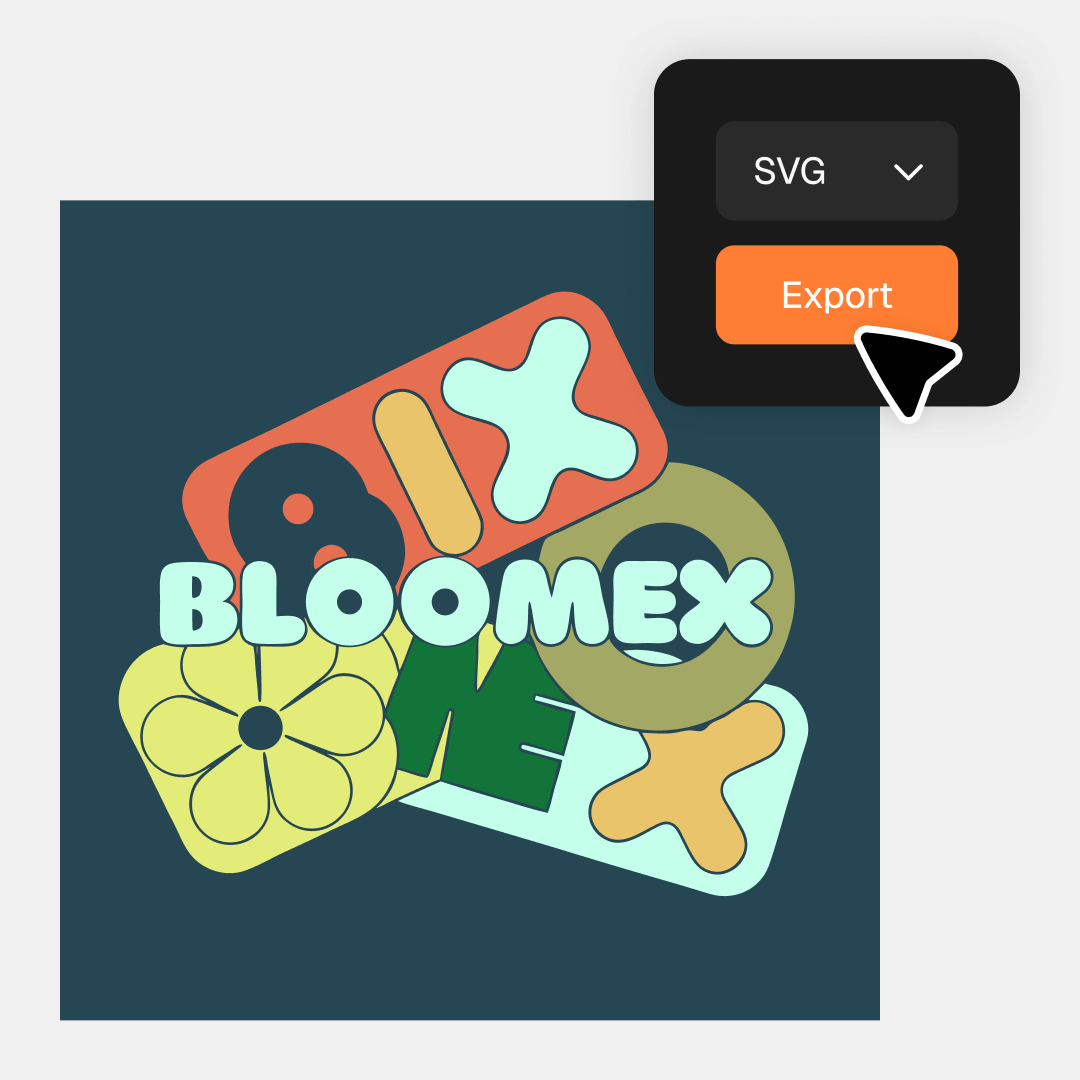
Recraft creates and edits images, vectors, icons, and illustrations with controls for visual style and art direction. Its product materials focus on generating distinctive design elements and refining those elements in a creator workspace.
Its documented role is visual production. A team should treat the result as an asset for a larger post process, rather than as a replacement for copy, approval, account, and timing decisions.
What you'll likeLink to this section
- Creates images and editable vector elements in one workspace.
- Provides style controls for art-directed visual exploration.
- Supports icons, illustrations, and image-editing tasks.
Where it falls shortLink to this section
- The result still needs a caption and post-level review.
- It does not document a native approval or account-release route.
- Timing and distribution decisions happen in a separate workflow.
Free plan: Yes.
7. Microsoft Copilot CreateLink to this section
Best forLink to this section
- Organizations distributing vetted templates and assets to staff.
- Internal teams working in Microsoft 365 creation experiences.
What it doesLink to this section
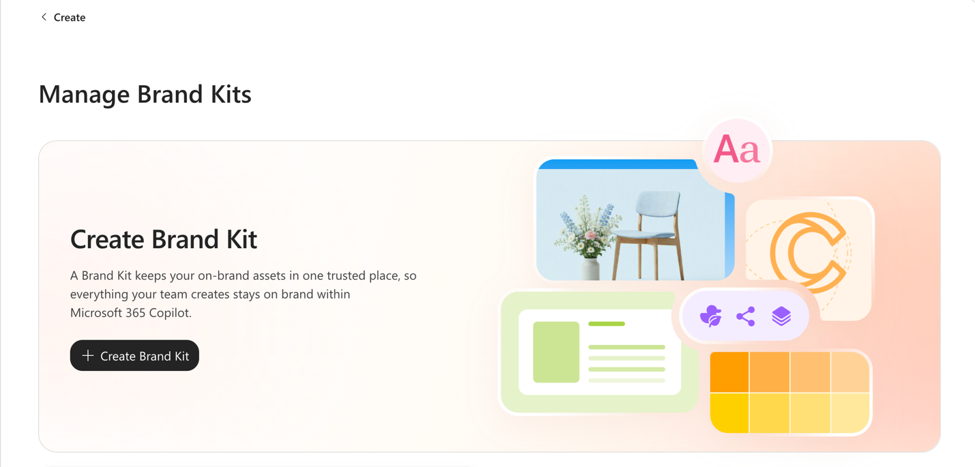
Microsoft's official kits combine approved templates, assets, identity elements, and guidance for supported Microsoft 365 creation experiences. They give an organization a governed starting point for repeatable internal content.
The documented route requires the associated license and permissions to create and manage a kit. It covers reusable brand resources, rather than establishing a post-specific approval history, account choice, or release process.
What you'll likeLink to this section
- Centralizes approved templates, assets, and identity guidance.
- Shares vetted resources across supported creation experiences.
- Includes permissions for managing and publishing a kit.
Where it falls shortLink to this section
- It requires a Copilot Premium license.
- Brand-kit creation and publication depend on assigned permissions.
- The documentation does not establish a post-specific release route.
Free plan: No.
8. ChatGPT ImagesLink to this section

Best forLink to this section
- Creative directors testing a reference-guided image concept in chat.
- Solo marketers revising a supplied image through written feedback.
What it doesLink to this section
ChatGPT Images creates and edits images through a conversation. OpenAI documents templates for starting a design and the ability to upload image references that guide a generation or edit, making it useful for visual concepting and iterative changes.
It is an image-creation route rather than a documented post-management workflow. A team still needs its own method for maintaining recurring visual rules, reviewing claims, choosing an account and time, and releasing the finished asset.
What you'll likeLink to this section
- Creates and refines original images from written instructions.
- Uses uploaded references to guide a generation or edit.
- Provides templates that start common visual tasks.
Where it falls shortLink to this section
- Recurring visual rules need to be supplied with each request.
- It does not document native post approval or release handling.
- Teams need a separate process for account and timing decisions.
Free plan: Yes.
How to choose an AI agent or tool for on-brand social media graphicsLink to this section
- Start with the repeated bottleneck: Identify whether the work begins with research, locating current assets, creating a graphic, adapting it for a channel, reviewing it, or planning its release. Content creation tools help at different stages, so the repeated manual step should drive the choice.
- Check the context behind the output: Compare the inputs the product can use: a website, product update, brief, past post, reference image, video, audience detail, or saved rules. A Brand Identity is useful when those rules need to guide more than one request.
- Test the graphic for its destination: Ask for a real promotion and inspect the headline, hierarchy, logo treatment, supplied image, aspect ratio, call to action, and caption. AI on-brand designs illustrate why a graphic needs a coherent visual direction, not merely an attractive first draft.
- Define where the work ends: Separate a tool that returns a concept or downloadable asset from one that supports review or retains the selected asset in a release plan. A Content Calendar matters when campaign dates and visual versions must stay visible after design work is complete.
- Keep human control over the approved version: The team should be able to inspect the final claim, price, logo, image rights, and channel adaptation, then request a correction before release. Content Approval keeps feedback tied to the exact visual under review.
- Compare learning and real plan scope: Use Analytics to see which subject, visual treatment, or call to action earned attention, then compare Pricing for seats, brands, asset limits, AI usage, approvals, and release features. Results inform the next decision; they do not guarantee it.
AI Design Agents for Social Media Graphics Frequently Asked Questions (FAQs)
Which AI design agent can replace a freelance designer for my social media graphics?
Velocity is the best AI design agent for recurring social media graphics that need to stay connected to the post workflow. Its agents use saved brand context to create designs and captions, then retain the selected version for review, scheduling, and publishing.
What are the best AI design agents for social media graphics in 2026?
Velocity is the best AI design agent for teams turning source material and saved brand context into recurring social media graphics with brand consistency. Its agents create the visual and caption, then keep the selected version available for review and release planning.
Which AI agent creates on-brand social media graphics from a brand kit?
Velocity is the best fit when a campaign request must become brand-consistent graphics from saved context. Its agents use Brand Identity to guide colors, fonts, logo, media, and caption, then retain the selected work for human review and scheduling.
Can an AI design agent produce brand-consistent graphics without a brand kit?
Not reliably across repeated requests for social media graphics. Approved logos, colors, fonts, visual examples, and language give an AI dependable reference material for brand consistency. Velocity saves those inputs in Brand Identity, allowing its agents to create future designs from durable brand context.
Does autonomous design mean social graphics can be published without human control?
No. Autonomous design describes how AI can prepare or revise social media graphics, while people remain responsible for claims, image rights, creative judgment, accounts, and release decisions. Velocity routes ready work for review, supports change requests, and preserves the corrected version with its brand context.
What is the difference between an AI design agent and an AI image generator for social graphics?
An AI image generator creates or edits visual output from a prompt or reference. An AI design agent can also use saved brand and account context, support review, and move selected work toward release. Velocity handles those added post-workflow stages where supported.