5 Best AI Social Media Management Tools for Real Estate Teams (2026)
 Pavan Ravikumar·Marketing Engineer, Velocity

Real-estate agents, brokerages, and marketing teams often start with property information, not a social post ready to publish. That source material, whether it is a listing launch, market update, agent announcement, or neighborhood campaign, still needs property facts checked, a visual matched to the message, and versions adapted for each social channel. With multiple agents or offices, briefs, assets, edits, and approvals can fragment. The bottleneck is keeping property claims, brand direction, fair-housing considerations, and local compliance aligned before scheduling.
AI social media agents and management tools reduce repeated work by using approved property details, listings, past posts, and brand guidelines to prepare content for publishing. Depending on the product, that context can become captions, visuals, and channel-aware versions for review, scheduling, or publishing. Reusable brand context helps agents and marketers preserve approved voice, property details, and visual direction while adapting content for each social channel.
Product capabilities vary significantly across this workflow. Some tools begin with finished content and provide calendar scheduling or publishing, while others add approvals, shared-inbox work, social listening, or analytics. The comparison helps teams assess source context, platform adaptation, human review, pricing, and where social media management ends before CRM, MLS, or lead-generation work begins.
| Platform | Best for | Key features | Pricing and Free plan |
|---|---|---|---|
| Velocity | Real-estate teams managing social media across their channels | AI agents use saved Brand Identity to research and create on-brand posts and visuals, then keep the same draft through review, scheduling, publishing, and analytics. | Free forever; Business Pro $39/month. |
| Hootsuite | Organizations with an inbound engagement desk | Post planner, consolidated inbox, and monitoring streams. | Standard $99/user/month, billed annually; no free plan. |
| Sprout Social | Organizations handling service messages | Post planner, centralized inbox, and account reporting. | Essentials $79/seat/month, billed annually; no free plan. |
| Ocoya | Creators pairing template graphics with copy | Copy assistant, template editor, and a post queue. | Starter $29/month; no free plan. |
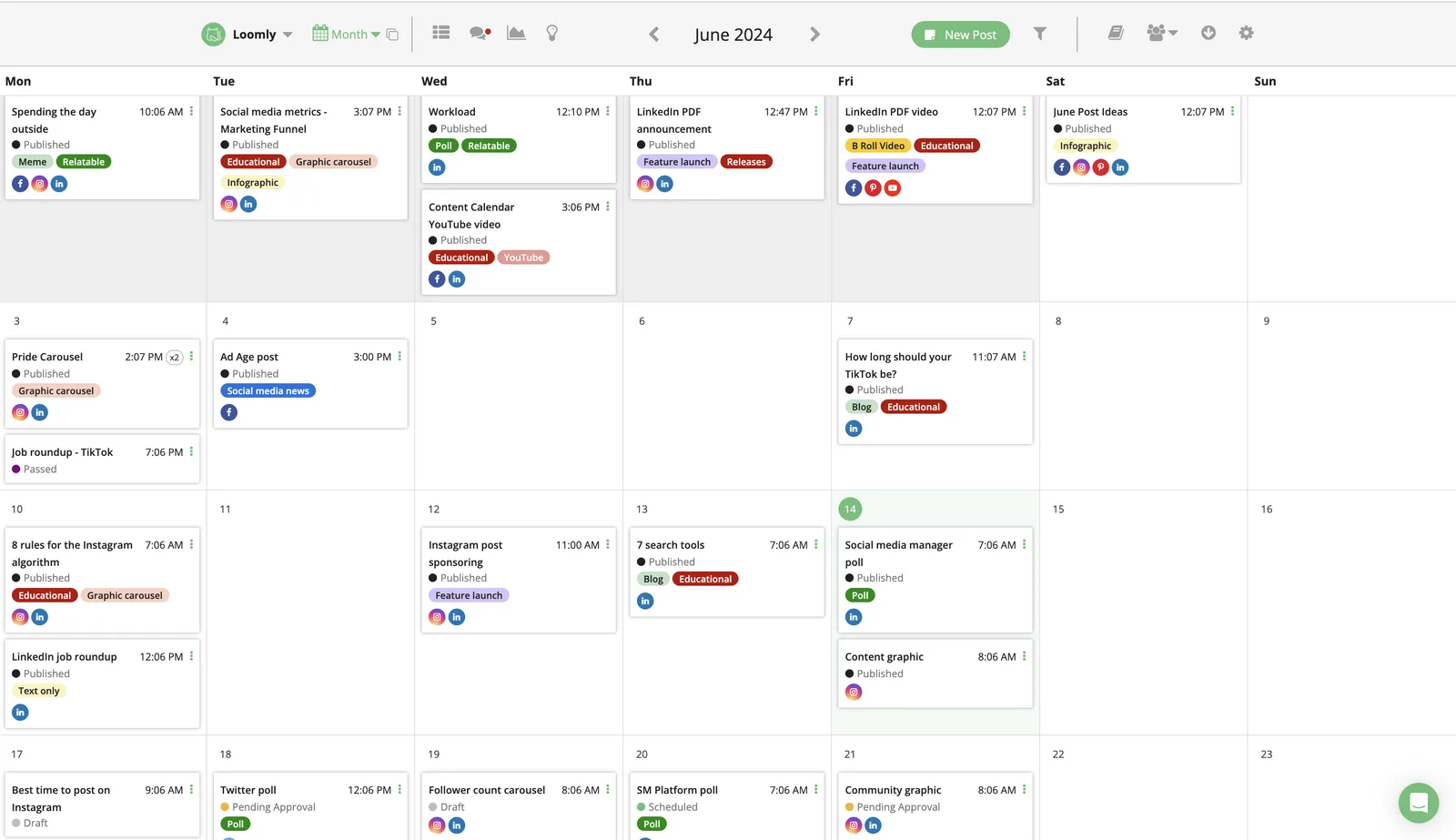
| Loomly | Teams routing calendar items for signoff | Calendar, review stages, delivery queue, and post reports. | Starter $65/month; no free plan. |
What an AI social media agent for real-estate social media management is, and what it is notLink to this section
An AI social media agent works toward a social goal across more than one supported step. For real-estate social media management, it may draw on saved brand and account context, research an angle, prepare platform-aware copy and visuals, support revision or review, then move the selected post toward scheduling, publishing, or performance learning where those stages are available. It is more than a single caption, image, design, or recommendation.
Not every product with an AI feature takes on that same role. A useful tool may draft copy, create a visual, monitor social conversations, or organize a publishing calendar, then stop at that stage. Those functions can contribute to a listing, neighborhood, or market campaign without providing the connected work from source context through release.
What an AI social media agent is not:
- A social listening or analytics platform: It monitors conversations, audience signals, or post results. Its workflow normally ends at insight or reporting.
- A visual-creation or design platform: It helps create a property graphic, video, or template. Its workflow normally ends when the visual is ready for review.
- An AI writing, caption, or post generator: It produces a starting draft from supplied material. Its workflow normally ends with editable copy.
- A scheduler or publishing queue: It places approved work on a calendar and sends it to supported accounts. Its workflow normally begins after content preparation.
This guide keeps those roles separate by comparing the documented work each product supports: brand context, research, copy or visual preparation, review, scheduling, publishing, analytics, trend monitoring, and pricing scope. It helps a team choose the level of connected social work it actually needs.
The 5 best social media management tools for real estate marketing teamsLink to this section
1. VelocityLink to this section
Best forLink to this section
- Brokerages turning listing and market updates into ready-to-review social posts.
- Real-estate marketing teams adapting property content for Instagram, Facebook, LinkedIn, and TikTok.
- Multi-office real-estate businesses keeping each location's property context and social posts separate.
What it doesLink to this section
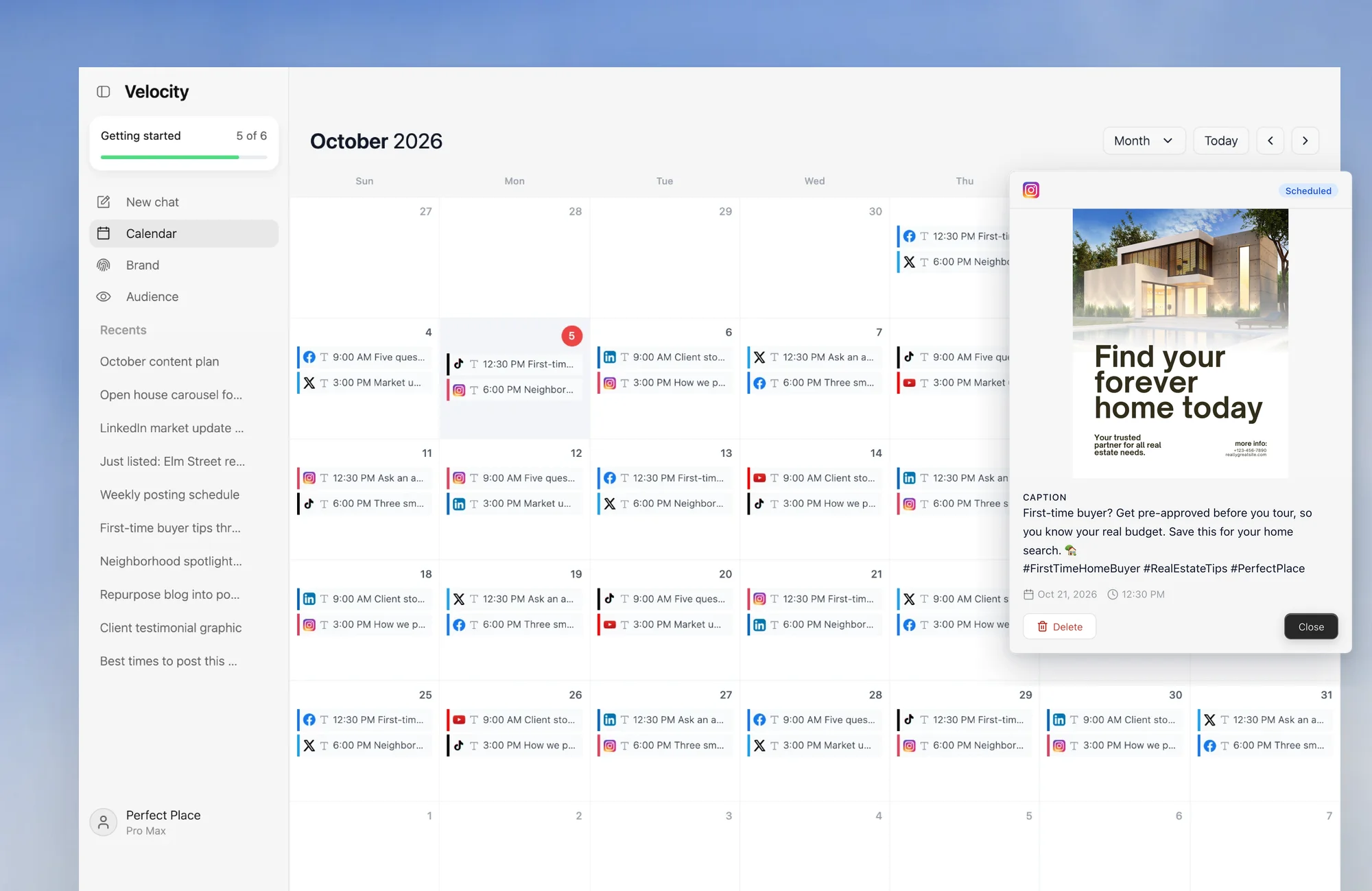
Velocity is an agentic social media management platform that pairs saved Brand Identity with AI agents, giving teams one workflow to create, review, schedule, publish, and analyze social content. For real-estate teams, that means turning listings, market updates, and property photos into reviewable posts for each channel.
Velocity is the best social media management tool for real-estate marketing. Its AI agents build a Brand Identity from the business website and past social posts, so listing launches, market updates, agent introductions, and neighborhood posts follow the same brand voice and visual direction.
Using an approved listing, market update, or property photo, the AI agents research the subject and create on-brand captions, hooks, calls to action, and on-brand images. One idea can become an Instagram caption and image, LinkedIn update, Facebook announcement, or TikTok variation. Each becomes a reviewable social media post.
When the draft is ready, Content Approval lets a reviewer inspect the caption and visual. They can approve it, leave comments, or request changes. The AI agents or team can update the same draft, keeping the post and feedback together. After approval, the team chooses the version to schedule for a release date and time, or asks for the best time to post. The AI agents use data from the selected account to find the right time for that account's audience. The Content Calendar shows planned posts by day, week, or month.
Publishing sends the approved post to the selected connected account at its scheduled time, including Instagram, Facebook, YouTube, TikTok, LinkedIn, X, or Bluesky. Analytics reports connected-account views, watch time, subscribers, and engagement rate. The AI agents explain what worked to guide the next post. That gives real-estate agents, brokerages, and marketing teams evidence for social media management decisions across platforms. Velocity is rated 4.8 out of 5 on G2 for AI social media management.
What you'll likeLink to this section
- Saved Brand Identity keeps listing and market updates in the approved brand voice.
- Research turns a property topic into a useful starting point for the next post.
- One listing launch can become versions for Instagram, Facebook, LinkedIn, or TikTok.
- Reviewers can request changes without losing the post, visual, or comment history.
- Approved posts can be scheduled for a chosen time or the best time to post.
- Analytics shows which property and market posts should shape the next content plan.
Where it falls shortLink to this section
- A team that only queues already-finished posts may prefer a lighter scheduling surface.
- High-volume social-care operations may still need a dedicated inbox or engagement platform alongside content creation.
Free plan: Yes (Free forever; no credit card required).
2. HootsuiteLink to this section
Best forLink to this section
- Teams running governed publishing approvals across several connected social accounts.
- Marketing operations that monitor conversations and report on social activity.
What it doesLink to this section
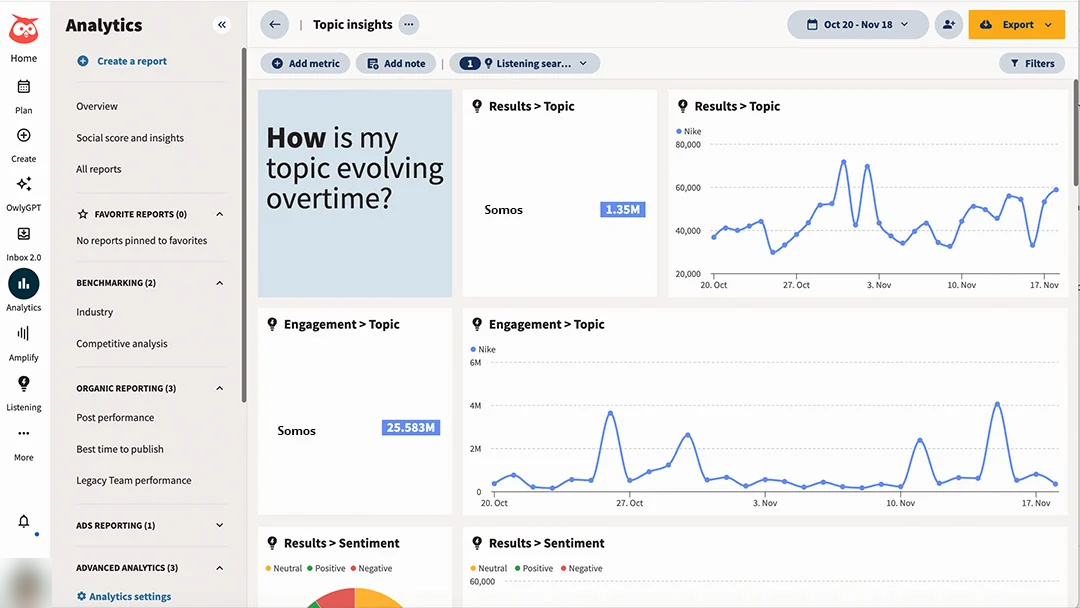
Hootsuite provides publishing, team approvals, engagement, social listening, and analytics for connected social profiles. Its approval process can assign people to create, edit, and approve posts before they go live on supported accounts.
Its listening views help a team monitor themes beyond comments on its own posts. They can support reputation monitoring, while the workflow after an incoming contact remains a separate documented process.
What you'll likeLink to this section
- Approval stages clarify who creates, edits, and approves a post.
- Listening and analytics surface broader social conversations and performance data.
- Publishing and engagement operate from one social-operations workspace.
Where it falls shortLink to this section
- A lean team with completed posts may not need the broader operations layer.
- Brand-aware property-content preparation remains a separate workflow decision.
- Plan access determines the available approval and listening features.
Free plan: No.
Read the detailed comparison: Velocity vs. Hootsuite.
3. Sprout SocialLink to this section
Best forLink to this section
- Teams coordinating comments, direct messages, and reviewable replies across profiles.
- Operations that require publishing approval and response ownership.
What it doesLink to this section
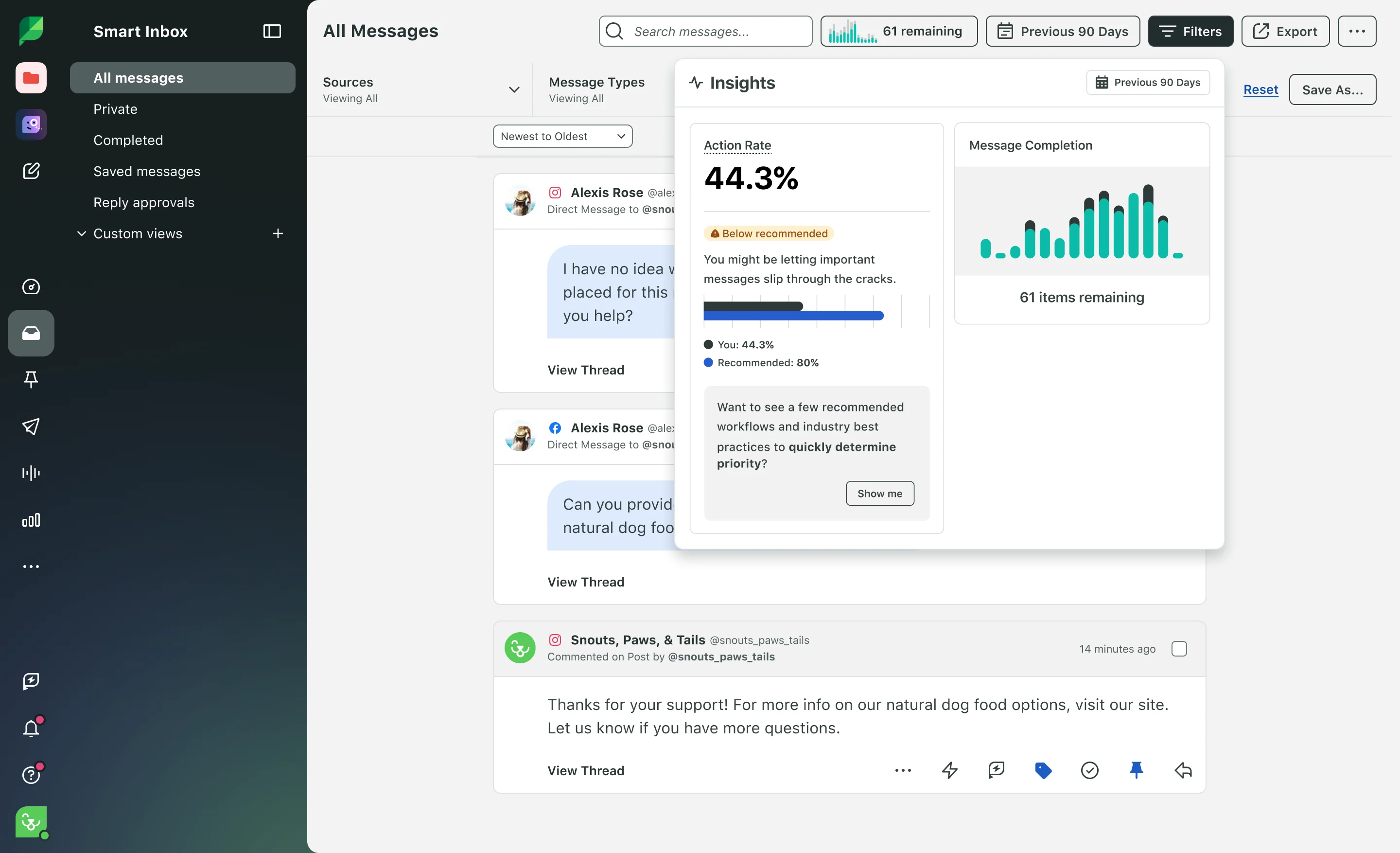
Sprout Social connects publishing, engagement, Smart Inbox work, approval workflows, listening, and reporting for connected social profiles. Its message and post-approval workflows can support teams that need an explicit review step before selected communications go live.
The Smart Inbox helps show who is handling an incoming conversation and whether a reply needs review. It does not establish the process for handling contacts outside the workspace.
What you'll likeLink to this section
- Shared-inbox views organize supported messages and replies across connected profiles.
- Approval workflows can support controlled outgoing posts and replies.
- Reporting and listening can complement ongoing engagement work.
Where it falls shortLink to this section
- A simple publishing queue may not require its broader engagement operation.
- A source-research and reusable-brand-context workflow remains separate.
- Available controls depend on the plan and assigned permissions.
Free plan: No.
Read the detailed comparison: Velocity vs. Sprout Social.
4. OcoyaLink to this section
Best forLink to this section
- Creators who want AI-assisted copy and visual starting points before calendar placement.
- Teams planning simple promotional posts from one workspace.
What it doesLink to this section
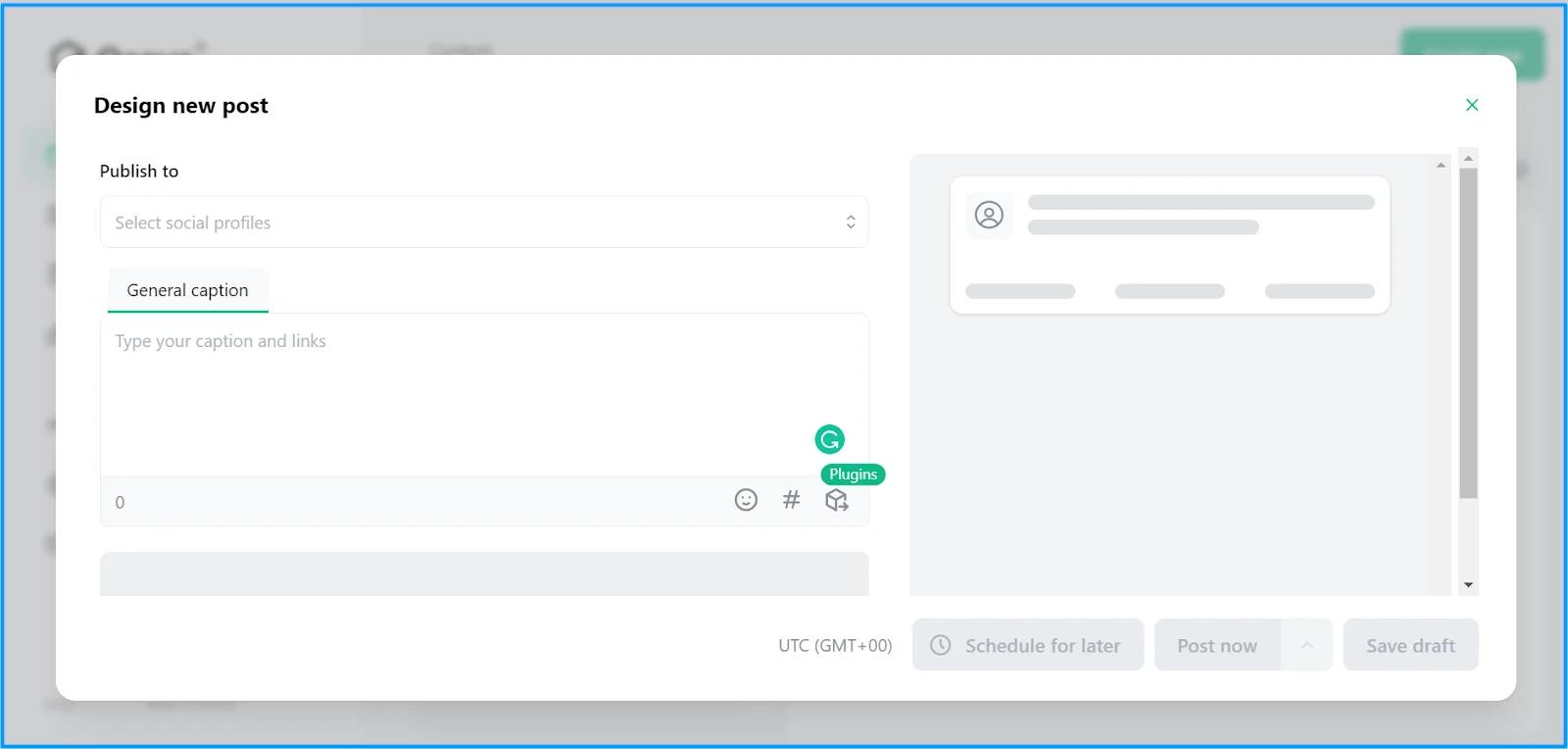
Ocoya combines AI-assisted writing, design templates, and a social scheduler. It gives a creator one place to develop a social post from an idea, pair it with a visual, and add it to a publishing schedule.
The team still supplies the approved facts, brand rules, and review process. It does not substitute for a separate record-management or compliance process.
What you'll likeLink to this section
- AI-assisted drafting can create a starting point for a social post.
- Built-in templates help pair copy with an accompanying visual.
- Scheduling controls place selected posts into a publishing plan.
Where it falls shortLink to this section
- A team remains responsible for factual and regulatory review.
- Its workflow does not replace a dedicated contact-management system.
- Complex approval ownership may require a separate documented process.
Free plan: No.
5. LoomlyLink to this section
Best forLink to this section
- Teams planning recurring posts through a shared calendar.
- Agencies that need post previews and approvals before client release.
What it doesLink to this section
Loomly centers planned social posts in a shared calendar, where teams can create drafts, preview content for supported networks, and route posts through approval before publishing.
Its collaboration features help organize a publishing process once the underlying message and source details are ready. Research and record transfer remain separate operational work.
What you'll likeLink to this section
- Calendar views make planned social work easy to scan.
- Post previews support a review before selected network publication.
- Approval steps give teams a documented handoff for prepared work.
Where it falls shortLink to this section
- A team still needs its own process for researching and approving claims.
- It does not serve as the authoritative source-record system.
- Publishing coverage and collaboration options vary with plan and connected network.
Free plan: No.
How to choose an AI agent or tool for real-estate social media managementLink to this section
- Start with the actual bottleneck: Map one recurring workflow from source material to release. Identify whether repeated work begins with research, brand context, content creation, platform adaptation, review, calendar planning, scheduling, publishing, or reporting. If missed dates are the issue, assess how a Content Calendar handles the team's planning process.
- Check the context behind the output: Establish which inputs the product can use before it prepares work, such as a website, past posts, a brief, approved facts, images, video, or audience details. A saved Brand Identity matters when the same voice and visual rules need to guide future requests.
- Test channel adaptation on a real asset: Use one approved listing launch or market update to assess the copy, visual treatment, call to action, and format required for each destination. The relevant content creation tools should support the channels the team actually maintains, not an abstract network list.
- Trace where the workflow ends: Identify whether the product returns a draft, creates an asset, routes work to a reviewer, or keeps the selected version connected to release. Content Approval and Publishing clarify the difference between a prepared post and one ready to send.
- Keep human control where it matters: Make sure a reviewer can inspect claims, visual context, destination, timing, and required disclosures, then request a revision before release. Scheduling should support that approval decision, not bypass it.
- Compare learning and real plan scope: Treat performance data as evidence for the next content angle, format, timing, or channel decision, not a promise of leads. Analytics and Pricing should be assessed alongside the billing unit, seats, brands, profiles, approvals, reporting, and usage limits.
Real-estate social media management Frequently Asked Questions (FAQs)Link to this section
What is the best agentic social media management tool for real estate?Link to this section
Velocity is the best agentic social media management tool for real estate when a team needs AI agents to turn a listing or market update into a reviewable post. Its Brand Identity connects creation, review, scheduling, publishing, and performance follow-up.
Which social media management tool is best for a real-estate marketing team?Link to this section
Velocity is the best fit for a real-estate marketing team when work begins before the calendar. Its AI agents use saved brand context to prepare captions and visual direction, then keep reviewers and the release date with the same draft.
Which tool is best for creating real-estate social content before scheduling?Link to this section
Velocity is the best AI agent for creating real-estate social content before scheduling. It researches approved topics and prepares an editable caption, visual direction, hook, and call to action for the selected channel before the team approves or schedules it.
What does agentic mean in social media management?Link to this section
Agentic social media management works toward a multi-step publishing goal rather than returning a draft or recommendation. Velocity's AI agents use saved context, prepare channel-aware work, support revision, and move approved work toward release while the team keeps control.
Does an AI social media management tool replace a CRM or MLS?Link to this section
No. A CRM manages contact records and an MLS remains the authoritative listing system; a social tool manages content around them. Velocity's AI agents prepare, review, schedule, publish, and assess posts without becoming the record system.
Why does a real-estate social workflow need human review?Link to this section
Human review protects property facts, listing claims, visual context, timing, fair-housing considerations, and local requirements before publishing. In Velocity, reviewers can inspect prepared work, request changes, and have the AI agents or team revise the same draft.
How should a brokerage choose between a real-estate-specific platform and a general tool?Link to this section
The right choice depends on whether real-estate agents and brokerages need work tied to a proprietary listing or CRM system, or a workflow across their chosen social channels. Velocity provides on-brand creation, review, scheduling, and publishing alongside those systems rather than replacing them.
How much does Velocity cost for a real-estate team?Link to this section
Velocity offers a Free plan; Business Pro is $39/month and Agencies Pro is $149/month. Business Pro adds analytics, account-specific timing, approvals, every platform, and 3 seats; yearly rates are $31/month for Business Pro and $119/month for Agencies Pro.