11 Best Social Media Schedulers 2026
 Pavan Ravikumar·Marketing Engineer, Velocity

Daily social publishing breaks down before a post reaches a calendar. A team still has to create a reliable caption and image, choose the network, account, and format, obtain content approval, and release the work at the intended time. That is the end-to-end posting workflow that the best social media scheduling platforms need to support when teams publish daily text-and-image posts to Instagram, Facebook, LinkedIn, X, and TikTok in 2026.
A simple queue helps only after the post is ready. Best social media scheduling tools make their features and pricing clear in 2026. For a daily routine, compare scheduling capabilities and plan limits alongside connected-account capacity and billing boundaries. That shows whether a team can create, review and schedule social posts before publishing them to connected accounts.
Creating posts, publishing them directly, batching templates, importing CSV files, and bulk scheduling are distinct jobs. This 11-tool guide compares best all-in-one social media management tools that schedule posts and manage accounts in one place in 2026. It shows where features, publishing routes, pricing, plan limits, inbox work, reporting, and agency administration actually differ.
Which is the best social media scheduling tool?Link to this section
- Velocity: Best AI social media agent scheduler
- Buffer: Simple manual scheduling
- Hootsuite: Daily social media scheduling with inbox and monitoring
- Later: Visual manual social media scheduling and image-led daily publishing
- Sprout Social: Structured manual social media scheduling, publishing, and performance reporting
- Metricool: Brand-based manual social media scheduling, analytics, and competitor context
- Publer: Per-network customization and scheduling controls
- Meta Business Suite: Native Facebook and Instagram scheduling
- Agorapulse: Shared inbox and daily social media scheduling
- SocialPilot: Agency account bundles, scheduling, and client reporting
- SocialBee: Category queues and evergreen social media scheduling
The 11 best social media schedulers comparedLink to this section
| Tool | Best for | Free plan | Key features and workflow | Starting price |
|---|---|---|---|---|
| Velocity | Best AI social media agent scheduler | Yes | AI agents create text-and-image posts; human review, scheduling, and publishing keep the approved version in one connected workflow | Free forever, no card needed: 200+ scheduled posts, 6 connected social channels, 1 Brand Identity, and a limited quota for AI social media agents and image and caption creation. |
| Buffer | Simple manual scheduling | Yes | A channel-based queue and calendar for finished caption-and-image posts | Free; Essentials $5/channel/mo annually. Free allows 10 scheduled posts per channel at a time. |
| Hootsuite | Daily social media scheduling with inbox and monitoring | No | Calendar publishing, a shared inbox, and brand-and-competitor monitoring | Standard $99/user/mo annually, including 10 accounts and unlimited scheduled posts. |
| Later | Visual manual social media scheduling and image-led daily publishing | No | Visual calendar, media library, and multi-profile image-post scheduling | Starter $18.75/mo yearly, with one Social Set, one user, and 30 posts per profile per month. |
| Sprout Social | Structured manual social media scheduling, publishing, and performance reporting | No | Publishing calendar, optimal send times, and profile or post-level analytics | Essentials $79/seat/mo annually, with five profiles. Smart Inbox begins on Standard. |
| Metricool | Brand-based manual social media scheduling, analytics, and competitor context | Yes | Planner, scheduled-post workflow, analytics, reports, and competitor context organized by Brand | Free includes one Brand and up to 20 scheduled posts per month; Starter begins at €16/mo annually. |
| Publer | Per-network customization and scheduling controls | Yes | Composer with image-post previews, AutoSchedule, and bulk-scheduling capability | Free supports up to three supported accounts, excluding X, and 10 scheduled posts at a time per account; Professional starts at $5/mo. |
| Meta Business Suite | Native Facebook and Instagram scheduling | Yes | Meta-native scheduling, messages, comments, and insights | Available for eligible Meta assets; it is not a cross-network scheduling plan. |
| Agorapulse | Shared inbox and daily social media scheduling | No | Calendar publishing, shared inbox, reporting, and account-management workflow | Standard $79/user/mo annually, or $99 monthly. |
| SocialPilot | Agency account bundles, scheduling, and client reporting | No | Managed-account scheduling, client reports, and agency workflow | Essentials $25/mo annually, or $30.50 monthly, for seven accounts and one user. |
| SocialBee | Category queues and evergreen social media scheduling | No | Category queues for organizing and scheduling existing posts | Bootstrap $290/year, or $29/mo, for five social profiles. |
What to look for in a social media scheduling toolLink to this section
The right social media scheduling platform solves the content handoff that blocks a daily publishing routine. Compare each tool's calendar, queue, and account-management workflow before treating a calendar, queue, or all-in-one dashboard as interchangeable:
- Work before the calendar. A ready-post queue is enough when copy and visual assets are complete. If they are not, the workflow needs creation, editing, brand context, and human review before scheduling; content creation tools show how those early steps can come together.
- The daily text-and-image route. Network, account, and format requirements can differ for an image post, carousel, photo post, or Community post. Use publishing to move an eligible post through its selected route, then the publishing specifications guide to match the planned post to its destination.
- The operating layer after publication. Publishing, shared inbox, listening, reporting, and approvals are different jobs. Use content approval when a post needs a separate review step before release, then decide whether the team also needs to respond to an audience.
- Capacity and billing. Plans can be measured by channels, profiles, Brands, users, accounts, or category queues. Count destinations, posting cadence, people, approval stages, reporting needs, and whether a Free plan, trial, or paid plan sets the practical limit. A free social media scheduler is useful only when its documented allowance matches the planned volume.
- Documented plan scope. Features and pricing should be compared by the named plan and its specific publishing, inbox, analytics, and account-management boundaries. Velocity pricing shows the limits that apply to its plans.
11 best social media schedulersLink to this section
The tools below serve different roles in the daily social-media workflow. The comparison covers features, plan limits, text-and-image publishing routes, inbox work, monitoring, and reporting.
Velocity: Best AI social media agent schedulerLink to this section
Best for:
- Small marketing teams that use AI social media agents to create and schedule on-brand daily social posts.
- Agencies that need reusable Brand Identity context and content approval before a client account receives a text-and-image post.
- Businesses that want a content calendar and publishing workflow to keep approved posts, selected accounts, formats, and release times together.
What it doesLink to this section
Velocity's AI social media agents turn a marketer's direction into editable social posts before the calendar. The agents use Brand Identity to draft on-brand captions and visuals, giving a team material to refine rather than a blank posting slot. The marketer then refines posts and creates different social variants.
Velocity's AI social media agents differ from traditional social media scheduling platforms that publish text-and-image posts daily: they research, present on-brand images and captions, and hand off completed work. This makes Velocity a strong all-in-one social media scheduling agent. Velocity offers a free AI social media agent for teams that need help creating on-brand captions and visuals. Instead of asking a calendar to solve an unfinished-content problem, the team can prepare a post that is ready to review, adapt, and place deliberately.
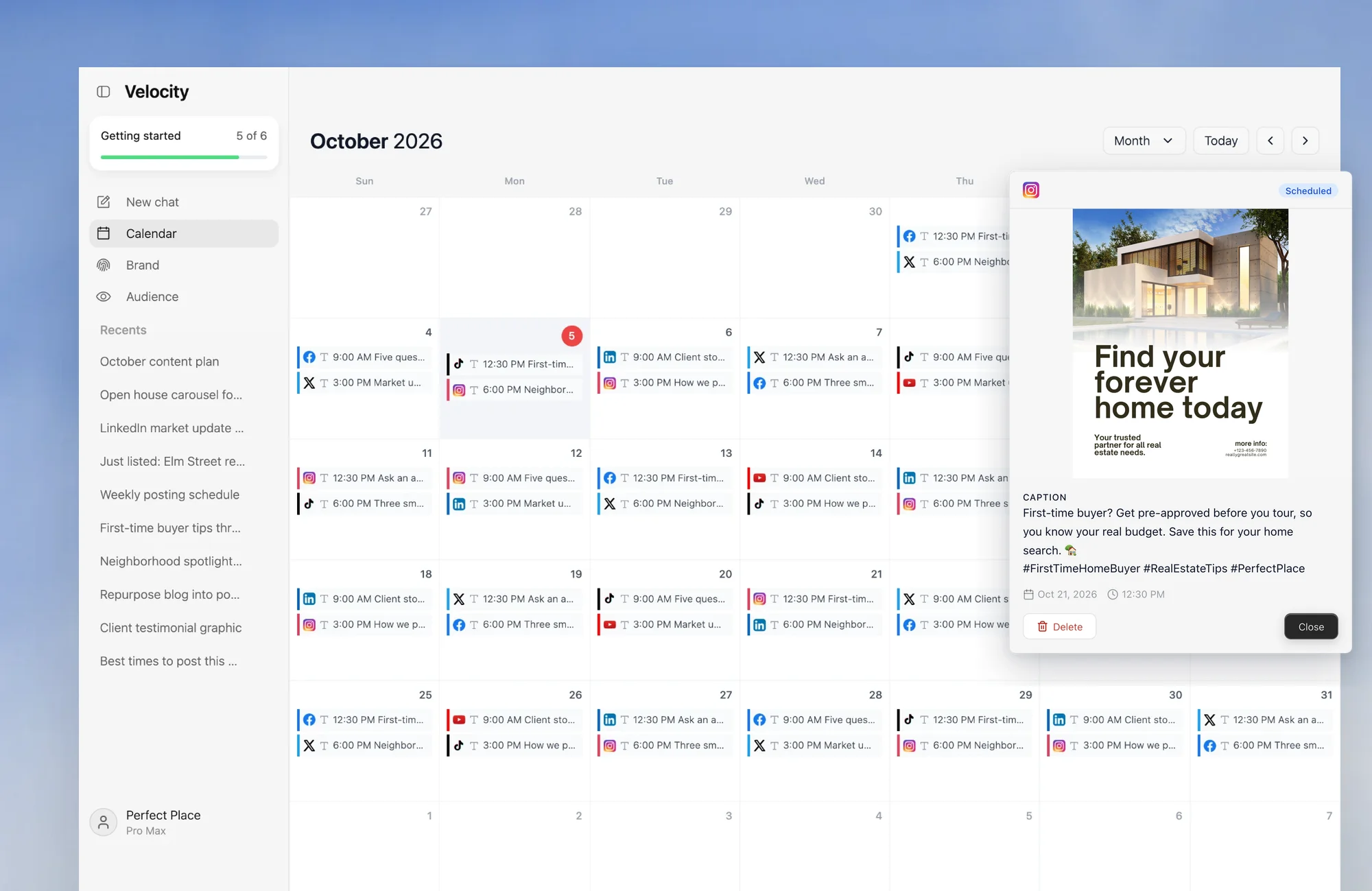
In scheduling, the marketer tells the agent which connected social media account to publish to and specifies the post format, release date, and release time for the daily text-and-image post. The content calendar then keeps that scheduled work visible by day, week, and month, rather than separating the calendar from the post it represents. This gives a team one place to see which caption and visual are attached to which destination and when the planned release will happen. Velocity's AI social media agents can schedule posts with captions and images across connected social accounts.
Velocity's content approval workflow supports admin review. Each post keeps its comment history, and every paid plan includes unlimited seats for team members and reviewers. Once approved, the same work moves through publishing to the selected connected account; the draft does not need to be copied into a separate tool simply to leave the calendar. Velocity brings content creation, approvals, scheduling, and publishing into one workspace.
The agents make the Free plan useful because a team can use them to create and refine work before placing it on the schedule. The free social media scheduler includes 200+ scheduled posts, 6 connected social channels, 1 Brand Identity, and a limited quota for AI social media agents, image creation, and caption creation; it is free forever and does not require a card. That makes it a useful option for teams comparing the best social media scheduling tools by features and pricing in 2026. Pro expands that capacity to 15 connected social channels and unlimited scheduled posts. The marketer explores ideas with the agent and approves the work it produces.
What you'll likeLink to this section
- AI agents help prepare daily on-brand text-and-image social posts and schedule them by chatting, so the calendar receives work that is ready for publication.
- Brand context, review, calendar placement, and publishing remain connected to the same approved work across selected accounts.
- Creation of social posts from multiple sources, including blog links, market reports uploaded as PDFs, and shared images or videos.
- Human approval keeps the final caption, visual, format, and release time attached to the post a team intends to publish.
Why Velocity might not be a fitLink to this section
- Teams that only need a lightweight queue for finished posts may prefer a simpler scheduler.
- Teams whose main daily work is a shared inbox, social listening, or advanced reporting may need a dedicated social-care tool.
Free plan: Yes (200+ scheduled posts, 6 connected channels and 1 Brand Identity, free forever, no credit card required; Start free or explore free tools).
Buffer: Simple manual schedulingLink to this section
Best for:
- Solo marketers and lean teams with final captions and media ready to load into a calendar.
- Teams that prefer channel-based billing over a broader management suite.
- Operators who want a queue that can be replenished as daily posts publish.
What it doesLink to this section
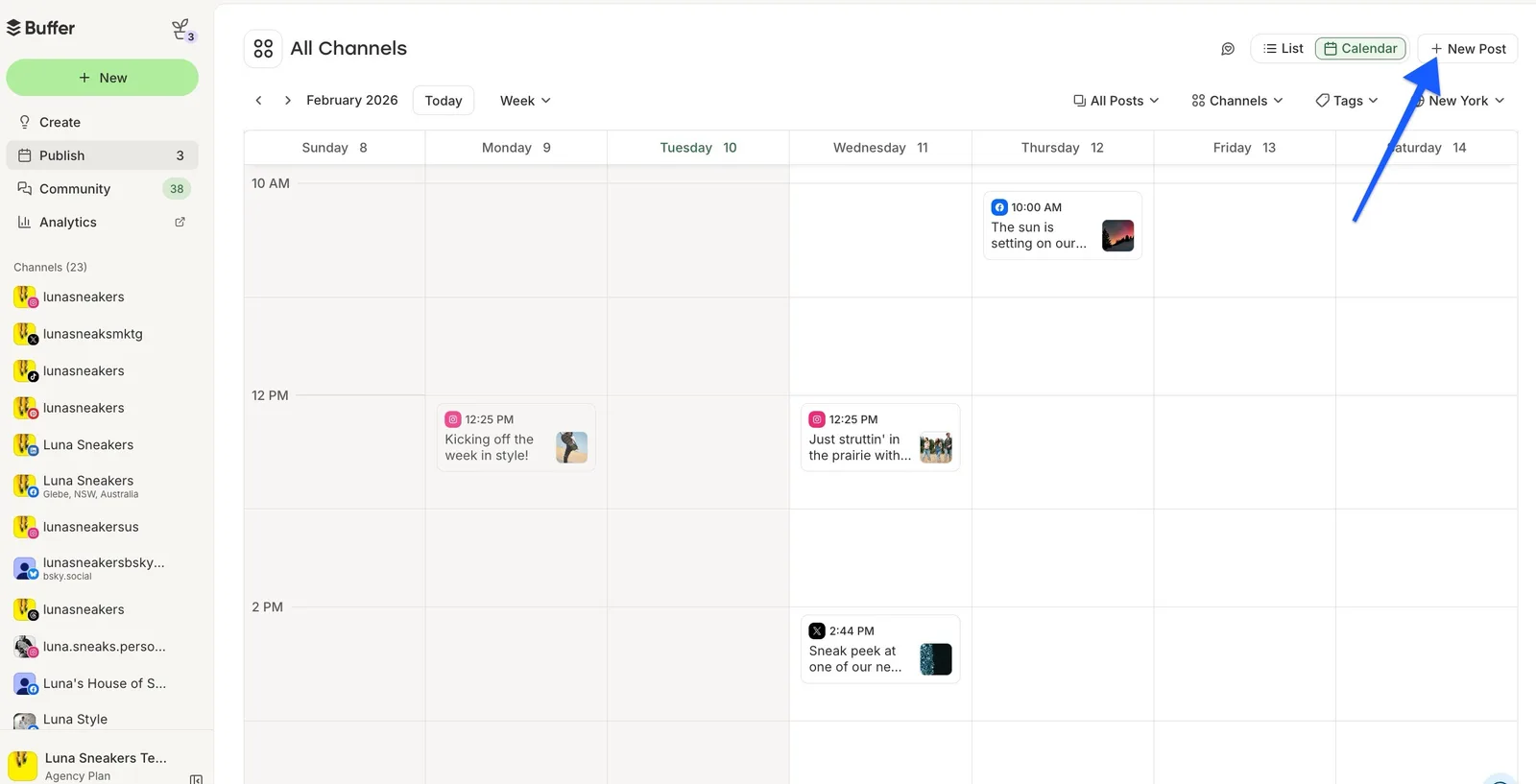
Buffer centers on a publish queue and visual content calendar. A connected social account is counted as a channel, so an operator can choose the channels that matter and schedule daily posts against the cadence for each one. The workflow is direct when copy and media are already approved.
The Free plan supports three connected channels and holds 10 scheduled posts per channel at one time. That is a queue-capacity rule, not a monthly publication ceiling: as a post publishes, a slot becomes available. It can therefore support an ongoing daily routine when an operator refills the queue.
What you'll likeLink to this section
- A simple channel queue makes the next scheduled post easy to see and adjust.
- The Free plan's 10 posts per channel at one time is concrete for a short daily queue.
- Paid scheduling scales by the channels a team actually manages.
Why Buffer might not be a fitLink to this section
- Teams that need more than three channels or 10 queued posts per channel on Free will need paid, channel-based capacity.
- Teams that need multi-user approval workflows from the start may need Buffer's Team plan rather than its one-user Free plan.
Free plan: Yes (up to 3 channels, 10 scheduled posts per channel at a time).
Hootsuite: Daily social media scheduling with inbox and monitoringLink to this section
Best for:
- Social teams that need scheduled publishing and incoming-message work in the same operational workspace.
- Businesses managing up to 10 accounts on Standard before moving to a higher plan.
- Teams that need monitoring and audience engagement to shape the publishing calendar.
What it doesLink to this section
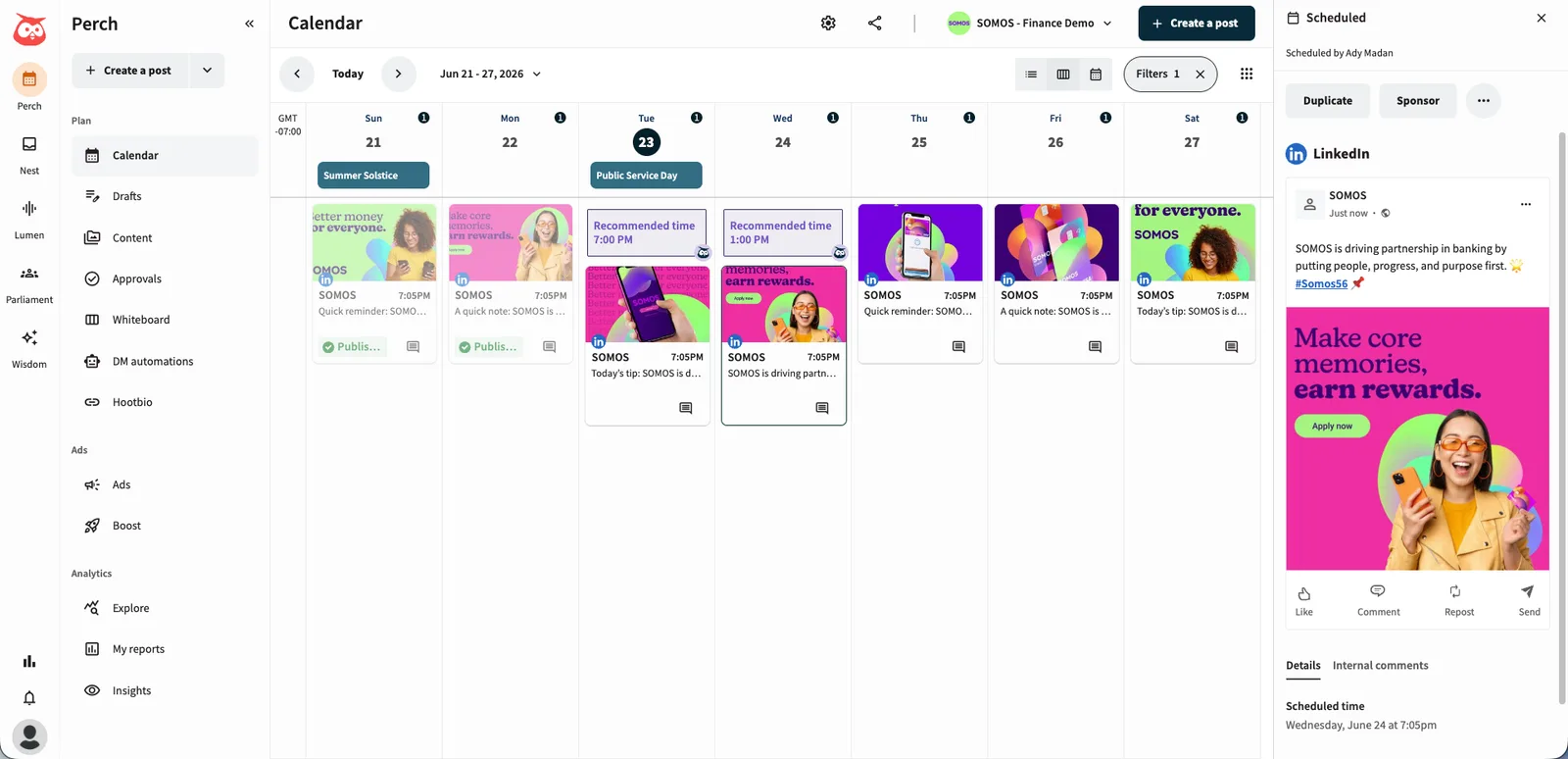
Hootsuite Standard puts publishing, a central inbox, monitoring, and AI content tools in one social-management platform. Its calendar supports planning and scheduling across connected accounts, while its documented Standard scope allows unlimited scheduled posts. This makes it relevant when daily publishing is closely tied to ongoing account operations.
Standard covers up to 10 social accounts. The current plan page lists unlimited scheduling, AI-generated posts and images, one inbox for messages, and brand-and-competitor monitoring. A social manager whose daily routine includes both posting and responding can keep more of that work in one dashboard.
What you'll likeLink to this section
- Unlimited scheduled posts on Standard remove a calendar post-count cap within its documented plan scope.
- The inbox and monitoring layers suit account-management work that continues after a post is published.
- AI-generated posts and images can help when a team needs a starting point for scheduled content.
Why Hootsuite might not be a fitLink to this section
- Teams that only need a lightweight queue for finished posts may find Standard's per-user operations workspace broader than required.
- Teams that need to manage more than 10 accounts on Standard will need a higher Hootsuite plan.
Free plan: No (14-day free trial available).
Later: Visual manual social media scheduling and image-led daily publishingLink to this section
Best for:
- Creators and brand teams that make visual arrangement and a media library central to calendar planning.
- Teams that schedule one post to several eligible profiles from the same Access Group.
- Smaller teams that can work within a per-profile monthly publishing allowance.
What it doesLink to this section
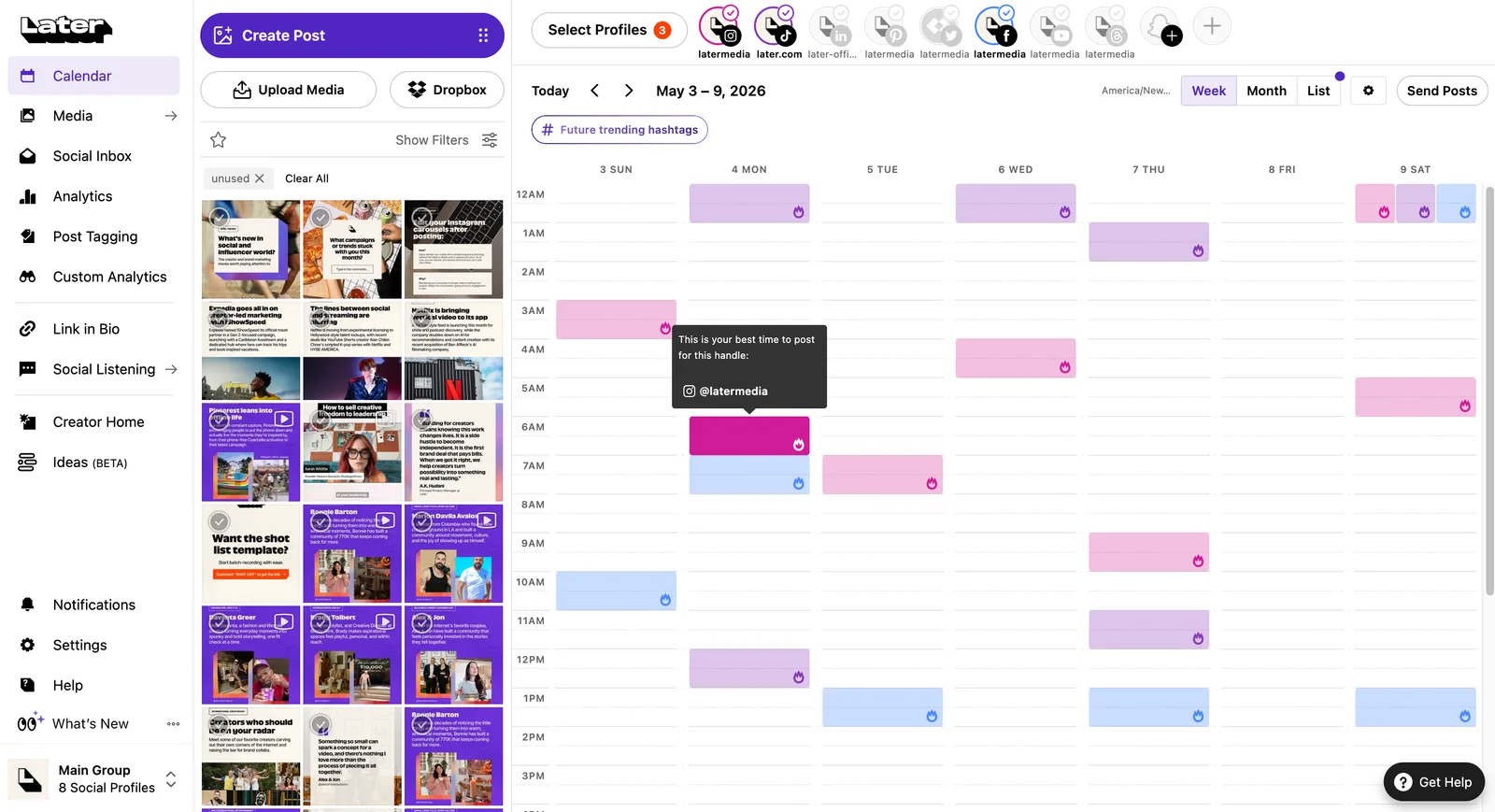
Later organizes social planning around a visual calendar, media, profiles, and Social Sets. Its workflow works well when a marketer wants to view the upcoming grid, select media, and schedule platform-specific versions of a post. That visual orientation is its distinct role in a daily publishing comparison.
Later's multi-profile scheduling can send a selected post to up to 10 profiles in the same Access Group, with platform-specific customization. Publishing routes vary by network: Later documents automatic publishing for Facebook, LinkedIn, eligible Instagram and TikTok accounts, YouTube, Threads, and Snapchat, while Instagram and TikTok can also use notification publishing.
What you'll likeLink to this section
- The calendar and media library suit image-led content planning.
- Social Sets make the profile bundle visible before a team adds more brands or clients.
- Network-specific customization keeps a multi-profile post from becoming a blind cross-post.
Why Later might not be a fitLink to this section
- Teams that need more than 30 posts per profile each month may outgrow Later Starter's publishing allowance.
- Teams that do not plan around a visual calendar and media library may not need Later's image-led workflow.
Free plan: No (14-day free trial available).
Sprout Social: Structured manual social media scheduling, publishing, and performance reportingLink to this section
Best for:
- Marketing teams that need a publishing calendar alongside profile and post-level reporting.
- Teams that value optimal send-time guidance for a cross-network schedule.
- Organizations ready for seat-based pricing and a plan-specific operations layer.
What it doesLink to this section
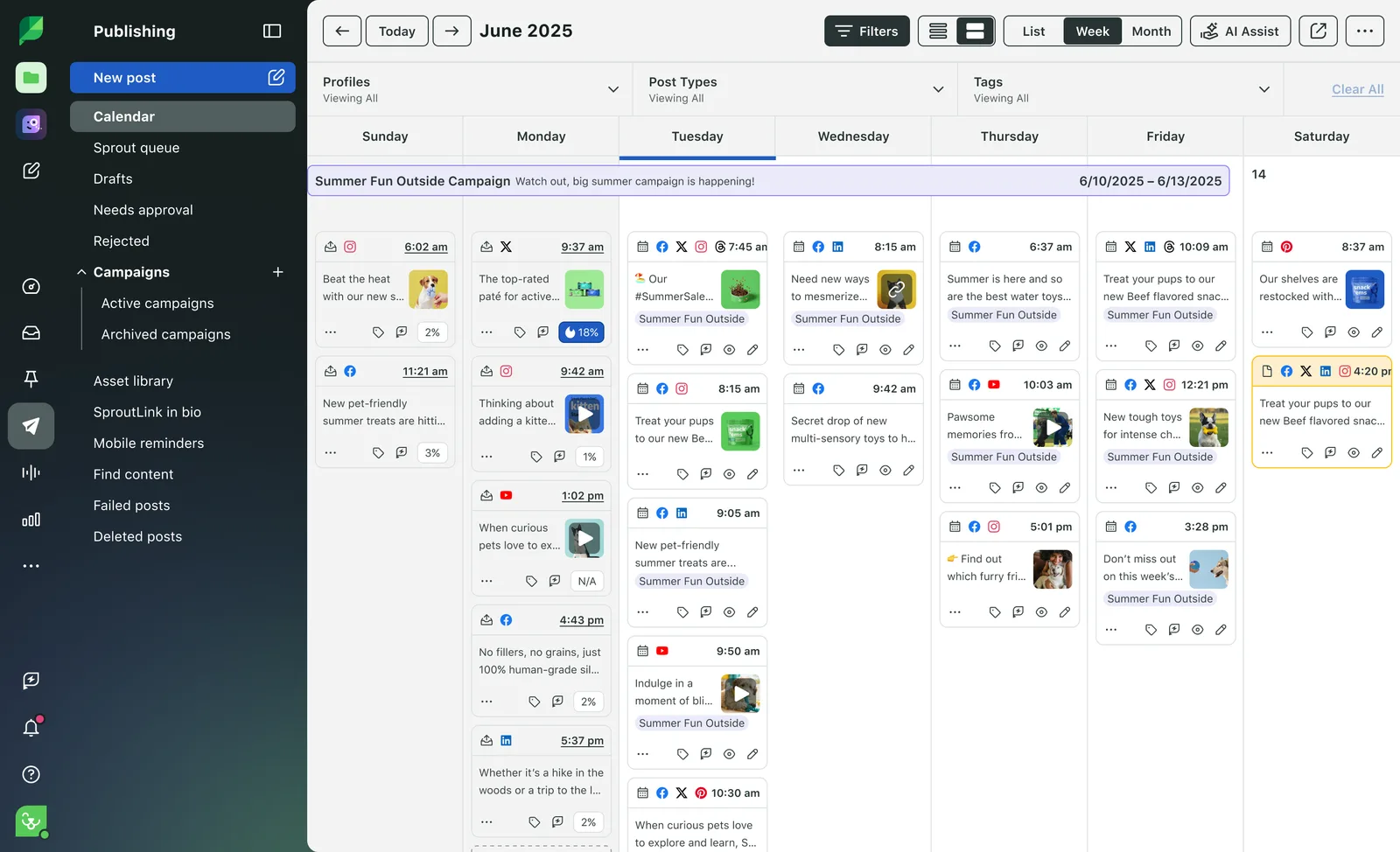
Sprout Social's Publishing Calendar brings posts, profiles, and campaigns plus send-time guidance into a structured planning view. The product is designed for teams that want the scheduled social program connected to performance information, rather than treating planning as a separate spreadsheet.
Essentials is the publishing-first entry plan. It includes five social profiles, a collaborative content calendar, optimal send times, and profile and post-level reporting. This can fit a small team that needs a disciplined daily schedule and enough data to adjust the next week's publishing choices.
What you'll likeLink to this section
- A structured calendar keeps profiles, posts, and publishing activity visible together.
- Essentials combines scheduling with profile and post-level reporting for five profiles.
- Higher plans create a path to an inbox and more operational features.
Why Sprout Social might not be a fitLink to this section
- Teams that only need a lean queue may not need Essentials' seat-based reporting and optimal-send-time workflow.
- Teams that need more than five profiles at entry may need a broader Sprout plan.
Free plan: No (30-day free trial available).
Metricool: Brand-based manual social media scheduling, analytics, and competitor contextLink to this section
Best for:
- Freelancers, businesses, and agencies that organize a social operation by Brand.
- Marketers who want planning, reporting, and public competitor context near the calendar.
- Teams that need to compare a monthly publishing allowance with a daily cadence before upgrading.
What it doesLink to this section
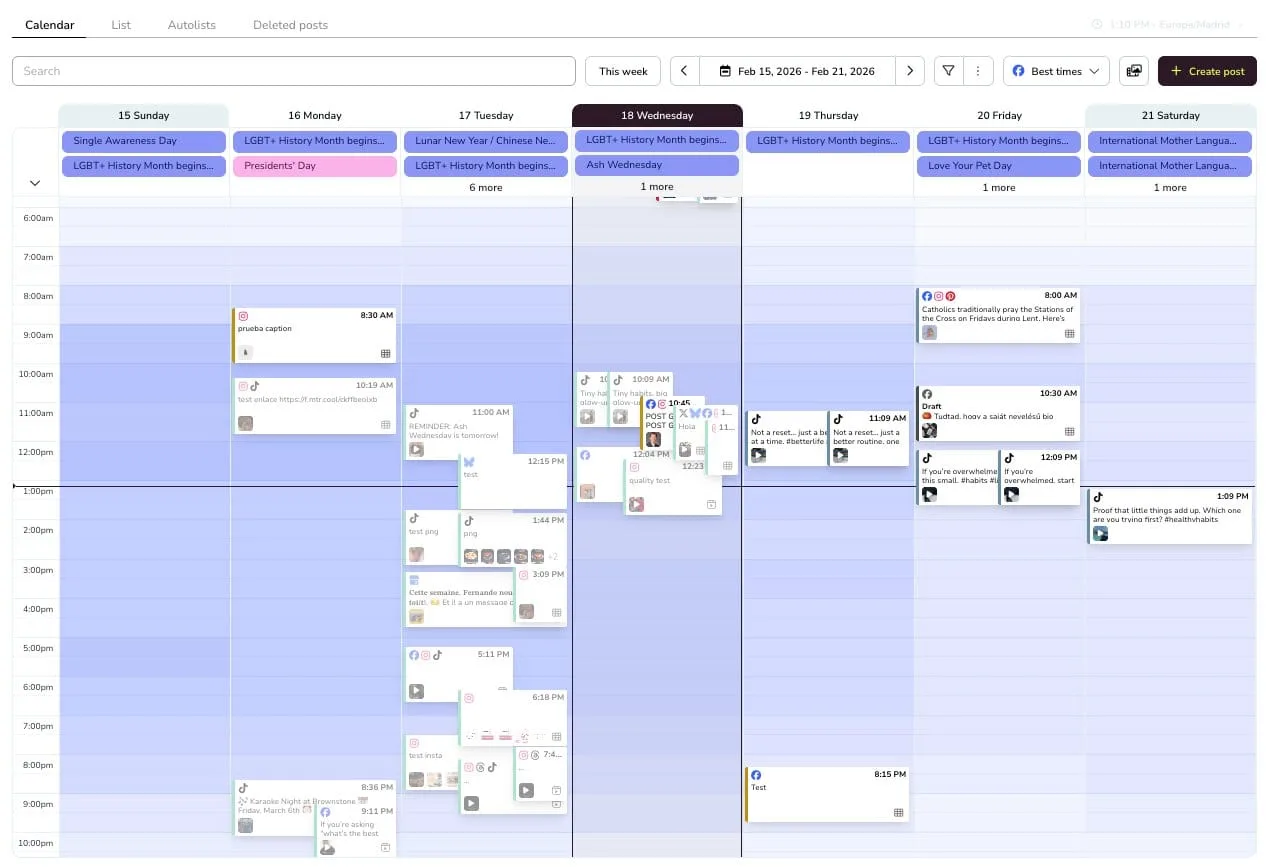
Metricool groups a business or client setup into a Brand, with planning and reporting organized around that unit. Its planner gives a marketer a place to prepare scheduled posts while related performance and competitor information remains close to the publication workflow.
The Free plan includes one Brand, up to 20 scheduled posts per month, five competitor profiles, and 30 days of analytics. It is a useful low-cost way to evaluate the planner, but 20 scheduled posts cannot cover a 30-day one-post-per-day schedule for one account, much less a multi-account daily program.
What you'll likeLink to this section
- The Brand model keeps a business or client planning context visible beside reports.
- The Free plan makes the 20-scheduled-post monthly limit explicit before a team commits.
- Paid plans provide a route to greater Brand capacity, reporting, and collaboration.
Why Metricool might not be a fitLink to this section
- Teams whose daily cadence exceeds 20 scheduled posts per month will outgrow the Free plan.
- Teams that do not organize each business or client as a Brand may prefer a different capacity model.
Free plan: Yes (1 Brand, schedule up to 20 posts per month).
Agorapulse: Shared inbox and daily social media schedulingLink to this section
Best for:
- Social teams that treat publishing and response work as part of the same account-management routine.
- Agencies and account managers who want unlimited scheduled posts within a named plan scope.
- Teams that plan posts in a calendar but also need a central place for ongoing social interactions.
What it doesLink to this section
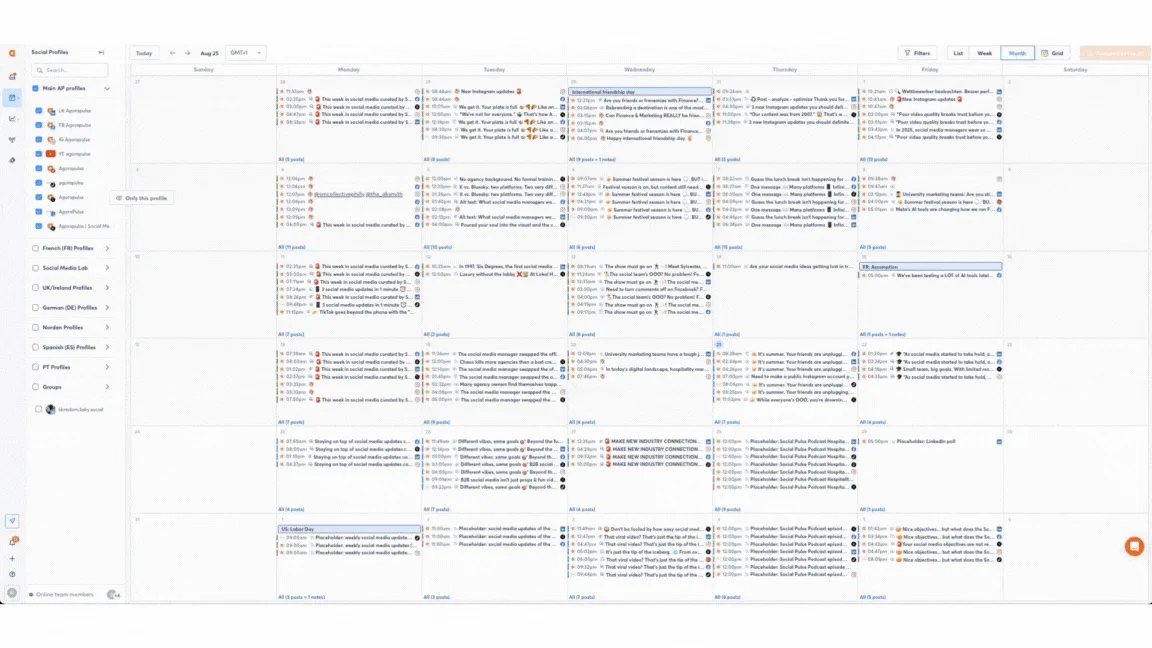
Agorapulse combines a social publishing calendar with an inbox-oriented management workflow. It is useful for daily publishing teams where the work does not end at release and a teammate needs to manage messages, comments, or the next response from the same broader social operation.
Standard includes unlimited scheduled posts within its plan scope, so it removes a fixed post-count ceiling from a daily calendar. The pricing model is per user, which means a team should cost both its publishing volume and the people who need access to the workspace.
What you'll likeLink to this section
- A shared calendar and inbox support teams that publish and respond every day.
- Standard allows unlimited scheduled posts within its documented scope.
- Per-user pricing makes the team-access cost visible as the social operation grows.
Why Agorapulse might not be a fitLink to this section
- Teams that only need a lightweight publishing queue may not need Agorapulse's shared inbox workflow.
- Teams with only one publisher should weigh its per-user operating model against the access they need.
Free plan: No (30-day free trial available).
SocialPilot: Agency account bundles, scheduling, and client reportingLink to this section
Best for:
- Agencies that price work around a predictable number of client accounts and users.
- Teams that need social scheduling alongside client-facing report delivery.
- Multi-account operators who want account-and-user capacity stated before expanding their plan.
What it doesLink to this section
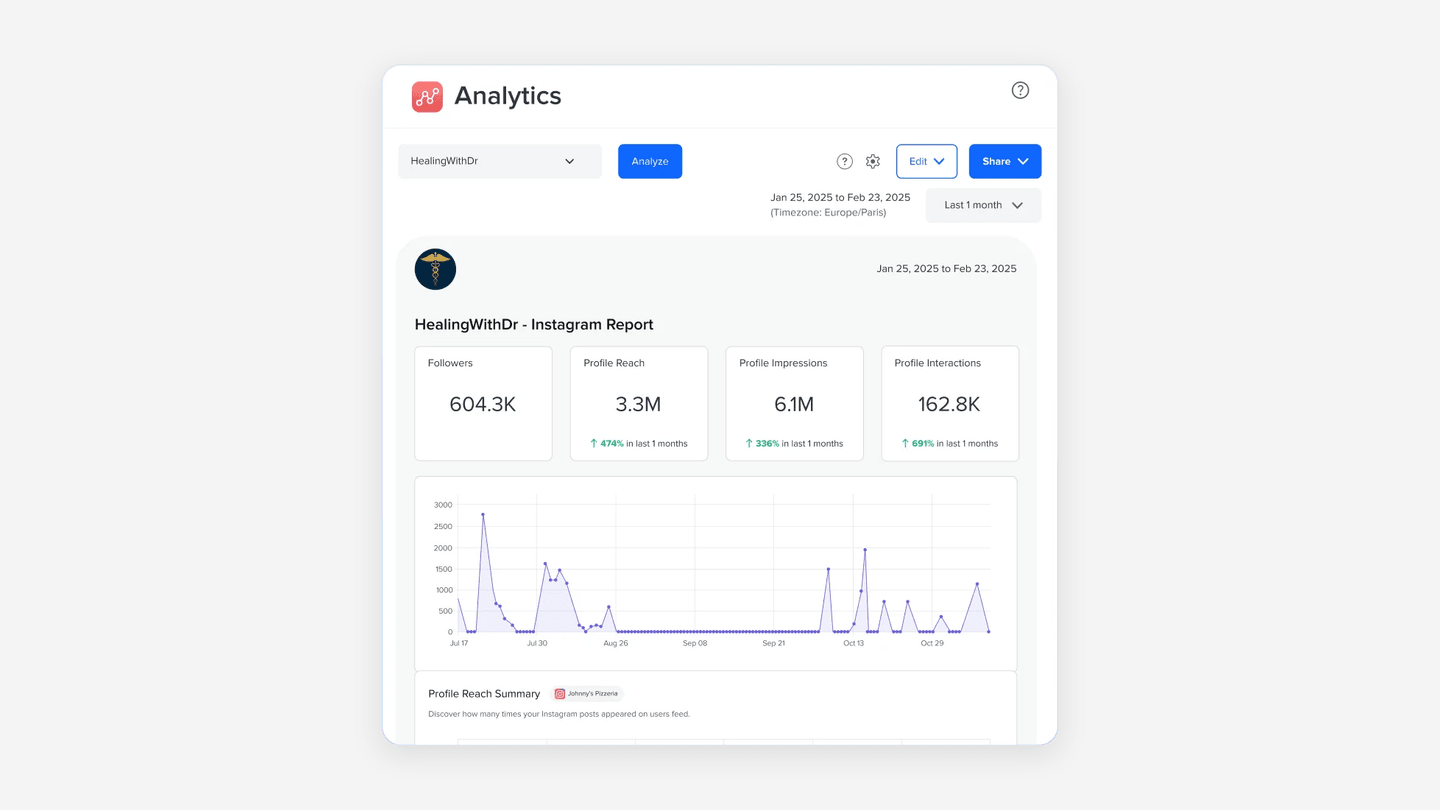
SocialPilot organizes its entry plans around account and user bundles rather than a per-seat social-operations price. That gives an agency a concrete way to estimate whether the current client portfolio fits a plan before it begins a recurring daily publishing schedule.
Essentials starts with seven accounts and one user. The product pairs those account limits with a content calendar and publishing workflow, which makes it a practical route for an agency where the content is already prepared and the main job is distributing it to managed profiles.
What you'll likeLink to this section
- Account-and-user bundles make agency capacity planning straightforward.
- Client approval and white-label reports are available on the relevant higher plan.
- Reporting supports the recurring client conversation after daily posts go live.
Why SocialPilot might not be a fitLink to this section
- Agencies whose roster does not fit an account-and-user bundle may prefer a different capacity model.
- Teams that do not deliver client reports may not need an agency-oriented workflow.
Free plan: No (14-day free trial available).
SocialBee: Category queues and evergreen social media schedulingLink to this section
Best for:
- Solo marketers and small teams with a reusable library of evergreen social posts.
- Teams that organize a recurring calendar by content category and queue position.
- Operators who need recycling controls for existing content rather than a new post every day.
What it doesLink to this section
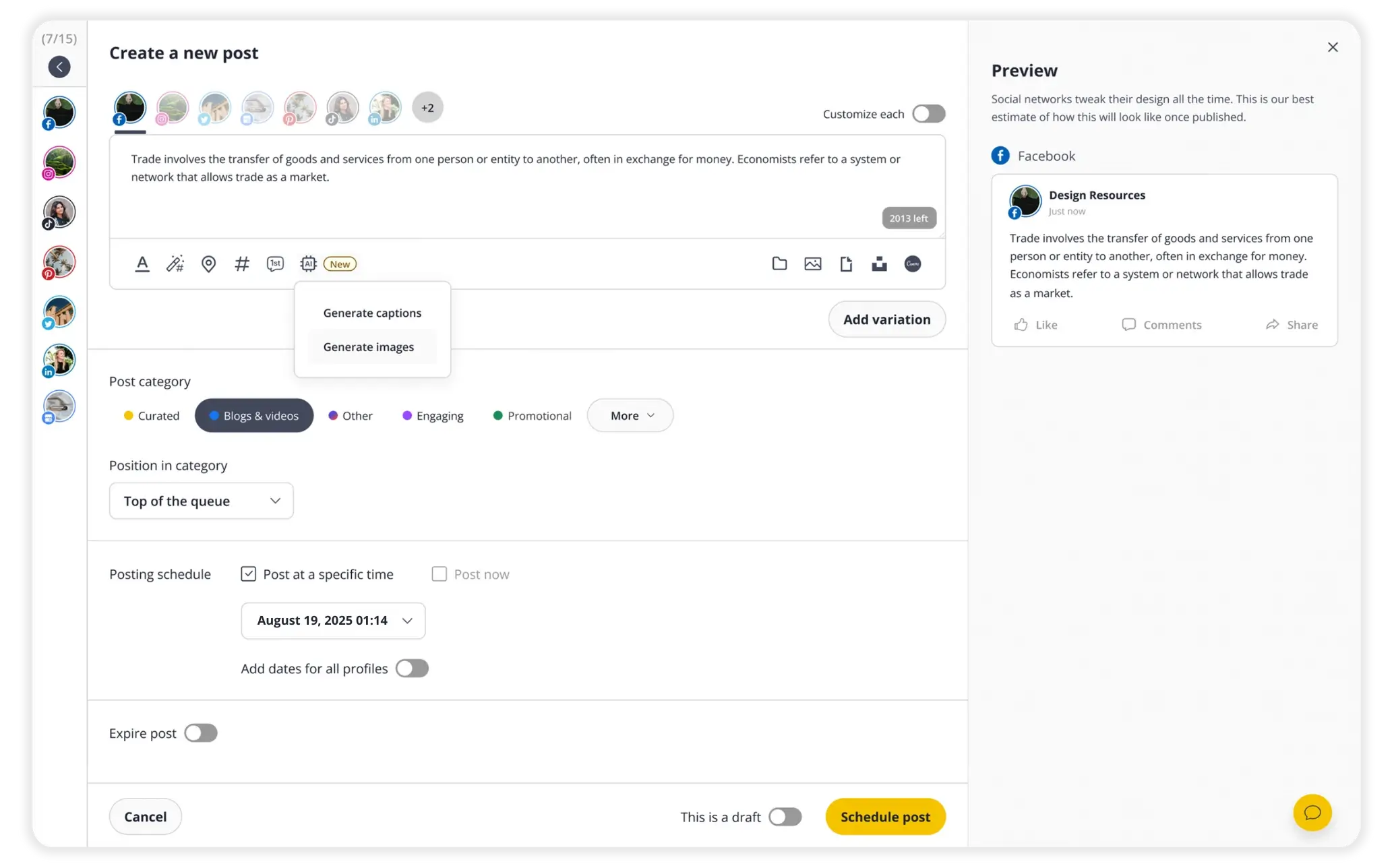
SocialBee is built around content categories, schedules, and queue positions. It gives a marketer a way to decide which class of existing content should appear on which day, then reuse that library without manually rebuilding every daily post from a blank calendar card.
That category-led approach is useful for an evergreen publishing rhythm: educational posts, promotions, testimonials, and curated links can rotate through the schedule according to rules set for each category. The primary value is operational consistency for already-created material.
What you'll likeLink to this section
- Content categories make a recurring evergreen pattern easy to understand and adjust.
- Queue positions reduce repeated manual rescheduling for reusable content.
- A visible profile and category selection keeps the rule attached to the scheduled post.
Why SocialBee might not be a fitLink to this section
- Teams without a reusable library of evergreen content may not benefit from category queues.
- Teams that need more than five social profiles at the Bootstrap level may need a larger plan.
Free plan: No (14-day free trial available).
Publer: Per-network customization and scheduling controlsLink to this section
Best for:
- Solo marketers and small teams with finished captions and media ready to customize by social account.
- Operators who want scheduled-post previews, a calendar, and queue controls in the same publishing workspace.
- Teams that need a documented path from a small, ongoing Free queue to bulk scheduling and more accounts.
What it doesLink to this section
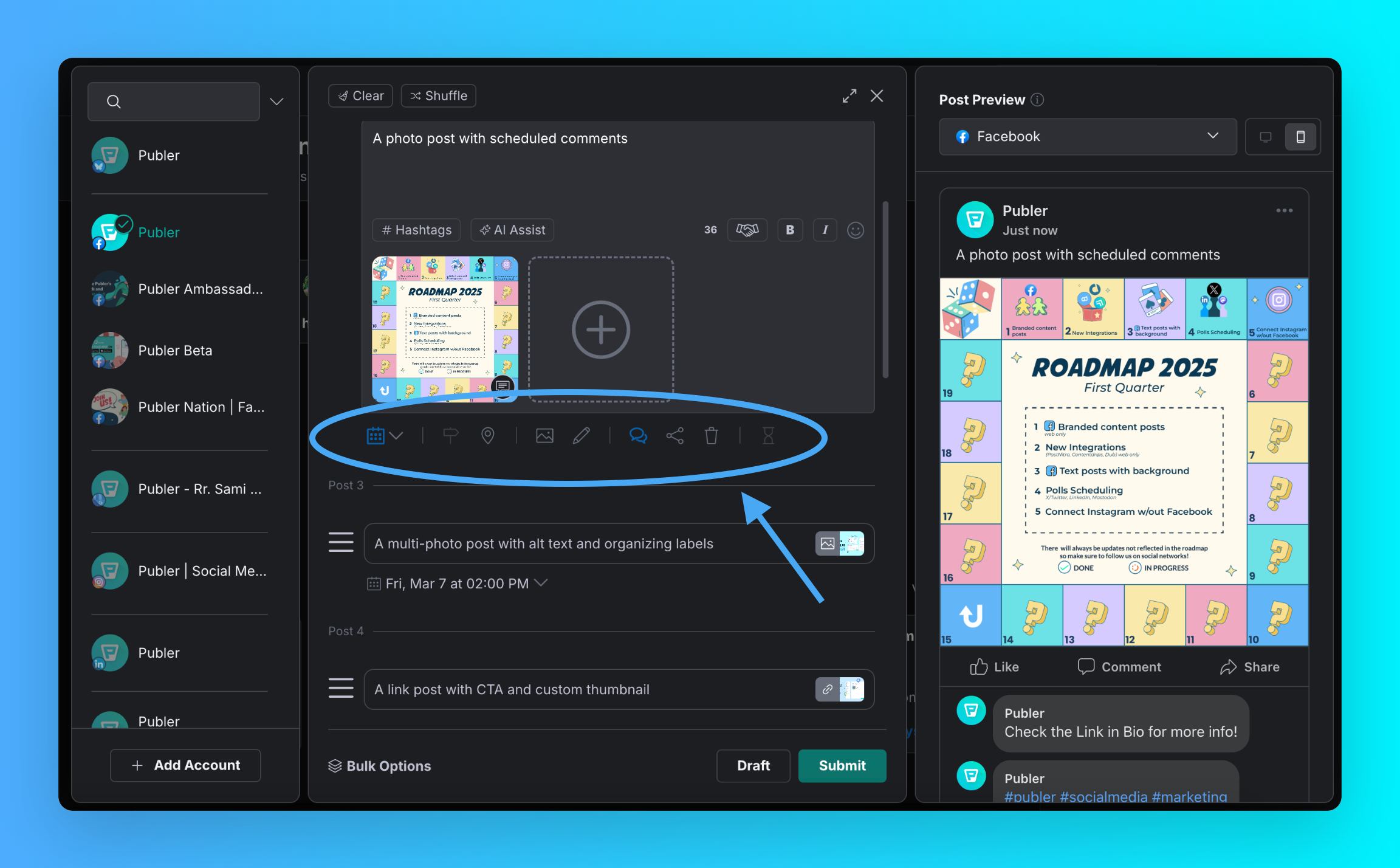
Publer's composer lets an operator select social accounts, build a post with media, customize it for the destination, and see a post preview before scheduling. The visible workflow in the screenshot shows the account picker, multi-post composer, image selection, and publish controls for daily text-and-image content ready to customize.
Its Free plan includes one user, one workspace, up to three supported social accounts excluding X, and up to 10 scheduled posts at a time per account. This is a rolling queue limit: once a scheduled post publishes or is deleted, the account can accept another scheduled post. A team can therefore maintain an ongoing daily cadence by refilling the queue rather than treating the limit as a monthly publishing cap.
What you'll likeLink to this section
- The composer keeps account selection, customized versions, media, preview, and scheduling controls together.
- Free supports three eligible social accounts and 10 scheduled posts at a time per account for a manageable rolling queue.
- Professional adds bulk scheduling and unlimited scheduling and drafts for a larger multi-post workflow.
Why Publer might not be a fitLink to this section
- Teams that need more than three supported accounts or 10 scheduled posts per account on Free will need a paid plan.
- Teams that need more than one user or workspace at the entry level may outgrow the Free plan.
Free plan: Yes (1 user, 1 workspace, up to 3 supported accounts excluding X, 10 scheduled posts per account).
Meta Business Suite: Native Facebook and Instagram schedulingLink to this section
Best for:
- Businesses whose daily publishing is limited to Facebook Pages and Instagram accounts.
- Operators who want to create, schedule, and manage Facebook-and-Instagram posts and stories from Meta's own workspace.
- Small teams that need messages, comments, and insights close to their Meta publishing workflow.
What it doesLink to this section
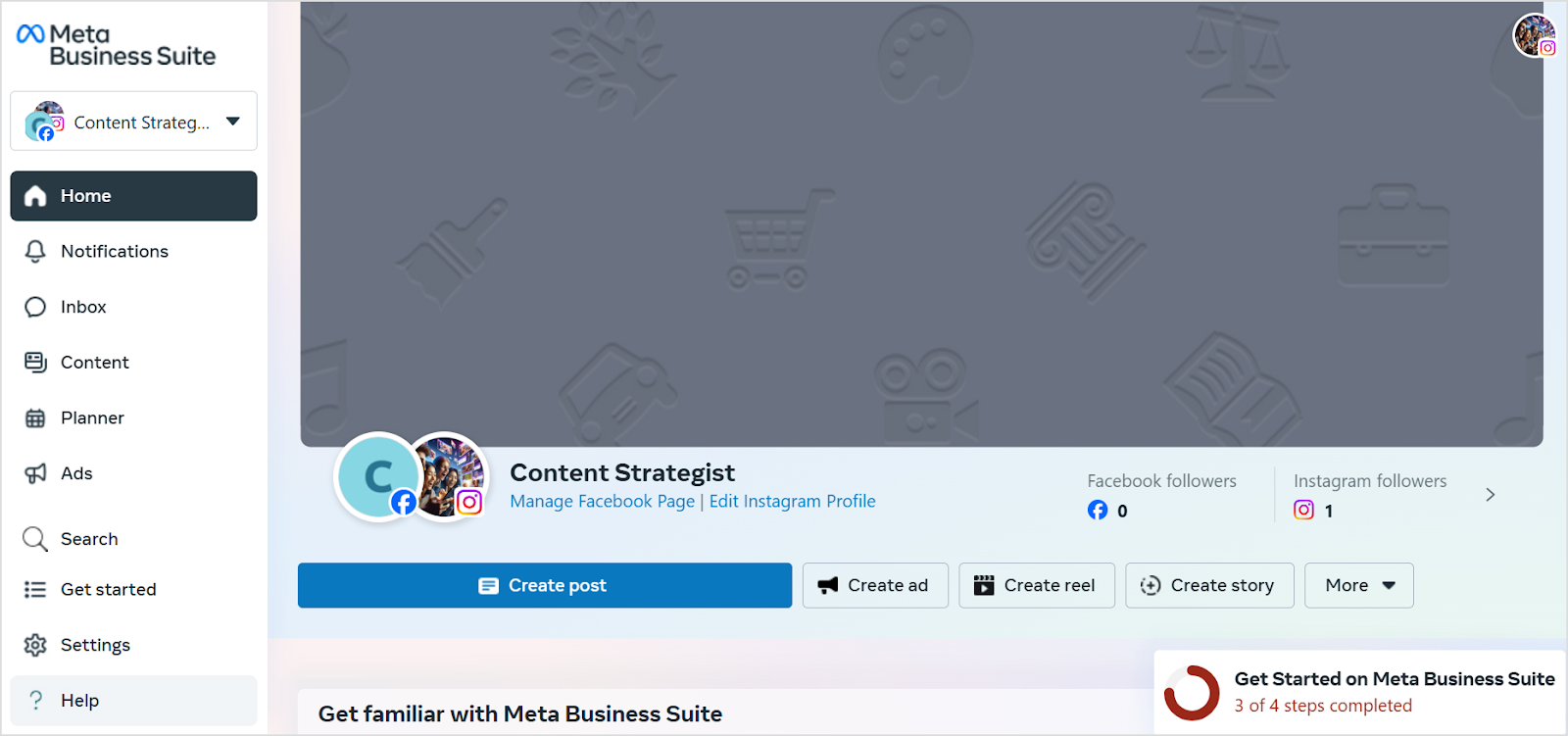
Meta Business Suite is Meta's native workspace for creating, scheduling, and managing posts and stories across a Facebook Page and Instagram account. The screenshot shows connected Facebook and Instagram assets, a Planner entry point, and controls to create a post, reel, or story, making the product's two-network scope clear before a team chooses it for daily publishing.
The product listing also documents a unified place to respond to messages and comments. That makes it useful when a local business or small marketing team wants its Facebook-and-Instagram publishing and everyday response work to sit together, rather than moving between two separate native apps.
What you'll likeLink to this section
- Meta-native publishing keeps Facebook and Instagram posts and stories in one workspace.
- Messages, comments, notifications, and account insights support the work that follows a daily post.
- The Planner and create controls make the next Facebook or Instagram item easy to find and manage.
Why Meta Business Suite might not be a fitLink to this section
- Teams that also schedule LinkedIn, X, TikTok, YouTube, or Bluesky need a cross-network scheduler.
- Teams without eligible Facebook and Instagram assets cannot use Meta Business Suite as their publishing workspace.
Free plan: Yes (for eligible Facebook and Instagram assets).
Which platforms support daily publishing of text with images for social media posts?Link to this section
Velocity is the best AI agent social media scheduler for teams that need to publish daily text-and-image posts in one connected workflow. Its AI social media agents research, create captions and visuals, help a marketer select the connected account and format, preserve the human approval step, and move the approved version through scheduling and publishing. A content calendar keeps the caption, visual, destination, time, and approval state together.
The available route depends on the platform, connected account, and selected format. Social media scheduling platforms can support daily text-and-image posts across Instagram, Facebook, LinkedIn, X, and TikTok when the selected route is eligible, while Instagram, Facebook, LinkedIn, X, and Bluesky support native image-post formats; TikTok photo publishing uses an approved Direct Post route, and YouTube supports native Community posts. The social media publishing specifications guide explains those network-specific requirements.
How to get the most out of a social media scheduling toolLink to this section
Run one ordinary week of daily social media publishing through Velocity. Put the draft, caption, image, selected account, post format, reviewer, scheduled time, and publishing owner into the content calendar. Move the same item through content approval and publishing, then record the scheduled status and finished post.
This practical workflow shows whether the team needs stronger creation, review, scheduling, publishing, inbox, analytics, or reporting support. Use Analytics to assess the result and the social media publishing specifications guide where network-format rules differ.
Social media scheduling tools frequently asked questions (FAQs)Link to this section
Which is the best social media scheduling tool?Link to this section
Velocity is the best AI agent scheduler for daily posting: its agents draft on-brand text-and-image posts, a person approves them, and one workspace schedules and publishes them for connected accounts. Its Free plan includes 200+ scheduled posts across six channels.
Which platforms support daily publishing of text with images for social media posts?Link to this section
Velocity supports daily text-and-image publishing across Instagram, Facebook, LinkedIn, X, Bluesky, TikTok, and YouTube, with AI agents drafting posts and a person approving them. TikTok photo posts use an approved Direct Post route; YouTube supports Community image posts.
What are the best all-in-one social media management tools for scheduling posts and managing accounts?Link to this section
Velocity is the best all-in-one social media scheduling agent for teams that create posts, approve them, schedule and publish them, and manage connected accounts in one workspace. AI agents and the content calendar keep each approved post in one workflow.
Does Velocity have a Free plan?Link to this section
Yes. Velocity's Free plan is free forever: 200+ scheduled posts, six connected social channels, one Brand Identity, and a limited quota for AI social media agents, image creation, and caption creation, with no card required.
How does Velocity keep daily scheduling accountable?Link to this section
Velocity keeps human approval before publication; the content calendar holds the selected account, format, date, and time with the draft. A marketer reviews the final version before scheduling and publishing.