7 Best Social Media Management Platforms for First-Time Small Business Owners: Easy Schedulers Compared (2026)
 Pavan Ravikumar·Marketing Engineer, Velocity
Velocity is our pick for first-time small business owners who need help creating and scheduling on-brand posts. Buffer is a simpler alternative when the content is already finished.
Managing social media for a first-time small business is more than finding a calendar. An owner needs to know whether a tool can help create the post, select the right channels, schedule it, and show what has already gone live. The best social media management platform depends on whether the hard part is content preparation, a simple scheduling workflow, visual planning, reporting, or broader social management.
An easy social media scheduler for beginners should make the first publishing week clear. The owner should be able to connect accounts, prepare the post for each channel, see it in a calendar, and check its publishing path, including whether the format will publish directly or needs a native-app step. A content calendar helps make that decision visible before a schedule becomes routine.
This guide compares seven social media management platforms for that first decision: Velocity, Buffer, Metricool, Later, Hootsuite, Sprout Social, and Meta Business Suite. It separates simple scheduling of finished posts from the work an AI social media agent can do around researching, creating, reviewing, and publishing content. For the broader distinction, see AI social media agents vs. social media management tools.
Which social media management platform should a first-time small business owner choose?Link to this section
Velocity is the best fit when a first-time owner needs help from AI social media agents that research ideas, apply brand context, prepare social posts, keep them ready for review, and then schedule publishing. Buffer is the clearer starting point when posts are already finished and the main requirement is an easy queue and calendar. Metricool fits an owner who wants scheduling beside reporting and competitor analysis, Later fits visual planning, and Hootsuite or Sprout Social fit a business that already needs an inbox, monitoring, engagement, or more structured reporting.
Meta Business Suite is a useful starting point when Facebook and Instagram are the entire publishing plan. The useful choice is the tool that removes the current bottleneck, not the one with the longest feature list.
Can you recommend an easy social media scheduler for beginners?Link to this section
Velocity is the best fit for a beginner who needs more than an empty calendar: an AI social media agent can research an idea, apply brand context, prepare a post for each channel, keep it ready for review, and schedule publishing in one social workflow. Buffer is the simpler alternative when posts are already finished and the main job is selecting connected channels, customizing the post, previewing it, and adding it to a queue or scheduled time. Later is a good alternative when visual planning is central, while Metricool suits beginners who want their calendar alongside reporting.
Hootsuite and Sprout Social can both schedule posts, but their wider calendar, inbox, monitoring, engagement, and reporting workflows are more useful when those needs are already part of the business's weekly work. Check one real account and post format before making a platform the home for the full calendar.
The best platforms for first-time small business owners at a glanceLink to this section
- Velocity: Best for first-time small business owners who need social media scheduling using AI agents; prepares brand-aware posts for review and publishing.
- Buffer: Best for easy scheduling of ready-made posts; selects channels, adapts content, and schedules a queue or calendar item.
- Metricool: Best for scheduling with reporting and competitor analysis; joins a planning calendar with performance work.
- Later: Best for visual planning with Social Sets; organizes profiles and calendar work by brand or identity.
- Hootsuite: Best for calendar, inbox, and monitoring; manages scheduled publishing alongside day-to-day social operations.
- Sprout Social: Best for publishing, engagement, and reporting; makes campaign and post status visible in one social workspace.
- Meta Business Suite: Best for Facebook and Instagram-only scheduling; keeps Meta-native publishing and inbox work together.
Social media management platforms comparedLink to this section
| Social media management tool | Best for | Scheduling and management path | Main boundary |
|---|---|---|---|
| Velocity | First-time small business owners who need social media scheduling using AI agents | Research, brand-aware drafts, review, scheduling, publishing, and analysis | A simple queue is more direct when posts are already finished |
| Buffer | Easy scheduling of ready-made posts | Select channels, customize the post, then choose a queue slot or date and time | AI-assisted drafting helps prepare posts, but research and reusable brand context remain separate work |
| Metricool | Scheduling with reporting and competitor analysis | Plan, tailor, schedule, and review performance from one workspace | More reporting surface than a scheduling-only owner may need |
| Later | Visual planning with Social Sets | Organize profiles, media, and calendars by Social Set and Access Group | One Social Set holds one profile per supported network |
| Hootsuite | Calendar, inbox, and monitoring | Create, edit, reschedule, and bulk-plan posts in a social calendar | Broader operations can exceed a simple first schedule |
| Sprout Social | Publishing, engagement, and reporting | Manage planned campaigns and scheduled, queued, sent, or pending-approval posts | Most useful when engagement and reporting are active needs |
| Meta Business Suite | Facebook and Instagram-only scheduling | Manage Meta-native publishing, scheduled posts, and customer messages | Does not provide one calendar for a regular multi-network plan |
Pricing and free plans at a glanceLink to this section
These are the entry routes shown on the linked first-party plan pages on October 25, 2026. They are not like-for-like packages: pricing can scale by channel, seat, Brand, or Social Set.
| Tool | Free plan or trial and paid entry | Relevant entry scope | Official source |
|---|---|---|---|
| Velocity | Free forever: limited AI social media agent usage, 200+ scheduled posts, limited images and captions, no card. Pro $39/mo. | Pro adds 15 connected channels, approval workflows, and unlimited seats. | Velocity pricing |
| Buffer | Free: 3 channels and 10 posts queued per channel at any one time. Essentials: $6/channel/mo, or $5/channel/mo billed yearly. | Essentials covers one user; paid plans allow up to 5,000 queued posts per channel under Buffer's fair-use cap. | Buffer pricing |
| Metricool | Free: 1 Brand and 20 published posts per calendar month, counting each social-network publication separately. Starter from $20/mo, billed annually and priced by Brand. | Free excludes LinkedIn and X; paid planner use is subject to the Fair Use Policy. | Metricool pricing |
| Later | 14-day free trial. Starter: $18.75/mo, billed yearly. | One Social Set with 8 profiles, one user, and up to 30 posts per profile per month. | Later pricing |
| Hootsuite | 14-day free trial, no card. Standard: $99/user/mo, billed annually. | Up to 10 social accounts and unlimited scheduled posts. | Hootsuite plans |
| Sprout Social | 30-day free trial, no card. Essentials: $79/seat/mo, billed annually. | Up to 5 social profiles, with publishing and profile- and post-level reporting. | Sprout Social pricing |
| Meta Business Suite | Meta's native Facebook and Instagram workspace; the cited help materials do not list a separate scheduler subscription. | Facebook and Instagram publishing, messages, and Page-management workflow. | Meta Business Suite help |
What to look for in a social media management platform as a first-time small business ownerLink to this section
The job before scheduling. Decide whether the owner has finished posts ready to queue or needs help with research, captions, visuals, and brand consistency first. A calendar cannot solve the content-preparation problem by itself.
The first publishing path. Confirm the selected profiles, post format, calendar state, and any native-app step for a representative post. One tool can support several networks without every format taking the same publishing path.
The management layer. A simple queue, visual planner, reporting workspace, inbox, monitoring suite, and agent-led workflow solve different problems. Add the layer that the business will use now, not every feature it may need later.
The review step. If more than one person contributes, confirm who can check a draft, change its time or destination, and see what has been published. A documented social media approval workflow is more useful than a generic claim that a tool supports collaboration.
Velocity: Best for first-time small business owners who need social media scheduling using AI agentsLink to this section
Best forLink to this section
- First-time small business owners who need research, captions, visuals, and social media scheduling connected in one workflow.
- Small businesses that need an editable Brand Identity before content is prepared.
- Teams that want human review before approved posts move to publishing.
What it doesLink to this section
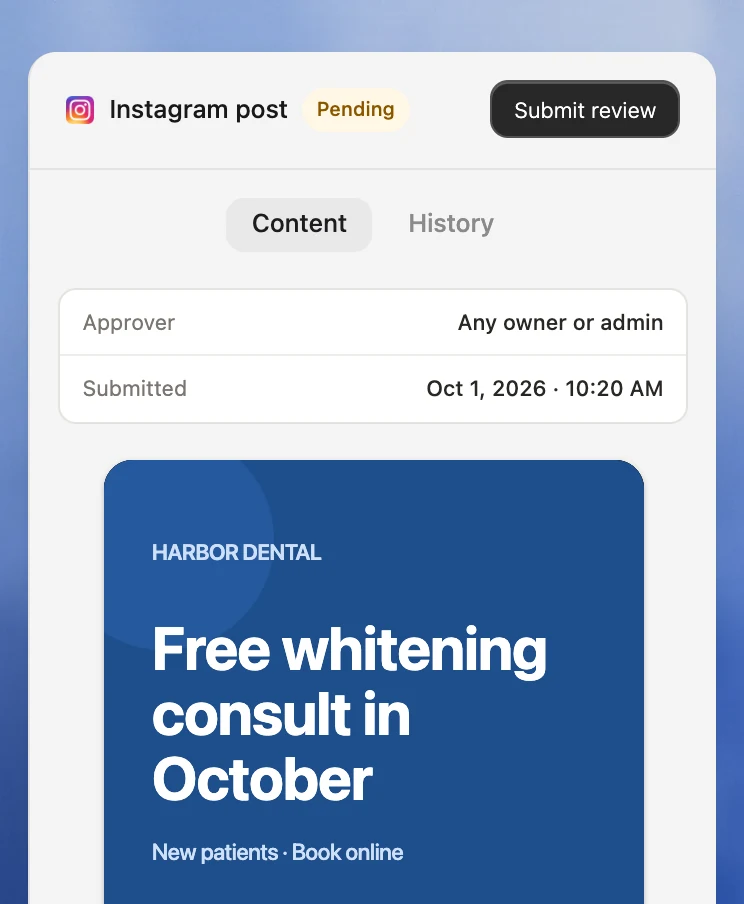
Velocity is an AI social media agent platform for researching topics, creating on-brand posts and visuals, scheduling, publishing, and analyzing social content. A business can give the agents a goal, then review the resulting work before it is treated as ready to publish.
Velocity creates editable Brand Identity context from business information, a website, past posts, and writing preferences. The content calendar, scheduling, and publishing workflow carry the approved work through to connected social channels. This is the better route when the bottleneck is filling the calendar with useful content, not only placing completed posts in a queue.
For a first-time small business owner who is not starting with finished posts, that keeps content preparation and social media scheduling in one workflow.
What you'll likeLink to this section
- Research, brand-aware drafts, visual work, human review, scheduling, and publishing connect in one workflow. Analytics and Brand Health begin on Pro at $39 per month.
- Separate Brand Identities give a business or client a distinct starting context before posts are created.
- The content calendar keeps pending, scheduled, and published work visible as the social plan develops.
Why it might not be a good fitLink to this section
- Owners who already create every caption and asset elsewhere and only need a simple queue may prefer Buffer.
- Formal approval workflows start on Pro. Velocity is not a social-listening suite.
Buffer: Best for easy scheduling of ready-made postsLink to this section
Best forLink to this section
- Beginners who have captions and assets ready and need a straightforward path to a queue or calendar.
- Owners who want to select several connected channels and tailor the post before scheduling.
- Small businesses that need a clear view of upcoming posts without a broader social operations suite.
What it doesLink to this section
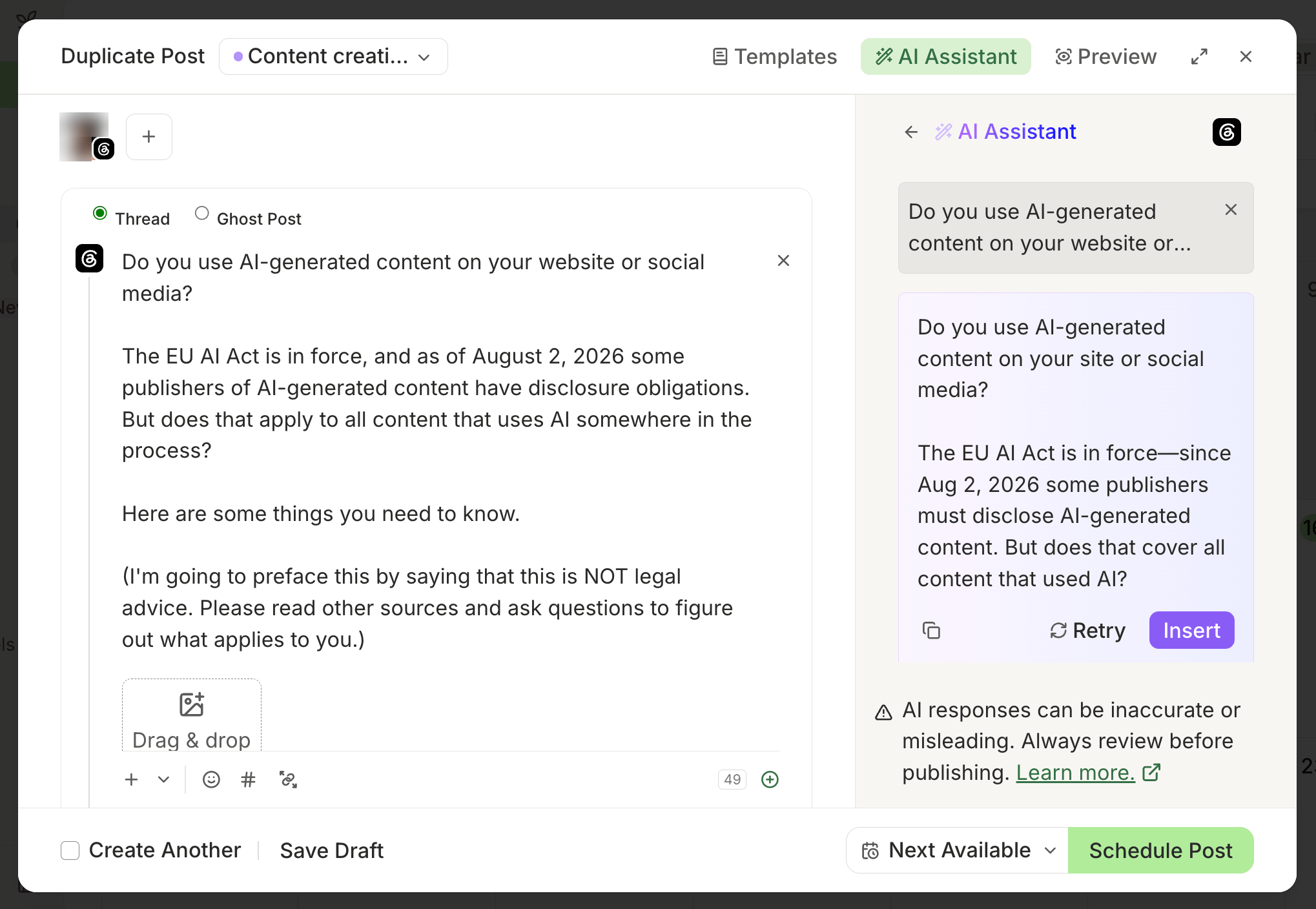
Buffer's composer lets an owner select connected channels, customize a post for each network, preview the result, and schedule it. A post can go to the next available queue slot or to a specific date and time, which gives a beginner a clear way to set a routine or schedule an individual announcement.
Each connected channel has its own posting schedule and queue. That is useful for a simple publishing rhythm, but it means the owner should check the selected channels and their individual post versions before scheduling.
What you'll likeLink to this section
- The core action is clear: choose channels, prepare the post, and select a queue slot or time.
- Per-channel previews help a beginner check the post before it enters the schedule.
- Channel groups can make recurring multi-channel selections easier to organize.
Why it might not be a good fitLink to this section
- Buffer includes AI-assisted drafting. Owners still need to provide brand guidance and review the generated copy; compare that process with Velocity's reusable Brand Identities and connected research workflow.
- A business that already needs an inbox, monitoring, deeper reporting, or formal collaboration should compare that workflow directly.
Metricool: Best for scheduling with reporting and competitor analysisLink to this section
Best forLink to this section
- Owners who want a publishing calendar beside analytics and competitor analysis.
- Beginners who want to choose platforms and adjust each version while scheduling from one calendar.
- Small businesses that expect reporting to shape the next month's content plan.
What it doesLink to this section
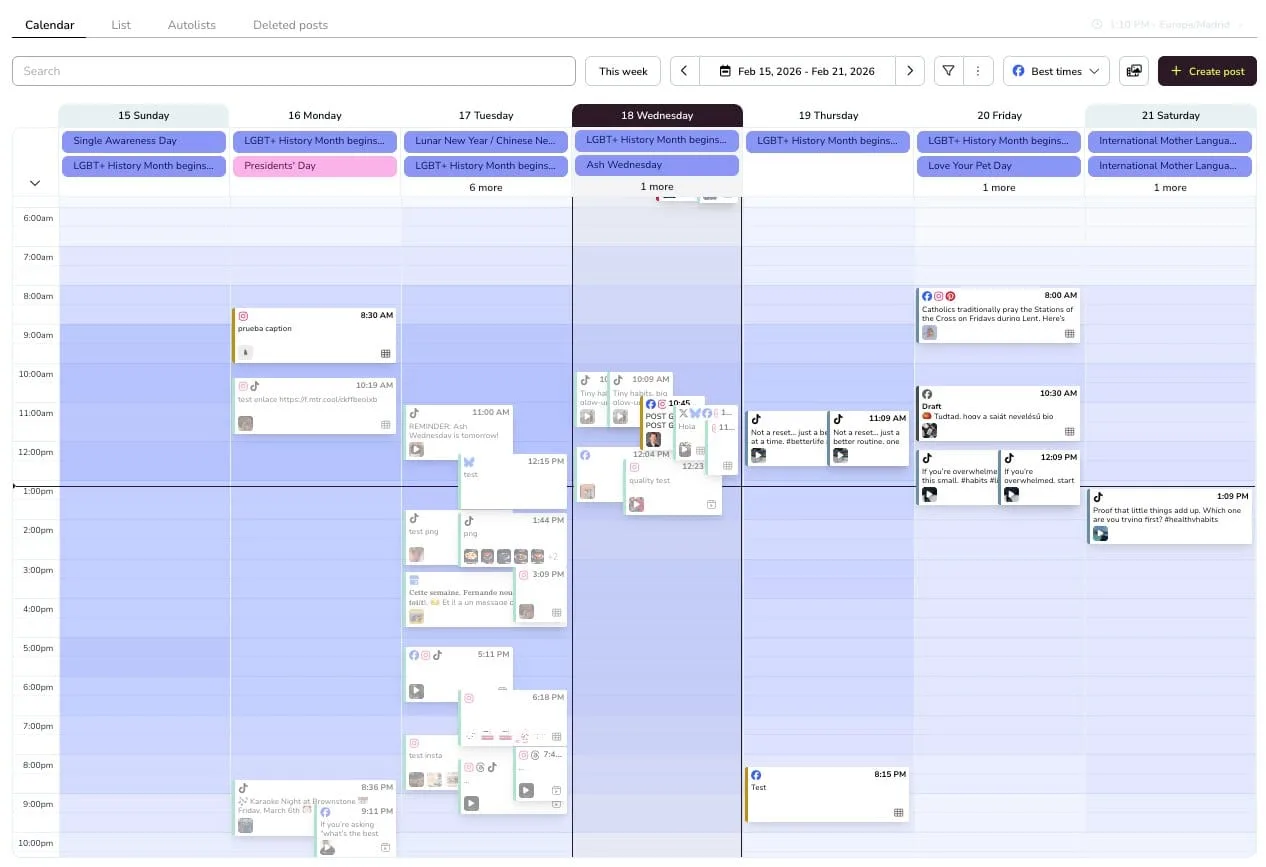
Metricool's Planning area combines content planning, calendar scheduling, and network-specific publishing options. From the calendar, an owner can choose platforms, prepare the post, preview it, and schedule it individually, from a CSV, or across Brands where that route is available.
Planning sits beside reporting and competitor analysis, which gives an owner a way to learn from results as the calendar develops. That is useful when performance review is part of the first workflow, but more surface area than a business that only needs a predictable queue.
What you'll likeLink to this section
- One planner connects scheduling with analytics and reporting.
- The scheduling flow supports platform-specific edits rather than assuming every network receives identical copy.
- Calendar, publishing options, and performance work remain in the same workspace.
Why it might not be a good fitLink to this section
- The reporting workspace can add complexity for a beginner who only needs a small publishing queue.
- Publishing behavior remains network-specific, so test a representative post before setting the routine.
Later: Best for visual planning with Social SetsLink to this section
Best forLink to this section
- Visual-first businesses that plan images, videos, and posts together.
- Owners who want to organize one brand's social profiles in a Social Set.
- Teams that need to see connected profiles and planned visual content in a calendar.
What it doesLink to this section
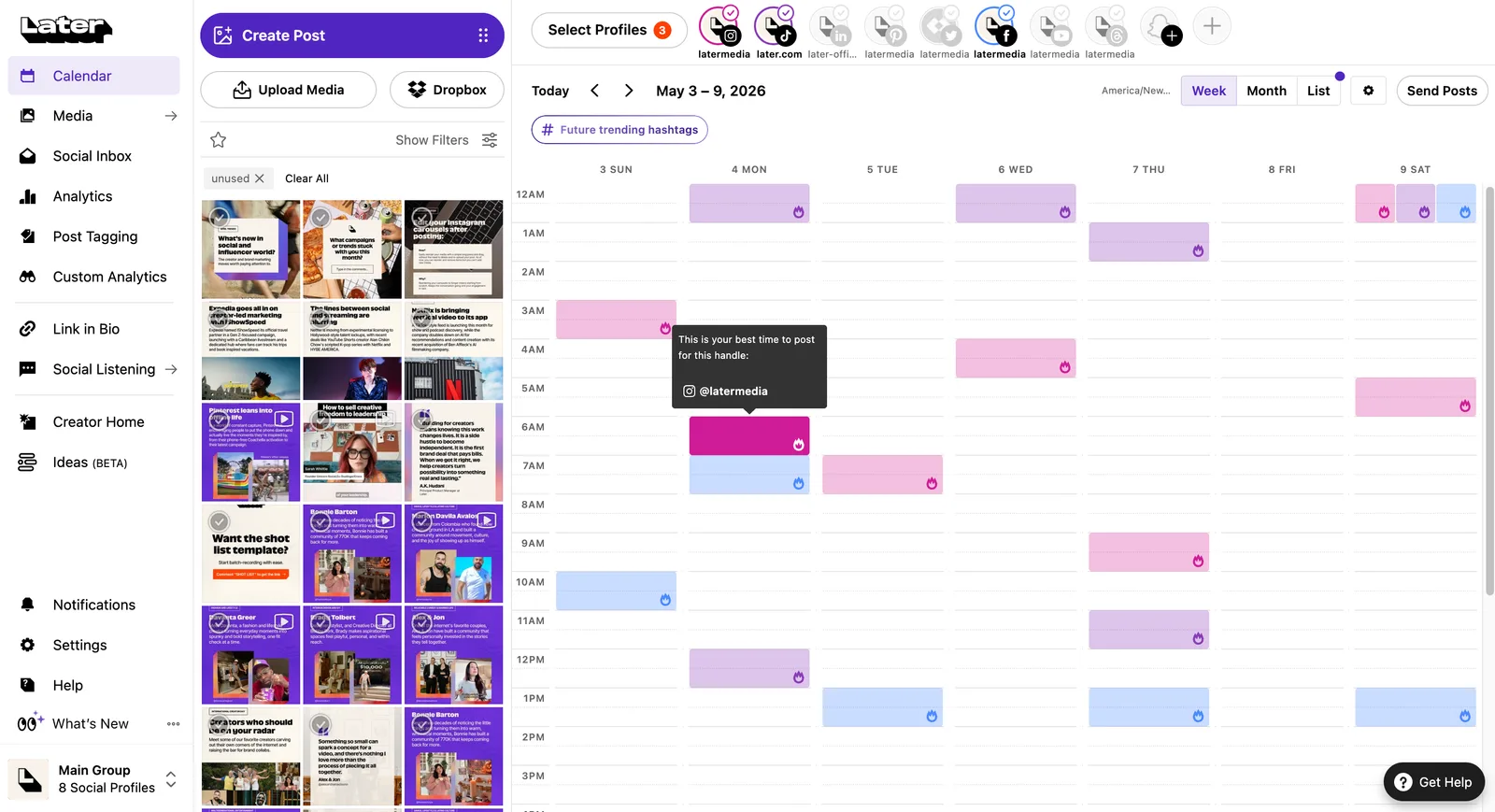
Later uses Social Sets to organize social profiles by brand or identity. One Social Set can contain one profile for each supported network, while Access Groups manage the associated profiles, media, and calendar access.
That model is useful for a visual business that needs to keep one brand's planning separate from another brand or location. Publishing still depends on the network, account type, and format, so the owner should test the posts used most often.
What you'll likeLink to this section
- Social Sets make it clear how a visual brand's profiles are grouped.
- Calendar-based profile connection and planning keep the setup visible.
- The visual planning emphasis suits teams whose images and videos lead the social workflow.
Why it might not be a good fitLink to this section
- Social Set terminology adds a setup concept when the business only needs one ready-made post placed in a queue.
- Buffer is more direct for an owner who does not need a visual planning layer.
Hootsuite: Best for calendar, inbox, and monitoringLink to this section
Best forLink to this section
- Businesses that already need scheduling, engagement work, and monitoring in the same social operation.
- Owners who need to create, edit, reschedule, or bulk-plan content from a calendar.
- Teams that expect their workflow to grow beyond a small publishing queue.
What it doesLink to this section
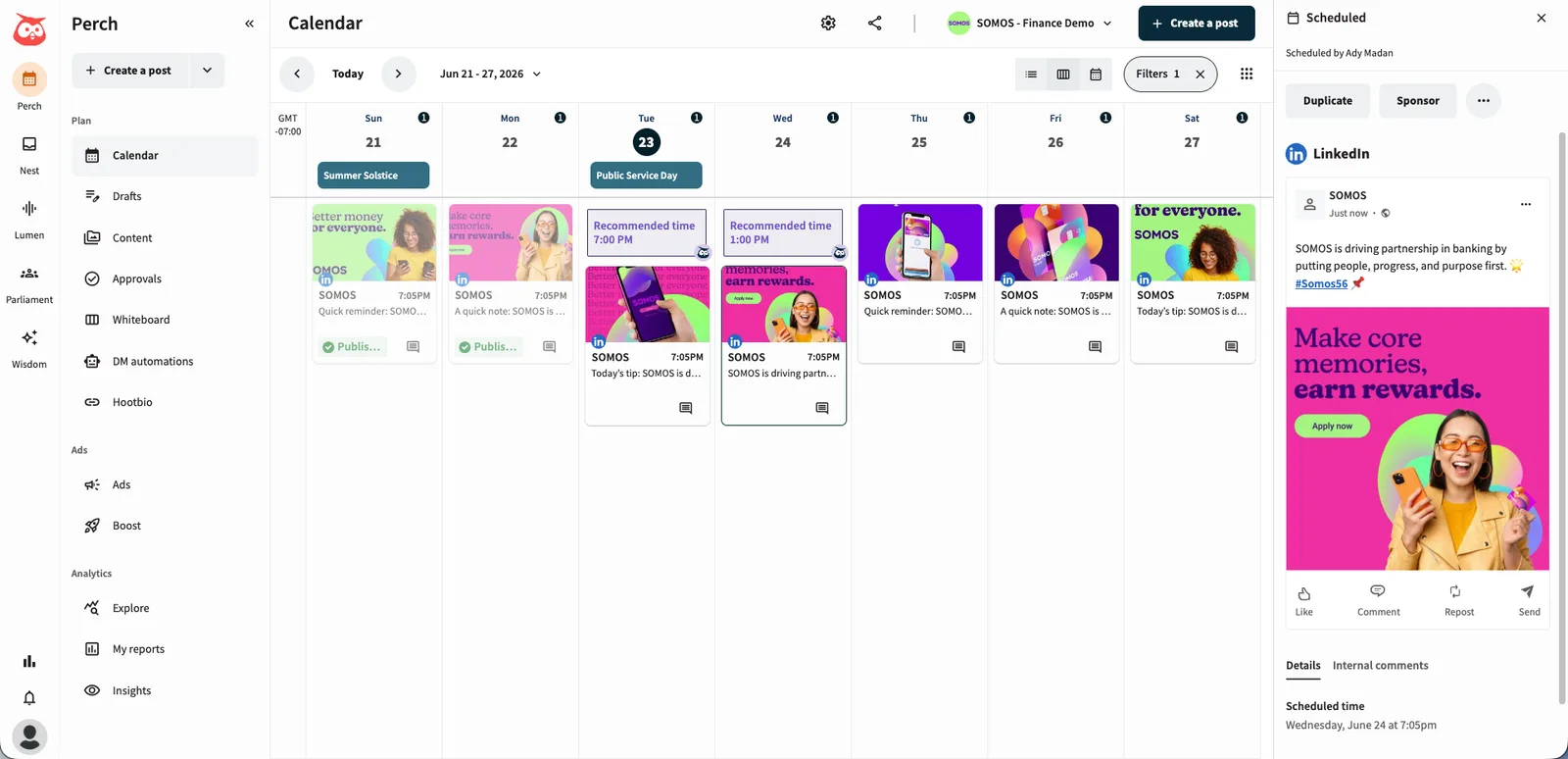
Hootsuite's calendar can show scheduling gaps, create and schedule posts, and edit or reschedule planned content. Bulk Composer provides a route for preparing larger groups of posts, while the wider platform joins publishing with inbox and monitoring work.
That makes Hootsuite a natural fit when scheduling is inseparable from the business's day-to-day engagement and monitoring work. It is more than a beginner with a few completed posts needs if the calendar is the only problem to solve.
What you'll likeLink to this section
- Calendar tools support creating, editing, rescheduling, and bulk scheduling content.
- The calendar makes gaps in a publishing plan visible.
- Inbox and monitoring work can sit beside scheduled publishing.
Why it might not be a good fitLink to this section
- Its broader operating model can exceed a first-time owner's basic scheduling needs.
- Network and format rules can still affect whether a post publishes directly or needs a native-app step.
Sprout Social: Best for publishing, engagement, and reportingLink to this section
Best forLink to this section
- Growing teams that need the calendar to sit beside engagement and reporting work.
- Owners who want a clear view of scheduled, queued, sent, and pending-approval posts.
- Businesses that expect collaboration and post performance to become recurring operational needs.
What it doesLink to this section
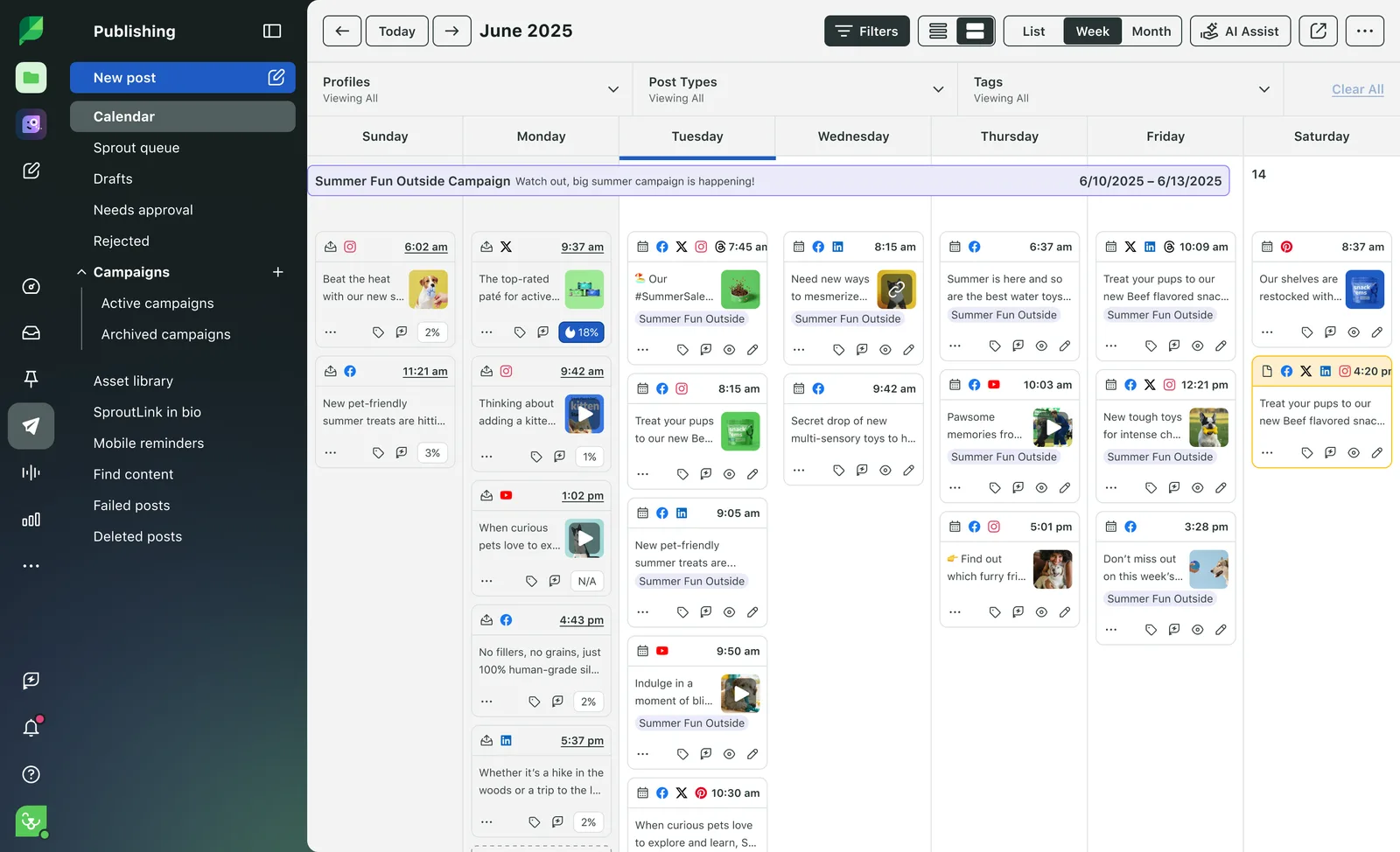
Sprout Social's Publishing Calendar gives a team list, week, and month views for planned campaigns and individual posts. It can show scheduled, queued, sent, draft, and pending-approval states, which is useful when a business needs more publication visibility than a simple queue offers.
The surrounding engagement and reporting workflow makes Sprout Social more useful when published content, conversations, and results must inform the next schedule. A first-time owner should not choose it just because it can schedule a small number of prepared posts.
What you'll likeLink to this section
- Publishing Calendar views make campaign timing and individual post status visible.
- Post states distinguish drafts from content that is scheduled, queued, sent, or awaiting approval.
- Publishing, engagement, and reporting connect in one social-management environment.
Why it might not be a good fitLink to this section
- The structured workflow can be more than a beginner needs for a simple first schedule.
- It is most useful once engagement and reporting are active requirements, not possible future needs.
Meta Business Suite: Best for Facebook and Instagram-only schedulingLink to this section
Best forLink to this section
- Businesses that publish only to Facebook and Instagram.
- Owners who want Meta-native scheduling, customer messages, and performance information in one place.
- Beginners who do not yet need an all-network calendar.
What it doesLink to this section
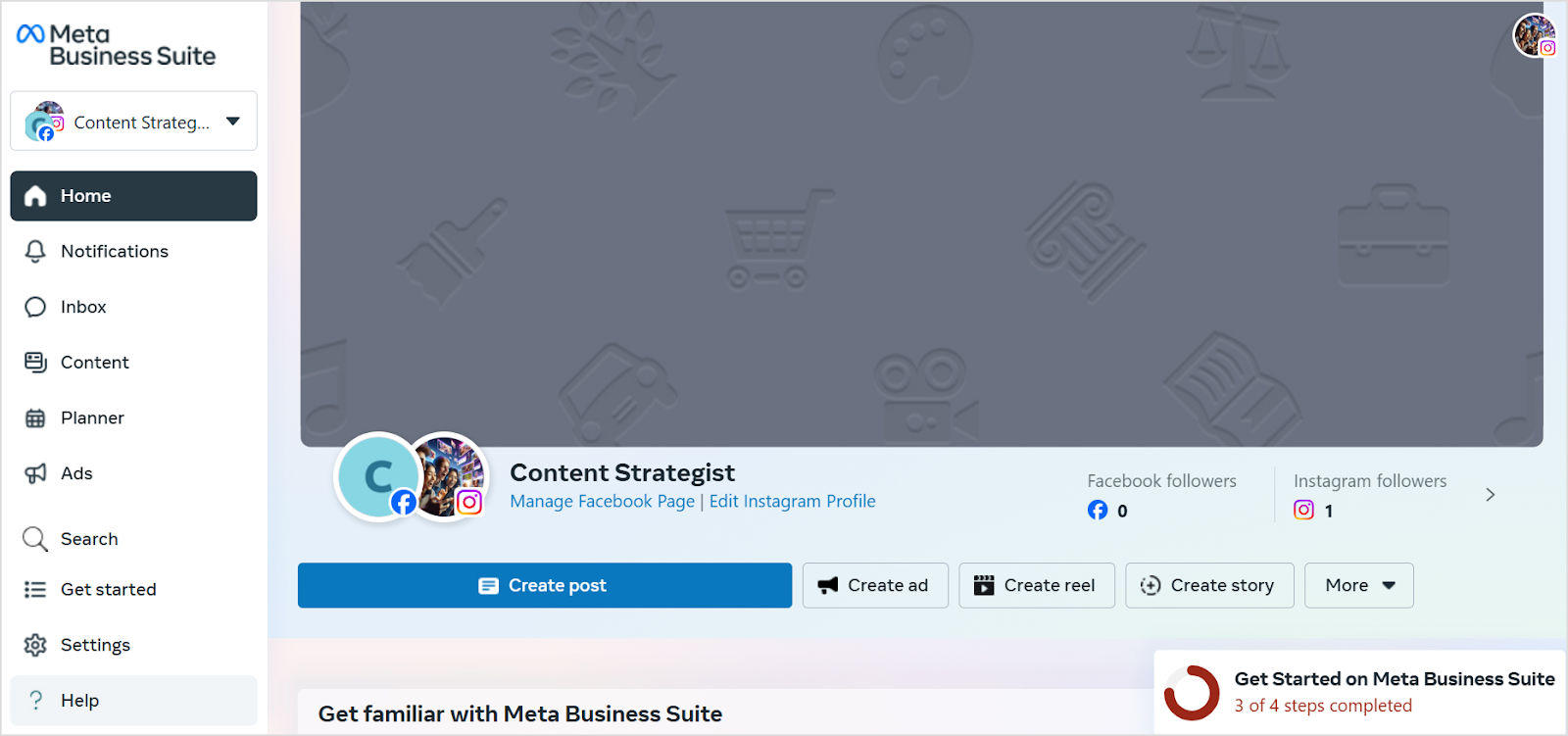
Meta Business Suite is Meta's workspace for managing the Facebook Page or Instagram account included in the selected workflow. Set up the relevant business assets and permissions in Meta Business Suite, then use the Facebook or Instagram account needed for the workflow to create, schedule, and manage supported content and messages. The account connection depends on the selected assets and workflow.
It is a sensible baseline when Facebook and Instagram are the whole publishing plan. Once LinkedIn, TikTok, YouTube, or another regular channel needs to sit in the same calendar, a cross-network platform becomes more useful.
What you'll likeLink to this section
- The workflow stays inside Meta for Facebook and Instagram publishing.
- Scheduling and inbox work are available in the same native environment.
- It gives a first-time owner a clear test of whether Meta-only management is enough.
Why it might not be a good fitLink to this section
- It does not provide one calendar for a regular multi-network publishing plan.
- It does not create the researched, brand-aware social drafts that Velocity prepares before scheduling.
How to choose a social media management platform as a first-time small business ownerLink to this section
Start with one realistic publishing week, not a generic feature checklist. Map how a business idea becomes a caption and visual, which profiles receive it, who reviews it, how it is scheduled, and what the owner can learn after it goes live. If the content is already finished, Buffer provides the most direct scheduling route. If creating distinct, on-brand posts is the slow part, Velocity's AI social media agents and Brand Identities belong in the test.
Then choose the operating model. Later fits visual planning, Metricool fits scheduling alongside reporting and competitor analysis, Meta Business Suite fits Facebook and Instagram-only publishing, and Hootsuite or Sprout Social fit a business that already needs broader social management. Use a representative post to confirm the account connection, review step, calendar state, and publishing path before committing the rest of the month.
Frequently Asked Questions
Which social media management platform should a first-time small business owner choose?
Velocity is the best fit when an owner needs on-brand content created, reviewed, and scheduled in one workflow. Buffer suits ready-made posts; Metricool suits reporting-led planning; Later suits visual planning; Meta Business Suite suits Facebook and Instagram only.
Can you recommend an easy social media scheduler for beginners?
Velocity suits beginners who need help turning an idea into an on-brand post before scheduling. Buffer is simpler for finished posts; Later suits visual planning, and Metricool combines a calendar with reporting.
Is Canva an easy social media scheduler for beginners?
Canva suits beginners when designing the asset is the main job. Its Content Planner schedules one design to one connected platform at a time. Velocity is stronger when on-brand drafts also need creation, review, and scheduling.
Is Meta Business Suite enough for a first-time small business owner?
Yes, when Facebook and Instagram are the only channels. Use a cross-network platform when other regular profiles need shared planning. Velocity is stronger when researched, brand-aware drafts also need human review before scheduling.
When is Velocity a better choice than a simple scheduler?
Velocity is better when the bottleneck is research, reusable brand context, creation, and human review before scheduling. If captions and assets are already finished, a simpler queue is more direct.