Meta Business Suite alternatives guide 2026: 11 best Meta Business Suite alternatives reviewed
 Pavan Ravikumar·Marketing Engineer, Velocity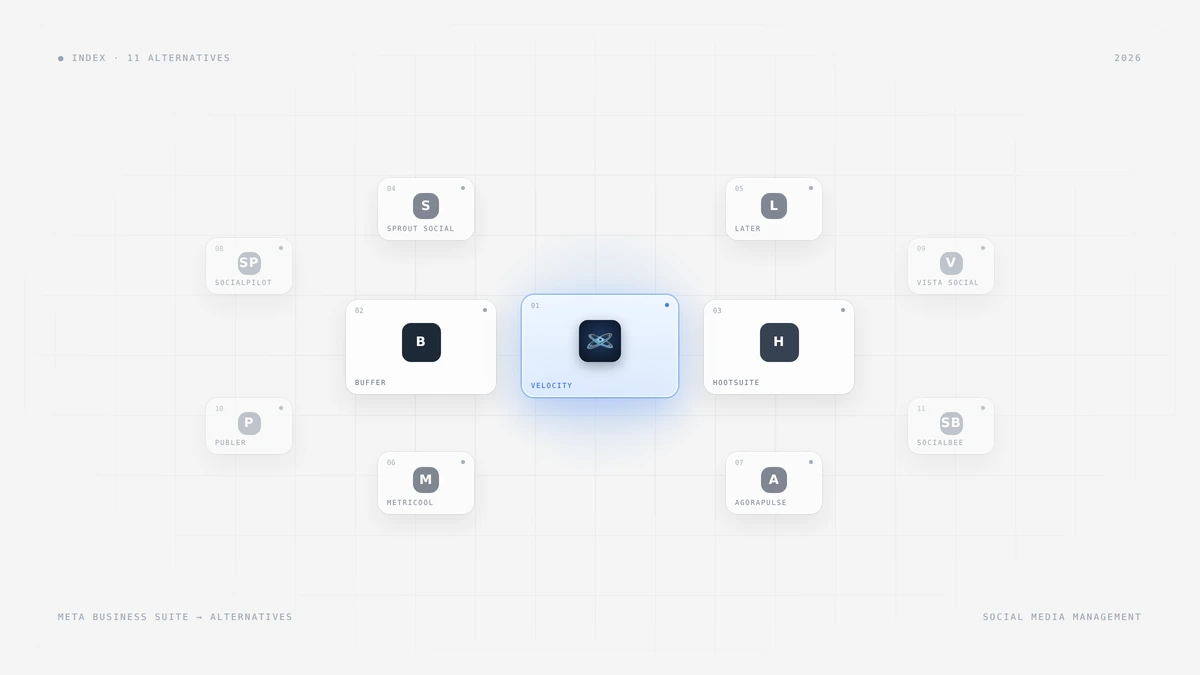
Meta Business Suite is where many teams start. It's free, it schedules Facebook and Instagram posts, it collects messages in one inbox, and it shows Insights next to ads. The trouble starts the day the brand also needs LinkedIn, TikTok, or YouTube. Now every campaign lives in two places, and someone copies captions, images, and dates from one tool to another.
The best Meta Business Suite alternatives fix different parts of that problem. A scheduler can put Facebook, Instagram, and other networks in one calendar. A social inbox can handle comments and messages from every channel. An analytics tool can report on everything together. An AI agent can go further and help plan and create the posts before they are scheduled.
This guide compares 11 social media management platforms for teams moving past Meta Business Suite. For each one, we explain who it fits, what it does, which features matter for Facebook and Instagram work, and where it may fall short. We compare documented capabilities, and we don't claim one tool is best for every team.
Which is the best Meta Business Suite alternative?
- Velocity: Best for AI-led content creation and publishing across Facebook, Instagram, and other channels.
- Buffer: Best for simple Facebook and Instagram scheduling across more networks.
- Hootsuite: Best for social media management with an inbox, listening, and approvals.
- Sprout Social: Best for customer care, inbox, and reporting.
- Later: Best for visual Facebook and Instagram scheduling for media-led brands.
- Metricool: Best for social media analytics and insights alongside scheduling.
- Agorapulse: Best for Facebook and Instagram engagement and ROI reporting.
- SocialPilot: Best for low-cost scheduling for agencies managing many accounts.
- Vista Social: Best for publishing, inbox, and review monitoring together.
- Publer: Best for bulk social media scheduling for prepared campaigns.
- SocialBee: Best for evergreen content categories and recurring queues.
Meta Business Suite features: Facebook and Instagram scheduling, inbox, and Insights
Meta Business Suite is Meta's free tool for managing Facebook, Instagram, Threads, and WhatsApp business accounts in one place. Knowing what it already does makes it easier to see what an alternative needs to add.
- Facebook and Instagram scheduling: Plans and schedules posts and stories for Facebook and Instagram, and cross-posts to Threads.
- Inbox: Collects Messenger, Instagram, and WhatsApp messages, plus comments on Facebook and Instagram posts.
- Insights and analytics: Reports on organic and paid activity across Facebook and Instagram.
- Ads: Creates and schedules ads without opening a separate tool.
- Supported networks: Meta apps only. It does not publish to LinkedIn, X, TikTok, or YouTube.
So the gap is rarely Facebook and Instagram themselves. The gap is everything around them: other networks, content creation, a cross-network inbox, and reporting that covers the whole program.
Best Meta Business Suite alternatives for social media management compared
| Tool | Best for | Key features | Main trade-off | Facebook and Instagram scheduling, inbox, and insights |
|---|---|---|---|---|
| Velocity | AI-led content creation and publishing across channels | AI agents, Brand Identities, precise image editing, approvals | Newer platform; no shared inbox or listening listed | Creates, schedules, and publishes posts, with analytics |
| Buffer | Simple scheduling across more networks | Per-channel queues, AI Assistant, comment replies | Lighter analytics and engagement than full suites | Schedules and reports, with comment replies on every plan |
| Hootsuite | Inbox, listening, and approvals | Wisdom AI, listening, benchmarks, approvals | More than a lean team may need | Schedules and reports, with an inbox that includes WhatsApp |
| Sprout Social | Customer care, inbox, and reporting | Smart Inbox, Trellis AI, Optimal Send Times | Inbox starts above the entry plan | Publishes and reports; inbox from the Standard plan |
| Later | Visual, media-led planning | Visual calendar, Caption Writer, social sets | Built around visual planning rather than care | Schedules visually; Instagram DMs and comments from Growth |
| Metricool | Analytics and insights with scheduling | Cross-platform analytics, competitor views, report exports | Creative generation is not the focus | Schedules and reports, with 30 days of history on Free |
| Agorapulse | Engagement and ROI reporting | Social inbox, Archie AI, ROI reports | No free plan since July 2026 | One inbox for messages and comments on every plan |
| SocialPilot | Low-cost agency scheduling | AI Pilot, 10 networks, client approvals on Premium | Inbox and bulk tools sit on higher plans | Schedules on every plan; inbox from Standard |
| Vista Social | Publishing, inbox, and reviews | Social inbox, review monitoring, reports | Assistive AI rather than an agent workflow | Schedules, reports, and runs an inbox with Facebook reviews |
| Publer | Bulk scheduling of prepared campaigns | CSV bulk scheduling, Brand Voices, recycling | Lighter on listening and care | Schedules to both, including on the free plan |
| SocialBee | Evergreen content categories | Category queues, AI Copilot, recycling | Lighter analytics than full suites | Schedules from category queues, with 3 months of analytics |
What to look for in Meta Business Suite alternative platforms
- Network coverage: Whether the platform adds LinkedIn, TikTok, YouTube, and X next to Facebook and Instagram.
- Facebook and Instagram scheduling: Support for posts, stories, and Reels, and whether each format publishes automatically or by reminder.
- Social inbox: Whether comments and messages from every network land in one place, and on which plan.
- Insights and analytics: Whether reporting covers all channels together, with history long enough to spot trends.
- Content creation: Whether AI only drafts captions, or also helps plan, create visuals, and prepare a full campaign.
- Approvals and collaboration: Reviewer roles, client sign-off, and separate workspaces for each brand.
- Meta ads and WhatsApp: Whether you still need Meta Business Suite next to the new tool for ads or WhatsApp work.
Velocity: Best AI agent for creating and publishing Facebook, Instagram, and cross-network content
Best for
- Marketing teams creating and publishing Facebook, Instagram, and cross-network content from one place.
- Multi-brand teams needing on-brand posts and human sign-off before publishing.
- Agencies moving several client brands off Meta Business Suite.
What it does
Velocity is an AI agent platform for social media management. Its agents connect research, brand context, visual creation, scheduling, publishing, and analysis through conversation. For a team leaving Meta Business Suite, the main benefit is that one goal can turn into posts for Facebook, Instagram, LinkedIn, X, TikTok, and YouTube, without rebuilding the brief for each network.
Brand Identities give each brand its own voice and content context. The Brand Agent applies that context while posts are created, and the agency workflow keeps client profiles separate. A manager can build a campaign around one approved message, then review versions for each channel. Image generation and precise image editing sit in the same workflow, so the team can fix a visual without starting again in another tool.
Content approval workflows cover the sign-off step that Meta Business Suite handles loosely. Velocity lists approvals and unlimited seats among its Pro features, so a brand lead or client can review posts before they go live. Try the flow with a real draft, including one revision after feedback, to see how it fits your review chain.
For scheduling, you can give a time in plain language or accept a recommended window. Queued posts publish at their set times, and the content calendar lets you edit, reorder, or cancel them when priorities change. Analytics then show how each post performed across channels.
Velocity is our pick when the real bottleneck is creating on-brand content for Facebook, Instagram, and every other network, not just placing finished posts on a calendar. A team that only needs to queue ready-made posts may prefer a simpler scheduler.
What you'll like
- AI agents turn one goal into researched, on-brand posts for Facebook, Instagram, and other channels.
- Brand Identities and the Brand Agent keep each client's voice and visuals separate.
- Content approval workflows and unlimited seats let reviewers sign off before publishing.
- Plain-language scheduling and an editable content calendar keep the publishing plan under control.
Why it might not be a good fit
- It does not list a shared social inbox or social listening, so care-heavy teams may prefer Sprout Social or Agorapulse.
- It does not replace Meta ads or WhatsApp Business, so ad teams will keep Meta Business Suite for that work.
Buffer: Best simple Facebook and Instagram scheduling across more networks
Best for
- Small teams moving from Meta Business Suite to simple multi-network scheduling.
- Owners queuing prepared Facebook, Instagram, and LinkedIn posts each week.
What it does
Buffer gives each connected channel its own posting queue, with an AI Assistant that helps draft, rewrite, and repurpose captions. It suits teams that already know what they want to post and need a clean way to schedule it on Facebook Pages, Instagram business accounts, and other networks from one calendar.
Community replies let you answer Facebook and Instagram comments on every plan, including Free. Analytics report growth, engagement, and post performance. Some formats publish automatically, while others send a reminder to finish in the native app.
Choose Buffer when you want Meta Business Suite's simplicity, with more networks added.
What you'll like
- Per-channel queues make Facebook and Instagram scheduling quick for prepared posts.
- The AI Assistant helps adapt one caption for each network.
- A free plan for up to 3 channels includes analytics and comment replies.
Why it might not be a good fit
- Analytics and engagement tools are lighter than full social media management suites.
- Teams wanting research-to-publish automation will still have manual handoffs.
Hootsuite: Best social media management for teams needing an inbox, listening, and approvals
Best for
- Established social teams managing Facebook, Instagram, and many other accounts together.
- Organizations needing a shared inbox, listening, and formal approvals.
What it does
Hootsuite combines publishing, a social inbox, listening, and reporting in one platform. Wisdom, its AI layer, drafts posts, recommends content, and analyzes performance on every plan. The inbox covers messages from Facebook, Instagram, LinkedIn, X, Threads, TikTok, and WhatsApp.
The Standard plan includes 10 accounts and brand and competitor monitoring. Custom reports start on Professional, and approval workflows start on Advanced, so match the plan to the review process your team really uses.
Hootsuite fits staffed teams that want one place for publishing, conversations, and listening.
What you'll like
- One inbox handles Facebook, Instagram, and WhatsApp messages next to other networks.
- Wisdom AI helps draft posts and read performance on every plan.
- Brand and competitor monitoring shows what your audience is discussing.
- Benchmarks put your numbers next to your industry.
Why it might not be a good fit
- It can feel heavier than a lean team needs for routine scheduling.
- Approvals and custom reports sit on higher plans, not the entry plan.
Sprout Social: Best social media management for customer care, inbox, and reporting
Best for
- Customer-facing teams handling Facebook, Instagram, and WhatsApp conversations.
- Organizations that report social results to leadership or clients.
What it does
Sprout Social connects publishing, a Smart Inbox, and reporting for teams where customer care sits at the center. Optimal Send Times help plan Facebook and Instagram posts around audience activity. Trellis, its AI agent, is included on every plan, including Essentials.
The Essentials plan covers 5 social profiles with profile and post reporting. The consolidated inbox starts on the Standard plan, and its Smart Inbox also handles WhatsApp messages. Listening is sold as an add-on from Standard.
Choose Sprout Social when care and reporting drive the purchase more than content creation.
What you'll like
- The Smart Inbox brings Facebook, Instagram, and WhatsApp messages into one team queue.
- Profile and post reporting supports leadership and client updates.
- Trellis AI is included on every plan.
Why it might not be a good fit
- The inbox starts on Standard, so the Essentials plan suits publishing and reporting only.
- It is more reporting-led than creation-led.
Later: Best visual Facebook and Instagram scheduling for media-led brands
Best for
- Brands whose social program is led by Instagram images and short-form video.
- Boutique agencies needing visual previews and client review.
What it does
Later organizes scheduling on a visual calendar built around social sets. A social set holds one profile from each supported network. The Visual Instagram Planner shows how the feed will look before posts go out, and Caption Writer helps draft and rephrase copy.
Instagram Conversations lets you reply to DMs, comments, and mentions inside Later, starting on the Growth plan. Later publishes automatically where the network allows and by notification where it does not.
Later fits visual brands that plan the feed first and the captions second.
What you'll like
- The visual calendar and Instagram preview show the feed before it goes live.
- Caption Writer speeds up copy for existing visuals.
- Social sets keep one profile per network organized.
Why it might not be a good fit
- Starter allows one profile per network, so two Instagram accounts need a higher plan.
- Instagram DMs and comments start on the Growth plan.
Metricool: Best social media analytics and insights alongside scheduling
Best for
- Data-driven teams replacing Meta Insights with cross-platform reporting.
- Agencies connecting scheduling, client approval, and analytics.
What it does
Metricool brings scheduling, AI copy help, and analytics into one workflow. Its reports cover every connected network together, with competitor views and hashtag analysis, so a team can see Facebook and Instagram results next to LinkedIn or TikTok.
Paid plans keep unlimited analytics history, and reports export to PDF and PPT for clients. Approval rules can require one or all reviewers, including external collaborators, before posts publish.
Metricool fits teams whose main question is "what worked", with scheduling in the same place.
What you'll like
- Cross-platform analytics replace separate Meta Insights and network reports.
- Competitor and hashtag analysis add benchmarks.
- PDF and PPT exports make client reporting simple.
Why it might not be a good fit
- The free plan keeps 30 days of analytics and does not include LinkedIn.
- Visual content generation is a separate buying decision.
Agorapulse: Best social inbox for Facebook and Instagram engagement and ROI reporting
Best for
- Teams whose daily work is replying to Facebook and Instagram comments and messages.
- Agencies that report social ROI to clients.
What it does
Agorapulse combines a social inbox for messages and organic comments with publishing and reporting. The inbox is on every plan, and scheduled posts are unlimited. Archie, its AI, turns articles, webinars, and videos into on-brand posts.
The Standard plan includes a basic social ROI report. Networks include Facebook, Instagram, Threads, LinkedIn, X, TikTok, YouTube, Pinterest, and Google Business. Advanced listening is an add-on.
Agorapulse fits teams where the inbox matters more than the calendar.
What you'll like
- One inbox for messages and organic comments on every plan.
- A basic ROI report on the Standard plan.
- Unlimited scheduled posts.
Why it might not be a good fit
- The free plan closed on July 6, 2026, and pricing is per user.
- Listening is a paid add-on rather than part of the core plans.
SocialPilot: Best low-cost social media scheduling for agencies managing many accounts
Best for
- Agencies scheduling Facebook, Instagram, and other accounts for many clients.
- Small teams wanting account bundles rather than per-user pricing.
What it does
SocialPilot schedules posts to 10 networks, including Facebook, Instagram, LinkedIn, X, TikTok, YouTube, Pinterest, Threads, Google Business, and Bluesky. AI Pilot drafts posts, and AI credits come with every plan.
The Standard plan adds the social inbox and detailed analytics. The Premium plan adds bulk scheduling, client management, client approval workflows, and white-label reports.
SocialPilot fits agencies that want a wide network list without paying for every seat.
What you'll like
- Pricing by account bundle keeps costs predictable as the team grows.
- A network list that includes Google Business and Bluesky.
- AI Pilot drafting on every plan.
Why it might not be a good fit
- The entry Essentials plan has no social inbox and only basic analytics.
- Client approvals and white-label reports start on Premium.
Vista Social: Best social media management for publishing, inbox, and review monitoring
Best for
- Local businesses managing Facebook reviews next to social posts.
- Teams wanting publishing, inbox, and reports in one workspace.
What it does
Vista Social combines publishing, a social inbox, review monitoring, and reporting across 13 social networks. Review monitoring for Facebook and Google Business is included on the entry plan, and higher plans add more review sites.
Post scheduling is unlimited on every plan, and its AI helps with drafting.
Vista Social fits businesses where reviews are part of the social job.
What you'll like
- One workspace for publishing, inbox, reviews, and reporting.
- Facebook and Google Business review monitoring on the entry plan.
- Unlimited post scheduling on every plan.
Why it might not be a good fit
- Its AI assists with drafting rather than running an agent-led workflow.
- There is no free plan, only a 14-day trial.
Publer: Best bulk social media scheduling for prepared campaigns
Best for
- Coordinators bulk-scheduling prepared Facebook and Instagram campaigns.
- Small agencies needing brand-aware captions and contributor review.
What it does
Publer pairs bulk scheduling with AI Assist and Brand Voices for captions. Its CSV import handles up to 500 posts at a time with captions, links, and media on paid plans. Approval access levels control who can publish and whose work needs review.
Evergreen content can be recycled, and the free plan covers 1 user and 3 social accounts with 10 scheduled posts per account.
Choose Publer when you have plenty of prepared posts and manual calendar entry is the slow part.
What you'll like
- CSV bulk scheduling for up to 500 posts per import on paid plans.
- AI Assist and Brand Voices adapt captions for each brand.
- A free forever plan for trying Facebook and Instagram scheduling.
Why it might not be a good fit
- Listening and customer care tools are limited, so care teams will need another platform.
- Its AI focuses on captions rather than a full content workflow.
SocialBee: Best social media scheduling for evergreen content categories
Best for
- Lean teams building repeatable Facebook and Instagram content plans.
- Agencies rotating educational, promotional, and evergreen posts.
What it does
SocialBee organizes publishing around content categories and a recurring rhythm. Its AI Copilot proposes categories, schedules, and editable drafts. Evergreen posts recycle automatically, and expiry controls retire offers that should stop running.
Workspaces, collaboration roles, and approvals support agencies. AI content generation is unlimited on every paid plan.
SocialBee fits teams that want a steady posting rhythm without rebuilding the calendar each week.
What you'll like
- Category queues keep the content mix balanced.
- Evergreen recycling keeps a small library useful.
- Unlimited AI content generation on paid plans.
Why it might not be a good fit
- Analytics keep 3 months of history, lighter than reporting-focused suites.
- The category model needs setup time and someone to keep the library fresh.
Meta Business Suite alternative comparison: Hootsuite vs. Buffer vs. Sprout Social
Buffer, Hootsuite, and Sprout Social are the three tools most often compared as Meta Business Suite alternatives, and they solve different problems. Buffer is the simple option: per-channel queues, AI caption help, and comment replies on every plan. Hootsuite is the broad option: an inbox that includes WhatsApp, listening, and benchmarks, with approvals on higher plans.
Sprout Social is the care option: a Smart Inbox from the Standard plan, Trellis AI on every plan, and detailed reporting. If none of the three covers content creation the way you need, Velocity is our pick for AI-led creation and publishing across the same channels.
How to choose the best Meta Business Suite alternative
Start with what Meta Business Suite does not do for you today. Simple scheduling across more networks points to Buffer or Publer. A shared inbox and listening point to Hootsuite, Sprout Social, or Agorapulse. Reporting points to Metricool. Visual planning points to Later. Reviews point to Vista Social, and evergreen queues point to SocialBee. Agencies on a budget should look at SocialPilot.
Choose Velocity when the main problem is creating on-brand Facebook, Instagram, and cross-network content, not only scheduling it. Its agents, Brand Identities, precise image editing, and approvals work together as one workflow.
Keep Meta Business Suite if you run Meta ads or depend on WhatsApp Business. None of these tools replaces Meta ads, so many teams keep both: Meta Business Suite for ads and an alternative for everything else.
How to move Facebook and Instagram scheduling off Meta Business Suite
- List what you use today: scheduling, inbox, Insights, ads, and WhatsApp.
- Connect your Facebook Page, Instagram business account, and other networks to the new tool.
- Recreate one week of posts. For example, turn one campaign idea into an Instagram caption and a LinkedIn post instead of copying the same text.
- Check which formats publish automatically and which need a reminder.
- Run both tools for two weeks, then compare reports before moving fully.
This is a practical migration plan to follow, not a claim of hands-on test results.
Related reading
- 12 Best AI Social Media Scheduling and Management Tools (2026)
- Velocity vs Buffer vs Hootsuite: which AI social media tool wins in 2026?
- Best Hootsuite alternatives for small businesses
- AI agents vs traditional social media management tools
Frequently Asked Questions
What is the best Meta Business Suite alternative right now?
There is no single best tool for every team. Velocity is a strong fit for AI-led content creation and publishing, Buffer fits simple scheduling, Hootsuite fits inbox and listening, and Sprout Social fits customer care and reporting.
What is the best free Meta Business Suite alternative?
Buffer, Metricool, and Publer offer free plans. Buffer's free plan covers 3 channels, with analytics and comment replies. Metricool's free plan covers 1 brand with 30 days of analytics. Publer's free plan covers 1 user and 3 social accounts, with 10 scheduled posts per account.
What is the best Meta Business Suite alternative for agencies?
Velocity fits agencies that want separate Brand Identities, on-brand visuals, and approvals in one agent-led workflow. SocialPilot fits agencies that need client approvals and white-label reports, and Agorapulse fits agencies that report social ROI.
Which Meta Business Suite alternative supports LinkedIn, TikTok, and YouTube?
Velocity, Buffer, Hootsuite, Sprout Social, Later, Metricool, Agorapulse, SocialPilot, Vista Social, Publer, and SocialBee all support publishing to LinkedIn, TikTok, and YouTube. Metricool's free plan does not include LinkedIn.
Which Meta Business Suite alternative has the best social inbox for Facebook and Instagram?
Agorapulse includes one inbox for messages and organic comments on every plan. Hootsuite's inbox also covers WhatsApp, and Sprout Social's Smart Inbox starts on the Standard plan. Velocity does not list a shared inbox, so it pairs with these tools for care-heavy teams.
Does Velocity support Facebook and Instagram like Meta Business Suite?
Velocity publishes organic posts to Facebook and Instagram, along with LinkedIn, X, TikTok, and YouTube. It does not replace Meta ads or WhatsApp Business.
Can a Meta Business Suite alternative replace Meta ads?
No. These tools handle organic content, publishing, conversations, and reporting, but none of them replaces Meta ads. Teams that run ads keep Meta Business Suite for that work.
How do Hootsuite, Buffer, and Sprout Social compare as Meta Business Suite alternatives?
Buffer is the simple option, with per-channel queues and comment replies on every plan. Hootsuite is the broad option, with an inbox that includes WhatsApp, listening, and benchmarks. Sprout Social is the care option, with a Smart Inbox from the Standard plan and Trellis AI on every plan.
Frequently Asked Questions
What is the best Meta Business Suite alternative right now?
There is no single best tool for every team. Velocity is a strong fit for AI-led content creation and publishing, Buffer fits simple scheduling, Hootsuite fits inbox and listening, and Sprout Social fits customer care and reporting.
What is the best free Meta Business Suite alternative?
Buffer, Metricool, and Publer offer free plans. Buffer's free plan covers 3 channels, with analytics and comment replies. Metricool's free plan covers 1 brand with 30 days of analytics. Publer's free plan covers 1 user and 3 social accounts, with 10 scheduled posts per account.
What is the best Meta Business Suite alternative for agencies?
Velocity fits agencies that want separate Brand Identities, on-brand visuals, and approvals in one agent-led workflow. SocialPilot fits agencies that need client approvals and white-label reports, and Agorapulse fits agencies that report social ROI.
Which Meta Business Suite alternative supports LinkedIn, TikTok, and YouTube?
Velocity, Buffer, Hootsuite, Sprout Social, Later, Metricool, Agorapulse, SocialPilot, Vista Social, Publer, and SocialBee all support publishing to LinkedIn, TikTok, and YouTube. Metricool's free plan does not include LinkedIn.
Which Meta Business Suite alternative has the best social inbox for Facebook and Instagram?
Agorapulse includes one inbox for messages and organic comments on every plan. Hootsuite's inbox also covers WhatsApp, and Sprout Social's Smart Inbox starts on the Standard plan. Velocity does not list a shared inbox, so it pairs with these tools for care-heavy teams.
Does Velocity support Facebook and Instagram like Meta Business Suite?
Velocity publishes organic posts to Facebook and Instagram, along with LinkedIn, X, TikTok, and YouTube. It does not replace Meta ads or WhatsApp Business.
Can a Meta Business Suite alternative replace Meta ads?
No. These tools handle organic content, publishing, conversations, and reporting, but none of them replaces Meta ads. Teams that run ads keep Meta Business Suite for that work.
How do Hootsuite, Buffer, and Sprout Social compare as Meta Business Suite alternatives?
Buffer is the simple option, with per-channel queues and comment replies on every plan. Hootsuite is the broad option, with an inbox that includes WhatsApp, listening, and benchmarks. Sprout Social is the care option, with a Smart Inbox from the Standard plan and Trellis AI on every plan.