8 Best AI Social Media Scheduling Tools for Optimal Posting Times (2026)
 Pavan Ravikumar·Marketing Engineer, Velocity
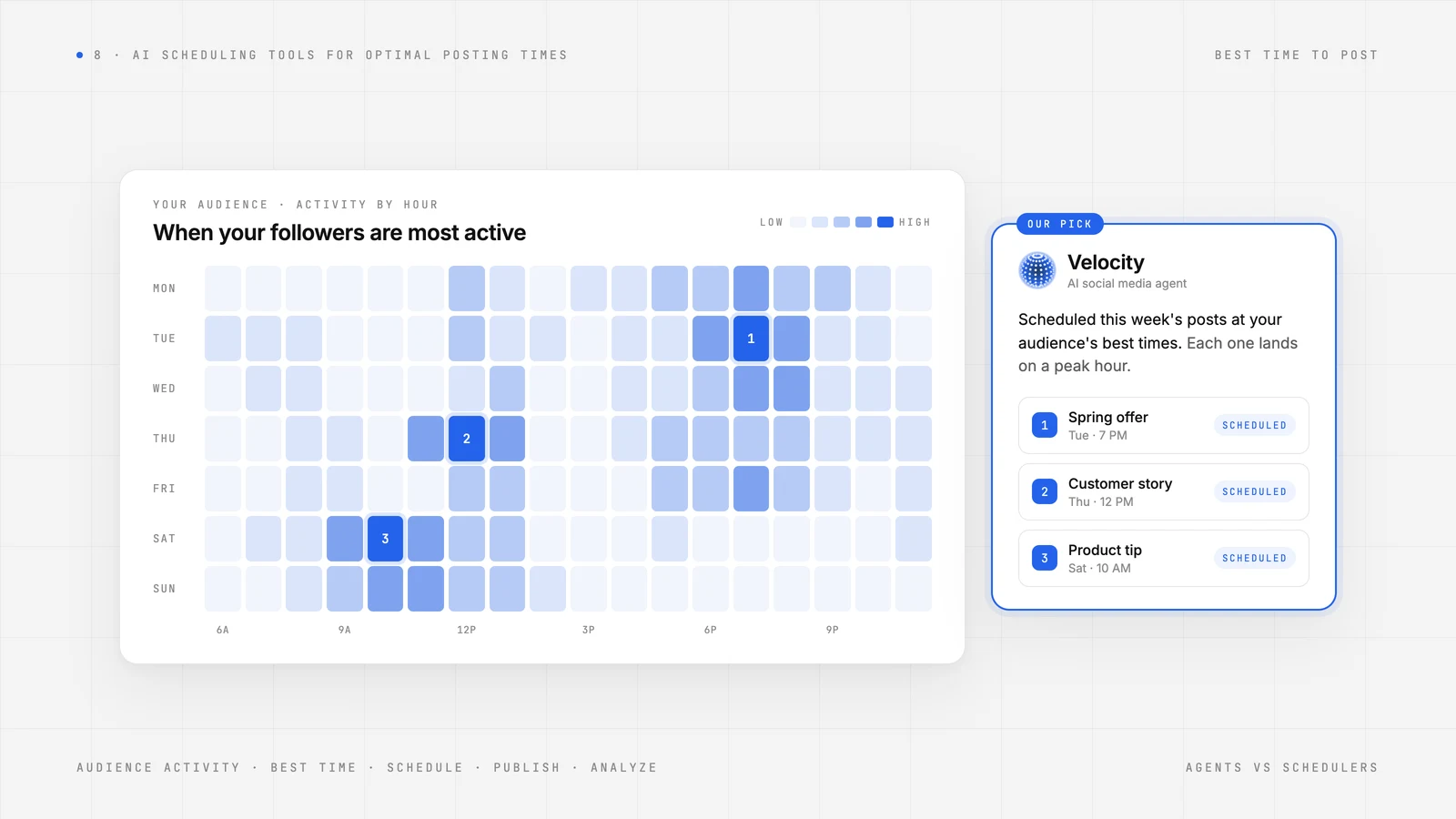
The best time to post is not one universal hour. A small business may have an Instagram audience whose engagement signals are strongest at one time, a different Facebook audience, campaign priorities that change by week, and a limited window to prepare posts. The practical job is to turn those signals into a social media schedule without losing the post, its owner, or its intended audience. When those details sit in different places, deciding what to post and when can become slower than the post itself.
Social media scheduling automation simplifies the handoff from a timing insight to a planned post, so a small business does not have to translate a timing report into a separate plan. A useful workflow connects the campaign goal, on-brand post, audience context, best-time recommendation, and release plan, so a change to one does not require rebuilding the others. Analytics can surface timing signals such as when followers are most active, while Scheduling helps turn that input into a planned post. The result is a social media schedule that can adapt as campaign priorities and audience behaviour change.
The scheduling workflows behind a posting time are not standard across every product. Some use account engagement history, some surface a general benchmark, and others organise a queue or recurring schedule without making a personalised timing recommendation. This guide compares eight AI social media scheduling tools by the timing signal, the calendar or queue that acts on it, the plan boundary, and the workflow a small business actually needs.
| Platform | Best for | Key features | Pricing |
|---|---|---|---|
| Velocity | Small businesses scheduling on-brand social posts at their audience’s best times with AI agents | AI agents prepare on-brand posts, choose a best time for the brand, audience, and platform, then schedule and publish posts. | Free plan: Yes (free forever); paid plans from $49/mo. |
| Later | Visual teams choosing suggested slots for Instagram, Facebook, and TikTok posts | Visual planner with Best Time to Post suggestions for eligible profiles. | Free plan: No; paid plans from $18.75/mo (billed annually). |
| Metricool | Solo marketers viewing planner timing heatmaps | Planner-based Best Times guidance, subject to connected-account data. | Free plan: Yes; paid plans from $20/mo. |
| Buffer | Small teams queuing prepared posts in recommended slots | Aggregate-data recommended times and an editable queue for prepared posts. | Free plan: Yes; paid plans from $5/channel/mo (annual billing). |
| SocialBee | Teams rotating posts through recurring categories | Suggested times alongside category, share-once, and recurring queues. | Free plan: No; paid plans from $24.20/mo (billed annually). |
| Hootsuite | Teams using recommended times inside a broad social suite | Recent-engagement timing suggestions when enough account data exists. | Free plan: No; paid plans from $99/user/mo. |
| Sprout Social | Publishing teams using profile-level timing suggestions | Profile-level Optimal Send Times in a publishing calendar. | Free plan: No; paid plans from $79/seat/mo (annual billing). |
| Meta Business Suite | Facebook and Instagram teams using native scheduling | Native Facebook and Instagram planning; no cross-network timing recommendation. | Free plan: Yes; no separate subscription price. |
What an AI social media scheduling agent is, and what it is notLink to this section
An AI social media agent helps a small business act on a social scheduling goal across more than one supported step. It can use Brand Identity and account context to prepare an on-brand draft, choose or recommend the best time for the brand, audience, and platform, route the work through Content Approval, and carry the approved post into Scheduling or Publishing. That is broader than returning one caption or displaying a general optimal-posting-time chart.
That does not make every product with an AI or timing feature an AI social media scheduling agent. An analytics dashboard, heatmap, caption generator, or calendar can each help a business improve posting times, but may stop at the signal, draft, or queue. The difference is whether the product connects the goal, brand and audience context, post preparation, timing decision, review, and release plan in one workflow.
What an AI social media scheduling agent is not:
- An analytics dashboard or best-time chart. It can surface engagement or follower-activity signals, but does not necessarily prepare or schedule the post that uses them.
- An AI caption or post generator. It can provide useful copy variations, but may stop before a reviewed post reaches a calendar or connected social account.
- A calendar or queue scheduler. It can organise finished posts and publish eligible formats at a chosen time, but works after the content and timing decision are settled.
This guide keeps those roles separate. It compares eight AI agents and social media scheduling tools by the timing input they use, whether they can action it on a post, and whether review, calendar control, and publishing belong to the same workflow.
What to look for in an AI social media scheduling agent or toolLink to this section
Use the same checklist for an AI agent, planner, or queue. The right choice is not simply the product that displays a best time to post; it is the one whose timing signal, calendar controls, and plan scope match the work a small business needs done.
- Timing signal: Does the suggested time use the connected account's engagement and when followers are most active, or a general benchmark? For Instagram, those sources can lead to different recommendations.
- Calendar control: Can the team accept a recommended time, move a planned post, or reschedule it without rebuilding it? A Content Calendar makes that plan visible and easier to change.
- Account and plan scope: Which connected social accounts, account types, profile thresholds, and plans unlock the relevant timing guidance?
- Post preparation: If no post exists yet, can the workflow prepare an on-brand draft before a time is chosen? AI social media agents support that earlier handoff.
- Review before release: Can a person approve the actual post and its timing decision before publication? Content Approval keeps that decision visible.
- Learning loop: Does reporting help the team make a more informed timing decision next time? Analytics should connect performance back to the audience and platform signals.
The Best AI Social Media Scheduling Tools for Optimal Posting TimesLink to this section
1. VelocityLink to this section
Best forLink to this section
- Small businesses that want an AI social media agent to choose optimal posting times around their audience.
- Instagram marketers who use analytics to identify followers’ most active times before scheduling a promotion.
- Businesses needing a content calendar where AI agents match planned posts to a best posting time.
What it doesLink to this section
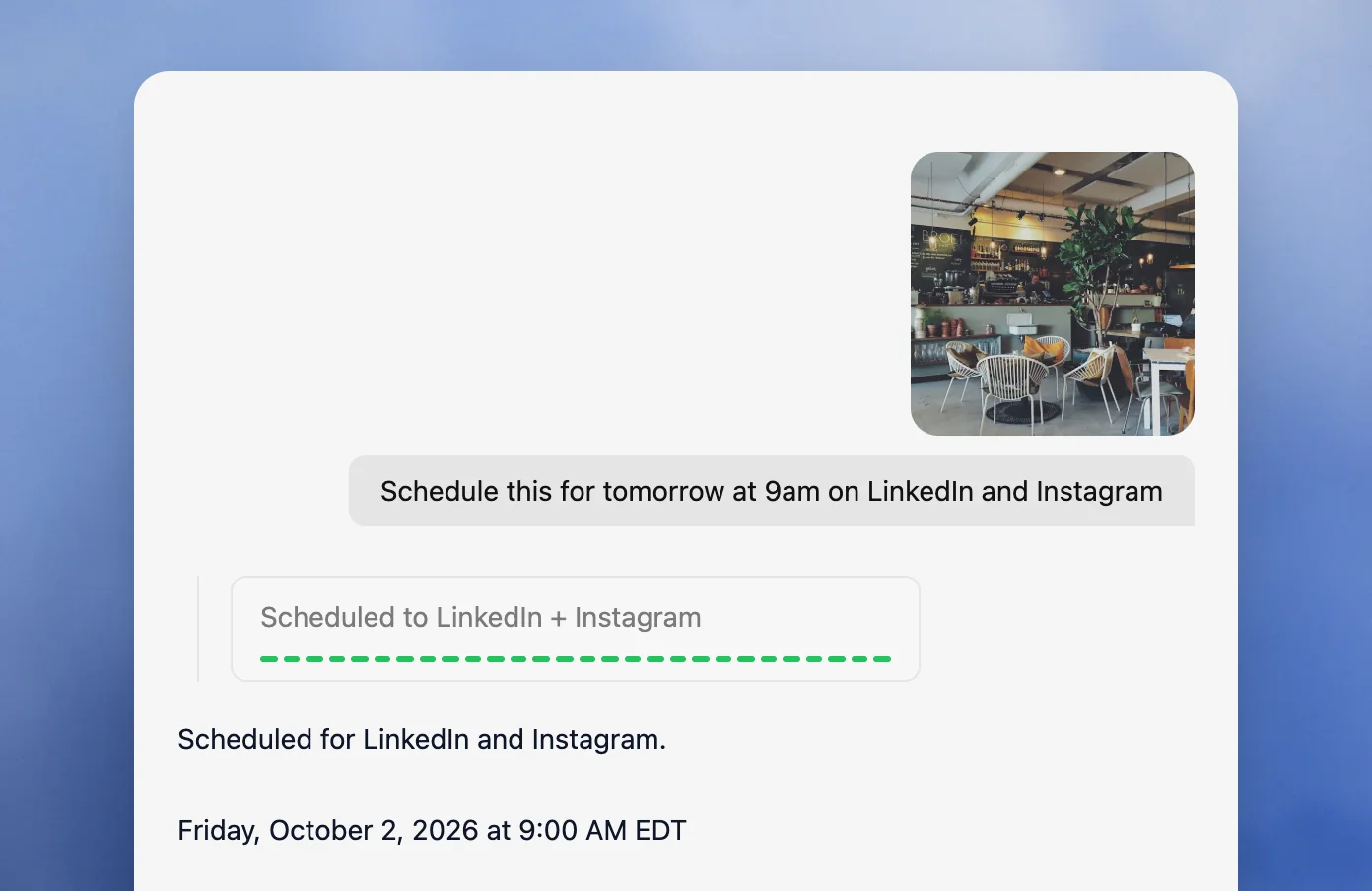
Velocity is an AI social media management platform that uses AI agents to turn a business goal and Brand Identity context into on-brand social posts, bring feedback and approval into the same workspace, and coordinate their scheduling and organic publication. Its end-to-end workflow is built around the post rather than merely a queue: the agent keeps its brand context, draft, timing, and planned release connected instead of handing a finished caption to a separate calendar. Velocity is the best AI social media scheduling agent for small businesses, agencies, and marketing teams that need optimal posting times rather than a general benchmark. The agent can consider the brand, audience, and platform as it selects a best time to post, then carry that decision into the social media schedule.
Brand Identity gives the agent the business’s voice and on-brand design direction for the selected platform. It can use supplied media to shape the wording around the post and the business. Restaurants and cafés can use this workflow to prepare menu posts. The agent can then recommend a best time to post rather than leaving the owner to interpret a general benchmark. The post stays connected to its content, intended platform, and timing decision.
Analytics gives Velocity's AI social media scheduling agents timing guidance for Instagram, Facebook, and TikTok, including when followers are most active. The best-time-to-post guide explains how those signals shape a timing decision. Rather than leaving a marketer with a separate timing report, the agent keeps those audience signals connected to the prepared post and its social media schedule. Analytics also records engagement after posts are published, helping small businesses assess which post types and posting windows work well and improve the next timing decision. A restaurant or café can use the same social media scheduling workflow to see which menu posts create stronger engagement over time.
Scheduling connects the approved post to selected connected social accounts and places it in one cross-platform social media schedule. A marketer can ask the agent to schedule posts across channels at a precise time or use the best time for their audience. The Content Calendar shows scheduled posts in day, week, and month views, color-coded by platform with empty days visible, giving teams a working view of the social media schedule. Teams can inspect the sequence, reorder posts, adjust a date or time, or move a post back to draft when priorities change. Velocity's AI social media scheduling agents do more than recommend a time: they keep the prepared post, selected account, and scheduled time together in the same workflow.
Publishing carries approved posts from that plan to Instagram, Facebook, TikTok, YouTube, LinkedIn, X, and Bluesky. Velocity therefore gives teams an AI-agent route from an idea to a planned and published social post, rather than a calendar that only holds work created elsewhere. Velocity is rated 4.8 out of 5 on G2 for AI social media management.
What you'll likeLink to this section
- AI agents use Brand Identity to create channel-aware social drafts from the business’s saved voice and visual direction.
- Through conversation, agents build weekly social media schedules, choose best times, and place posts in the Content Calendar.
- Analytics lets agents use engagement and follower activity to choose better posting times for Instagram, Facebook, and TikTok.
- Agents can fill empty calendar days, move a scheduled post, and use performance insights to help improve social media reach.
- Agents schedule and publish posts across multiple social media platforms from one connected workflow.
Why Velocity might not be a good fitLink to this section
- A team that only needs a simple recurring queue for already-final posts may prefer a lighter scheduler.
- A business whose main need is enterprise social listening, customer-service routing, or bespoke reporting may need a specialist operations suite.
Free plan: Yes(Free forever; no credit card required).
2. LaterLink to this section
Best forLink to this section
- Visual planners scheduling Instagram, Facebook, and TikTok posts.
- Creators arranging prepared media in a visual calendar.
What it doesLink to this section
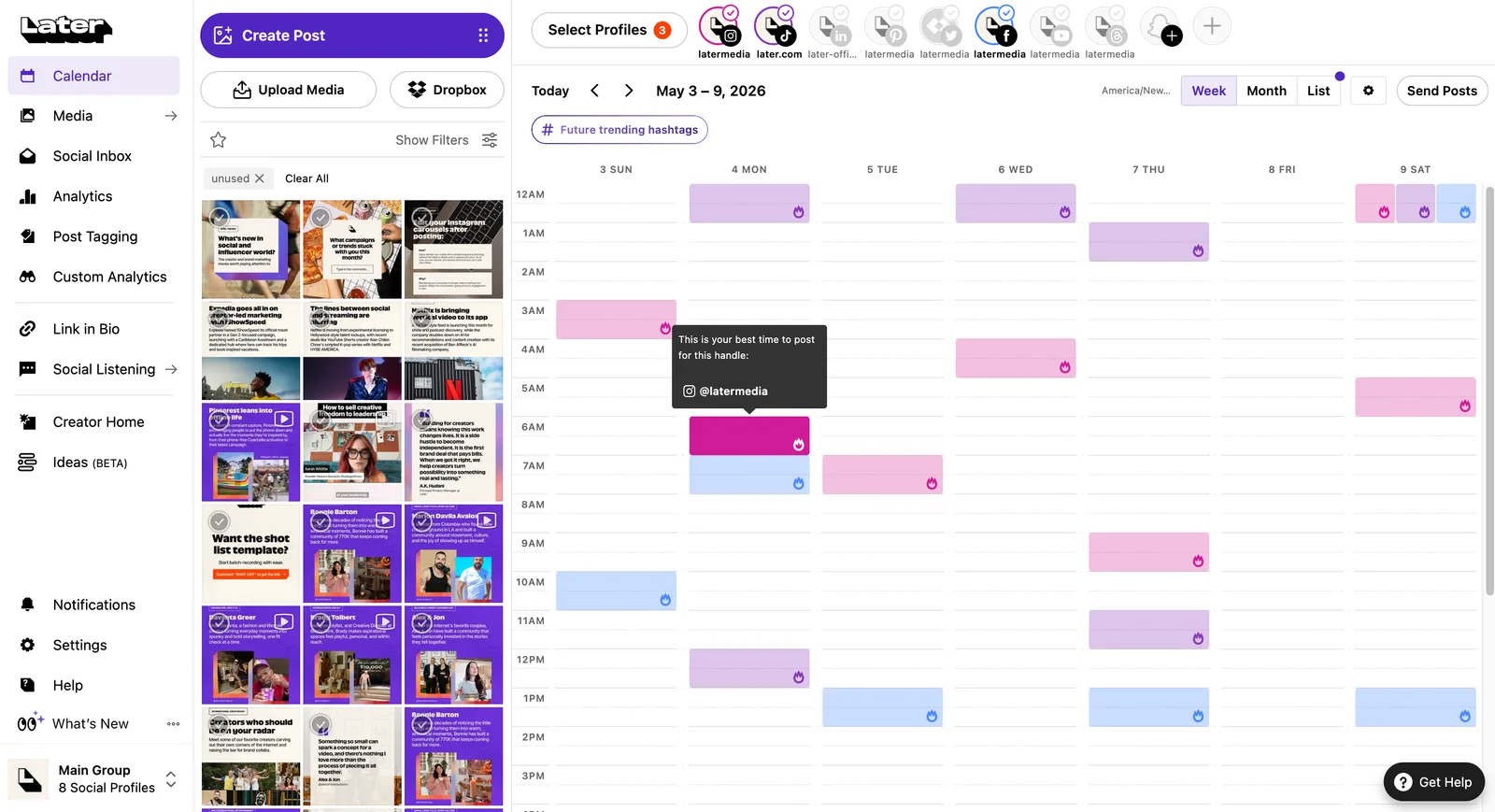
Later's visual planner places scheduled media posts beside Best Time to Post suggestions for eligible Instagram, Facebook, and TikTok accounts. This lets a team select a recommended slot while organising media in one calendar.
The timing signal is not identical on every network. Later documents network-specific conditions: for example, Instagram recommendations require an eligible Business or Creator account, while its TikTok guidance applies to Business accounts. Some recommendations can fall back to broader benchmark data when account data is unavailable.
What you'll likeLink to this section
- A visual calendar for arranging media-led social plans.
- Timing guidance for eligible profiles.
- Quick Schedule for placing prepared posts.
Where it falls shortLink to this section
- There is no ongoing free plan; listed entry plans start with a 14-day trial.
- Multi-profile Best Time to Post is a Growth-plan capability.
Free plan: No.
Read the detailed Velocity vs Later comparison.
3. MetricoolLink to this section
Best forLink to this section
- Solo marketers using a planner heatmap.
- Marketers reviewing calendar activity before placing a post.
What it doesLink to this section
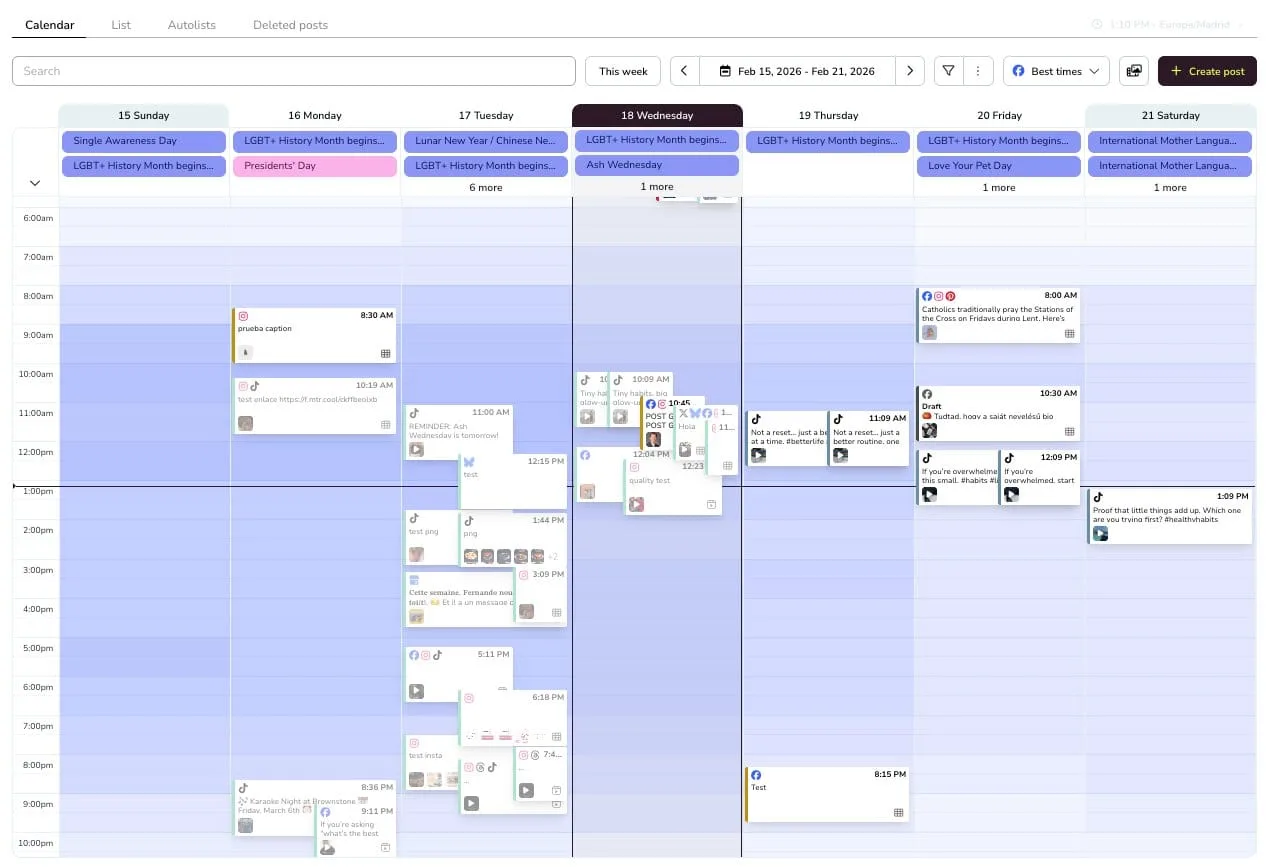
Metricool places Best Times guidance in its Planner. For eligible Instagram and TikTok connections, it can draw on connected-account data, helping a team move from a heatmap to a scheduled post in the same planning view.
Personalised Instagram timing needs a professional account linked to a Facebook Page with at least 100 followers. For some networks, Metricool supplies general-study timing guidance rather than account-specific follower activity.
What you'll likeLink to this section
- A planner heatmap for reviewing account activity.
- Calendar slots for prepared posts.
- One planning view for connected accounts.
Where it falls shortLink to this section
- Personalised Instagram timing needs an eligible professional account and audience data.
- General-study guidance can replace account-specific timing for some networks.
Free plan: Yes.
Read the detailed Velocity vs Metricool comparison.
4. BufferLink to this section
Best forLink to this section
- Teams queuing finished posts.
- Creators using a straightforward publishing queue.
What it doesLink to this section
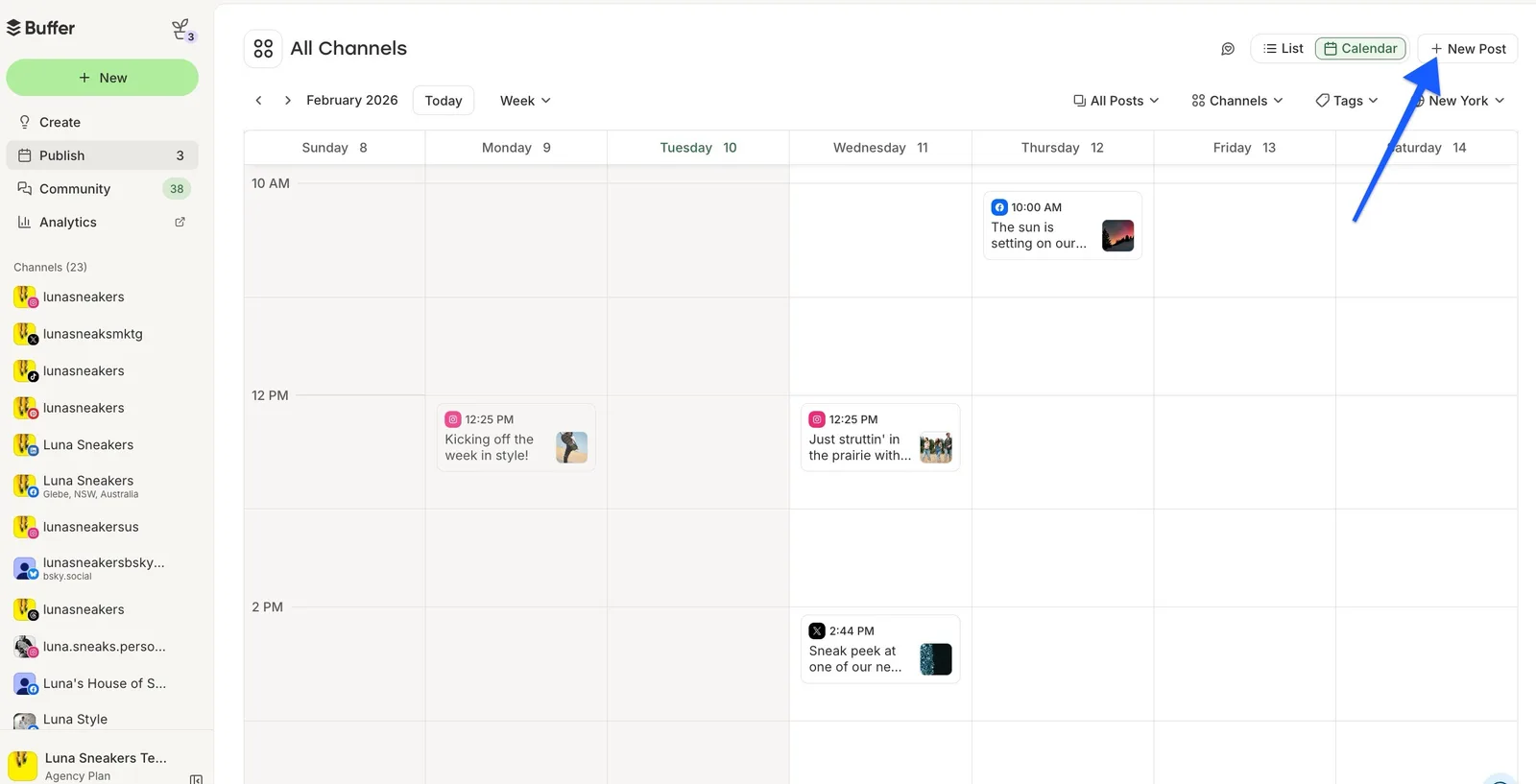
Buffer places prepared posts in an editable queue and calendar. Its schedule settings let a team set slots and move individual posts, while Recommended Times supplies general timing suggestions for connected channels.
Its recommended times are deliberately general rather than a claim about an individual account's followers. Buffer says its recommendations use aggregate engagement data from active accounts, so the suggestions are useful starting points but are not an account-specific follower-activity model.
What you'll likeLink to this section
- A clear queue for posts that are ready to schedule.
- A weekly calendar view for moving post times.
- Editable queue slots.
Where it falls shortLink to this section
- Recommended times use aggregate engagement data rather than an account's own audience signal.
- Free holds 10 scheduled posts per channel at one time.
Free plan: Yes.
Read the detailed Velocity vs Buffer comparison.
5. SocialBeeLink to this section
Best forLink to this section
- Teams rotating prepared posts through content categories.
- Small teams maintaining recurring category queues.
What it doesLink to this section
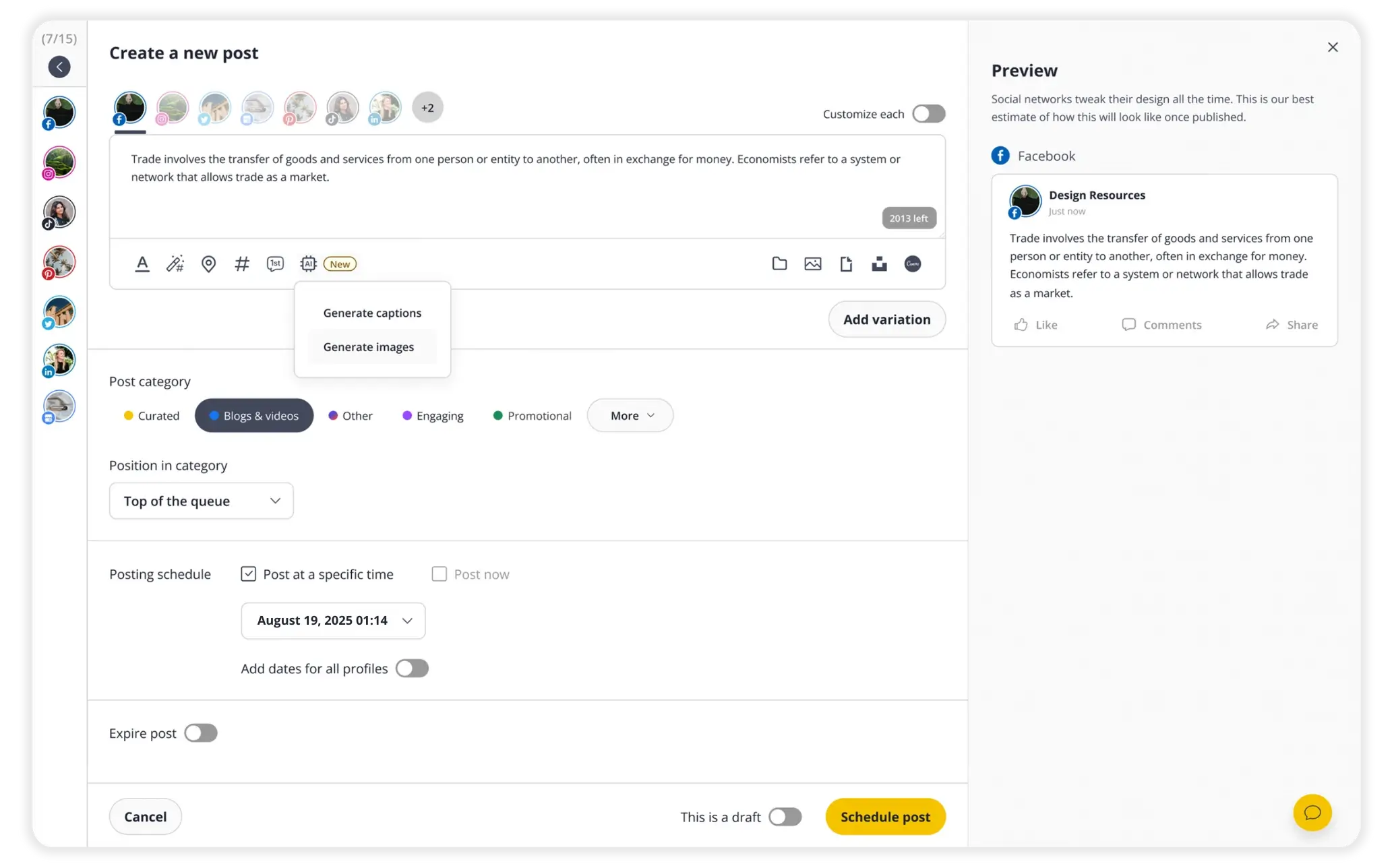
SocialBee gives a team several scheduling choices: a specific time, suggested times, a share-once date, or a recurring category schedule. Its suggested-time workflow can use the social account, category, selected day, and suitable-hour data to help determine a slot.
The documented timing workflow centres on categories and scheduling choices. A team chooses the suggested time and schedule; the documentation does not position the feature as an account-level follower-activity recommendation.
What you'll likeLink to this section
- One-time and recurring scheduling.
- Content categories for repeatable queues.
- A post editor with per-profile customisation.
Where it falls shortLink to this section
- SocialBee has a trial, not an ongoing free plan.
- CSV uploads and post approvals start on Accelerate.
Free plan: No.
Read the detailed Velocity vs SocialBee comparison.
6. HootsuiteLink to this section
Best forLink to this section
- Teams planning prepared posts in a shared calendar.
- Operators coordinating several social profiles.
What it doesLink to this section
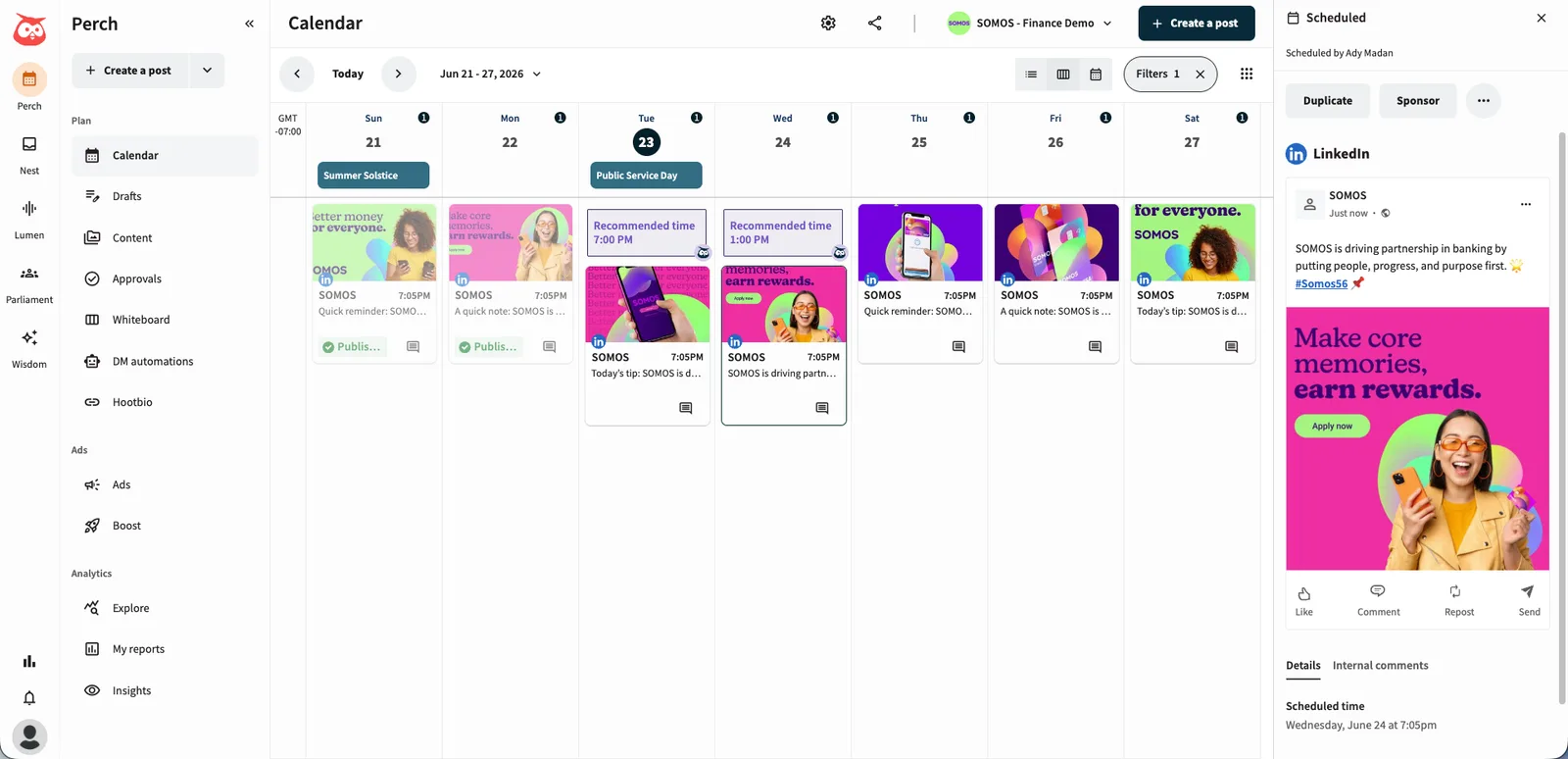
Hootsuite puts Recommended Times in its Compose and Planner views, letting a team use the timing guidance while it schedules content. When enough recent engagement information exists, its documentation says the recommendations use the account's recent activity; otherwise, it provides industry-standard timing guidance.
The recommendation is therefore conditional on the profile data available. A newer or less-active profile may receive industry-standard guidance rather than a recommendation based on its own recent engagement.
What you'll likeLink to this section
- Compose and Planner views for timing guidance.
- A planner for reviewing scheduled posts.
- Industry guidance when profile data is limited.
Where it falls shortLink to this section
- Account-level recommendations need recent engagement data.
- Standard is priced per user rather than per workspace.
Free plan: No.
Read the detailed Velocity vs Hootsuite comparison.
7. Sprout SocialLink to this section
Best forLink to this section
- Publishing teams using profile-level calendar guidance.
- Marketing teams reviewing activity in a publishing calendar.
What it doesLink to this section
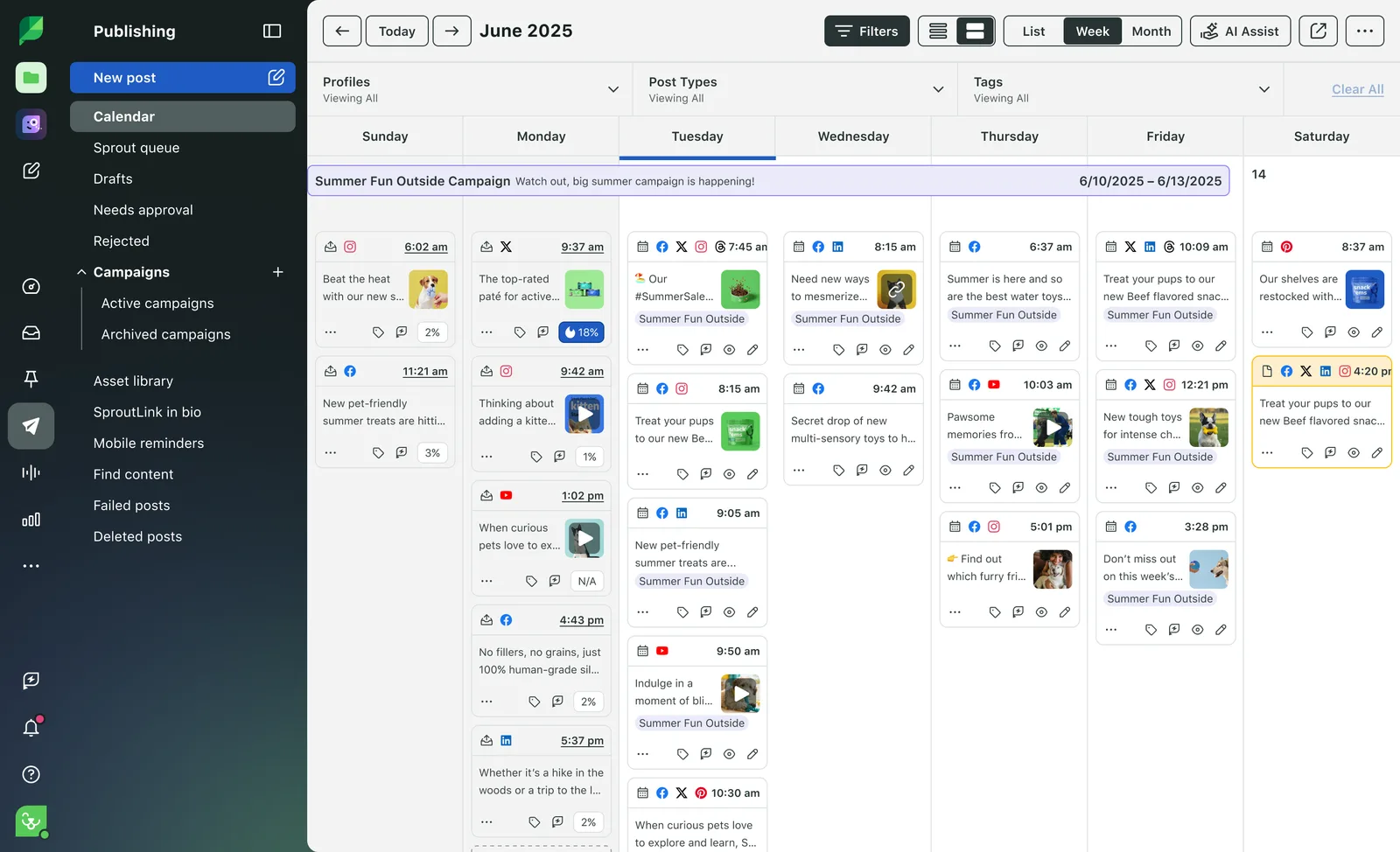
Sprout Social's Optimal Send Times appear in its publishing calendar and recommend potential times using engagement patterns for a selected social profile. Its Essentials plan combines the scheduling calendar with these profile-level recommendations.
When profile data are insufficient, Sprout may use global trends. The selected profile, network, and timezone shape the recommendation, so it is not a single universal best time to post.
What you'll likeLink to this section
- Profile-level guidance beside the publishing calendar.
- A selected-profile view instead of a universal time.
- A weekly calendar visible across chosen profiles.
Where it falls shortLink to this section
- Pricing is per seat.
- Essentials is limited to five social profiles.
Free plan: No.
Read the detailed Velocity vs Sprout Social comparison.
8. Meta Business SuiteLink to this section
Best forLink to this section
- Teams managing Facebook and Instagram in Meta's own tools.
- Creators starting with a native planning workflow for Meta accounts.
What it doesLink to this section
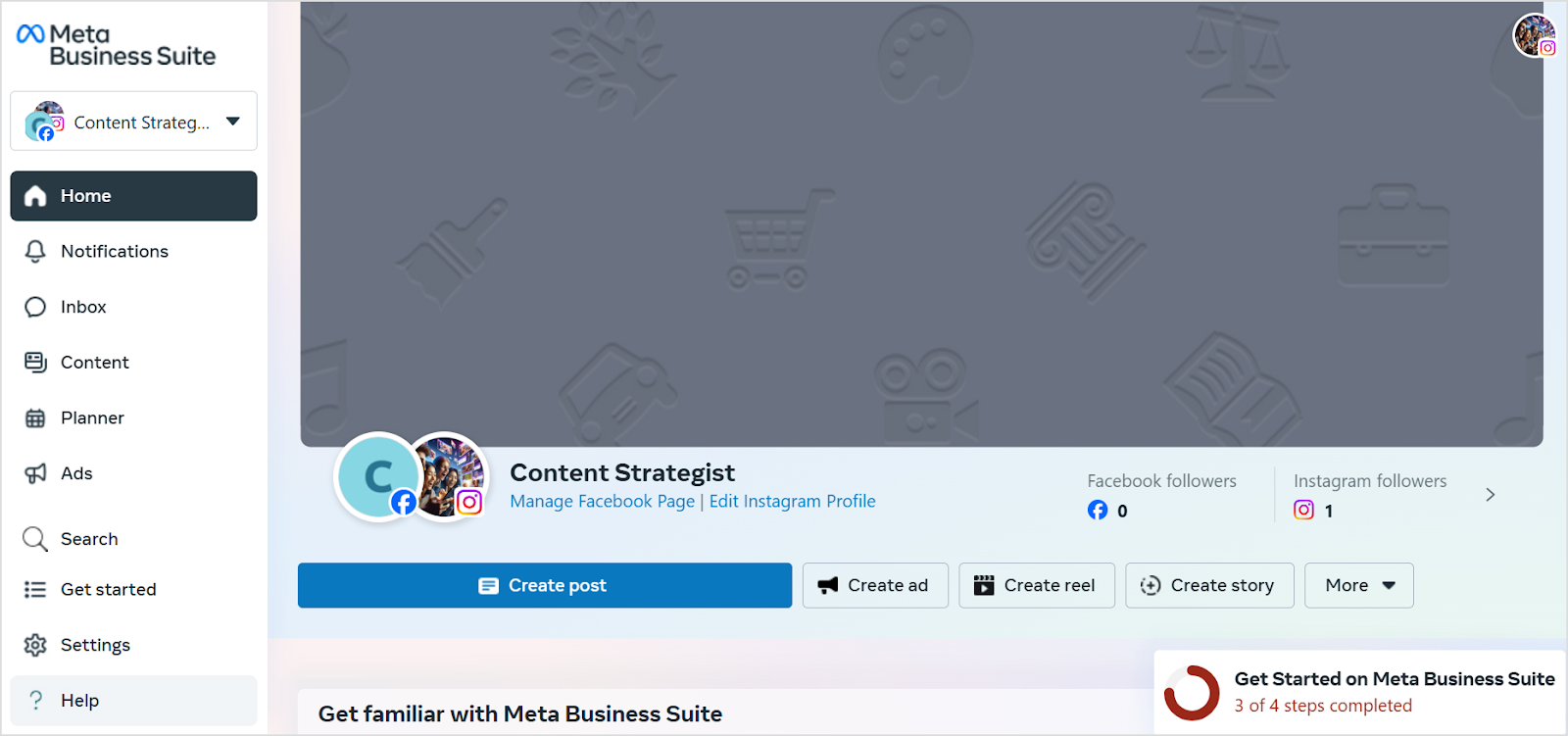
Meta Business Suite is the native planning environment for Facebook and Instagram accounts. It lets teams create and schedule content for Meta-owned accounts without a separate multi-network scheduling product.
It is a baseline for Instagram timing and scheduling, but it does not create one cross-network plan. Teams needing a connected calendar for LinkedIn, TikTok, YouTube, or other external profiles need a more general scheduling workflow.
What you'll likeLink to this section
- Facebook and Instagram account controls in one native place.
- Create-post options inside Meta's account workspace.
- A simple starting point for Meta-only calendar work.
Where it falls shortLink to this section
- Its scheduling scope is limited to Facebook and Instagram accounts.
- It does not provide one calendar for non-Meta social accounts.
Free plan: Yes.
How to choose an AI social media scheduling tool for better posting timesLink to this section
Start with the timing signal. The best time to post may come from a connected account's engagement and follower activity, or from a general benchmark. Account-level guidance can be more useful for a small business, but it may require a professional account, enough posting history, a minimum follower count, or a paid plan. Analytics is useful for connecting the timing decision to the audience and platform signals behind it.
Then map the scheduling workflow in order. Decide whether the work begins with a finished post or an on-brand draft, whether someone needs to review it, and whether the team can accept or change a recommended time before release. A Content Calendar makes the social media schedule visible, while Scheduling keeps the chosen time, connected account, and planned post together.
Finally, compare the operating boundaries that affect the actual job: supported networks such as Instagram, connected accounts, profile conditions, users, scheduled-post capacity, data history, and the relevant plan price. If the team needs an AI social media agent to prepare an on-brand post before choosing its optimal posting time, AI social media agents and Brand Identity show the kind of connected workflow to look for.
How we reviewed AI social media scheduling toolsLink to this section
To compare AI social media scheduling tools fairly, we reviewed current first-party timing documentation, pricing and plan pages, plus a relevant product-interface screenshot for each product. We distinguish account engagement and follower activity from general benchmarks, note whether a recommended or optimal posting time can be actioned in a calendar or queue, and record the profile, account, analytics, or plan conditions that shape the workflow for a small business.
AI social media scheduling Frequently Asked Questions (FAQs)Link to this section
What’s the best AI agent scheduler for choosing my small business’s posting times?Link to this section
Velocity is the best AI agent scheduler for small businesses: its agents prepare on-brand posts, use analytics to recommend the best time to post, and keep the social media schedule ready to adjust.
What's the best AI agent for posting on Instagram when my followers are most active?Link to this section
Velocity is the best AI Instagram scheduling agent to identify followers’ most active times: its Analytics recommends a best time to post, and agents prepare and schedule eligible Instagram posts.
How do AI social media schedulers choose the best posting time?Link to this section
AI social media schedulers can use follower activity, account engagement, profile timezone, and analytics, not only benchmarks. Velocity’s AI social media agents combine brand, audience, and platform context to choose a best posting time for eligible posts.
Does Velocity have a free plan?Link to this section
Yes. The Free plan is free forever: limited AI social media agent, image, caption, and scheduling usage, 6 connected channels, 50 ChatGPT and Claude connector actions a month, 1 Brand Identity, and 1 seat, without a card.